
If you’re trying to launch Valorant and keep seeing errors like “RiotGamesApi.dll is missing”, you’re not alone. DLL-related errors can stop the game from starting altogether and are usually caused by corrupted system files, missing Windows components, or an incomplete game installation.
In this guide, we’ll walk through the most common symptoms, explain why these DLL errors happen, and show you both fast and reliable ways to fix them—whether you want a quick one-click solution or prefer manual troubleshooting.

- ✅ Reduce Lag and High Ping.
✅ Boost FPS at the Same Time.
✅ Support 2000+ Online Games
✅ Change Server Without Latency.
✅ Multiplatform: PC, Console, Mobile.
✅ End Connection & Crashing Issues
Part 1: What Is the Valorant DLL Missing Error?
Part 2: Why Does DLL Missing Error Happen in Valorant?
Part 3: Fastest Way to Fix Valorant DLL Missing Error
Part 4: Manual & Alternative Ways to Fix DLL Missing Error
Part 1: What Is the Valorant DLL Missing Error?
The Valorant DLL missing error occurs when the game can’t locate essential Dynamic Link Library (DLL) files it needs to run. DLL files act as shared components that Valorant relies on to load features, communicate with the Riot client, and interact with Windows system services. If one or more of these files are missing or corrupted, Valorant can’t load correctly, which often results in crashes, freezes, or the game failing to start altogether.
If you’re not sure whether this issue applies to your situation, the following symptoms are the most common signs of a DLL missing error in Valorant:
Common Symptoms of the Valorant DLL Missing Error
- Valorant fails to start after clicking Play
- Error messages such as “RiotGamesApi.dll is missing” appear
- The game crashes during launch or freezes on the loading screen
- Other system DLL errors may appear alongside the main error
Part 2: Why Does DLL Missing Error Happen in Valorant?
DLL missing errors happen when Valorant or Windows can’t access essential files. Common causes include:
1. Corrupted or Incomplete Game Installation
Failed updates or interrupted downloads can leave DLL files missing or damaged.
2. Missing Windows Components
Valorant requires up-to-date C++ Redistributables, .NET Framework, and DirectX. Missing or outdated components can cause errors.
3. Anti-Virus Interference
Some security programs may block or remove DLL files, preventing the game from launching.
4. Manual File Changes
Moving, renaming, or modifying game files can break DLL references and trigger errors.
Part 3: Fastest Way to Fix Valorant DLL Missing Error
If you want the fastest way to fix a Valorant DLL missing error, LagoFast’s Game Crash Fix is a straightforward option. It can detect and repair system-level DLL issues with one click, including problems related to C++ Redistributables, .NET Framework, and DirectX, which are common causes of Valorant startup errors. This avoids manual file replacement and reduces the chance of fixing the wrong thing.
In addition to crash repair, LagoFast also focuses on overall gameplay performance. It helps lower ping, stabilize network connections, optimize routing, and improve FPS, making it useful not only for fixing DLL errors but also for creating a smoother and more stable Valorant experience.
How to Use LagoFast Game Crash Fix
Step 1: Click the Free Trial button to download and install LagoFast.
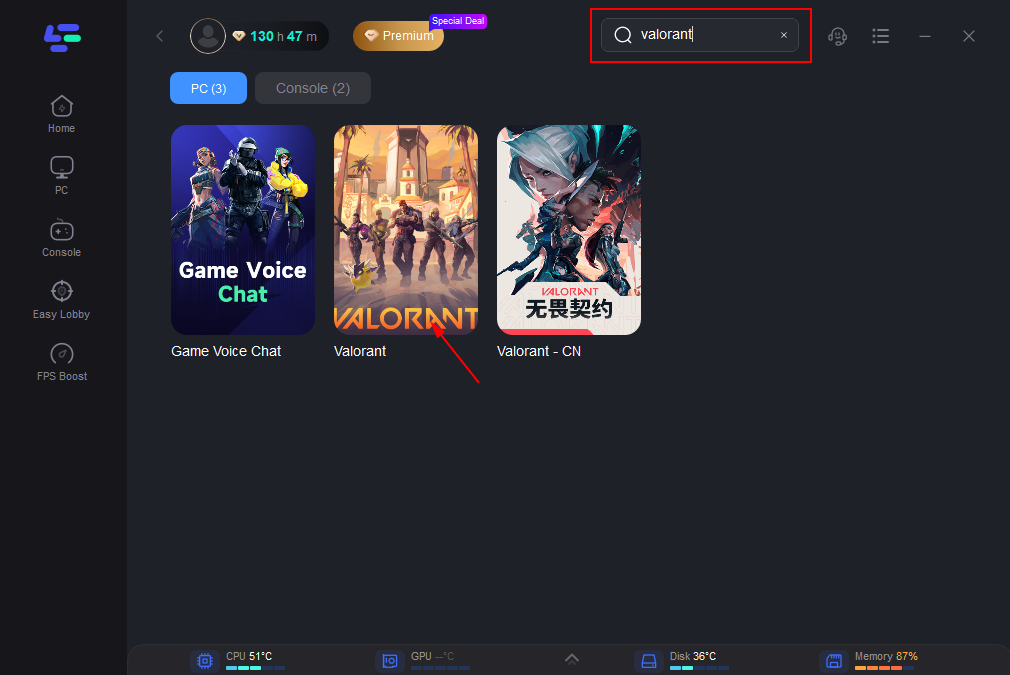
Step 2: After installation, search "Valorant" in the search bar and select the game.
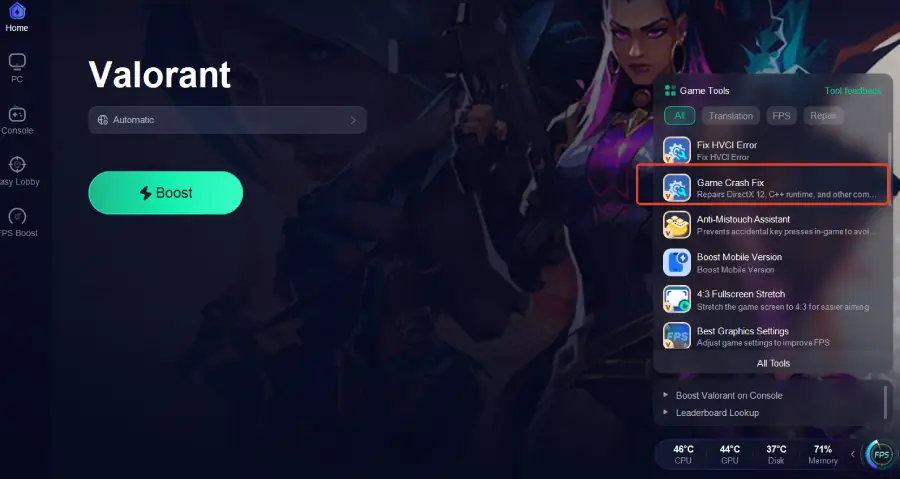
Step 3: Click the Game Crash Fix tool on the right.
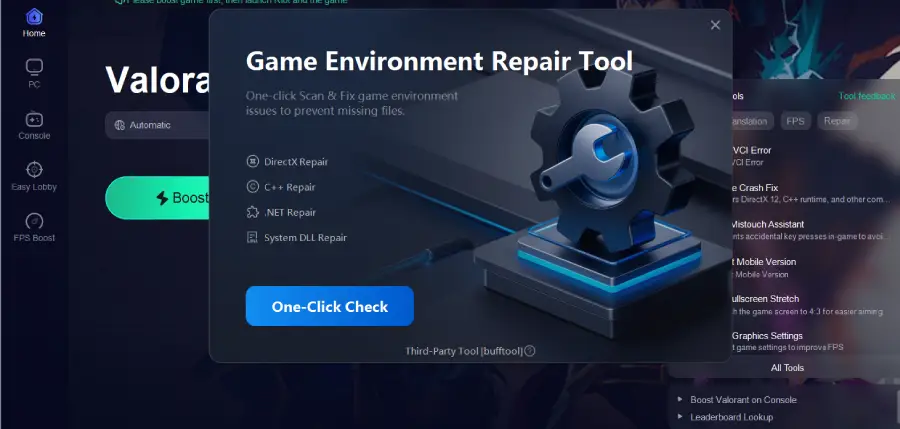
Step 4: Click One-Click Check to apply the fix.
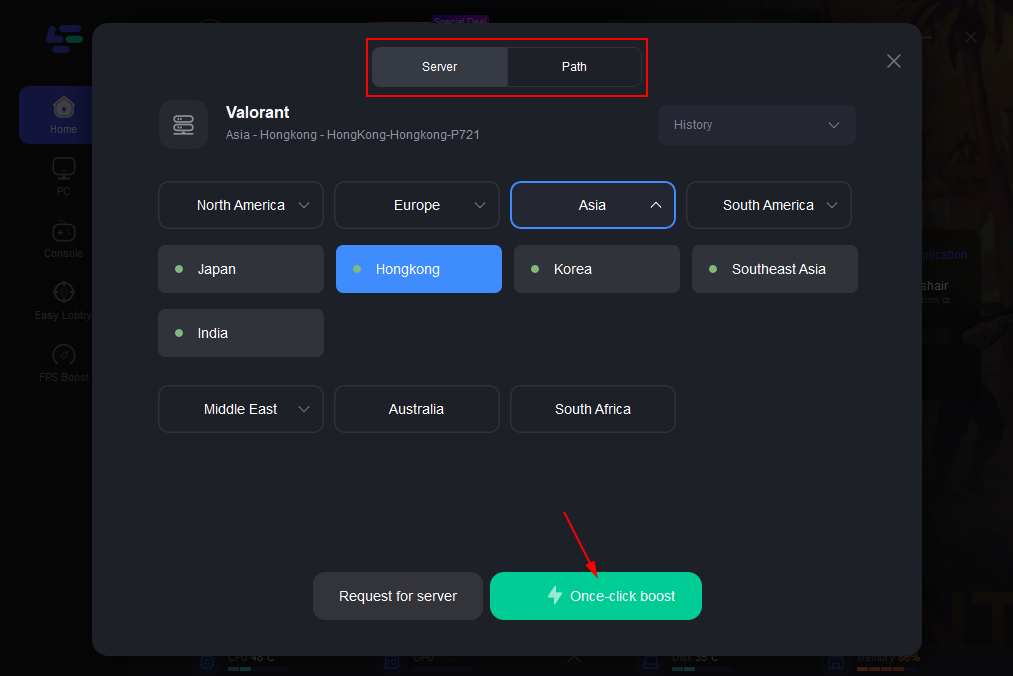
Step 5: Choose your preferred server node and click "Smart Boost" to start optimizing.
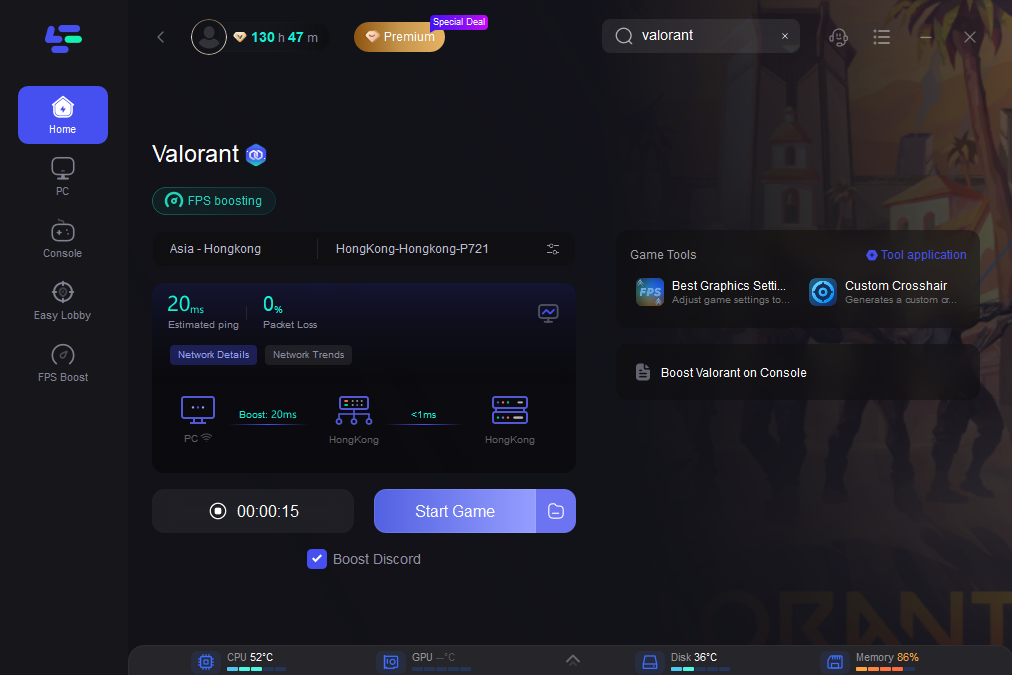
Step 6: Launch your game and enjoy smooth, optimized gameplay with lower ping and no stutter.
Part 4: Manual & Alternative Ways to Fix DLL Missing Error
If you’d rather fix the issue yourself, the methods below can help resolve most Valorant DLL missing errors. It’s best to try them in order, starting with the simplest option before moving on to more manual steps.
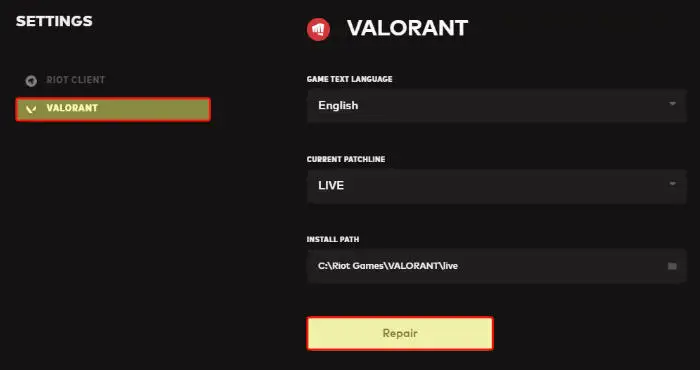
1. Repair Valorant Using the Riot Games Client
This is the easiest manual fix and often works if the DLL file is missing or damaged.
- Open the Riot Games Launcher
- Select Valorant, click the gear icon, then choose Repair
- Let the client scan the game files and replace anything missing
2. Install or Repair Visual C++ Redistributables
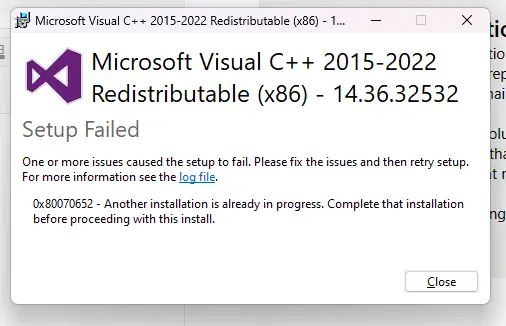
Valorant relies heavily on Microsoft Visual C++ libraries. If these are missing or corrupted, DLL errors can appear.
- Go to the official Microsoft website and download Visual C++ 2015–2022 Redistributables
- Install both x86 and x64 versions
- Restart your PC after installation
3. Update DirectX and .NET Framework
Outdated system components can also trigger DLL-related errors.
- Open Windows Update and check for the latest DirectX updates
- Install or update the .NET Framework if prompted
- Restart your system once updates are complete
4. Manually Replace RiotGamesApi.dll
If the error specifically mentions RiotGamesApi.dll, manual replacement may be necessary.
- Navigate to the Valorant installation folder (for example: C:\Riot Games\Valorant\). …)
- Locate the missing or corrupted RiotGamesApi.dll file
- Replace it with a verified version, then restart Valorant
Note: Manual DLL replacement should be done carefully. Using the wrong DLL version can lead to new errors or prevent the game from launching.
Conclusion
Valorant DLL errors occur when game files or system components are missing, corrupted, or blocked. You can fix them using a one-click tool like LagoFast Game Crash Fix to repair DLLs and optimize performance, or by manually repairing the game through the Riot client, updating Windows components, or carefully replacing specific DLL files. Choosing the right approach restores Valorant and reduces the chance of the error recurring.

Boost Your Game with LagoFast for Epic Speed
Play harder, faster. LagoFast game booster eliminates stutter and lags on PC, mobile, or Mac—win every match!
Quickly Reduce Game Lag and Ping!
Boost FPS for Smoother Gameplay!