
Quick Answer
If FC 27 lags on PS5, first test the connection with Ethernet, stop downloads, restart the game and router, and check EA server status. For stuttering that also appears offline, update the console, use Safe Mode cache tools, check display settings, and inspect the TV or monitor. PC players should also lower graphics settings, update GPU drivers, and check frame-time consistency.

- ✅ Reduce Lag and High Ping.
- ✅ Boost FPS at the Same Time.
- ✅ Support 8000+ Popular Online Games.
- ✅ Stable Server Connection
Part 1: Why Is FC 27 Lagging on PS5?
Part 2: How to Fix FC 27 PS5 Lag and High Ping With LagoFast
Part 3: Other Ways to Fix FC 27 Lagging on PS5
Part 4: FAQs About FC 27 Lagging on PS5
Part 1: Why Is FC 27 Lagging on PS5?
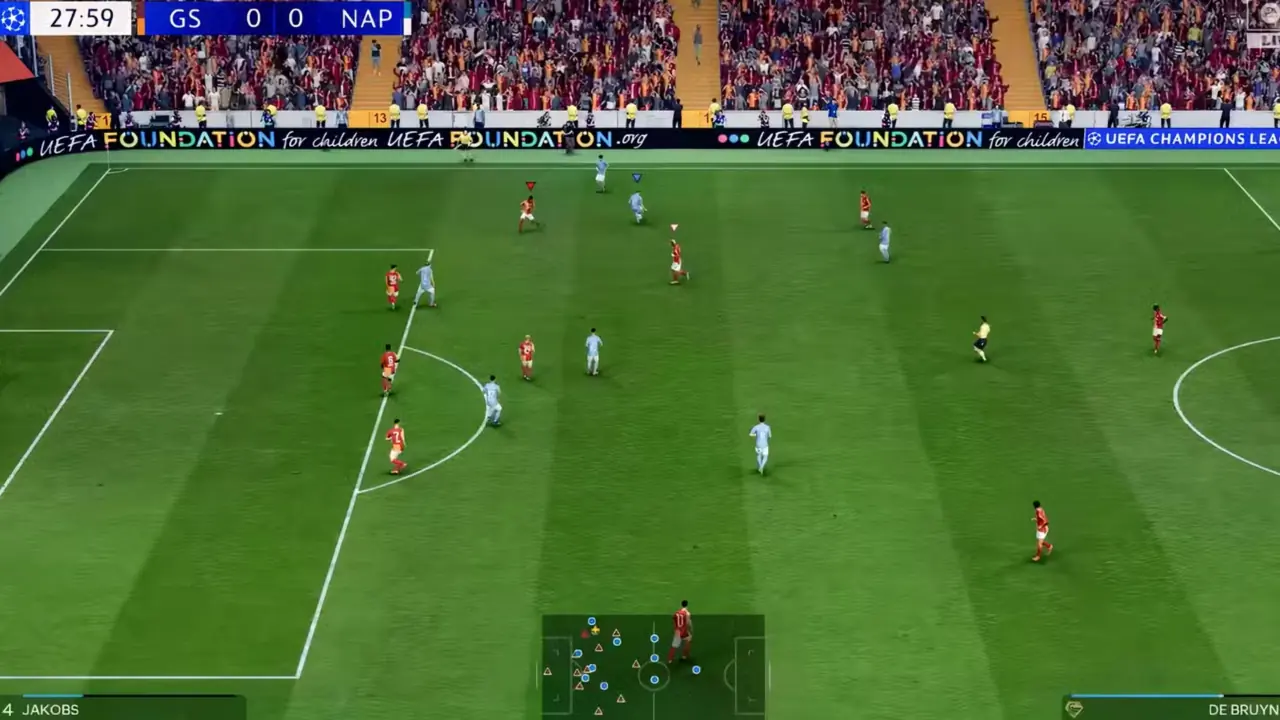
Before changing settings, identify the symptom. A player who turns slowly online may have latency, while a player who sees uneven animation in menus may have a console, display, or game-performance issue. These problems can feel identical during a close match, but they need different fixes.
|
Symptom |
Most likely cause |
First test |
|
Players react late online |
Ping, jitter, packet loss, or a poor route |
Play one match over Ethernet |
|
Sudden speed-up or rubber-banding |
Packet loss or unstable Wi-Fi |
Stop other traffic and check connection quality |
|
Uneven animation offline |
Frame-time spikes, cache, or a display issue |
Test Kick-Off mode and inspect TV Game Mode |
|
Complete freeze or crash |
Software fault, storage issue, overheating, or server disruption |
Restart fully and check updates |
|
Delay only on one television |
Image processing |
Enable Game Mode and disable motion processing |
Common triggers include a crowded wireless network, a distant router, 2.4 GHz interference, an overloaded upload connection, or old router firmware. High download speed alone does not guarantee a responsive match.
A useful rule: smooth offline Kick-Off with delayed online play points to network quality; delay in both modes points to console, display, or game performance.
Part 2: How to Fix FC 27 PS5 Lag and High Ping With LagoFast
If FC 27 runs smoothly offline but feels delayed or unstable in online matches, the connection route between your PS5 and the game server may be part of the problem. LagoFast Game Booster can optimize this route from a PC on the same network, helping reduce high ping, packet loss, and connection instability on PS5. It supports boosting PS5 through its PC client, with the PC and PS5 connected to the same router.
Step-by-step tutorial for improving FC 27 connection stability
Step 1. Download and launch LagoFast on your PC. Click the Free Trial button to install LagoFast Game Booster and make sure your PC and PS5 are connected to the same router/network.
Step 2. Select the EA SPORTS FC 27 PlayStation version. Search for EA SPORTS FC 27 in the game list. Select the FC 27 PlayStation version for PS5. If you're playing on Xbox, choose the Xbox version instead.
Step 3. Select a server and start AI Boost. Select a nearby server region and recommended route. Activate the network optimization or AI Boost option. Let the tool establish its route before launching FC 27
Step 4. Connect your PS5 and PC to the same network. On PS5, go to: Settings > Network > Set Up Internet Connection. Select the same network/router used by your PC. LagoFast will guide you through the console setup
Step 5. Enter the IP settings provided by LagoFast. Select your connected network on PS5 and go to: Advanced Settings > IP Address Settings > Manual. Enter the IP Address, Subnet Mask, and Gateway displayed by LagoFast.
Step 6. Configure the DNS shown by LagoFast. Enter the Primary DNS provided in the LagoFast guide and complete the network configuration. The exact IP and DNS values are generated for your connection, so use the values shown in your own LagoFast client rather than copying values from screenshots.
Step 7. Finish the setup and launch FC 27 on PS5. Once the connection is successfully established, keep LagoFast running on your PC and launch FC 27 on PS5. Do not shut down or put the PC to sleep while Console Boost is active.
If you're using PS4 or want a separate console setup guide, see LagoFast's official PlayStation 4/PlayStation 5 Console Boost tutorial.
LagoFast optimizes the network route; it cannot fix an EA server outage or a faulty local connection. If multiple games or devices are experiencing packet loss, troubleshoot your home network or ISP first.
Part 3: Other Ways to Fix FC 27 Lagging on PS5
Before changing more settings, compare an offline Kick-Off match with an online match. If FC 27 feels smooth offline but heavy, delayed, or stuttery online, focus on your connection. If the same problem also appears offline, check your PS5, controller, game, and display instead.
Fix 1: Use Ethernet Instead of Wi-Fi
Connect your PS5 directly to the router with an Ethernet cable whenever possible. Wi-Fi can introduce jitter and packet loss, which may cause delayed actions, visual stuttering, or speed-up lag in FC 27.
EA recommends Ethernet for a more consistent FC connection. If a wired connection isn't possible, use 5 GHz Wi-Fi when your PS5 is close enough to the router; 2.4 GHz offers more range but is generally slower and more prone to higher ping and connection instability.
Fix 2: Stop Downloads and Background Network Traffic
Pause downloads, streaming, cloud backups, and large uploads while playing FC 27. Also check other devices using the same network.
Even with a fast internet plan, heavy network activity can affect responsiveness. EA specifically notes that activities such as automatic uploads and streaming on other devices can introduce additional delay.
Fix 3: Restart Your PS5 and Router
Fully close FC 27 instead of leaving it suspended, then restart your PS5.
You can also power off your router and modem for at least 30 seconds before reconnecting them. After the network is back online, launch FC 27 again and test another match.
This is particularly useful if FC 27 suddenly starts lagging after previously running normally.
Fix 4: Enable Game Mode to Reduce FC 27 Input Delay
If your connection looks stable but passes, shots, tackles, or player switching still feel delayed, check your display.
Enable Game Mode or another low-latency mode on your TV or monitor. Disable unnecessary image-processing features such as motion smoothing and noise reduction.
EA's FC responsiveness testing found that playing on a TV outside Game Mode can add roughly 20 ms to more than 100 ms of display delay, which can make good network conditions feel like a bad connection.
You can also connect your DualSense controller via USB for a short comparison. If FC 27 still feels delayed in an offline Kick-Off match, the problem is less likely to be caused solely by your internet connection.
Fix 5: Update FC 27 and Your PS5
Make sure you have installed the latest FC 27 game update and PS5 system software.
After installing updates, fully restart the console and test FC 27 again. This helps rule out game-side or system compatibility problems before moving to more disruptive troubleshooting.
Fix 6: Fix FC 27 Stuttering and Freezing on PS5
If FC 27 stutters or freezes even in offline matches or menus, focus on the console and game rather than just the network.
Start with a full PS5 restart. If the issue continues:
- Check that you have enough free storage.
- Make sure the PS5 has proper ventilation.
- Test FC 27 in an offline Kick-Off match.
- Use PS5 Safe Mode to Clear Cache and Rebuild Database if persistent stuttering or freezing continues.
- Reinstall FC 27 as a last resort.
Do not use Reset PS5 as a routine lag fix, as reset options can erase console data.
However, don't automatically assume every stutter is a PS5 performance problem. EA states that high ping, jitter, and packet loss can also produce visual stuttering and speed-up lag during online matches.
Fix 7: Check EA FC 27 Server Status
If FC 27 suddenly becomes laggy for many players, or you can't connect to online modes, check EA's server status before changing more PS5 or router settings.
You should also pay attention to your FC connection quality. EA uses three main metrics:
- Ping: how long game data takes to travel between your PS5 and the FC Game Data Center.
- Jitter: how much your ping changes over time.
- Packet loss: how much game data fails to complete the trip.
High ping can cause delayed actions, while high jitter or packet loss can lead to stuttering, speed-up lag, and disconnects.
If FC 27 is smooth offline but consistently shows these problems online, focus on your network connection and route rather than PS5 performance.
Part 4: FAQs About FC 27 Lagging on PS5
Why is FC 27 lagging on PS5 when my internet speed is high?
Speed tests measure bandwidth, but online football games also depend on latency, jitter, packet loss, and route consistency. Use Ethernet, stop competing traffic, and compare a full match rather than relying only on download speed.
How do I fix FC 27 PS5 high ping?
Restart the game and router, use Ethernet, choose 5 GHz Wi-Fi if necessary, reduce household traffic, and check EA server status. If high ping affects several games, ask your ISP to investigate congestion or routing.
What causes FC 27 PS5 stuttering offline?
Offline stutter is less likely to be caused by ping. Check PS5 updates, display Game Mode, ventilation, storage, cache, and database health. Safe Mode cache clearing and database rebuilding are reasonable steps before considering a reinstall.
Can a TV cause FC 27 PS5 input delay?
Yes. Motion smoothing, cinematic picture modes, and image enhancement can add processing time. Use the TV’s Game Mode, disable extra processing, and test the controller by USB to separate display delay from network delay.
Does rebuilding the PS5 database delete games or saves?
Rebuild Database is designed to scan and reorganize the storage index, not to reset the console. Read every Safe Mode warning carefully, keep backups of important saves, and never confuse database rebuilding with Reset PS5, which has a different and more destructive effect.
Why does FC 27 freeze after several matches?
Possible causes include a temporary game fault, overheating, storage or cache problems, an outdated system, or a wider service issue. Restart the game, check ventilation and updates, clear cache, and see if other games show the same behavior.
Key takeaway
Fix the cause that matches the symptom: stabilize the route for online delay, correct display and frame-time problems for offline responsiveness, and use PS5 cache or database tools for persistent stuttering and freezing. If connection quality remains inconsistent after Ethernet and router checks, download LagoFast Game Booster and test its recommended route for FC 27 before your next competitive session.
Boost Your Game with LagoFast for Epic Speed
Play harder, faster. LagoFast game booster eliminates stutter and lags on PC, mobile, or Mac—win every match!
Quickly Reduce Game Lag and Ping!
Boost FPS for Smoother Gameplay!