
Dune: Awakening is an expansive open-world MMO survival game set on the perilous planet of Arrakis. While the game offers an immersive experience, some players have reported issues with crashing and freezing, particularly during startup or gameplay. These problems can stem from various factors, including hardware compatibility, software conflicts, or outdated drivers.
This guide aims to provide comprehensive solutions to help you resolve these issues and enjoy a smoother gaming experience.

Part 2: Understanding Dune Awakening Crashing Issues
Part 3: Why Does Dune Awakening Keep Crashing on PC?
Part 4: Fixing Dune Awakening Crash on Startup
Part 5: How to Enhance Game Experience With LagoFast Game Booster
Part 1: Introduction
Dune: Awakening is an exhilarating multiplayer survival game set in the iconic universe of Dune, where players navigate the dangers of Arrakis, craft tools, and engage in epic battles for survival and power. However, like many other expansive online games, players may encounter frustrating crashing and freezing issues that can severely disrupt their experience. These problems can range from occasional freezes during gameplay to persistent crashes that prevent players from starting the game altogether.
Part 2: Understanding Dune Awakening Crashing Issues
Crashing and freezing in Dune: Awakening can occur due to several reasons:
- Hardware Compatibility: Incompatibility between the game and certain hardware components, such as GPUs or CPUs, can lead to instability.
- Outdated Drivers: Graphics drivers that are not up-to-date may not support the game's requirements, causing crashes.
- Software Conflicts: Background applications or overlays (e.g., Discord, Steam) can interfere with the game's operation.
- Corrupted Game Files: Missing or corrupted files can prevent the game from running correctly.
- DirectX Issues: Problems with DirectX, such as unsupported versions, can cause the game to crash on launch.
Identifying the root cause is essential for applying the appropriate fix.
Part 3: Why Does Dune Awakening Keep Crashing on PC?
Several specific issues have been identified by the Dune: Awakening community:
- DirectX 12 Compatibility: Some systems do not support DirectX 12, leading to crashes. Removing the -dx12 or -d3d12 launch options can resolve this.
- Problematic DLL Files: The presence of certain DLL files, such as sl.pcl.dll, in the game directory can cause crashes. Deleting these files has helped some users.
- BIOS Issues with Newer CPUs: Users with Intel 13th or 14th generation processors have reported crashes that were resolved by updating the BIOS.
- Outdated Graphics Drivers: Ensuring that your GPU drivers are up-to-date is crucial for stability.
- Shader Compilation Freezes: The game may freeze during shader compilation, especially on high-end systems. Updating the BIOS or adjusting graphics settings can help.
Part 4: Fixing Dune Awakening Crash on Startup
To address startup crashes:
- Verify Game Files:
In Steam, right-click on Dune: Awakening, select 'Properties', go to the 'Installed Files' tab, and click 'Verify integrity of game files'. - Update Graphics Drivers:
Use NVIDIA GeForce Experience or AMD Radeon Software to update your GPU drivers. - Remove Problematic DLLs:
Navigate to the game's installation folder and delete any files named sl.pcl.dll. - Adjust Launch Options:
In Steam, right-click the game, select 'Properties', and in the 'Launch Options' field, remove any -dx12 or -d3d12 entries. - Update BIOS:
Visit your motherboard manufacturer's website to download and install the latest BIOS update, especially if using newer Intel CPUs. - Disable Overlays and Background Applications:
Turn off overlays from applications like Discord or Steam, and close unnecessary background programs that might interfere with the game.
Part 5: How to Enhance Game Experience With LagoFast Game Booster
LagoFast can optimize your gaming experience by reducing lag, stabilizing your network connection, and improving overall performance.
How LagoFast Helps Improve Your Gaming Experience:
- Real-time network optimization
- Reduced ping and latency
- Minimized packet loss
- Enhanced overall game performance
How to Use LagoFast with Dune: Awakening
Step 1: Begin by clicking the Free Trial button to download and install the LagoFast Free Trial.
Step 2: Open the LagoFast application and log in or create an account if necessary.
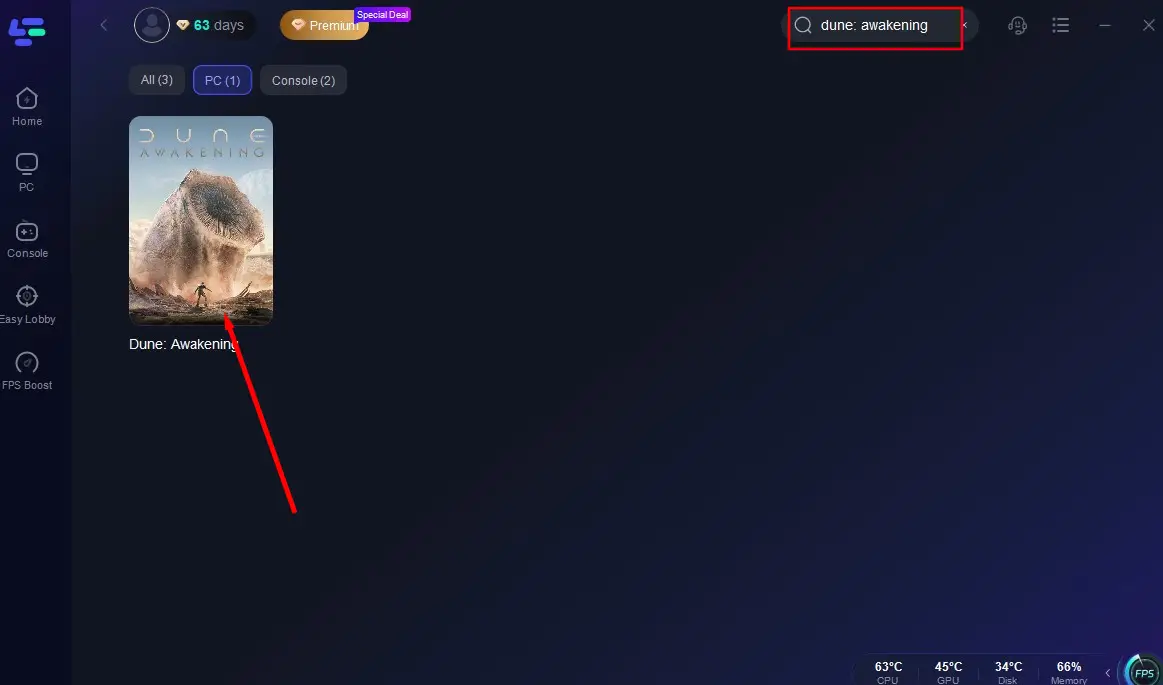
Step 3: In the LagoFast interface, find and select dune awakening from the list of supported games.
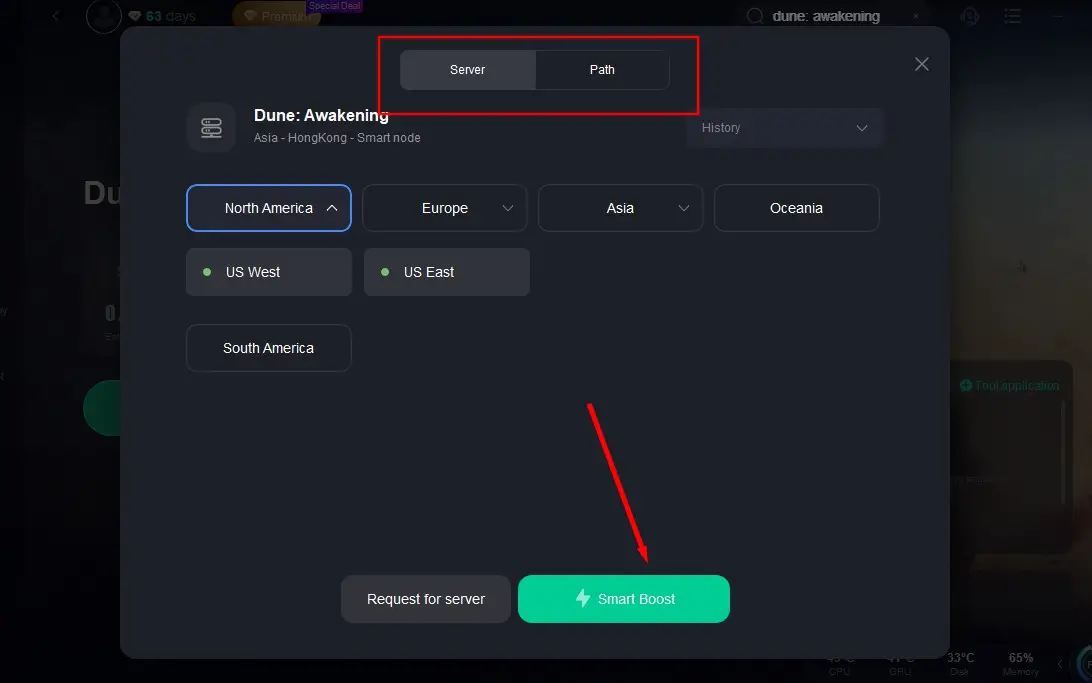
Step 4: Choose the server region closest to your location and let LagoFast optimize the best route for your connection.
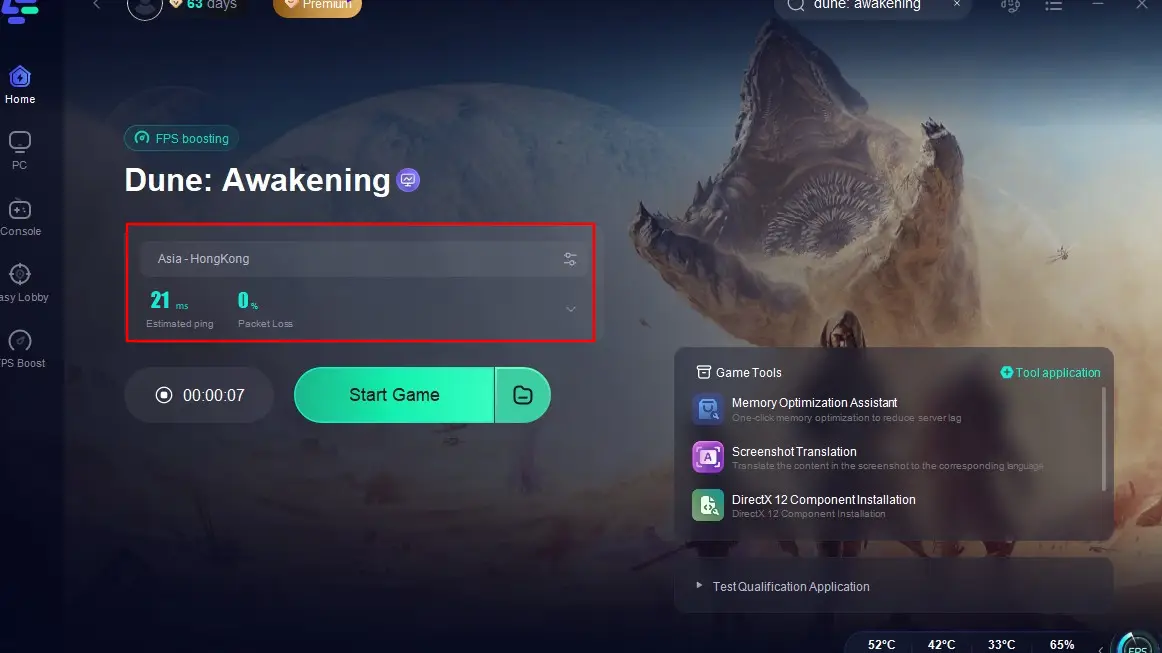
Using LagoFast can lead to smoother gameplay, reduced latency, and fewer crashes or freezes.
Part 6: FAQs
Q1: What should I do if the game freezes during shader compilation?
A: Update your BIOS, especially if using newer Intel CPUs, and ensure your graphics drivers are current.
Q2: How can I fix crashes related to DirectX 12?
A: Remove -dx12 or -d3d12 from the game's launch options in Steam.
Q3: Is there a way to improve network stability while playing?
A: Yes, using LagoFast Game Booster can optimize your network connection and reduce latency.
Q4: Can background applications cause the game to crash?
A: Yes, overlays and background programs can interfere with the game. Disabling them can help prevent crashes.
Q5: What if verifying game files doesn't fix the issue?
A: Consider reinstalling the game or contacting the game's support team for further assistance.
Conclusion
By following these steps and utilizing tools like LagoFast, you can enhance your Dune: Awakening experience and minimize disruptions caused by crashes and freezes.
Boost Your Game with LagoFast for Epic Speed
Play harder, faster. LagoFast game booster eliminates stutter and lags on PC, mobile, or Mac—win every match!
Quickly Reduce Game Lag and Ping!
Boost FPS for Smoother Gameplay!