

With the official launch of Crystal of Atlan on May 28, 2025, across iOS, Android, PC, Epic Games Store, and PlayStation 5, this action-packed MMO has already generated massive excitement, attracting over 6 million pre-registrations globally. As the player base expands rapidly, one crucial question has emerged: Where are the game’s servers located, and how can players switch servers effectively without suffering from high ping or lag?
In this article, we’ll dive deep into server information, region-switching strategies, and how to optimize your gameplay experience using LagoFast Game Booster, especially for players connecting from different regions. Let’s get started.

- ✅ Reduce Lag and High Ping.
- ✅ Boost FPS at the Same Time.
- ✅ Support 2000+ Popular Online Games.
- ✅ Support Game Translation Tool.
Part 1. Introduction to Crystal of Atlan
Part 2. Crystal of Atlan Server Location
Part 3. How to Change Server in Crystal of Atlan Using LagoFast Game Booster
Part 1: Introduction to Crystal of Atlan
Crystal of Atlan is a free-to-play, cross-platform MMO action RPG developed by Nuverse. With 11 unique classes (including the newly introduced Fighter class), chainable skill combos, fluid 3D combat, and a blend of PvE and PvP content, the game sets a new standard for action RPGs.
Key highlights include:
- No character gacha: All classes are free and fully customizable.
- Cross-platform compatibility: Available on mobile, PC, and console with shared progress.
- Real-time combat system: Players can execute seamless 12-skill combos with visually striking animations.
- PvE Dungeons and Competitive PvP: Join Fleets for cooperative raids or test your skills in balanced 1v1 and 3v3 modes.
With global interest surging, especially due to its collaboration with Team Liquid and a robust launch event lineup, players from around the world are eager to jump in. However, depending on where you play from, server selection and network stability become crucial.
Hot Related: ReMemento: White Shadow Translation Tool - Best Guide
Part 2: Crystal of Atlan Server Location
As of launch, Crystal of Atlan is divided into two major regional servers:
1. Asia Server
- Coverage: Japan, South Korea, Southeast Asia, and other Asian territories.
- Languages Supported: Chinese (Simplified & Traditional), Japanese, Korean, Thai, and Vietnamese.
- Client: Unique regional client optimized for lower latency in Asia-Pacific.
2. Europe & America Server
- Coverage: North America, South America, Europe.
- Languages Supported: English, French, German, Spanish, Portuguese.
- Client: Separate client for EU/NA regions offering optimal routing for players in Western territories.
Why Server Location Matters
Server location plays a critical role in determining your in-game performance. Players connecting to a distant server may experience:
- Higher Ping (Latency): Delays in commands during combat.
- Lag Spikes: Sudden stuttering or freezing during intense gameplay.
- Desynchronization: Mismatched action timing in PvP/PvE content.
That’s why it’s vital to either connect to the server closest to your geographical location — or use a dedicated network optimizer to maintain smooth gameplay across regions.
Part 3: How to Change Server in Crystal of Atlan Using LagoFast Game Booster
While Crystal of Atlan doesn’t currently offer an in-game server switch button (especially between major regions like Asia and Europe/America), players can manually select different game clients and boost their connection using LagoFast Game Booster.
LagoFast is the best tool for:
- Reducing Ping
- Maintaining Network Stability
- Overcoming Regional Restrictions
- Enabling Real-time Translation
Why You Need LagoFast for Cross-Region Server Access
Crystal of Atlan’s regional segregation (Asia vs. EU/NA) means that trying to connect to a server outside your native zone often leads to:
- Cross-region ping spikes (150ms+)
- Unstable routing over public ISPs
- Longer load times or failed logins
LagoFast solves all of this with its proprietary route optimization system.
How to use LagoFast on PC
Step 1: Go to the official LagoFast website and click the Free Trial button to install the software.
Step 2: Open LagoFast after installation, type "Crystal of Atlan" in the search bar, then click the game.
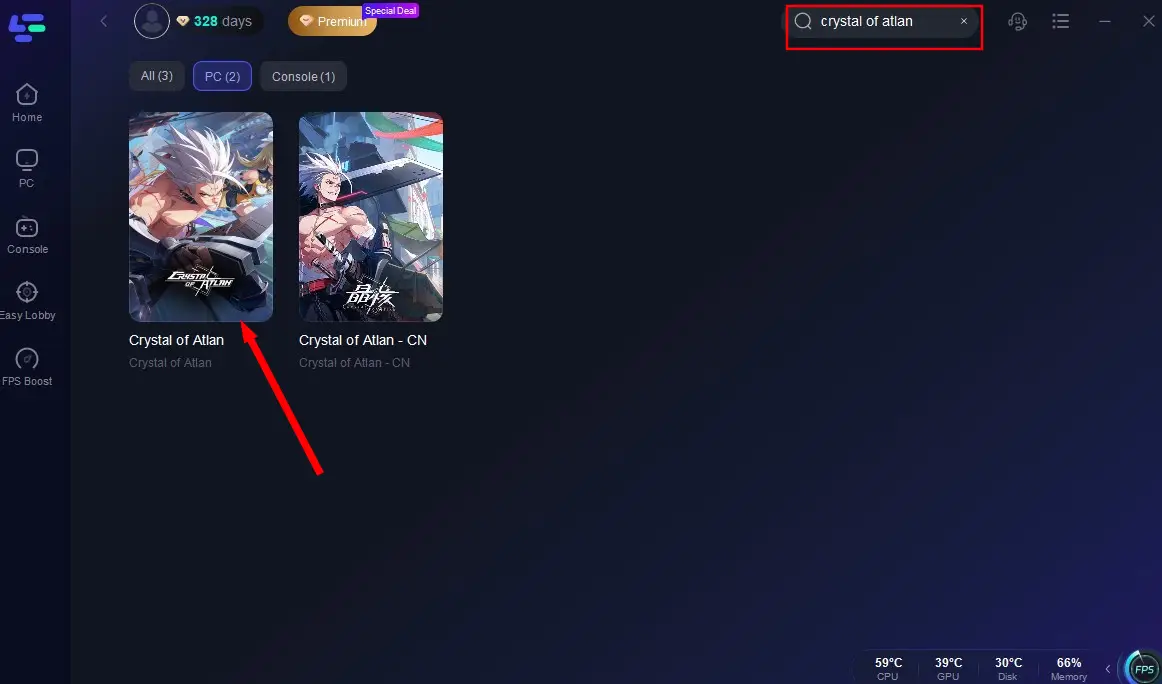
Step 3: Choose your preferred game server region (e.g., connect to Asia server from the US). It intelligently assigns the fastest route and most stable node for that region.
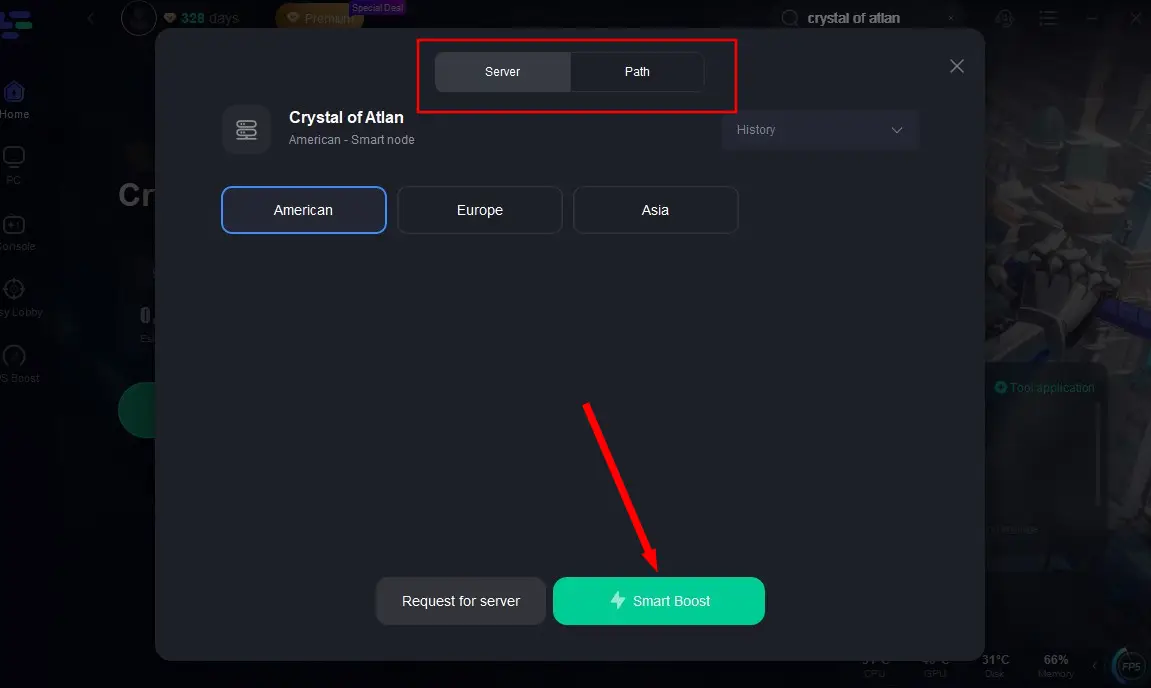
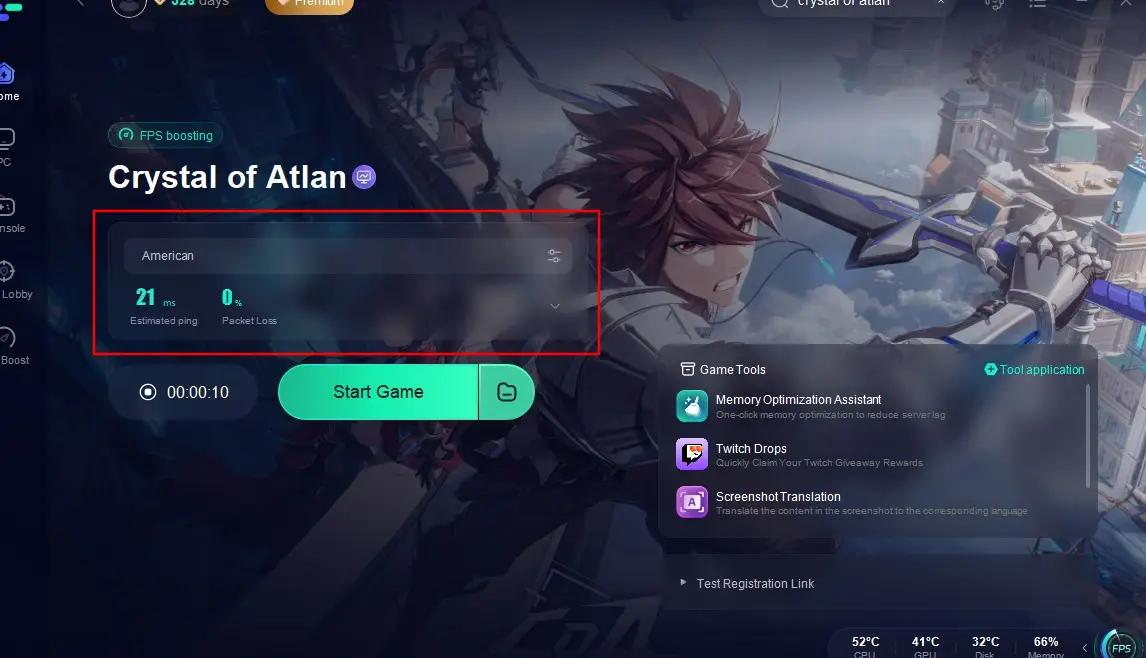
Step 4: After selecting the region and settings, click the "Boost" button. LagoFast now handles network optimization, latency reduction, and translation — all in the background.
For Mobile Users(Take Crystal of Atlan Asia as an example)
Step 1: Download LagoFast Mobile Booster from the App Store or Google Play, or scan the QR code below:

Step 2: Open the app, search for Crystal of Atlan Asia and tap it.
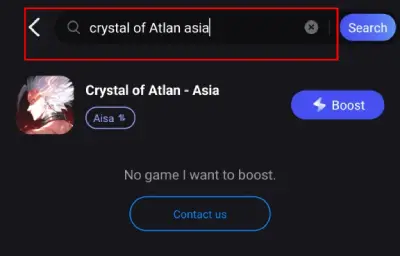
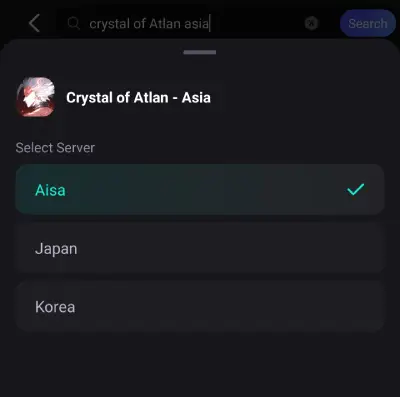
Step 3: Select the server region you want to connect to (There are three servers for Crystal of Atlan Asia).
Step 4: Hit Boost—you’ll instantly see real-time ping, packet loss rate, and connection quality.
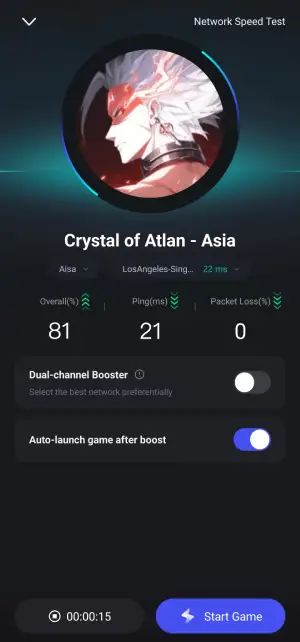
With LagoFast Mobile Booster, you can reduce lag and receive real-time translations even while playing on your phone, providing a smooth and comprehensible gameplay experience no matter where you are.
Hot Related: How to Fix Crystal of Atlan Lag: Ultimate Guide
Part 4: Crystal of Atlan FAQs
1. Can I play with friends from other regions
Yes, Crystal of Atlan supports cross-region play. However, players have reported that the game often defaults to servers based on your device's region or IP address. To play with friends in different regions, you might need to change your server selection manually or use tools like LagoFast to optimize your connection .
2. How do I change my server region in the game
Changing your server region can depend on the platform you're using:
- Mobile Devices: Some players have found that changing the region of their app store (e.g., switching to the Japan App Store) allows access to different servers.
- PC: You can select your preferred server region during the game's installation or initial setup. If you've already installed the game, you might need to reinstall or adjust settings within the game launcher.
3. Are there any restrictions on server selection
While the game aims to provide flexibility, some users have noted limitations:
- Region-Locked Servers: Certain servers may be restricted based on your geographical location or the region of your game client.
- Limited Server Options: Depending on your platform and region, you might see a limited list of available servers.
- Using network optimization tools like LagoFast can help bypass some of these restrictions by stabilizing your connection to distant servers .
4. What should I consider when choosing a server
When selecting a server, consider the following:
- Ping and Latency: Choose a server that offers the lowest ping for smoother gameplay.
- Language Preferences: Some servers cater to specific language groups, which can enhance communication and community engagement.
- Time Zones: Selecting a server in a similar time zone can help synchronize playtimes with other players.
5. Can I switch servers after creating a character
Typically, characters are bound to the server they were created on. If you wish to play on a different server, you may need to create a new character on that server. Always check the game's official guidelines or support channels for the most accurate information.
Related Read: How to Fix Client Timeout Error in Phasmophobia
Conclusion
For more detailed guidance on optimizing your connection and navigating server selections, consider using tools like LagoFast, which offer features tailored to enhance your Crystal of Atlan experience.
If you have further questions or need assistance with specific aspects of the game, feel free to ask!

Boost Your Game with LagoFast for Epic Speed
Play harder, faster. LagoFast game booster eliminates stutter and lags on PC, mobile, or Mac—win every match!
Quickly Reduce Game Lag and Ping!
Boost FPS for Smoother Gameplay!