
If you’re playing NBA 2K26 and noticing lag, high ping, or delayed gameplay responses, chances are you’re connected to the wrong server region. Fortunately, you can change servers in NBA 2K26 to improve your online experience. This guide will walk you through step-by-step instructions, explain why server switching matters, and share tips to get the smoothest gameplay possible.

- Why Change Servers in NBA 2K26?
- How to Change Servers in NBA 2K26
- Best Servers for NBA 2K26 Performance
- Troubleshooting Server Issues
- Fix NBA 2K26 Server Issues with LagoFast
1. Why Change Servers in NBA 2K26?
Server selection has a big impact on how you play online modes such as MyCAREER, Pro-Am, and The City. Here’s why changing servers might help:
- Reduce Lag and Latency: Connecting to a server closer to your location lowers ping.
- Find More Matchmaking Options: If queues are slow, switching regions can give you access to more active players.
- Play With Friends Abroad: Join a different region if your friends are located in another country.
- Avoid Server Congestion: Peak times can overload servers, leading to a smoother experience elsewhere.
2. How to Change Servers in NBA 2K26
Unlike previous versions, NBA 2K26 doesn’t have a simple in-game “server selector” button. However, there are a few methods you can use to manually change your server connection:
1. Change Server Region Through The City
- Launch NBA 2K26 and go to The City.
- Press the Options / Start button to open the pause menu.
- Navigate to Settings > Network.
- Select Region and choose your preferred server (e.g., North America East, West, Europe, Asia).
- Restart the game to apply the new region.
Note: Not all players see this option; it may vary depending on your platform.
2. Use a VPN to Force a Server Change
If the in-game setting is unavailable, a VPN (Virtual Private Network) is the most effective way:
- Download and install a VPN on your console or PC.
- Set the VPN region to the server you want to play on (e.g., Los Angeles for NA West).
- Launch NBA 2K26 — the game will now connect to that regional server.
Tip: Always use a low-latency VPN with gaming optimization to avoid extra lag.
3. Change Console/PC Network Location
For Xbox, PlayStation, or PC:
- Go to your console system settings.
- Change your location/region to the country you want to connect to.
- Restart your device and relaunch NBA 2K26.
3. Best Servers for NBA 2K26 Performance
While the “best” server depends on your location, here’s a quick guideline:
- North America East → Best for US East Coast & Canada.
- North America West → Best for US West Coast & nearby regions.
- Europe → Best for EU players (UK, Germany, France, etc.).
- Asia → Best for countries like Japan, Korea, Philippines.
- Oceania → Best for Australia & New Zealand.
If you’re traveling or live in a region without dedicated servers, try NA East or Europe, which usually have the most active player base.
4. Troubleshooting Server Issues
Even after switching servers, you might still face lag. Here are a few fixes:
-
Test your internet speed (aim for at least 25 Mbps download).
-
Play on a wired Ethernet connection instead of Wi-Fi.
-
Avoid peak hours when servers are overloaded.
-
Clear cache or restart your console/PC before reconnecting.
5. Fix NBA 2K26 Server Issues with LagoFast
If switching servers manually still leaves you with lag or unstable connections, a dedicated game booster like LagoFast can make a big difference. LagoFast optimizes your routing path, reduces ping, and ensures you’re always connected to the most stable server for NBA 2K26.
Benefits of Using LagoFast
- Lower ping and smoother gameplay
- Stable servers across multiple regions
- Change server without latency and high ping
- Optimized routing for online matches
- Real-time monitoring of connection quality
With just a few clicks, LagoFast makes it much easier to fix lag, avoid server congestion, and enjoy seamless basketball action in NBA 2K26. If you want the fastest and most reliable connection, it’s a powerful tool worth trying.
How to Use LagoFast for NBA 2K26 on PC
Step 1: Download LagoFast by clicking the Download button below and activate the free trial.
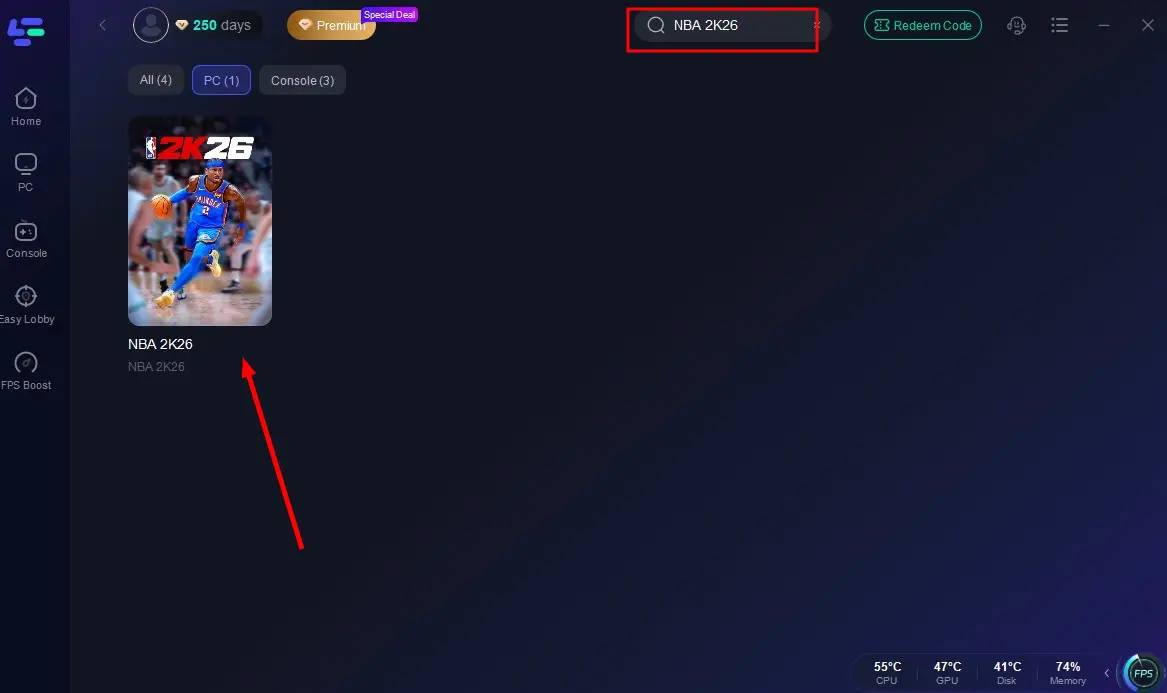
Step 2: Launch LagoFast and search for NBA 2K26 in the search bar.
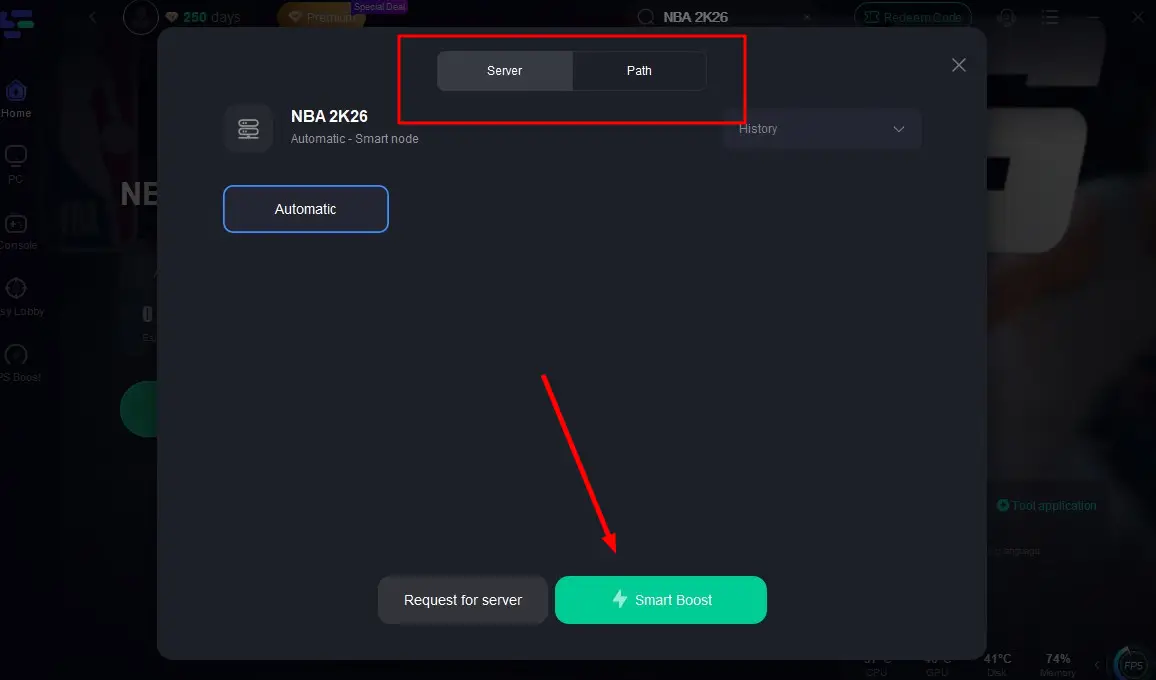
Step 3: Select the server with the best connection and choose the optimal Node. Click "Smart Boost" to start optimizing your connection.
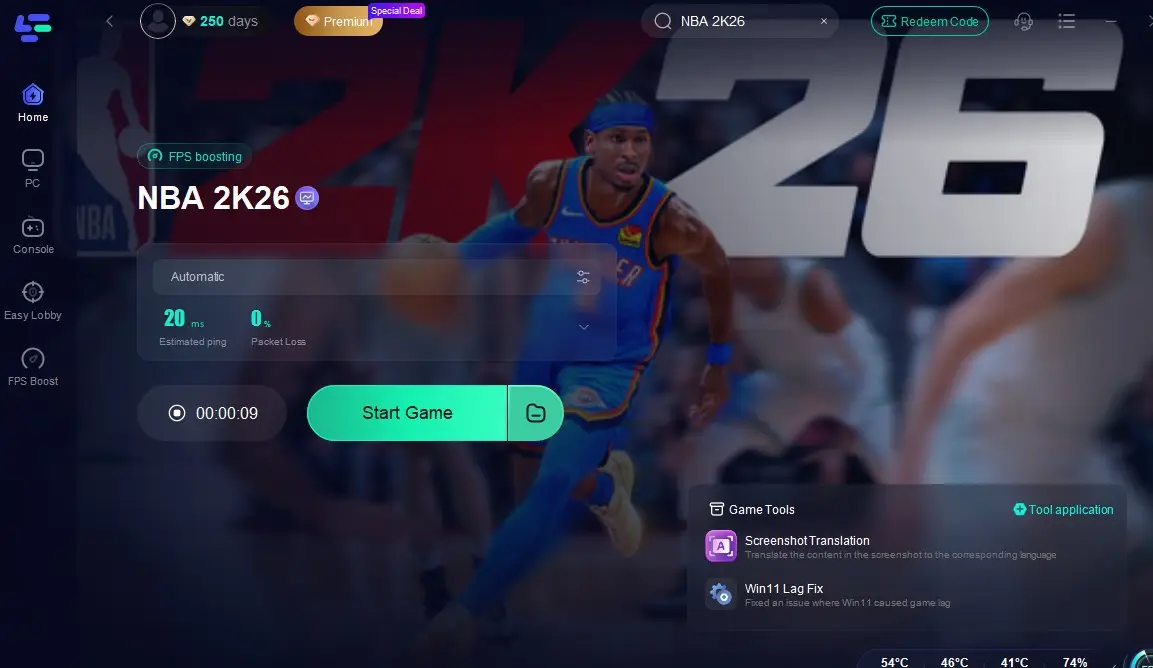
Step 4: Check real-time stats such as ping, packet loss, and network performance, then click the "Start Game" to play NBA 2K26 without any lag!
LagoFast Box: Boost Console Gaming Performance
For avid console gamers, lag and unstable connections can ruin the flow of gameplay. The LagoFast Box is a dedicated hardware solution that optimizes your console’s internet connection, ensuring smoother, faster, and more reliable performance. Managed through an intuitive smartphone app, it streamlines your network setup so you can focus on the game, not the lag.
How to Set Up the LagoFast Box
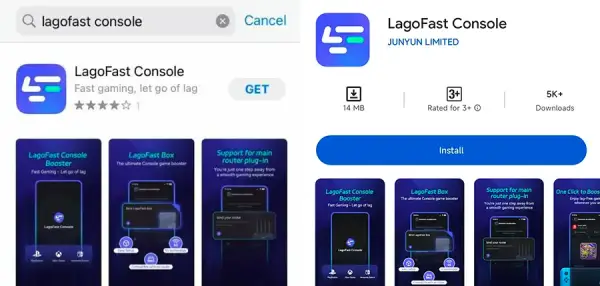
Step 1: Download the LagoFast Console App on your phone to control the LagoFast Box.
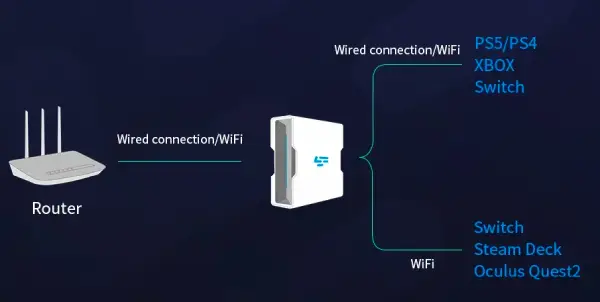
Step 2: Establish a connection between your LagoFast Box, router, and console, choosing between a wired or wireless connection.
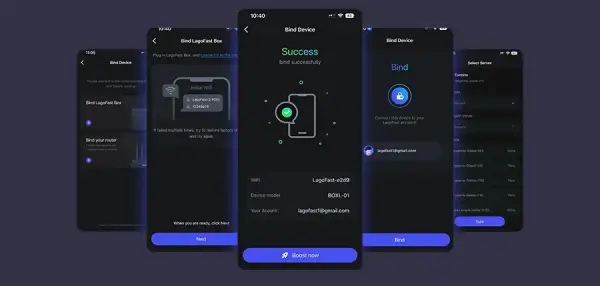
Step 3: Launch the LagoFast Console App and boost NBA 2K26. Once you have completed the binding process with the LagoFast Box, proceed to boost this game within the LagoFast Console App.
The LagoFast Box is built to deliver a premium gaming experience by cutting down lag, stabilizing your connection, and giving you the edge in both casual and competitive play. With just a quick setup, you can unlock a smoother, faster, and more responsive console gaming environment.
Conclusion
Learning how to change servers in NBA 2K26 can drastically improve your gaming experience, from reducing lag to expanding matchmaking options. Whether you use the in-game settings, a VPN, or a region switch on your console, the key is finding the server that gives you the lowest ping and smoothest gameplay. Start experimenting with different regions today — and enjoy faster, lag-free basketball action in The City.

Boost Your Game with LagoFast for Epic Speed
Play harder, faster. LagoFast game booster eliminates stutter and lags on PC, mobile, or Mac—win every match!
Quickly Reduce Game Lag and Ping!
Boost FPS for Smoother Gameplay!