
Many players have reported getting stuck on the loading screen in Call of Duty: Black Ops 7, unable to get past the initial startup or before entering a match. This issue can be frustrating, especially if you’re excited to jump into the campaign, multiplayer, or Zombies mode. Fortunately, there are several proven fixes to help you resolve this problem and get back into the game.

- ✅ Reduce Lag and High Ping.
- ✅ Boost FPS at the Same Time.
- ✅ Ensure Stable Server Connection.
- ✅ Change Server without Latency.
- ✅ Fix Crashing and Stuck Errors.
- ✅ 0% Packet Loss Rate
- ✅ Boost Game Downloading Speed.
Part 1: Why Black Ops 7 Gets Stuck on the Loading Screen
Part 2: Quick Fixes for Black Ops 7 Stuck on Loading Screen
Part 3: Common Loading Screen Errors in Black Ops 7
Part 4: Preventing Future Loading Screen Problems
Part 5: Fix Black Ops 7 Loading Screen Issues with LagoFast
Part 1: Why Black Ops 7 Gets Stuck on the Loading Screen
The loading screen issue in Black Ops 7 can happen for a few reasons:
- Server-side issues – Temporary problems with Activision or COD servers.
- Corrupted files – Missing or broken game files can prevent the game from loading properly.
- Outdated drivers – Graphics card or system updates may be required.
- Unstable internet connection – Lag, packet loss, or high ping can cause the game to freeze while loading.
- Cache and background apps – Excess data or conflicting programs may interfere with performance.
You May Like: How to Fix Call of Duty: Black Ops 7 Slow Download Speed - 100% Work
Part 2: Quick Fixes for Black Ops 7 Stuck on Loading Screen
Here are some fast troubleshooting steps to get you back into the game:
Fix 1: Check Server Status
Before troubleshooting your system, check if the Call of Duty servers are down. Sometimes the issue isn’t on your end. Visit Activision’s official status page or COD social channels.
Fix 2: Restart Game and System
A simple restart often clears temporary glitches. Close Black Ops 7 completely, reboot your PC or console, and try again.
Fix 3: Verify and Repair Game Files
On platforms like Battle.net, Steam, or console stores, use the verify/repair option to fix corrupted files that may be causing the loading error.
Fix 4: Update Graphics Drivers
Ensure your GPU drivers are up to date. Outdated drivers often cause crashes, freezes, and loading problems in modern games.
Fix 5: Clear Cache on Console or PC
Deleting cache files can remove corrupted data:
- On consoles: Power cycle by holding down the power button and unplugging for 30 seconds.
- On PC: Clear temporary system files and restart.
Additional Tips
- Disable unnecessary background apps.
- Ensure your system meets Black Ops 7 minimum requirements.
- Reinstall the game if other fixes fail.
Hot Related: Is Black Ops 7 Cross Platform?
Part 3: Common Loading Screen Errors in Black Ops 7
When Black Ops 7 gets stuck on the loading screen, it may show up in different ways depending on your platform. Some of the most common symptoms include:
- Infinite spinning icon that never progresses into the menu.
- Black screen with audio still playing in the background.
- Error codes popping up after a long loading freeze.
- Game freezing mid-load when joining multiplayer or Zombies.
Recognizing which version of the error you’re experiencing can help narrow down the right fix — whether it’s a network optimization issue, corrupted files, or a system performance problem.
You May Like: Call of Duty: Black Ops 7 Black Screen – Fixes and Solutions
Part 4: Preventing Future Loading Screen Problems
While fixing the error gets you back into the game, prevention ensures you don’t run into the same headache again.
Tips to keep Black Ops 7 running smoothly:
- Keep your game updated – Always install the latest patches from Activision.
- Maintain driver updates – Regularly check for GPU and system updates.
- Use a stable internet connection – Boost your connection with tools like LagoFast to reduce lag spikes and packet loss.
- Restart your system regularly – This clears out cache and temporary files that could slow down loading.
By taking these proactive steps, you’ll minimize the risk of running into the loading screen bug in Call of Duty: Black Ops 7 and enjoy a smoother overall experience.
Hot Related: Call of Duty: Black Ops 7 Server Down Fix Guide – Stable Connection Solutions
Part 5: Fix Black Ops 7 Loading Screen Issues with LagoFast
If your Call of Duty: Black Ops 7 is stuck on the loading screen, the problem might be tied to unstable connections or high ping. A simple way to solve this is by using LagoFast Game Booster, which helps stabilize your network and speed up the game’s startup process.
Benefits of Using LagoFast
- Faster game loading and smoother startup.
- Reduced lag, packet loss, and stuttering.
- Stable and optimized server connections.
- Easy setup for both PC and console players.
How to Use LagoFast on PC to Fix BO7 Stuck on Screen Issue
Step 1: Click the Free Trial button to download and install LagoFast.
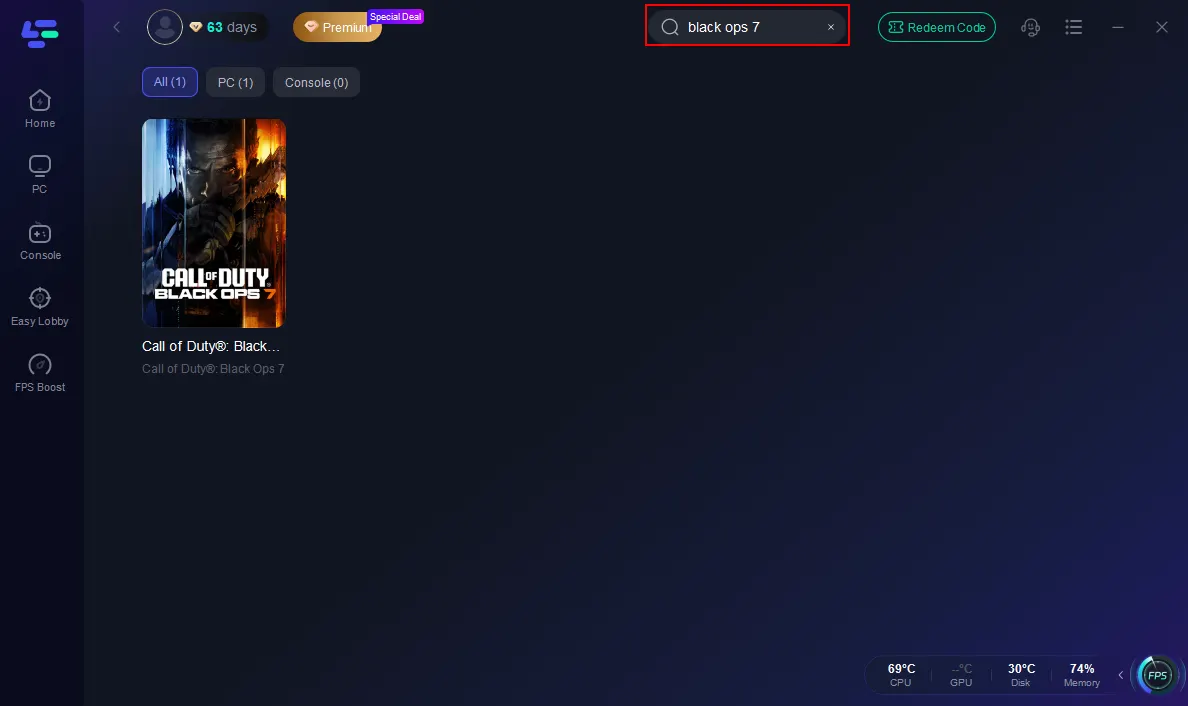
Step 2: Open LagoFast, then click the PC button on the left and search Black Ops 7 in the search bar, and click it after it appears.
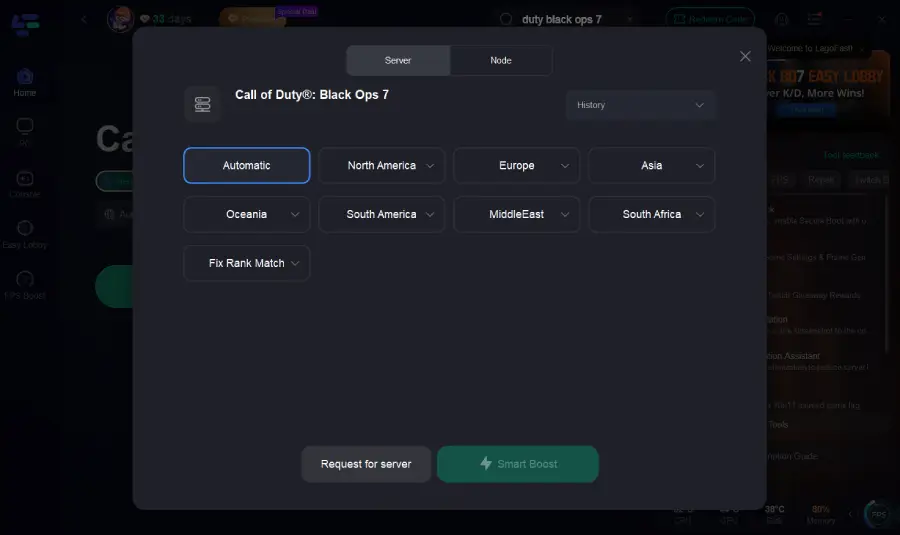
Step 3: Click on “Server” to change to a better server that ensures the Black Ops 7 gaming experience, then click on “Smart Boost”.
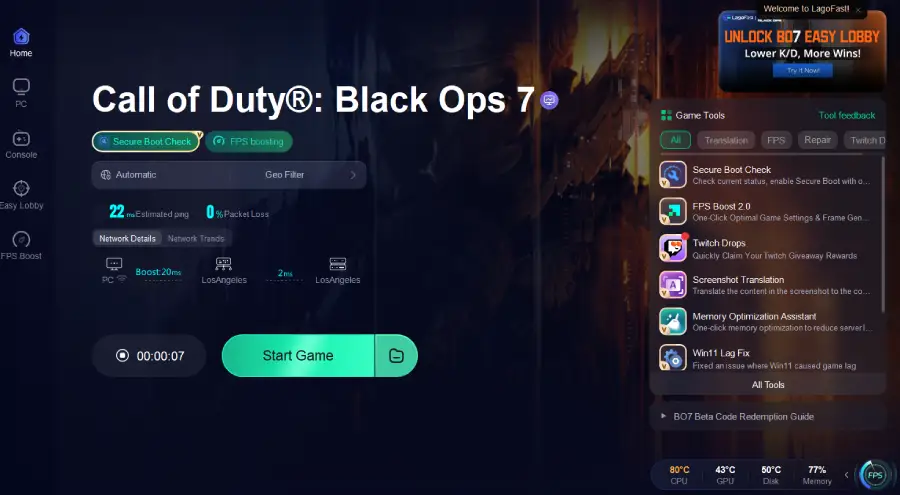
Step 4: Launch the game and enjoy an enhanced gaming experience with reduced lag and improved stability.
LagoFast Box for Console Players
For console users on PlayStation or Xbox, LagoFast Box offers the same acceleration technology without needing PC software. Simply connect the device to your router, and it will automatically optimize routing for your console traffic.
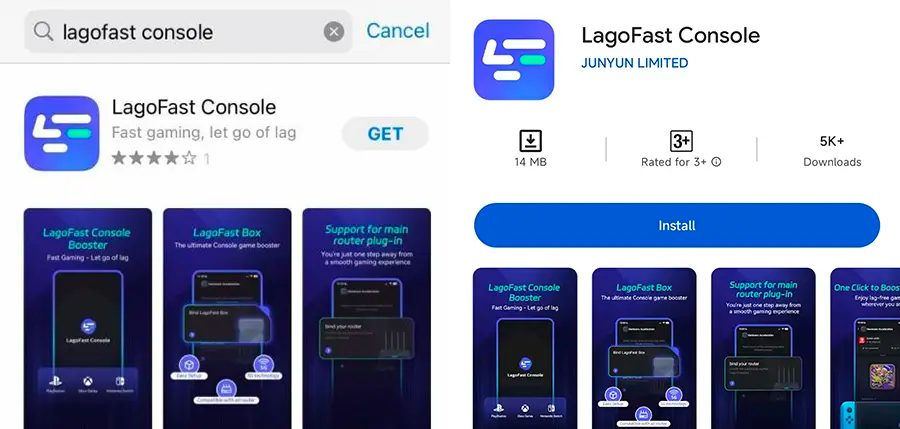
Step 1: Download the LagoFast Console App on your phone to control the LagoFast Box.
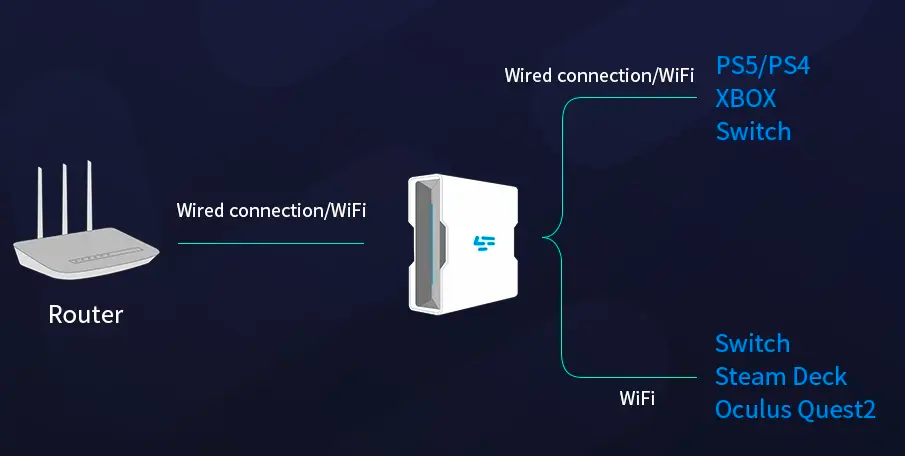
Step 2: Establish a connection between your LagoFast Box, router, and console, choosing between a wired or wireless connection.
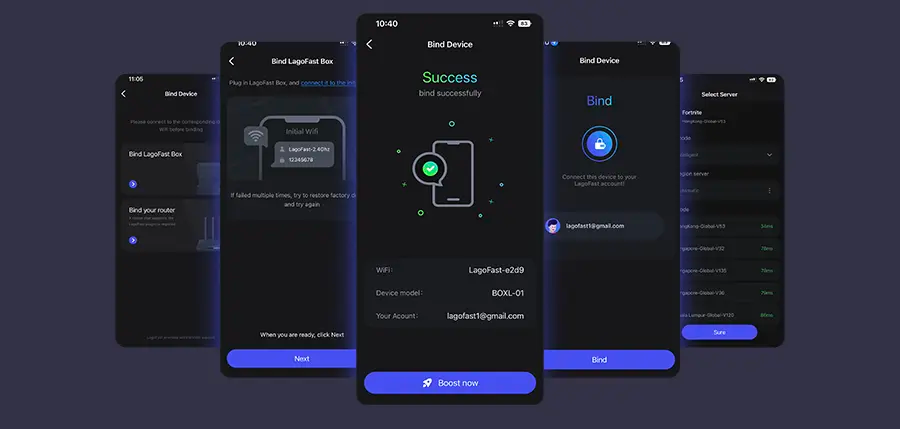
Step 3: Launch the LagoFast Console App and boost Black Ops 7. Once you have completed the binding process with the LagoFast Box, proceed to boost this game within the LagoFast Console App.
With LagoFast, you can bypass connection problems that cause Black Ops 7 loading screen freezes and jump straight into the action without delays. It ensures your gameplay starts quickly and stays smooth.
Conclusion
Getting stuck on the loading screen in Call of Duty: Black Ops 7 is a common but fixable issue. By checking servers, repairing files, updating drivers, and optimizing your internet connection with tools like LagoFast and LagoFast Box, you can get back into the action quickly. Don’t let technical hiccups keep you from enjoying the intense campaign, thrilling multiplayer, and Zombies battles Black Ops 7 has to offer.
Boost Your Game with LagoFast for Epic Speed
Play harder, faster. LagoFast game booster eliminates stutter and lags on PC, mobile, or Mac—win every match!
Quickly Reduce Game Lag and Ping!
Boost FPS for Smoother Gameplay!