
Quick Answer
The AREX0001 error in ARC Raiders usually appears when the game loses connection to the server, often alongside the "Connection to Game Server Lost" message. In most cases, it's caused by server instability, network interruptions, or failed session reconnections. Checking the server status, restarting the game, and improving your connection are the quickest ways to troubleshoot the issue.
Many Reddit players recently reported a frustrating issue in ARC Raiders: after crashing during a raid, they saw a "Reconnect Available" prompt but received the AREX0001 error instead of rejoining the match. In some cases, this can leave players stuck in a reconnect loop and unable to return to their raid. This guide explains what the AREX0001 error means, why it happens, and the most effective ways to fix it.

- ✅ Reduce Lag and High Ping.
- ✅ Boost FPS at the Same Time.
- ✅ Support 8000+ Popular Online Games.
- ✅ Fix High Ping Easily
- ✅ Change Server without Latency
Part 1: What Does AREX0001 Mean in ARC Raiders?
Part 2: Why Does the AREX0001 Error Happen in ARC Raiders?
Part 3: How to Fix AREX0001 ARC Raiders
Part 4: Use LagoFast to Fix ARC Raiders "Connection to Game Server Lost" Issues
Part 5: How to Prevent AREX0001 From Happening Again
Part 1: What Does AREX0001 Mean in ARC Raiders?
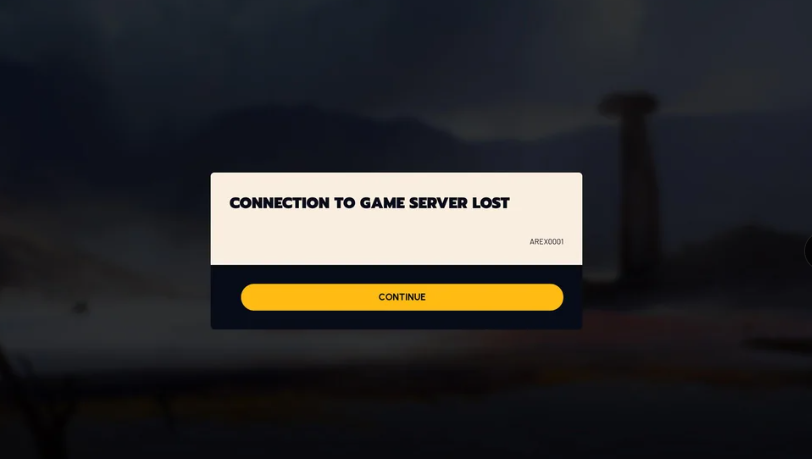
AREX0001 generally means your current game session has been lost because the server dropped the active instance. As a result, you may be unable to reconnect to the raid and could see the "Connection to Game Server Lost" message.
In most cases, AREX0001 is considered a server-side issue, although network interruptions and failed session recovery attempts can sometimes trigger it as well.
Part 2: Why Does the AREX0001 Error Happen in ARC Raiders?
In most cases, AREX0001 appears when your active raid session is lost or can no longer be recovered. Common causes include:
- Server issues – The server may drop the active game instance during maintenance, outages, or periods of heavy load.
- Network interruptions – Packet loss, unstable Wi-Fi, or brief internet drops can break communication between your client and the server.
- Failed reconnect attempts – If the game crashes during a raid, the server may no longer recognize the original session when you try to reconnect.
- Routing or ISP problems – Poor network routing can cause connection timeouts and increase the chance of disconnects.
- Game file or client issues – Although less common, corrupted game files or client-side bugs can occasionally interfere with server communication.
Because AREX0001 is a Session Lost error, the underlying cause is often related to either a dropped server instance or a failed attempt to reconnect to it.
Part 3: How to Fix AREX0001 ARC Raiders
If you're encountering AREX0001, work through the following fixes in order. Since the issue is often session-related, it’s best to start with server checks before moving to local troubleshooting.
Check ARC Raiders Server Status
Check whether the issue is coming from the server side before doing anything else.
- Visit the ARC Raiders server status page (e.g. ArcStatus homepage)
- Look for active outages or maintenance updates
- Check community reports for similar disconnects
- If servers are unstable, it’s best to wait before requeuing
Restart ARC Raiders and Steam
A quick restart can often clear temporary session issues.
- Fully close ARC Raiders
- Exit Steam completely
- Wait about 30 seconds
- Relaunch Steam and start the game again
Verify Game Files
Corrupted or missing files can sometimes interfere with connections.
- Open Steam Library
- Right-click ARC Raiders
- Go to Properties → Installed Files
- Select Verify Integrity of Game Files
Flush Your DNS Cache
This helps reset routing issues that may affect connectivity.
- Open Command Prompt (Admin)
- Run: ipconfig /flushdns
- Restart your PC afterward
Restart Your Router
A simple network reset can resolve temporary instability.
- Turn off your router
- Wait 60 seconds
- Turn it back on
- Let the connection fully stabilize before relaunching
Disable VPNs and Background Downloads
Too much background traffic can increase instability.
- Disable VPN software
- Pause downloads and updates
- Close torrent or sync apps
- Reduce unnecessary network usage
Switch to a Wired Connection
A wired connection is generally more stable for online raids.
- Use Ethernet instead of Wi-Fi
- Avoid unstable shared networks
- Limit other devices using bandwidth
Part 4: Use LagoFast to Fix ARC Raiders "Connection to Game Server Lost" Issues
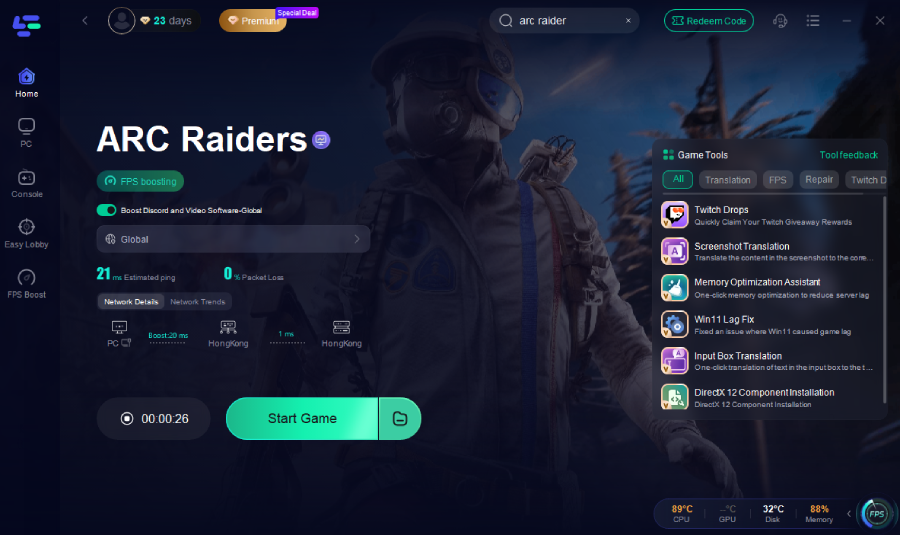
For players looking to improve connection stability in ARC Raiders, LagoFast is a useful tool to consider. It optimizes network routes to help lower ping, reduce packet loss, and maintain a more stable connection during raids. It also includes features like ARC Weakness Lookup, which helps players quickly check enemy weaknesses before matches. Together, these tools can help deliver a smoother and more consistent ARC Raiders experience.
How to Use LagoFast for ARC Raiders
Step 1: Click the Free Trial button to download and install LagoFast.
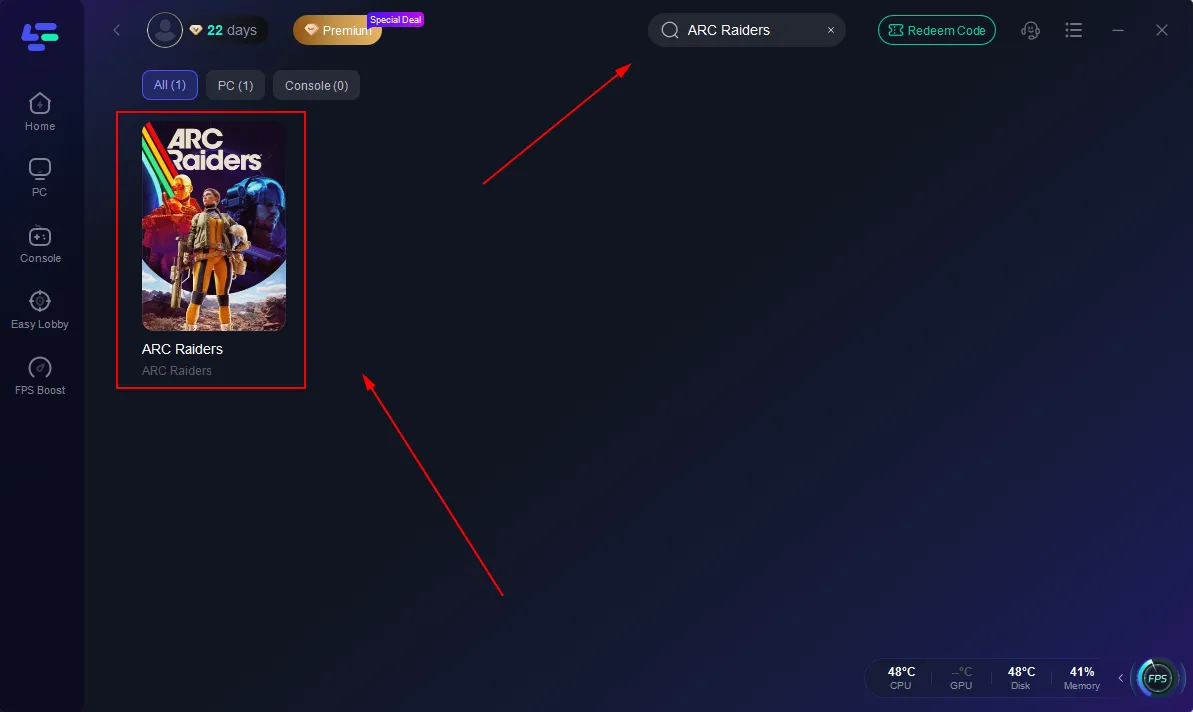
Step 2: After installation, search "ARC Raiders" in the search bar and select the game.
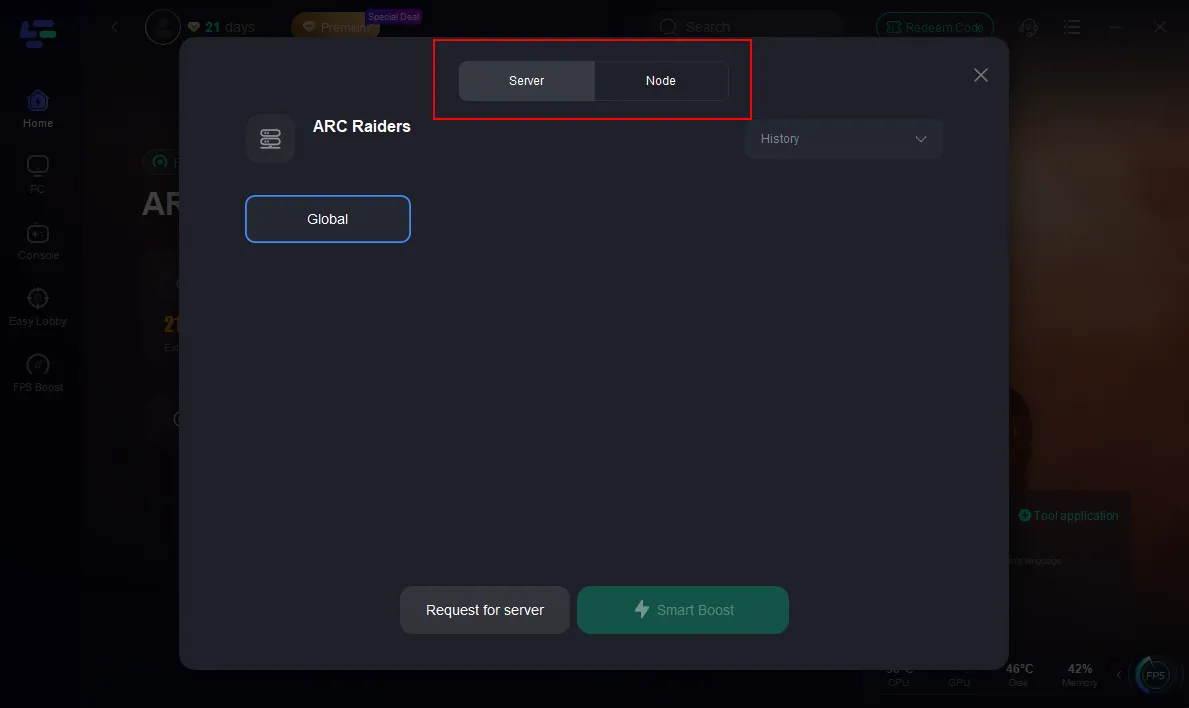
Step 3: Click the "Select Server" button to connect to a stable server node, then activate optimization via "Smart Boost."
Step 4: After enabling real-time optimization, check the live ping and packet loss rates, then click "Start Game" to begin playing.
Part 5: How to Prevent AREX0001 From Happening Again
While server issues aren’t always preventable, you can reduce how often AREX0001 appears by keeping your connection stable:
- Use Ethernet when possible
- Avoid heavy downloads while playing
- Keep the game updated
- Restart your router occasionally
- Disable VPNs during gameplay
- Check server status before queuing
- Close background apps when possible
These steps won’t eliminate server-related problems entirely, but they can make disconnects noticeably less frequent in practice.
Part 6: FAQ
Can AREX0001 cause me to lose my gear in ARC Raiders?
Yes, it can. If AREX0001 occurs during a raid and you’re unable to reconnect, the session may end, which can result in losing your current loadout and any loot from that match.
Is AREX0001 a known issue in ARC Raiders?
Yes. Players have reported it after crashes, disconnects, or failed reconnect attempts. It’s generally linked to lost or broken game sessions.
Should I keep trying to reconnect after getting AREX0001?
You can try a few times if the reconnect option is still available. If the error keeps repeating, the session is likely no longer recoverable.
Does restarting ARC Raiders help fix AREX0001?
Restarting the game may clear temporary connection issues, but AREX0001 is usually tied to a server-side session drop, so a restart won’t always resolve it.
Can a poor internet connection trigger AREX0001?
Possibly. While it’s often related to server-side session issues, unstable connections, packet loss, or routing problems can also interfere with reconnection attempts.
Final Thoughts
The AREX0001 error in ARC Raiders is usually caused by a lost server session, which is why it often appears after crashes or failed reconnect attempts. While there’s no guaranteed fix when servers are involved, basic troubleshooting like checking server status and stabilizing your connection can help rule out common issues. If the problem continues, it usually means the session has already been lost on the server side.

Boost Your Game with LagoFast for Epic Speed
Play harder, faster. LagoFast game booster eliminates stutter and lags on PC, mobile, or Mac—win every match!
Quickly Reduce Game Lag and Ping!
Boost FPS for Smoother Gameplay!