
Many ARC Raiders players have reported ARC Raiders matchmaking problems, where queues take far too long or fail entirely. Instead of a smooth matchmaking system that quickly places you into raids, users are experiencing waits of several minutes, late spawns into ongoing matches, or outright failures to connect. This guide explains why matchmaking is taking so long lately, the common causes, and how to fix ARC Raiders matchmaking errors for smoother online play.

- ✅ Reduce Lag and High Ping.
- ✅ Boost FPS at the Same Time.
- ✅ Support 2000+ Popular Online Games.
- ✅ Fix High Ping Easily
- ✅ Change Server without Latency
Part 1. Why Is Matchmaking Taking So Long Lately in ARC Raiders
Part 2. ARC Raiders Matchmaking Down: Server Load, Outages and Regional Factors
Part 3. ARC Raiders Matchmaking Taking Forever: Late Spawns & Lag After Matchmaking
Part 4. How to Fix ARC Raiders Matchmaking Error Locally
Part 5. How to Enhance Your Game Experience with LagoFast Game Booster
Part 1: Why Is Matchmaking Taking So Long Lately in ARC Raiders
Many players are asking why is matchmaking taking so long lately — what once was a matter of seconds has now ballooned into multi-minute waits. According to community reports, queues that used to take 10–30 seconds now often exceed 3–5 minutes for solos, duos, and trios across all game modes. Some sessions even require cancellations and re-queues before matching.
This prolonged matchmaking is usually linked to server load and backend strain, where matchmaking algorithms struggle to find compatible groups under heavy demand. High concurrent player counts — especially during events, peak hours, or update rollouts — create bottlenecks, slowing lobby creation and increasing queue times. These factors make ARC Raiders matchmaking taking forever one of the most common complaints.
Even when the queue completes, players may experience long load times and lag after matchmaking, which can feel like the delay continues into the game itself.
Part 2: ARC Raiders Matchmaking Down: Server Load, Outages, and Regional Factors
At times, ARC Raiders matchmaking down isn’t just perception — global outages or regional spikes have caused real interruptions in matchmaking. Community feedback and server tracking tools often highlight spikes in reports when queues stall or matchmaking fails.
Scheduled maintenance, patch deployments, or unplanned server strain can disrupt multiplayer services, causing matchmaking errors or long waits. These issues are often region-specific, with peak hours in Europe, North America, or Asia creating heavier matchmaking load and slower starts.
Regional matchmaking settings also influence queue times. If your server region is not set to Automatic, the matchmaking system may limit your player pool, increasing wait times. Players stuck in low-population regions or with poor cross-region fallback may find ARC Raiders matchmaking taking long with no visible progress.
Part 3: ARC Raiders Matchmaking Taking Forever: Late Spawns & Lag After Matchmaking
Even after successful matchmaking, players sometimes experience late spawns and lag after matchmaking, which extend the perceived matchmaking time. Players report entering lobbies already deep into a raid, or slow loading due to backend synchronization of player data, assets, and voice chat.
Late spawns disadvantage early-queue players and occur when the system relaxes matchmaking criteria, such as group size or skill balancing, to fill lobbies during backend strain. This leads to inconsistent player experiences and contributes to the perception of ARC Raiders matchmaking taking forever.
Part 4: How to Fix ARC Raiders Matchmaking Error Locally
When ARC Raiders matchmaking problems appear to be isolated to your session, you can improve matchmaking reliability using several local fixes:
Set Matchmaking Region to Automatic
Ensure your server region is set to Automatic to access the largest available pool of players. This helps reduce ARC Raiders matchmaking taking long in low-population zones.
Enable Crossplay
Turning on crossplay expands your pool across platforms, boosting matchmaking speed and success.
Restart the Game and Re-try
Restarting the client clears session states that may stall match handshakes, reconnecting cleanly to the matchmaking service.
Ensure Your Client Is Updated
Outdated clients may not be recognized fully by backend services, causing queues to stall. Always install the latest updates before queuing.
Play During Peak Active Hours
Low regional player counts (early mornings or off-peak hours) can increase wait times. Playing during evenings or weekends usually results in faster matches.
These steps do not change server mechanics but help fix ARC Raiders matchmaking errors caused by client-side issues, clearing obstacles that can trap you in slow queues.
Part 5: How to Enhance Your Game Experience with LagoFast Game Booster
While server load or backend issues often cause ARC Raiders matchmaking taking forever, network stability and routing can also impact how quickly your PC connects to matchmaking servers. LagoFast Game Booster optimizes connections, reduces latency, and improves reliability — especially useful for players with unstable connections or far from regional servers.
Key Benefits
- Reduces High Ping: Finds the fastest route to game servers, cutting latency.
- Eliminates Packet Loss: Stabilizes your connection to ensure actions register instantly.
- Fixes Connection Errors: Optimizes network handshake, reducing matchmaking failures.
- Multi-Platform Support: Works on PC and consoles.
How to Use LagoFast
Step 1: Click the "Free Trial" button below to download and install LagoFast for free.
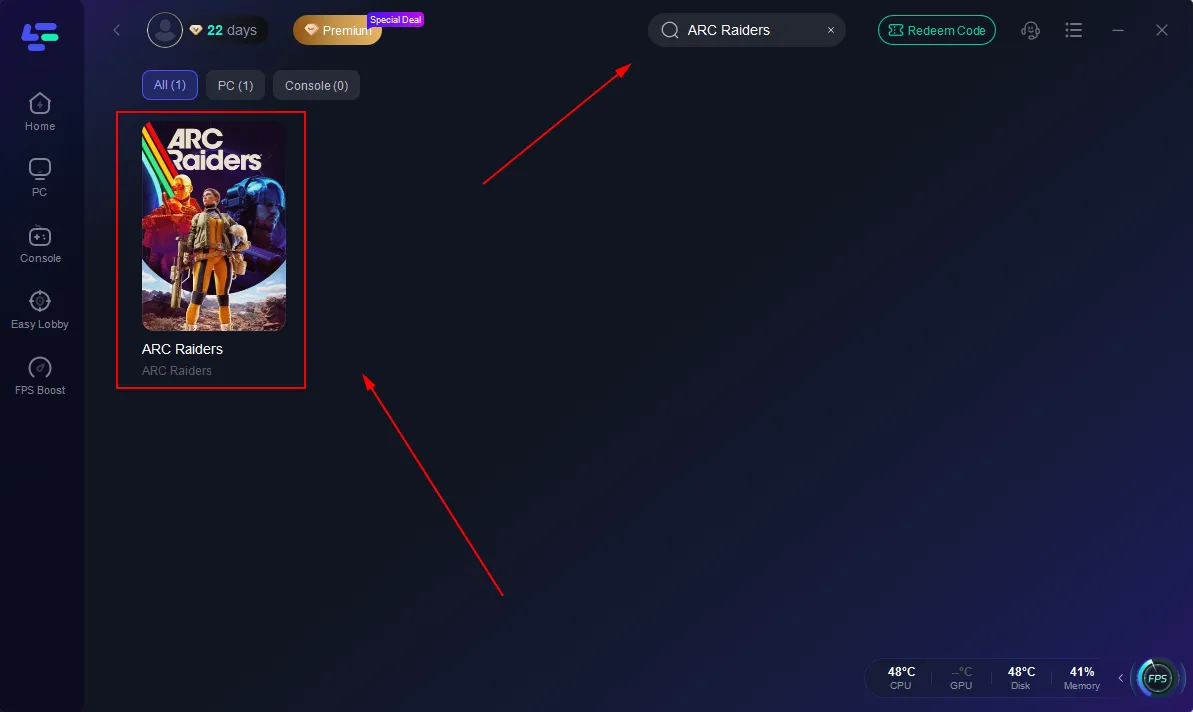
Step 2: Launch LagoFast, search for "ARC Raiders" in the search bar, and select the game.
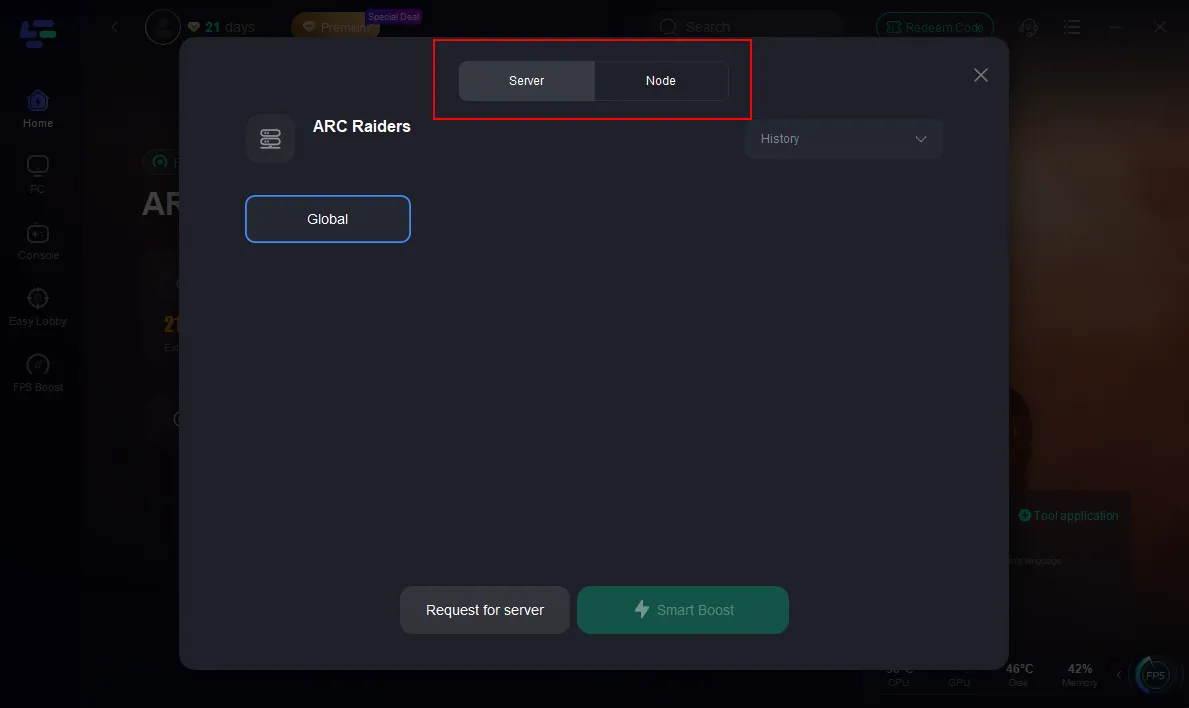
Step 3: Click the "Select Server" button to connect to a stable server node, then activate optimization via "Smart Boost".
Step 4: After enabling real-time optimization, check the live ping and packet loss rates, then click "Start Game" to begin playing.
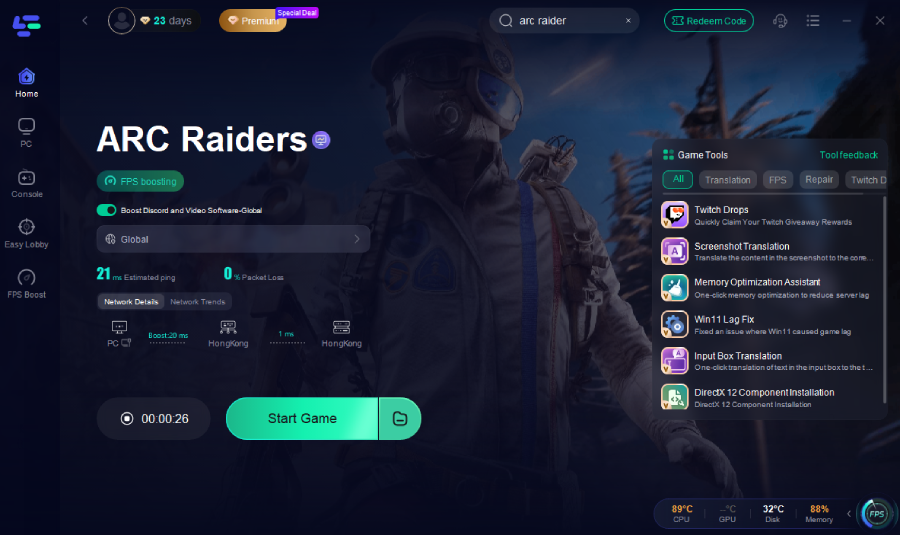
While this doesn’t fix server-wide outages, it ensures your local setup isn’t contributing to long load times and lag after matchmaking.
Part 6: FAQs
Why is my ARC Raiders matchmaking taking so long?
Extended queues are mostly caused by server load, backend strain, and regional player pools.
Is ARC Raiders matchmaking down right now?
Temporary outages or backend issues can make matchmaking appear down. Check official server status or community channels.
Does crossplay affect matchmaking time?
Yes. Enabling crossplay enlarges the potential player pool, resulting in faster queue times.
What causes long load times after matchmaking?
Lag and long load times often stem from backend server synchronization of player data and assets under heavy load.
How can I fix ARC Raiders matchmaking errors?
Keeping your client updated, setting region to automatic, enabling crossplay, and using a stable network all help reduce errors and improve match success.
Conclusion
ARC Raiders matchmaking problems — from long queue times and matches taking forever to start, to long load times and lag after matchmaking — are mainly due to server load, backend strain, and regional player pool variations. By understanding why matchmaking is taking so long lately and applying practical fixes like region automatic settings, crossplay toggles, and client restarts, you can reduce personal wait times. For enhanced network stability, LagoFast Game Booster helps optimize connections and minimize local interference, improving matchmaking success. Combining these strategies leads to a smoother, less frustrating ARC Raiders experience.

Boost Your Game with LagoFast for Epic Speed
Play harder, faster. LagoFast game booster eliminates stutter and lags on PC, mobile, or Mac—win every match!
Quickly Reduce Game Lag and Ping!
Boost FPS for Smoother Gameplay!