
If you’ve tried launching ARC Raiders on PC and encountered error code 30005 — often accompanied by messages like “Couldn’t start the game – Easy Anti-Cheat failed to initialize” — you’re not alone. This error is one of the most reported issues among players, causing the game to crash before reaching the main menu. The root problem is usually the Easy Anti-Cheat (EAC) system being blocked, corrupted, or unable to start, preventing ARC Raiders from verifying system integrity. This guide explains what this error means, common causes, step-by-step fixes, and tips to improve your PC gaming environment with LagoFast Game Booster.

- ✅ Reduce Lag and High Ping.
- ✅ Boost FPS at the Same Time.
- ✅ Support 2000+ Popular Online Games.
- ✅ Fix High Ping Easily
- ✅ Change Server without Latency
Part 1: What ARC Raiders Error Code 30005 Means
Part 2: Common Causes Behind ARC Raiders Error Code 30005
Part 3: How to Fix ARC Raiders Error Code 30005
Part 4: How to Enhance Your Game Experience with LagoFast Game Booster
Part 1: What ARC Raiders Error Code 30005 Means
Error code 30005 occurs when Easy Anti-Cheat fails to initialize correctly. EAC runs as a background service and driver that must start before the game can launch. If Windows reports messages like “CreateService failed with 32,” it indicates that EAC cannot access required files or services because they are locked, corrupted, or blocked by other programs.
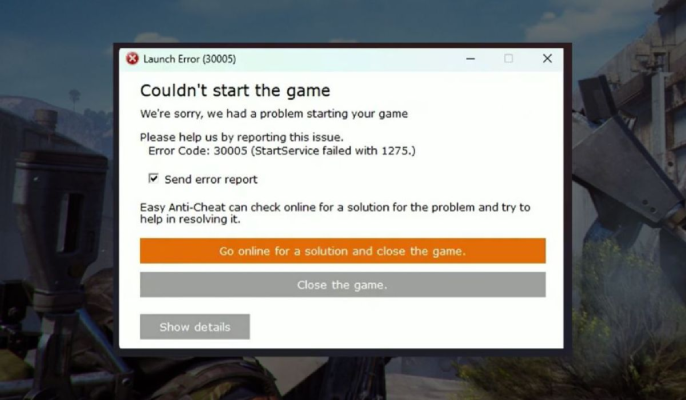
Since ARC Raiders relies on EAC to enforce secure launch conditions, the game cannot start until the anti-cheat service is functioning properly. Players may see symptoms like:
- Immediate game crash before the main menu
- “Couldn’t start the game – Easy Anti-Cheat failed to initialize” messages
- Repeated launch failures even after restarting the launcher
Effectively, error code 30005 and the “Couldn’t Start the Game” message are two sides of the same problem: EAC failing to start.
Part 2: Common Causes Behind ARC Raiders Error Code 30005
Understanding why EAC fails helps pinpoint the right fix. Common triggers include:
- Corrupted Easy Anti-Cheat installation: Interrupted updates, system crashes, or file corruption can prevent EAC from launching.
- Antivirus and firewall interference: Real-time scanning or quarantines can block EAC files.
- System permissions: Windows account restrictions may prevent EAC from starting.
- Background programs: Software that hooks into system services, overlays, or other anti-cheat-enabled games can conflict with EAC.
- Locked or in-use files: Some background services may hold EAC files open, preventing proper initialization.
Identifying which category your situation falls under allows you to apply the most effective solution.
Part 3: How to Fix ARC Raiders Error Code 30005
To resolve error 30005, you need to address EAC initialization issues. Follow these steps from least invasive to more thorough:
1. Restart Your PC Fully
A complete shutdown clears locked services and background processes. Avoid Fast Startup, as it may preserve states that keep conflicts alive.
2. Run the Easy Anti-Cheat Repair Tool
Navigate to the EAC folder for ARC Raiders, usually at C:\Program Files (x86)\EasyAntiCheat_EOS, and run the built-in repair tool to rebuild service components.
3. Delete and Recreate the EAC Driver File
If files are corrupted or locked, delete EasyAntiCheat.sys to force EAC to recreate it on next launch. This often resolves locked file issues behind error 30005.
4. Verify Game Files
Use your launcher’s file integrity check (Steam or Epic) to ensure all anti-cheat components and game dependencies are intact.
5. Run the Game and EAC as Administrator
Elevated permissions prevent Windows from blocking EAC startup due to restricted access rights.
6. Temporarily Disable Antivirus or Add Exclusions
Security software may block EAC. Add ARC Raiders and its EAC folder to your antivirus exceptions or temporarily disable real-time scanning.
7. Disable Conflicting Overlays
Turn off Discord, Steam, GPU suite overlays, or other injection tools that may interfere with EAC.
8. Update Windows and Drivers
Ensure your OS and GPU drivers are up-to-date, as EAC relies on system-level components that require current software.
After completing these steps, launch ARC Raiders again. Most players find that combining multiple fixes — like repairing EAC and adjusting permissions — fully resolves the issue.
Part 4: How to Enhance Your Game Experience with LagoFast Game Booster
Even after fixing error 30005, network instability can still affect gameplay. LagoFast Game Booster is designed to optimize your connection and reduce lag:
- Reduces High Ping: Finds the fastest route to game servers, lowering latency.
- Eliminates Packet Loss: Stabilizes your connection so actions register instantly.
- Fixes Connection Errors: Optimizes the handshake between PC and server, reducing network-related crashes.
- Multi-Platform Support: Works for both PC and consoles.
How to Use LagoFast Game Booster
Step 1: Click the "Free Trial" button below to download and install LagoFast for free.
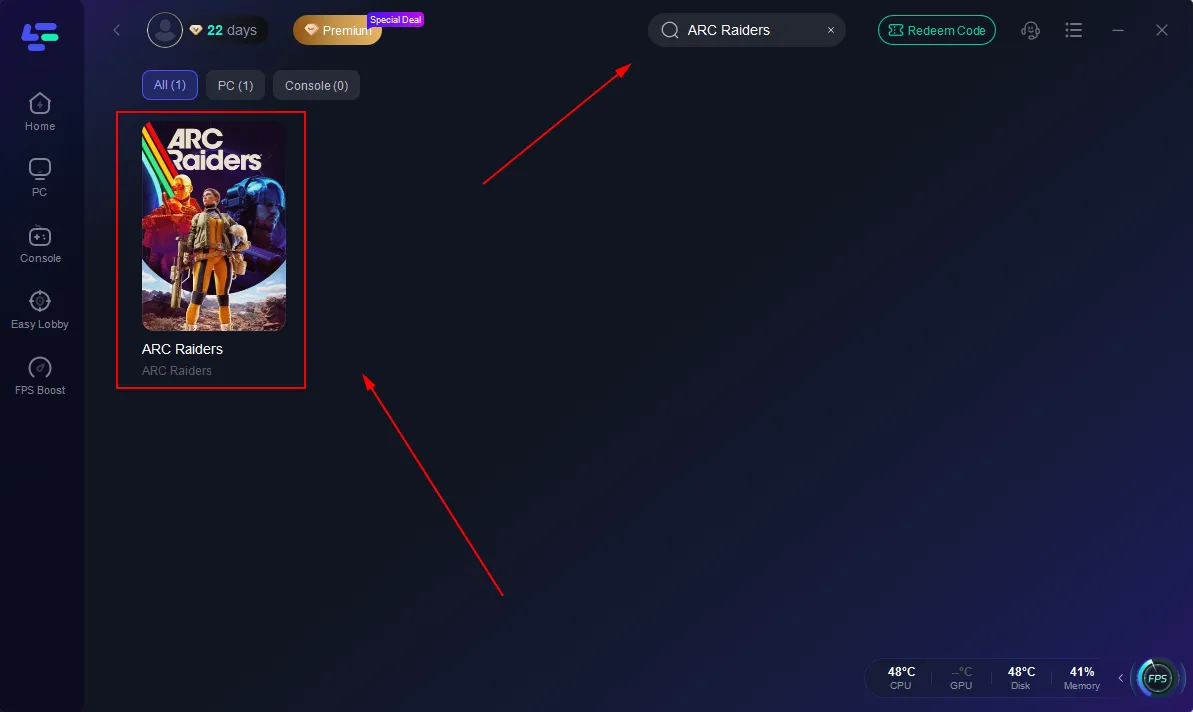
Step 2: Launch LagoFast, search for "ARC Raiders" in the search bar, and select the game.
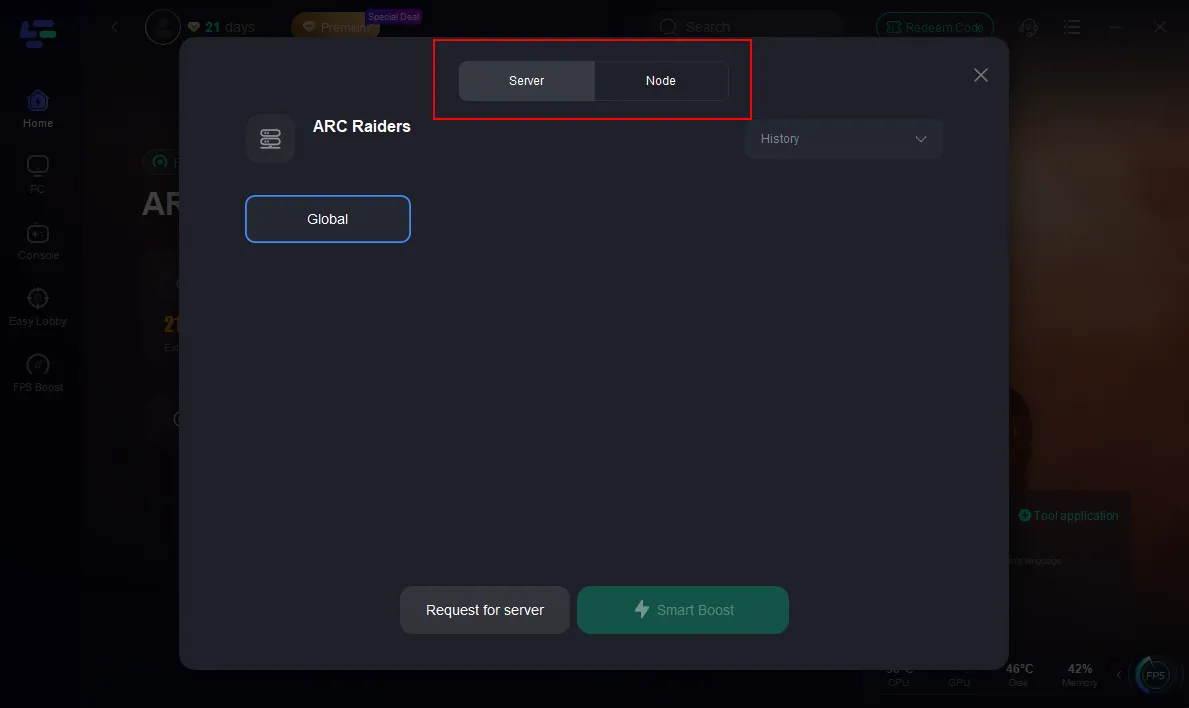
Step 3: Click the "Select Server" button to connect to a stable server node, then activate optimization via "Smart Boost".
Step 4: After enabling real-time optimization, check the live ping and packet loss rates, then click "Start Game" to begin playing.
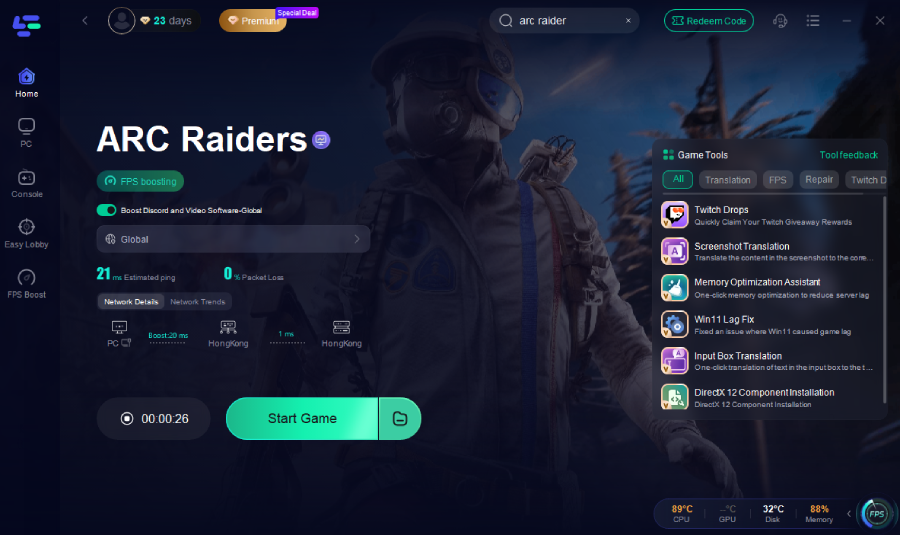
Once the optimization is active, launch ARC Raiders normally. You should notice smoother gameplay with fewer interruptions.
Part 5. FAQs
What triggers ARC Raiders error code 30005?
EAC fails to start due to locked or corrupted files, permissions issues, or interference from other software.
Can antivirus cause error 30005?
Yes. Security software can block or quarantine EAC files. Adding exceptions usually fixes the issue.
Will restarting my PC help?
A full restart clears locked services and is often the simplest first step. Avoid Fast Startup.
Do I need to delete EasyAntiCheat.sys?
Deleting the driver forces EAC to recreate it, which can fix corruption issues. Close the launcher before doing this.
Is error 30005 permanent?
No. It usually stems from temporary conflicts or corrupted files and is fixable with the steps above.
Conclusion
ARC Raiders error code 30005, also known as the “Couldn’t Start the Game” error, is caused by EAC failing to initialize. By systematically restarting your PC, repairing or recreating EAC files, verifying game integrity, using admin privileges, and adjusting security software, most players can restore normal game launches. For enhanced stability and smoother gameplay, LagoFast Game Booster optimizes network performance and reduces interruptions. Following these steps will help you enjoy ARC Raiders on PC without further crashes or launch errors.

Boost Your Game with LagoFast for Epic Speed
Play harder, faster. LagoFast game booster eliminates stutter and lags on PC, mobile, or Mac—win every match!
Quickly Reduce Game Lag and Ping!
Boost FPS for Smoother Gameplay!