
Quick Answer: Sprite Chest Locations Fortnite & How to Get?
Sprites are the ultimate progression mechanic in Fortnite Chapter 7 Season 3 (Runners), granting powerful gameplay buffs that save across matches. To get them, drop into the Shattered Coast map and prioritize opening specialized Sprite Chests (found inside Epic Vaults or high-density POIs like Cluster Coast and Heatwave Harbor) and rare blue Relic Chests. To keep a Sprite permanently and unlock its full potential, you must bring it to a designated Extraction Site (marked by a white beacon icon), activate the terminal, and successfully defend the zone until the Extraction Crate arrives.
The launch of Fortnite Chapter 7 Season 3 has completely rewritten the Battle Royale meta with the introduction of Sprites. These active companions do more than just sit on your back; they provide game-changing passive abilities, shield regeneration, and weapon upgrades. However, tracking down the rarest mythical variants while surviving high-ping combat is a massive challenge. This definitive guide covers everything you need to know about finding Sprite chests, completing extractions, and optimizing your network performance to ensure you never lose your hard-earned loot to lag.

- ✅ Reduce Lag and High Ping
- ✅ Boost FPS in Real Time
- ✅ Get the Easiest Server in Fortnite
- ✅ End All Connection Login Issues.
- ✅ Support 8000+ Online Games.
- ✅ Multiplatform: PC, Mobile, Console
Part 1: What are Sprites in Fortnite?
Part 2: Where to Find Sprites?
Part 3: How Many Sprites Are in Fortnite Right Now?
Part 4: Where to Find Specific Sprites?
Part 5: How to Collect and Extract Sprites: Step-By-Step
Part 7: Optimize Your Fortnite Gaming Experience With LagoFast
Part 9: Sprite Locations, Maps, and Rarity Table
Part 10: Sprite Extraction Tips
Part 11: Common Mistakes to Avoid
Part 1: What are Sprites in Fortnite?
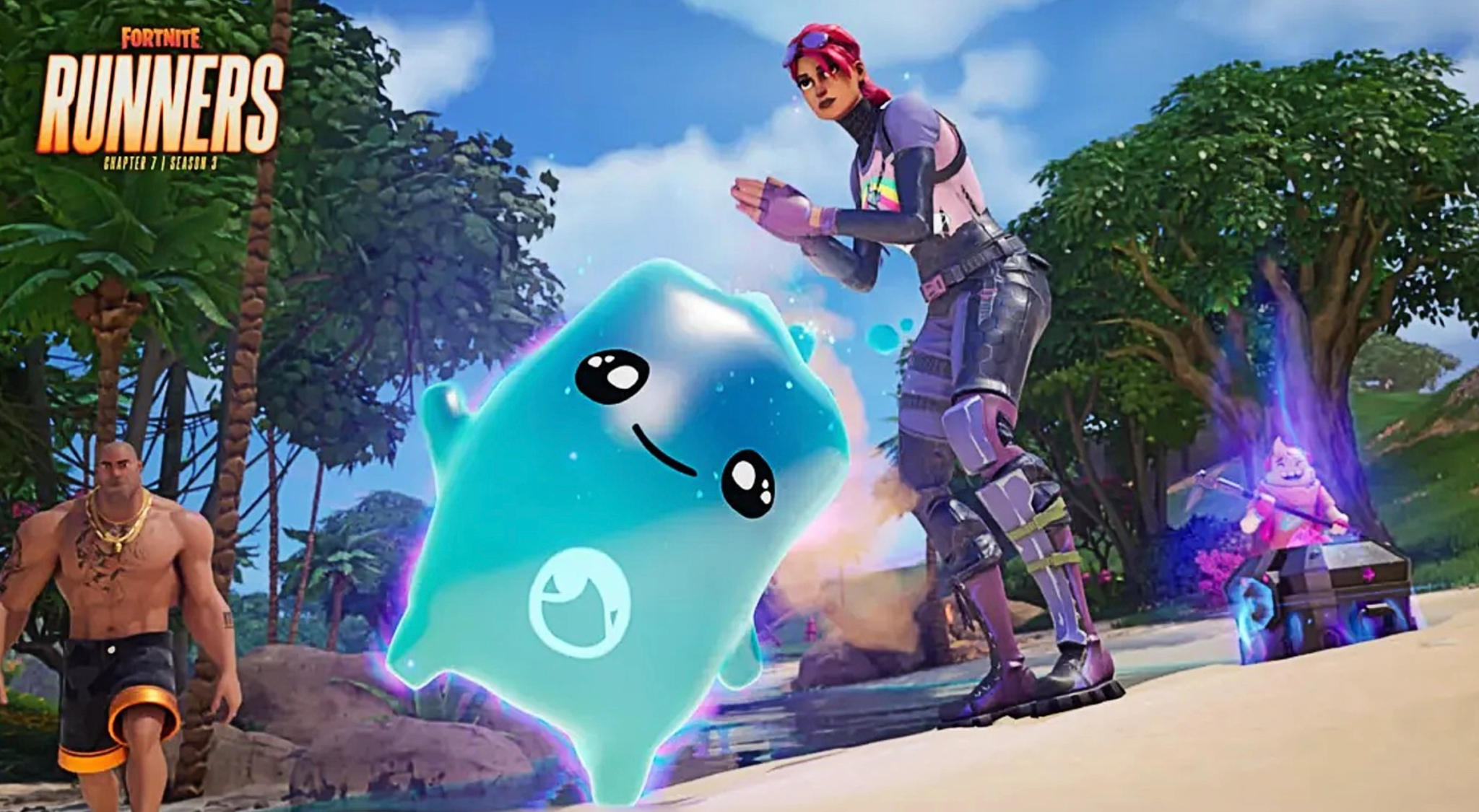
Sprites are specialized companion entities introduced in the Fortnite Runners update. Unlike cosmetic pets from previous chapters, these functional gameplay items sit in your inventory and actively alter your match dynamics by projecting unique "Sprite Powers."
When you possess a Sprite during a match, it visualizes on your character's back, instantly activating its tied buff. These benefits range from passive resource regeneration to powerful offensive elemental bursts. Sprites are divided into three distinct rarity tiers: Rare, Epic, and Legendary. The rarer the companion you discover, the more impactful its special abilities will be during intense combat engagements.
Part 2: Where to Find Sprites?
Finding these creatures requires knowing exactly what containers and landmarks to target. Sprites primarily spawn from three distinct sources across the Shattered Coast map:
- Sprite Chests: These are brand-new containers added specifically for this mechanic. They feature a distinct Zero Point Shard design and boast the highest concentration of high-tier companion drops.
- Relic Chests: Visually recognizable as the glowing blue rare chests, Relic Chests share a premium loot pool and are essential for hunting down the rarest mythical variants.
- Wandering Wild Variants: The basic elemental types (Earth, Fire, and Water) can occasionally be found floating out in the open world, waiting for a player to interact with them.
- Opponent Drops: If you eliminate an enemy player who has a companion equipped, it will drop onto the ground as physical loot, allowing you to intercept it.
Part 3: How Many Sprites Are in Fortnite Right Now?
Currently, there are 11 unique Sprites available to collect, upgrade, and master within the active loot pool. Each possesses a completely distinct combat utility or utility buff:
- Earth Sprite (Rare): Automatically upgrades your luck metrics, providing a significantly higher chance of pulling Rare, Epic, or Legendary items whenever you open standard chests.
- Fire Sprite (Rare): Accumulates energy as you deal weapon damage to enemies, culminating in a fiery, explosive burst that deals area-of-effect damage.

- Water Sprite (Rare): Slowly and continuously replenishes your shield bars whenever you or your nearby squadmates are wading through open water sources.
- Duck Sprite (Epic): Turns your favorite cosmetic emotes or locker Jam Tracks into tactical utility, slowly restoring your shields while performing them.
- Ghost Sprite (Epic): Grants temporary, near-perfect optical cloaking the exact moment you initiate a weapon reload sequence, allowing for safe resets mid-fight.
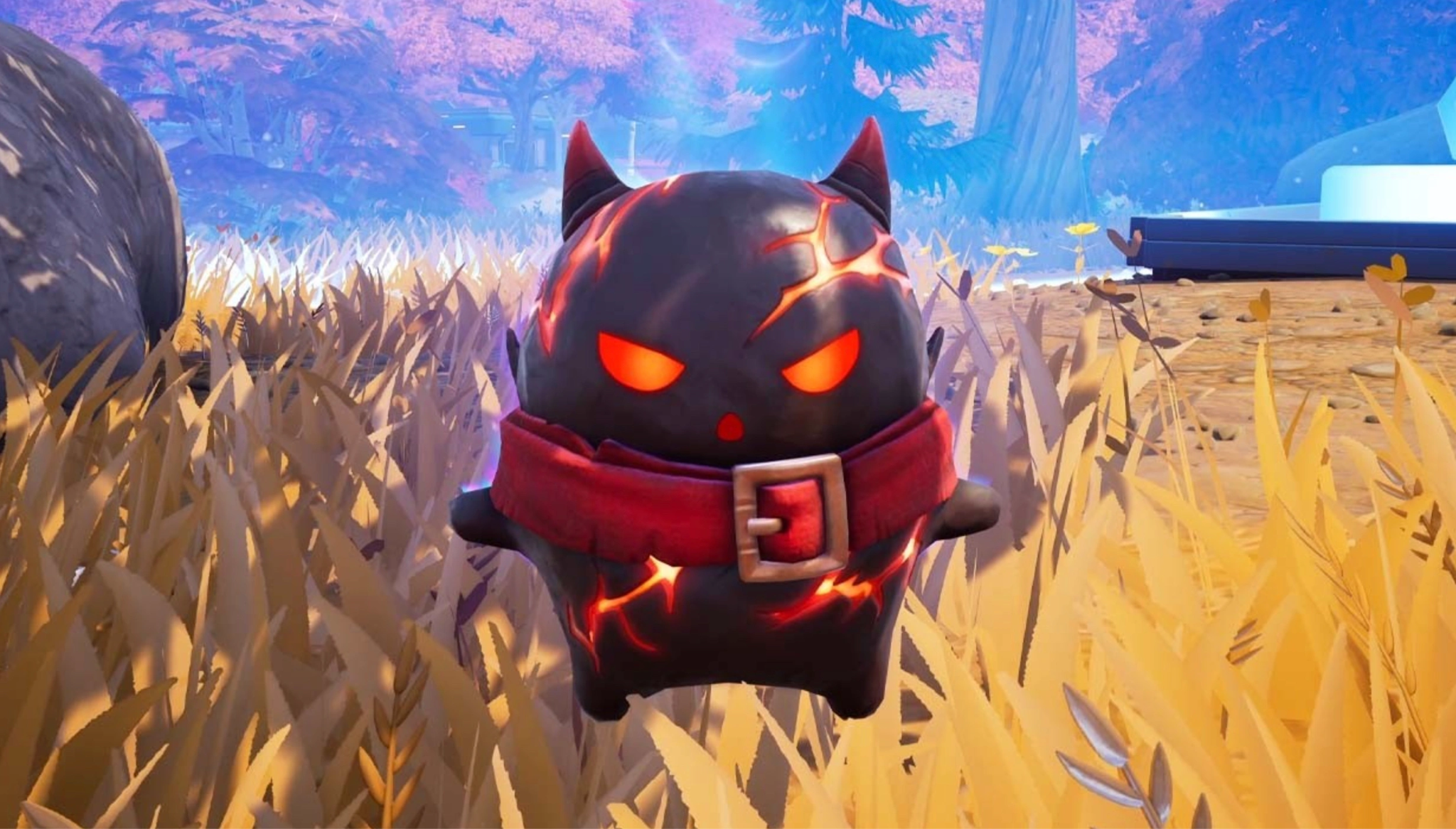
- Demon Sprite (Epic): Actively rewards aggressive playstyles by siphoning instant health and shield points directly into your health bar upon eliminating an opponent.
- King Sprite (Epic): Dramatically multiplies your gathering tool damage, allowing you to smash through player structures and farm building materials at double speed.
- Dream Sprite (Legendary): Grants a completely random survival item every time it gains an in-match level, culminating in a massive explosion of Legendary weapons upon hitting Max Level.
- Punk Sprite (Legendary): A high-risk wildcard companion that triggers completely unpredictable, chaotic RNG events, ranging from spawning elite loot drops to unexpected spatial modifiers.
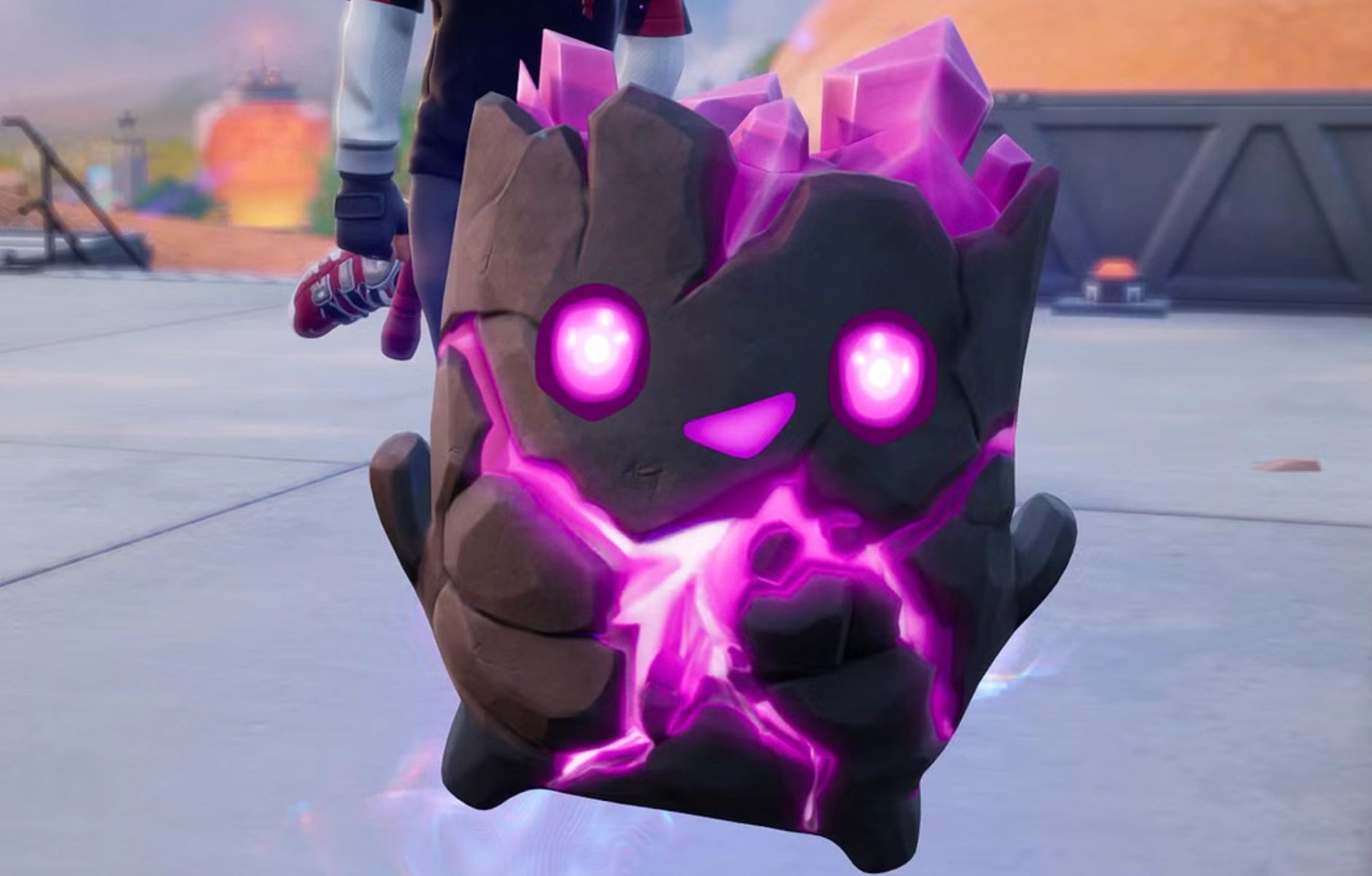
- Zero Point Sprite (Legendary): Instantly deploys a compact "Shield Bubble Jr." around your character coordinates whenever you consume a health or shield healing item.
- Burnt Peanut Sprite (Legendary): The rarest companion in the current ecosystem, granting an incredibly powerful passive chance to discover ultra-premium loot and Mythic weapons directly off eliminated enemy bodies.
Part 4: Where to Find Specific Sprites?
Because the island relies heavily on random number generation (RNG), there is no single fixed spot where a specific creature is guaranteed to sit waiting for you. Instead, you need to optimize your landing routing based on rarity pools:
Common & Epic Variants
Basic variants like Earth, Fire, and Water can be found almost anywhere, including regular chests and open-field spawns. Epic versions like the Duck, Ghost, Demon, and King Sprites regularly appear inside standard Sprite Chests scattered across major points of interest (POIs) like Heatwave Harbor or Cluster Coast.
The Zero Point Sprite
As a Mythic-tier companion, the Zero Point Sprite holds an incredibly low 0.03% baseline drop rate. To tilt the odds in your favor, you must completely avoid standard floor loot. Your best strategy is to target the Epic Vaults on the map, which contain guaranteed Sprite Chests. Alternatively, players can plan intense farming sessions around the limited-time Mastery Monday events, which temporarily boost the drop rates for Legendary and Mythic tiers.
Is the Burnt Peanut Sprite in Fortnite Yet?
The community has been flooded with questions regarding the Burnt Peanut Sprite location. Many players have searched for hours, wondering why it won't drop. Statistically, the Burnt Peanut possesses a brutal 1.5% spawn rate and drops exclusively from blue Relic Chests. Because it does not drop from standard containers, ensure your routing focuses entirely on high-density vault areas and premium chest zones to maximize your opening volume.
Part 5: How to Collect and Extract Sprites: Step-By-Step
Finding a rare companion is only half the battle. If you get eliminated while carrying an unextracted creature, it drops as loot for your opponents, forcing you to spend massive amounts of Sprite Dust to re-summon it later. Use this step-by-step extraction process to secure your collection:
Step 1. Locate and Equip: Approach a wild companion or open a Sprite Chest, then use your interaction key to pick it up. It will automatically equip to your back slot.
Step 2. Find an Extraction Site: Open your mini-map and look for the white beacon icons. These extraction points are scattered near major POIs and emit a visible beam of light into the sky.
Step 3. Activate the Terminal: Head to the physical terminal at the center of the site and hold the interaction prompt to begin the sequence.
Step 4. Defend the Zone: Initiating an extraction alerts nearby squads and alters the icon on the map. Find immediate defensive cover or build structures to guard the area while the countdown ticks away.
Step 5. Deposit and Bank: When the timer hits zero, an Extraction Crate will drop from the sky. Quickly interact with the crate to deposit your companion before the window closes.
Pro-Tip: If you successfully achieve a Victory Royale, any unextracted companions currently sitting in your inventory will automatically extract, saving you a trip to a terminal!
Part 6: What Do Sprites Do?
Mastering a companion unlocks incredibly potent passive advantages that alter how you approach fights, resource gathering, and survival. As you level up a creature across multiple matches, the potency of its passive stat boosts scales dramatically.
For instance, a base-level Water companion might offer minimal utility, whereas a mastered level 5 version can rapidly replenish your entire squad’s defensive pools. Reaching the maximum tier also rewards players with massive chunks of Sprite Dust and exclusive seasonal progression cosmetics.
Part 7: Optimize Your Fortnite Gaming Experience With LagoFast
When you are carrying an ultra-rare 1.5% drop rate item like the Burnt Peanut toward an open Extraction Site, a single frame drop or high-ping latency spike can spell instant disaster. To protect your rare drops and ensure flawless match performance, utilizing a dedicated gaming booster tool like LagoFast is highly recommended.
LagoFast is a highly advanced, all-in-one gaming optimization program engineered to eliminate the technical bottlenecks that cost players their hard-earned match wins. By using intelligent multi-path server routing technology, LagoFast automatically identifies and locks onto the fastest data pathways to Fortnite’s live matchmaking servers, dramatically reducing in-game network lag.
Key Technical Performance Features:
- One-Click FPS Boost: Instantly optimizes your local Windows configuration settings, allocates maximum system resources to Fortnite, and shuts down performance-heavy background apps to maximize your display refresh rates.
- High-Ping Reducer: Intelligently reroutes your data connection around congested internet nodes, instantly stabilizing your ping and eliminating sudden network spikes.
- Packet Loss Elimination: Employs dual-channel stabilization protocols to ensure that every fast-paced edit, wall replace, and shotgun shot registers perfectly without data drops.
- Easy Server Swapping: Allows competitive players to instantly change matchmaking regions with minimal routing overhead, ensuring smooth gameplay even on distant servers.
Tutorial to Use LagoFast to Optimize Your Fortnite Gaming Experience:
Step 1: Click the Free Trial button to download and install LagoFast.
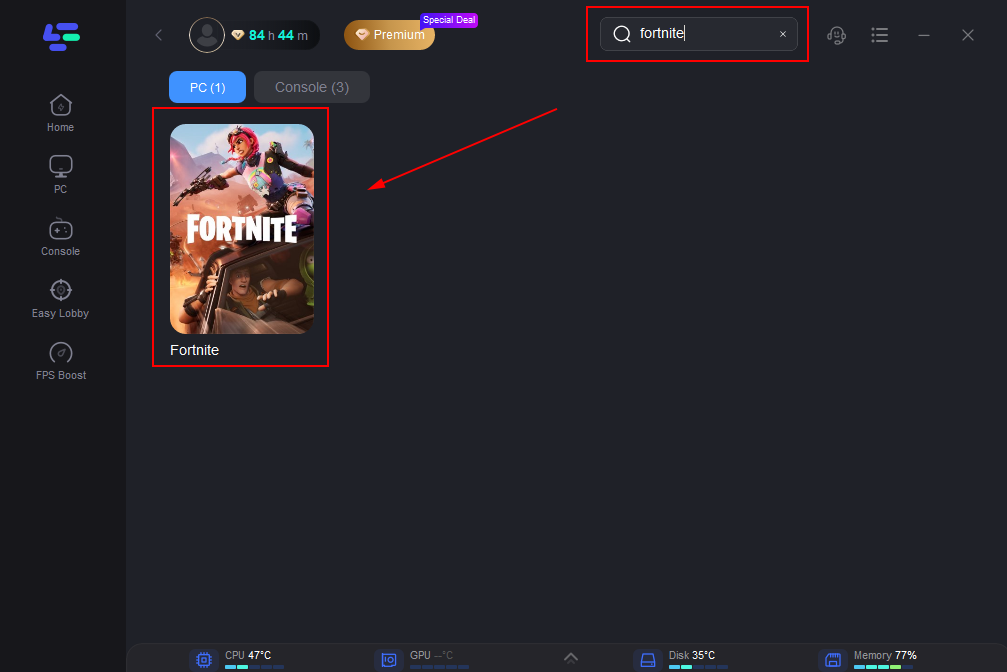
Step 2: Open LagoFast, then click the PC button on the left, search for Fortnite in the search bar, and click it after it appears.
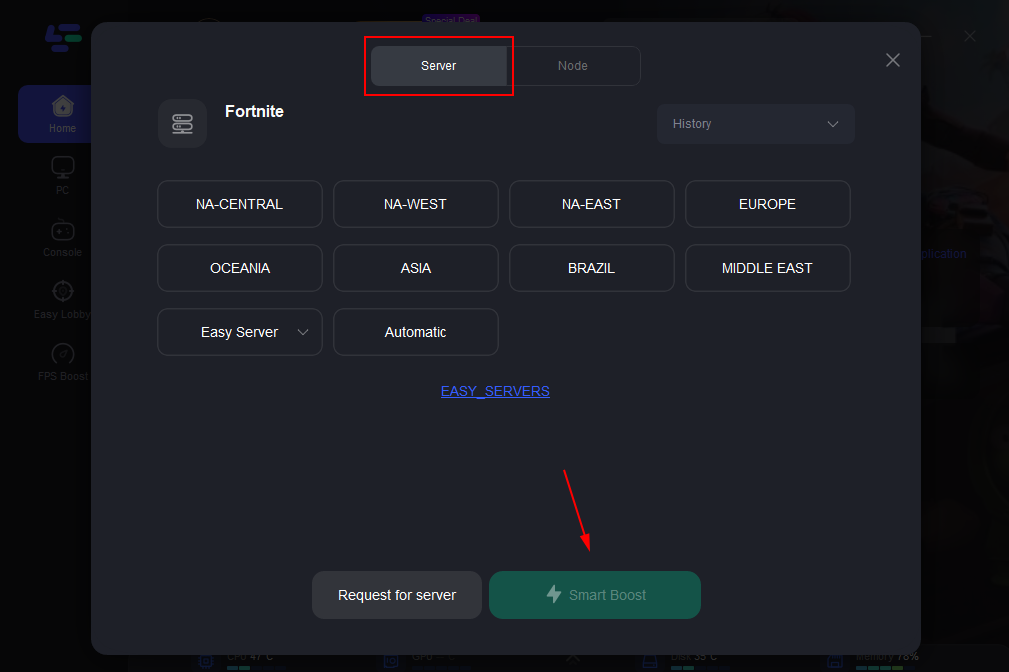
Step 3: Click on “Server” to change to a better server that ensures a better gaming experience, then click on “Smart Boost” to fix Fortnite lag and stuttering.
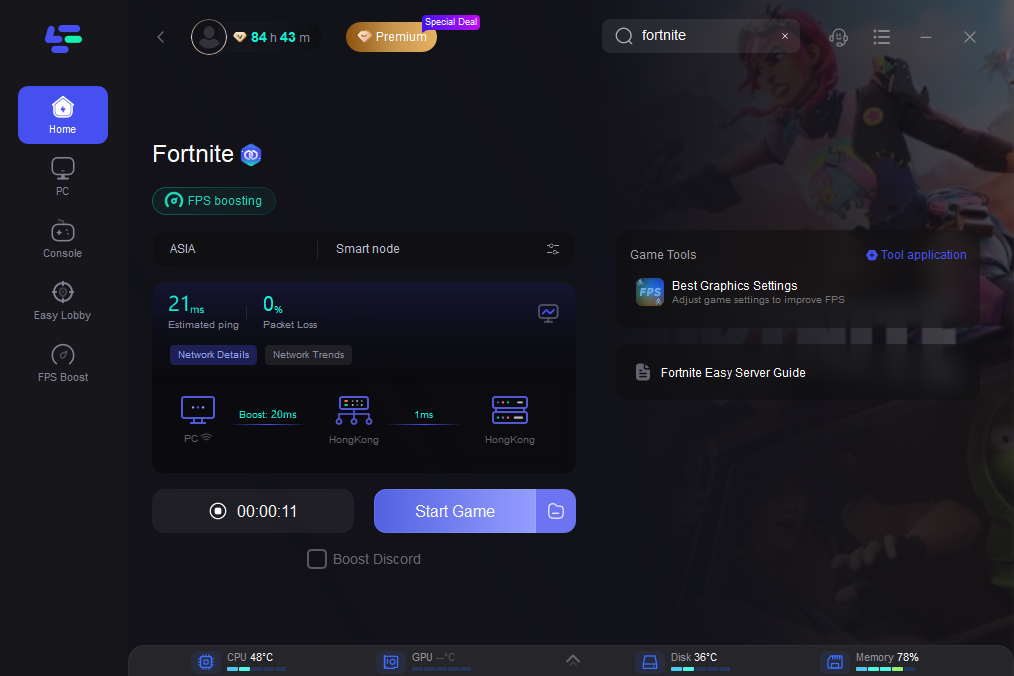
Step 4: Check the specific game ping, packet loss, and multiple path connections on the right side. Finally, click “Start Game” to play the game.
Part 8: Best Sprites to Use
Choosing the right companion depends heavily on your team role and general playstyle:
- For Aggressive Solo Players: The Demon Sprite is unparalleled, providing instant health siphons that allow you to engage multiple opponents in rapid succession without stopping to heal.
- For Competitive Squad Formations: The Water Sprite offers immense utility, turning simple river rotations or coastal end-games into a free, passive shield regeneration station for your entire team.
- For High-Tier Loot Farmers: Pairing the Earth Sprite or Burnt Peanut Sprite with high-density looting paths ensures your inventory is consistently stacked with Gold and Mythic weapons before the final storm circles close.
Part 9: Sprite Locations, Maps, and Rarity Table
Refer to this quick-reference table to plan your next competitive drop and find specific container types across the island map:
|
Named Map Location |
Primary Container Type |
Spawn Density Rating |
Notable Level Landmark |
|
Sinister Strip |
Sprite Chest (Vault) |
Very High |
Deep inside the main lower vault grid |
|
Frosted Flats |
Sprite Chest (Vault) |
Very High |
Secured behind faction keycard doors |
|
The Zero Point |
Relic Chest / Sprite Chest |
High |
Floating debris fields near map center |
|
Sunken Shores |
Hidden Sprite Chests |
Medium |
Attic areas of the twin southern villas |
|
Calamari Canyon |
Landmark Sprite Chest |
Low |
Atop the red roof of the north lighthouse |
|
Wonkeeland |
Landmark Sprite Chest |
Low |
Resting on the highest Ferris Wheel car |
Part 10: Sprite Extraction Tips
- Utilize the Portable Extractor: Keep a sharp lookout for the rare Portable Extractor gadget in floor loot. This item allows you to trigger an extraction sequence anywhere on the map, keeping you away from heavily camped stationary terminal locations.
- Build Smart Defenses: Before initializing an extraction terminal, build a strong defensive fort around the zone. Place traps or directional launchpads to give yourself an instant escape route if third-party teams rush your position.
- Clear the Area First: Never initiate the terminal countdown while a POI is still contested. Take out nearby squads first to ensure your extraction run goes smoothly.
Part 11: Common Mistakes to Avoid
- Ignoring the Rarity Loss Rule: Many players mistakenly assume that once a companion is sitting in their inventory, it is permanently saved. Remember: if you get eliminated before finishing an extraction sequence, that companion is dropped and lost.
- Farming Irrelevant Containers: Spending valuable match time opening common gray or green ammo boxes and regular chests will not yield rare drops. Focus your routes exclusively on designated Sprite and blue Relic containers.
- Wasting Your Sprite Dust: Don't waste your accumulated Sprite Dust summoning common or low-tier companions before a match. Save your currency balance to summon top-tier Legendary assets like the Zero Point or customized max-tier setups.
Part 12: FAQs
What is a relic chest in Fortnite?
A Relic Chest is the official name for the classic rare blue chests scattered across the map. This season, they feature an updated loot pool that contains a solid drop chance for premium gameplay Sprites alongside high-tier weapons.
Where can I find the gold sprite in Fortnite?
Gold Sprites do not have a fixed physical location on the map. They are ultra-rare, alternate visual variants that have a small random chance to drop from any standard Sprite Chest or Vault container.
How do I unlock the Burnt Peanut Sprite?
You must open Sprite Chests or Relic Chests until it drops via random chance (roughly a 1.5% probability). Once it drops into your inventory, you must escort it to an active Extraction Site and survive the extraction timer.
Can I use multiple Sprites at the exact same time?
No. You can carry multiple companions within your standard inventory slots, but you can only place one single Sprite onto your active back slot to benefit from its active power traits.
Does my Sprite level reset after a match ends?
Your mid-game level resets between matches unless you successfully complete an extraction run. Extractions turn your progress into permanent progression toward full account Mastery
Why is my game lagging during extraction sequences?
Extraction pads feature intensive particle graphics and attract multiple squads to a single area, which can cause severe frame drops and network congestion. Using a dedicated booster like LagoFast can help stabilize your frame rates and lower your ping during these chaotic moments.
Conclusion
Mastering the new mechanics in Chapter 7 Season 3 is the fastest way to dominate the current competitive meta. By optimizing your drop routes around high-yield locations like Sinister Strip and Frosted Flats, managing your extraction risks carefully, and running network optimization tools like LagoFast to secure a seamless, lag-free connection, you will easily complete your collection and outlast the competition.
Boost Your Game with LagoFast for Epic Speed
Play harder, faster. LagoFast game booster eliminates stutter and lags on PC, mobile, or Mac—win every match!
Quickly Reduce Game Lag and Ping!
Boost FPS for Smoother Gameplay!