
The hype surrounding NCSoft’s Unreal Engine 5 aerial MMORPG is massive, but for many eager fans, excitement has quickly turned into frustration. Players attempting to wishlist the game or check out advance access packages are suddenly hitting brick walls on the store page.
A recent post on the official AION 2 subreddit captures the exact confusion spreading across the community:
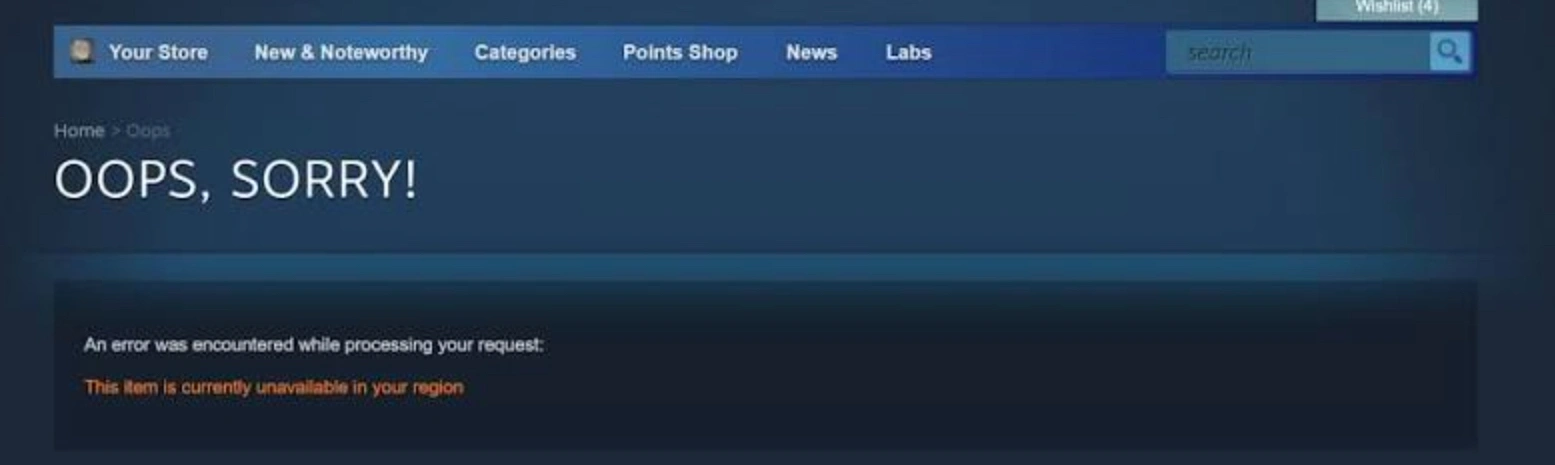
Anyone else suddenly got "this item is unavailable in your region" on Steam?
Title. I had it on my wishlist, then yesterday I got greeted by this when trying to check if there's anything new on the store page. I can see other NC games like B&S NEO, "Aion MMO" and Throne & Liberty just fine. I'm not even in one of the notoriously blocked countries, as far as I know...just in the EU.
My questions are: 1) Can I still at least use Purple to play once it's out, 2) Anything that I can try (like contacting Steam support), or is that pointless?
— r/Aion2 community member
If you are wondering why you can’t find AION 2 on Steam, why the AION 2 Steam page is not showing up, or how to navigate these digital roadblocks, you are not alone. Let’s break down the technical reasons behind AION 2 Steam region-locked errors, what these warnings actually mean, and how to get your game ready for launch.

- ✅Less ping and crashes.
- ✅ Higher FPS and better PC performance.
- ✅ Support for 8000+ games.
- ✅ Stable connection and region switching.
Part 1: Why Is AION 2 Unavailable in Your Region on Steam?
Part 2: What Does “This Item Is Currently Unavailable in Your Region” Mean?
Part 3: How to Check Why AION 2 Is Not Showing on Steam
Part 4: What to Do If AION 2 Is Unavailable in Your Region
Part 5: How LagoFast Solves AION 2 Region Locks and Enhances Gameplay
Part 6: Can You Play AION 2 on PURPLE If Steam Is Unavailable?
Part 7: Can You Transfer an AION 2 Steam Purchase to PURPLE?
Part 8: Is PURPLE Effective Under Different Steam Restrictions?
Part 9: Is AION 2 Unavailable in Belgium or the Netherlands?
Part 10: AION 2 Steam Unavailable FAQ
Part 1: Why Is AION 2 Unavailable in Your Region on Steam?
When aion 2 unavailable in your region pops up on your screen, it is rarely a random glitch. Steam enforces strict regional compliance based on publisher directives, local gambling laws, and IP licensing agreements.
The AION 2 Steam Page Is Hidden in Your Country
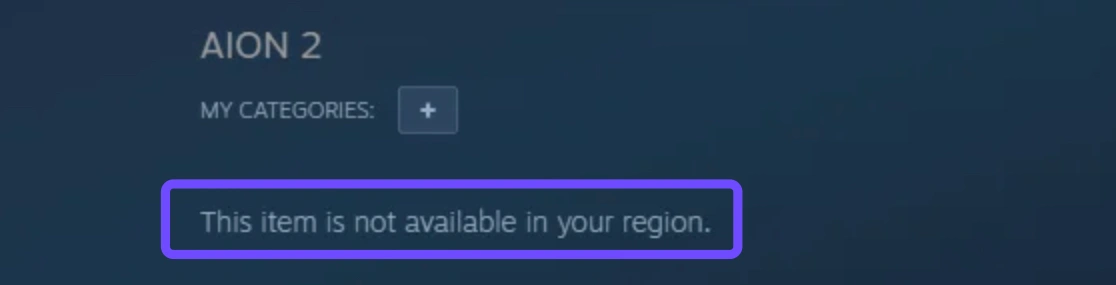
In certain territories, NCSoft has chosen not to publish the Steam storefront page at all. If your IP address or account billing currency is tied to a restricted nation, Valve’s storefront hides the game completely. Searching directly inside the client yields zero results, making it seem like the game does not exist.
The Steam Package Cannot Be Activated in Your Country
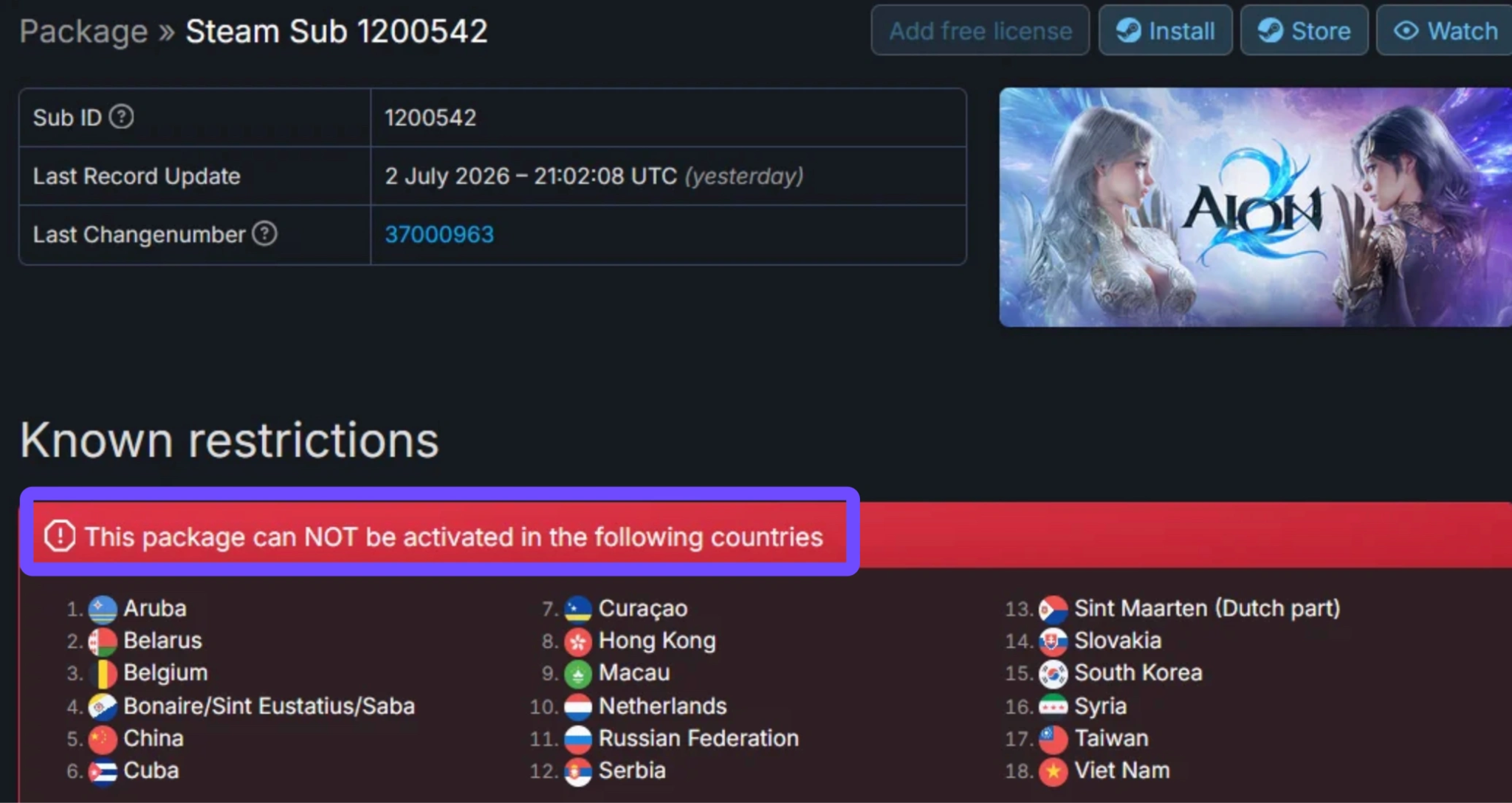
Even if you manage to access the store page via an external web link, attempting to purchase may trigger the fatal "aion 2 package cannot be activated in my country" error. This happens when the underlying Steam SubID (the specific digital package assigned to a region) excludes your nation’s country code.
Your Steam Store Country Does Not Match Your Current Region
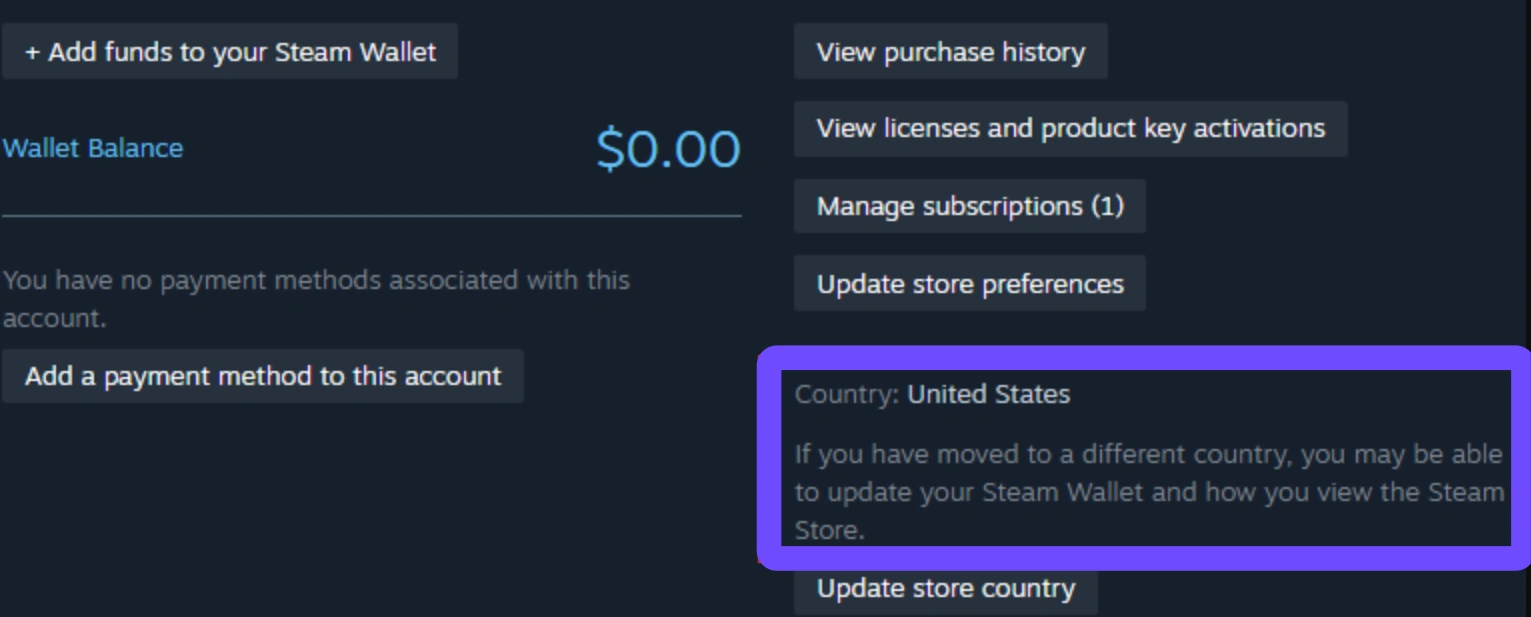
Valve uses a combination of geo-IP tracking and your registered local payment method to determine your store region. If you moved to a new country recently or are traveling abroad without updating your Steam wallet address, a mismatch occurs. Steam blocks the purchase to prevent regional pricing abuse.
AION 2 Is Not Officially Supported in Your Service Region
NCSoft divides its server distribution into distinct publishing blocs. Currently, several countries are explicitly excluded from the global release roadmap due to existing publishing rights, regional sanctions, or dedicated local publishers.
|
Region Bloc |
Status on Steam |
Notable Excluded Countries |
|
Asia-Pacific |
Partially Locked |
China, Hong Kong, Macau, Taiwan, South Korea, Vietnam |
|
Europe |
Localized Restrictions |
Belgium, Netherlands, Belarus, Russia, Serbia, Slovakia |
|
Americas & Caribbean |
Selectively Restricted |
Cuba, Aruba, Curaçao, Bonaire, Sint Maarten |
|
Middle East |
Sanction Restricted |
Syria |
The Founder’s Pack Has Separate Activation Restrictions
You might be able to view the base game, but find that Aion 2 cannot be purchased in your region when you click on a Deluxe or Ultimate Founder’s Pack. Publishers frequently assign different regional tags to pre-order DLCs and virtual currencies than to the base game client itself, creating a frustrating loop where the game is visible but unbuyable.
Related Article: How to Bypass Steam Region Lock AION 2 & Play Aion 2 From Anywhere
Part 2: What Does “This Item Is Currently Unavailable in Your Region” Mean?
This generic warning is a blanket statement for four distinct layers of digital rights management. Understanding which layer you are hitting dictates your next move.
Steam Store Page Restrictions
This is the outermost wall. Valve prevents your Steam client from rendering the HTML page. It is strictly a storefront visibility rule set by the publisher’s geo-block tags.
Purchase Restrictions
You can see the game trailers, read the announcements, and view the system requirements, but the "Add to Cart" button is grayed out or throws an error during checkout. Your account is allowed to view the content, but financial transactions are blocked.
Package Activation Restrictions
This affects third-party CD-keys, Steam gifts, and cross-region gifting. If a friend in North America gifts you an AION 2 pre-order, you will receive a pop-up stating the aion 2 package cannot be activated in your country if your library region is excluded.
Game Login and Service Restrictions
This is the deepest and most critical layer. Even if you manage to download the game client, the game servers themselves ping your IP address when you launch. If your IP originates from an unsupported region, the login server rejects your connection before you can even reach character creation.
Why These Restrictions Are Not Always the Same
A game can be unrestricted on the Steam store page but blocked at the IP login server level, or vice versa. For example, a country might allow the storefront page to load, but local gambling regulations prevent the purchase of pre-order packs containing randomized virtual items.
|
Restriction Type |
What You Experience |
Root Cause |
|
Store Page Lock |
Error 102 or redirect to home page |
Publisher excluded country from store listing |
|
Purchase Lock |
Checkout fails at payment screen |
Steam wallet currency/region mismatch |
|
Activation Lock |
Steam gift or key fails to redeem |
Steam SubID region lock restriction |
|
Service Lock |
Disconnected at game start screen |
NCSoft server IP-block or unsupported account |
Part 3: How to Check Why AION 2 Is Not Showing on Steam
Before trying to fix the issue, run through this quick six-step diagnostic checklist to pinpoint exactly where the chain is breaking.
Search for AION 2 in the Steam Store
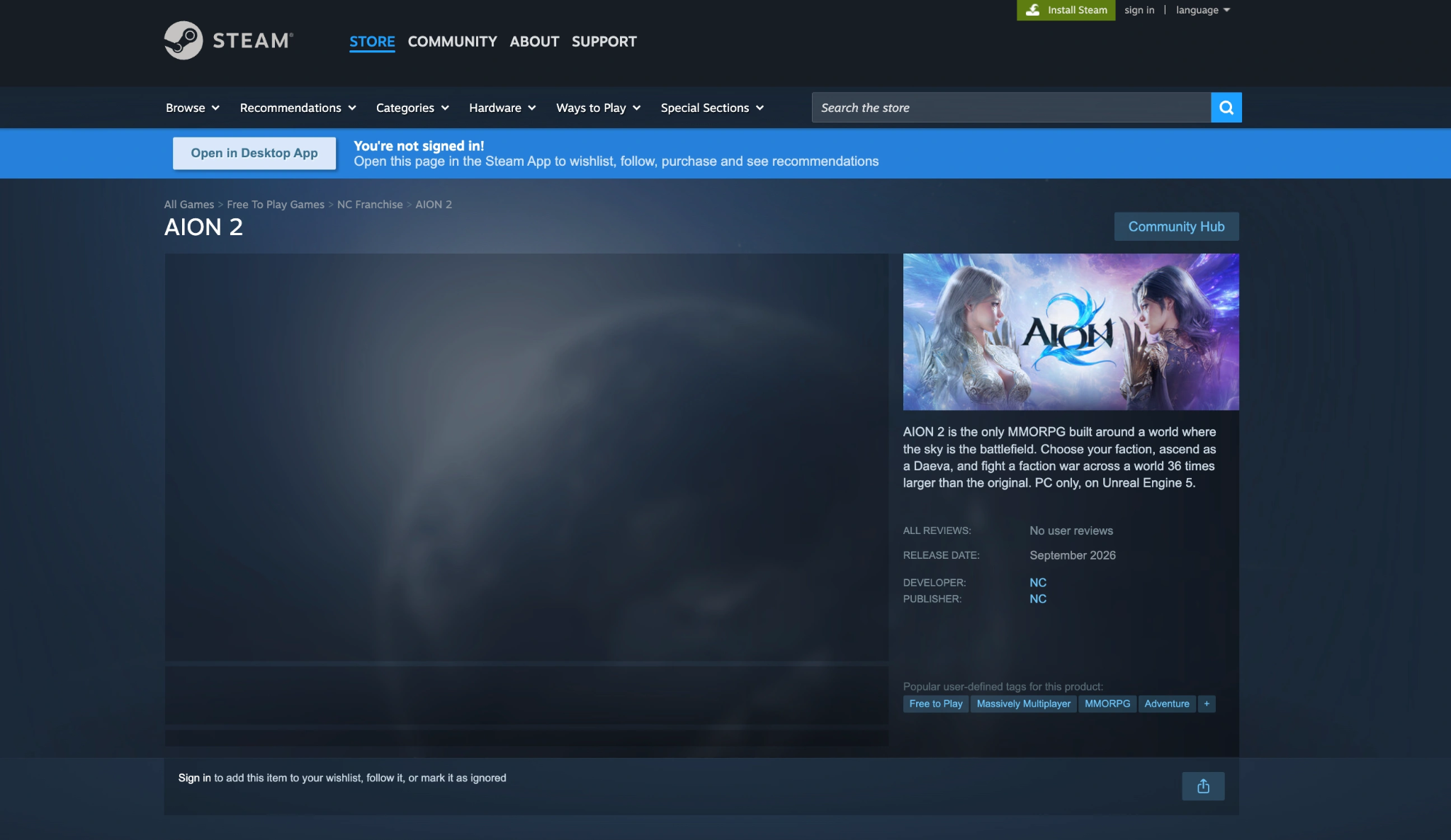
Open your desktop Steam client and type "AION 2" in the top-right search bar. If autocomplete suggests the game and loads the page, you do not have a general storefront restriction. If nothing appears, your store region is actively filtering it out.
Open the Direct AION 2 Steam Page
Open a web browser in incognito mode (logged out of Steam) and navigate directly to the official app URL. If the page loads normally in incognito mode but breaks when you log in, your specific Steam account region is the trigger.
Check Your Steam Store Country
Click your profile name in the top right of the Steam client, select Account Details, and look at the Country/Region field under Store & Purchase Data. If this does not match your actual physical location, you will face automatic purchase blocks.
Check the Steam Package Activation Restrictions
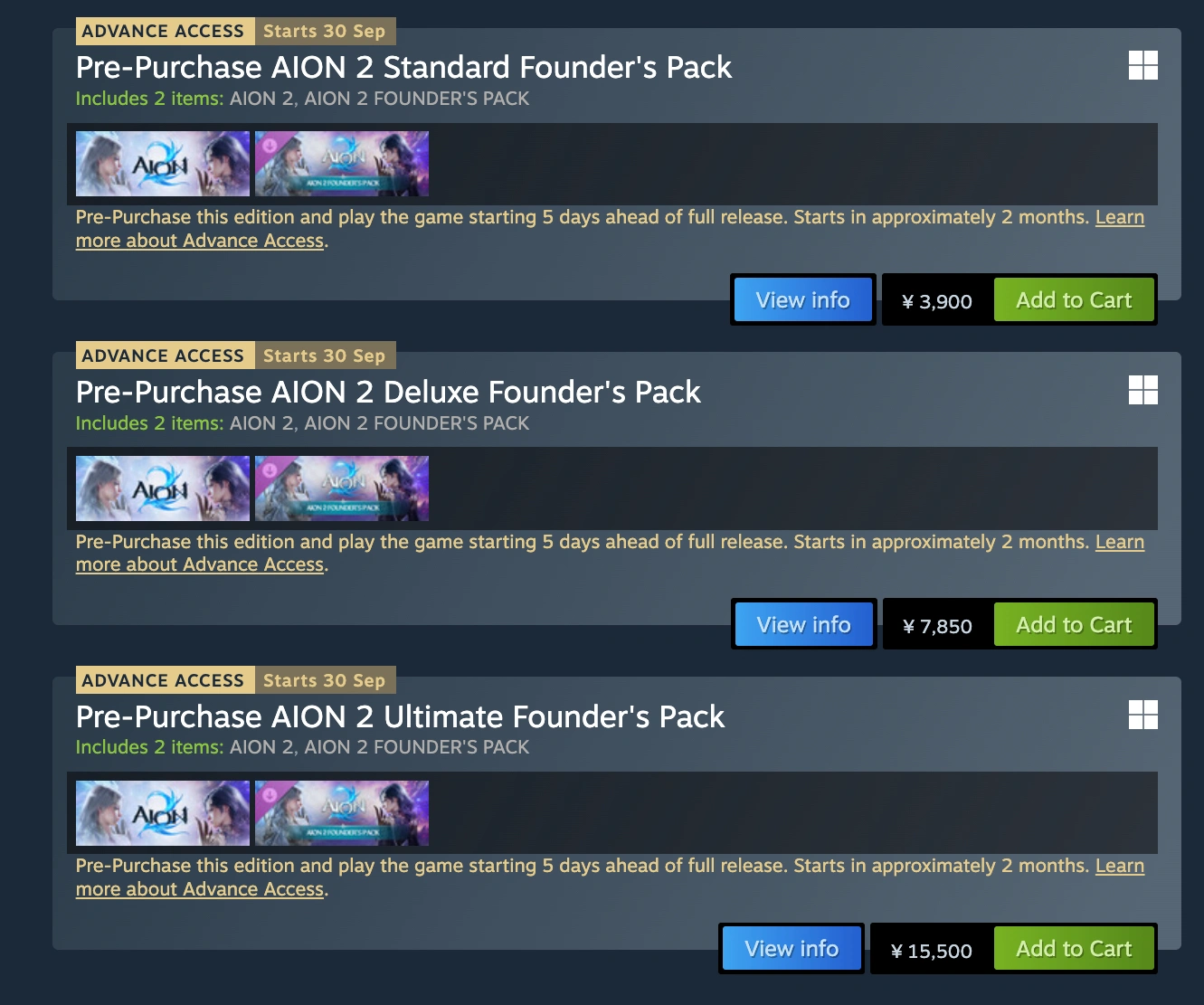
Visit an indexing database like SteamDB and search for AION 2 (AppID 3393110). Check the Packages tab. Click through the SubIDs to view the PurchaseRestrictedCountries and AllowPurchaseFromRestrictedCountries data tags. This reveals the hardcoded list of banned nations.
Check the Official AION 2 Service Regions
Cross-reference your country with NCSoft’s official global publishing territories. Currently, global Western servers are scheduled to cover North America, South America, Europe, and select parts of Asia, while domestic releases in Korea and Taiwan operate under separate, isolated clients.
Check Whether Founder’s Packs Have Additional Restrictions
If the free-to-play base game is visible but pre-orders are not, inspect the individual DLC listings. In nations with strict consumer protection laws regarding digital pre-orders, the base game will unlock at launch while Founder's Packs remain permanently restricted.
Part 4: What to Do If AION 2 Is Unavailable in Your Region
If you are stuck staring at region error messages, follow these actionable steps to evaluate your options.
Confirm That Your Steam Store Country Is Correct
If you recently relocated, update your Steam store region. Add an item to your cart, go to checkout, and use the Country dropdown to change your store region. You must provide a valid local payment method linked to a physical billing address in that new country to confirm the switch.
Restart Steam and Refresh the Store Page
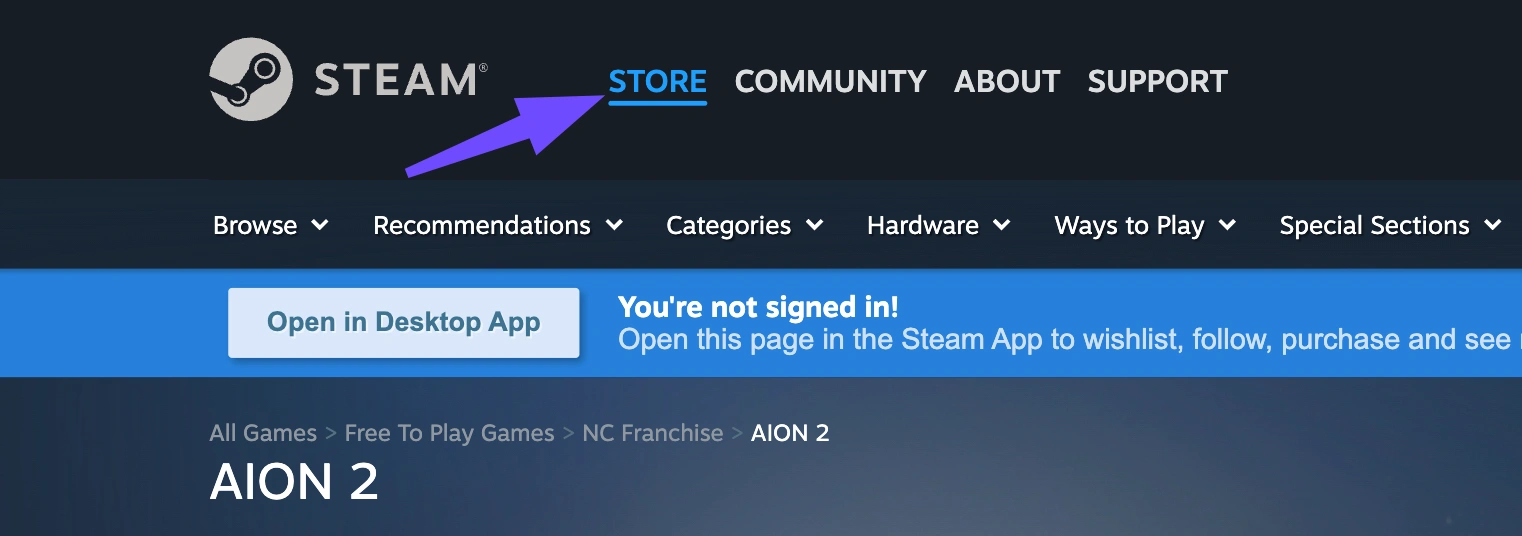
Sometimes Valve’s content delivery network caches stale geo-IP data. Log out of your Steam client completely, terminate the background process via Task Manager, restart your router to obtain a fresh IP lease from your ISP, and relaunch Steam.
Check Whether AION 2 Is Available Through PURPLE
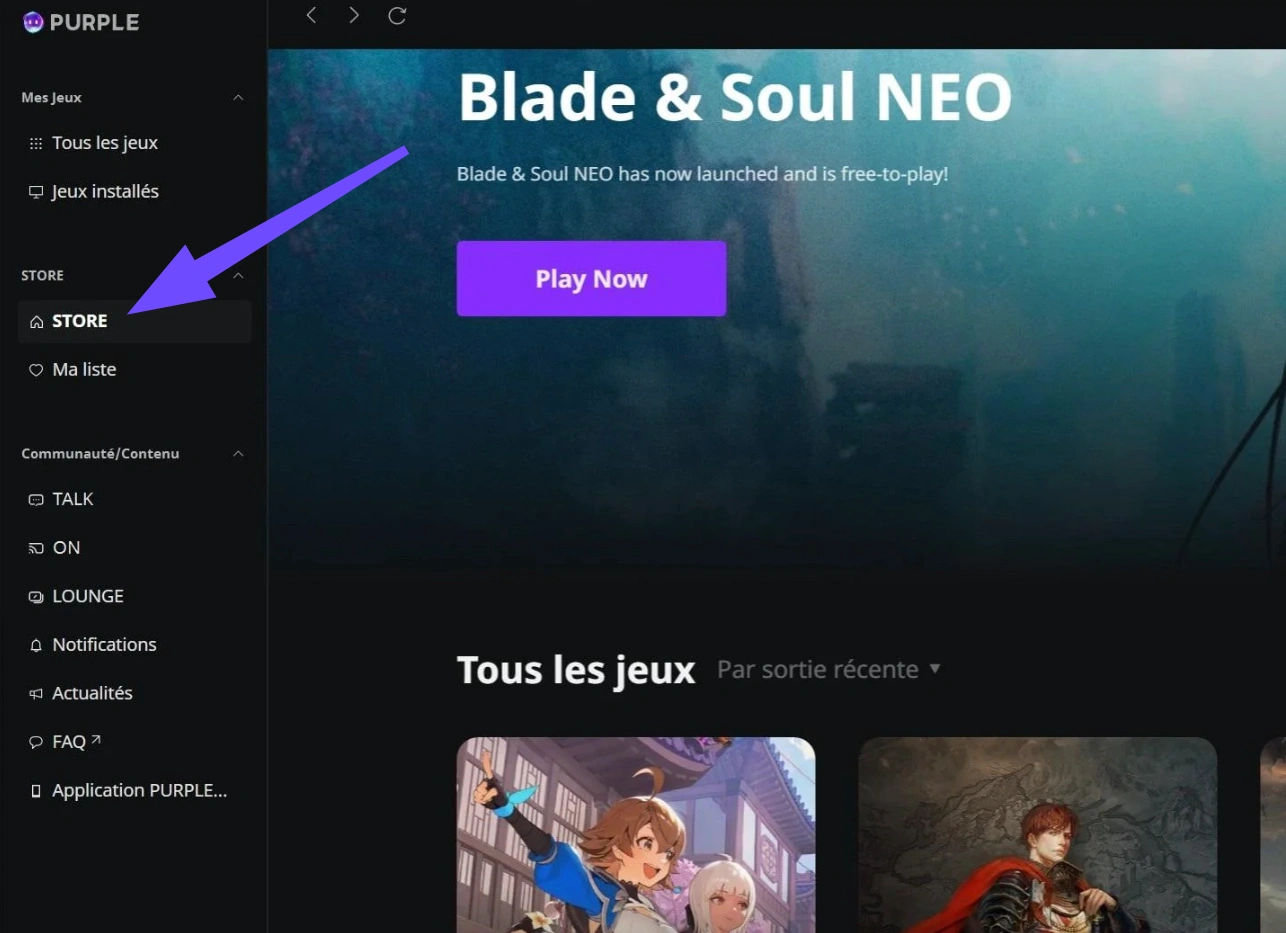
NCSoft’s proprietary PC launcher, PURPLE, operates on a completely independent distribution infrastructure. Even if Valve's storefront flags your country, PURPLE may allow you to view, download, and access the global game client directly.
Verify Your NC Account Country and Service Eligibility
Log into the official PLAYNC account portal and check your registered account details. PURPLE relies on your registered PLAYNC country rather than your real-time IP address for storefront display. Ensure your account is registered under an officially supported global territory.
H3: Contact Steam or NCSoft Support
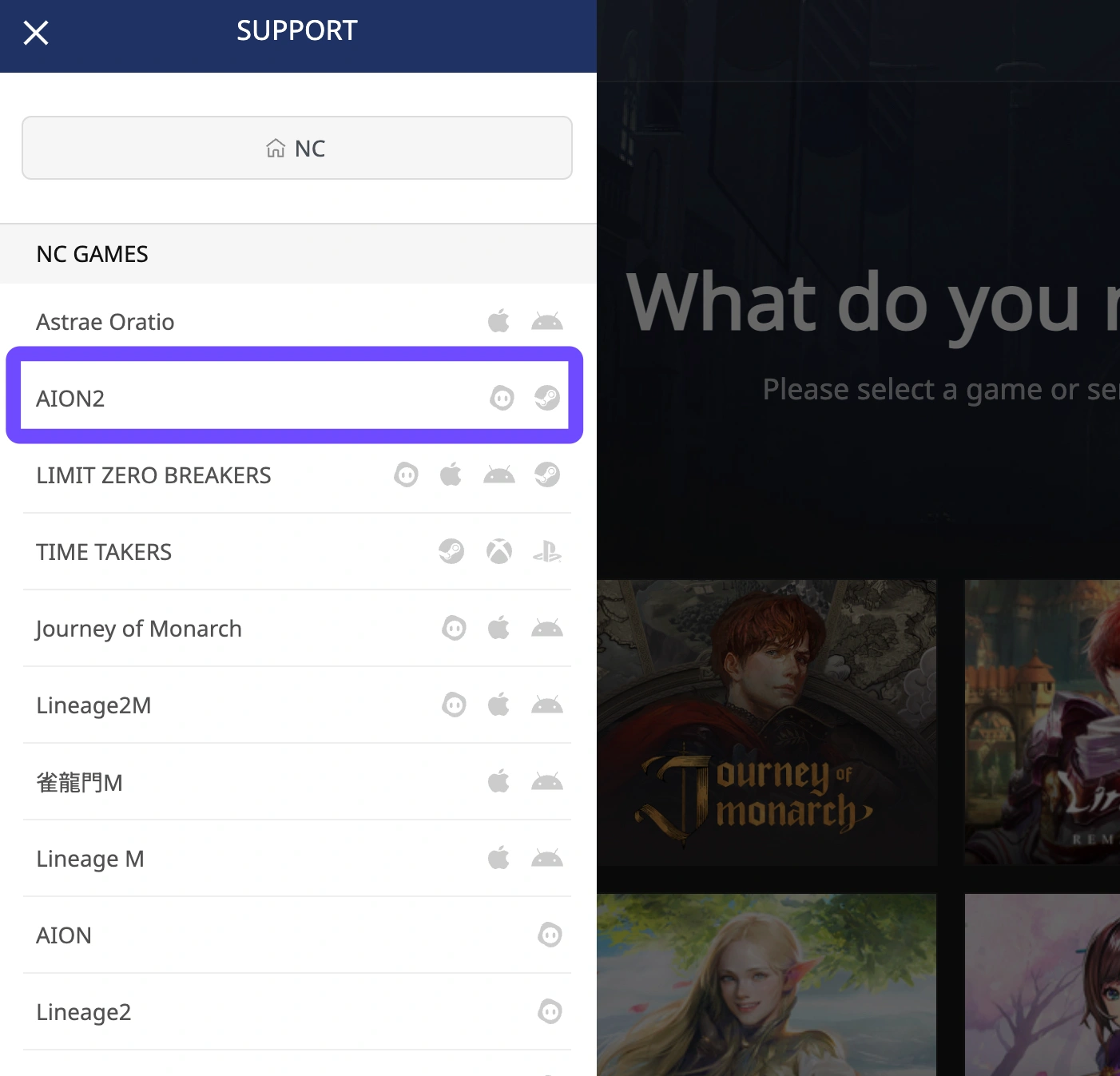
If you reside in a supported EU or NA country and still receive region errors, open a ticket with NCSoft Support rather than Steam. Valve support cannot manually override publisher-mandated regional restrictions, but NCSoft can confirm whether your specific ISP IP range was accidentally flagged in an IP-blocking sweep.
Avoid Buying a Package That Cannot Be Activated in Your Country
Never buy gray-market Steam keys or accept cross-region gifts if your account is in a restricted area. Steam will block the key redemption, and trying to bypass this using VPNs during the checkout process is a direct violation of Steam’s Subscriber Agreement, risking a permanent account ban.
Part 5: How LagoFast Solves AION 2 Region Locks and Enhances Gameplay
When official storefronts and regional IP blocks get in your way, you need a specialized solution built for gamers, not just a generic web proxy. LagoFast Game Booster is engineered specifically to bypass complex MMO routing barriers while delivering peak network performance.
Free Steam Account Feature for Instant Access
If your primary Steam account is permanently locked out of the AION 2 store page due to your registered country, LagoFast eliminates the headache of creating a new foreign account from scratch. LagoFast provides a built-in feature that lets you claim or generate free, pre-configured Steam accounts registered in unrestricted regions like North America or supported EU zones. This lets you access the AION 2 store page, wishlist the game, and download the client instantly without wrestling with billing address verifications or store region cooldowns.
One-Click Real-Time Game Translation
MMORPGs thrive on complex mechanics, detailed quest lines, and fast-paced faction communication. If you end up playing on a server outside your native language zone, such as joining Korean or European servers early, language barriers can ruin the experience. LagoFast includes an AI-powered real-time game translation tool. With a single click, it overlays accurate, contextual translations onto quests, UI elements, and item descriptions without modifying game files or triggering anti-cheat alarms.
Ultra-Low Latency and Zero Packet Loss
AION 2’s core identity is aerial combat built around three-dimensional verticality, where dodging spells in mid-air requires split-second timing. Playing across regional boundaries often forces your connection through congested international routing nodes, resulting in severe ping spikes and rubber-banding.
LagoFast uses a proprietary multi-path gaming network that dynamically routes your traffic through optimized gaming highways.
- Reduces ping by up to 40% when connecting to remote servers.
- Eliminates packet loss during massive PvP faction wars.
- Bypasses IP-level login blocks by routing your connection through authorized regional server nodes.
Whether you need the AION 2 Best Server for NA, EU and SEA or want to stabilize your ping on international realms, LagoFast ensures a smooth, competitive edge.
Tutorial: Use LagoFast to Solve AION 2 Region Locks and Enhance Gameplay:
Step 1. Download and install LagoFast on your PC.
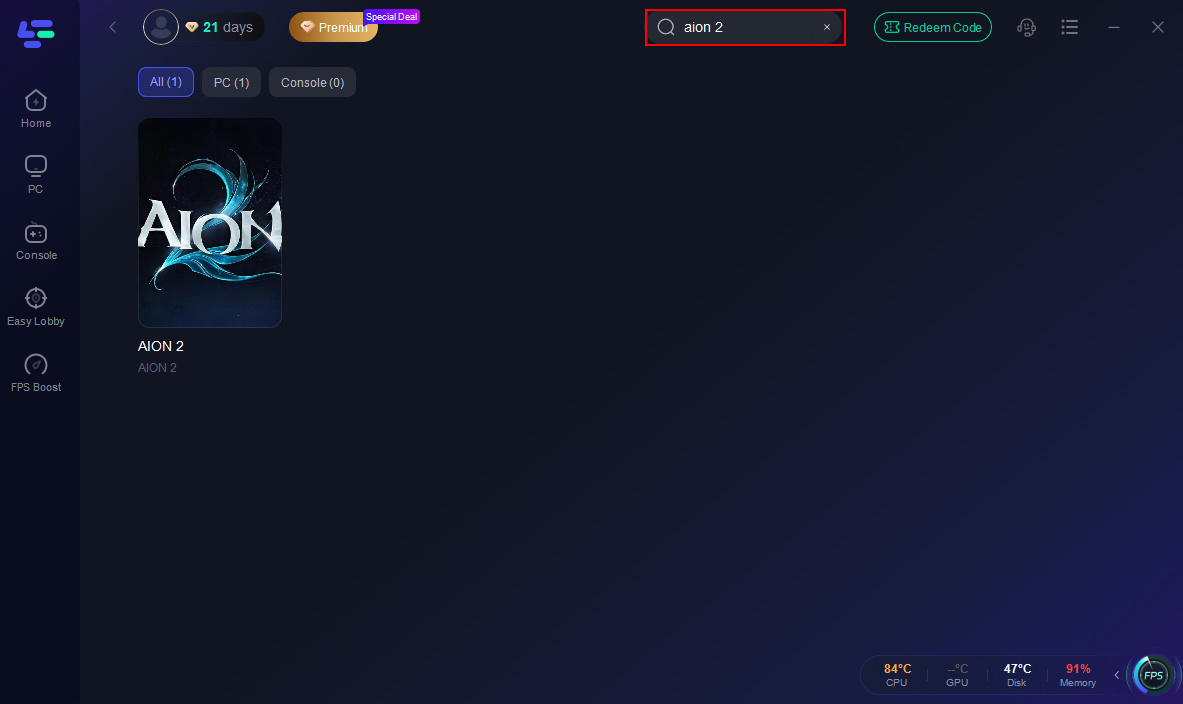
Step 2. Launch LagoFast and type AION 2 into the top search bar to select the game profile.
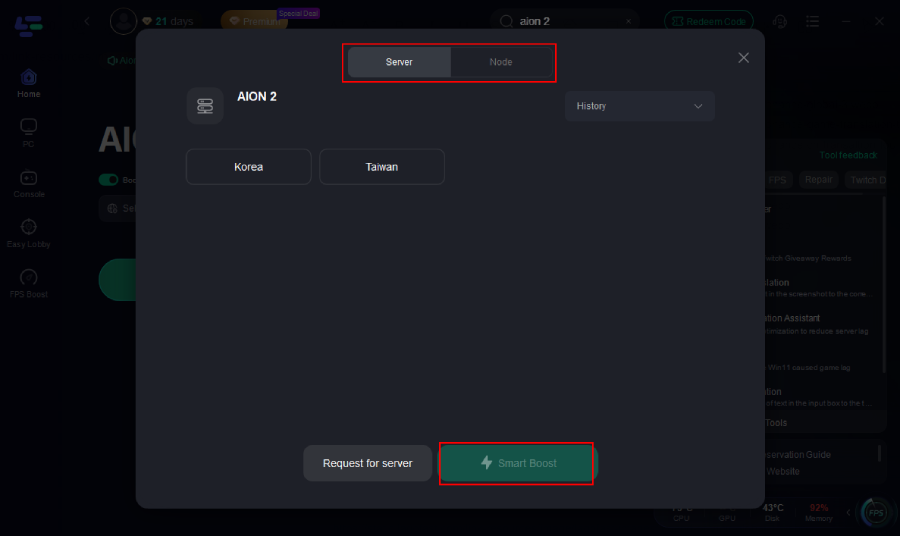
Step 3. Choose the server region you want to play on (such as NA, EU, or SEA). Select an optimized node; choosing a node in an unrestricted region allows you to bypass IP-level login blocks and reduce server latency.
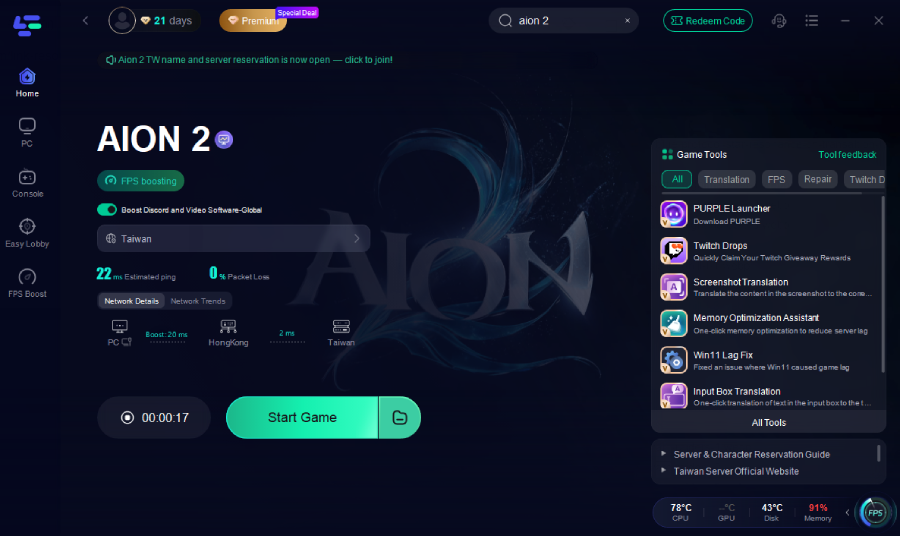
Step 4. Click the Boost button to optimize your routing, eliminate packet loss, and lower your ping. If needed, enable extra tools like the Free Steam Account feature or Real-Time Translation directly from the dashboard, then launch AION 2 for a smooth experience.
Part 6: Can You Play AION 2 on PURPLE If Steam Is Unavailable?
The short answer is yes, but with several important caveats regarding your account registration.
Steam Availability and PURPLE Availability Are Separate
Valve’s storefront restrictions are governed by Steam’s regional sub-licensing and payment compliance rules. NCSoft’s PURPLE launcher connects directly to PLAYNC’s master servers. Being blocked on Steam does not automatically mean you are blocked on PURPLE.
How to Check AION 2 in the PURPLE Launcher
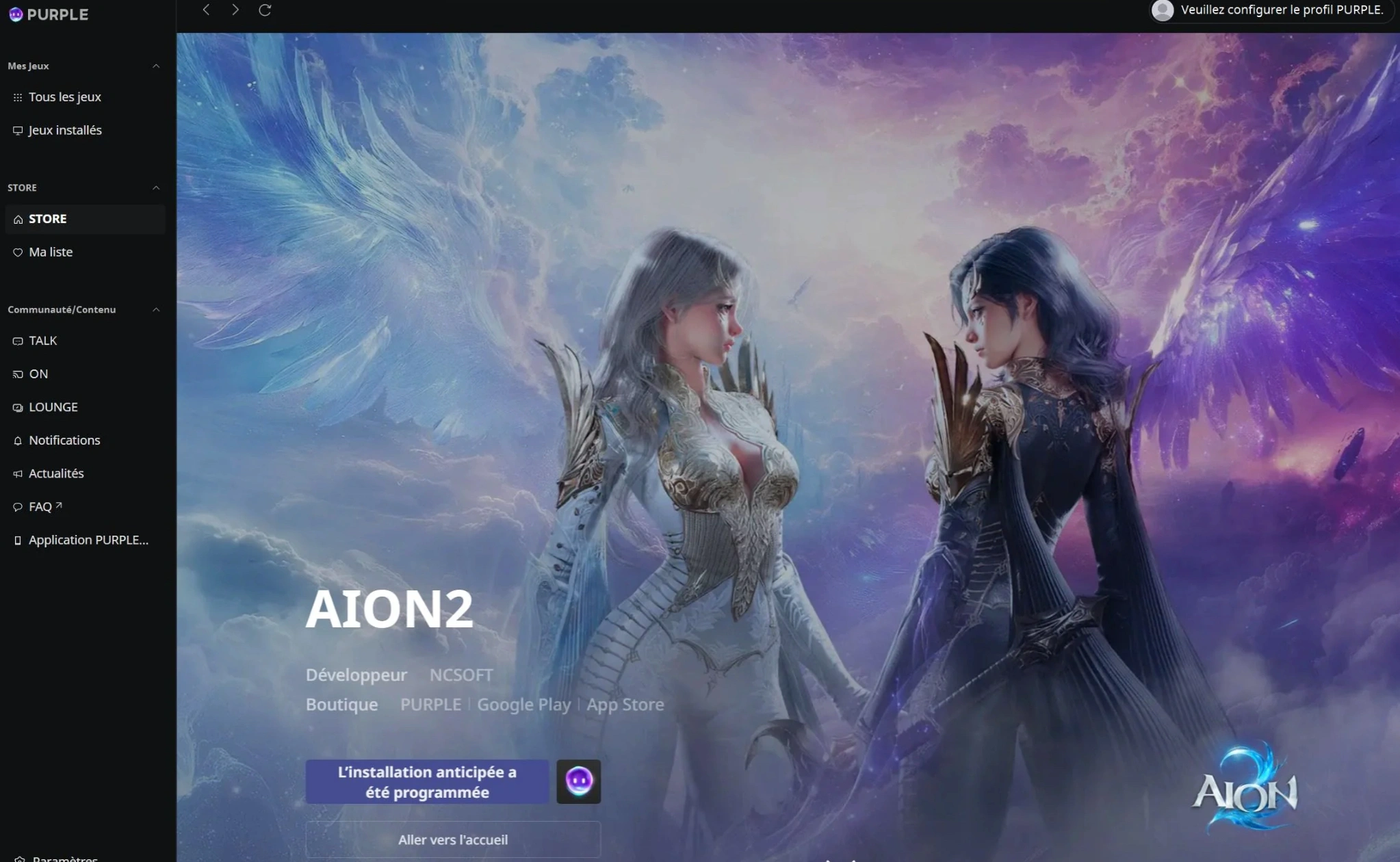
Download and install the PURPLE client from the official NCSoft website. During installation or at the top-right of the login screen, set your region to Global. Once logged in, browse the game catalog to see if the AION 2 store page and pre-registration portal appear.
NC Account Region Requirements
PURPLE reads the country assigned to your PLAYNC account at the exact moment of registration. If you registered your NC account while living in an unsupported region, PURPLE will hide the game. To fix this, create a fresh PLAYNC account using an email address that has never been linked to NCSoft, selecting an approved region (such as USA, Germany, or France) during setup.
PURPLE Payment and Founder’s Pack Availability
While seeing the game allows you to download the client, purchasing a Founder's Pack through PURPLE requires a payment method compatible with NCSoft’s payment processor. Some local credit cards from restricted territories may be declined at checkout, requiring the use of internationally enabled cards or authorized digital wallets.
Seeing the Game in PURPLE Does Not Guarantee Service Access
This is where many players get tripped up. Seeing the promotional banners in PURPLE is only half the battle.
|
What You Can Do in PURPLE |
What It Actually Means |
Does It Guarantee Playability? |
|
Download PURPLE Client |
You have basic access to NCSoft's launcher infrastructure. |
No. The launcher itself is globally accessible. |
|
View AION 2 Promo Page |
Your launcher is set to a global viewing channel. |
No. Marketing pages show regardless of IP blocks. |
|
Register PLAYNC Account |
You successfully created an ID in their database. |
No. Depends entirely on the country selected during setup. |
|
See Game in Library |
Your account region is permitted to view the game title. |
No. Download and login gates are checked separately. |
|
Buy Founder's Pack |
Your payment method and account region cleared checkout. |
Not 100%. If your actual IP is geo-blocked at launch, you still need network routing. |
|
Select Server & Login |
Your IP, account region, and game client are fully verified. |
YES. You have full, unhindered access to the MMORPG. |
Part 7: Can You Transfer an AION 2 Steam Purchase to PURPLE?
If you managed to buy a pre-order package on one platform but want to switch to the other to bypass technical errors, you need to know how cross-platform licensing works.
Steam and PURPLE Purchase Licenses
Steam and PURPLE operate on completely segregated purchasing ecosystems. If you buy an AION 2 package on Steam, Valve takes a 30% distribution cut and binds that license strictly to your SteamID. You cannot transfer a Steam game license or purchase receipt to PURPLE, nor can you move a PURPLE purchase to Steam.
Founder’s Pack Rewards and Account Linking
While the AION 2 Steam client does not currently require players to link a separate PLAYNC account just to launch the game, any Founder’s Pack rewards purchased on Steam are delivered exclusively to the character created via that Steam login. You cannot claim Steam exclusive titles or cosmetics on a PC client launched directly through PURPLE.
Character and Progress Access
Because Steam and PURPLE utilize separate login authentication gateways, character data and progression are not cross-compatible between launchers. A character built on your Steam account will not appear if you log into the PURPLE launcher using an email account.
What to Confirm Before Purchasing on Either Platform
Before spending money on advance access or Founder's Packs, verify three things:
- Your Long-Term Launcher Choice: Pick either Steam or PURPLE and stick with it, as your purchases will be locked to that client.
- IP Accessability: Ensure you can reach the server selection screen during beta or pre-load without disconnection errors.
- Guild & Friend Alignment: Confirm which platform and server region your guild is joining so you don't end up stranded on an incompatible client.
Part 8: Is PURPLE Effective Under Different Steam Restrictions?
When facing various Steam roadblocks, switching to PURPLE yields different results depending on the underlying cause of the restriction.
|
Player Problem Experienced |
Likely Root Cause |
Will Switching to PURPLE Solve It? |
|
Cannot find AION 2 in Steam search |
Storefront visibility restriction |
Yes. PURPLE displays independent game catalogs. |
|
"This item is currently unavailable in your region" |
Steam store-level geo-lock |
Yes. You can access PURPLE's independent purchase portal. |
|
Steam Package cannot be activated |
Steam SubID regional exclusion |
Yes. PURPLE sells directly without Steam SubID rules. |
|
Steam Founder's Pack error |
DLC regional compliance block |
Maybe. Depends if PURPLE sells the pack locally in your region. |
|
PLAYNC account country unsupported |
Account registration region lock |
No. You must create a new PLAYNC account in an approved region. |
|
AION 2 global servers block country |
IP-level publishing restriction |
No. Changing launchers does not change your IP address. |
|
Cannot see AION 2 inside PURPLE |
Account region or IP service error |
No. Requires account region migration or network routing. |
|
PURPLE checkout/payment fails |
Local billing or card restriction |
Uncertain. Depends on whether PURPLE supports your local payment gateway. |
|
Bought on Steam, want PURPLE access |
License platform isolation |
No. Purchases and entitlements cannot be transferred. |
|
Game installed but cannot log into server |
IP block, firewall, or routing failure |
No. Requires an optimized game booster like LagoFast. |
Part 9: Is AION 2 Unavailable in Belgium or the Netherlands?
Belgian and Dutch gamers frequently face unique challenges when attempting to access modern MMORPGs, and AION 2 is no exception.
Steam Store Restrictions in Belgium
Belgium strictly enforces gaming laws that classify loot boxes and randomized paid progression systems as unlicensed gambling. If an MMORPG contains gacha-style mechanics, randomized pet boxes, or paid RNG gear upgrades, publishers often preemptively region-lock the game on Steam in Belgium to avoid hefty regulatory fines.
Steam Store Restrictions in the Netherlands
The Dutch Gaming Authority (Kansspelautoriteit) enforces similar rules against virtual items that have transferable real-world value or aggressive randomized monetization. Consequently, players in the Netherlands frequently see the AION 2 Belgium unavailable or Dutch region-locked errors when viewing Steam storefronts.
Can Belgian and Dutch Players Use PURPLE?
While Steam automatically flags and blocks games based on Belgian and Dutch store billing addresses, PURPLE often provides a viable alternative. When registering a PLAYNC account, European players can select a supported neighboring EU region (such as France or Germany) or use a global EU account designation. Because PURPLE does not enforce the same strict localized storefront filtering as Steam, Belgian and Dutch players can often download and play the game directly through NCSoft's launcher.
Where to Check for Official Availability Updates
Regional compliance policies shift rapidly before global launches. Monitor these official channels for real-time updates on Benelux availability:
- The Official AION 2 Discord: Check the #announcements and #regional-faq channels.
- SteamDB App 3393110 History: Watch for real-time changes to package restrictions and country tags.
- NCSoft Global News Portal: Look for official press releases detailing European server coverage and publishing compliance.
Part 10: AION 2 Steam Unavailable FAQs
Why is AION 2 not showing up on my Steam store page?
If AION 2 is completely invisible in your Steam search results, your Steam account’s registered store country is currently on the publisher’s restricted list. Steam hides store listings automatically if your billing region is not included in the global release package.
What are the AION 2 Best Servers for NA, EU, and SEA?
For North American players, the primary NA East (Virginia/Chicago) or NA West servers offer the lowest latency. European players should target the central EU realms (usually hosted in Frankfurt or Amsterdam). For Southeast Asian (SEA) players, connecting to the dedicated Asian regional servers or Taiwanese realms provides the most stable aerial combat experience.
If I buy the Deluxe Founder’s Pack on Steam, can I use the skins on PURPLE?
No. Steam and PURPLE account systems and purchase ledgers are completely separate. Items, cosmetics, and advance access rights purchased on Steam can only be accessed when launching the game through the Steam client.
Why can I download the game on PURPLE but still get disconnected at the server screen?
Downloading the client only verifies that your account can access the files. When you attempt to log in, the game server checks your live IP address. If your IP is from an unsupported territory, the server drops your connection. Using LagoFast Game Booster reroutes your connection through verified gaming nodes to bypass this IP block smoothly.
When is the exact global release date for AION 2 on Steam and PURPLE?
NCSoft has officially slated the global PC release for September 2026, with advance access for Founder's Pack holders beginning 5 days prior. The game will be available simultaneously on both Steam and the PURPLE launcher.
When is the exact global release date for AION 2 on Steam and PURPLE?
NCSoft has officially slated the global PC release for September 2026, with advance access for Founder's Pack holders beginning 5 days prior. The game will be available simultaneously on both Steam and the PURPLE launcher.
Can I transfer my AION 2 character between Steam and PURPLE later?
No. Steam and PURPLE use completely separate login systems and account databases, so character progress, purchases, and Founder's Pack rewards cannot be transferred between platforms.
Conclusion
Navigating regional locks and digital storefront restrictions doesn't have to ground your Daeva before flight. By understanding the differences between Steam and PURPLE, setting up the right account region, and utilizing LagoFast to bypass IP barriers and eliminate latency, you can secure your spot in Atreia without missing a second of launch day action.
Boost Your Game with LagoFast for Epic Speed
Play harder, faster. LagoFast game booster eliminates stutter and lags on PC, mobile, or Mac—win every match!
Quickly Reduce Game Lag and Ping!
Boost FPS for Smoother Gameplay!