

Aion 2 has officially launched, but many players are still running into account problems, download failures, high ping, FPS drops, and region restrictions. To help you get into the game smoothly, this guide lists every major Aion 2 common error and solution by category, so you can identify your issue instantly and fix it with clear steps.
Below is the complete troubleshooting guide for 2025.

- ✅Less ping and crashes.
- ✅ Higher FPS and better PC performance.
- ✅ Support for 2000+ games.
- ✅ Stable connection and region switching.
Part 1. Aion 2 Account Issues (Korea & Taiwan Servers)
Part 2. Aion 2 Download Issues (Purple, PC & Mobile)
Part 3. In-Game Performance Issues (Ping, Lag, Crash)
Part 4. Graphics, FPS & Performance Issues
Part 5. Server & Region Issues
Part 1. Aion 2 Account and Login Issues (Korea & Taiwan Servers)
Aion 2 requires regional accounts, OTP verification, and sometimes platform-specific sign-ups. Here are the most common account problems and how to fix them.
1. How to Register an Aion 2 Korea Account (KR Account Sign-Up)
Players trying to register for the Korean server often struggle because the signup page is in Korean, requires full personal info, and may reject foreign phone numbers.
Solution
- Visit the official NC Korea Purple registration page.
- Click “Sign Up” and choose email registration.
- Use a valid email and verify it.
- For foreign players, skip Korean phone validation and choose email-based verification only.
- If the login page does not load or fails due to region routing, run LagoFast Game Booster on the Purple client route to stabilize the connection.
2. How to Register an Aion 2 Taiwan Account (TW Account Sign-Up)
The Taiwan server allows email registration, but the page may return region errors, slow loading, or verification failures.
Solution
- Go to NC Taiwan Purple registration.
- Register using email — this is the easiest method.
- If the verification email does not arrive, wait 3–5 minutes and check your spam folder.
- If the page refuses to load or shows “region restricted”, connect using LagoFast Game Booster Taiwan route to fix routing and login failures.
For More Detailed Guide: How to Pre-Register Aion2 KR/TW
Bonus Tips: Get a Free TW Account with LagoFast Game Booster
To skip registration hurdles, LagoFast offers free temporary TW experience accounts for its paid members:
Step 1: Begin by clicking the Free Trial button to download and install the LagoFast Free Trial.
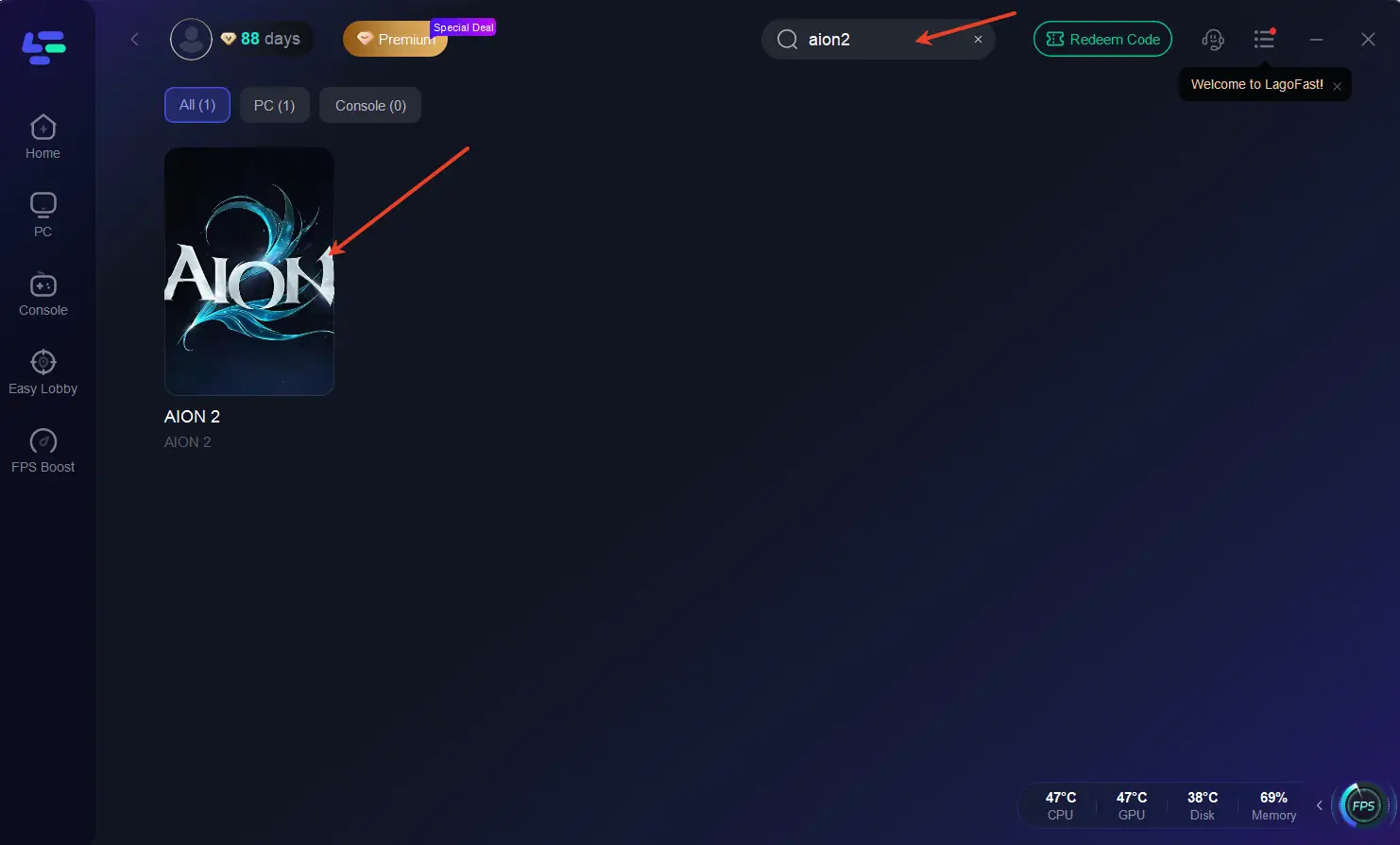
Step 2: Search for Aion2: Open LagoFast and use the search bar to find Aion2.
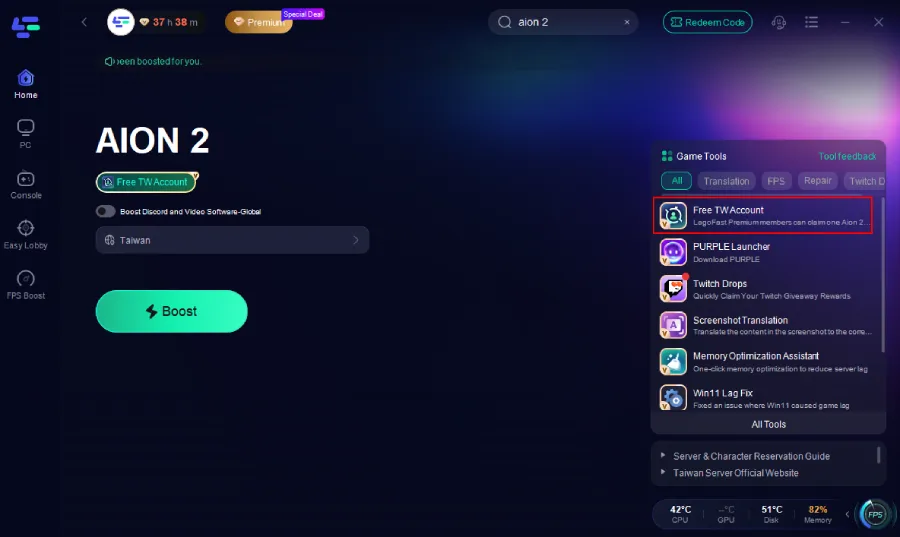
Step 3: On the right side, select the Free TW Account Tool.
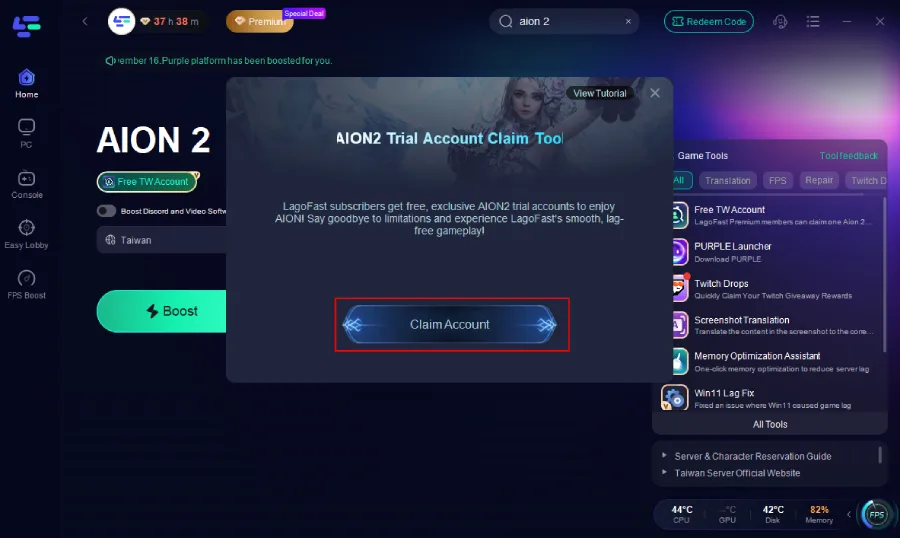
Step 4: Inside the tool, click Claim Account.
Step 5: An account will be automatically generated and assigned to you. Simply copy the email and password, then log in directly through Purple. A detailed tutorial is also available via the button at the top right of the tool interface if you need step-by-step guidance.
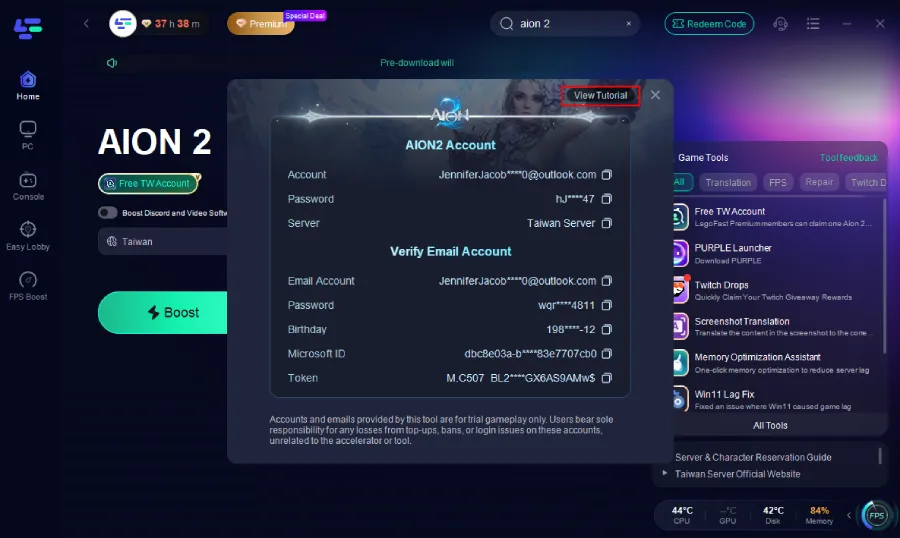
Note: This is a temporary account; long-term stability isn’t guaranteed. Avoid in-game purchases with it.
3. Aion 2 PURPLE Login Failure
Many players cannot log in because Purple automatically redirects them to the Global region, causing TW/KR accounts to disappear or fail authentication.
Symptoms
Purple logs into Global automatically
Aion 2 does not appear in Store
Taiwan/Korea region cannot be selected
Correct password still logs you into Global
Quick Fix
- Create a brand-new email and register a new Purple account
- Select Taiwan during region/country selection
- Avoid VPNs; this is an account-region issue, not an IP issue
- If the Taiwan login page loops or fails to load, use LagoFast Taiwan routing to prevent login timeout and load the correct authentication server
Using LagoFast to Fix It Faster
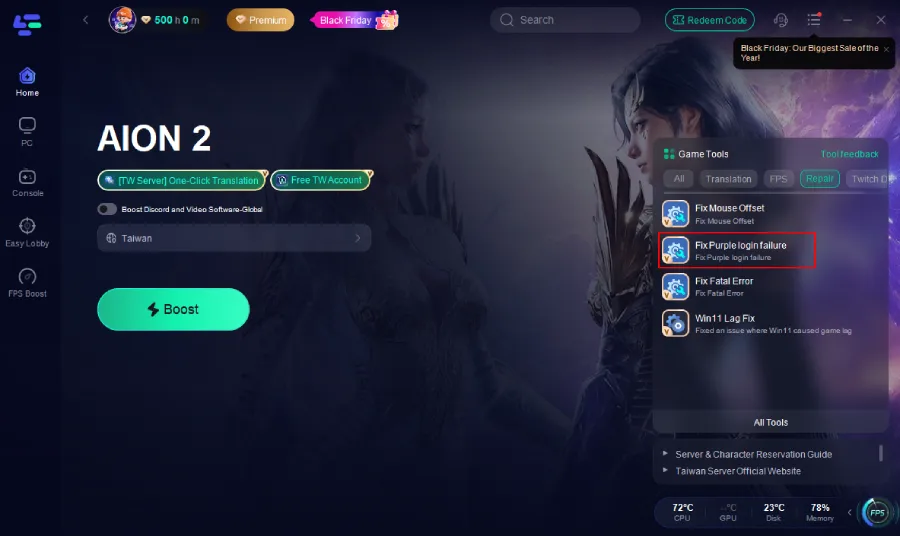
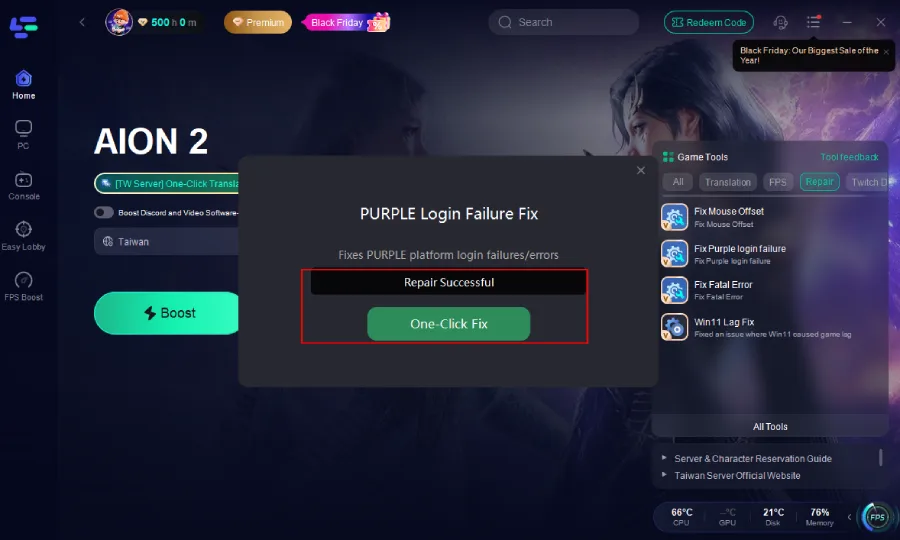
Click the Fix PURPLE Login Fail tool and click One-Click Fix.
Aion 2 PURPLE Fatal Error on Launch
Some players click Start Game and Aion 2 crashes instantly with:
“UE Aion 2 has crashed and will close. Fatal error.”
Even after file verification and updating GPU drivers, the crash may persist due to Purple’s emulator environment or unstable routing.
Quick Fix
Restart Purple
Clear cache in Purple settings
Update GPU drivers
Ensure your system meets minimum specs
LagoFast One-Click Fix
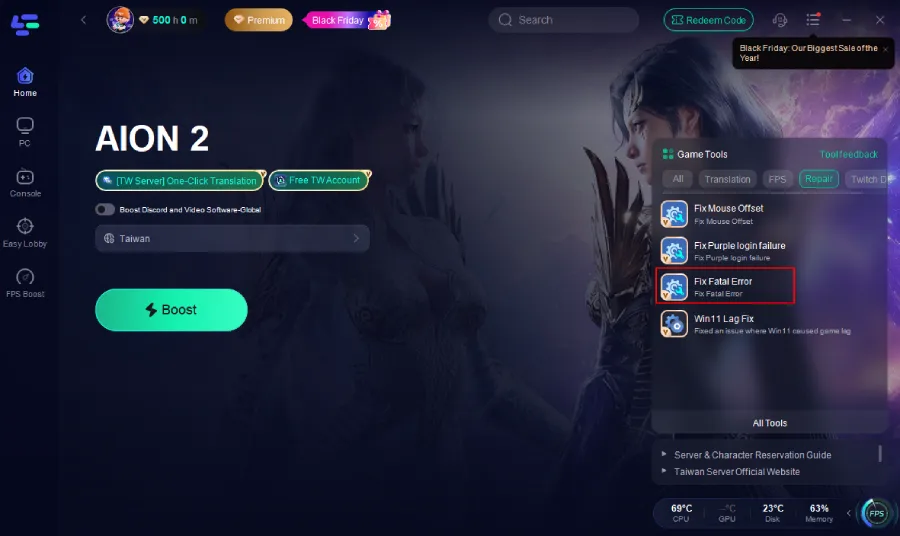
LagoFast provides a targeted crash-repair tool:
1. Click the Fix Fatal Error tool on the right.
2. Click One-Click Fix.
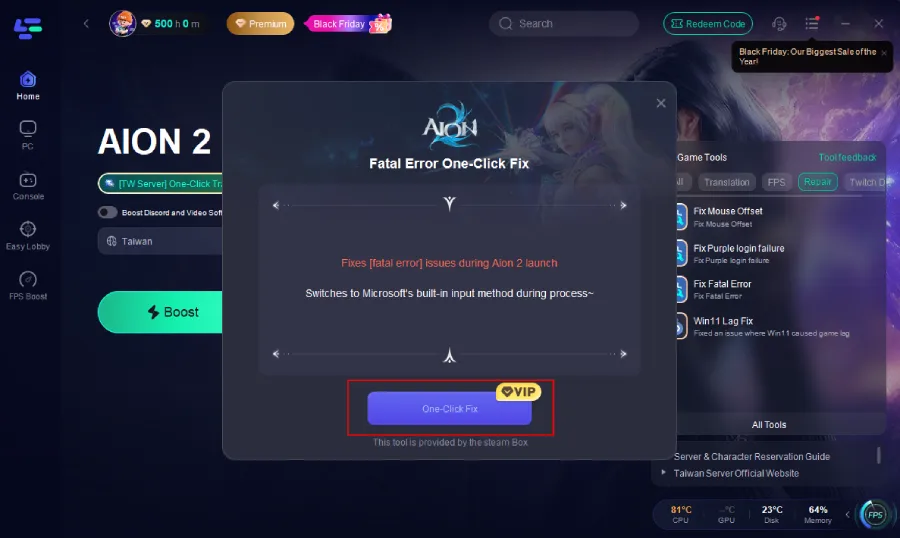
This stabilizes the Purple runtime environment and prevents Unreal Engine crash loops.
Part 2. Aion 2 Download Issues (Purple, PC & Mobile)
1. How to Download Purple (PURPLE Launcher)
Some players cannot open the download page, or the installer fails to connect.
Solution 1.
1. Visit the Purple official website and click the download button. You’ll download the Purple launcher.
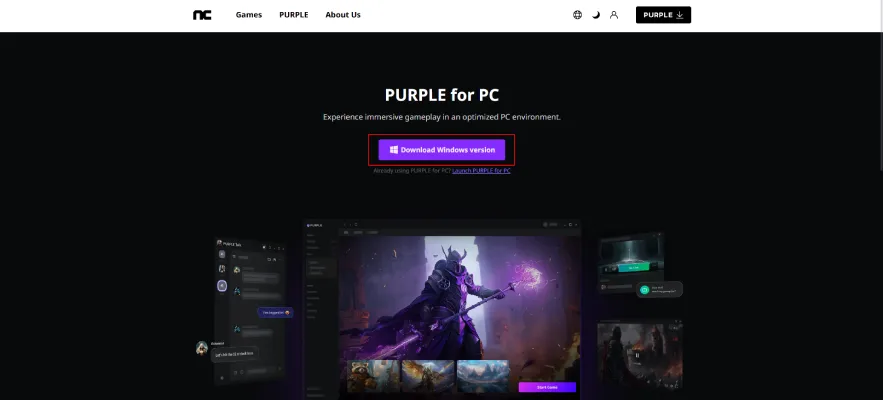
2. If the installer freezes on “Checking environment” or “Connecting to server”, launch LagoFast Game Booster and select the Purple route to fix connection stability.
3. Re-run the installer.
Solution 2. Use LagoFast Game Booster
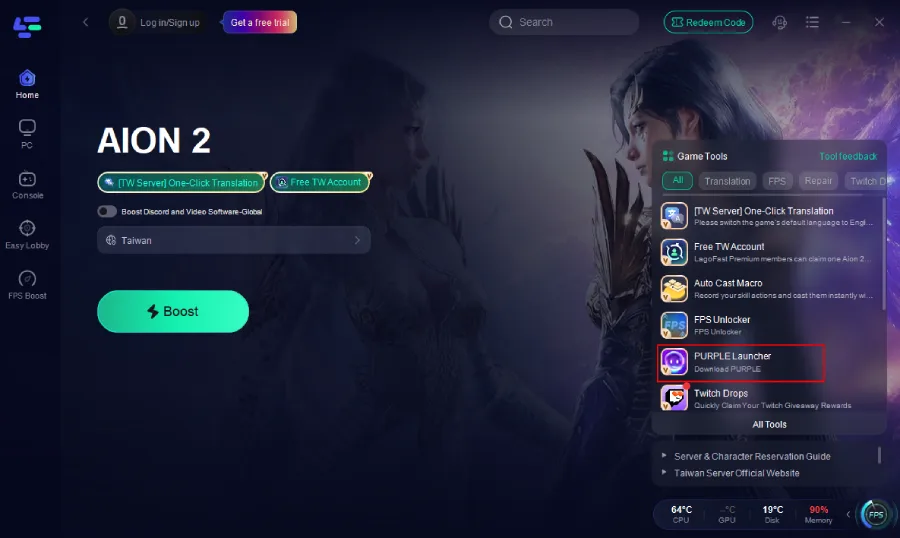
Due to possible slow or blocked official downloads (e.g., VPN/regional restrictions), LagoFast can help. It offers a one-click download for the Purple client, skipping slow official site loads.
3. Click the PURPLE Launcher tool on the right.
2. How to Download Aion 2 on PC
PC download via Purple may get stuck at 0 percent or have extremely slow speed.
Solution
Launch Purple → Search for “Aion 2”.
If stuck at 0 percent:
- Clear Purple cache: Settings → App data.
- Restart Purple.
For slow download:
- Change network.
- Temporarily disable firewall.
- Use LagoFast Game Booster download acceleration to bypass overloaded routes.
3. How to Download Aion 2 on Mobile (Android & iOS)
The App Store and Google Play region restrictions often prevent downloading.
Solution
Android
- Switch Google Play region to Korea or Taiwan.
- Or download from the official APK link.
- If Google Play fails to load, run LagoFast on your device to stabilize routing.
iOS
- Create a Korea/Taiwan Apple ID.
- Log in and search “Aion 2”.
- Download normally.
- If the store cannot connect, use LagoFast mobile acceleration.
For More Detailed Guide: Aion 2 Download Guide: PC & Mobile Steps for Taiwan and Korea Servers
4. Slow Download Speed or Stuck Download
Many users report Purple download stuck at 50 percent or Aion 2 mobile client freezing.
Solution
- Pause → Resume download.
- Switch Wi-Fi/4G/5G.
- Clear Purple temporary files.
- Use LagoFast Game Booster which significantly improves routing to KR/TW CDN servers.
Part 3. In-Game Performance Issues (Ping, Lag, Crash)
1. High Ping in Aion 2
International players connecting to KR/TW servers typically experience 150–300 ms ping.
Solution
- Close background apps.
- Connect via wired network if possible.
- Use LagoFast Game Booster’s Aion 2 smart routing to lower ping and improve stability.
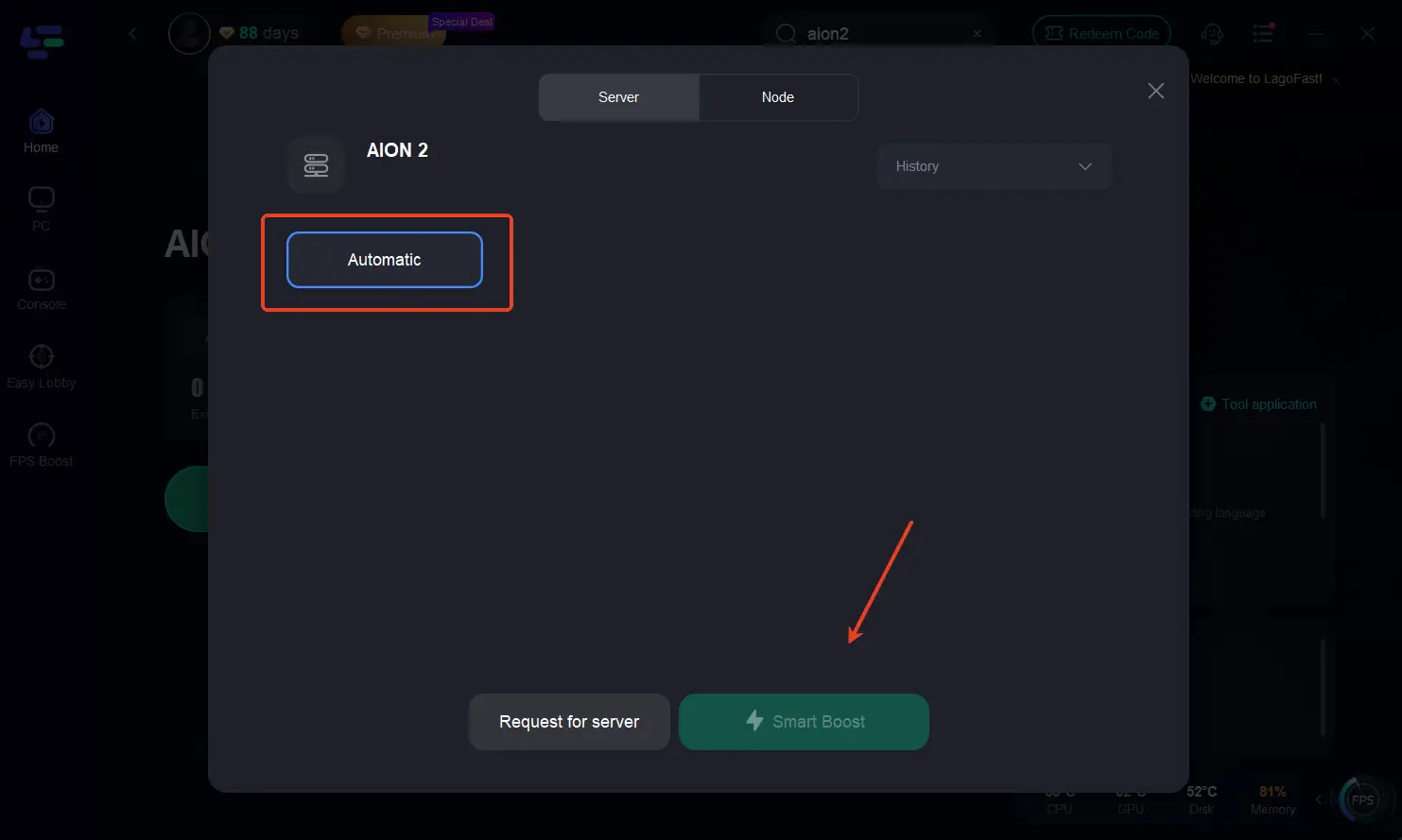
Step 1: Search for Aion2: Open LagoFast and use the search bar to find Aion2.
Step 2: Optimize Network Settings: LagoFast will automatically select the optimal server and settings to reduce latency and packet loss
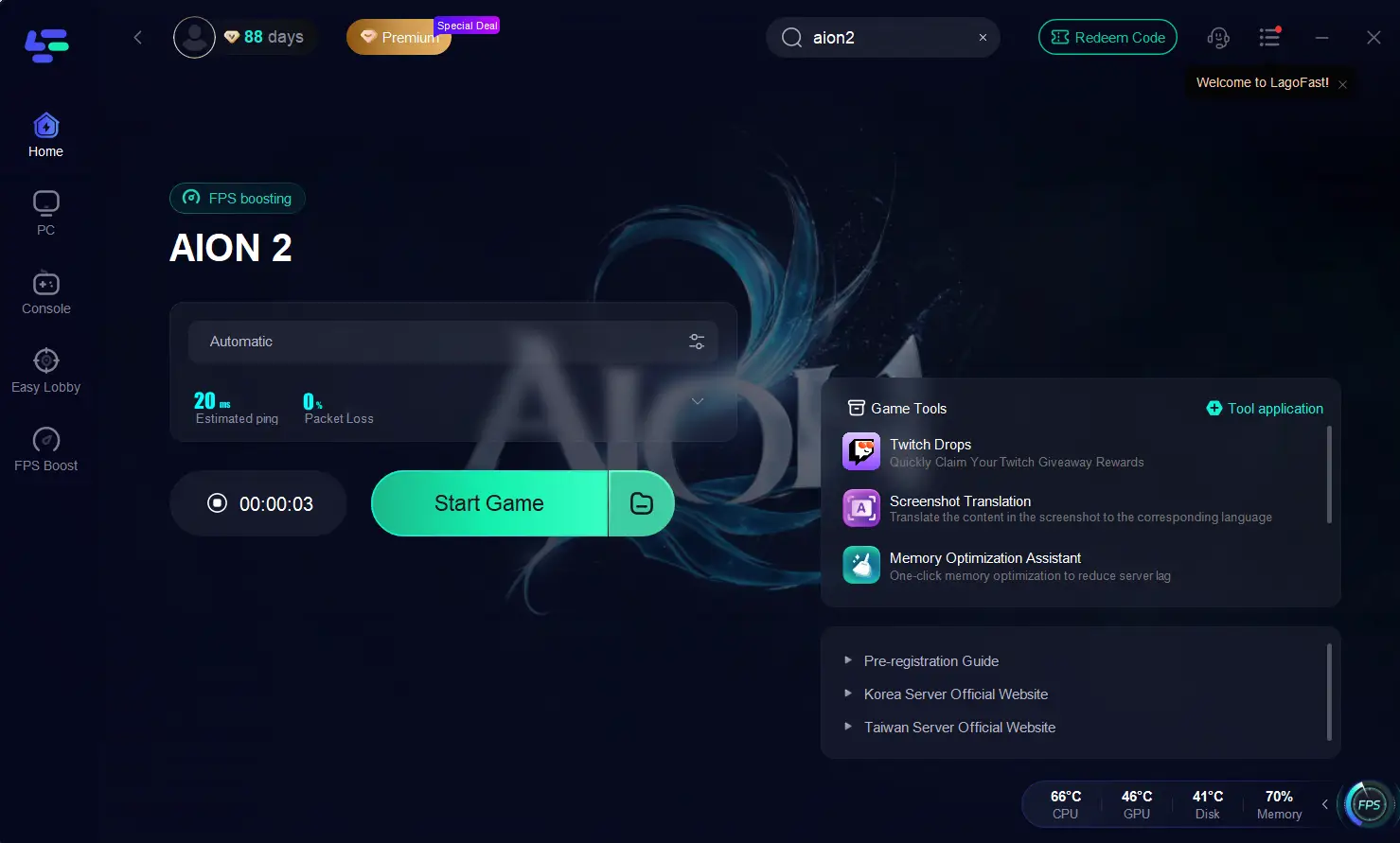
Step 3: Launch the Game: Start Aion2 through LagoFast to enjoy improved performance and stability.
2. Lag or Stuttering
Lag may come from server overload, unstable routing, or insufficient device resources.
Solution
- Lower graphics settings.
- Clear device background tasks.
- Enable LagoFast in-game boost mode to stabilize network packets.
3. Game Crashing or Random Disconnects
Crashes happen when device memory is low or routing breaks.
Solution
- Restart the game and device.
- Clear Purple cache (PC).
- Update drivers (PC).
- Use LagoFast to prevent network-related disconnections.
Part 4. Graphics, FPS & Performance Issues
1. Low FPS or Severe Frame Drops
Older devices may struggle with Aion 2’s new graphics engine.
Solution
- Set graphics to Medium or Low.
- Disable shadows and anti-aliasing.
- Ensure device temperature is normal.
2. FPS Drops in Specific Areas
Busy cities and PvP zones often trigger FPS spikes.
Solution
- Reduce draw distance.
- Lower effects detail.
- Close background processes.
3. Aion 2 System Requirements (2025)
Mobile
- RAM: 4 GB minimum, 6 GB recommended
- CPU: Snapdragon 730+ / Apple A12+
- Storage: 10 GB free
PC (via Purple emulator)
- CPU: i5-6600 or equivalent
- GPU: GTX 1050 or above
- RAM: 8 GB minimum
- Storage: SSD recommended
Part 5. Server & Region Issues
1. Aion 2 Server Overview (KR vs TW)
- Korean Servers: Host multiple realms to support a large domestic player base, often reaching high capacity quickly post-launch. They have strict login requirements and feature highly competitive gameplay environments.
- Taiwan Servers: Target Traditional Chinese-speaking players and Southeast Asian users, maintaining stable, balanced populations. These servers offer friendlier communities, more accessible queues, and avoid overcrowding while keeping gameplay active.
Given Aion 2’s focus on large-scale faction warfare and high-density zones, choosing a server with stable population and low latency is key—directly impacting queue times, guild dynamics, PvP balance, and in-game economy.
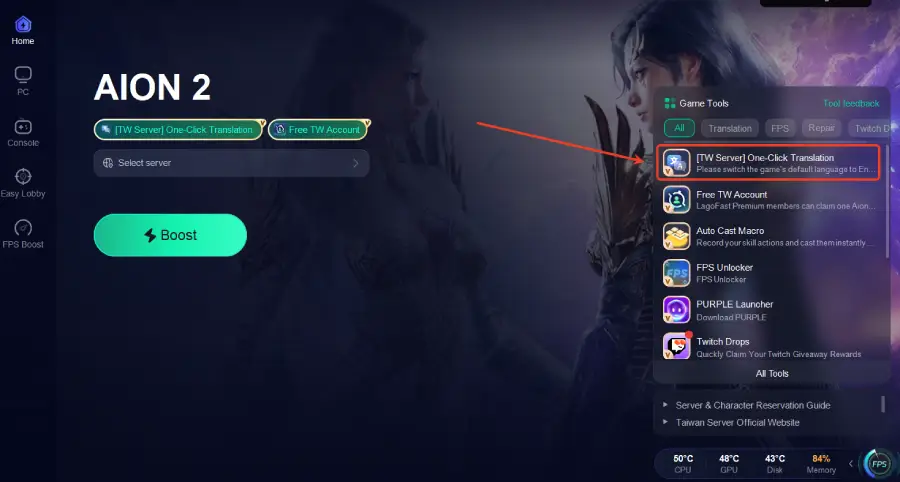
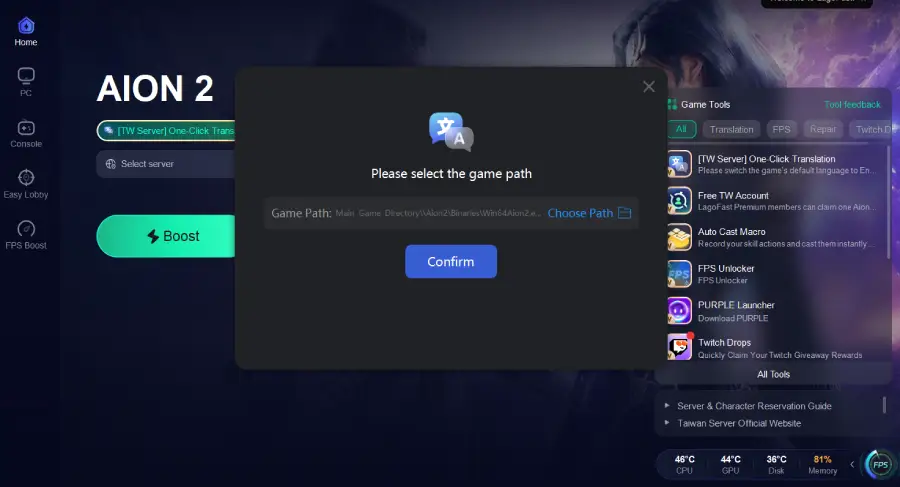
2. Unsupported Language Issues
Conclusion
Aion 2 is one of the most anticipated MMORPG releases, but many players encounter account problems, slow downloads, high ping, FPS drops, or region restrictions. This complete guide covers every major Aion 2 common error and solution, helping you fix issues quickly and enjoy smoother gameplay.
For the best overall experience — from downloading to logging in to reducing ping — LagoFast Game Booster remains the most reliable tool to stabilize routing and enhance performance across KR and TW servers.

Boost Your Game with LagoFast for Epic Speed
Play harder, faster. LagoFast game booster eliminates stutter and lags on PC, mobile, or Mac—win every match!
Quickly Reduce Game Lag and Ping!
Boost FPS for Smoother Gameplay!