SnapBuilder - Snap-to-Grid for Subnautica
Autor:toebeannLast updated:29/05/2023 13:16:09258.2K22KB



Pre-dependencies
BepInEx Tweaks - Useful tweaks for BepInEx in Subnautica
230.5K11KB

Tobey's BepInEx Pack for Subnautica
1.2M4.0MB
Mod Introduction
SnapBuilder is the snap-to-grid mod for Subnautica you've been dreaming of!
What is this?
SnapBuilder is the snap-to-grid mod for Subnautica you've been dreaming of!
Features
Installation
SnapBuilder is a BepInEx plugin which works on both the legacy branch and the Living Large update! Follow the instructions below to install.
Prerequisites (install these first)
Required
Highly recommended
Installing SnapBuilder
Automatic (Windows only)
Default controls
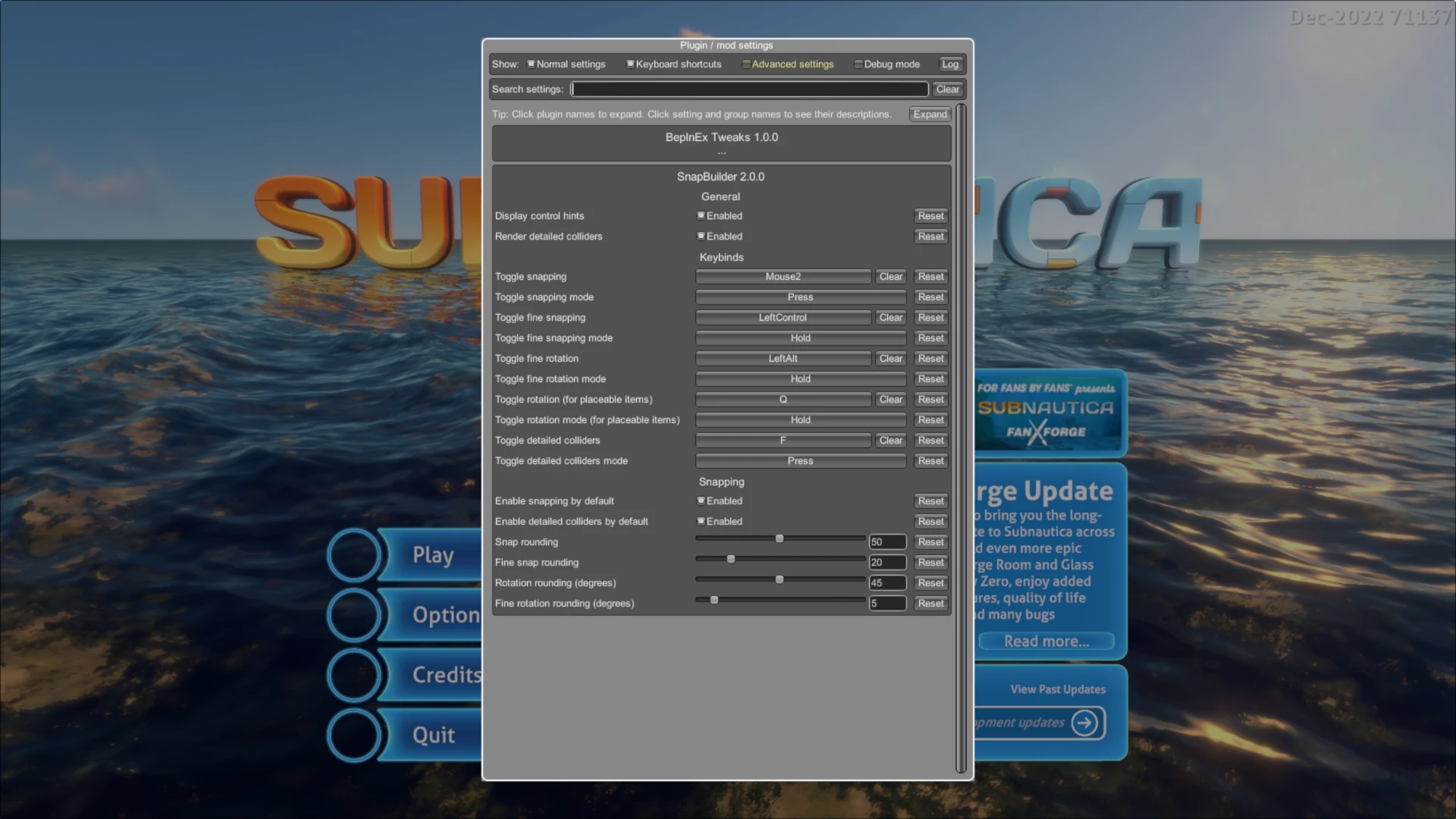
The following controls are entirely configurable in-game with Configuration Manager. Simply press F5 to open the configuration window.
Need help?
Most issues are resolved by carefully re-reading the installation instructions or stickies at the top of the Posts tab, but if you have stumbled on a bug, please file a bug report on the Bugs tab with as much information as possible to help me find the cause of the issue and get it squashed in an update.
I'm a dev, how do I make my mod compatible?
By default, most items added to the game by other mods should work just fine with SnapBuilder assuming they also work fine in-game. For the edge cases where they do not and SnapBuilder does not understand which way to rotate your items by default, it is easy to make your items compatible without a dependency on SnapBuilder.
On your prefab's model , simply add a child GameObject named SnapBuilder. Whatever you set the localRotation and localPosition of this GameObject to, SnapBuilder will treat these as the default transformations for the item.
The named SnapBuilder must be the direct child of the GameObject located at Builder.ghostModel when the user is interacting with the Habitat Builder.
For example:
Check out these other Subnautica mods from Tobey!
Fast Loading Screen
Turboboost your Subnautica loading times!
SnapBuilder is the snap-to-grid mod for Subnautica you've been dreaming of!
Features
- Snap-to-grid enabled for all items! (Doesn't apply to rooms as they already snap together)
- When aiming at a wall or the side of an item, will automatically snap the item into position!
- The range for building can be extended and customised! (On the legacy branch this only applies to items, not rooms)
- All keybinds and parameters can be tweaked in-game with Configuration Manager!
- Tested compatible with Subnautica 2025 Patch and all Steam beta branches (legacy, march_2023, experimental)!
- Fully compatible with Decorations Mod!
Installation
SnapBuilder is a BepInEx plugin which works on both the legacy branch and the Living Large update! Follow the instructions below to install.
Prerequisites (install these first)
Required
Highly recommended
- Vortex Mod Manager(Windows only) - Makes installing mods a breeze.
- BepInEx Tweaks- Without this, SnapBuilder and many other BepInEx plugins will be disabled whenever you back out to the main menu and will not work again until you restart the game.
- Configuration Manager- Allows you to configure your settings for this and many other BepInEx plugins in-game.
Installing SnapBuilder
Automatic (Windows only)
- Get Vortex Mod Manager
- Vortex button at the top of this page to install
- Click the Manual button at the top of this page to download
- Extract the contents of the archive into the [game dir]\BepInEx folder
Default controls
The following controls are entirely configurable in-game with Configuration Manager. Simply press F5 to open the configuration window.
- Toggle snap-to-grid/freehand placement:
middle mouse - Toggle fine grid snapping:
left ctrl - Toggle fine rotation snapping:
left alt - Toggle extended build range:
b - Increase extended build range:
mouse4 - Decrease extended build range:
mouse3 - Reset extended build range:
mouse4 + mouse3
Need help?
Most issues are resolved by carefully re-reading the installation instructions or stickies at the top of the Posts tab, but if you have stumbled on a bug, please file a bug report on the Bugs tab with as much information as possible to help me find the cause of the issue and get it squashed in an update.
I'm a dev, how do I make my mod compatible?
By default, most items added to the game by other mods should work just fine with SnapBuilder assuming they also work fine in-game. For the edge cases where they do not and SnapBuilder does not understand which way to rotate your items by default, it is easy to make your items compatible without a dependency on SnapBuilder.
On your prefab's model , simply add a child GameObject named SnapBuilder. Whatever you set the localRotation and localPosition of this GameObject to, SnapBuilder will treat these as the default transformations for the item.
The named SnapBuilder must be the direct child of the GameObject located at Builder.ghostModel when the user is interacting with the Habitat Builder.
For example:
  public override GameObject GetGameObject()
  {
GameObject prefab = ... // code to load your prefab goes here

// Get model
GameObject model = prefab.FindChild("MY_MODEL'S_TRANSFORM");

// help snapbuilder understand the model
var snapBuilder = new GameObject("SnapBuilder");
snapBuilder.transform.SetParent(model.transform, false);
snapBuilder.transform.localEulerAngles = new Vector3(-90, -90, 0);

// do other stuff...
  }
Check out these other Subnautica mods from Tobey!
Fast Loading Screen
Turboboost your Subnautica loading times!
This tool is provided by the third party [bufftool]

Download Mods For Free
Install LagoFast, start Subnautica and play with the mods you love.
We use cookies to make interactions with our websites andservices easy and meaningful. For more information aboutthe cookies we use or to find out how you can disable cookies, click here.