Best Heartopia Game Booster
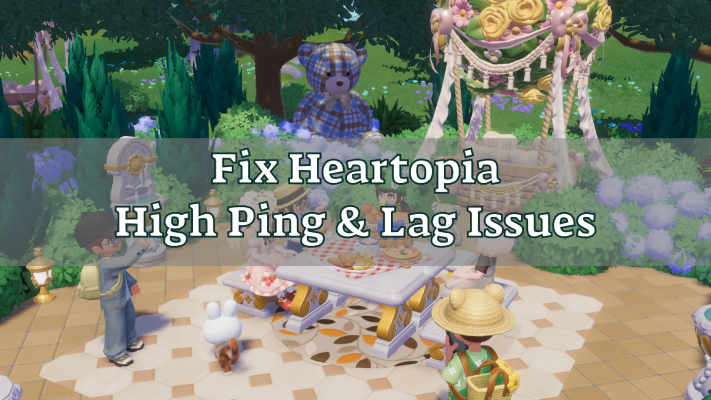
Heartopia has quickly attracted players who enjoy online interaction and a smooth, real-time gameplay experience. Whether you’re exploring the world, interacting with others, or taking part in time-sensitive activities, performance and connection quality play a huge role in how the game feels. Unfortunately, many Heartopia players run into lag, high ping, or sudden stutters that break immersion—even on capable PCs and seemingly stable internet connections. This is because Heartopia is especially sensitive to network stability, and small connection issues can quickly turn into noticeable delays. That’s where a dedicated solution like a Heartopia Game Booster and Ping Reducer comes in, helping reduce latency, stabilize performance, and keep gameplay smooth and responsive.

- ✅ Reduce Lag and High Ping.
- ✅ Boost FPS at the Same Time.
✅ Support 2000+ Popular Online Games.
✅ Change Server without Latency.
✅ Boost Game Loading Speed.
Heartopia Game Overview

Heartopia is an online-focused game built around real-time interaction, shared spaces, and responsive gameplay. Rather than relying on isolated or turn-based mechanics, the game emphasizes smooth communication between players and servers, making performance and connection quality a core part of the overall experience.
Key Game Features of Heartopia
- Immersive World & Storytelling: A lively game world filled with engaging quests, characters, and interactive story elements.
- Real-Time Combat & Controls: Fast, responsive actions that rely on precise timing and smooth input.
- Open-World Exploration: A freely explorable world with side content, hidden areas, and shared spaces.
- Solo and Co-op Gameplay: Play alone or team up with others for cooperative activities and challenges.
- Stylized Visuals with Online Systems: Clean visuals paired with constant server communication running in the background.
Why Do You Need a Game Booster for Heartopia?
If you’re searching for a Heartopia Lag Reducer or Heartopia Ping Reducer, you’re likely dealing with one of these issues:
1. Lag & Stuttering During Gameplay
- Movement feels slightly delayed
- Skills or actions don’t trigger instantly
- Short freezes break immersion
Even when FPS looks normal, the game just doesn’t feel smooth.
2. High or Unstable Ping
- Sudden ping spikes during peak hours
- Latency jumps mid-match
- Worse performance on distant or cross-region servers
Small latency changes can seriously affect real-time interaction.
3. FPS Drops Linked to Network Issues
- Random frame drops during online activity
- Stutters in shared or busy areas
- Performance feels inconsistent
Unstable data transmission can interrupt game processing—even on capable PCs.
4. Why Basic Fixes Often Fail
- Restarting the router only helps temporarily
- Changing DNS doesn’t fix routing problems
- ISP paths may still be inefficient
- Packet loss can happen along long-distance routes
This is where a dedicated Heartopia Game Booster becomes useful—optimizing the connection path instead of just adjusting local settings.
Best Heartopia Game Booster & Lag Reducer—LagoFast
When it comes to optimizing your Heartopia online sessions, LagoFast stands out as one of the most effective game boosters and lag reducers available. Unlike generic VPNs or system cleaners, LagoFast is designed specifically for gamers, targeting network-level bottlenecks that can cause high ping, lag spikes, and unstable connections, helping deliver a smoother and more responsive gameplay experience.
Heartopia Lag Fix & Ping Reduction
- Reduces high ping and sudden latency spikes
- Stabilizes packet transmission to prevent lag
- Optimizes routing to avoid congested network paths
- Maintains smoother performance during long sessions
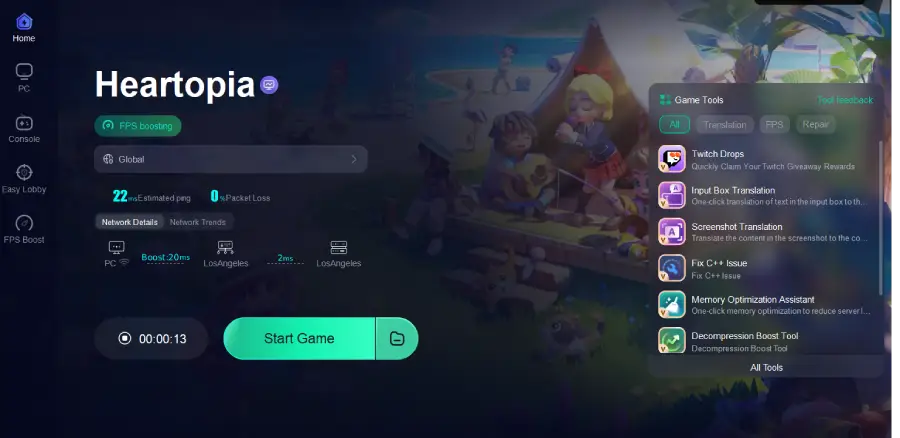
Tutorial to use LagoFast to elevate your Heartopia gaming experience on PC:
Step 1: Click the Free Trial button to download and install Lagofast.
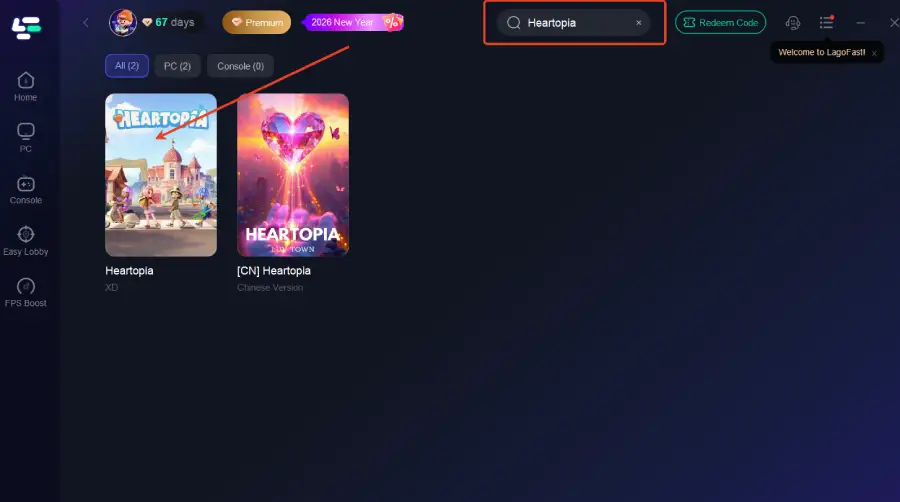
Step 2: After installation, search "Heartopia" in the search bar and select the game.
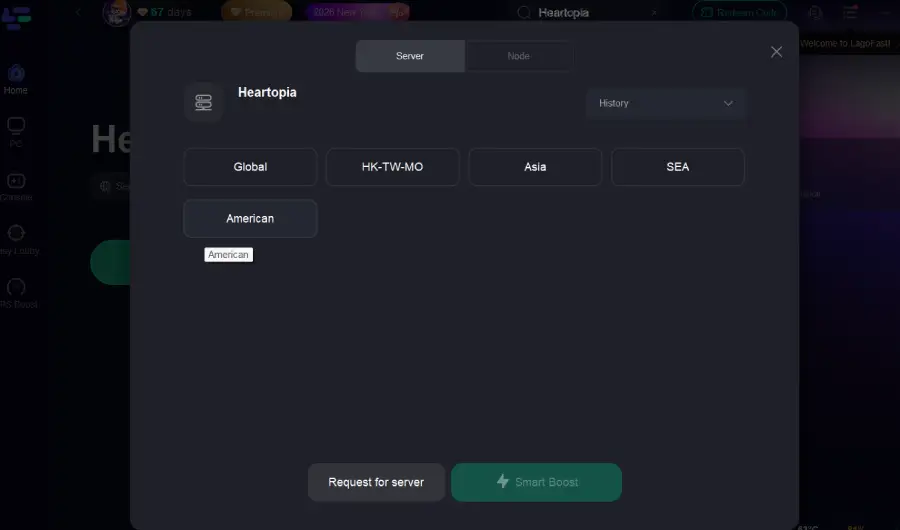
Step 3: Choose your preferred server node and click "Smart Boost" to start optimizing.
Step 4: Launch your game and enjoy smooth, optimized gameplay with lower ping and no stutter.
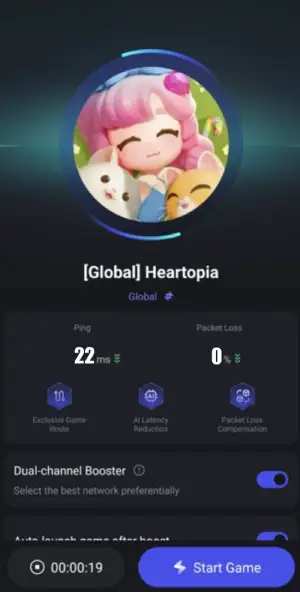
Tutorial to use LagoFast to elevate your Heartopia gaming experience on Mobile:
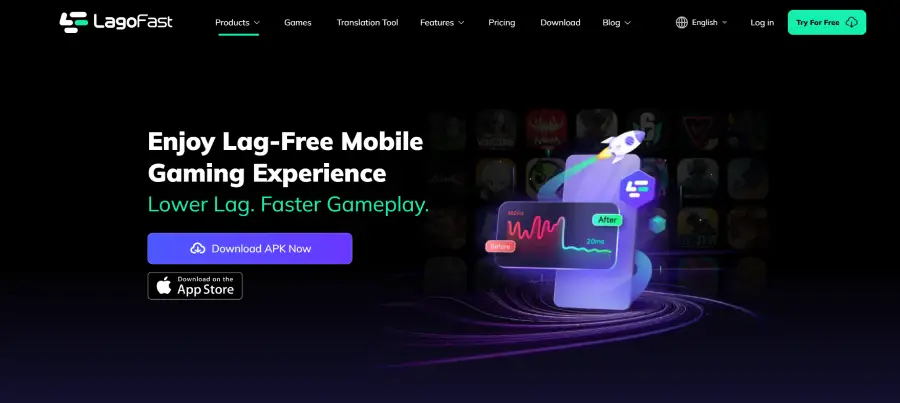
Step 1: Visit the official website of LagoFast, download the LagoFast Mobile APK file, and follow the prompts to complete the installation.
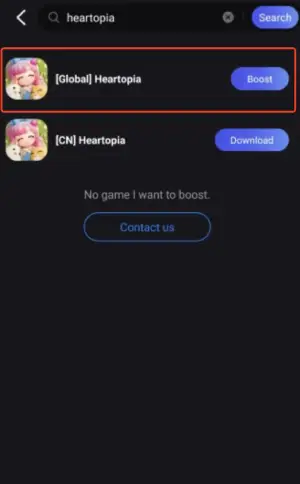
Step 2: Search Heartopia and click the result.
Step 3: Choose the Server you like, then click the Boost button.
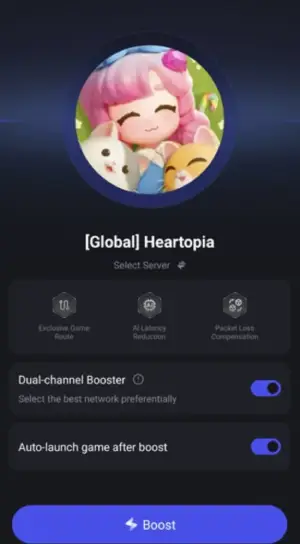
Step 4: Use LagoFast's optimization features to enhance network stability and reduce lag during gameplay.
Conclusion
Smooth and responsive gameplay is essential to fully enjoy Heartopia’s online world. Network issues like high ping, lag, or packet loss can quickly disrupt the experience, even on capable devices. Using a dedicated game booster like LagoFast helps optimize your connection, reduce latency, and maintain stable performance, letting you focus on exploring, battling, and interacting without interruptions. With the right setup, Heartopia can feel consistently fast, responsive, and immersive.