
For years, the Fortnite community has been divided by a single paywall. While millions dove into the chaotic, free-to-play world of Battle Royale, the game’s original foundation, the PvE co-op survival mode known as Save the World, remained a premium experience. As we move through early 2026, the whispers in the lobby have turned into a roar of official announcements. Whether you are a veteran Founder or a curious newcomer, the landscape of Fortnite is about to change forever.

- ✅ Reduce Lag and High Ping
- ✅ Boost FPS in Real Time
- ✅ Get the Easiest Server in Fortnite
- ✅ End All Connection Login Issues.
- ✅ Support 2000+ Online Games.
- ✅ Multiplatform: PC, Mobile, Console
Part 1: Will Fortnite Save the World Be Free?
Part 2: When is Save the World Free?
Part 3: How to Play Fortnite Save the World for Free?
Part 4: How to Ensure Your Fortnite Save the World Gaming Experience
Part 1: Will Fortnite Save the World Be Free?
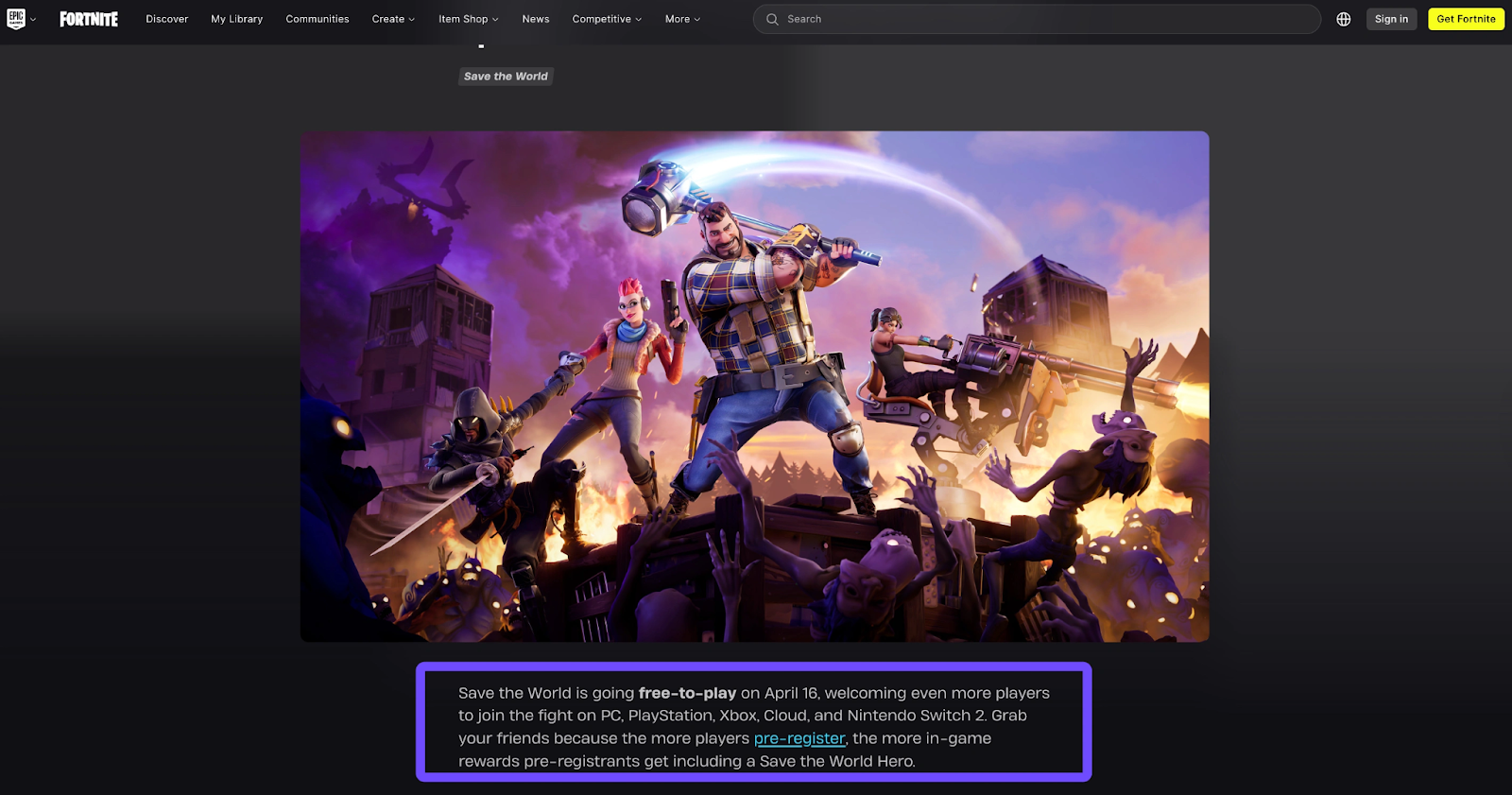
Yes, Fortnite Save the World is officially going free-to-play on April 16, 2026. Epic Games has confirmed that after nearly a decade as a paid early-access title, the PvE mode will transition to a completely free model. This means that starting this April, any player with a compatible device can download and jump into the fight against the Storm without purchasing a Founder’s Pack or a specialized access bundle. It is the moment the community has anticipated since 2017.
Related Article: Is Fortnite STW Free in 2026 & How to Play?
Part 2: When is Save the World Free?
The transition from a paid product to a free-to-play service isn't just a flick of a switch. Epic Games has outlined a specific roadmap to prepare the servers for the massive influx of "Commanders" expected to join the fight.
|
Date |
Event / Status |
Action Required |
|
July 25, 2017 |
Original Paid Early Access Launch |
Initial "Founder" era began. |
|
March 11, 2026 |
Official F2P Announcement |
Pre-registration opened to the public. |
|
March 12, 2026 |
Paid Access Packs Discontinued |
You can no longer buy "STW Access" packs. |
|
April 15, 2026 |
Final Server Maintenance |
Preparing for the global F2P rollout. |
|
April 16, 2026 |
Official Free-to-Play Launch |
Mode becomes accessible to everyone for free. |
Part 3: How to Play Fortnite Save the World for Free?
To play Fortnite Save the World (STW) free, you can either pre-register now to unlock community rewards or wait for the official open access on April 16, 2026. Joining the pre-registration event helps the community reach milestones that unlock exclusive gear, like the Snowstrike Hero, giving you a massive advantage when the servers go live.
Step-by-Step: How to Play Fortnite Save the World Free
Step 1. Visit the Official Site: Head to the dedicated Fortnite Save the World F2P page.
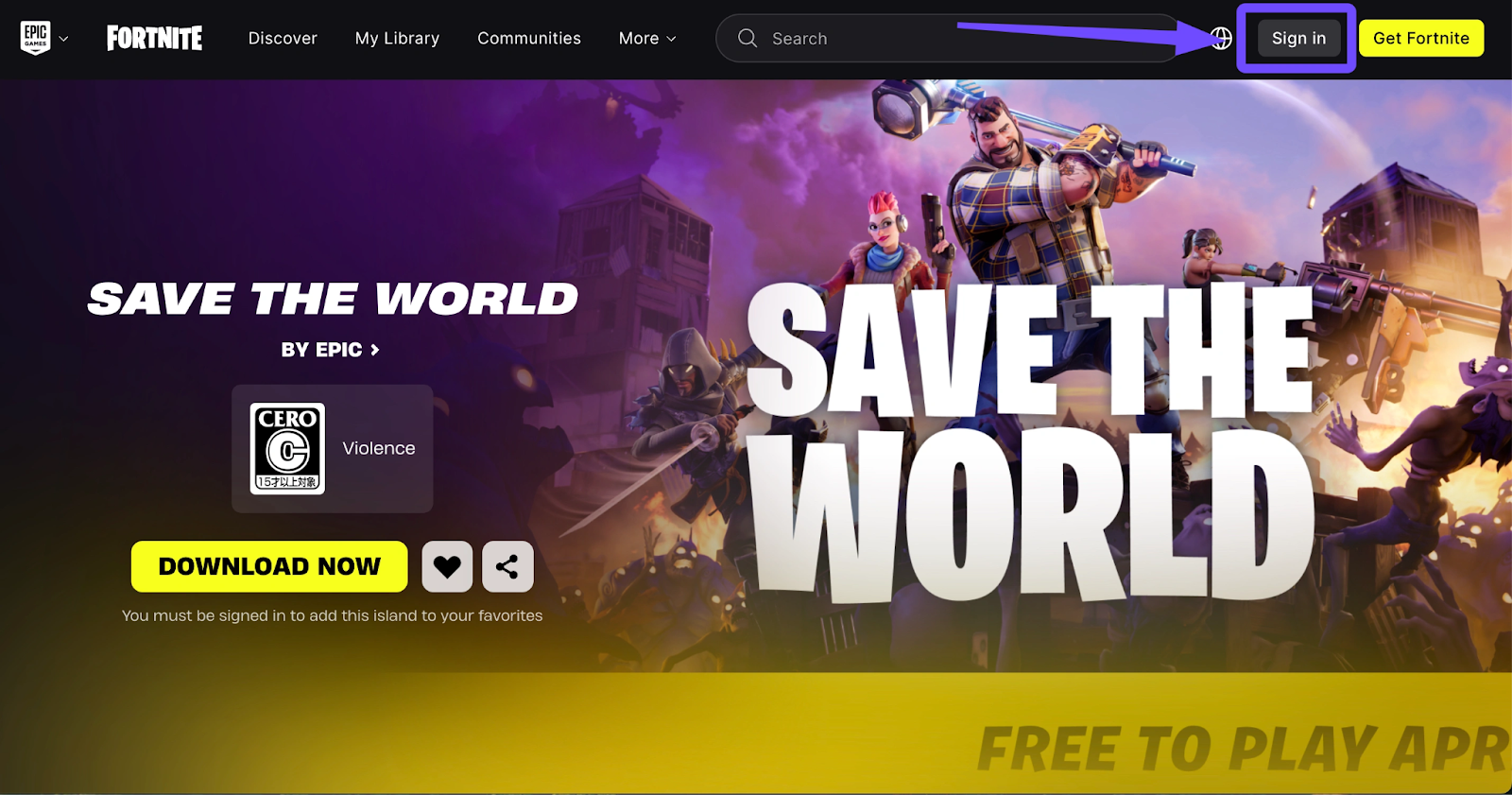
Step 2. Sign In: Log in with your Epic Games account (the same one you use for Battle Royale).
Step 3. Complete Identity Binding: Ensure your account is verified and linked to your preferred platform (PC, PlayStation, Xbox, or Switch 2).
Step 4. Claim Milestone Rewards: Once the game launches on April 16, your rewards will be waiting in your Locker.
2026 Pre-Registration Rewards:
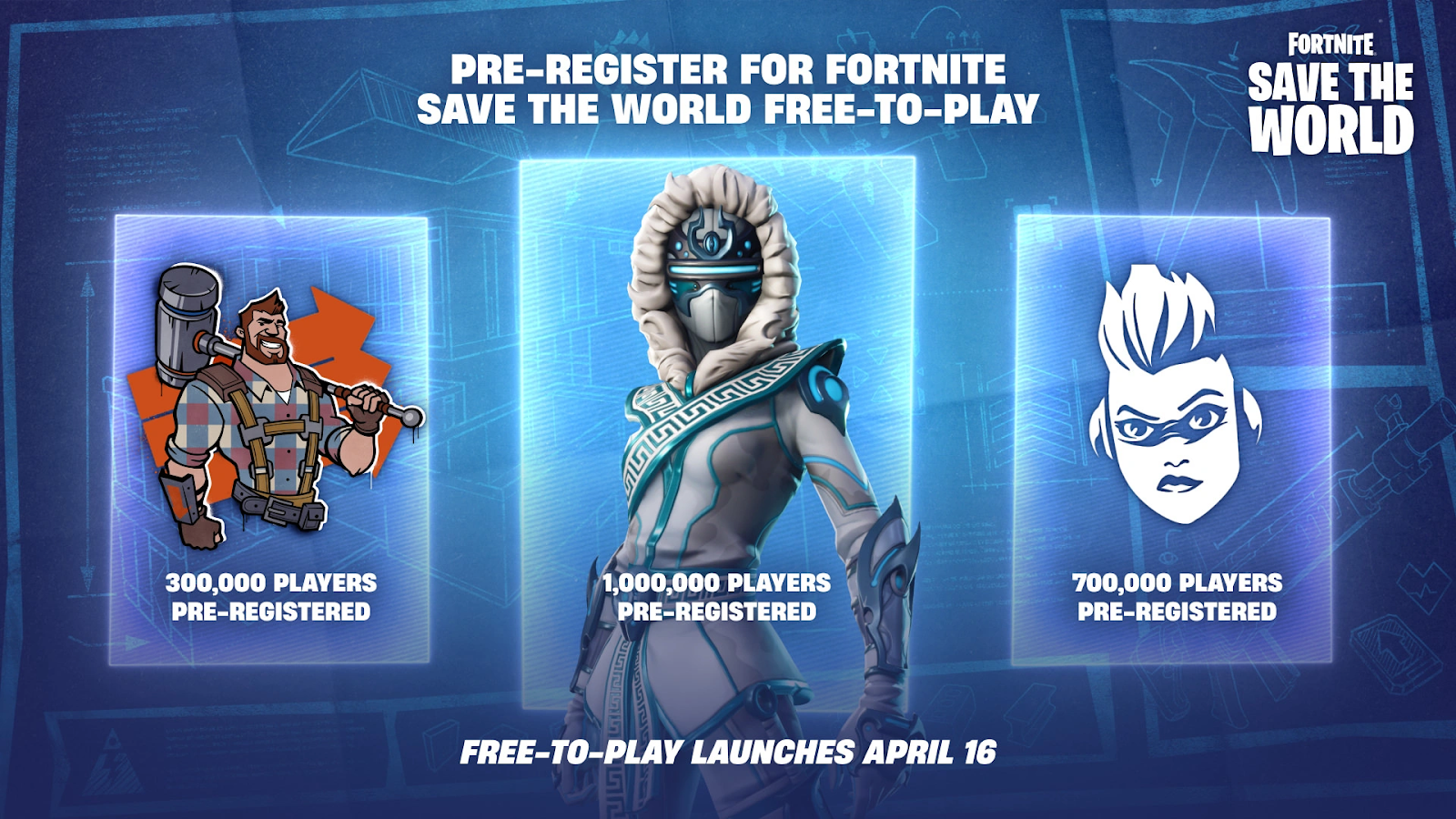
- 300,000 Sign-ups: Kyle’s Construction Spray.
- 700,000 Sign-ups: Exclusive Jess Banner.
- 1,000,000 Sign-ups: Snowstrike Hero (Legendary Ninja) – This is a game-changer for new players.
Note for Veterans: If you bought Save the World before March 11, 2026, you'll receive a "Thank You" bundle including Hero Superchargers, Weapon Vouchers, and 10,000 Gold.
Part 4: How to Ensure Your Fortnite Save the World Gaming Experience
Transitioning to a high-intensity PvE mode means dealing with hundreds of AI enemies on screen at once. To truly enjoy the 2026 update, your hardware needs to keep up. This is where LagoFast becomes an essential tool for every commander.
LagoFast is a specialized game booster designed to eliminate the technical hurdles that ruin a good defense mission. With the surge of new players on April 16, server congestion is almost guaranteed. LagoFast offers a one-click FPS boost and a unique crash fix specifically optimized for Fortnite’s V40.00 engine. By stabilizing your connection and optimizing CPU/GPU resources, it ensures your "Save the World" experience is smooth, even during high-intensity wave defenses where lag usually spikes.
Key Features of LagoFast for Fortnite:
- One-Click FPS Boost: Instantly overclock your system’s performance for higher frame rates.
- Real-Time Ping Reduction: Route your data through dedicated gaming paths to avoid server lag.
- Crash & Freeze Fix: Specialized protocols to prevent the common "One-click" crashes seen in complex PvE builds.
- Global Server Access: Connect to the best-performing Epic Games servers regardless of your physical location.
Tutorial to Use LagoFast to Ensure a Stable Fortnite Save the World Experience:
Step 1: Click the Free Trial button to download and install LagoFast.
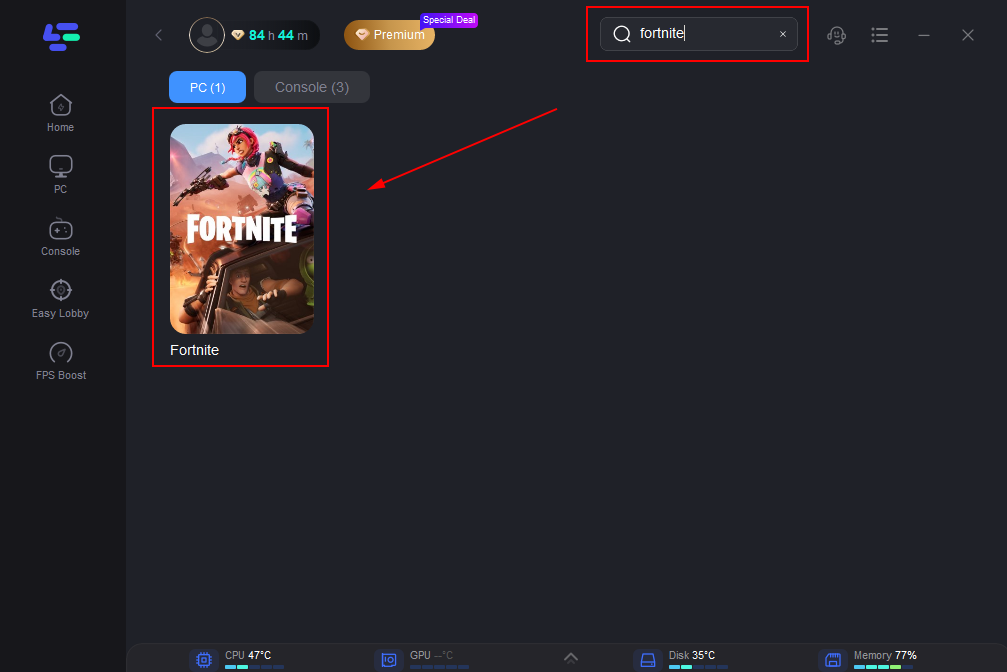
Step 2: Open LagoFast, then click the PC button on the left and search for Fortnite Save the World in the search bar, and click it after it appears.
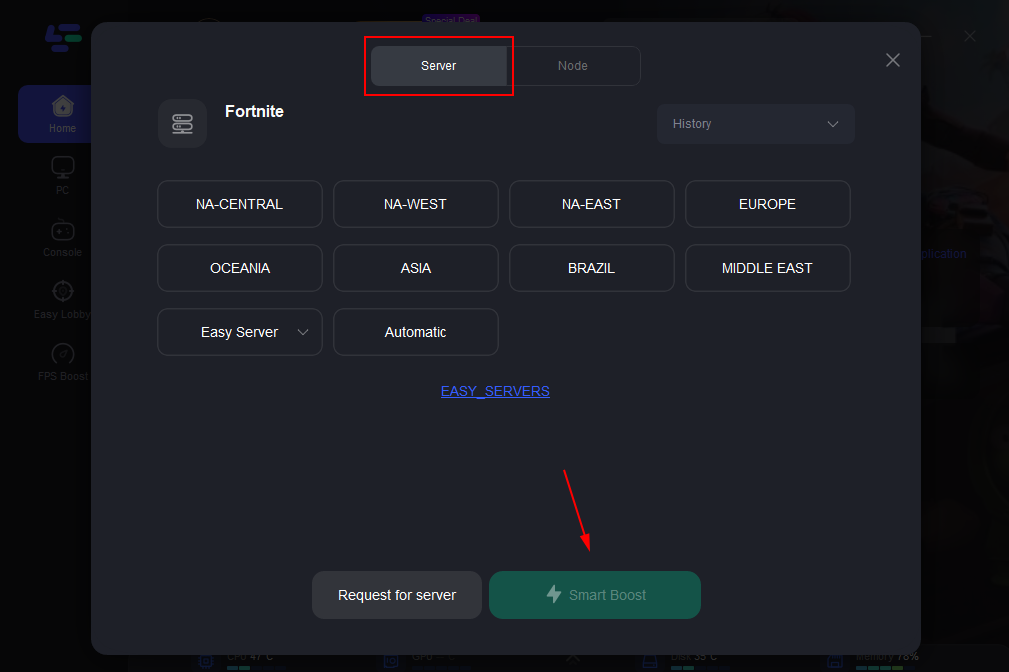
Step 3: Click “Server” to switch to a better server, such as EU or NA, which can ensure a stable gaming experience. Then click “Smart Boost” to resolve the common issue.
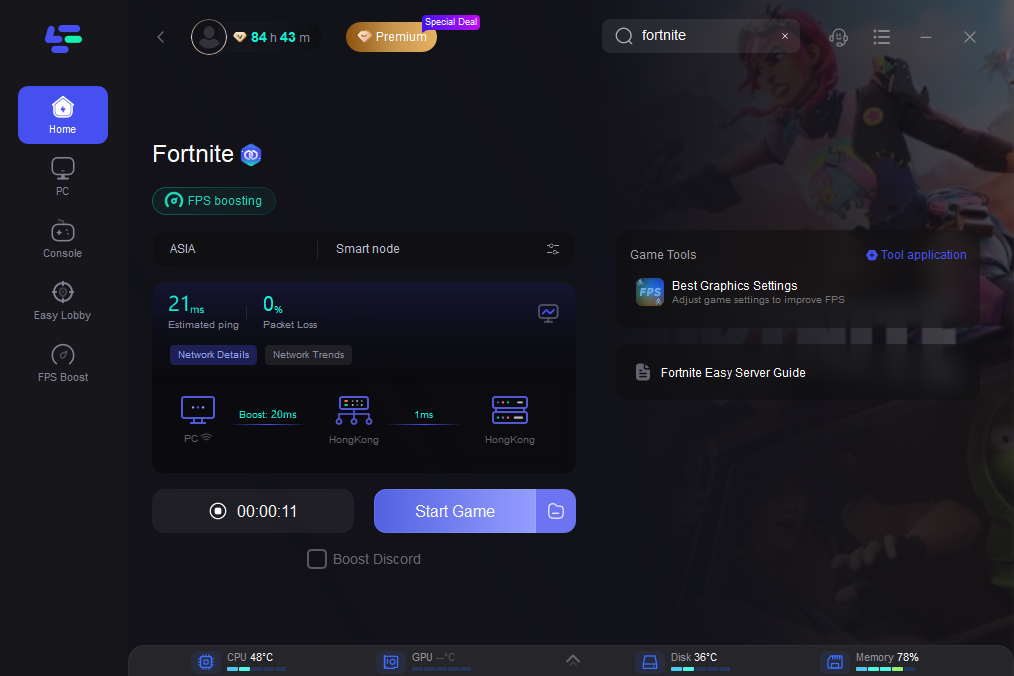
Step 4: Check the specific game ping, packet loss, and multiple path connections on the right side. Finally, click the “Start Game” to play the game.
Part 5: FAQs
Is Fortnite Save the World going to be free on mobile?
Currently, no. While the game is going free on PC, PlayStation, Xbox, and the new Nintendo Switch 2, it is still not supported on mobile devices (iOS/Android) or the original Nintendo Switch due to the high hardware requirements for the PvE mode.
How much is Fortnite Save the World right now?
Until the April 16, 2026 transition, the game is still technically in a "paid" state through various Starter Packs, usually priced around $18.99. If you wait until the official launch, the cost will be $0.
Will I still earn V-Bucks in the free version?
This is a crucial distinction. Only "Founders" (those who purchased the game years ago) will continue to earn V-Bucks from daily quests. New free-to-play players will earn "X-Ray Tickets," which are used specifically for Save the World loot llamas, rather than Battle Royale cosmetics.
Can I play Save the World solo?
Yes, you can play alone with AI defenders, but the game is balanced for four-player cooperation. Using matchmaking is recommended for harder zones like Twine Peaks.
Will my Battle Royale skins work in Save the World after it goes free?
Yes, Epic Games has confirmed full locker parity. Almost all outfits, back blings, and pickaxes you have earned or purchased in Battle Royale will be usable in Save the World. This allows new players to jump into the PvE mode with their favorite characters immediately on April 16.
Conclusion
The long-awaited answer to "When is Save the World free?" is finally here: April 16, 2026. This relaunch represents a total "revival" of the mode that started it all, featuring new rewards and a streamlined progression system. With millions of players expected to flood the servers, technical stability is key. Using LagoFast is highly recommended to eliminate launch-day lag and crashes through its one-click optimization. Pre-register now to secure your rewards and ensure a smooth, high-performance experience.

Boost Your Game with LagoFast for Epic Speed
Play harder, faster. LagoFast game booster eliminates stutter and lags on PC, mobile, or Mac—win every match!
Quickly Reduce Game Lag and Ping!
Boost FPS for Smoother Gameplay!