

In early June 2025, players from different regions of Russia began to encounter problems connecting to Apex Legends servers en masse — especially on PlayStation, Xbox, and even PC. From Omsk to Crimea, from Perm to Kazan, users flooded social networks and VK comments with the same question:
"Apex won't connect. Changing DNS doesn't help. VPNs don't work. What's going on?"
In this article, we analyze what actually happened — based solely on hundreds of real player reviews — and offer working solutions.
What players are saying: common topics
Based on the discussion on VK, several recurring complaints and observations can be identified:
The problem is not limited to Apex
- Connection problems have affected more than just Apex Legends. People also complain about crashes in Valorant, Rainbow Six Siege, Dota, Mordhau, and Warzone.
- Some users note that even Twitch and entire applications don't work — they crash or can't connect to servers.
Step-by-step instructions: how to fix Apex Legends in Russia
Method 1: Mobile hotspot (optimal for consoles)
This method helps to bypass ISP restrictions and blocked DNS routes.
Steps:
- Turn on mobile Internet on your phone.
- Go to Settings → Tethering / Hotspot.
- Turn on Wi-Fi hotspot.
- On your PS5 / Xbox / PC, connect to Wi-Fi from your phone.
- Launch Apex Legends.
Method 2: Manual DNS settings (only for PC, does not always help)
This method works if the ISP blocks DNS requests, but has not disabled all routes through Cloudflare.
Steps:
On Windows:
1. Open Control Panel → Network and Sharing Center → Change adapter settings.
2. Right-click on the active connection → Properties.
3. Find Internet Protocol Version 4 (TCP/IPv4) → Properties.
4. Manually specify DNS servers:
- Preferred DNS: 8.8.8.8
- Alternate DNS: 8.8.4.4 (Google DNS)
- 1.1.1.1 and 1.0.0.1 (Cloudflare DNS, may be blocked)
5. Click OK → Restart the game.
May not work if your ISP uses encrypted DNS or advanced traffic filtering.
Hot Related: How to Fix Apex Legends Black Screen in Russia- Best Guide
Method 3: Use a game booster (works best on PC)
Due to regional restrictions, players in Russia are currently unable to successfully log in to Apex Legends. Players can use LagoFast to resolve this frustrating issue! With official permission, LagoFast can provide players with a stable and secure server connection path that allow them to bypass regional restrictions. Even in blocked regions, players can easily log in to Apex Legends and embark on an exciting gaming journey.
And if you are experiencing lag or unstable connections, LagoFast offers a specialized solution to improve the quality of the game. It is a game booster that optimizes network performance, reduces ping, and minimizes packet loss. Below is how to use LagoFast to improve your gameplay in Apex Legends.
How to Use LagoFast for Apex Legends
Setting up LagoFast is easy and only takes a few steps:
1. Download and Install
Go to the official LagoFast website and download the app. Follow the on-screen instructions to install it.
2. Game Setup
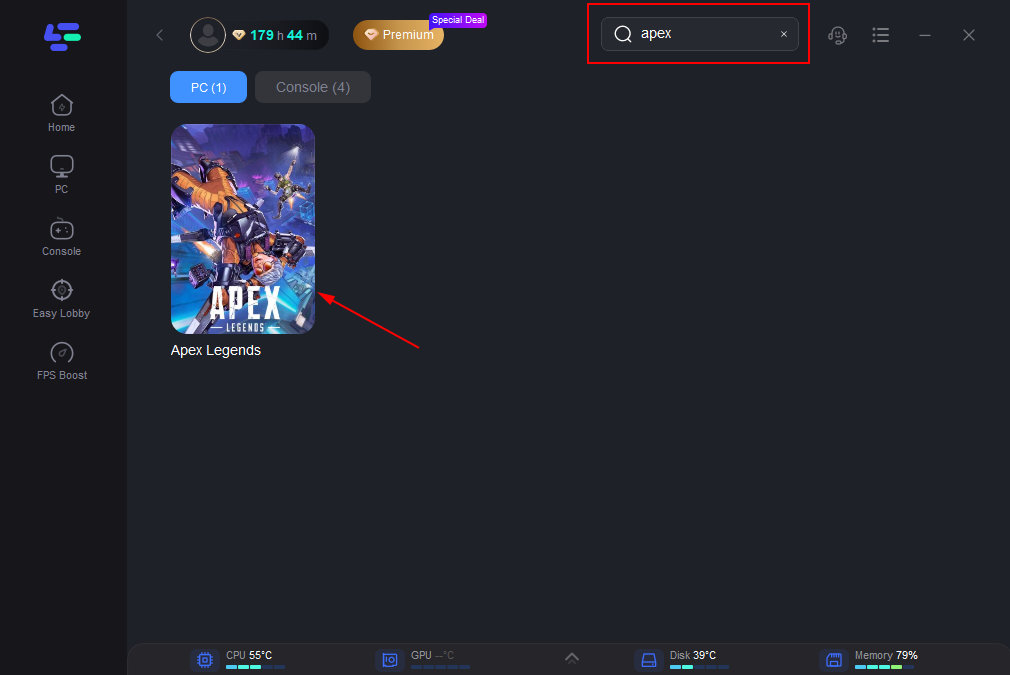
Launch LagoFast and select Apex Legends from the list of supported games. The program will automatically select the optimal settings.
3. Server Selection
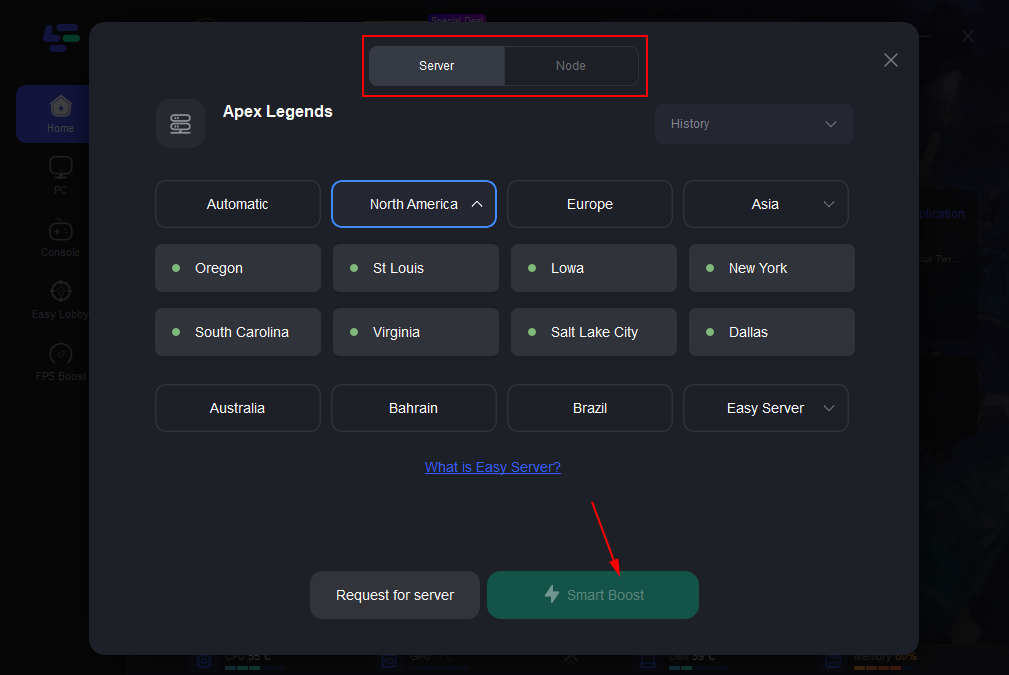
Choose the server and host that provide the best performance in your region.
4. Activation and Monitoring
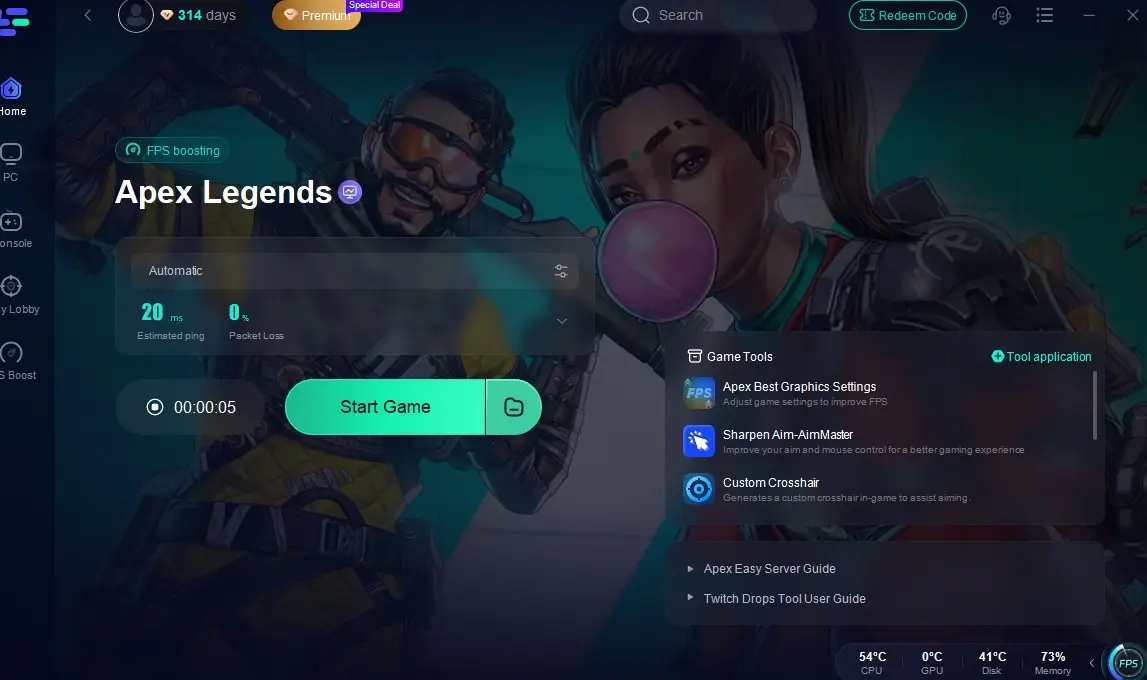
Click the Smart Boost button. Once launched, you can monitor the connection status in real time via the LagoFast dashboard, which displays ping and packet loss data.
Method 4: Setting up a Game Booster via a Router (for PS5 / Xbox)
This method allows you to route all your home traffic (including consoles) through the game booster.
Steps:
- Select a game booster that supports operation via a router.
- Go to the router control panel (usually at 192.168.1.1).
- Make sure the router firmware supports OpenVPN, L2TP or WireGuard.
- Manually import the game booster configuration.
- Save the settings and reboot the router.
- Connect the console via Wi-Fi or cable → launch Apex Legends.
Method 5: Change the provider (for example, to Megafon or Yota)
Some users report that after switching from Rostelecom, MTS or Beeline to Megafon or Yota, the connection to the servers worked again.
Steps:
- Buy a Yota or Megafon SIM card.
- Install it in your phone or USB modem and enable Internet distribution.
- Connect your PC or console via an access point or USB modem.
What doesn't help (confirmed by players)
- Simple DNS change on the console (doesn't work).
- Reboot the router or reinstall Apex Legends.
- Contact the provider - most often they answer "no comment".
Final tips
- Check the connection status in real time by connecting via a mobile hotspot. If it works, then the blocking is happening at the provider level.
- Don't rely on Cloudflare DNS (1.1.1.1) - it is often blocked.
- Have backup SIM cards from different operators on hand for testing.

Boost Your Game with LagoFast for Epic Speed
Play harder, faster. LagoFast game booster eliminates stutter and lags on PC, mobile, or Mac—win every match!
Quickly Reduce Game Lag and Ping!
Boost FPS for Smoother Gameplay!