
Where Winds Meet has finally opened its global servers—but many players are reporting that the game simply won’t launch. Reports are flooding in about:
Can’t connect to the server
- Black screen on startup
- Stuck on the loading screen
- Buttons not responding / can’t click anything
- Login window not appearing
- Website pages failing to load
- Keep Crashing on Launching
Here is a comprehensive guide to help you resolve all launching errors and startup problems more quickly.
Part 1. Can’t Connect to the Server
Part 2. Stuck on Loading Screen
Part 3. Black Screen on Startup
Part 4. Can’t Click Anything on Screen
Part 5. Keep Crashing on Launching
Part 1. Can’t Connect to the Server
Symptom
- Infinite “connecting…” loop
- The launcher refuses to move to login
- No error code, just endless retries
Why It Happens
After the game goes live, this issue usually means one of two things:
- Server overload—launch-day login spikes can delay authentication.
- Region-level blocking—some regions cannot reach the login service directly.
How LagoFast Fixes This
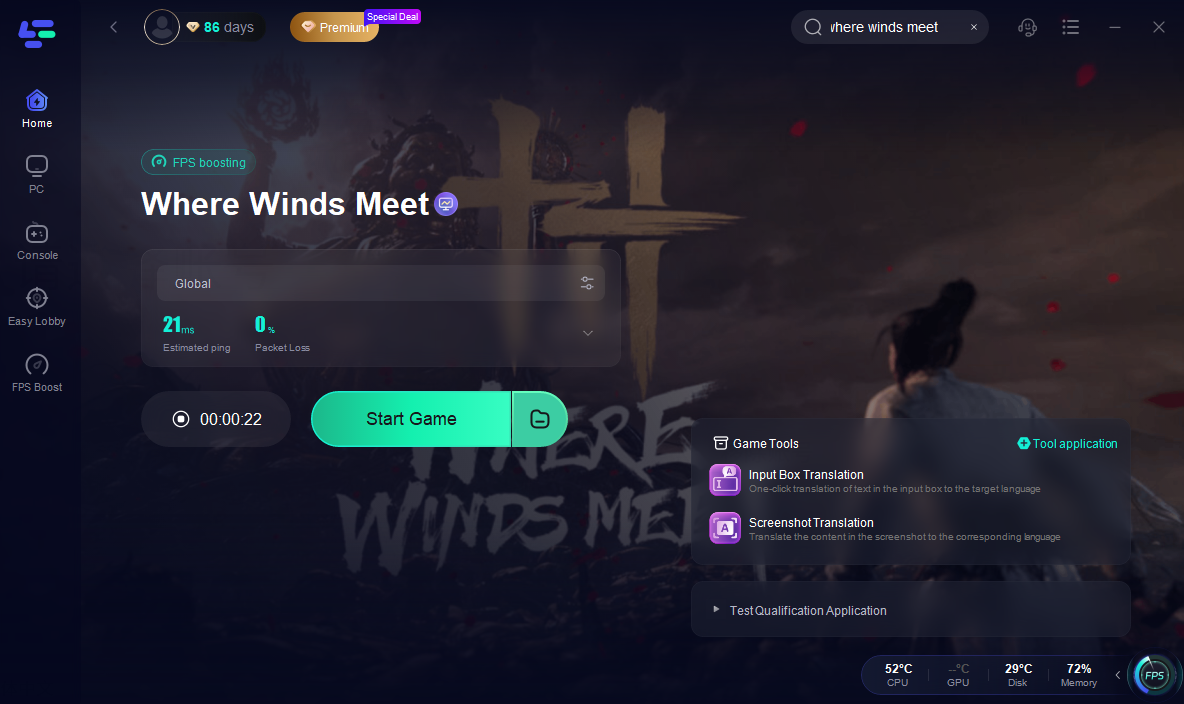
If Where Winds Meet won’t launch, gets stuck on “Connecting…,” or freezes on a black screen, the most common cause is unstable routing—your PC cannot reach the game’s login server cleanly.
LagoFast fixes this by optimizing the network route directly.
Step 1: Install LagoFast
Step 2: Open it and search “Where Winds Meet.”
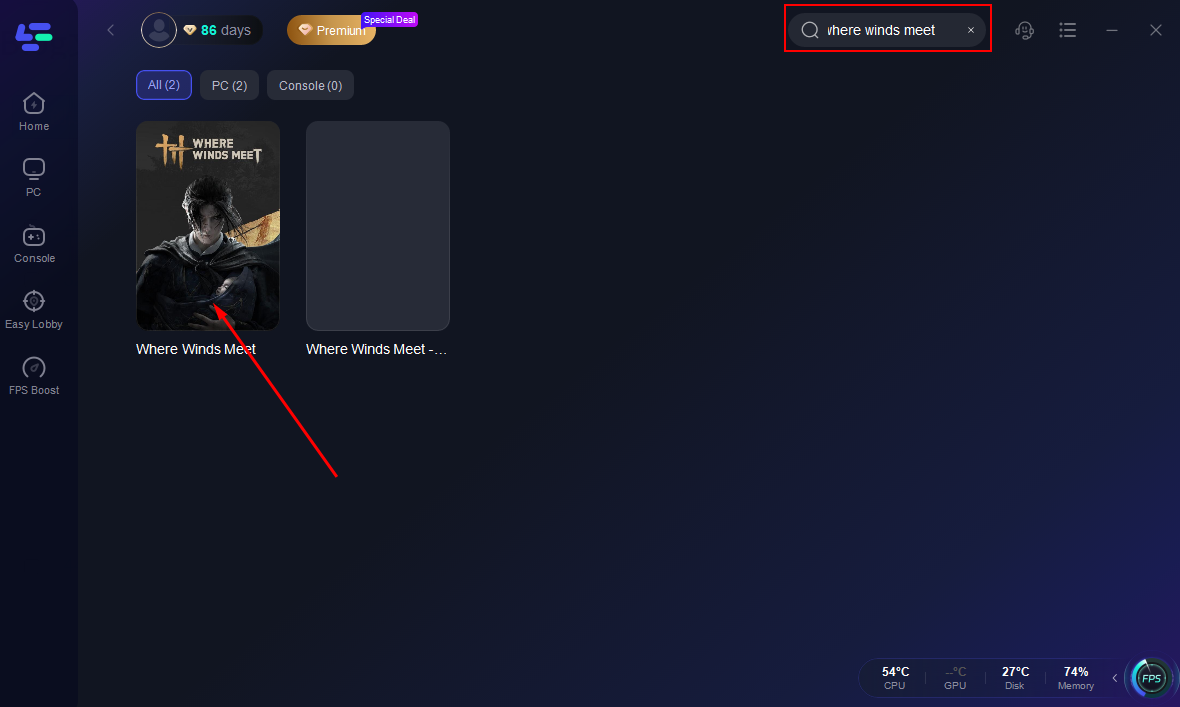
Step 3: Select the recommended route
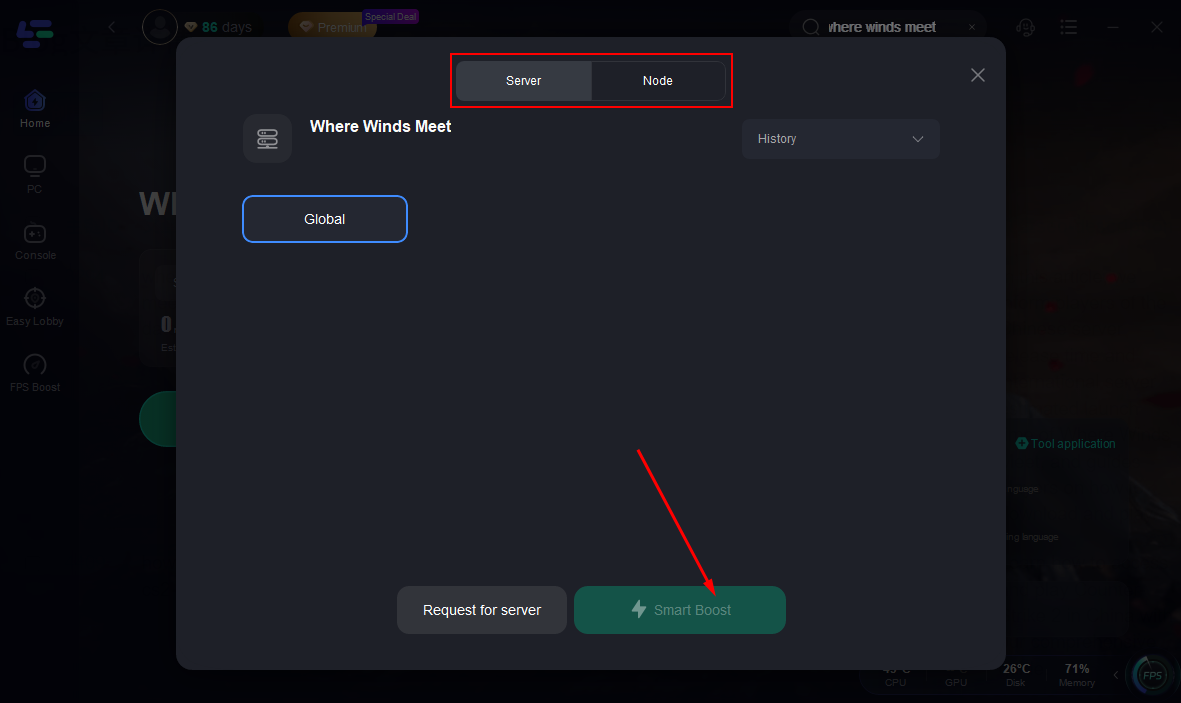
Step 4: Click Start Game
Part 2. Stuck on Loading Screen
Symptom
- Launcher opens normally
- Shows loading animation
- Freezes forever without moving to login
Why It Happens
This usually occurs when:
- The launcher can’t authenticate with the login service (region-level block)
- Scripts fail to load because your network is filtering the page
- Routing to the game backend is unstable in your area
Fix
1. Restart the launcher completely.
2. Check if the official website loads correctly.
- If not → region issue.
3. Clear the launcher cache/temporary files.
4. Switch to a stable region route where the website loads fully.
5. Relaunch the game—loading should proceed normally.
Part 3. Black Screen on Startup
Symptom
- Game window opens
- Entire screen goes black
- No UI, no text, no buttons
- Stays black indefinitely
Why It Happens
Black screen at startup is caused by failed UI scripts or a blocked service connection, which freezes the client before it can draw the interface.
Region restrictions are the #1 cause.
Fix
- Close the launcher completely.
- Open the official website — if it fails to load, you already know the cause.
- Switch to a supported region (EU/US/SEA).
- Relaunch the game.
- If it still persists, reboot your device and retry after switching region routing.
Part 4. Can’t Click Anything on Screen
This is one of the most common—and most misunderstood—launch issues.
Why It Happens
A. Browser pop-ups blocked
“Hello kingofroyale, I think the pop-ups are blocked by your browser.”
B. Website blocked in your country
“No. Turned out it’s banned in my country. game booster worked.”
When the login or register UI uses pop-up frames, blocking them makes the interface feel “dead” — nothing responds.
Fix
- Enable pop-ups in your browser.
- Refresh the launcher or registration page.
- If still unclickable → region lock.
- Switch to an unblocked region (EU/US/SEA).
- Try opening the direct link:
https://www.wherewindsmeetgame.com/jm/activity/3sSsSg?lang=en If it loads normally, clicking issues will be resolved.
Part 5. Keep Crashing on Launching
Symptom
- Game opens for 1–2 seconds then closes
- No error code
- Crashes happen before reaching the menu
Why It Happens
Real players report that some games crash the moment they try to sync, authenticate, or connect.
If the initial network handshake fails (bad region routing, blocked nodes, packet loss), the client often shuts down instantly.
How LagoFast Fixes It
1. Stabilizes the startup connection. so the game can complete the login handshake instead of crashing.
2. Fixes region routing conflicts. Wrong-region routing can cause instant termination. LagoFast switches you to a stable node (EU/US/SEA), stopping launch crashes caused by failed connections.
3. Reduces packet loss. During the first seconds of launch, it prevents the client from closing.
Conclusion
Most launch failures in Where Winds Meet come from unstable routes or blocked connections. LagoFast fixes this by creating a clean, stable path to the game’s servers, reducing packet loss and allowing the client to launch normally. If the game won’t start, running it through LagoFast is the fastest way to restore a reliable connection.
Boost Your Game with LagoFast for Epic Speed
Play harder, faster. LagoFast game booster eliminates stutter and lags on PC, mobile, or Mac—win every match!
Quickly Reduce Game Lag and Ping!
Boost FPS for Smoother Gameplay!