

Vindictus: Defying Fate is an action-packed RPG built around fast-paced combat, precise timing, and high-intensity boss battles. When everything runs smoothly, the game delivers a satisfying and responsive experience. However, even small connection issues can completely disrupt gameplay, leading to laggy combat, sudden disconnects, or failed logins—often at the worst possible moment.
This guide explores why these connection problems occur and outlines practical solutions to help improve stability and keep your sessions running smoothly.

- ✅ Reduce Lag and High Ping.
✅ Boost FPS at the Same Time.
✅ Support 2000+ Popular Online Games.
✅ Change Server without Latency.
✅ Boost Game Loading Speed.
Part 1: Common Connection Issues in Vindictus: Defying Fate
Part 2. Why Vindictus: Defying Fate Connection Issues Happen
Part 3. How to Fix Vindictus: Defying Fate Connection Issues and Improve Stability
Part 1: Common Connection Issues in Vindictus: Defying Fate
Players often encounter the following problems during normal gameplay and online sessions:
- Random disconnections during missions, boss fights, or matchmaking
- High or unstable ping causing delayed combat responses
- Skill activation delays, especially during fast combo chains
- Enemies hitting before animations finish
- Rubber-banding when moving or dodging
- Stuck loading screens when entering dungeons or co-op instances
- Endless “connecting” messages during login or server handshake
- Login failures or server timeouts after character selection
- Matchmaking that fails, stalls, or never fully initializes
- Co-op sessions that drop players mid-run
These issues point to a range of underlying connection and stability problems.
Part 2: Why Vindictus: Defying Fate Connection Issues Happen
Connection problems rarely have a single cause. In most cases, they result from how your network, the game servers, and system settings interact in real time.
- Unstable or slow network connection: Fluctuations can interrupt real-time gameplay even with good download speeds.
- Server maintenance or temporary outages: Scheduled or unexpected downtime can cause failed logins or disconnects.
- Incorrect or unresponsive DNS settings: Slow DNS responses can lead to login errors, timeouts, or delayed server access.
- Firewall or antivirus interference: Security software may block or limit game traffic, causing connection failures.
- Missing or outdated game files: Corrupted or outdated files, often after patches, can result in loading issues or disconnects.
- Unstable ISP routing: Poor or inefficient routing to game servers may cause packet loss, high latency, or random disconnects, especially during peak hours.
Part 3. How to Fix Vindictus: Defying Fate Connection Issues and Improve Stability
Below are practical solutions players commonly use to prevent disconnections and improve overall connection stability.
Use LagoFast to Stabilize Your Connection
If you’re dealing with ongoing connection issues, LagoFast is an excellent choice for stabilizing your network connection in Vindictus: Defying Fate. It works by optimizing network routing and selecting more reliable paths between your system and the game servers, helping to lower ping and reduce packet loss for a smoother and more consistent connection. With these improvements, combat, co-op sessions, and loading transitions feel more stable and responsive. LagoFast also includes additional tools such as Memory Optimization Assistant, which further enhance overall gameplay performance and stability.
Tutorial To Use LagoFast To Fix Vindictus: Defying Fate Connection Issues:
Step 1: Click the Free Trial button to download and install LagoFast.
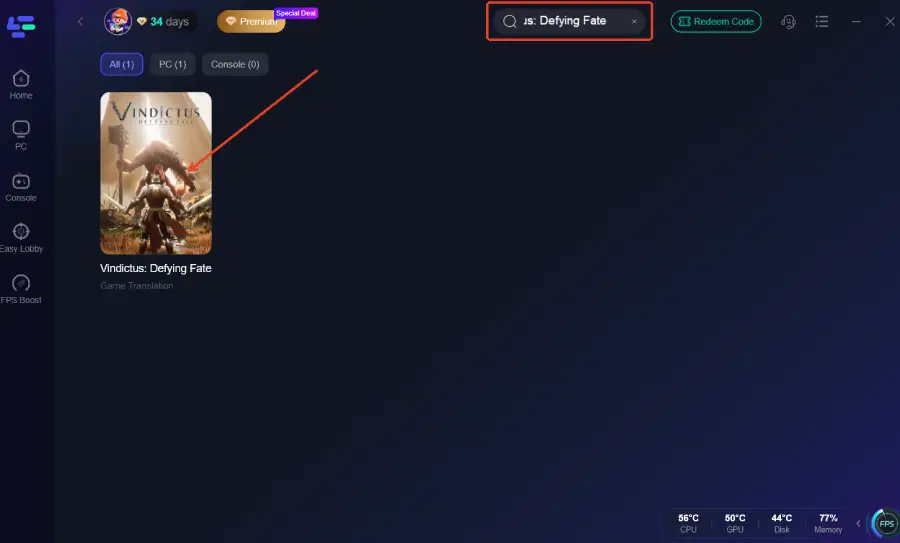
Step 2: After installation, search "Vindictus: Defying Fate" in the search bar and select the game.
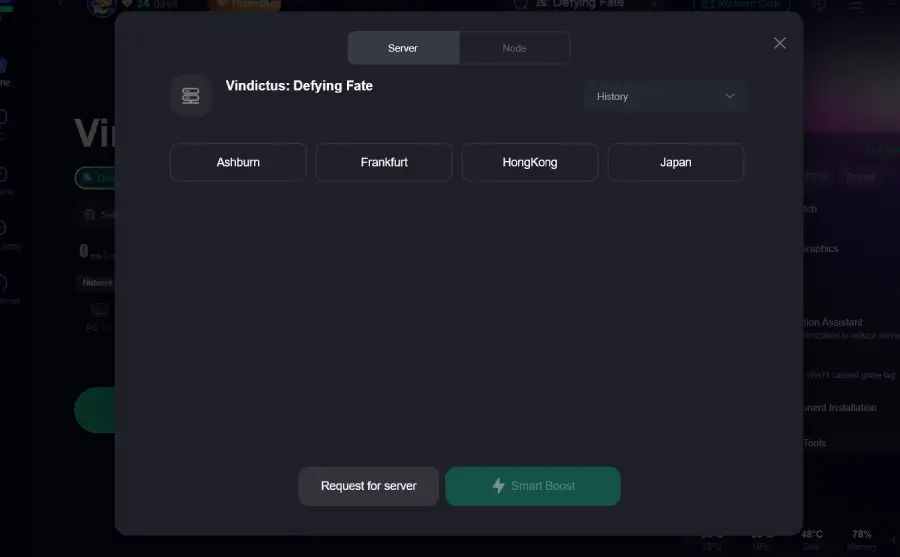
Step 3: Choose your preferred server node and click "Smart Boost" to start optimizing.
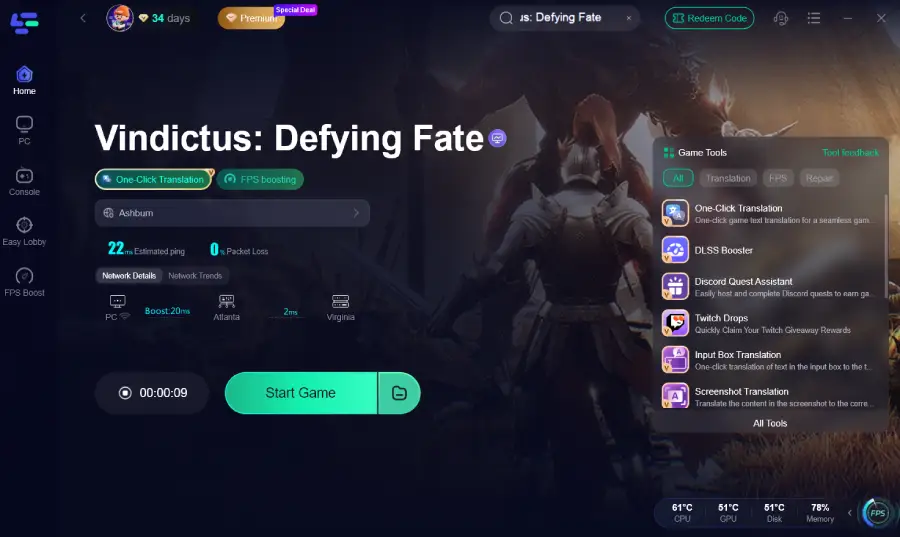
Step 4: Launch your game and enjoy smooth, optimized gameplay with lower ping and no stutter.
Restart Your Network Properly
Instead of only restarting the game, power off your modem and router for at least 60 seconds, then restart them fully before launching Vindictus. This clears cached routing data and can resolve temporary connection instability.
Use a Wired Connection When Possible
Wi-Fi connections are more prone to interference and packet loss. Switching to a wired Ethernet connection can:
- Reduce packet loss
- Stabilize ping
- Minimize sudden network spikes
For fast-paced action games like Vindictus, this can make a noticeable difference.
Close Background Apps Using Bandwidth
Before starting the game, close applications that may compete for network resources, such as
- Download managers
- Cloud sync tools
- Streaming services
Reducing background network usage helps maintain a stable connection.
Verify Game Files
Use the game launcher or platform tools to verify file integrity. This helps fix missing or outdated files that may cause connection errors after updates or patches.
Check Firewall and Antivirus Settings
Make sure Vindictus: Defying Fate is allowed through your firewall and antivirus software. Blocking or limiting network access can cause disconnects even if the game launches normally.
Avoid Peak Server Hours
If issues mainly occur during evenings or weekends, server congestion may be a factor. Playing during off-peak hours can lead to smoother matchmaking and fewer connection drops.
Conclusion
Connection issues in Vindictus: Defying Fate can be frustrating, but most stem from network instability, server status, or system settings. Using LagoFast to optimize your connection, maintaining a stable network, verifying game files, and adjusting firewall or antivirus settings can significantly improve stability. These measures make combat, co-op sessions, and overall gameplay smoother and more responsive, letting you enjoy the game without interruptions.

Boost Your Game with LagoFast for Epic Speed
Play harder, faster. LagoFast game booster eliminates stutter and lags on PC, mobile, or Mac—win every match!
Quickly Reduce Game Lag and Ping!
Boost FPS for Smoother Gameplay!