
Players, get ready! Dive into Vaultbreakers and embark on an artifact-reclaiming adventure! Developed by BetaDwarf, this new high-stakes action RPG has launched its playtest. Below, we'll break down key details about the Vaultbreakers playtest, explore its supported languages, and recommend the best Vaultbreakers game translation tool for enhancing gaming experience.

- ✅ Reduce Lag and High Ping.
- ✅ Boost FPS at the Same Time.
- ✅ Support 2000+ Popular Online Games.
- ✅ Change Server without Latency.
- ✅ End Stuck & Crashing Issues.
Part 1: Vaultbreakers Playtest Overview
Part 2: How Many Languages Does Vaultbreakers Support
Part 3: Best Vaultbreakers Game Translation Tool
Part 4: How to Enhance Gaming Experience in Vaultbreakers
Part 1: Vaultbreakers Playtest Overview
BetaDwarf has not yet confirmed Vaultbreakers' official release date, but to refine gameplay mechanics, they launched a playtest from July 3, 2025 15:00 to July 10, 2025 5:59 (Latest news: The developper will add 1 extra day of Playtest). Players can get early access to its gameplay during this period:
- Missions evolve with player/NPC choices—pollute lands, unlock caves, or trigger rituals.
- Battle Changelings, unpredictable AI/player-controlled shapeshifters. Evade, attack, or ally strategically.
- Dodge lethal strikes, counter enemies mid-attack for bonus damage. Risk vs. reward defines every fight.
- Build your champion with perks, gear, artifacts, and traversal skills (e.g., plant-vaulting).
- As Vaultguard, defend against ancient threats. Explore lore, complete quests, and climb leaderboards through endless challenges.
How to Sign Up Vaultbreakers Playtest
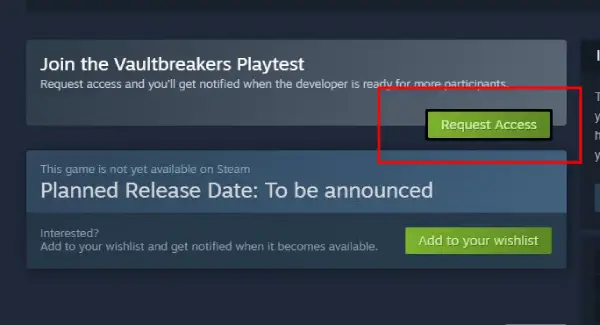
Method 1: Visit the Steam page for Vaultbreakers, click "Request Access" in the details section, and wait for an official email.
Method 2: Go to Vaultbreakers' official website, complete four required tasks to qualify for the playtest.
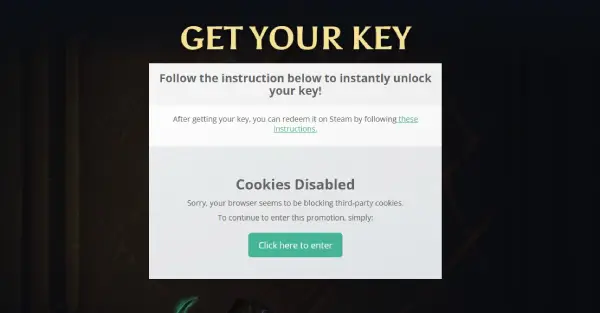
After joining, players can participate in the Leaderboard Challenge. Top performers on each server will earn a $25 USD Steam gift card, the "Outlaw Vault VIP" character, and a spot in the Hall of Fame.
Part 2: How Many Languages Does Vaultbreakers Support
During the playtest, Vaultbreakers only supports English. Players using English can dive into the game smoothly, but non-English speakers (e.g., Russian, Thai) may struggle with language barriers. Misunderstanding tasks due to limited English skills can waste time and effort. A reliable Vaultbreakers translation tool is essential for seamless gameplay.
Part 3: Best Vaultbreakers Game Translation Tool
For players in Russia, Thailand, and other non-English regions, LagoFast Game Booster is the top choice. Its built-in One-Click Translator for Vaultbreakers supports translating the game into Russian, Thai, Japanese, and more (additional languages coming soon). Here's how to use it:
Step 1: Click "Free Trial" to download and install LagoFast.
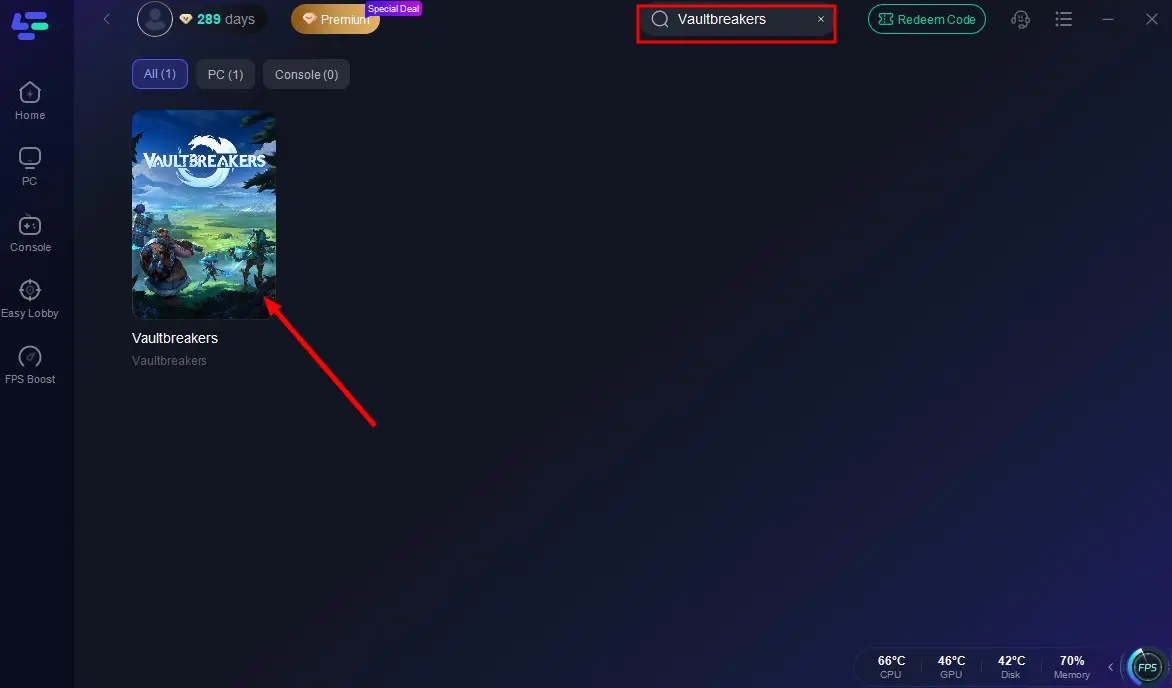
Step 2: Search for "Vaultbreakers" in LagoFast's search bar and select the result.
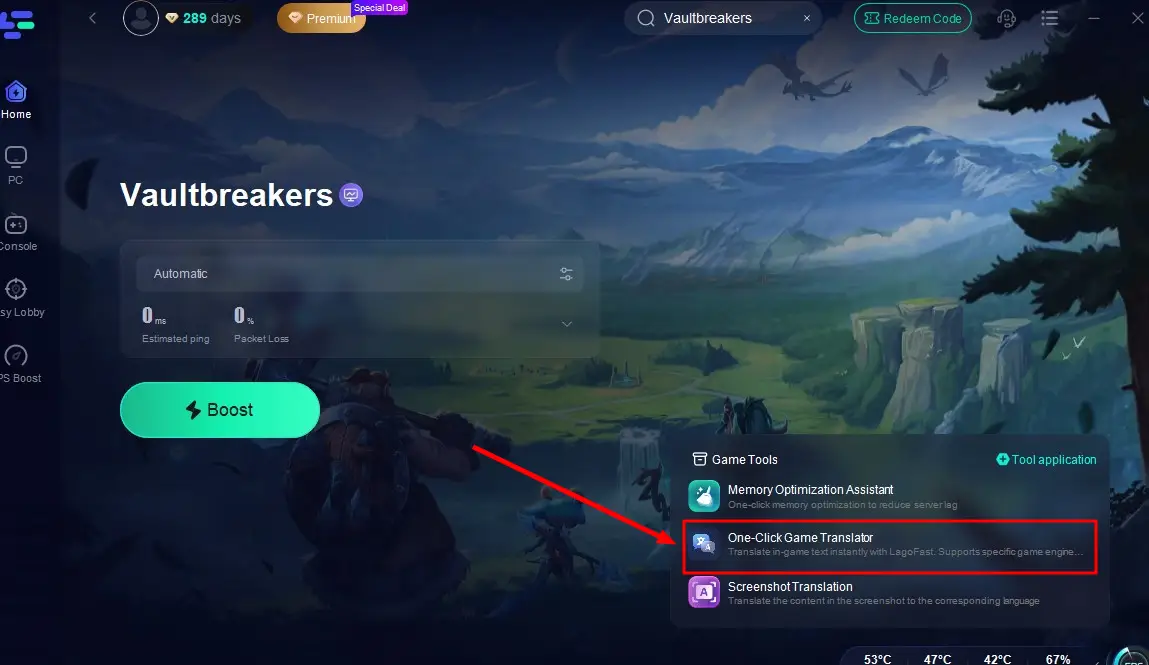
Step 3: Click the One-Click Game Translator tool at the bottom right.
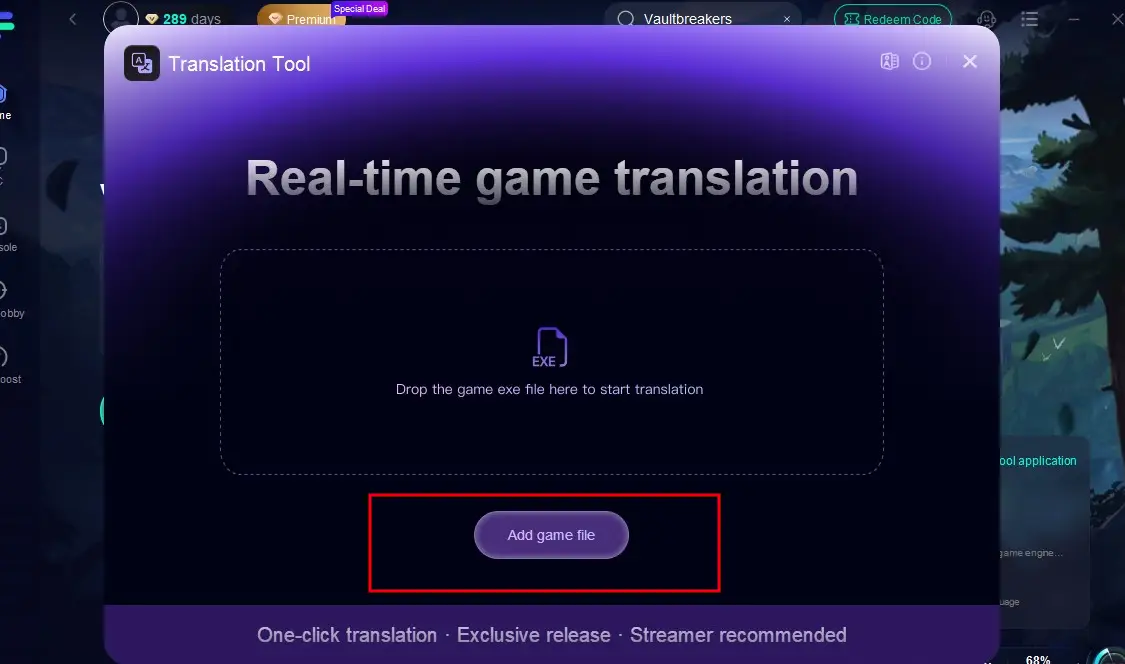
Step 4: Import Vaultbreakers' game files and choose your target language.
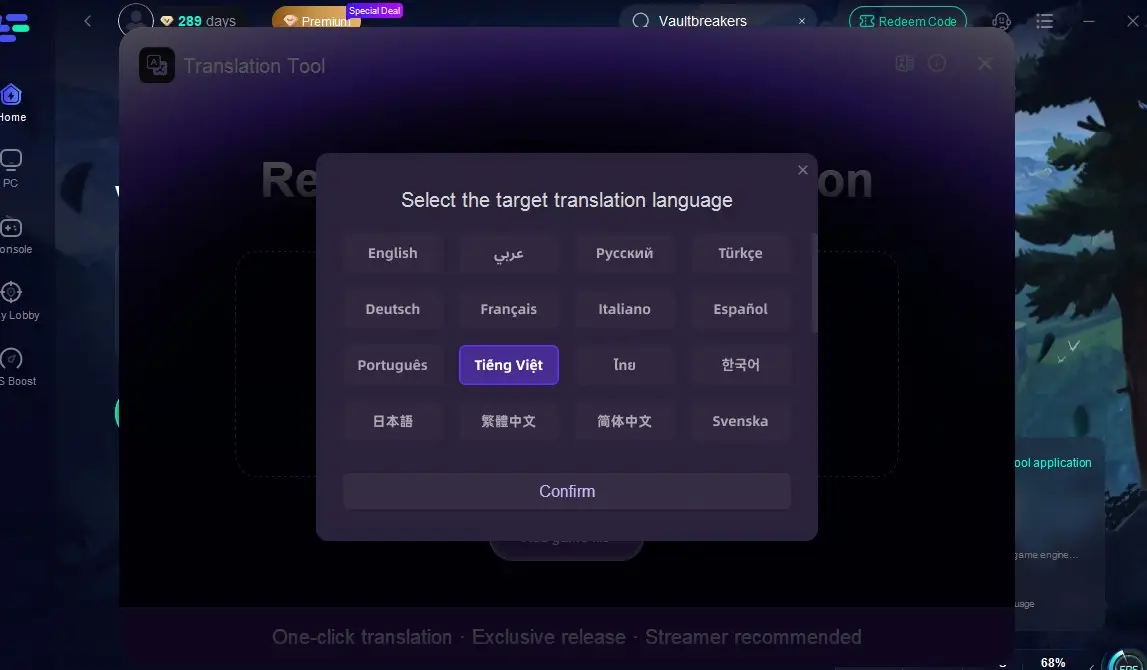
Step 5: Return to the game—your interface will now display the selected language. Enjoy barrier-free gameplay!
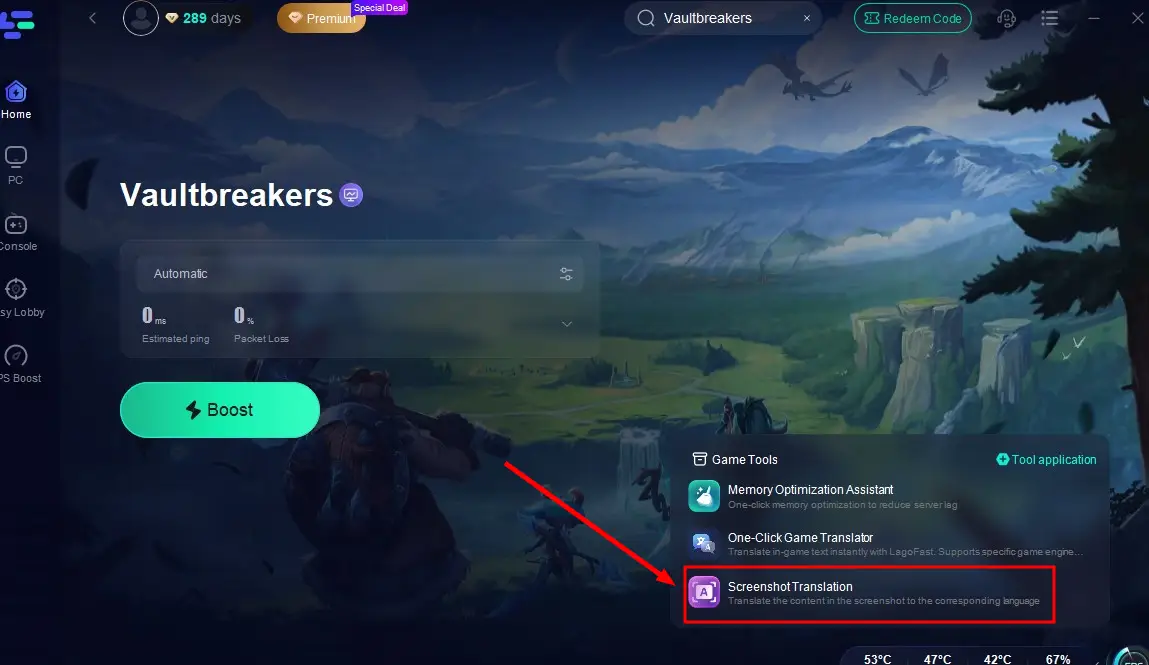
If you don't need full translations, LagoFast also offers a screenshot translator for quick, accurate translations of in-game text.
Part 4: How to Enhance Gaming Experience in Vaultbreakers
For players far from Vaultbreakers' official servers, long connection distances cause high game lag and Ping, leading to stuttering, frame drops, or input delays that ruin gameplay. LagoFast's acceleration feature solves this with key advantages:
- Reduce Latency: LagoFast intelligently detects in-game data transmission status, automatically selects and switches to the optimal server nodes, accelerates data transfer speeds, minimizes lag, and avoids stuttering.
- Stabilize Connections: With server nodes spanning 60+ countries and 150+ cities worldwide, LagoFast provides players with stable and diverse server options.
- Boost FPS: By lowering latency and ping, LagoFast helps optimize in-game frame rates in real time, ensuring a smoother and more immersive gaming experience.
How to Use LagoFast for Vaultbreakers
Step 1: Click "Free Trial" to download and install LagoFast.
Step 2: Launch LagoFast and search for "Vaultbreakers" in the search bar.
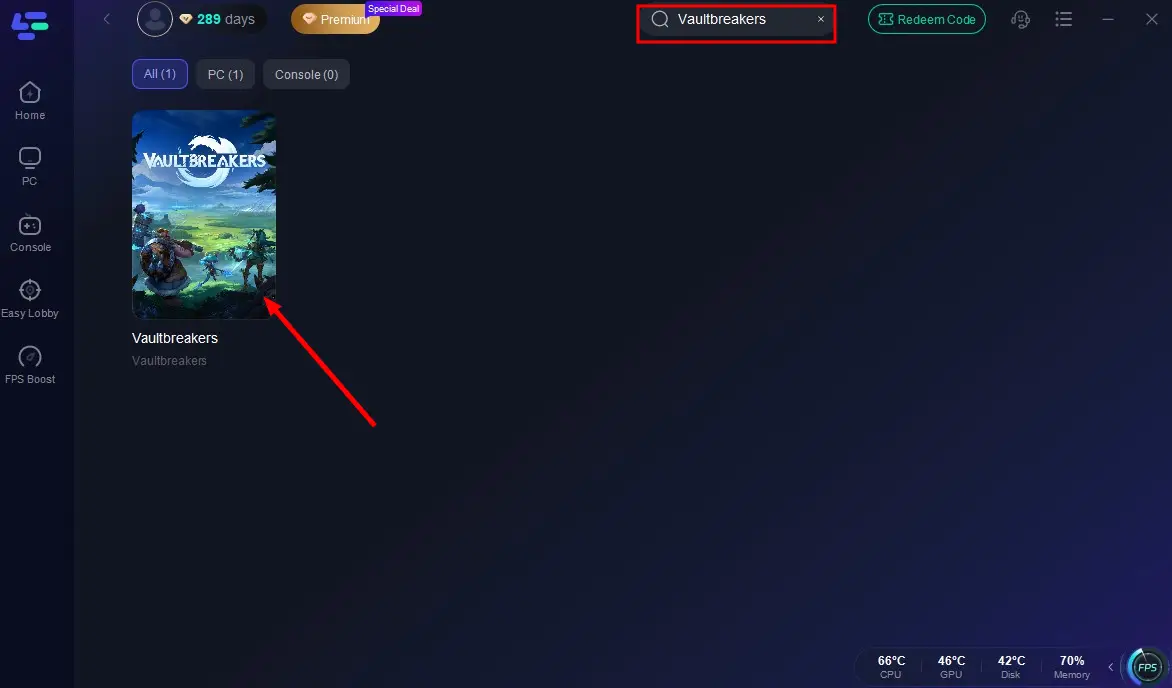
Step 3: Click "Select Server" and choose the best-performing server based on your location.
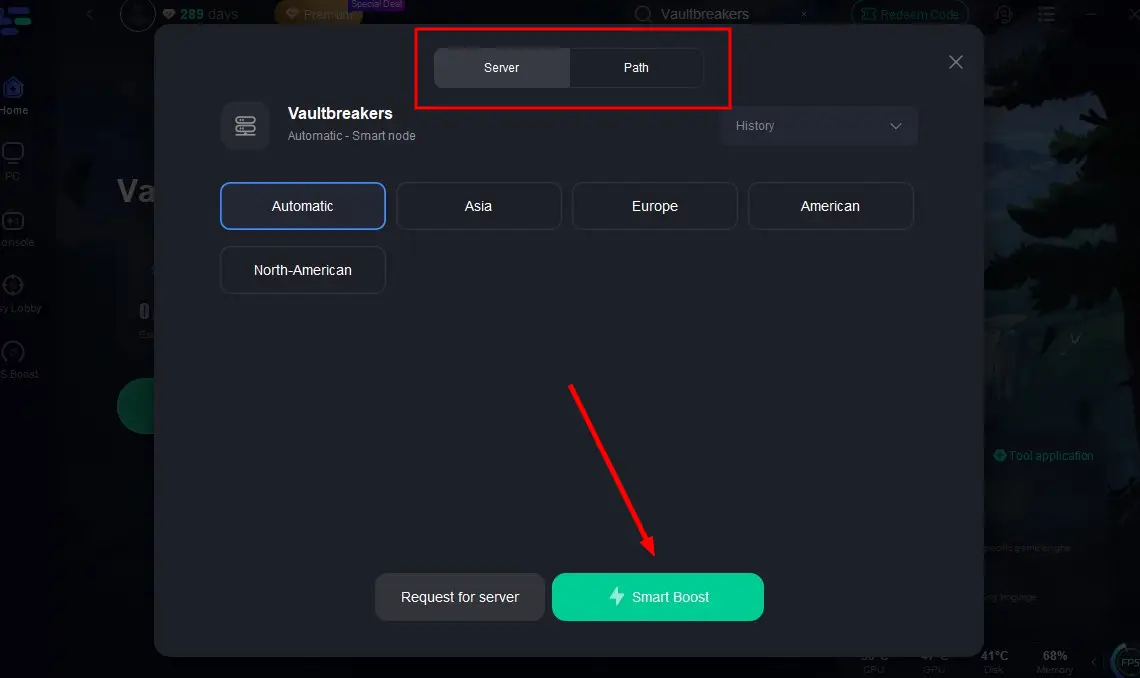
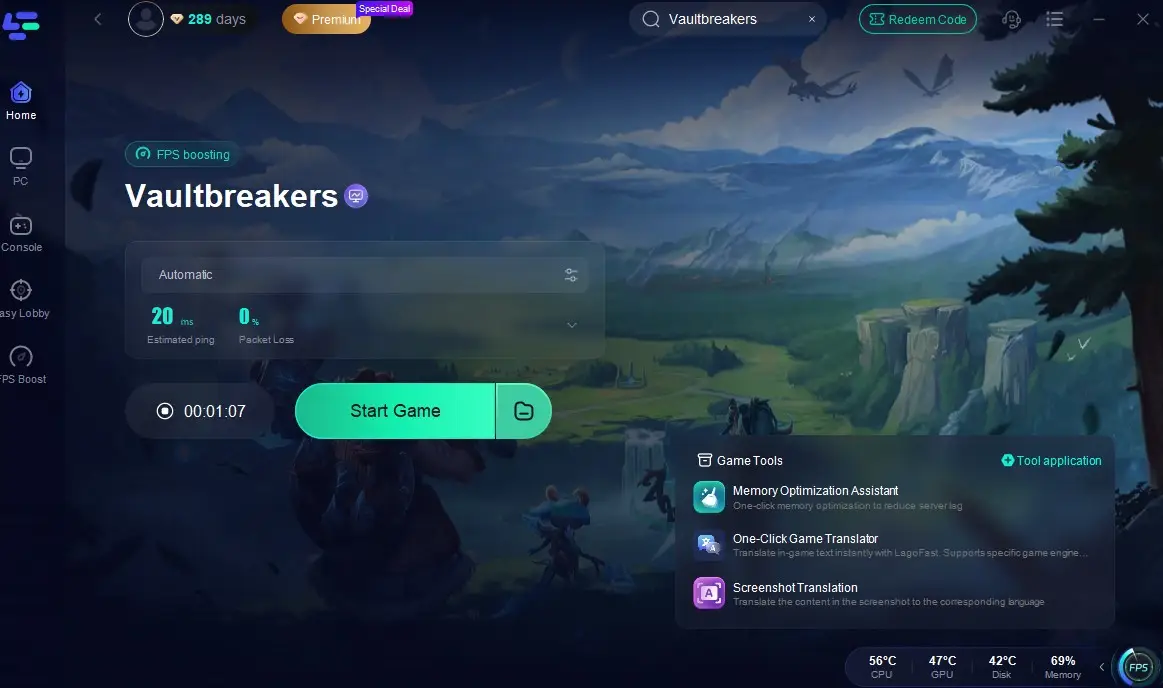
Step 4: Ensure real-time optimization is enabled, then click "Start Game" to play Vaultbreakers with low latency and high FPS.
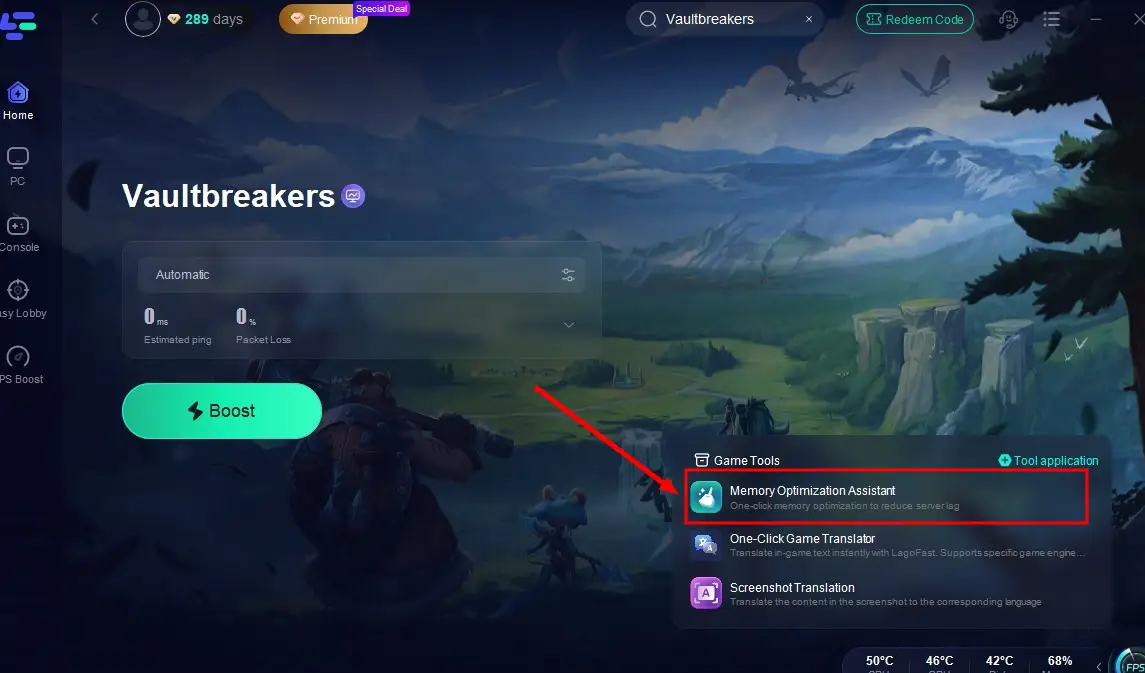
To further boost performance, use LagoFast's Memory Optimization Assistant. Click the tool at the bottom right to instantly free up device space, creating a smoother environment for Vaultbreakers.
Conclusion
The Vaultbreakers playtest currently supports only English, creating language barriers for many non-English players and impacting their gameplay experience. However, with LagoFast's Vaultbreakers game translation tool, players can quickly and accurately translate the game's English content into their preferred language—enabling them to enjoy Vaultbreakers seamlessly in their native tongue!
Boost Your Game with LagoFast for Epic Speed
Play harder, faster. LagoFast game booster eliminates stutter and lags on PC, mobile, or Mac—win every match!
Quickly Reduce Game Lag and Ping!
Boost FPS for Smoother Gameplay!