
Looking for the best Valorant voice changer to sound different, troll your teammates, or match your favorite agents? Whether you want a funny AI voice, realistic character-style voice lines, or a powerful soundboard for voice chat, the right tool can completely change your in-game experience.
In this guide, we review the best voice changers for Valorant, focusing on voice effects, performance, and pricing, so you can quickly find the right tool for your playstyle.
#1. EaseUS VoiceWave (Best AI Voice Changer for Valorant)
- Voice Library: 600+ voice effects and soundboards, including anime voices, deep tones, and AI-style filters
- Performance: Ultra-low latency with smooth, stable performance in Valorant
- Pricing: Free with basic features; premium plans start at $14.95/month (with $39.95 for lifetime)
EaseUS VoiceWave stands out as a powerful AI voice changer designed for real-time use. It offers a wide range of voice effects that work especially well in fast-paced FPS games, along with built-in soundboards for instant reactions and memes. The overall experience is smooth, and switching voices during gameplay feels natural.
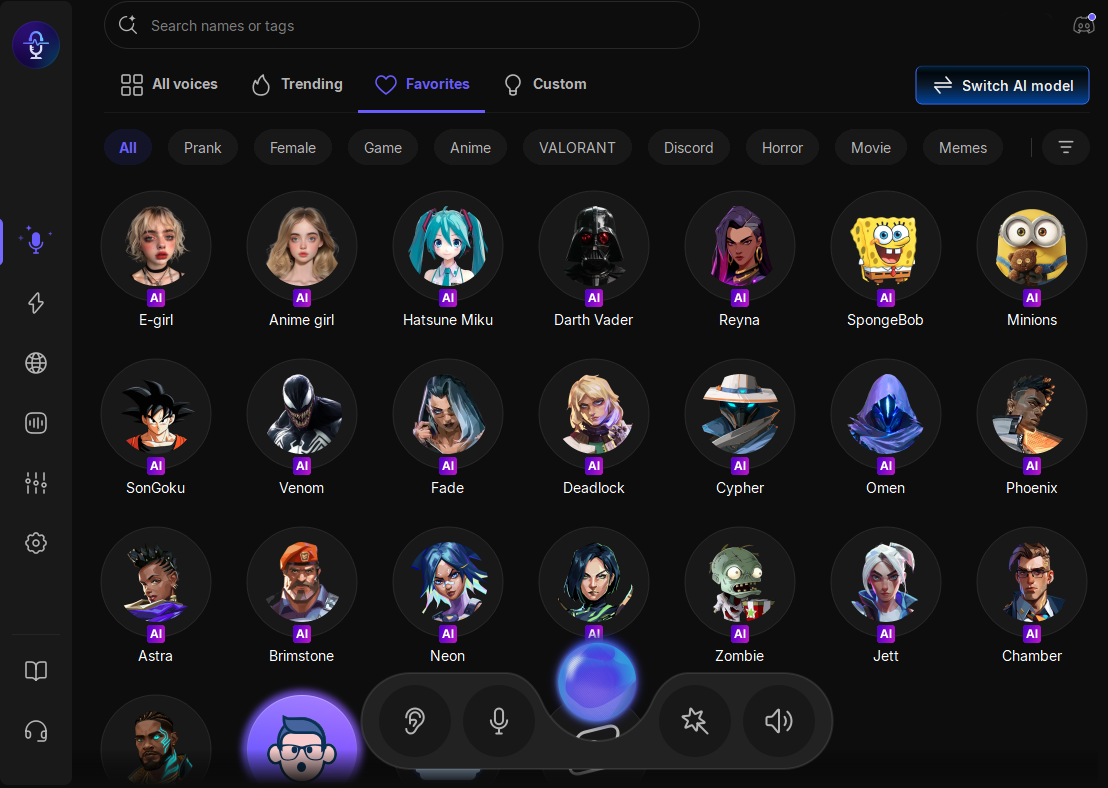
Pros & Cons: VoiceWave delivers excellent voice quality and a strong balance between features and ease of use, though some advanced AI voices are available only in the premium version.
Best For: It is best suited for players who want an all-in-one solution with AI voices, soundboards, and reliable performance in Valorant, especially those interested in character-style voices or creative voice chat.
#2. Clownfish Voice Changer
- Voice Library: Basic voice effects such as pitch shifting, male/female voices, and robotic filters
- Performance: Low latency with stable performance in Valorant voice chat
- Pricing: Completely free with all features available
Clownfish is a lightweight Valorant voice changer that works at the system level, making it easy to use across different applications, including Valorant. It doesn’t offer advanced AI voices, but it covers the basics well for casual users who just want simple voice modifications.
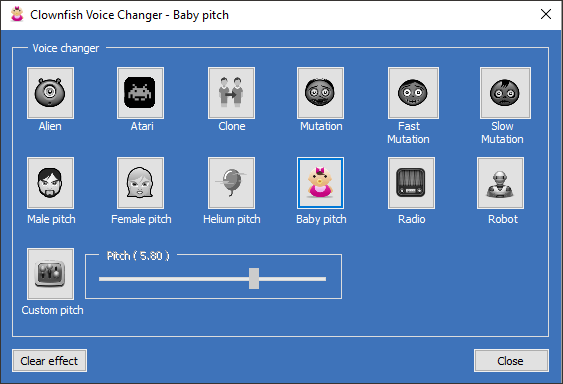
Pros & Cons: Its main advantage is being completely free and easy to run without affecting system performance, though the voice quality and variety are quite limited compared to modern tools.
Best For: Beginners or casual players who want a simple, no-cost way to change their voice without worrying about setup or performance.
#3. W-Okada Voice Changer
- Voice Library: AI-based voices with customizable voice models and character-style outputs
- Performance: Real-time voice changing with potential latency depending on setup and hardware
- Pricing: Free and open-source
W-Okada Voice Changer is a more advanced tool that focuses on AI-driven voice conversion. It allows users to create and customize voice models, making it a powerful option for those who want greater control over how their voices sound.
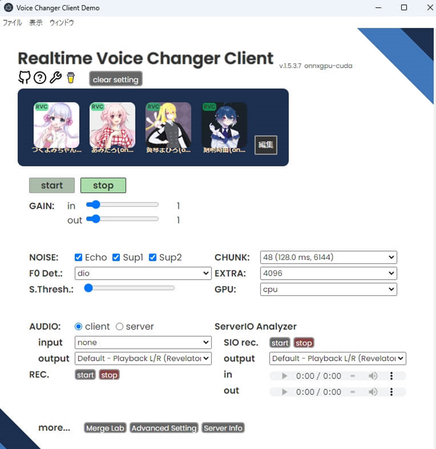
Pros & Cons: While it offers impressive flexibility and realistic results, it requires more setup and may not run smoothly on all systems without proper configuration.
Best For: Advanced users and AI enthusiasts who want to experiment with custom voices or replicate specific character styles in Valorant.
#4. MorphVox
- Voice Library: High-quality voice effects focused on realistic voice modulation rather than AI-generated voices
- Performance: Smooth and stable performance with low latency in Valorant
- Pricing: Free version available; full features require a paid upgrade at $39.99/lifetime
MorphVox is a long-standing voice changer known for its strong audio quality and stability. Instead of focusing heavily on AI voices, it emphasizes clean and natural-sounding voice modulation, which works well for consistent communication during gameplay.
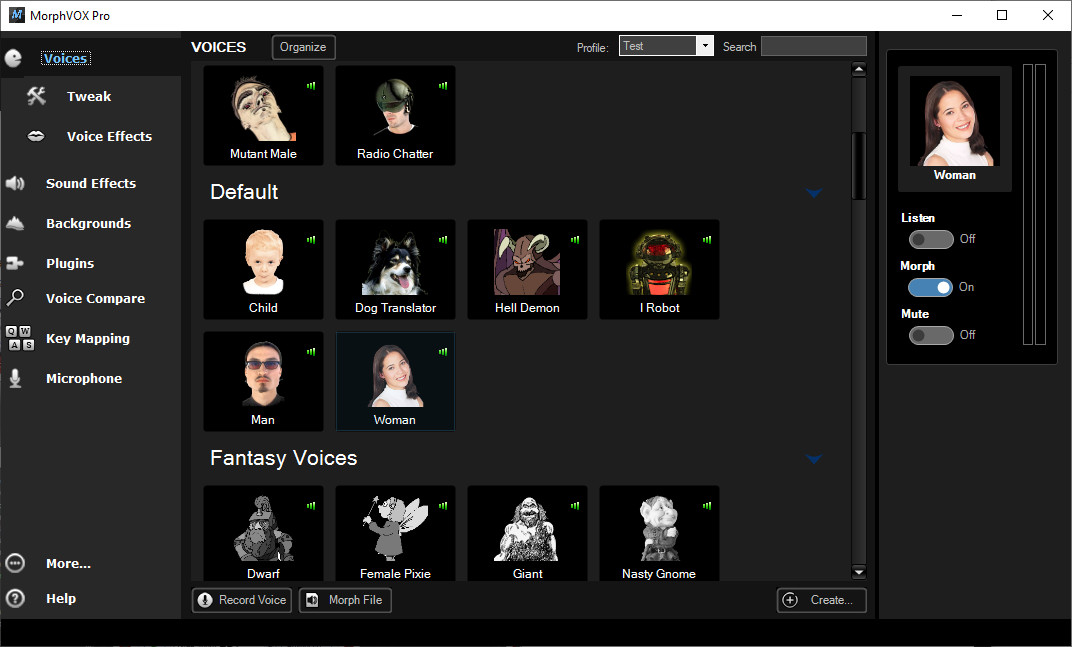
Pros & Cons: Its main strengths lie in audio clarity and reliability, though it lacks the variety and modern AI features found in newer tools.
Best For: Users who prioritize voice quality and stability over a large library of creative or AI-driven effects.
#5. Voicemod
- Voice Library: Large library of voice effects and soundboards, including meme sounds, AI voices, and character-style filters
- Performance: Low latency with generally smooth performance, though slightly higher system usage
- Pricing: Free with rotating voices; premium plans unlock full access at $20-40/year
Voicemod is one of the most popular voice changers, especially among gamers who enjoy interactive and fun voice chat. It combines a wide variety of voice effects with a powerful soundboard system, making it easy to enhance gameplay with reactions and audio clips.
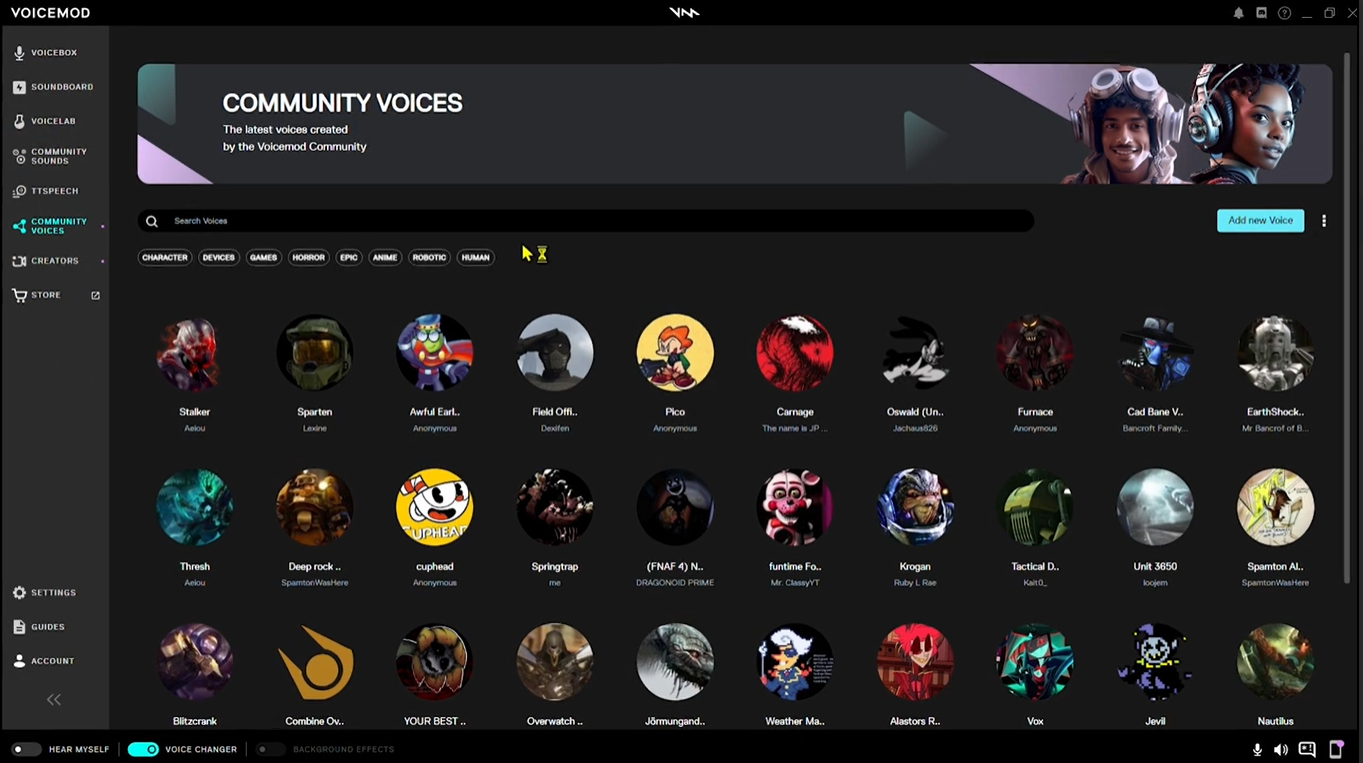
Pros & Cons: While it offers a great user experience and lots of content, some features are limited in the free version, and it may consume more system resources than lighter tools.
Best For: Players who enjoy using soundboards, memes, and a wide range of voice effects to make their Valorant sessions more entertaining.
Fun Voice Ideas for Valorant (Effects, Agents & Soundboards)
If you’re using a Valorant voice changer, the most fun part is choosing the right voices and sounds for different situations. Here are some of the best voice effects and soundboards you can try during gameplay or streaming.
- Valorant Agent Voice Ideas (Character-Inspired Voices) — Reyna, Veto, Astra, Brimstone, Phoenix, Deadlock, Fade, Jett, Chamber, Cypher, Omen, Neon, and Viper
- Best Voice Effects for Valorant Gameplay — anime girl, E-girl, Hatsune Miku, Darth Vader, Zombie, Minions, robot, Son Goku, SpongeBob, Venom
- Recommended Soundboards for Valorant Streaming — fart, burp, alert, doorbell, heartbeats, success, game over, etc.
Pro Tip: All of these AI voices and soundboards mentioned before have been added in VoiceWave. Its extensive voice library lets you switch voices or trigger sounds instantly while playing Valorant. This makes it a great choice if you want both creativity and convenience in real-time voice chat.
Common Valorant Voice Chat Issues & Fixes
#1. Valorant Voice Chat Not Working
If your voice chat isn’t working, check your microphone settings and make sure the correct input device is selected in Valorant. Restarting the game after setting up a voice changer can also help.
#2. Can't Change Team Voice Volume in Valorant
This issue is usually related to audio settings. Go to the in-game voice chat options and adjust incoming voice volume to ensure team communication is properly balanced.
#3. How to Change Voice Language in Valorant
You can change the voice language through the Riot client settings. Go to the Riot Client settings, select your preferred game language, then restart Valorant. Both text and voice lines will switch to the new language. Note that Valorant does not support changing voice language separately from text language, so both will always change together.
#4. Is Voice Changer Bannable in Valorant
Using a voice changer in Valorant is generally not bannable, as it only affects your microphone input and does not interfere with gameplay. However, you should avoid using it in ways that violate community guidelines, such as harassment or disruptive behavior.
Final Thoughts: Choose the Right Valorant Voice Changer
The best Valorant voice changer depends on what you’re looking for. If you want a balance of AI voices, soundboards, and smooth performance, EaseUS VoiceWave is the strongest overall option. Other tools may suit specific needs, such as free usage, advanced customization, or high-quality voice output.

Boost Your Game with LagoFast for Epic Speed
Play harder, faster. LagoFast game booster eliminates stutter and lags on PC, mobile, or Mac—win every match!
Quickly Reduce Game Lag and Ping!
Boost FPS for Smoother Gameplay!