
If you've clicked Play in the Riot Client and Valorant refuses to launch—while the button grays out briefly and returns to red, but no error message appears—you're not alone. This silent failure can be confusing, especially when there’s no feedback from the launcher.
In this guide, we’ll break down why this happens, provide step-by-step fixes, explore minimum system requirements, and even offer tips for enhancing game performance using LagoFast Game Booster for a smoother experience.

Part 1. Why Is VALORANT Not Opening or Launching?
Part 2. How to Fix VALORANT Not Opening or Launching?
Part 3. How to Fix Valorant Not Launching and No Error Message
Part 4. Minimum Requirements for VALORANT
Part 5. How to Enhance Valorant Game Experience with LagoFast Game Booster
Part 1: Why Is VALORANT Not Opening or Launching?
There are numerous causes behind Valorant failing silently to launch:
- Background processes or security conflicts may interfere with Vanguard or the game launch.
- Vanguard anti-cheat (VGC) service not running, disabled, or blocked.
- Insufficient permissions or fullscreen optimization issues.
- Corrupted or outdated graphics drivers, missing DirectX or Visual C++ runtime components.
- Antivirus, firewall, or overlay apps blocking launch.
- Hidden service conflicts (like Citrix or AppProtection) preventing launch.
Part 2: How to Fix VALORANT Not Opening or Launching?
Here are five detailed methods to solve the issue:
1. End Unnecessary Background Processes
- Open Task Manager (Ctrl + Shift + Esc).
- End tasks for RiotClient services, Valorant.exe, and any third-party apps with overlays (Discord, Steam, Citrix, etc.). Avoid stopping vgc.exe unless restarting PC is acceptable.

2. Run Valorant as Administrator & Adjust Compatibility
- Right-click Valorant shortcut → select Run as administrator.
- In Properties → Compatibility tab: tick “Run this program as an administrator” and Disable fullscreen optimizations, then Apply.

3. Enable or Restart the VGC (Riot Vanguard) Service
- Press Windows + R, type msconfig, go to the Services tab.
- Check Hide all Microsoft services, click Disable all, then re-check vgc, Apply→OK. Reboot PC.
4. Update Graphics Drivers & Windows
- Open Device Manager → Display adapters → update through manufacturer’s website (NVIDIA, AMD, Intel)
- Also make sure Windows itself is fully updated.
5. Repair or Reinstall Vanguard and Valorant
- In the Riot Client, go to Settings → Game Settings → select Valorant → click Repair.
- If that fails, uninstall both Riot Vanguard and Valorant from Control Panel and reinstall from the official Valorant website.
Part 3: How to Fix Valorant Not Launching and No Error Message
These fixes specifically address the silent launch failure without any on-screen error:
1. Disable Conflicting Services (e.g., Citrix, Security Software)
On Reddit, many users reported success by disabling non-critical services.
- Run msconfig → Services → Hide Microsoft services → Disable all except vgc → Reboot.
- Users specifically cited Citrix’s AppProtection as the culprit.
2. Rename RiotGamesPrivateSettings.yaml
- Press Windows + R, enter %localappdata%, then navigate to Riot Games\Riot Client\Data.
- Rename RiotGamesPrivateSettings.yaml to .yaml.1 and launch Riot Client again
3. Switch DNS to Public (Google DNS)
- Go to Control Panel → Network settings → IPv4 properties
- Set DNS to 8.8.8.8 and 8.8.4.4, then restart client.
4. Lower Display Resolution Temporarily
- Windows + S → search "Change screen resolution" → select a lower resolution like 1080p or 720p for launch attempt.
5. Disable Antivirus/Firewall/Overlay Temporarily
Disable shields in security software and overlays such as Discord, NVIDIA, Steam. Then launch Valorant to check if it works.
Part 4: Minimum Requirements for VALORANT
Ensure your PC meets these minimum specs (even for silent launch issues):
- CPU: Intel Core 2 Duo E8400 or AMD Athlon 200GE
- RAM: 4 GB
- Storage: 20GB
- Video Card: Intel HD 4000 or Radeon R5 200
- OS: Windows 10 or 11
Systems below these specs may fail to launch reliably or experience performance issues.
Part 5: How to Enhance Valorant Game Experience with LagoFast
Stable performance isn't just about launch issues—it’s also about latency and responsiveness in-game. LagoFast Game Booster can help you:
- Lower ping and jitter while playing Valorant.
- Optimize routing for faster server connections.
- Improve FPS by freeing system resources—especially useful if you're on the edge of system specs.
How to use LagoFast on PC
Step 1: Click the Free Trial button to download and install LagoFast.
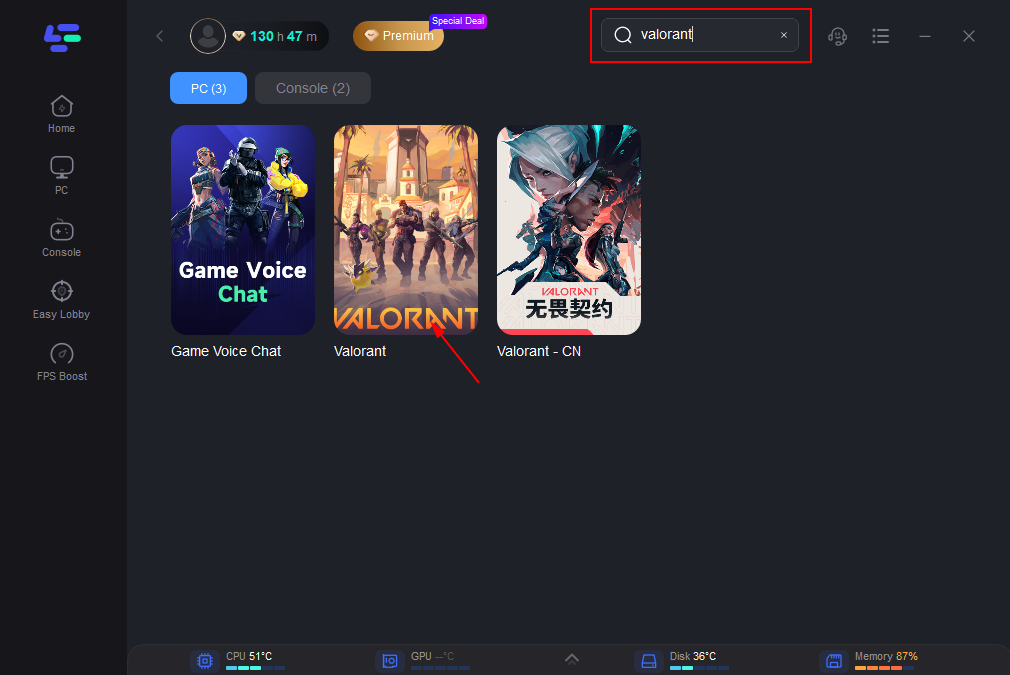
Step 2: Open LagoFast, then click the PC button on the left and search for Valorant in the search bar, and click it after it appears.
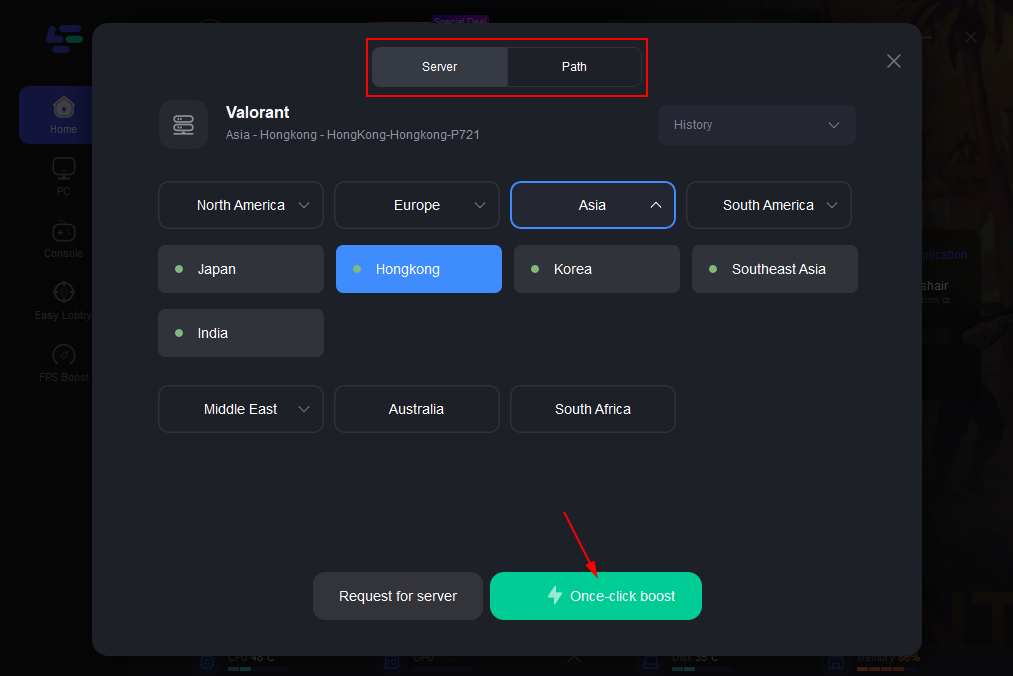
Step 3: Click on “Server” to change to a better server that optimizes the gaming experience, then click on “Smart Boost”.
Step 4: Check the specific game ping, packet loss, and multiple path connections on the right side. Finally, click the “Start Game” to play the game.
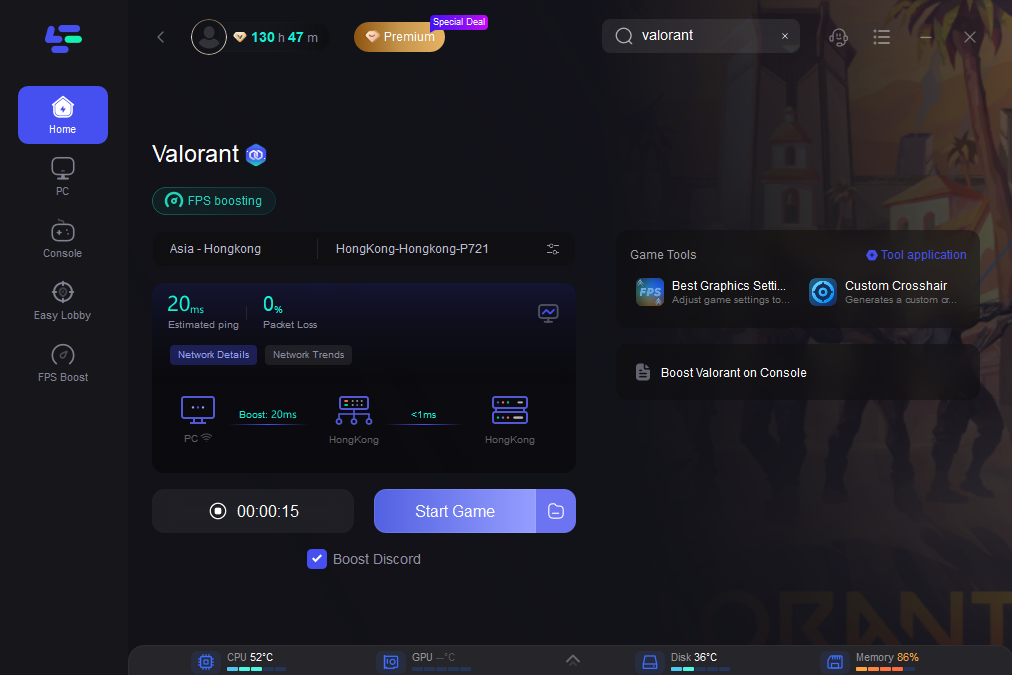
LagoFast automatically optimizes your FPS & network for a smoother gameplay experience.
Part 6: FAQs
Q1: Why does Valorant fail to launch sometimes without any error?
A: A silent launch is often due to hidden service conflicts (like Citrix), missing VGC startup, or antivirus interference.
Q2: Will cleaning boot help?
A: Yes. Using System Configuration to disable all non-Microsoft services (except vgc) helps isolate conflicts.
Q3: Is reinstalling Valorant safe?
A: Yes—as a last resort. Use the built-in Repair option first, then reinstall both Valorant and Vanguard if needed.
Q4: Can DNS switching really fix launch issues?
A: It can. Some ISPs cause slow or blocked resolution paths, so switching to Google DNS (8.8.8.8 / 8.8.4.4) helps.
Q5: Will LagoFast work even if Valorant won't launch?
A: Yes. You can use LagoFast before launching to optimize network stability and ping—even in silent launch cases.
Conclusion
Valorant failing to launch with no error message can be frustrating, but it's often caused by conflicts with background services, antivirus/overlay software, or Vanguard. By methodically applying fixes—like disabling non-essential services, running as admin, resetting DNS, renaming setting files, or repairing files—you can resolve most cases. And once you’re back in-game, LagoFast Game Booster helps ensure stable, high-performance connection for when it truly matters.
Follow this guide step-by-step—you’ll increase your chances of getting Valorant to launch cleanly and stay playable with minimum hassle. Happy gaming!
Boost Your Game with LagoFast for Epic Speed
Play harder, faster. LagoFast game booster eliminates stutter and lags on PC, mobile, or Mac—win every match!
Quickly Reduce Game Lag and Ping!
Boost FPS for Smoother Gameplay!