
If Valorant keeps crashing or showing a DirectX Runtime Crash Error, it can be really frustrating. This usually happens when the game can’t properly use your PC’s DirectX or graphics drivers, causing crashes on startup or during matches. These errors can appear as pop-ups, black screens, or even system warnings, leaving you stuck before you can enjoy the game. In this article, we’ll explain why these crashes happen, how to recognize the common symptoms, and the most effective ways to fix the problem so you can get back to playing smoothly.

- ✅ Reduce Lag and High Ping.
✅ Boost FPS at the Same Time.
✅ Support 2000+ Online Games
✅ Change Server Without Latency.
✅ Multiplatform: PC, Console, Mobile.
✅ End Connection & Crashing Issues
Part 1: What Is the Valorant DirectX Runtime Crash Error?
Part 2: Why Does DirectX Runtime Error Happen in Valorant?
Part 3: Fastest Way to Fix Valorant DirectX Runtime Error
Part 4: Manual & Alternative Ways to Fix DirectX Runtime Error
Part 1: What Is the Valorant DirectX Runtime Crash Error?
If Valorant crashes at launch, freezes while loading a match, or shows a DirectX Runtime Error, your game is likely facing a DirectX Runtime Crash Error. This happens when Valorant cannot properly use your PC’s DirectX to render graphics, often due to missing or corrupted DirectX components, outdated GPU drivers, or other system issues. Windows may close the game automatically to prevent instability.
Common Valorant DirectX Runtime Error Symptoms
1. Crashes on startup—the game closes before reaching the main menu.
2. Crashes during loading—freezes or exits while entering a match.
3. Error messages—such as
- DirectX Runtime Error
- DXGI_ERROR_DEVICE_REMOVED
- DXGI_ERROR_DEVICE_HUNG
- d3d11.dll related errors
4. System warnings—Windows Event Viewer may show "Display driver stopped responding."
5. DirectX prompts—e.g., “Valorant the following components are required: DirectX Runtime.”
Part 2: Why Does DirectX Runtime Error Happen in Valorant?
Several factors commonly trigger a Valorant DirectX Runtime Crash Error:
1. Missing or corrupted DirectX Runtime
Even on Windows 10 or 11, the required DirectX Runtime may be incomplete or damaged. This often happens after system updates or incomplete installations, preventing Valorant from rendering graphics properly.
2. Outdated or unstable GPU drivers
Old or unstable NVIDIA, AMD, or Intel drivers can cause DirectX 12 Runtime Crash Error, DXGI errors, or GPU disconnects, which may force the game to close unexpectedly.
3. Broken system dependencies
Valorant relies on additional software to run correctly:
- Visual C++ Redistributables
- .NET Framework
- System DLLs
If any of these are missing or corrupted, a DirectX Runtime Error Valorant can occur.
4. Software conflicts or overclocking
Monitoring tools, overlay applications, or GPU overclocking can interfere with DirectX, causing crashes or error messages during gameplay.
Part 3: Fastest Way to Fix Valorant DirectX Runtime Error
If you want the quickest way to get Valorant running without crashes, LagoFast Game Crash Fix is a reliable choice. It doesn’t just repair DirectX Runtime issues, including DirectX 12 Runtime Crash Error—it also fixes other critical system dependencies such as Visual C++ libraries, .NET Framework, and missing or corrupted DLLs that often cause Valorant DirectX Runtime Crash Error.
Beyond fixing these technical issues, LagoFast also improves your gaming experience by reducing ping, stabilizing your network, and optimizing routing to prevent lag spikes. It also includes tools to boost system performance, so Valorant plays more reliably and runs better.
How to Use LagoFast Game Crash Fix
Step 1: Click the Free Trial button to download and install LagoFast.
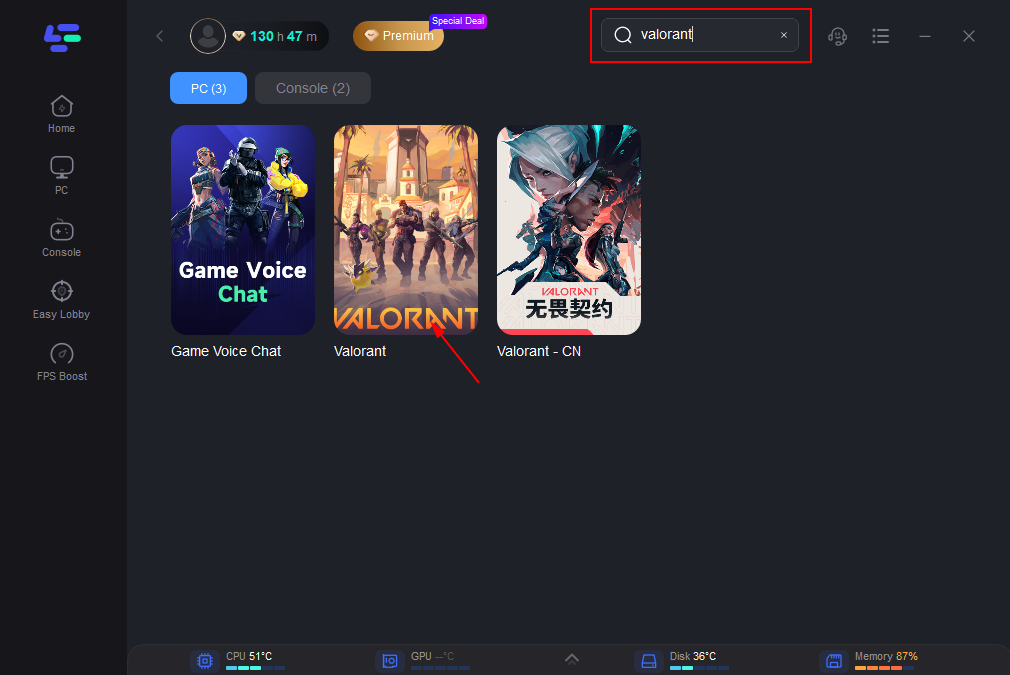
Step 2: After installation, search "Valorant" in the search bar and select the game.
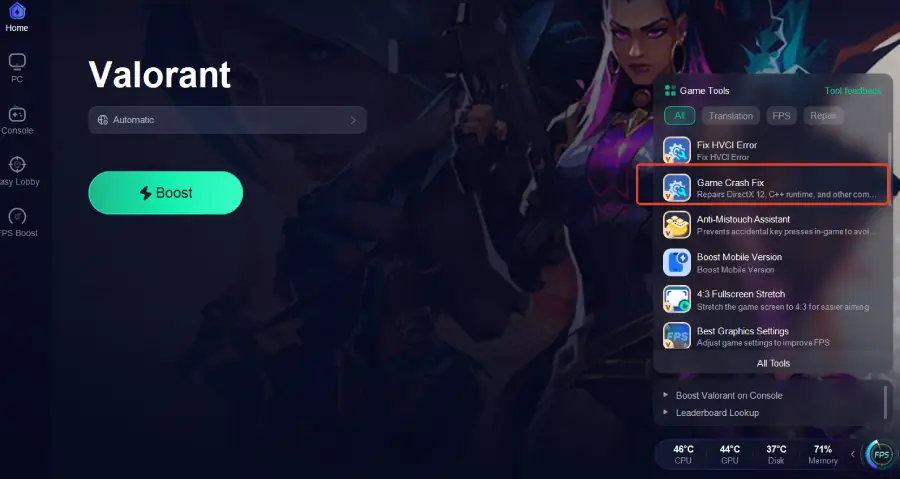
Step 3: Click the Game Crash Fix tool on the right.
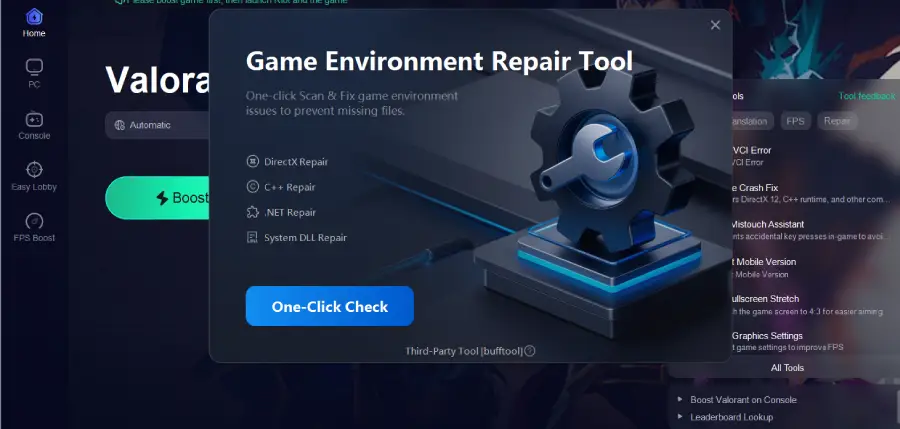
Step 4: Click One-Click Check to apply the fix.
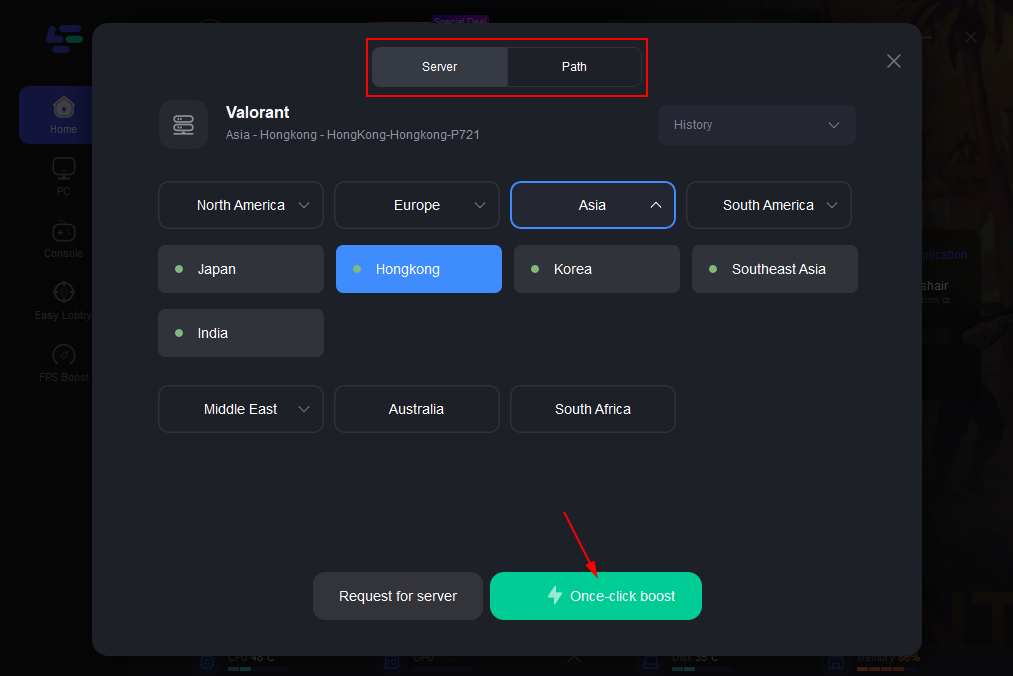
Step 5: Choose your preferred server node and click "Smart Boost" to start optimizing.
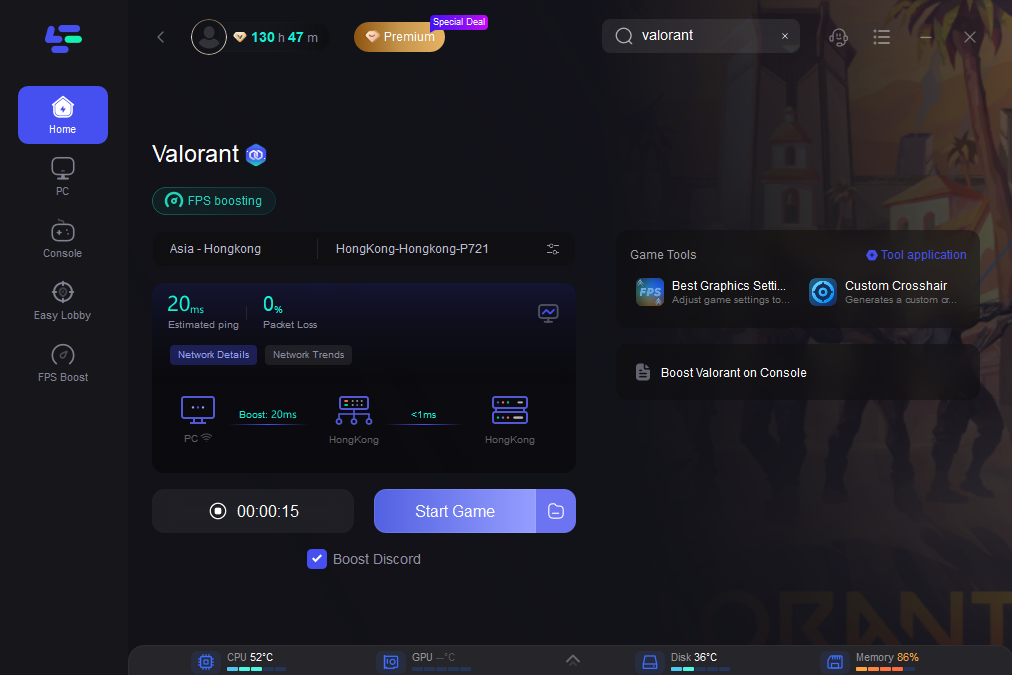
Step 6: Launch your game and enjoy smooth, optimized gameplay with lower ping and no stutter.
Part 4: Manual & Alternative Ways to Fix DirectX Runtime Error
If you prefer fixing the problem yourself, here are some effective steps to resolve DirectX Runtime errors in Valorant:
1. Reinstall DirectX Runtime
- Download the DirectX Runtime for Valorant from Microsoft.
- Run the installer and follow the instructions.
- Restart your PC and launch Valorant.
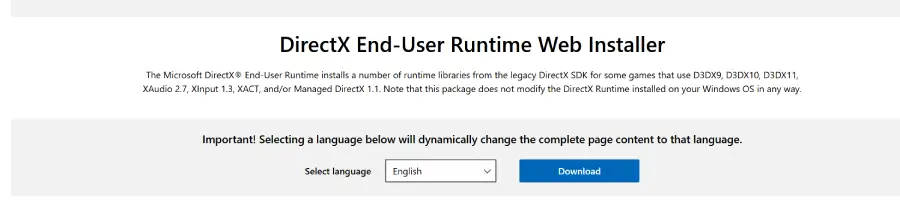
Even if Windows already has DirectX installed, Valorant requires the full runtime environment to function properly.
2. Update or Reinstall GPU Drivers
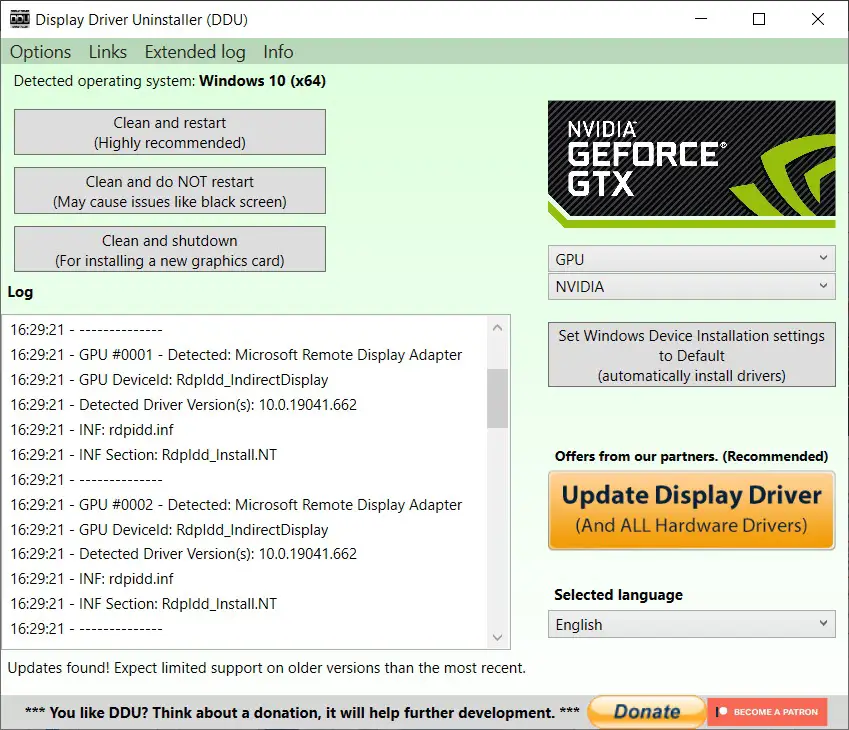
- Use a tool like DDU to completely remove old GPU drivers.
- Install the latest stable drivers for NVIDIA, AMD, or Intel.
- Avoid beta drivers, and reset any GPU overclocking to default settings.
3. Repair System Files
- Open Command Prompt as administrator.
- Run the following command: sfc /scannow
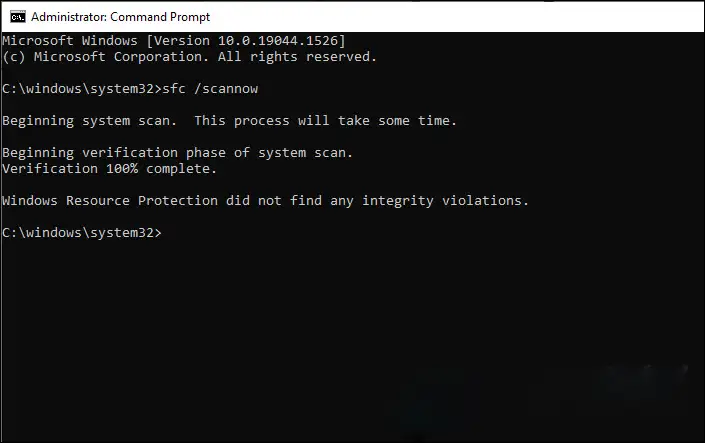
This will scan for and repair missing or corrupted system DLLs that can trigger a DirectX Runtime Error Valorant.
4. Disable Conflicting Software
- Turn off overlays, monitoring apps, or GPU utilities that may interfere with DirectX.
- Restart Valorant and check if the issue persists.
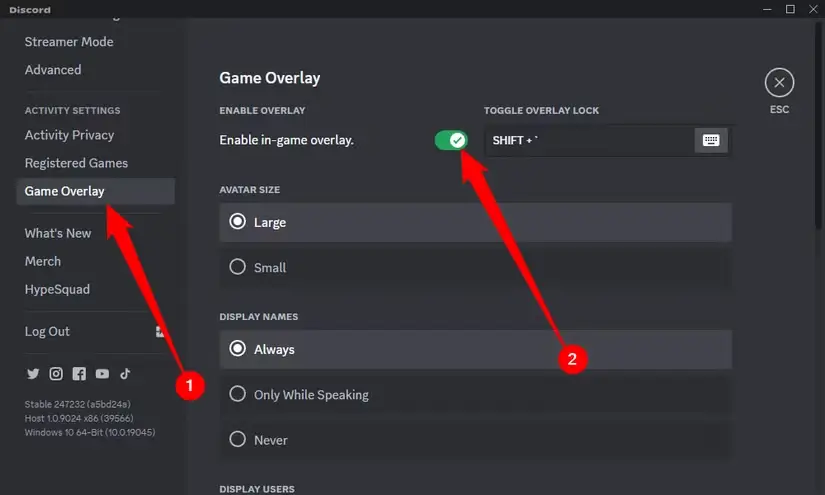
Following these steps can resolve recurring crashes and prevent DirectX Runtime errors from coming back, giving you a more stable experience in Valorant.
Conclusion
The Valorant DirectX Runtime Crash Error can interrupt your gameplay, but it’s usually easy to fix. Using LagoFast Game Crash Fix offers a quick solution, while manual steps like reinstalling DirectX or updating drivers can also help. Apply these fixes to get Valorant running smoothly and enjoy a stable gaming experience.

Boost Your Game with LagoFast for Epic Speed
Play harder, faster. LagoFast game booster eliminates stutter and lags on PC, mobile, or Mac—win every match!
Quickly Reduce Game Lag and Ping!
Boost FPS for Smoother Gameplay!