

The Seven Deadly Sins: Origin is a newly released open-world RPG that brings the anime universe to life with real-time combat, character switching, and a vast world to explore. With its high-quality visuals and familiar characters, it’s the kind of game that quickly pulls players in, whether you’re here for the story or the action. But once you start playing, language can quickly become a barrier—menus feel unclear, quests are hard to follow, and subtitles are easy to miss during combat. This guide will walk you through the game’s release details, supported languages, and the best translation tool to help you play more smoothly and actually enjoy the experience.

- ✅ Reduce Lag and High Ping.
✅ Boost FPS at the Same Time.
✅ Support 2000+ Popular Online Games.
✅ Change Server without Latency.
✅ Boost Game Loading Speed.
Part 1: The Seven Deadly Sins: Origin Release Date, Platforms, and Game Features
Part 2: What Languages Does The Seven Deadly Sins: Origin Support?
Part 3: The Best Translation Tool to Play The Seven Deadly Sins: Origin Smoothly
Part 1: The Seven Deadly Sins: Origin Release Date, Platforms, and Game Features
The Seven Deadly Sins: Origin officially launched on March 16, 2026, for PC (Steam) and PlayStation 5. The mobile version (iOS and Android) is scheduled to release on March 23, 2026.
Key Game Features
- Open-World Exploration: Explore a large, immersive world with mechanics like climbing, swimming, and using character abilities to solve puzzles and reach new areas.
- Real-Time Combat: Fast-paced action combat with character switching, combo attacks, and powerful “Outro Skills.”
- Story & Characters: A new multiverse-based story focused on Tristan, featuring familiar characters from the series.
- Life Skills & Activities: Includes fishing, cooking, mining, and crafting to improve gear and progression.
- Multiplayer & Co-op: Play solo or team up with others for co-op exploration, bosses, and dungeons.
- High-Quality Visuals: Developed by Netmarble with console-level anime-style graphics.
Even with all these features, language can quickly break immersion. If you don’t fully understand the dialogue, it’s easy to miss key story details, get confused by quest objectives, or struggle with menus and upgrades. Instead of enjoying the game, you end up guessing your way through—which is why many players turn to translation tools for a smoother experience.
Part 2: What Languages Does The Seven Deadly Sins: Origin Support?
The Seven Deadly Sins: Origin doesn’t support every language—some, like Turkish, Vietnamese, and Arabic, are not available. While it still offers a wide range of supported languages, not all of them include full voice acting, which can make the overall experience feel a bit inconsistent.
Here are the supported languages:
|
Language |
Interface |
Full Audio |
Subtitles |
|
English |
✔ |
✔ |
|
|
French |
✔ |
✔ |
|
|
Italian |
✔ |
✔ |
|
|
German |
✔ |
✔ |
|
|
Japanese |
✔ |
✔ |
✔ |
|
Korean |
✔ |
✔ |
✔ |
|
Russian |
✔ |
✔ |
|
|
Thai |
✔ |
✔ |
|
|
Indonesian |
✔ |
✔ |
|
|
Traditional Chinese |
✔ |
✔ |
|
|
Spanish (Spain) |
✔ |
✔ |
|
|
Portuguese (Brazil) |
✔ |
✔ |
|
|
Simplified Chinese |
✔ |
✔ |
For players whose languages aren’t supported, it’s easy to run into obstacles while playing—whether it’s not understanding quest objectives, missing story details, or struggling with menus. Instead of enjoying the game, you end up guessing your way through key moments. That’s where a translation tool becomes especially useful, helping you understand the content in real time and making the overall experience much smoother.
Part 3: The Best Translation Tool to Play The Seven Deadly Sins: Origin Smoothly
For players whose language isn’t officially supported—like Vietnamese or Turkish—playing The Seven Deadly Sins: Origin can quickly become frustrating. That’s where LagoFast Game Booster comes in. LagoFast Game Translation Tool offers real-time translation, allowing you to understand in-game text, menus, and dialogue as you play. With the One-Click Translation tool, content is translated instantly on screen, making it much easier to follow what’s going on. The tool already supports Vietnamese, Turkish, and Arabic.
For mobile players, LagoFast’s OCR Translate tool provides an even more flexible solution. By recognizing and translating on-screen text in real time, it helps players understand in-game content even if their language isn’t officially supported—making the overall gameplay experience smoother and more accessible.
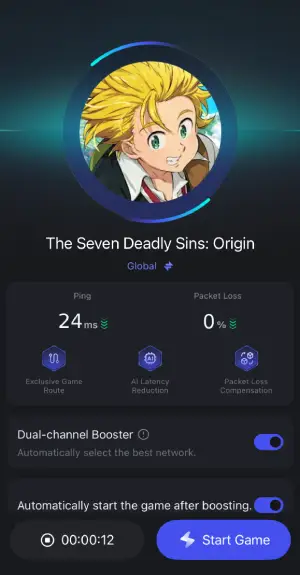
Beyond translation, LagoFast Game Booster also helps improve your overall gameplay experience. It can reduce ping, fix packet loss, stabilize your connection, and optimize routing so you’re less likely to deal with lag or disconnects, helping you enjoy a smoother and more stable gaming experience overall.
How to Use LagoFast for Seven Deadly Sins: Origin Translation on PC
Step 1: Click the Free Trial button to download and install LagoFast.
Step 2: After installation, search "Seven Deadly Sins: Origin" in the search bar and select the game.

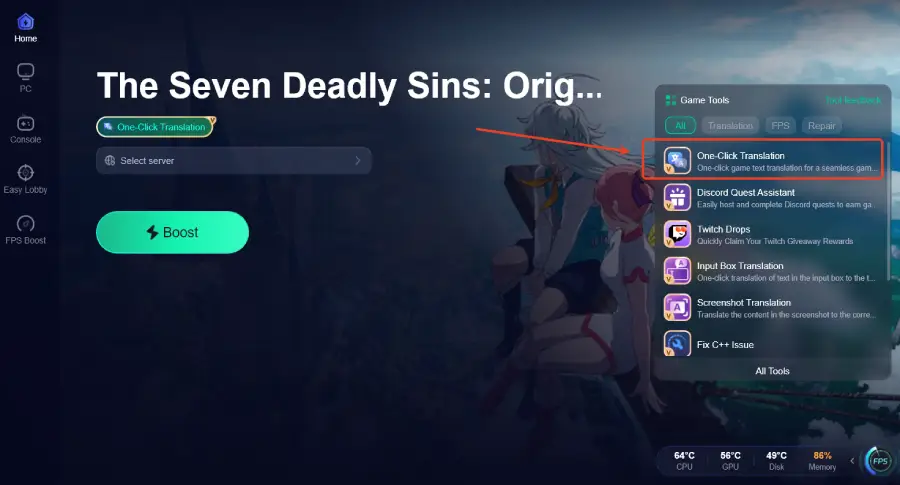
Step 3: Click the One-Click Translation Tool on the right side of the screen.
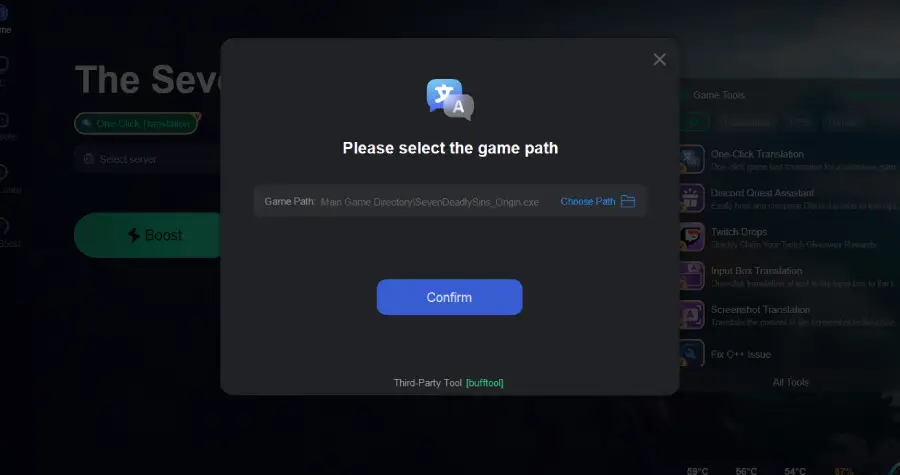
Step 4: Select game file path and install the translated text file.
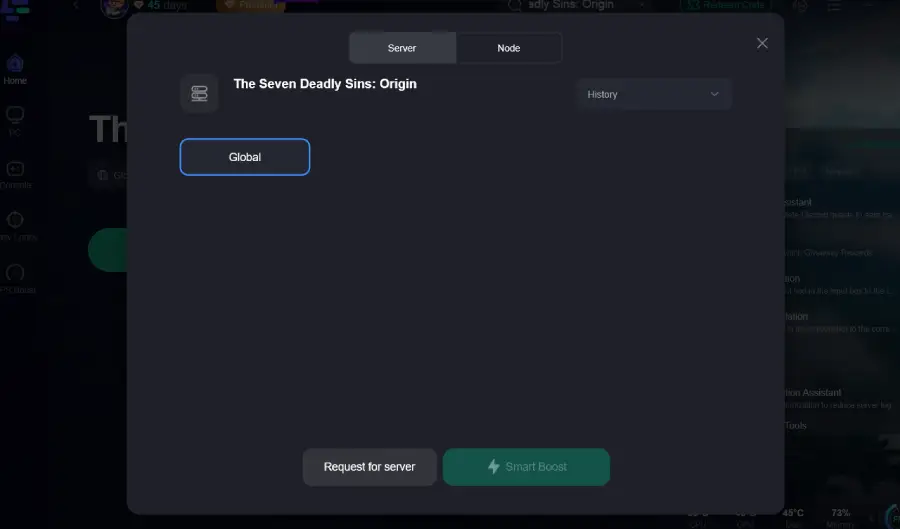
Step 5: Choose your preferred server node and click "Smart Boost" to start optimizing.
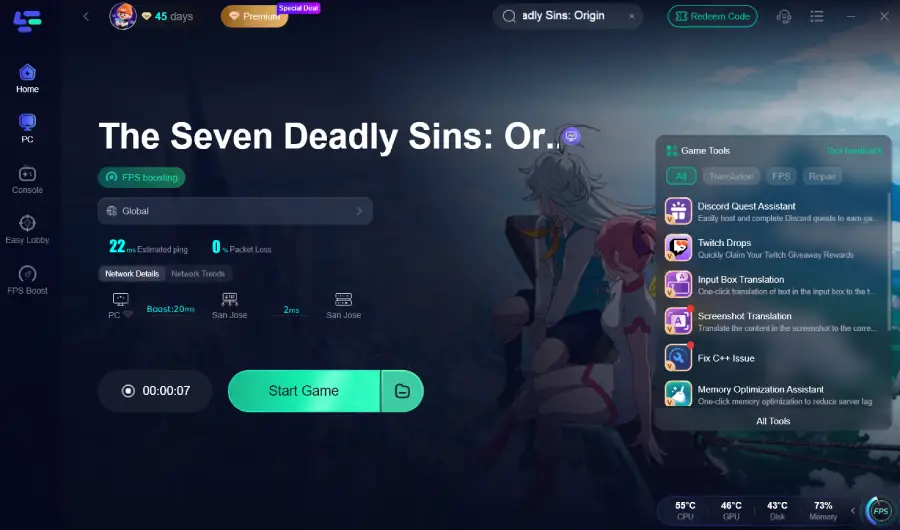
Step 6: Launch your game and enjoy smooth, optimized gameplay with lower ping and packet loss.
The translation effect is as follows:
Vietnamese
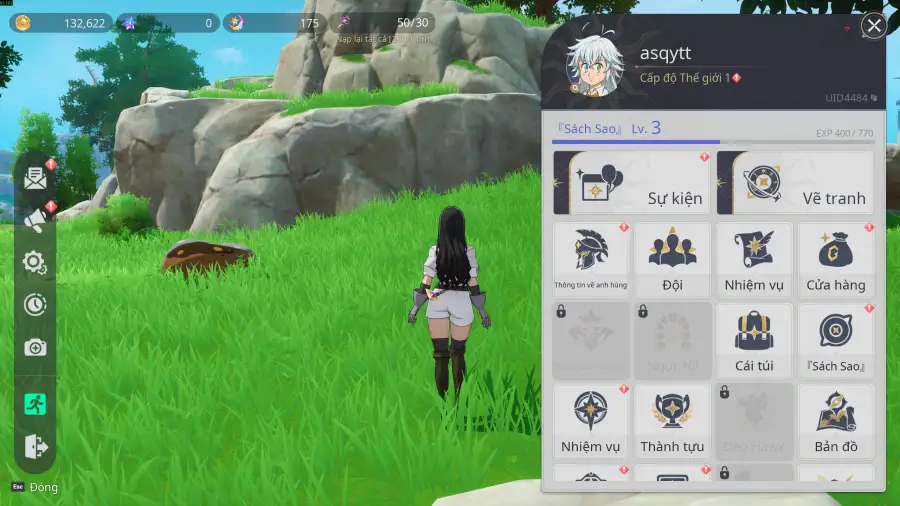
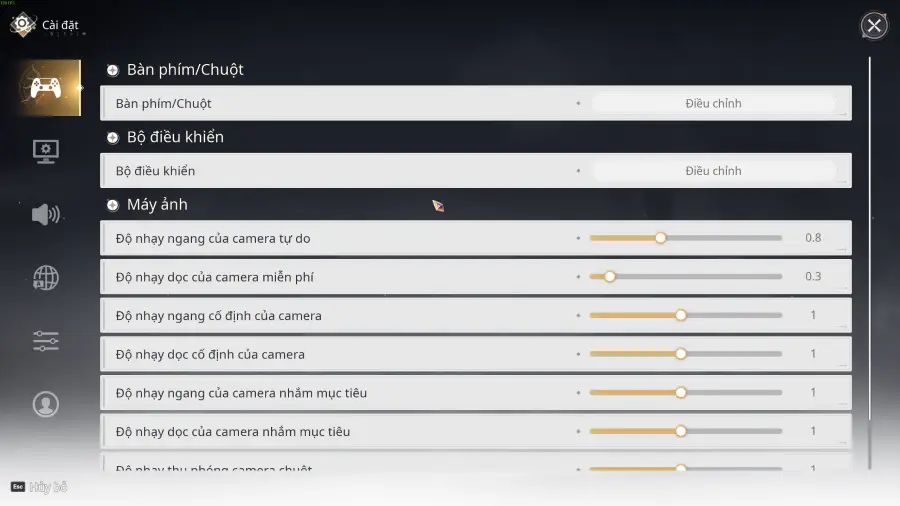 Turkish
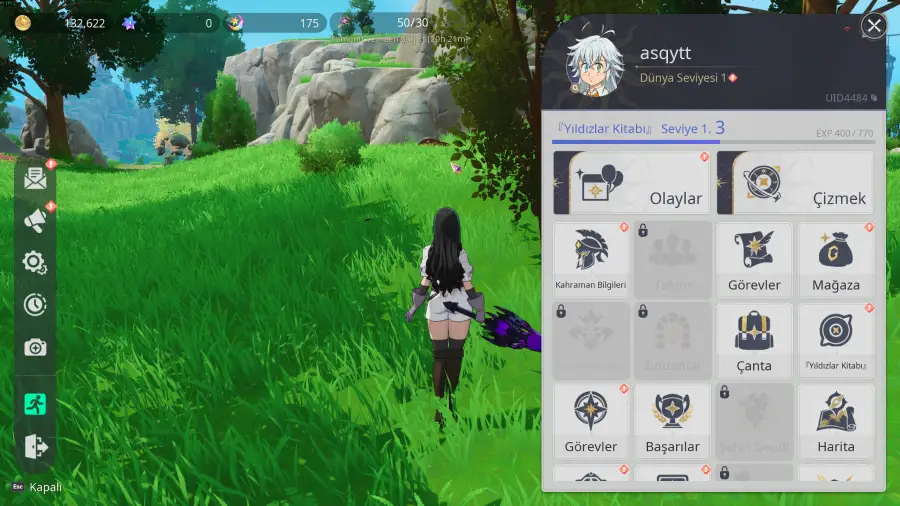
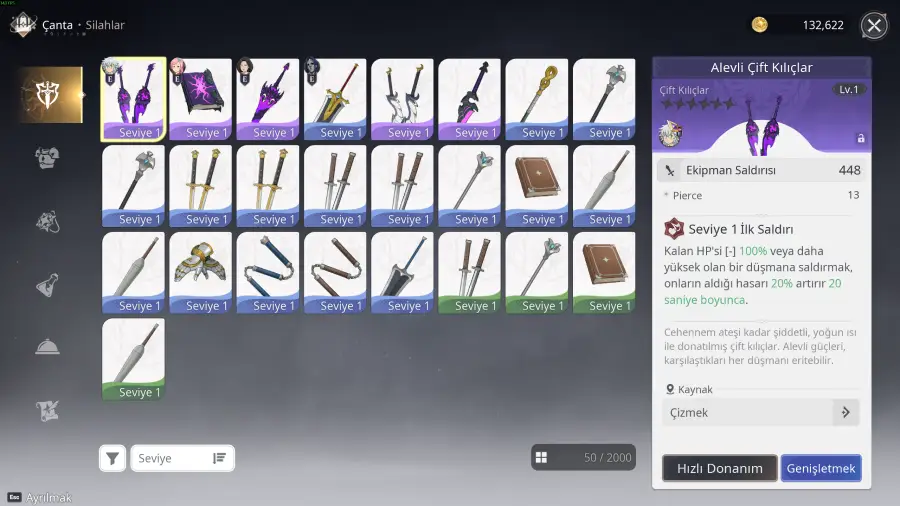
How to Use LagoFast for Seven Deadly Sins: Origin Translation on Mobile
Step 1: Download LagoFast Mobile Booster

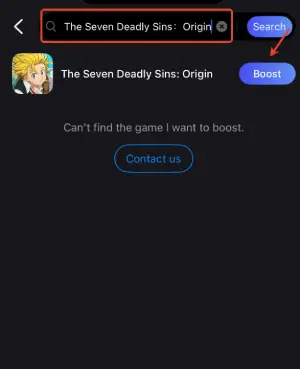
Step 2: Type "The Seven Deadly Sins Origin" in the game list.
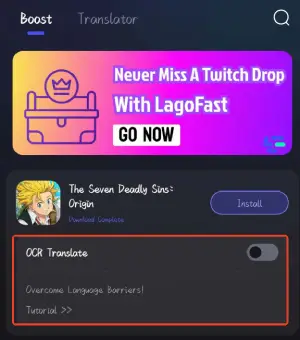
Step 3: Click the "OCR Translate tool" below.
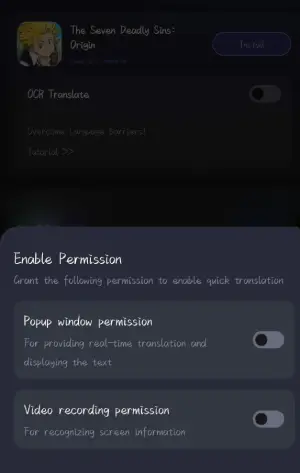
Step 4: Enable the following two permissions.
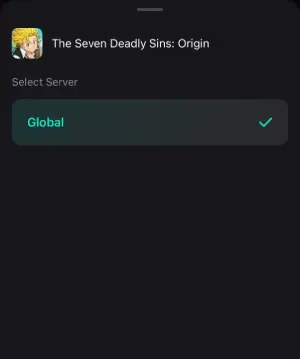
Step 5: Choose the Server you like, then click the Boost button.
Step 6: After completing the above network optimization settings, the FPS drops issue will be easily resolved.
Conclusion
The Seven Deadly Sins: Origin delivers a strong open-world experience, but language limitations can still get in the way if your preferred option isn’t supported. While the game covers many languages, missing voice acting and unsupported regions make it harder to fully enjoy the story and gameplay. Using a tool like LagoFast Game Booster helps bridge that gap, especially for players using languages like Vietnamese or Turkish, letting you understand the game in real time while also improving connection stability for a smoother overall experience.

Boost Your Game with LagoFast for Epic Speed
Play harder, faster. LagoFast game booster eliminates stutter and lags on PC, mobile, or Mac—win every match!
Quickly Reduce Game Lag and Ping!
Boost FPS for Smoother Gameplay!