

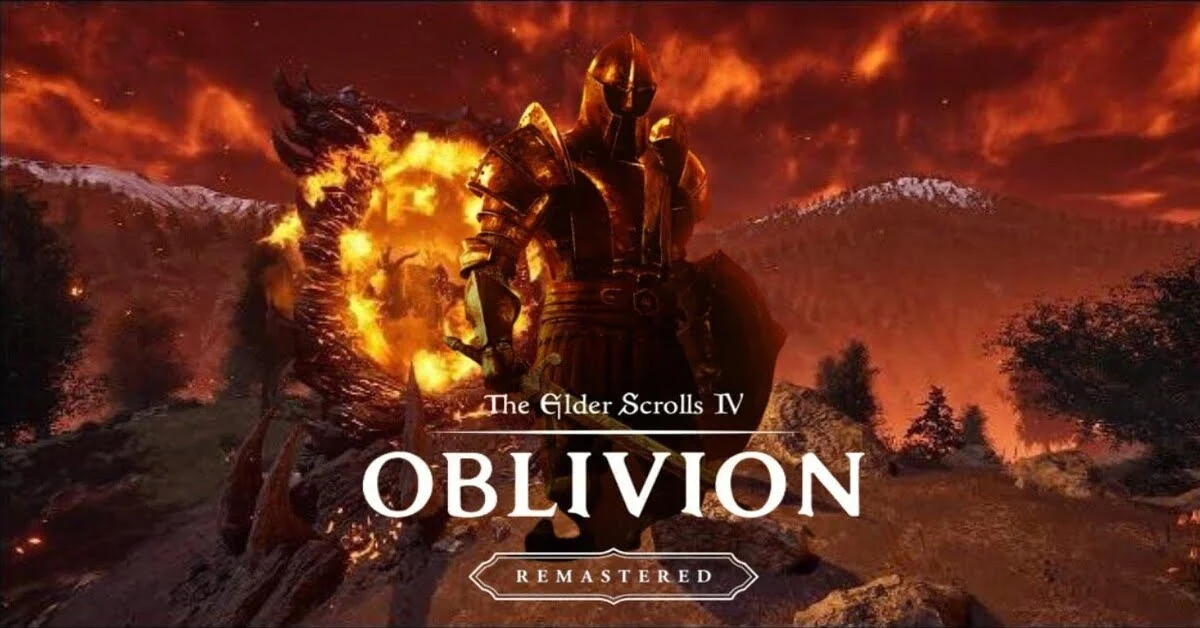
The Elder Scrolls IV: Oblivion is one of the most iconic RPGs ever created, and with the release of Oblivion Remastered on Steam, the game has been given a fresh coat of paint. The remastered edition features enhanced graphics, improved gameplay, and all the DLC content included. Whether you’re revisiting Cyrodiil or playing for the first time, the remastered version offers an immersive experience on modern platforms. In this guide, we will walk you through everything you need to know about purchasing, downloading, and troubleshooting The Elder Scrolls IV: Oblivion Remastered on Steam, including solutions for regional restrictions like the ones in Russia.
Part 1: The Elder Scrolls IV: Oblivion Remastered Steam Price
Part 2: How to Buy The Elder Scrolls IV: Oblivion Remastered on Steam
Part 3: Where to Buy The Elder Scrolls IV: Oblivion Steam Gift and Key
Part 4: How to Download The Elder Scrolls IV: Oblivion Remastered on Steam
Part 5: The Elder Scrolls IV: Oblivion Remastered Steam Requirements
Part 6: How to Fix The Elder Scrolls IV: Oblivion Remastered Not Launching on Steam
Part 1: The Elder Scrolls IV: Oblivion Remastered Steam Price
The Oblivion Remastered edition is available for purchase on Steam at a price of $49.99 USD for the Standard Edition. This version includes the base game along with the expansions Knights of the Nine and Shivering Isles.
For those looking for extra content, there is a Deluxe Upgrade available for $9.99 USD, which includes additional items like unique gear, a digital artbook, and the official soundtrack.
Discounts and Offers
You can often find the game on sale or at discounted prices from authorized retailers. For example, Fanatical offers the game at a 17% discount, bringing the price down to around $41.49 USD.
Part 2: How to Buy The Elder Scrolls IV: Oblivion Remastered on Steam
Purchasing The Elder Scrolls IV: Oblivion Remastered on Steam is straightforward. Follow these steps:
- Visit the official Steam store page for Oblivion Remastered.
- Choose your preferred edition: Standard or Deluxe Upgrade.
- Click on the Add to Cart button.
- Proceed to Checkout and choose your payment method (Steam Wallet, Credit Card, PayPal, etc.).
- Complete your purchase and the game will automatically be added to your Steam library.
Once you’ve completed your purchase, you can download the game directly to your Steam client.
Part 3: Where to Buy The Elder Scrolls IV: Oblivion Steam Gift and Key
If you’re looking to purchase The Elder Scrolls IV: Oblivion Remastered via Steam key or gift, several reputable online retailers offer competitive prices and instant delivery. Here’s a breakdown of your options:
- Kinguin
Kinguin is a popular platform where you can buy Steam keys for Oblivion Remastered at discounted prices. The price varies depending on the seller. - Green Man Gaming
Green Man Gaming offers Steam keys for Oblivion Remastered at competitive prices, with occasional discounts on major titles. - Fanatical
You can also find discounts on Steam keys for Oblivion Remastered through Fanatical, often bundled with other Bethesda titles. - CDKeys
CDKeys often offers discounts on Steam keys, with prices for Oblivion Remastered around $43.99 USD.
Tips for Purchasing
- Region Restrictions: Some keys may have regional restrictions. Ensure the key is compatible with your Steam account’s regon.
- Steam Deck Compatibility: If you plan to play on Steam Deck, check if the key is Steam Deck verifed.
- Account Safety: Purchase from reputable sellers to avoid potential issues with key activaton.
By considering these options and tips, you can choose the best method to purchase The Elder Scrolls IV: Oblivion Remastered that suits your preferences and needs.
Part 4: How to Download The Elder Scrolls IV: Oblivion Remastered on Steam
Once you’ve purchased the game, follow these steps to download Oblivion Remastered from Steam:
- Open your Steam client and go to your Library.
- Find The Elder Scrolls IV: Oblivion Remastered in your list of games.
- Click on the Install button.
- Choose the installation location and wait for the download to complete.
- Once the game is installed, click Play to launch it.
Region Lock Workaround for Russian Players
Due to regional restrictions, some players in Russia may not be able to access Oblivion Remastered directly on Steam. To enhance your gaming experience, you can use mods—many popular mods, such as Frame Generation and No Armor or Weapon Durability Loss, are fully playable through LagoFast. Additionally, LagoFast’s Steam account activation tool allows paid members to bypass regional restrictions and claim the game for free. Here’s how:
- Download and install LagoFast.
- Use the Free Steam Account Tool to access games in restricted regions.
Boost Your Oblivion Remastered Experience with LagoFast
If you’re facing connection issues or lag while playing The Elder Scrolls IV: Oblivion Remastered on Steam, LagoFast can help optimize your connection and provide a smoother gaming experience.
Here’s how you can use LagoFast to fix these problems quickly:
Step 1: Click the Free Trial button to download and install LagoFast.
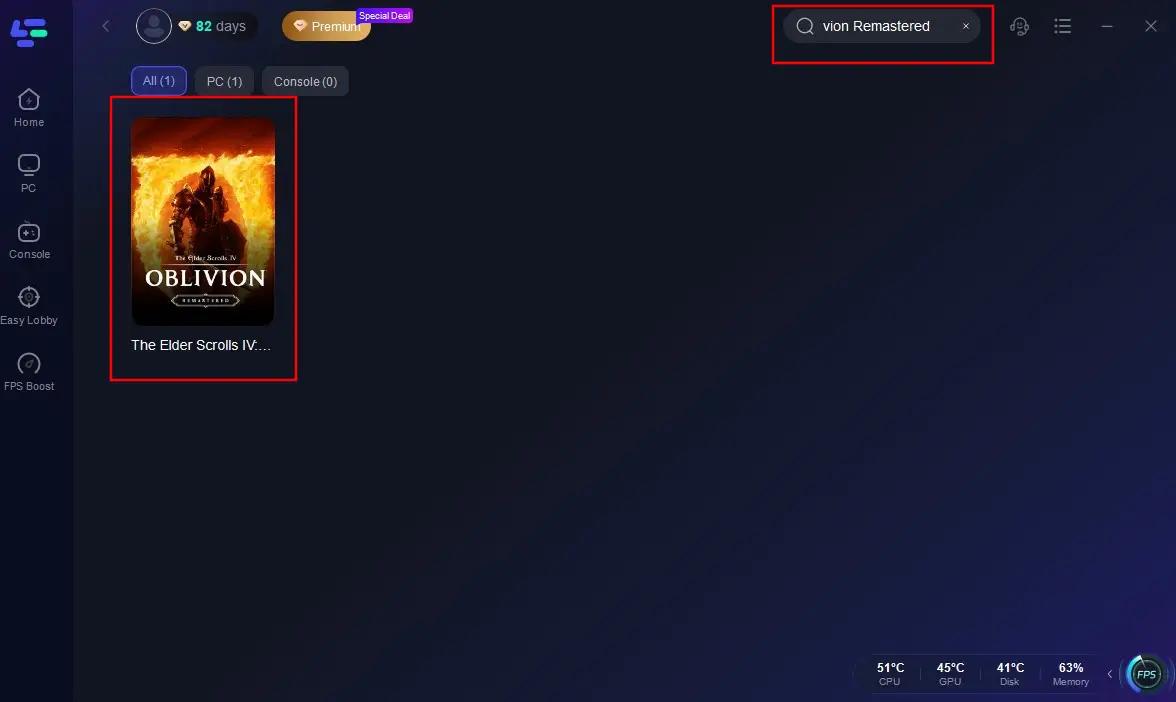
Step 2: Open LagoFast, then click the PC button on the left and search Oblivion Remastered in the search bar, click it after it appears.
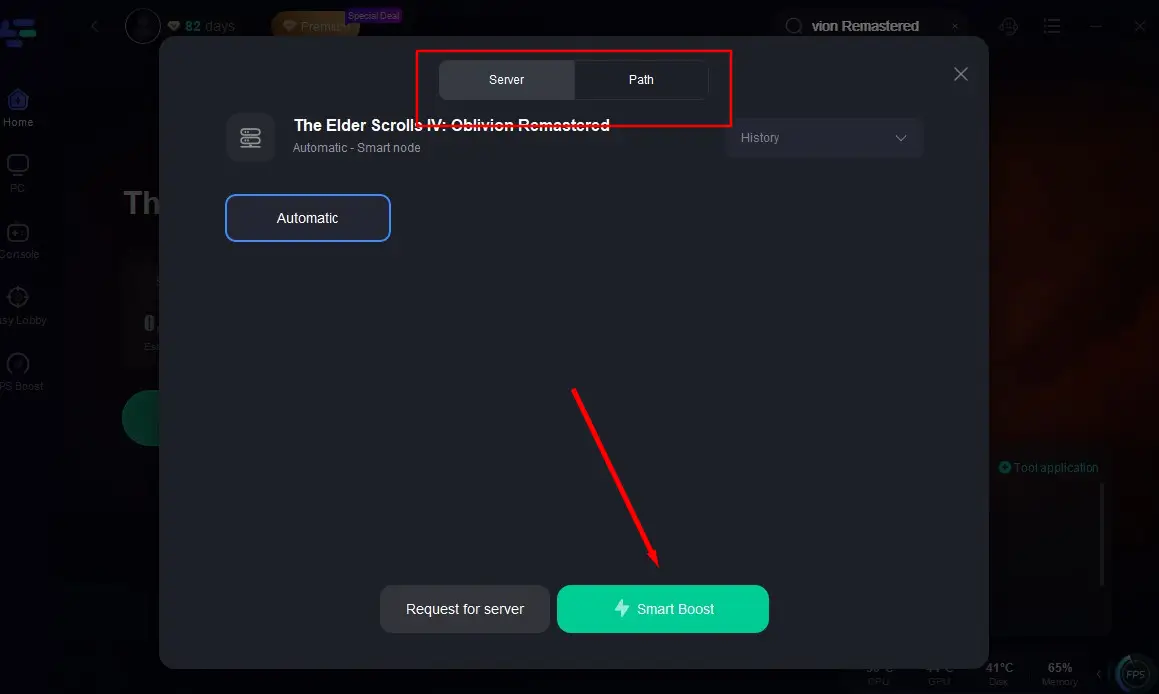
Step 3: Click on “Server” to change to a better server that ensures the gaming experience, then click on “Smart Boost”.
Step 4: Check the specific game ping, packet loss, and multiple path connection on the right side. Finally, click the “Start Game” to play the game.
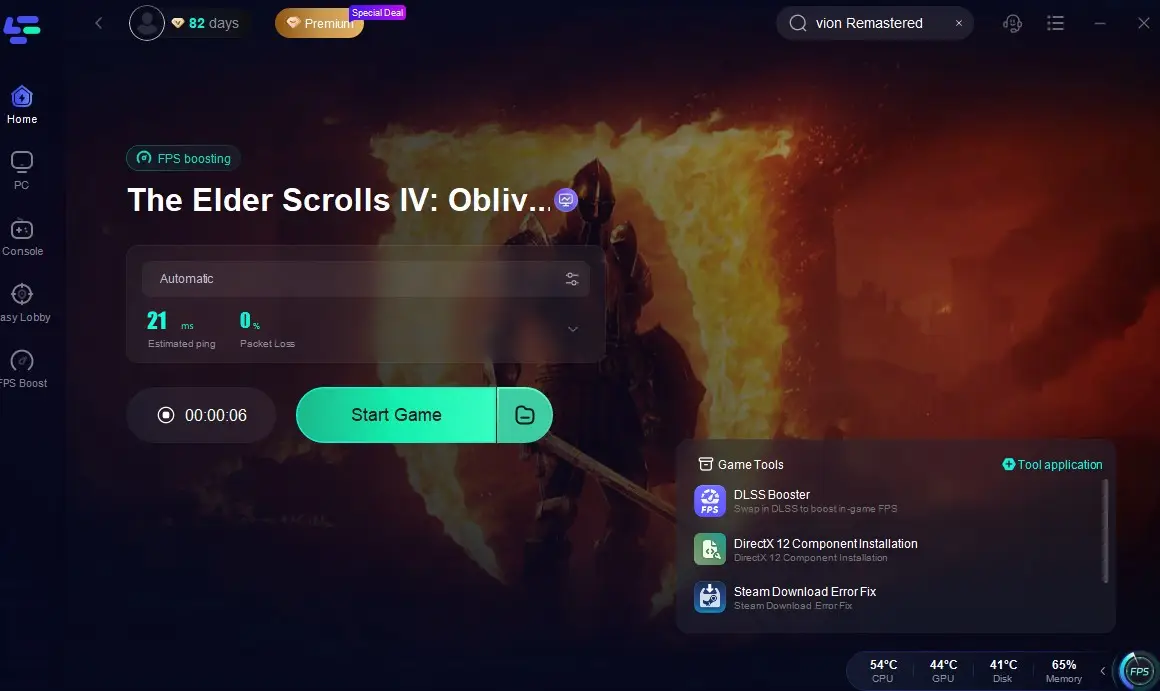
By following these simple steps, LagoFast will help you reduce lag and improve your connection for Oblivion Remastered, making your gaming experience more enjoyable and smooth. With LagoFast, you can overcome connection issues and enjoy a seamless gameplay experience, even when faced with network instability.
Part 5: The Elder Scrolls IV: Oblivion Remastered Steam Requirements
Here are the system requirements for The Elder Scrolls IV: Oblivion Remastered on Steam:
Minimum Requirements:
- OS: Windows 10 64-bit
- Processor: Intel Core i7-6800K / AMD Ryzen 5 2600X
- Memory: 16 GB RAM
- Graphics: NVIDIA GeForce GTX 1070 Ti / AMD Radeon RX 5700
- DirectX: Version 12
- Storage: 125 GB SSD
Recommended Requirements:
- OS: Windows 10 64-bit
- Processor: Intel Core i5-10600K / AMD Ryzen 5 3600X
- Memory: 32 GB RAM
- Graphics: NVIDIA RTX 2080 / AMD Radeon RX 6800 XT
- DirectX: Version 12
- Storage: 125 GB SSD
Make sure your system meets these requirements to enjoy the best performance and graphics. For Steam Deck users, the game is Steam Deck Verified, ensuring smooth performance on handheld devices.
Part 6: How to Fix The Elder Scrolls IV: Oblivion Remastered Not Launching on Steam
If you’re experiencing issues where The Elder Scrolls IV: Oblivion Remastered won’t launch on Steam, here are a few steps you can take to troubleshoot:
- Check for Updates: Ensure that both Steam and the game are fully updated. Outdated software can cause launching issues.
- Verify Game Files: Go to your Steam Library, right-click on Oblivion Remastered, select Properties, then Local Files, and click Verify Integrity of Game Files.
- Run as Administrator: Right-click on the Steam shortcut and select Run as Administrator. This can resolve permission issues.
- Check Antivirus and Firewall: Sometimes, antivirus software or firewalls can block the game from launching. Ensure that Steam and the game are added to your antivirus whitelist.
- Reinstall the Game: If all else fails, uninstall the game from Steam and reinstall it. This can resolve corrupted installation files.
By following these steps, you should be able to fix most issues preventing Oblivion Remastered from launching.
Conclusion
The Elder Scrolls IV: Oblivion Remastered on Steam offers a refreshed experience for both new players and long-time fans of the series. Whether you’re purchasing the game, downloading it, or troubleshooting issues, this guide has you covered. Don’t forget that regional restrictions can be bypassed with tools like LagoFast, especially for players in Russia. Now, embark on your journey through Cyrodiil and enjoy the game in its most refined form!

Boost Your Game with LagoFast for Epic Speed
Play harder, faster. LagoFast game booster eliminates stutter and lags on PC, mobile, or Mac—win every match!
Quickly Reduce Game Lag and Ping!
Boost FPS for Smoother Gameplay!