
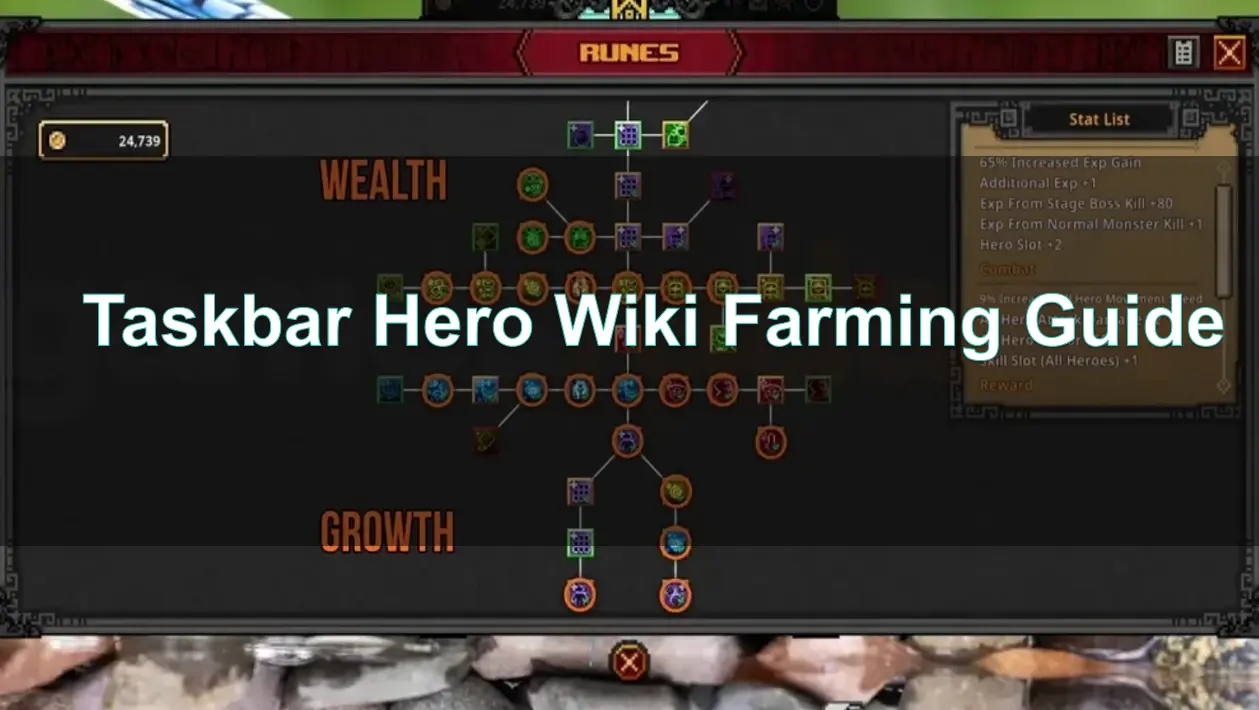
Quick Answer
To optimize your farming in TBH: Task Bar Hero, focus on stages you can clear in under 30 seconds. For Gold, farm the highest boss stage (such as 1-10 or 2-10) that you can consistently complete. For EXP, prioritize stages with high monster density in the latest world you've unlocked. For Soulstones, target Stage 1-5 and above in Torment difficulty.
To maintain long-term farming efficiency, inventory management and chest handling are just as important as stage selection. Instead of manually opening chests and clearing backpack space during extended AFK sessions, many players use the Auto AFK Assistant in LagoFast Game Booster to automate chest opening, inventory cleanup, synthesis, and storage management for smoother farming sessions.
Introduction
Taskbar Hero (TBH) is the ultimate idle RPG for PC gamers who want to progress while they work or browse. However, "idling" doesn't mean you should be inefficient. To climb the ranks and sell high-tier gear on the Steam Market, you need a solid farming strategy. This guide breaks down the math and the mechanics to turn your taskbar hero into a powerhouse.

- ✅ Reduce Lag and High Ping.
✅ Boost FPS at the Same Time.
✅ Support 8000+ Popular Online Games.
✅ Change Server without Latency.
✅ Boost Game Loading Speed.
Part 1: What Does Farming Mean in Taskbar Hero?
Part 2: Best Stages to Farm Early Game
Part 3: Best Stages to Farm for Gold
Part 4: Best Stages to Farm for EXP
Part 5: Best Stages to Farm for Soulstones
Part 6: How Chest Drops Affect Farming Routes
Part 7: How Inventory Space Limits Farming Efficiency
Part 8: Best Rune Tree Upgrades for Farming
Part 9: Best AFK Farming Setup
Part 10: Taskbar Hero Farming Calculator Recommend
Part 11: Taskbar Hero Farming FAQ
Part 1: What Does Farming Mean in Taskbar Hero?
In Taskbar Hero, farming is the process of repeatedly clearing stages to accumulate resources like Gold, Experience (EXP), Soulstones, and equipment.
Unlike traditional RPGs, TBH is designed to run in the background. "Farming" here means setting up your hero with the right skills and stage selection so they can run autonomously for hours.
The goal of a pro farmer is to maximize the Loot Per Hour (LPH). This involves balancing the difficulty of the stage with your clear speed.
If a stage takes 2 minutes to clear, you might actually get less loot than a stage you can clear in 15 seconds, even if the latter has lower individual drop rates.
Part 2: Best Stages to Farm Early Game
When you first start your journey, your primary goal is to unlock the Cube and your first few Rune Tree nodes.
- Stage 1-1 to 1-5: These are purely for initial leveling. Don't spend too much time here.
- Stage 1-10: This is your first major milestone. Farming the Act 1 Boss is the best way to get your first set of Rare gear.
- The "One-Shot" Rule: If you can't one-shot the regular mobs in a stage, you are farming too high. Move back to a stage where you can clear screens instantly to maximize your early gold and EXP gains.
Part 3: Best Stages to Farm for Gold
Gold is essential for upgrading your Cube and unlocking new hero slots.
- Boss Stages (X-10): Bosses drop significantly more gold than regular mobs. Farm the highest "X-10" stage you can clear in under 20 seconds.
- Act 2 and Beyond: Once you reach Act 2, the gold multiplier increases. Stage 2-10 is often more profitable than 1-10 even if it takes slightly longer.
- Pro Tip: Use the Gold Farming Optimizer by equipping accessories with "Gold Gain %" substats.
Part 4: Best Stages to Farm for EXP
Leveling up your heroes increases their base stats and unlocks more skill slots.
- The Density Rule: EXP is tied to the number of kills. Stages like 2-5 or 3-5 often have higher monster density than boss stages.
- Torment Difficulty: Once you unlock Torment, the EXP multiplier skyrockets. Even Stage 1-1 in Torment provides more EXP than Stage 5-10 in Normal.
- Clear Speed: Aim for a clear time of 15–20 seconds per run to maximize your EXP per hour.
Part 5: Best Stages to Farm for Soulstones
Soulstones are the bottleneck for late-game progression.
- The 1-5 Threshold: Soulstones rarely drop before Stage 1-5.
- Torment is Mandatory: For efficient Soulstone farming, you must be in Torment difficulty. Stage 1-10 in Torment is the "Gold Standard" for early Soulstone farming.
- Drop Rates: Soulstones have a higher drop rate from Blue Chests and Boss Chests. Focus on stages where you can reliably trigger these drops.
Part 6: How Chest Drops Affect Farming Routes
The loot table in TBH is tied to the type of chest dropped.
- Common Chests: Drop basic gear and materials.
- Blue Chests: Drop Rare and Epic gear, along with Soulstones.
- Boss Chests: Have the highest chance for Legendary and Immortal gear.
- Farming Route: Your route should prioritize stages that drop the specific chest type you need. If you need materials for synthesis, farm high-density mob stages for Common Chests. If you need gear to sell on the Steam Market, farm Boss Stages.
Part 7: How Inventory Space Limits Farming Efficiency
The biggest enemy of an AFK farmer isn't the monsters—it's a full inventory.
- The Chest Problem: Monsters drop chests (Common to Immortal). However, the game's built-in auto-open feature has a cooldown and cannot open high-tier chests automatically.
- Inventory Full Fix: Once your inventory is full, your hero will stop opening chests. This means you could be farming for 8 hours but only getting 1 hour's worth of actual loot.
- Loot Table Dilution: As you progress, the loot table becomes crowded with "trash" gear. Without a way to automatically synthesize or sell these items, your farming efficiency drops to zero within an hour of AFK.
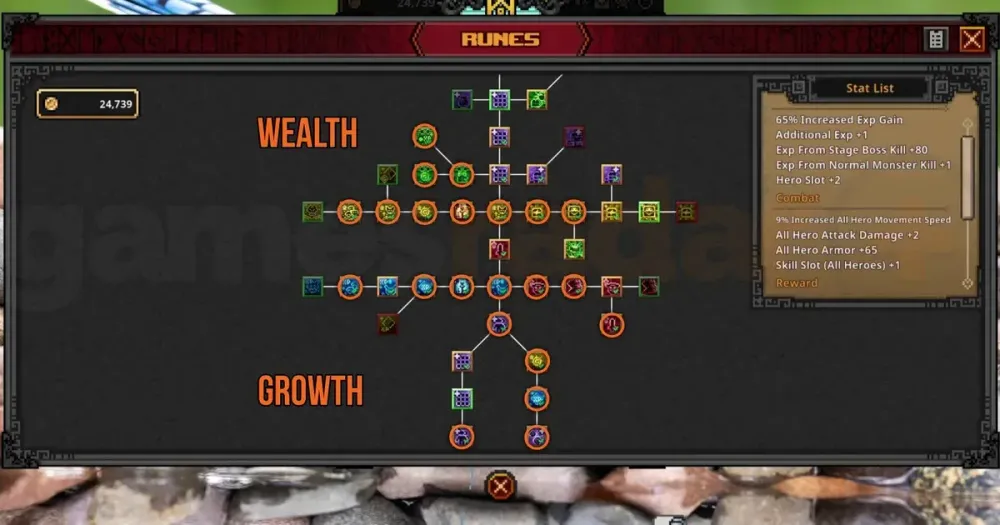
Part 8: Best Rune Tree Upgrades for Farming
To maximize your AFK gains, your Rune Tree should be tailored for utility rather than just raw damage.
- Rune of Exploration: Increases the drop rate of Common Chests. This is vital for material farming.
- Movement Speed: The faster you move between mobs, the more you kill per minute.
- Loot Radius: Don't ignore the loot radius upgrades. Missing a legendary drop because it fell slightly off-screen is a rookie mistake.
- Hero Slots: Unlocking more hero slots is the single biggest boost to your farming power.
Part 9: Best AFK Farming Setup
A perfect AFK setup requires a balance of skills and settings.
- Auto-Retry: Ensure this is toggled on so your hero restarts the stage immediately.
- Skill Selection: Use AOE (Area of Effect) skills to clear screens. For the Archer, "Rain of Arrows" is a must-have.
- Auto-Fill Lock: Use Alt + Left Click to lock items you want to keep before using the auto-fill feature for synthesis.
- Screen Pinning: Use the "Always on Top" feature (Win + Ctrl + T) to keep TBH visible in a small corner of your screen while you work.
Part 10: Taskbar Hero Farming Calculator Recommend
Serious players use a Taskbar Hero Farming Calculator to determine their true efficiency.
You can calculate this manually by:
- Recording your Gold/EXP at the start of an hour
- Checking the totals after exactly 60 minutes
- Comparing different stages to see which yields the highest net gain
However, manual tracking becomes difficult during long AFK sessions.
For most Taskbar Hero players, the more practical approach is using tools that automate farming management and reduce inventory downtime.
LagoFast includes a specialized Auto AFK Assistant designed specifically for Taskbar Hero players. Instead of manually tracking efficiency every hour, players can maintain stable farming cycles and avoid chest overflow or inventory bottlenecks.
Detailed Steps to Use LagoFast Auto AFK Assistant:
Step 1: Click the Free Trial button to download and install LagoFast.
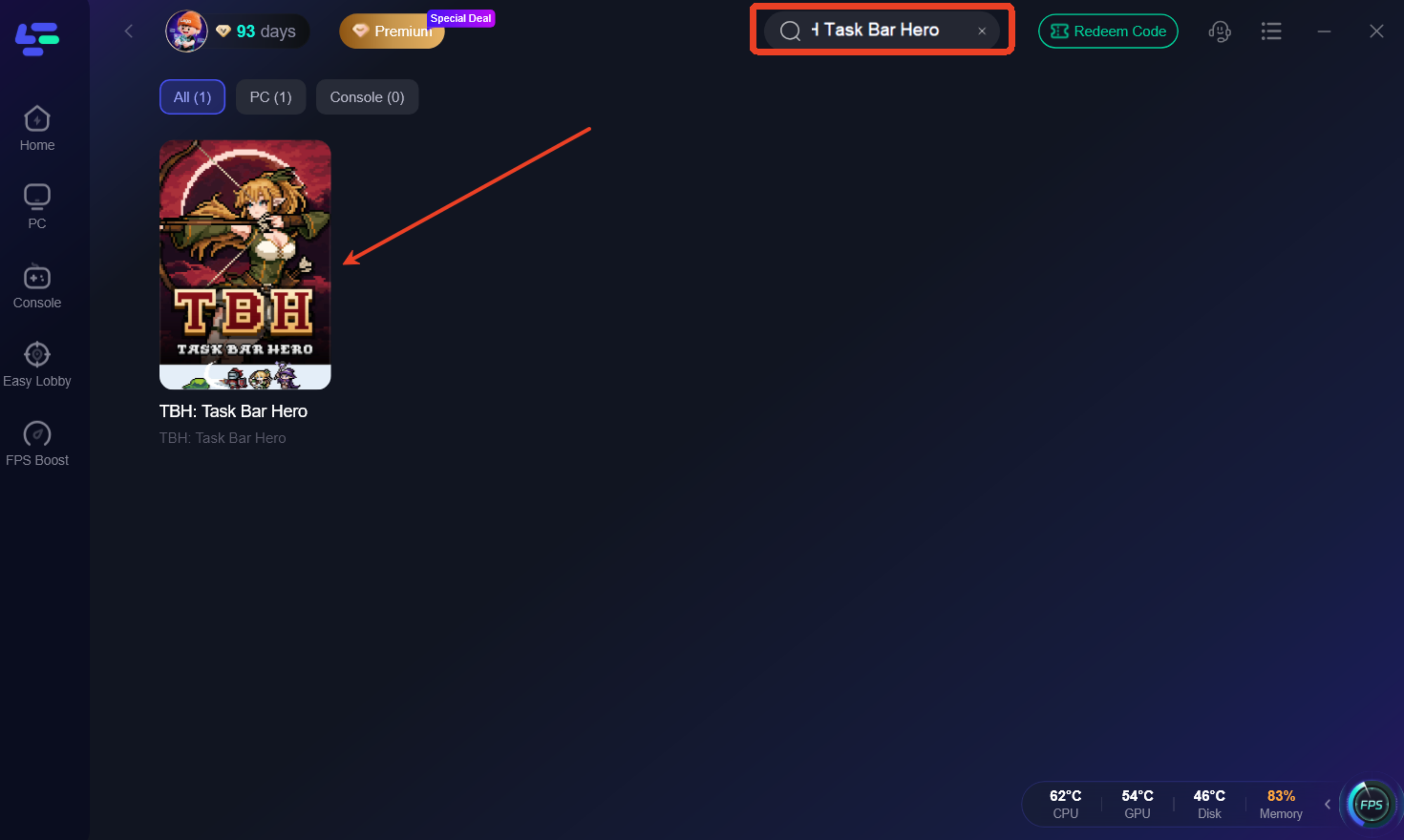
Step 2: Open LagoFast, then click the PC button on the left, search for TBH: Taskbar Hero Tracker in the search bar, and click it after it appears.
Step 3. Click the Automatic Assistant icon in the Game tool Section.
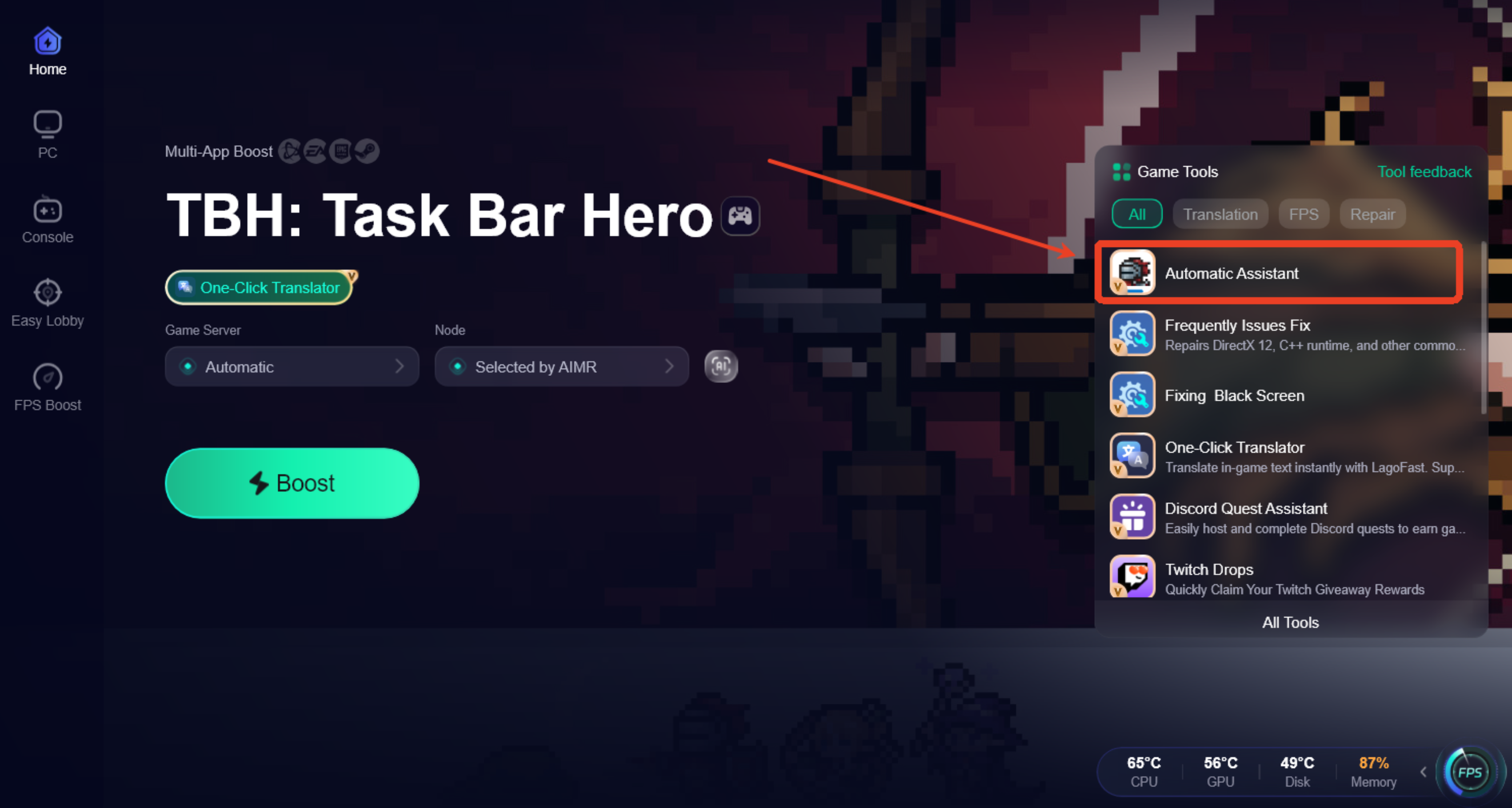
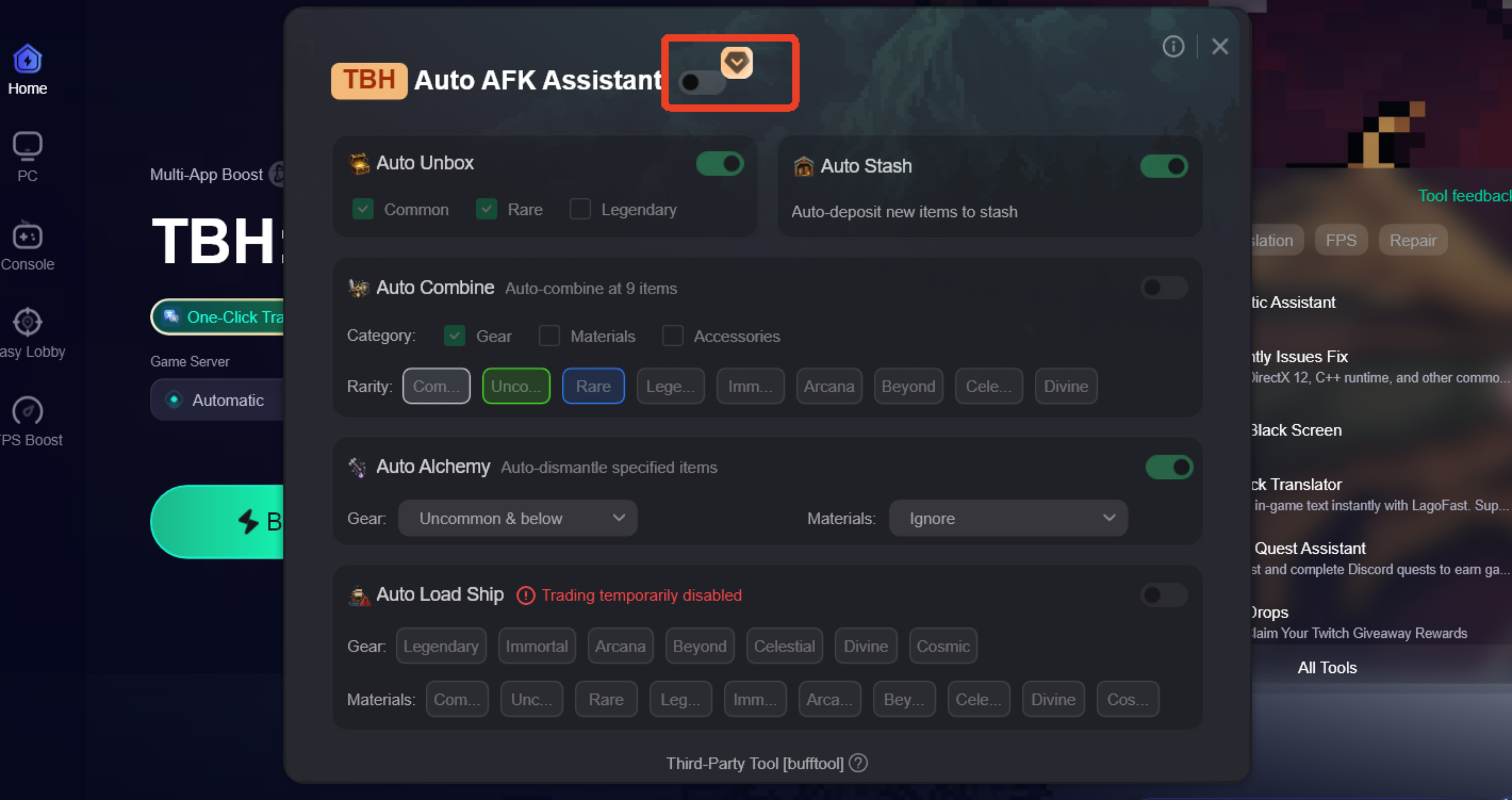
Step 4. Launch the Auto AFK Assistant, and the assistant will sync with your active portal session and begin managing your cooldowns, chest openings, and storage automatically.
Enable Auto AFK Assistant: Here you will find several specialized tools:
- Auto Chest Opener: Automatically opens all tiers of chests (including Legendary and Immortal) without the standard cooldown.
- Auto Synthesis/Alchemy: Automatically combines low-level materials and gear into higher tiers, preventing your inventory from filling up with "trash."
- Auto Storage Helper: Automatically moves valuable items to your warehouse once your backpack reaches a certain limit.
- Auto Market Trader: Automates the process of listing eligible drops on the Steam Market based on your price presets.
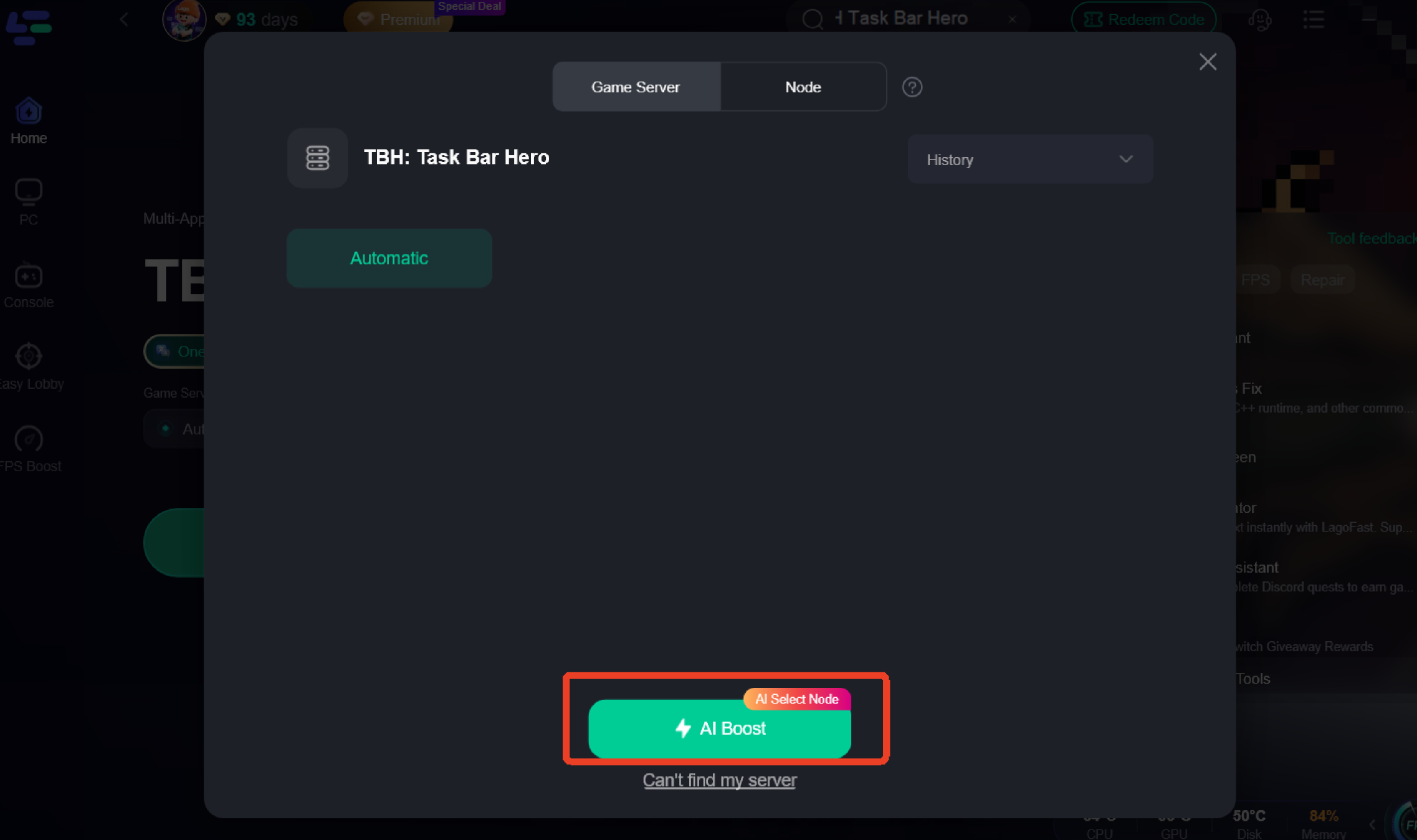
Step 5: Go back to the main interface and click on Server to change to a better server that ensures a better gaming experience, then click on Boost to fix TBH: Taskbar Hero Tracker lag and stuttering.
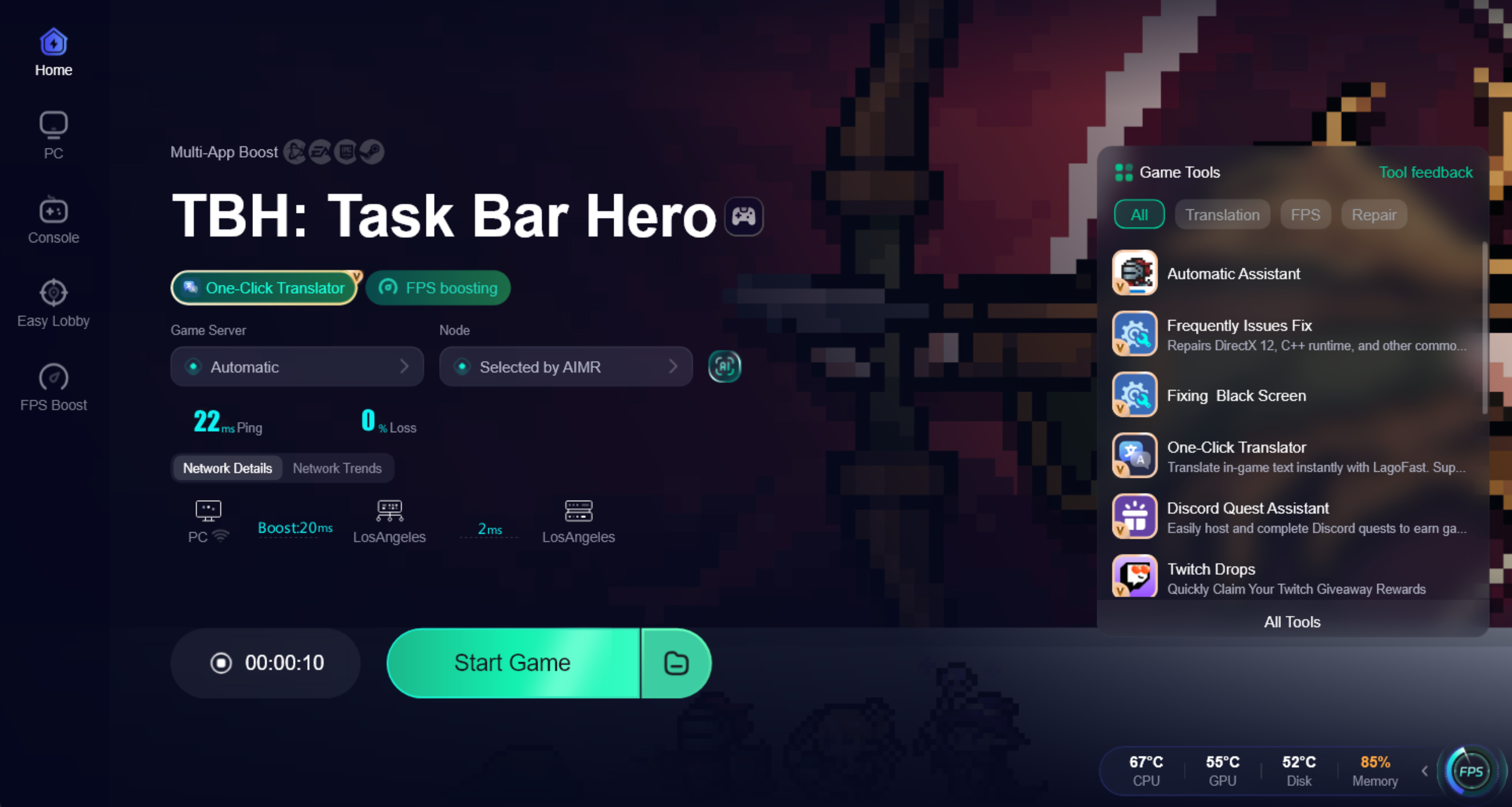
Step 6: Check the specific game ping, packet loss, and multiple path connections on the right side. Finally, click “Start Game” to play the game.
Start Farming:
With these tools active, you can leave TBH running overnight and return to a clean inventory full of high-tier loot.
The most important "calculator" is still your clear time.
If your clear time for a stage exceeds 40 seconds, you are losing efficiency.
Aim for the "20-Second Sweet Spot"—a stage where you can run from start to finish, including the boss, in 20 seconds or less.
With these tools active, you can leave TBH running overnight and return to a clean inventory full of high-tier loot.
Part 11: Taskbar Hero Farming FAQ
What is the best farming stage for beginners?
Stage 1-10 is the best starting point. It provides a good balance of Gold and the chance for your first Rare equipment drops.
Why am I not getting any Soulstones?
Soulstones have a very low drop rate in Normal difficulty. You need to reach Torment difficulty and farm stages 1-5 or higher to see them consistently.
How do I fix the "Inventory Full" error while AFK?
The best way is to use the LagoFast Auto AFK Assistant, which automatically synthesizes low-tier gear and moves items to your warehouse.
Does offline farming work in Taskbar Hero?
Yes, but it is significantly less efficient than "Active AFK" (leaving the game running in the background). Offline gains are capped and do not trigger certain chest drops.
Which hero is best for farming?
The Archer or any hero with high AOE and movement speed is generally preferred for fast stage clearing.
Key Takeaways
Speed is King: Clear stages in under 30 seconds for maximum efficiency.
- Target Bosses: Stages ending in "-10" are the best for Gold and high-tier gear.
- Torment for Soulstones: Don't waste time farming Soulstones in Normal difficulty.
- Automate Everything: Use the LagoFast Auto AFK Assistant to handle chests, inventory, and synthesis so you never miss a drop.
- Rune Tree Utility: Prioritize speed and loot radius to minimize downtime between kills.
By following this TBH Task Bar Hero Farming Guide, you'll transform your idle experience from a slow crawl into a high-speed loot machine. Happy farming!

Boost Your Game with LagoFast for Epic Speed
Play harder, faster. LagoFast game booster eliminates stutter and lags on PC, mobile, or Mac—win every match!
Quickly Reduce Game Lag and Ping!
Boost FPS for Smoother Gameplay!