
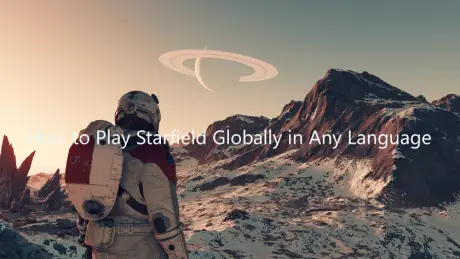
Starfield is a massive open-world RPG where exploration and story play a big role, but for many players, language can get in the way of fully enjoying it. While the game includes several official language options, not everything is fully localized, especially when it comes to subtitles, mods, or updates. If you want a smoother experience, using a Starfield game translation tool is a simple way to play in the language you’re most comfortable with.

- ✅ Reduce Lag and High Ping.
- ✅ Boost FPS at the Same Time.
✅ Support 2000+ Popular Online Games.
✅ Popular Mods Supported.
✅ Boost Game Loading Speed.
Part 1: Starfield Game Overview and Release Date
Part 2: What Languages Does Starfield Support
Part 3: How to Play Starfield in Any Language — Best Game Translator LagoFast
Part 1: Starfield Game Overview and Release Date
Starfield is Bethesda’s large-scale open-world RPG set in space, where players can explore hundreds of planets, build ships, complete missions, and shape their own story. The game blends deep role-playing systems with freedom-driven exploration, letting you travel across star systems, join different factions, and approach combat and dialogue in your own way.
Release Timeline
- September 6, 2023 — Released on Xbox Series X/S and Windows PC
- April 7, 2026 — Released on PlayStation 5
- Includes all previous updates
- Comes with Shattered Space expansion
- Includes Terran Armada content
- The game has also recently received the “Free Lanes” and “Terran Armada” expansion updates.
With its wider platform availability and expanding content, Starfield continues to attract a global player base—making language accessibility more important than ever.
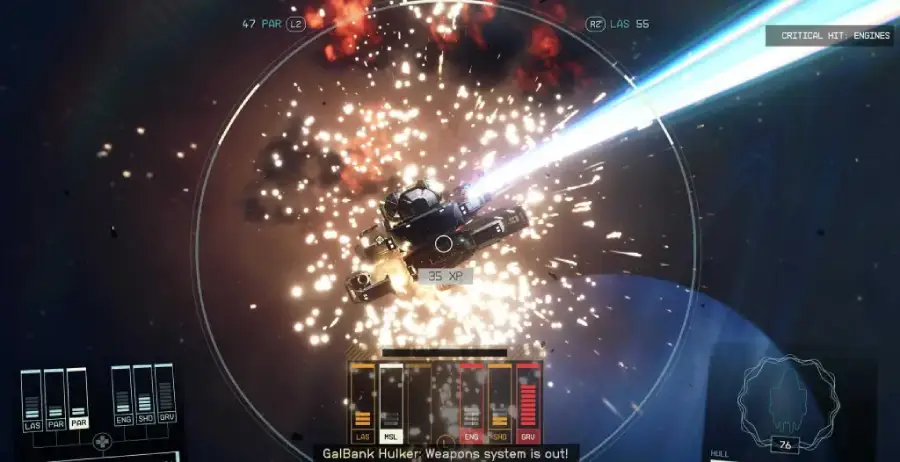
Part 2: What Languages Does Starfield Support
Bethesda provides solid language support, but it’s not complete for every region or player preference.
Official Language Support
|
Language |
Interface |
Full Audio |
Subtitles |
|
English |
✔ |
✔ |
✔ |
|
French |
✔ |
✔ |
✔ |
|
Italian |
✔ |
✔ |
|
|
German |
✔ |
✔ |
✔ |
|
Spanish (Spain) |
✔ |
✔ |
✔ |
|
Japanese |
✔ |
✔ |
✔ |
|
Polish |
✔ |
✔ |
|
|
Portuguese (Brazil) |
✔ |
✔ |
|
|
Simplified Chinese |
✔ |
✔ |
Even with official language support, there’s still a clear language gap for many players. If your native language isn’t included—such as Korean, Arabic, or others—you’ll likely run into friction when trying to follow quests, understand dialogue, or navigate menus. In a game like Starfield, where story and detail matter, even small misunderstandings can affect the overall experience.
That’s why many players turn to Starfield translation tools—they help bridge this gap and make the game easier to follow, no matter what language you speak.
Part 3: How to Play Starfield in Any Language—Best Game Translator LagoFast
If you want to play Starfield in a language not supported in-game—such as Korean, Arabic, or others—LagoFast is a solid option. The LagoFast game translation tool provides real-time translation, helping players understand in-game text, menus, and dialogue more easily.
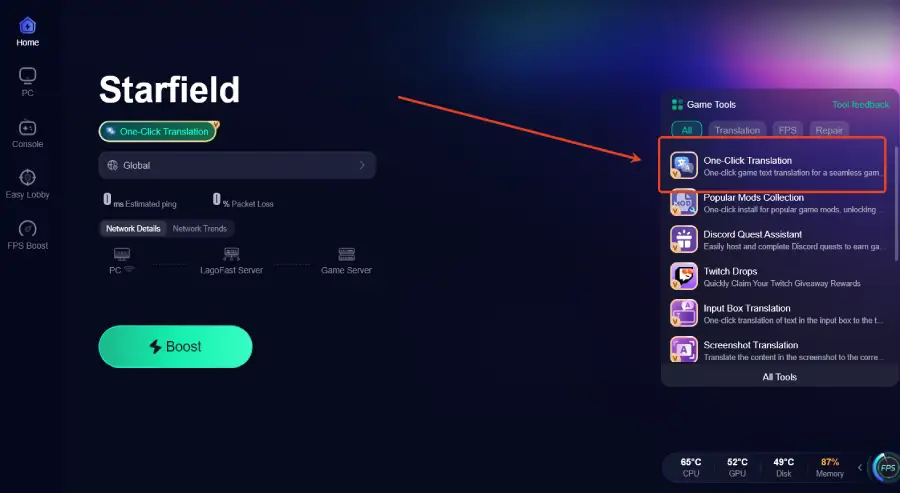
Its built-in One-Click Translation tool allows users to translate in-game content instantly with a single click. It also supports the latest DLC—Terran Armada—and currently includes full language support for Korean, Russian, Arabic, Vietnamese, and Thai.
In addition to translation, LagoFast also helps improve overall gameplay performance. It offers routing optimization to reduce ping, along with features that help fix packet loss and stabilize connections, ensuring a smoother and more reliable experience in Starfield. It also includes useful tools such as a popular mods collection, making it a practical all-in-one solution for both performance and accessibility.
How to Use LagoFast for Starfield Translation
Step 1: Click the Free Trial button to download and install LagoFast.
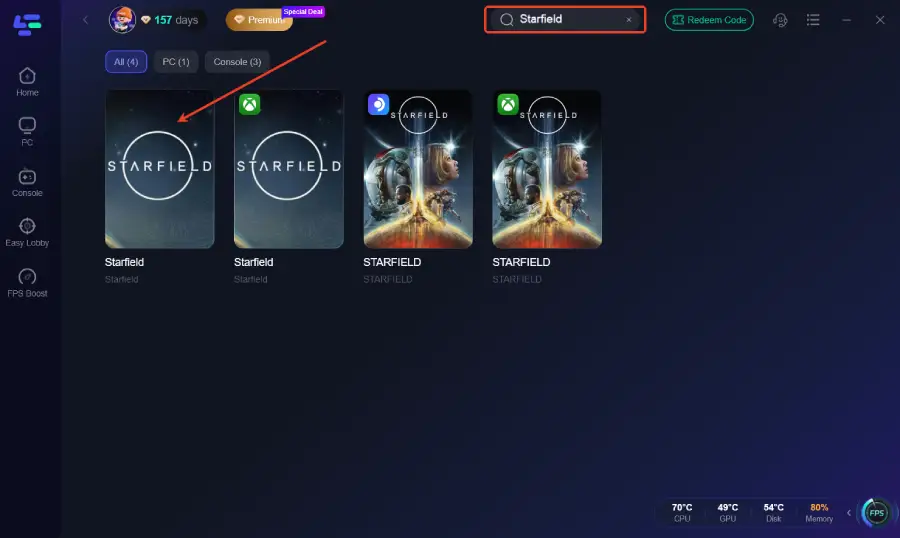
Step 2: After installation, search "Starfield" in the search bar and select the game.
Step 3: Click the One-Click Translation tool on the right side of the screen.
Step 4: Select game file path and install the translated text file.
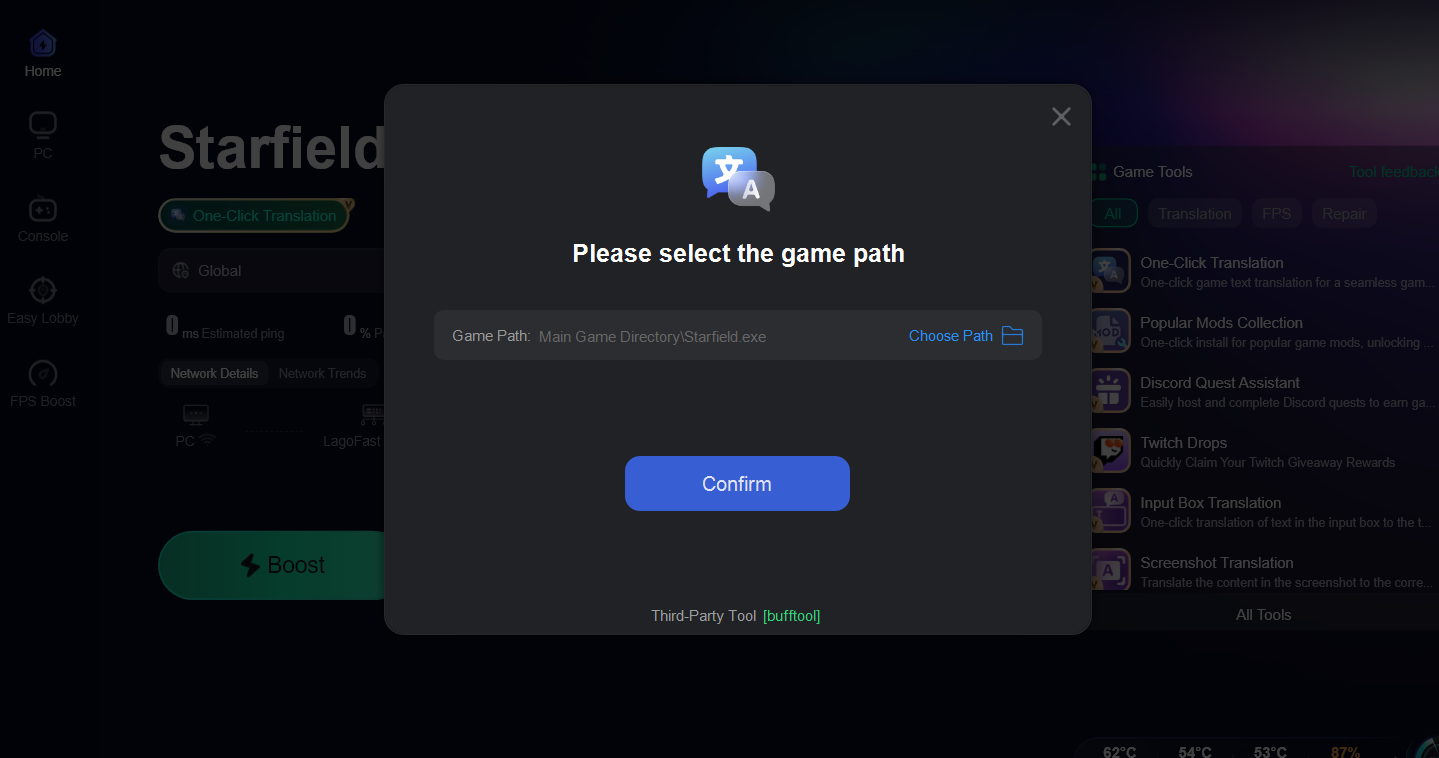
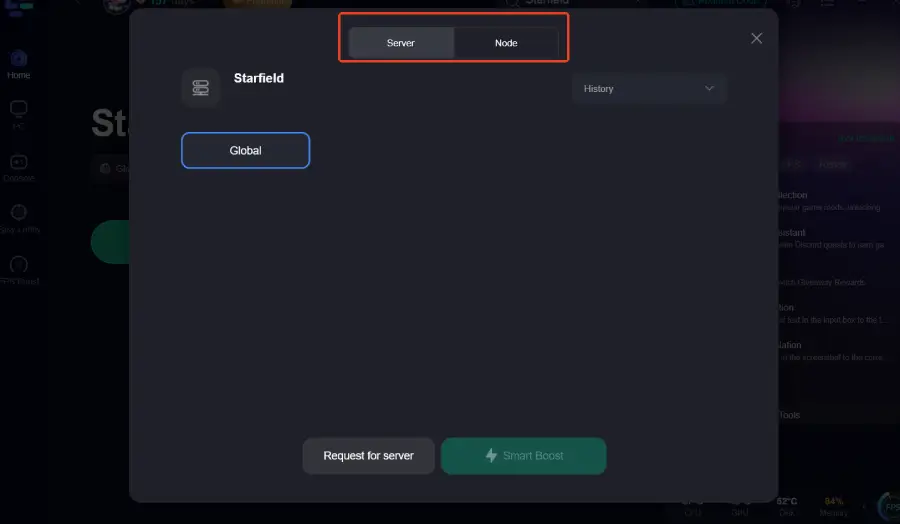
Step 5: Choose your preferred server node and click "Smart Boost" to start optimizing.
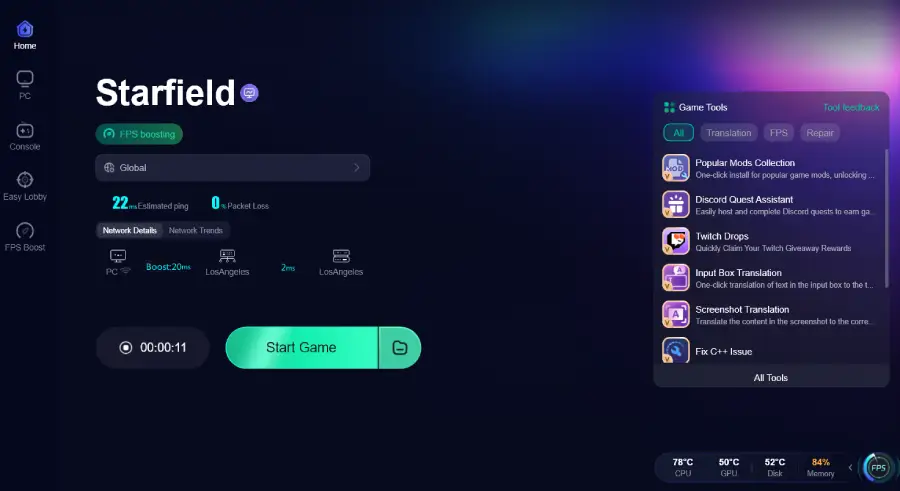
Step 6: Launch your game and enjoy smooth, optimized gameplay with lower ping and packet loss.
Conclusion
Starfield supports multiple languages, but not every player’s preferred language is fully covered, which can make parts of the game harder to follow. A tool like LagoFast helps bridge this gap by providing real-time translation for in-game text and menus. At the same time, its network optimization features can improve overall performance. With the right setup, you can enjoy a smoother and more accessible Starfield experience in the language you prefer.
Boost Your Game with LagoFast for Epic Speed
Play harder, faster. LagoFast game booster eliminates stutter and lags on PC, mobile, or Mac—win every match!
Quickly Reduce Game Lag and Ping!
Boost FPS for Smoother Gameplay!