
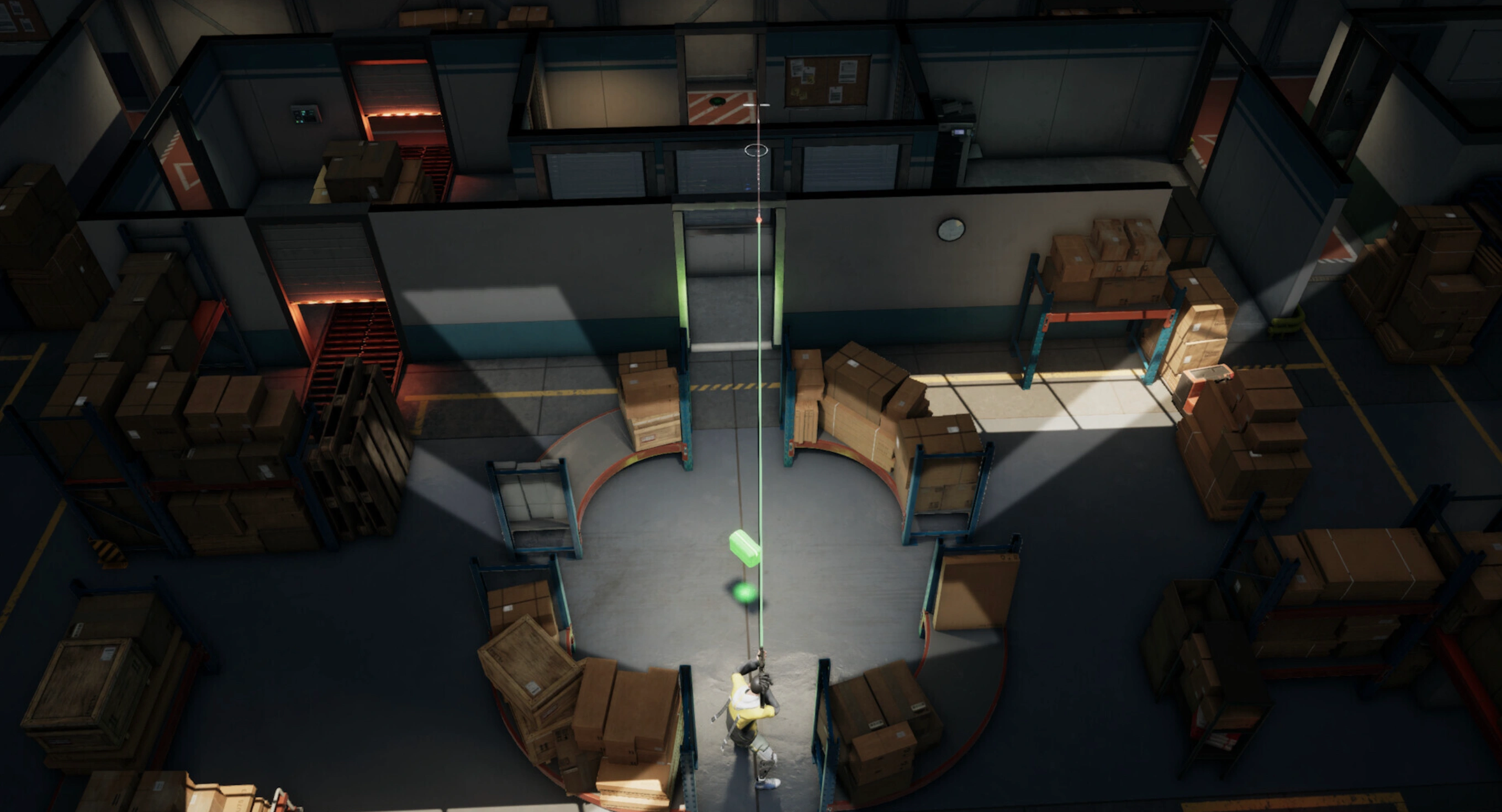
PUBG: BLINDSPOT brings a fresh twist to the PUBG universe with its 5v5 top-down tactical gameplay, where positioning, shared vision, and teamwork define every round. However, as the game enters Early Access, many players are already facing frustrating issues like lag spikes, unstable connections, and unusually high ping. If PUBG: BLINDSPOT lag is ruining your matches or delaying your reactions in critical moments, understanding the root causes and how to fix them is essential for staying competitive.

- ✅ Reduce Lag and High Ping.
✅ Boost FPS at the Same Time.
✅ Support 2000+ Popular Online Games.
✅ Change Server without Latency.
✅ Boost Game Loading Speed.
Part 1: Why Is PUBG: BLINDSPOT Lagging and Having High Ping?
Part 2: How to Fix PUBG: BLINDSPOT Lagging and High Ping?
Part 1: Why Is PUBG: BLINDSPOT Lagging and Having High Ping?
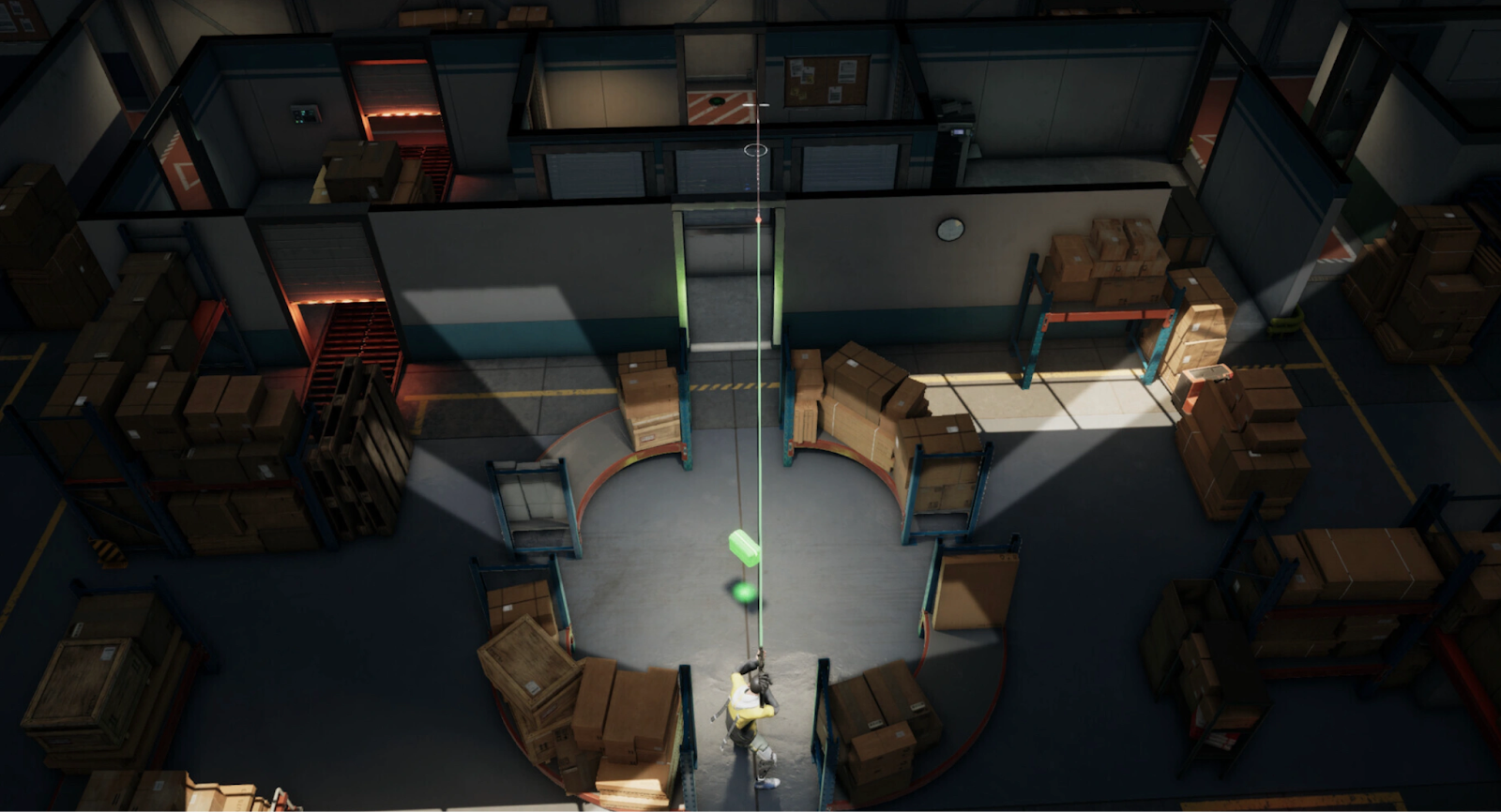
PUBG: BLINDSPOT lagging and high ping issues are common in newly launched online games, especially those in Early Access. Since the game relies heavily on real-time coordination and fast tactical decisions, even small network delays can feel much worse than in slower-paced shooters. High ping usually happens when your data takes inefficient routes to the game server, while lag can also be caused by unstable servers, poor local network conditions, or hardware bottlenecks.
Common causes of PUBG: BLINDSPOT high ping and lag include:
- Early Access server instability and limited server locations
- Long physical distance between players and game servers
- ISP routing inefficiencies or packet loss
- Background applications consuming bandwidth
- Wi-Fi interference or unstable connections
- Outdated network drivers or system settings
- High server load during peak play hours
Because PUBG: BLINDSPOT is designed around tight coordination and shared vision mechanics, these issues can quickly snowball into missed shots, delayed abilities, and lost rounds.
Part 2: How to Fix PUBG: BLINDSPOT Lagging and High Ping?
Solution 1: Use LagoFast – The Best PUBG: BLINDSPOT Lag Reducer and Ping Reducer
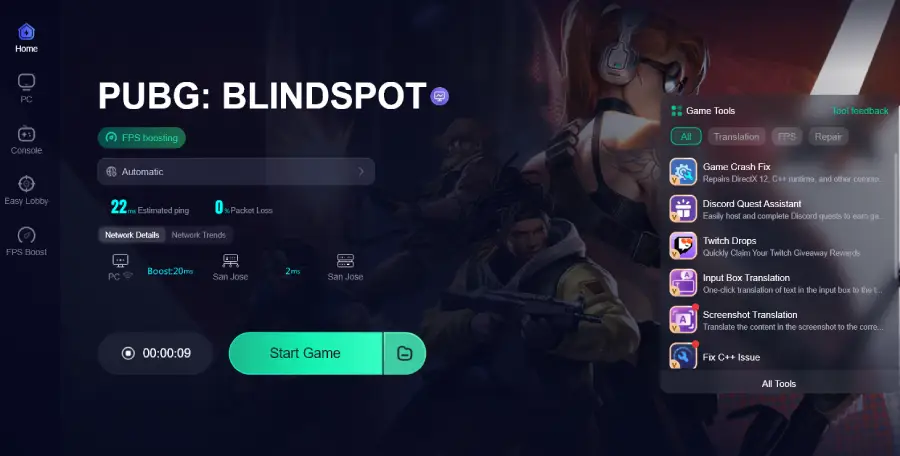
If you want the most effective way to fix PUBG: BLINDSPOT lagging and high ping, LagoFast stands out as the best solution. Unlike basic network tweaks or temporary workarounds, LagoFast is a professional game booster designed specifically to optimize routing between your device and game servers. It intelligently selects the fastest and most stable network paths, dramatically reducing ping, packet loss, and jitter.
For Early Access games like PUBG: BLINDSPOT, where servers are still being optimized, LagoFast offers a major advantage by stabilizing connections even during peak hours. It works seamlessly in the background and requires no technical expertise.
Key features of LagoFast:
- Intelligent server routing for PUBG: BLINDSPOT
- Real-time ping reduction and lag stabilization
- Packet loss prevention and jitter control
- One-click optimization with no manual setup
- Supports Early Access and newly released games
- Improves both high ping and in-game lag simultaneously
Compared to manual fixes, LagoFast delivers consistent results and saves time, making it the most reliable PUBG: BLINDSPOT ping reducer currently available.
While the following methods may help in some situations, they are often inconsistent and limited compared to LagoFast’s optimized routing technology.
Tutorial To Use LagoFast To Fix PUBG: BLINDSPOT Lag and High Ping:
Step 1: Click the Free Trial button to download and install LagoFast.
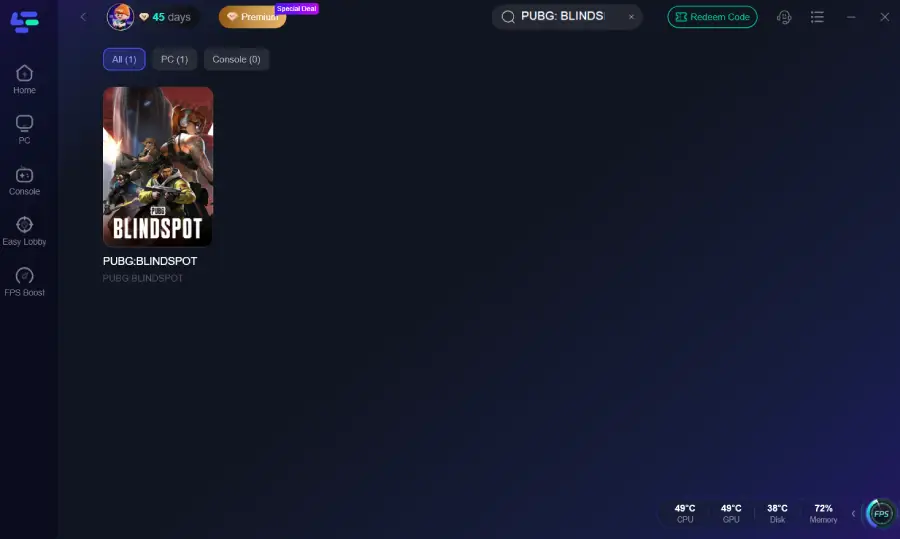
Step 2: After installation, search "PUBG: BLINDSPOT" in the search bar and select the game.
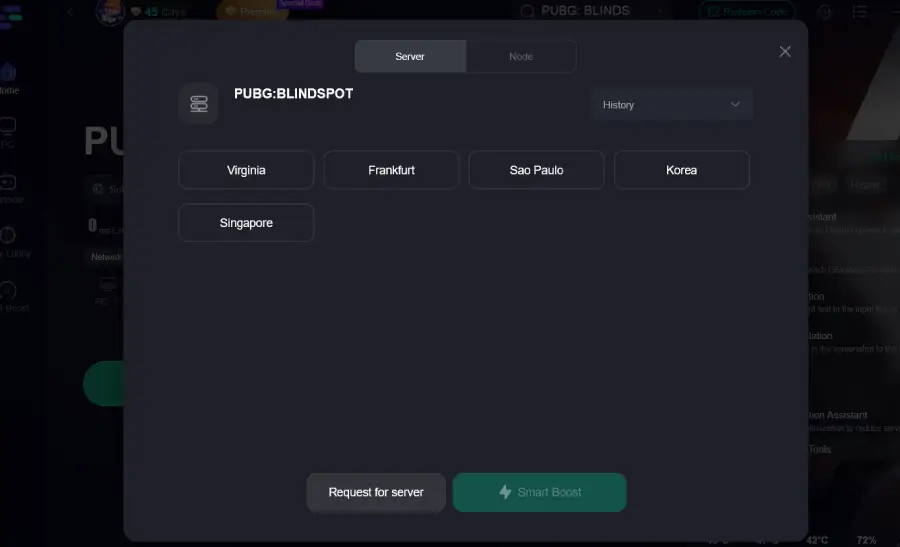
Step 3: Choose your preferred server node and click "Smart Boost" to start optimizing.
Step 4: Launch your game and enjoy smooth, optimized gameplay with lower ping and no stutter.
Solution 2: Switch to a Wired Ethernet Connection
Using a wired connection can reduce interference compared to Wi-Fi, but it doesn’t fix poor routing or distant servers.
Step 1. Plug an Ethernet cable into your router
Step 2. Connect the other end to your PC
Step 3. Disable Wi-Fi on your system
Step 4. Restart your router
Step 5. Launch PUBG: BLINDSPOT and test ping
Limitation: This only improves local stability and does not reduce server-side latency.
Solution 3: Close Background Applications
Background apps can consume bandwidth and CPU resources, contributing to PUBG: BLINDSPOT lag.
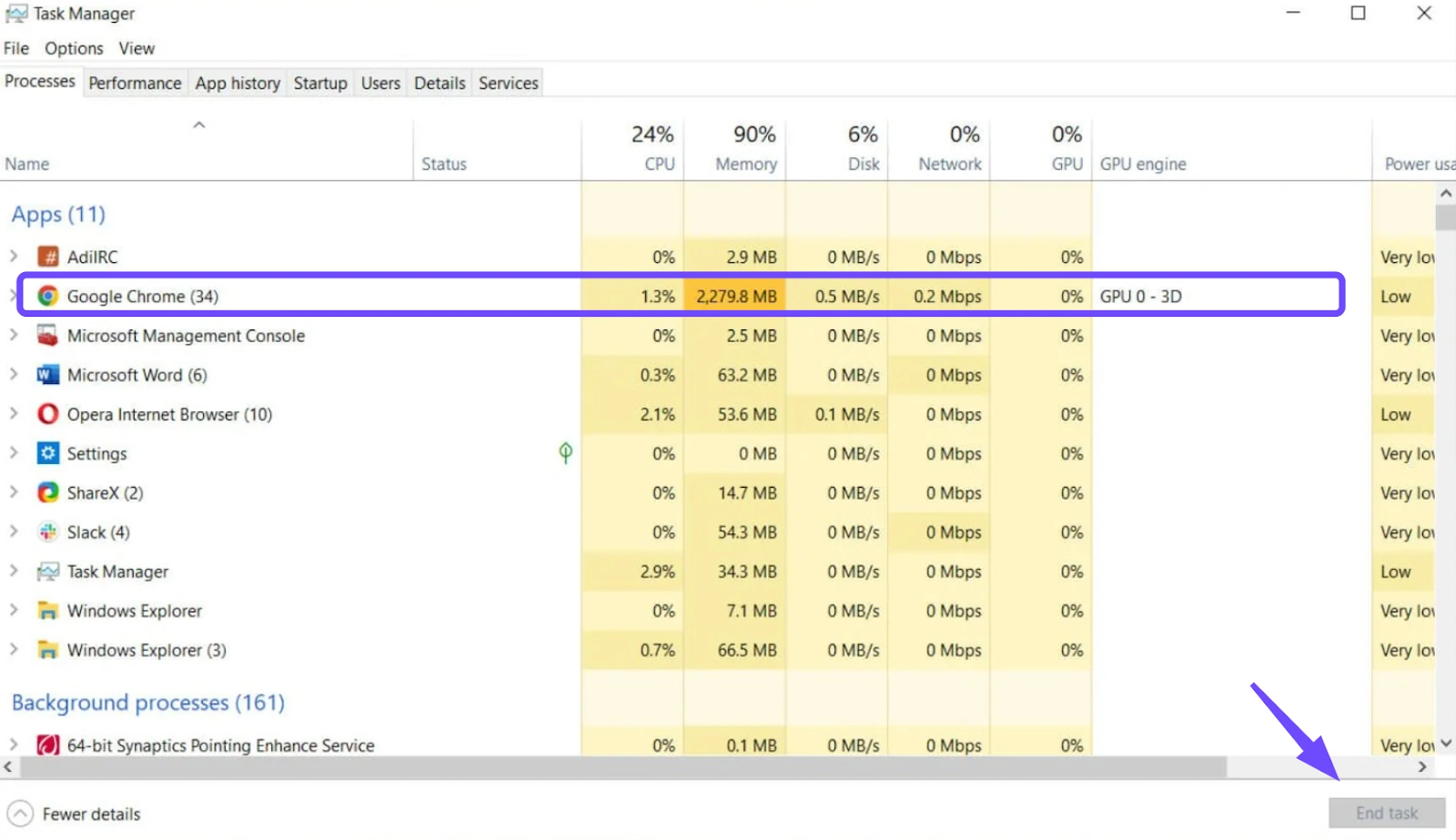
Step 1. Press Ctrl + Shift + Esc to open Task Manager
Step 2. Identify bandwidth-heavy applications
Step 3. End unnecessary processes
Step 4. Disable startup apps you don’t need
Step 5. Restart the game
Solution 4: Update Your Network Adapter Drivers
Outdated drivers can lead to poor data processing and increased latency.
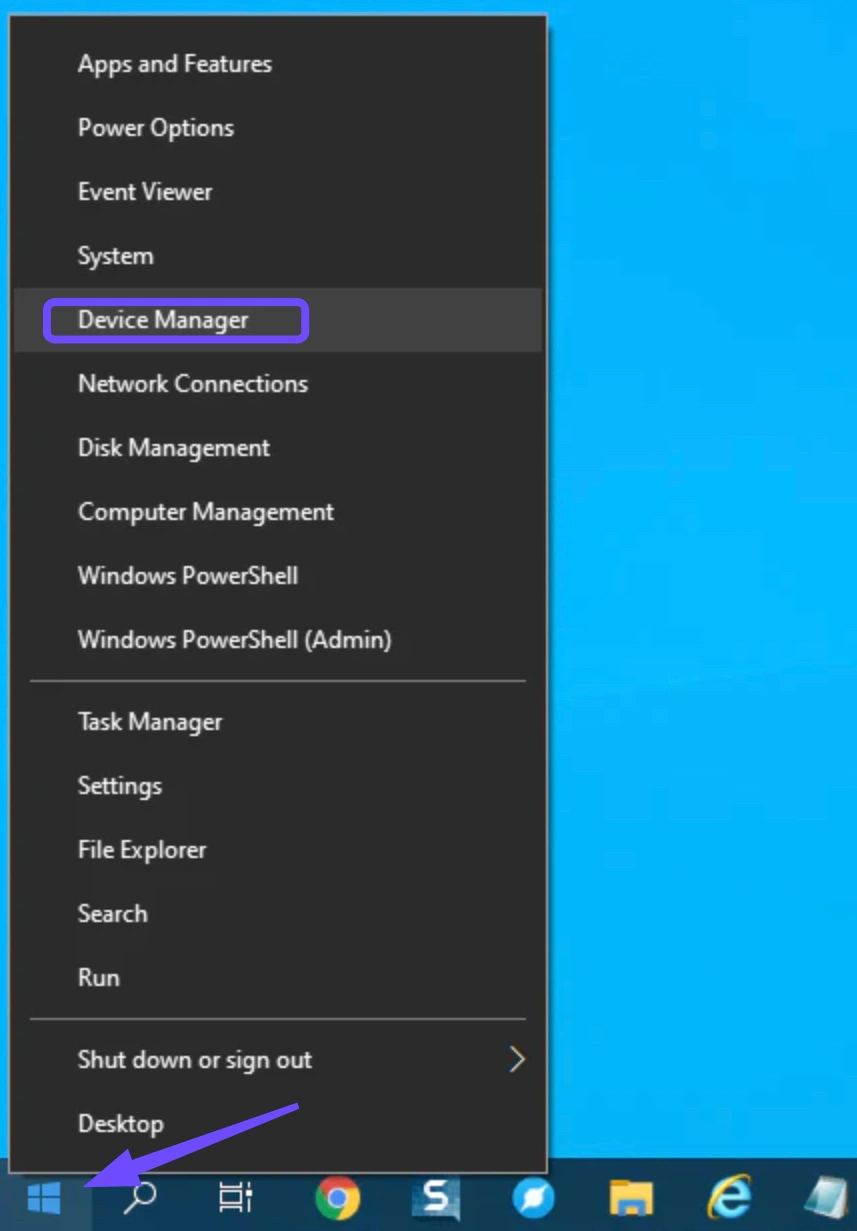
Step 1: Right-click the Start button and select Device Manager.
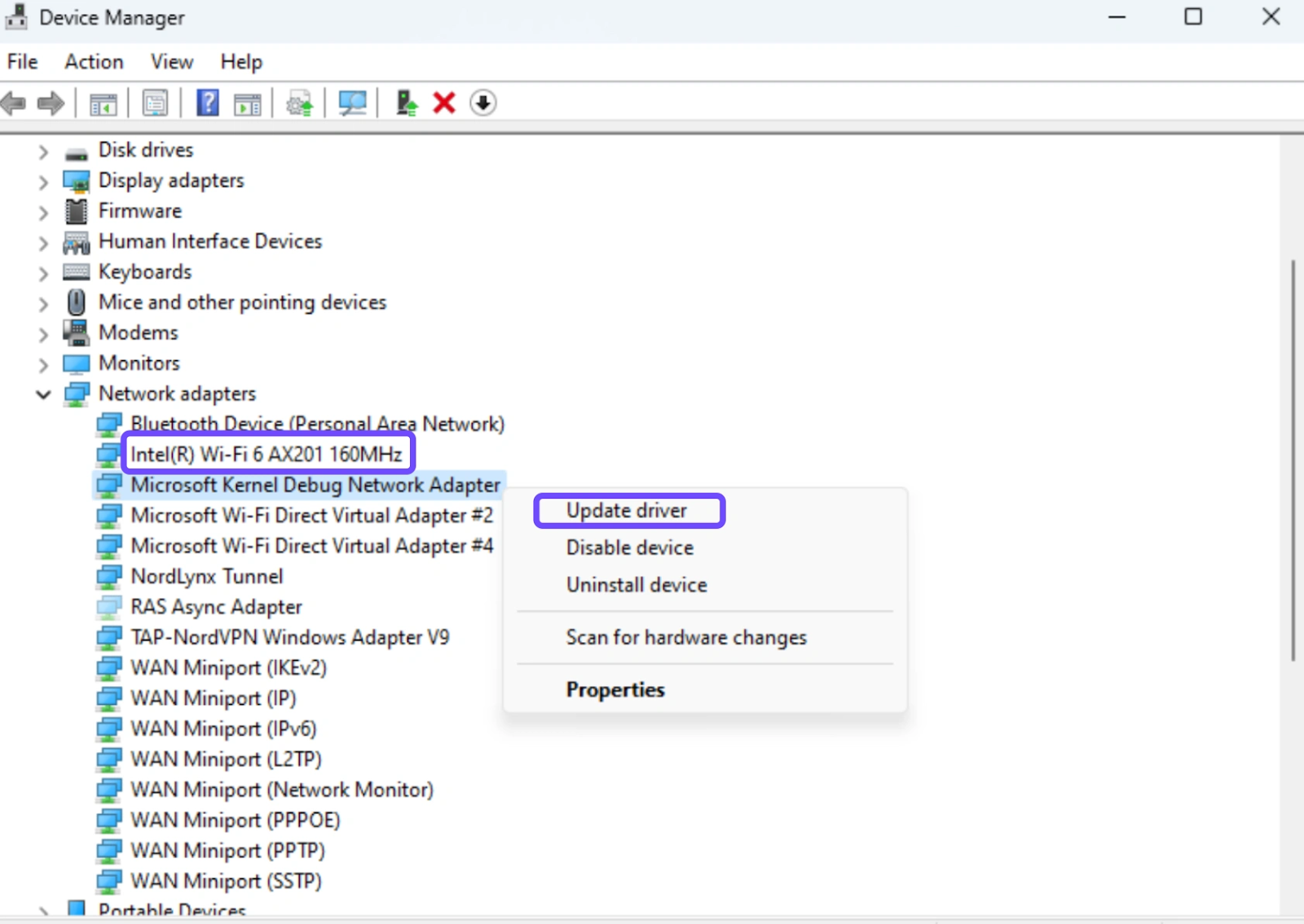
Step 2: Expand the Network adapters section.
Step 3: Right-click your primary controller.
Step 4: Select Update driver and then click Search automatically for drivers.
Step 5: Restart your computer once the installation is complete.
Solution 5: Change DNS Settings
Switching to a public DNS can slightly improve connection resolution times.
Step 1. Open Network Settings
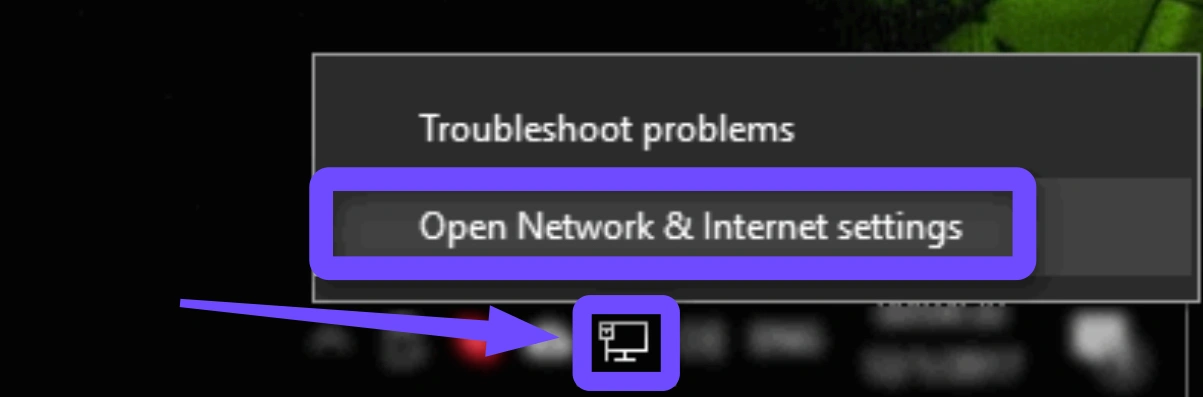
Step 2. Go to Adapter Options
Step 3. Select your active connection
Step 4. Change DNS to 8.8.8.8 / 8.8.4.4
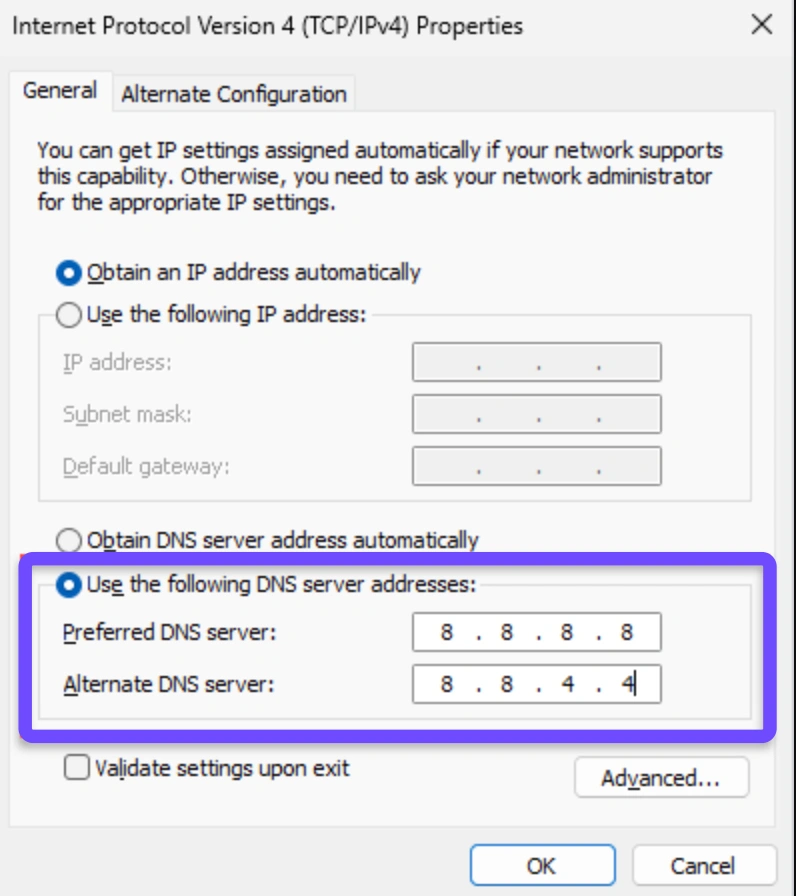
Step 5. Save settings and restart
Solution 6: Lower In-Game Graphics Settings
Reducing graphics load can help if lag is caused by hardware strain rather than network issues.
Step 1. Open PUBG: BLINDSPOT settings
Step 2. Lower shadows and effects
Step 3. Disable motion blur
Step 4. Set resolution to a stable value
Step 5. Apply changes and restart
Limitation: Does not fix PUBG: BLINDSPOT high ping caused by network latency.
Solution 7: Change Windows Power Plan to High Performance
Your PC might be throttling your network card or CPU to save energy, causing lag.
Step 1: Open the Control Panel and go to Hardware and Sound.
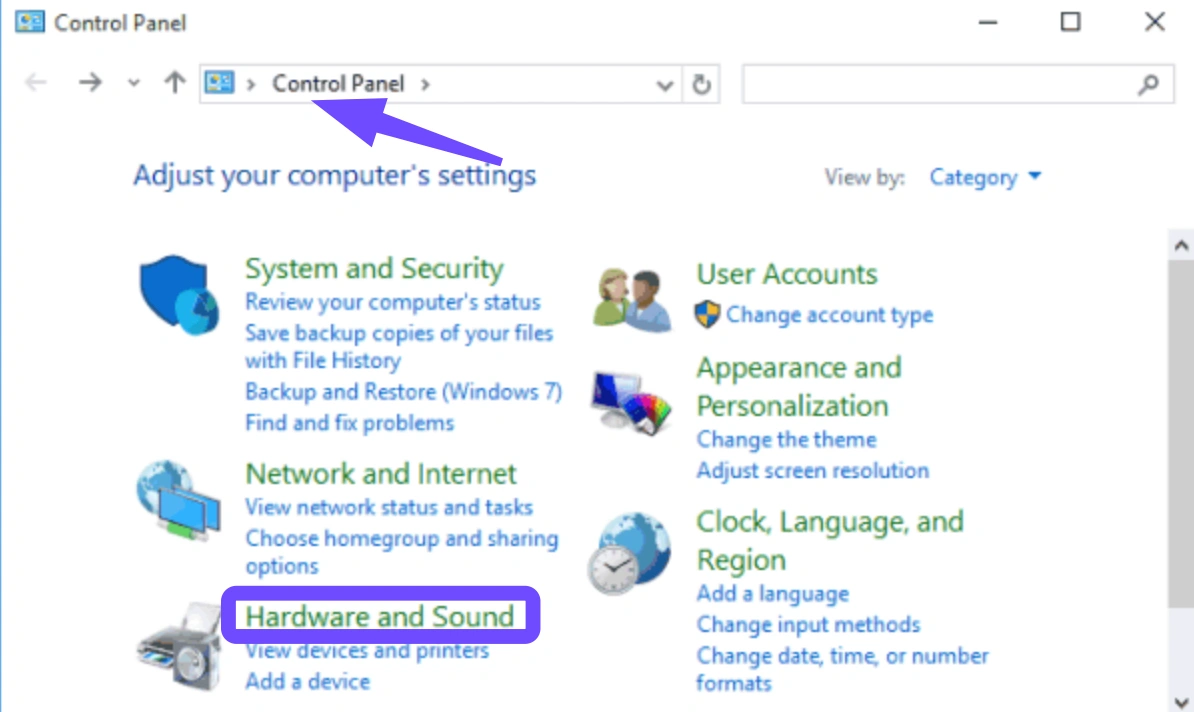
Step 2: Click on Power Options.
Step 3: Select the High Performance radio button.
Step 4: Click Change plan settings and ensure the "Wireless Adapter Settings" are set to "Maximum Performance."
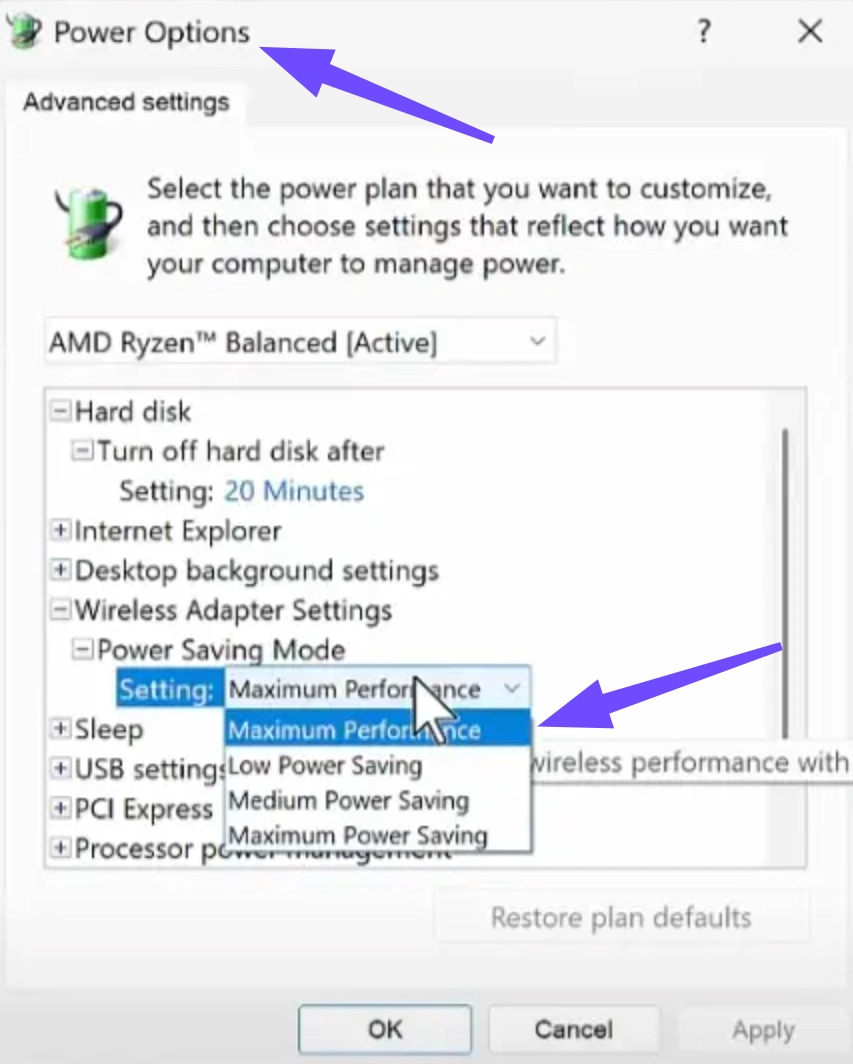
Step 5: Save changes and reboot your system.
Conclusion
PUBG: BLINDSPOT is an ambitious tactical shooter with enormous potential, but as an Early Access title, connection issues like lag and high ping are currently unavoidable for many players. While basic fixes such as restarting your router or adjusting settings may offer small improvements, they fall short of delivering consistent performance. For players who want a reliable, long-term solution, LagoFast remains the most effective PUBG: BLINDSPOT lag reducer and ping reducer available, ensuring smoother matches, faster responses, and a competitive edge as the game continues to evolve.
Boost Your Game with LagoFast for Epic Speed
Play harder, faster. LagoFast game booster eliminates stutter and lags on PC, mobile, or Mac—win every match!
Quickly Reduce Game Lag and Ping!
Boost FPS for Smoother Gameplay!