
Quick Answer
To fix PoE 2 0.5 high ping, start by switching your Networking Mode from "Lockstep" to "Predictive" in the UI settings to mask minor latency spikes. Ensure you are connected to the closest regional gateway and consider using a wired Ethernet connection to eliminate packet loss. For players on the Korea server experiencing extreme lag, using LagoFast Game Booster can provide a dedicated, optimized route to the game's backend, bypassing the congested public nodes that often cause the 0.5 patch desync.
Introduction
The release of Path of Exile 2 Patch 0.5, titled "Return of the Ancient," was supposed to be a milestone for optimization. However, for a significant portion of the community—especially those playing on the Korea and Japan gateways—it has introduced a frustrating wave of high ping and erratic latency spikes. Players are reporting that their latency graph (F1) looks like a mountain range, with pings jumping from 30ms to 500ms in the middle of intense boss fights. This "network stutter" makes the game's precise combat feel sluggish and unresponsive, often leading to unavoidable deaths in high-tier maps.

- ✅ Reduce Lag and High Ping.
- ✅ Boost FPS at the Same Time.
- ✅ Support 8000+ Popular Online Games.
- ✅ End Stuck & Crashing Issues.
- ✅ Fix Server Queue Issue.
Part 1: Why is PoE 2 Patch 0.5 Having High Ping and Latency Spikes?
Part 2: Fix 1 — Change Networking Mode (Lockstep vs. Predictive)
Part 3: Fix 2 — Optimize Gateway Selection and Korea Server Lag
Part 4: Fix 3 — Clear Shader Cache and Reset Network Stack
Part 5: Fix 4 — Resolve PoE 2 0.5 Network Stutter on PC
Part 6: How to Enhance Your Game Experience with LagoFast Game Booster
Part 1: Why is PoE 2 Patch 0.5 Having High Ping and Latency Spikes?
The network issues in Patch 0.5 aren't always a result of your home internet. Several factors are contributing to the current "laggy" state of the game:
- Server-Side Desync: The 0.5 update introduced new backend logic for the "Living World" events, which can sometimes cause the server to fall behind the client's actions.
- Korea Server Congestion: The Korea gateway has seen a massive influx of players, leading to overloaded nodes and increased routing hops for international players.
- Shader Compilation Interference: In PoE 2, shader compilation is tied closely to the game's frame pacing. If your PC stutters while loading new assets, it can appear as a network spike on the F1 graph.
- Routing Inefficiency: Your ISP might be taking a sub-optimal path to the GGG servers, especially after the recent infrastructure changes in the 0.5 patch.
Part 2: Fix 1 — Change Networking Mode (Lockstep vs. Predictive)
Path of Exile 2 offers two ways to handle the communication between your PC and the server.
- Lockstep: This is the default. Your character only moves when the server confirms the action. If your ping spikes, the game freezes. This is great for low-latency connections but terrible for the current 0.5 patch instability.
- Predictive: Your PC "predicts" where you are moving and syncs with the server later. This makes the game feel much smoother during minor ping spikes, though it can lead to occasional "rubberbanding."
How to change it: Go to Options > UI > Networking Mode and set it to Predictive. This is the single best way to mask the current 0.5 latency issues.
Part 3: Fix 2 — Optimize Gateway Selection and Korea Server Lag
Many players default to "Auto-select," but this can sometimes put you on a gateway that is currently under heavy load.
- Manual Selection: Instead of Auto, manually select the gateway with the lowest stable ping. If the Korea server is spiking, try the Japan or Singapore gateways. Sometimes a slightly higher but stable ping is better than a low but spiking one.
- Check for Maintenance: GGG often performs "hotfixes" that don't require a client restart but can cause temporary instability on specific gateways. Check the official PoE 2 Twitter or Forum for real-time updates.
Part 4: Fix 3 — Clear Shader Cache and Reset Network Stack
As mentioned, local stutters can often be misinterpreted as network lag.
Clear Shader Cache: Navigate to %LOCALAPPDATA%\Path of Exile 2\ and delete the ShaderCache folder. This forces the game to rebuild the cache, which can resolve "stutter-lag" during combat.
Reset Network Stack: Open the Command Prompt as Administrator and type:
- netsh winsock reset
- ipconfig /flushdns
Restart your PC. This clears out any stale routing data that might be causing the 0.5 latency spikes.
Part 5: Fix 4 — Resolve PoE 2 0.5 Network Stutter on PC
If you are on a PC, there are several system-level tweaks that can help:
- Disable Windows Game Bar: This feature can sometimes interfere with the game's network priority.
- Use a Wired Connection: Wi-Fi is prone to interference, which manifests as packet loss in PoE 2. A simple Cat6 cable can eliminate 90% of "random" ping spikes.
- Disable Background Downloads: Ensure Steam, Windows Update, and your browser aren't hogging your bandwidth while you're in a map.
Part 6: How to Enhance Your Game Experience with LagoFast Game Booster
For many players, especially those on the Korea server or those dealing with the specific routing issues of Patch 0.5, standard troubleshooting isn't enough. This is where LagoFast Game Booster becomes a game-changer.
LagoFast is designed to bypass the congested and inefficient routes provided by standard ISPs. It uses a global network of dedicated gaming servers to find the shortest, most stable path to the Path of Exile 2 gateways. This is particularly effective for the Korea server lag, as LagoFast can route your data through optimized nodes that avoid the current congestion points.
How to Use LagoFast Game Booster
Step 1: Click the Free Trial button to download and install LagoFast.
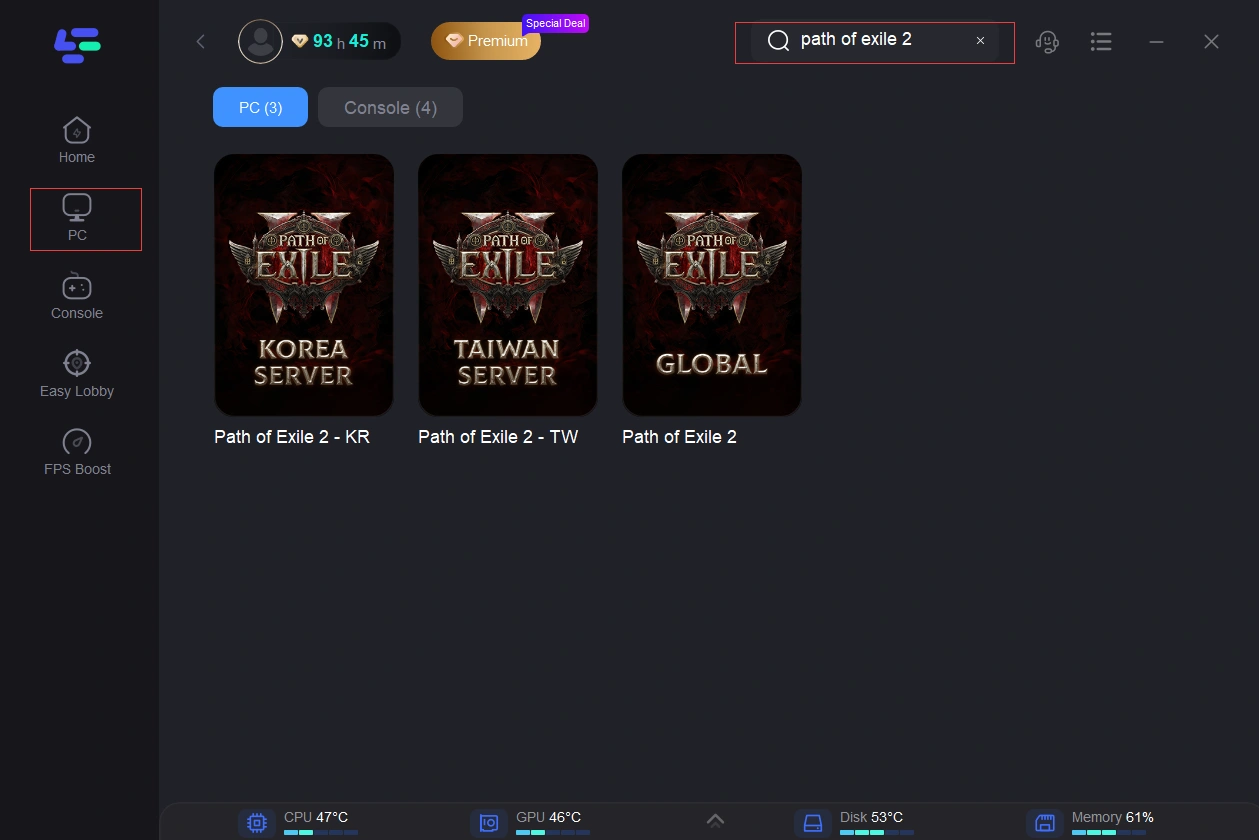
Step 2: After installation, search "Path of Exile 2" in the search bar and select the game.
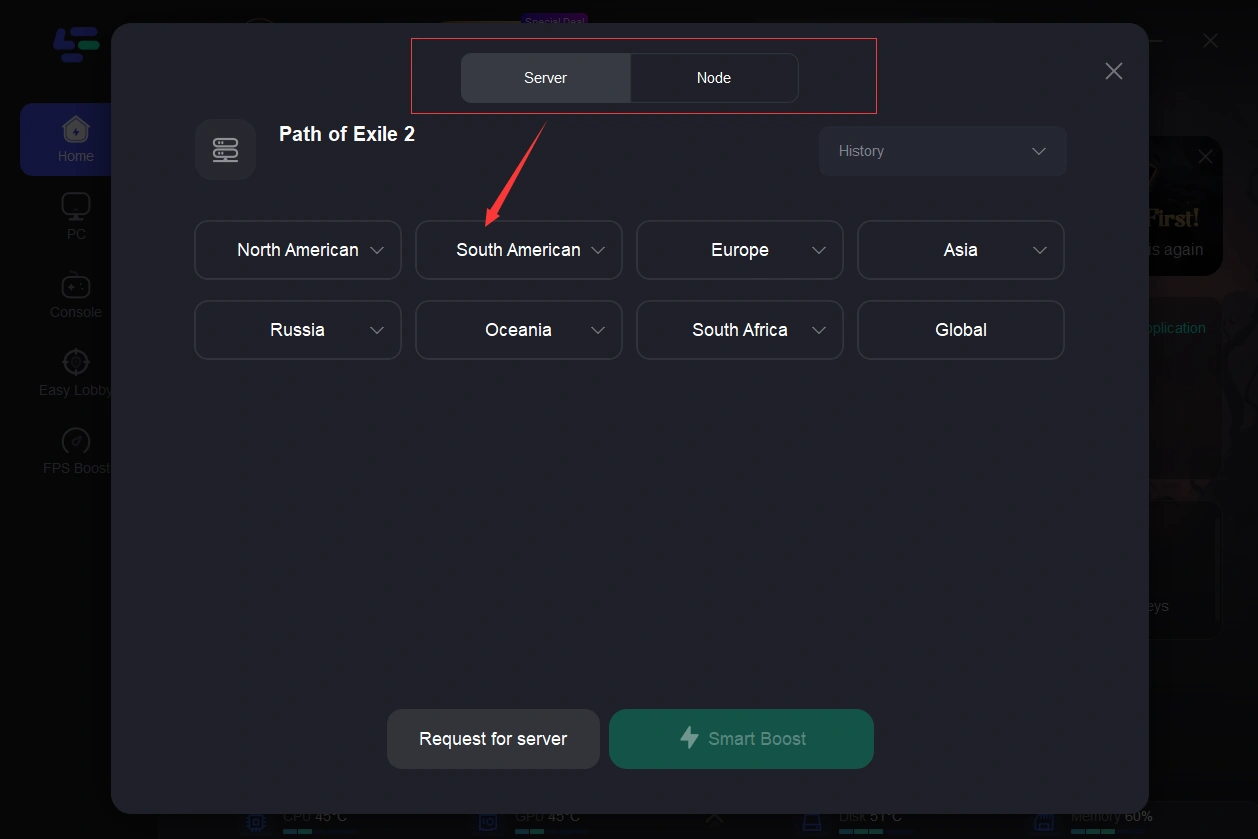
Step 3: Choose your preferred server node and click "Smart Boost" to start optimizing.
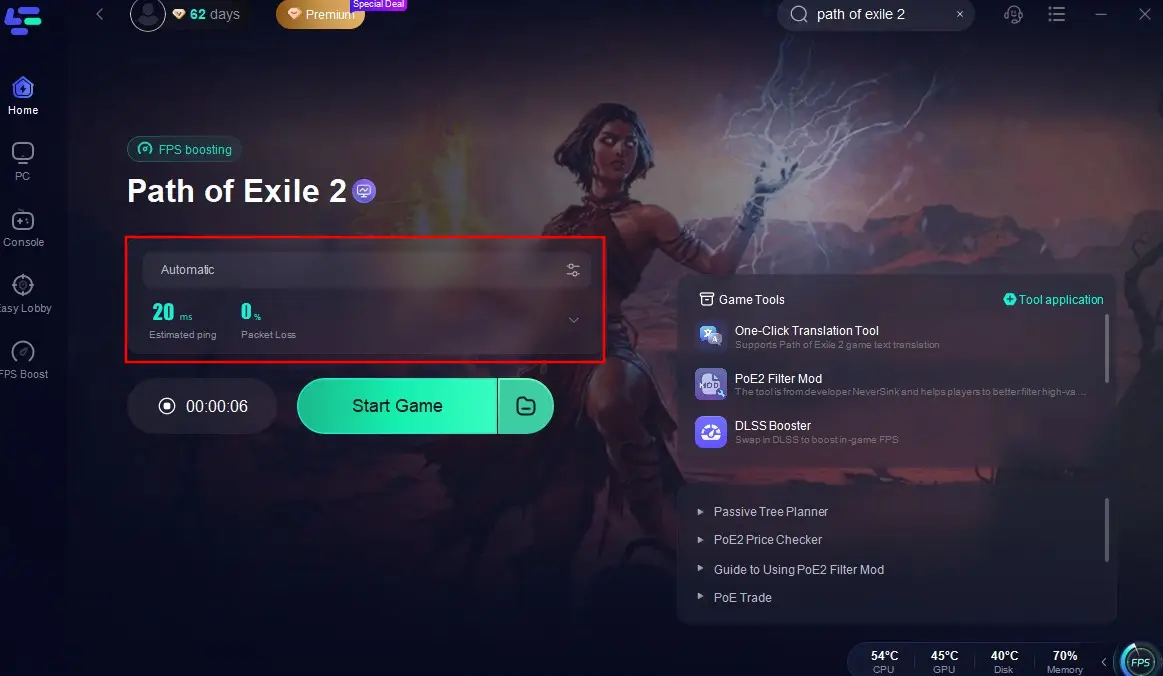
Step 4: Launch your game and enjoy smooth, optimized gameplay with lower ping and no stutter.
Part 7: FAQs
Why did my ping get worse after PoE 2 Patch 0.5?
The 0.5 update changed several backend protocols and increased server load due to new content. This has exposed weaknesses in certain ISP routing paths.
Is the Korea server down?
Not usually, but it is currently experiencing high congestion. If you see "Failed to connect to instance," it's likely a server-side load issue.
Does PoE 2 support DLSS 3?
Yes, and using it can help with frame pacing, which in turn makes the network synchronization feel more stable.
What is a "good" ping for Path of Exile 2?
Anything under 50ms is ideal for Lockstep. If your ping is consistently over 100ms, you should definitely switch to Predictive mode.
Why am I rubberbanding in Predictive mode?
Rubberbanding happens when your client's "prediction" gets too far out of sync with the server. This is usually caused by a sudden burst of packet loss. Using LagoFast can help eliminate this by stabilizing your connection.
Key Takeaways
- Switch to Predictive: It's the best way to handle the current 0.5 patch instability.
- Manual Gateway: Don't trust "Auto-select" during high-traffic periods.
- Clear Shaders: Local stutters often look like network lag on the F1 graph.
- Wired is Better: Eliminate Wi-Fi interference to reduce packet loss.
- Optimize with LagoFast: Use LagoFast Game Booster to find the best route to the Korea server and eliminate latency spikes.
By following these steps, you'll be able to tame the 0.5 latency beast and get back to what matters: slaying monsters and finding loot. Stay safe out there, Exile!

Boost Your Game with LagoFast for Epic Speed
Play harder, faster. LagoFast game booster eliminates stutter and lags on PC, mobile, or Mac—win every match!
Quickly Reduce Game Lag and Ping!
Boost FPS for Smoother Gameplay!