
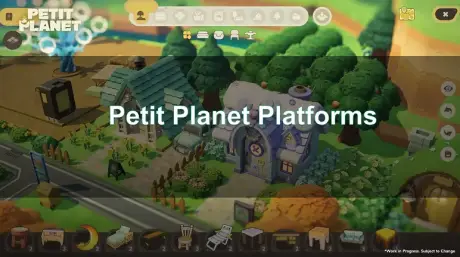
The announcement of Petit Planet has sent waves through the cozy gaming community. Developed by HoYoverse, the titans behind Genshin Impact and Honkai: Star Rail, this cosmic life simulation promises a blend of serene planet-building, social interaction, and that signature high-quality art style we’ve come to expect. For players eager to start their celestial journey, the most pressing question is accessibility: which devices will support this new world? This guide dives deep into the confirmed petit planet platforms, examining the technical requirements for PC and mobile, the likelihood of cross-progression, and what the recent "Stardrift Test" tells us about the game's performance across different hardware. Whether you prefer the precision of a mouse or the portability of a smartphone, understanding these platforms is key to preparing for the late 2026 release.

- ✅ Reduce Lag and High Ping.
- ✅ Boost FPS at the Same Time.
- ✅ Support 8000+ Popular Online Games.
- ✅ Change Server without Latency.
- ✅ End Stuck & Crashing Issues.
Part 1. Confirmed Petit Planet Platforms: PC and Mobile
Part 2. Will Petit Planet Support Cross-Save and Cross-Play?
Part 3. System Requirements for Petit Planet on PC and Mobile
Part 4. Future Platform Speculation: Is a Console Port Coming?
Part 5. How the Stardrift Test Influences Platform Performance
Part 6. How to Enhance Your Game Experience with LagoFast Game Booster
Part 1. Confirmed Petit Planet Platforms: PC and Mobile
As of the latest official announcements and the "Stardrift Test" scheduled for April 21, 2026, HoYoverse has confirmed that Petit Planet will launch on PC (Windows), Android, and iOS. This multi-platform approach is a staple of the developer’s strategy, ensuring that the game reaches the widest possible audience from day one. Unlike traditional life sims that often debut on a single console, Petit Planet is built from the ground up to be a flexible experience.
The PC version is expected to offer the most visually stunning experience, taking advantage of higher resolution textures and advanced lighting effects that bring the cosmic landscapes to life. Meanwhile, the mobile versions are being optimized to provide a "pocket-sized" version of the same world, allowing players to check on their crops or chat with neighbors during a commute. During the initial "Coziness Test" in late 2025, players noted that the transition between these platforms felt intuitive, though the mobile UI was specifically tailored for touch controls to maintain that "cozy" feel without the clutter of a keyboard-heavy interface.
Part 2. Will Petit Planet Support Cross-Save and Cross-Play?
For a game centered on long-term progression and social building, cross-platform functionality isn't just a luxury—it’s a necessity. While HoYoverse has not explicitly detailed the final cross-save mechanics, their history with Genshin Impact and Zenless Zone Zero provides a very clear roadmap. It is almost certain that Petit Planet will feature full cross-progression linked to a single HoYoverse account.
This means you can spend your evening decorating your planet on a high-end gaming rig and then pick up exactly where you left off on your iPad the next morning. In a life sim where timing might matter for certain events or social gatherings, this level of flexibility is a game-changer. Furthermore, cross-play is expected to be enabled, allowing PC players to visit the planets of their mobile-using friends without any barriers. This unified ecosystem is what makes HoYoverse games feel like a persistent world rather than just a standalone app on your phone.
Part 3. System Requirements for Petit Planet on PC and Mobile
To enjoy the "cozy" atmosphere without the frustration of lag or crashes, your hardware needs to meet certain benchmarks. Based on the technical data from the Stardrift Test, here are the estimated requirements:
PC (Windows) Requirements
- Operating System: Windows 10/11 (64-bit)
- Processor: Intel Core i5 (11th Gen) or AMD Ryzen 5 5500 series
- Memory: 16 GB RAM
- Graphics: NVIDIA GeForce GTX 1060 or AMD Radeon RX 580
- Storage: 15 GB available space (SSD highly recommended)
Mobile Requirements (iOS & Android)
- iOS: iPhone 11 or later, iPad with A12 Bionic chip or better. At least 10 GB of storage.
- Android: Snapdragon 888, Kirin 9000, or Dimensity 8100 equivalent. 8 GB RAM and 10 GB of storage space.
While the game is designed to be accessible, HoYoverse titles are known for being quite demanding on mobile thermals. If you plan to play on a smartphone, having a device with a decent cooling system will be vital for long play sessions in the cosmic wilderness.
Part 4. Future Platform Speculation: Is a Console Port Coming?
While PC and mobile are the current focus, the community is buzzing about potential console versions. Historically, HoYoverse has brought its major titles to PlayStation 4 and 5, often a few months or a year after the initial launch. Given the "cozy" nature of Petit Planet, a Nintendo Switch 2 or PlayStation 5 port seems like a perfect fit.
The game’s aesthetic and gameplay loop are reminiscent of Animal Crossing, a genre that thrives on consoles. While no official confirmation exists for a console release in late 2026, the inclusion of controller support in the PC beta tests suggests that the groundwork for a console port is already being laid. For now, console-only gamers might need to wait, but the architecture of the game appears ready for a jump to the big screen whenever HoYoverse decides to expand its orbit.
Part 5. How the Stardrift Test Influences Platform Performance
The "Stardrift Test" on April 21, 2026, is a critical milestone for the game's development. This closed beta is specifically designed to stress-test the servers and observe how the game handles different hardware configurations. Beta participants have reported that HoYoverse is paying close attention to "load times" and "device heat" on mobile platforms.
This testing phase is where the "cross-platform" polish happens. By analyzing data from thousands of different Android devices and PC builds, the developers can fine-tune the graphical presets. If you find that the game runs poorly on your current setup during these tests, don't panic—optimization is usually the final step before the official launch. The goal of these tests is to ensure that the "coziness" isn't interrupted by technical hiccups, regardless of which petit planet platforms you choose.
Part 6. How to Enhance Your Game Experience with LagoFast Game Booster
Even with a top-tier PC or the latest iPhone, online games like Petit Planet can suffer from high latency and packet loss, especially during busy test periods or at launch. Because the game relies on a persistent online connection for its social features and planet synchronization, a spike in ping can ruin the immersive experience. LagoFast(LagoFast Game Booster - Get No Lag and Lower Ping) Game Booster is the ideal solution to ensure a smooth, lag-free journey through the stars.
LagoFast uses a unique multi-path connection protocol to find the fastest route to the game servers, bypassing congested nodes that cause stutters. Whether you are building your dream home on PC or fishing on your mobile device, LagoFast keeps your connection stable.
Steps to Use LagoFast on PC:
Step 1: Click the Free Trial button to download and install LagoFast Free Trial.
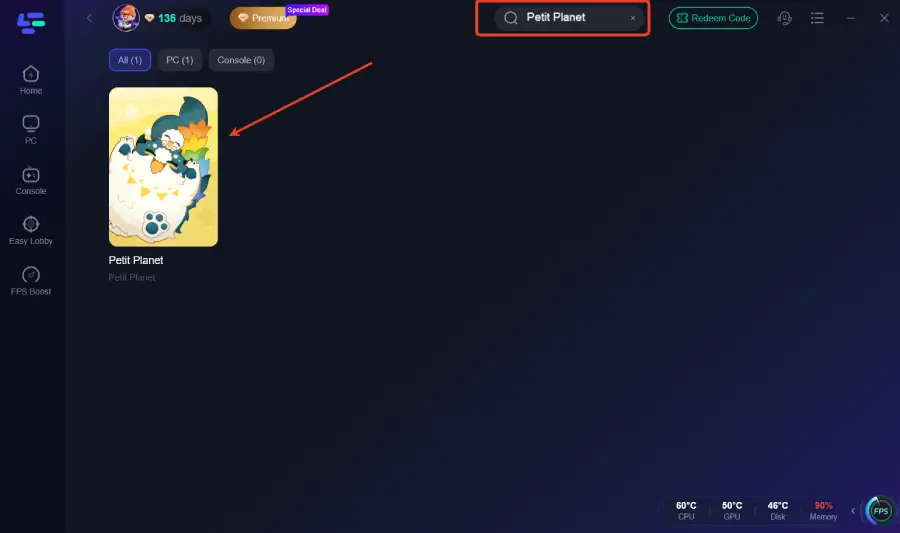
Step 2: Search for Petit Planet: Open the app and type "Petit Planet" in the search bar.
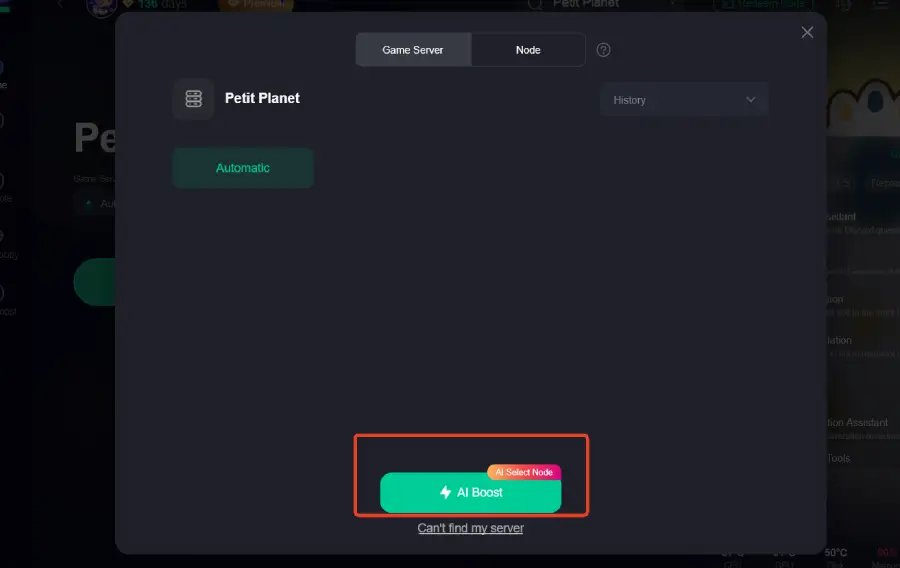
Step 3: Select Server & Node: Choose the server closest to your location and click "Smart Boost" to let the software find the best path.
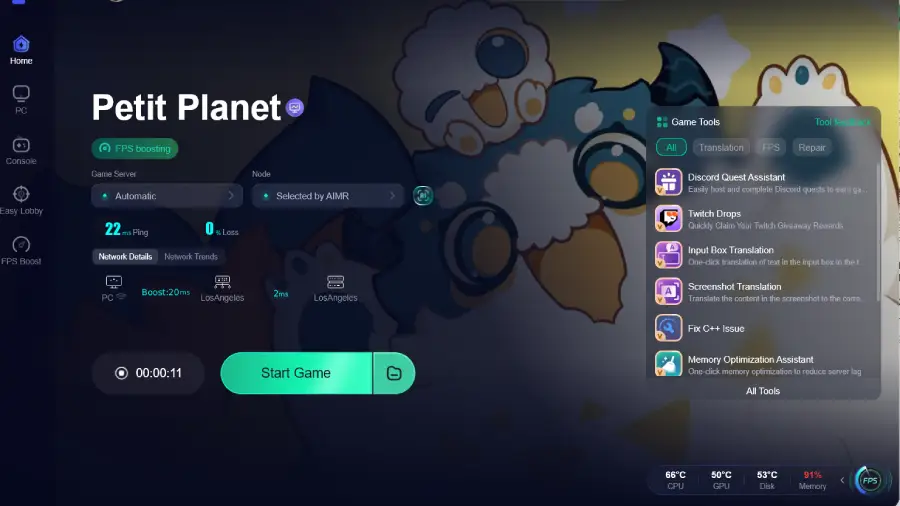
Step 4: Launch the Game: Once the boost is active, launch the game from the LagoFast interface to enjoy lower ping and zero packet loss.
How to use LagoFast Game Booster on Mobile
Step 1: Download LagoFast Mobile Booster
Step 2: Search Petit Planet: and click the result.
Step 3: Choose the Server you like, then click the Boost button.
Step 4: Start Playing: Open Petit Planet on your phone and experience a significantly more responsive game world.
Part 7. FAQs
Q1: Can I play Petit Planet on a Mac?
A1: Currently, HoYoverse has only confirmed a Windows version for PC. However, many players use software like "PlayCover" or "Whisky" to run mobile or Windows versions of HoYo games on Silicon Macs, though official support remains unannounced.
Q2: Is Petit Planet free-to-play on all platforms?
A2: Yes, following the HoYoverse model, the game will be free-to-download on PC, iOS, and Android, with optional in-game purchases for cosmetics or convenience items.
Q3: Will my progress from the Stardrift Test carry over to the full release?
A3: Generally, progress from closed beta tests (like the Coziness or Stardrift tests) is wiped before the official launch to ensure a fair start for all players.
Q4: Does Petit Planet require a constant internet connection?
A4: Yes. Because of its social features, cross-save mechanics, and real-time world updates, you will need to be online to play on any platform.
Q5: Can I use a controller on the mobile version?
A5: While the beta tests focused on touch controls, HoYoverse typically adds controller support (like Xbox or PlayStation controllers via Bluetooth) to their mobile ports shortly before or after launch.
Conclusion
The variety of petit planet platforms ensures that almost everyone can find a way to explore HoYoverse’s new cosmic frontier. With confirmed support for PC, iOS, and Android, and a high probability of seamless cross-progression, Petit Planet is shaping up to be one of the most accessible and flexible life sims on the market. While we wait for the late 2026 launch, the Stardrift Test will continue to refine the experience across all hardware. To make sure your connection is as stable as your planet’s orbit, don’t forget to use LagoFast Game Booster. It’s the best way to eliminate lag and focus on what matters most: building your perfect celestial home. Download LagoFast today and get ready for the ultimate cozy adventure.

Boost Your Game with LagoFast for Epic Speed
Play harder, faster. LagoFast game booster eliminates stutter and lags on PC, mobile, or Mac—win every match!
Quickly Reduce Game Lag and Ping!
Boost FPS for Smoother Gameplay!