

Peak, the fast-rising competitive multiplayer shooter, has attracted thousands of players with its tactical gameplay and intense gunfights. But lately, many users have been reporting a frustrating issue: getting stuck on the “Authenticating…” screen when trying to launch the game. If you’re one of them, you’re not alone—and this guide is here to help. Below, we break down the most common causes and walk you through step-by-step solutions to fix the Peak stuck on authenticating error.

- What Causes the “Stuck on Authenticating” Error in Peak?
- How to Fix “Stuck on Authenticating” Error in Peak
- Fix Peak’s “Stuck on Authenticating” Error with LagoFast
1. What Causes the “Stuck on Authenticating” Error in Peak?
Before jumping into fixes, it’s helpful to understand what might be going wrong. Common causes include:
- Server overload or temporary outages
- Network routing issues
- ISP throttling or regional restrictions
- Corrupt or missing game files
- Firewall or antivirus blocking the connection
This issue often prevents players from reaching the main menu, keeping them locked on the loading screen indefinitely.
2. How to Fix “Stuck on Authenticating” Error in Peak
Fix 1: Accept a Game Invite via Steam (Quick Workaround)
A surprising yet effective trick reported by the community:
Have a friend invite you to a match via Steam, then accept the invite while the game is launching.
This workaround has helped many players bypass the authentication screen and enter the game directly. It’s a temporary fix, but worth trying before deeper troubleshooting.
Fix 2: Restart Network and Flush DNS
Simple connection resets can often fix authentication errors. Here’s how:
1. Restart your router/modem and reconnect to the internet.
2. Switch to a different network (hotspot, VPN, etc.) to see if it resolves the issue.
3. On Windows, open Command Prompt as administrator, then type:
- ipconfig /flushdns
4. Restart your PC and relaunch Peak.
This will clear your DNS cache and often fix routing-related blocks between your PC and the game’s servers.
Fix 3: Check Your Firewall and Antivirus
Sometimes your firewall or antivirus software may mistakenly block Peak’s authentication service.
- Add Peak.exe and Steam to your firewall’s exception list.
- Temporarily disable your antivirus and try launching the game.
- If it works, whitelist the game in your antivirus settings before enabling protection again.
Fix 4: Verify Game Files via Steam
Corrupted files can cause the game to hang on login:
- Open Steam Library
- Right-click on Peak → Properties
- Go to Installed Files → Verify integrity of game files
- Restart the game after the check completes
Steam will scan and replace any missing or damaged files.
3. Fix Peak’s “Stuck on Authenticating” Error with LagoFast
If you want to enhance your gameplay with mods, LagoFast makes it easy while also solving the frustrating ‘Authenticating…’ screen in Peak. It helps you bypass bad connections, reduce latency, and support PEAK as well as many other games with mod features for a richer, more engaging experience.
Why Use LagoFast?
- Instantly reduce ping and eliminate lag spikes
- Bypass region-specific connection issues
- Intelligent routing to the most stable game servers
- Real-time network stats (ping, jitter, packet loss)
- Supports hundreds of online games with cross-platform boost
How to Use LagoFast
Whether you're logging in for the first time or grinding ranked matches, LagoFast ensures that your network won’t be the reason you fall behind.
Fixing connection problems with LagoFast takes just a few simple steps:
Download and install LagoFast via the free trial button
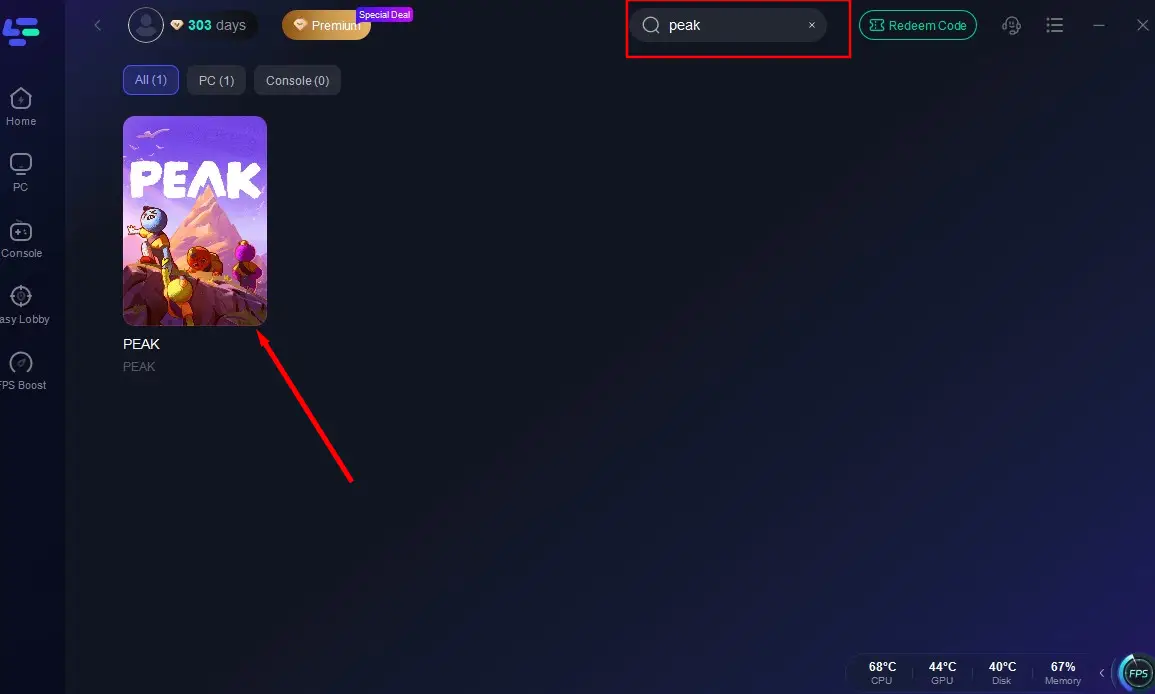
Launch the app, search "PEAK", and select the game result
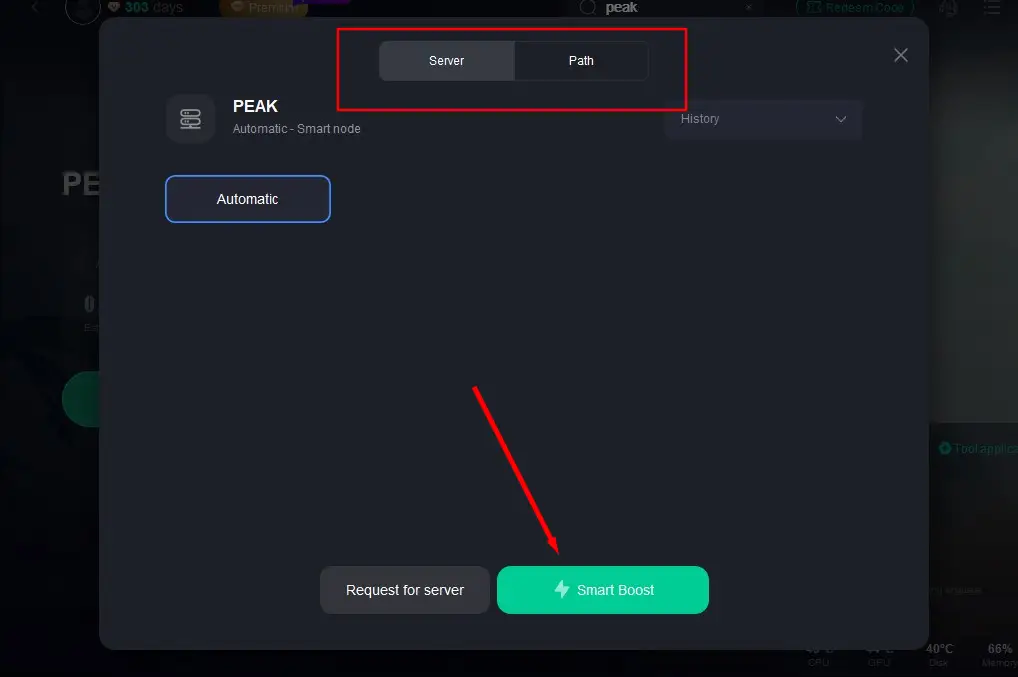
Choose your preferred server node and click "Smart Boost" to start optimize
Verify real-time performance metrics and launch PEAK with optimized settings
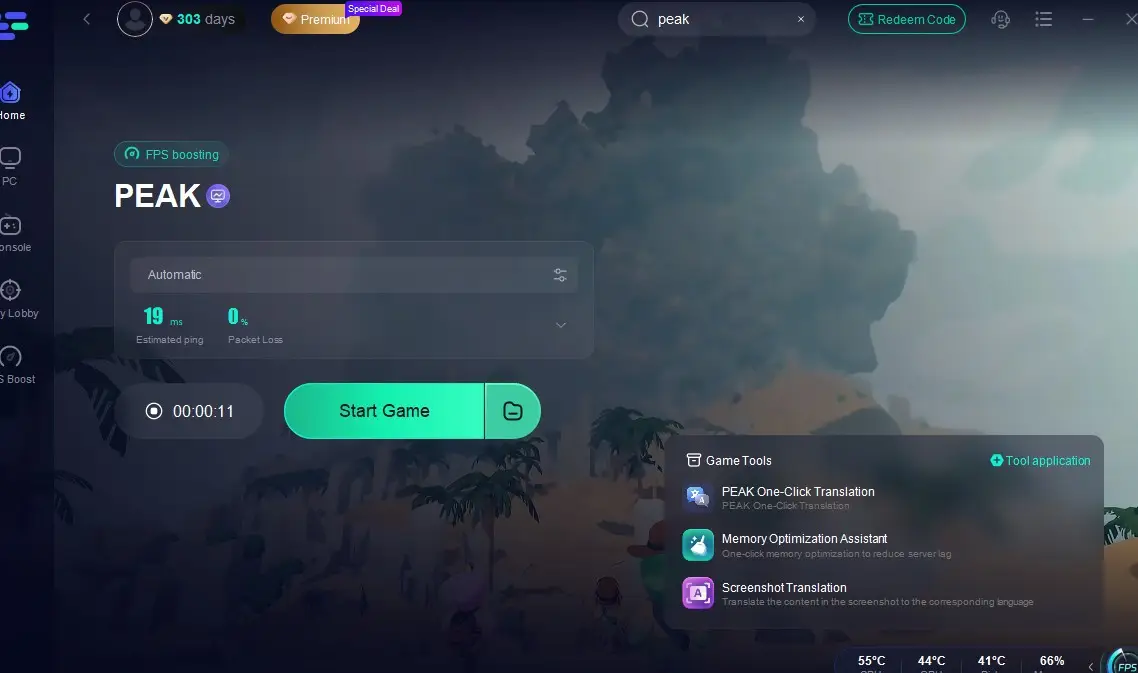
Whether you're stuck on Peak’s login screen or experiencing lag mid-match, LagoFast offers a quick and effective solution that doesn’t require any technical expertise. Its intuitive interface makes it easy for any gamer to optimize their connection with just a few clicks. Once you activate LagoFast, it automatically finds the most efficient route to the game server, reducing latency and eliminating packet loss that can lead to authentication errors or connection drops.
Conclusion
If you’re stuck on the Peak “Authenticating…” screen, don’t panic. Start with the simplest fix—accepting a Steam game invite. Then move on to resetting your network or using a tool like LagoFast for optimized routing. These solutions have worked for thousands of players and should get you back into the action quickly. If none of these methods resolve the issue, consider reaching out to the game’s official support with details about your region, network provider, and error history.

Boost Your Game with LagoFast for Epic Speed
Play harder, faster. LagoFast game booster eliminates stutter and lags on PC, mobile, or Mac—win every match!
Quickly Reduce Game Lag and Ping!
Boost FPS for Smoother Gameplay!