
What's Going On With PEAK?
Most players report instant crashes, black screens, or the game not responding at all. This usually happens right after launching from Steam.
Sometimes PEAK simply refuses to launch — no screen, no sound, or just a flash before closing. For others, it crashes at startup, freezes on a black screen, or shows DLL/DirectX-related errors. These issues can be frustrating, but almost all of them have solutions.
What's Actually Happening:
PEAK uses Photon servers (hosted on AWS) to handle multiplayer connections. But in Russia:
- Access to AWS IPs is being intentionally blocked
- So your game can't reach the server = no connection
This is not a bug in the game — it's a network restriction on your side.
Cross-Region Connections Break
- If the host is located in Russia, and you're in Europe or elsewhere, you may see: "Could not find the Photon room"
- This error appears because the Russian host fails to connect to Photon, so the room doesn't even exist from your side.
Why Won't PEAK Start & How to Fix
1. Broken Resolution Settings
PEAK is built on Unity, and like many Unity games, it stores display settings in the Windows registry. If these get corrupted, the game may crash without warning.
Fix:
- Open regedit
- Go to: HKEY_CURRENT_USER\SOFTWARE\Landcrab\Peak
- Delete all entries that begin with Screenmanager
- Restart Steam and launch the game
2. Fullscreen Crash / Black Screen
Sometimes the game tries to start in a resolution or fullscreen mode your monitor can't handle.
Fix:
- Set Steam launch options: -screen-fullscreen 0 -screen-width 1920 -screen-height 1080
- If the game shows a black screen, press Alt + Enter to force windowed mode.
3. Missing Drivers or Required Libraries
Many startup errors (especially DLL-related) are due to missing dependencies.
Make sure these are installed/updated:
- DirectX (full offline installer)
- Microsoft .NET Framework 3.5 and 4.8
- Microsoft Visual C++ Redistributables (2010–2022, x86 and x64)
- Latest Nvidia or AMD GPU drivers
4. Error 0xc000007b or DLL Missing
This error often appears when there's a mismatch between 32-bit and 64-bit DLLs.
Fix:
- Reinstall all Visual C++ Redistributables
- Use Dependency Walker to find the bad DLL (e.g., a 32-bit msvcr120.dll on a 64-bit system)
- Replace the file from a trusted source (e.g. dll-files.com)
5. Overlay or Background App Conflict
Apps like Discord Overlay, MSI Afterburner, or Steam Overlay can prevent the game from launching.
Fix:
- Disable all overlays
- Exit Afterburner, RivaTuner, and GeForce Experience before launching
6. Antivirus or Windows Defender Block
Some security software quarantines critical .exe files or DLLs.
Fix:
- Add the PEAK installation folder and peak.exe to antivirus exceptions
- Temporarily disable Windows Defender or any third-party AV to test
7. DirectX Errors: DXGI_ERROR_DEVICE_REMOVED / HUNG / RESET
These usually indicate GPU driver crashes or overheating.
Fix:
- Enable Debug Mode in Nvidia Control Panel
- Cap your FPS using your GPU software
- Run PEAK in DirectX 12 mode: -force-d3d12
8. Sound Missing or Broken
If there's no sound or it cuts out during cutscenes, it may be due to a high bit-depth setting.
Fix:
- Right-click speaker icon → "Sounds"
- Go to Playback Devices → your active device → "Properties"
- Lower default format (e.g., to 16 bit, 44100 Hz)
Also disable Spatial Sound in the same menu.
9. PEAK Crashes Randomly or on Save Points
This is often caused by overheating or background apps like OBS, overlay recorders, or system memory leaks.
Fix:
- Close all background apps
- Check system temps using HWMonitor or FurMark
- Reset overclocking (if applied) using MSI Afterburner's "Reset"
Hot Related: How to Fix FC 26 Lag on PC and Console: A Complete Guide
Best Way to Fix PEAK Won't Start - LagoFast
If you want to enhance your PEAK experience, you can use various mods, and LagoFast not only optimizes game launch and connection but also lets you enjoy PEAK and many other games with mods for a richer, more engaging experience.
Step 1: Click the "Free Trial" button to download and install LagoFast on your PC at no cost.
Step 2: After installation, search for "PEAK" in LagoFast's search bar.
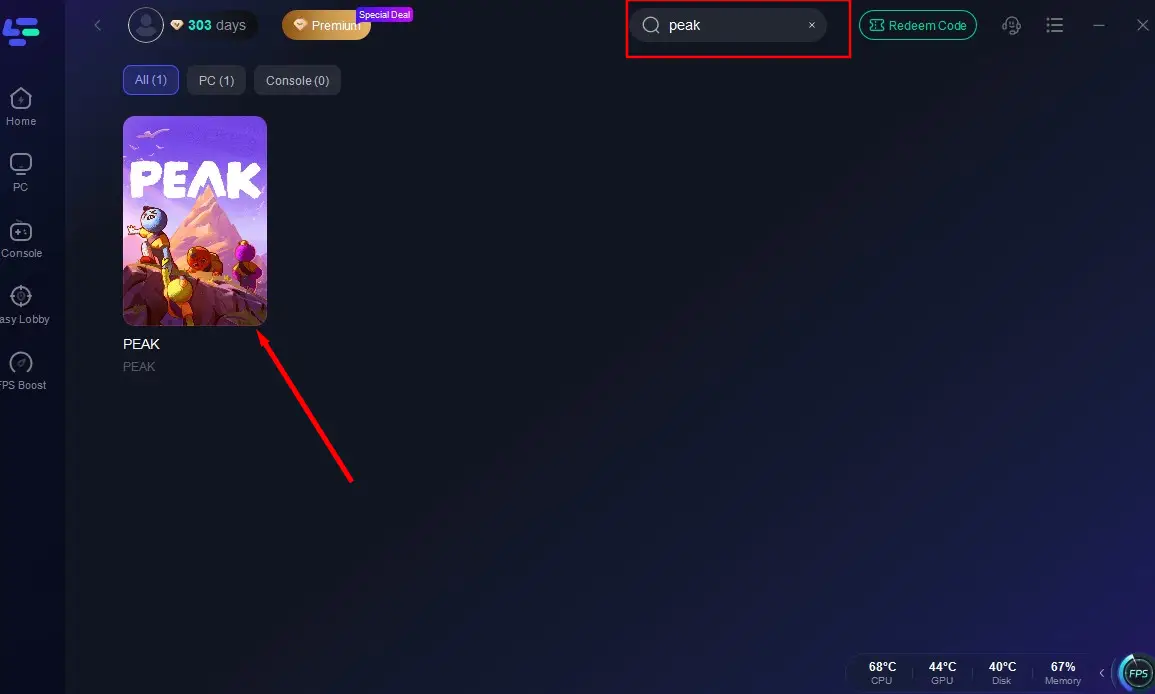
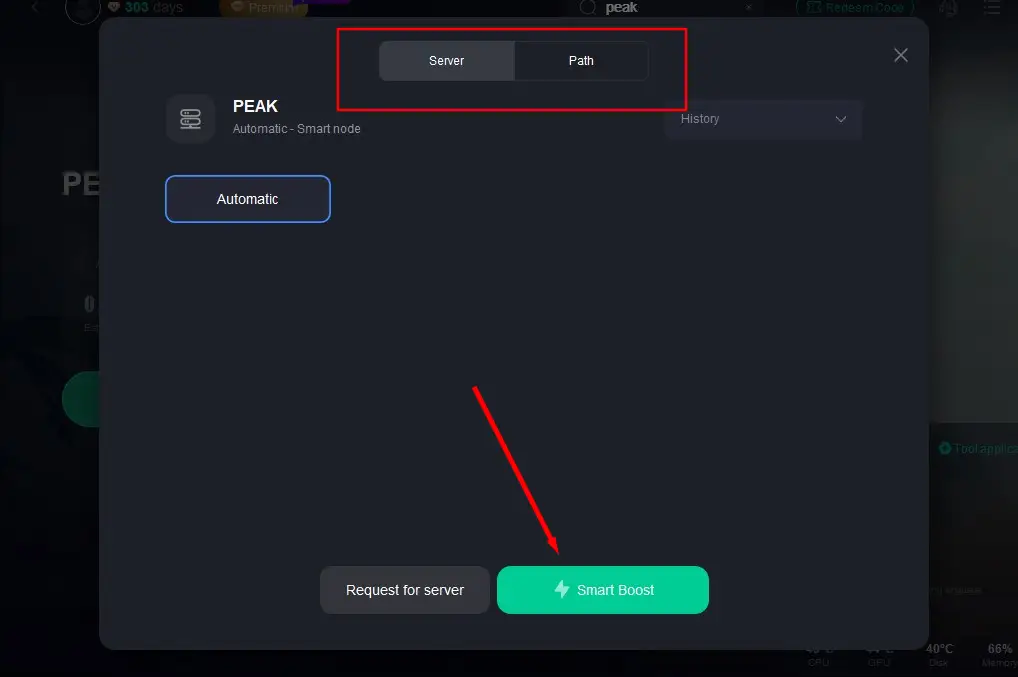
Step 3: Select the server with the best performance for PEAK and click "Smart Boost" to initiate acceleration.
Step 4: Once acceleration is confirmed, click "Start Game" to launch PEAK.
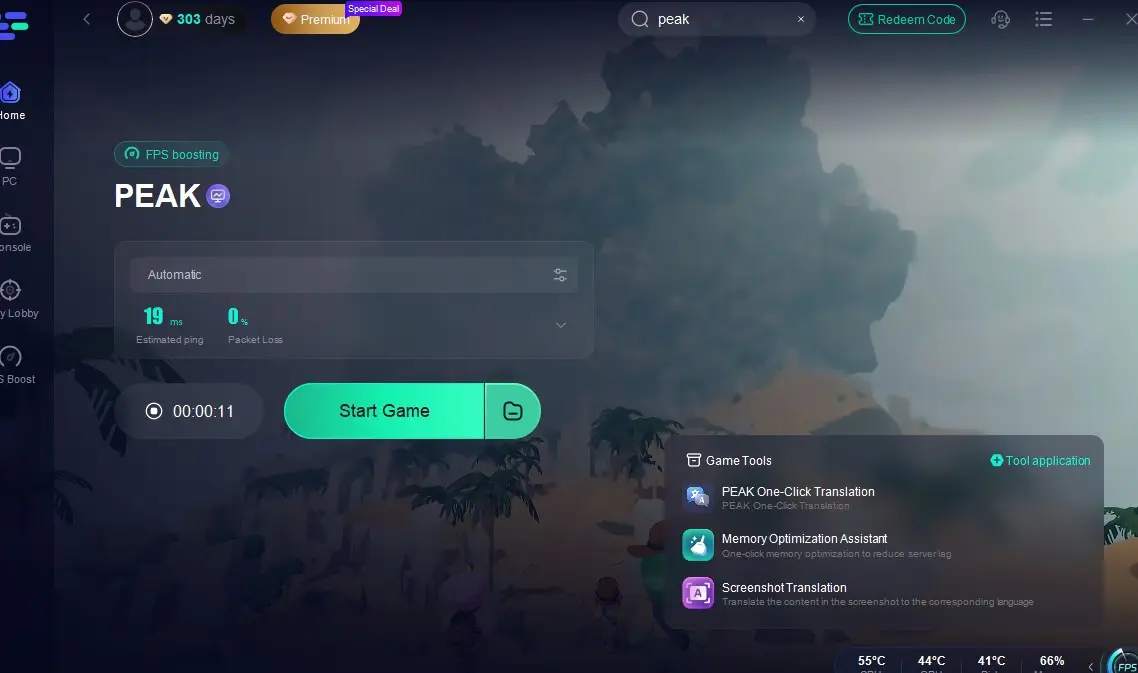
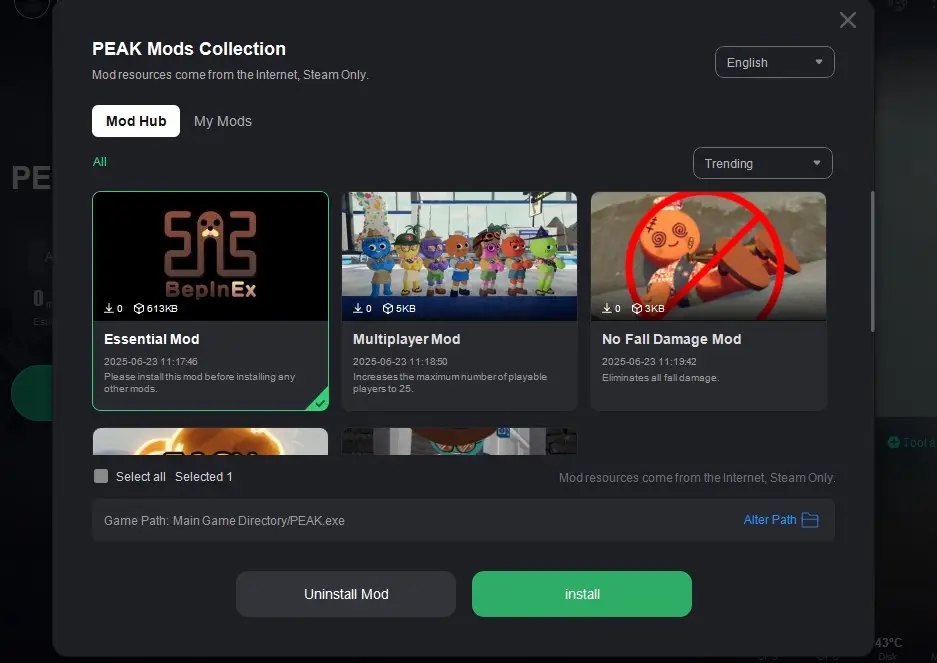
Additionally, LagoFast offers a variety of PEAK mods, such as the PEAK 25 Player Mod, No Fall Damage Mod, and Easy Backpack Mod, enhancing multiplayer experiences (supporting over 4 players), reducing fall damage, and boosting in-game survivability. Installation Guide:
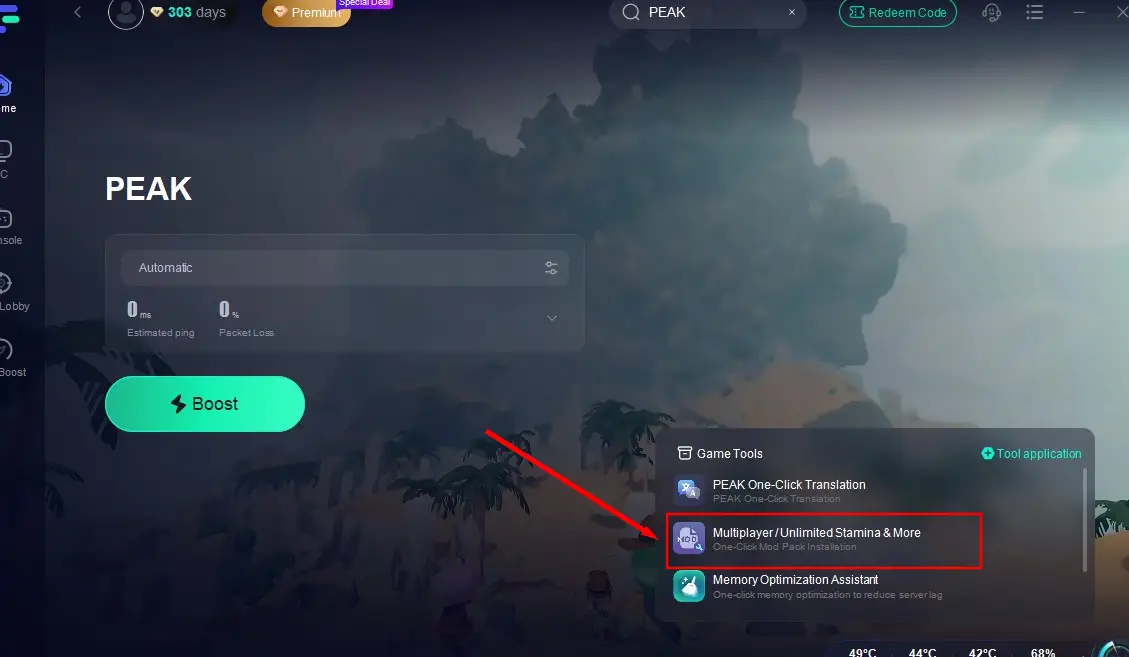
After searching for PEAK, click the "Multiplayer/Unlimited Stamina & More" tool in the lower-right corner.
Choose your desired mods based on gameplay needs and complete the installation.
Hot Related: Best PEAK Mod Recommended
Performance Tweaks (FPS Drops, Freezes, Lag)
Even on high-end PCs, PEAK can lag if background processes eat resources.
Performance Boost Checklist
- Set PEAK to High Priority in Task Manager
- Use Maximum Performance Mode in Windows Power Settings
- Tweak GPU settings in Nvidia/AMD control panel:
- Texture filtering: Quality → Performance
- V-Sync: Off or Adaptive
- Triple Buffering: Off
- Clean system with CCleaner or BleachBit
- Defragment HDD or install the game on SSD
PEAK Q&A
Q1: What does "PEAK doesn't launch" really mean
A1: It means the game crashes at boot, doesn't show a window, or shows a black screen and closes.
Q2: Can DLL errors be fixed
A2: Yes — install required runtimes and use Dependency Walker to locate the mismatched or missing DLL.
Q3: PEAK opens, but there's no video or sound — what gives
A3: It could be overlay conflict, wrong resolution, or system audio settings.
Q4: Is it my PC or the game
A4: Try PEAK on another user account or another PC. If it runs fine, it's your OS environment.
Tools You Might Need
- Dependency Walker – for identifying broken DLLs
- CCleaner / BleachBit – for cleaning system junk
- FurMark / MSI Afterburner – for GPU testing
- sfc /scannow (System File Checker) – repairs corrupted system files
- DISM tool – deeper Windows image repair
Still Not Working
If you've tried everything and the game still doesn't work:
- Create a new Windows user with only Latin characters in the name
- Install Steam fresh
- Reinstall PEAK with a clean registry and no overlays
You May Also Like: Download and Play Final Fantasy XIV Mobile CN - Best Guide
Boost Your Game with LagoFast for Epic Speed
Play harder, faster. LagoFast game booster eliminates stutter and lags on PC, mobile, or Mac—win every match!
Quickly Reduce Game Lag and Ping!
Boost FPS for Smoother Gameplay!