

Nioh 3 is a fast-paced action RPG known for its punishing combat and deep skill systems. Every weapon, ability, and item description matters, and understanding them correctly can make a huge difference in how the game feels. However, for many players, the challenge isn’t just the enemies—it’s the language barrier. When skills, mechanics, or story details aren’t fully clear, progress becomes slower and more frustrating.
This guide looks at Nioh 3’s release and language support and explains how using Nioh 3 Translation Tool can help you play with more confidence and clarity.

- ✅ Reduce Lag and High Ping.
✅ Boost FPS at the Same Time.
✅ Support 2000+ Popular Online Games.
✅ Change Server without Latency.
✅ Boost Game Loading Speed.
Part 1: Nioh 3 Release Date, Platforms, and Game Features
Part 2: What Languages Does Nioh 3 Support?
Part 3: The Best Translation Tool to Play Nioh 3 Smoothly
Part 1: Nioh 3 Release Date, Platforms, and Game Features
Nioh 3 was officially released on February 6, 2026, for PlayStation 5 and PC (Steam).
Designed specifically for modern hardware, the game builds on everything the series is known for, offering faster combat, more complex systems, and a heavier focus on player decision-making. With that added depth comes one clear change: there’s far more information for players to read and understand than in previous entries.
Game Features
Nioh 3 keeps the series’ signature high-pressure combat while expanding how players explore and fight.
Key features include:
- An open field with constant tension—a more open field design encourages exploration while maintaining the intense atmosphere Nioh is known for. Dangerous yokai, hostile villages, and the looming presence of the “Crucible” keep pressure on the player at all times.
- Two combat styles: Samurai and Ninja – Players can switch seamlessly between styles in battle. Samurai Style focuses on direct power, while Ninja Style emphasizes speed, mobility, and special techniques.
- Deeper skill and system complexity—Weapons, abilities, and builds are more layered than before, making clear skill descriptions and system knowledge more important than ever.
Part 2: What Languages Does Nioh 3 Support?
Official Language Support Overview
Nioh 3 offers official language support for a wide range of regions. On the surface, this covers most major markets, but the level of support differs depending on the language. Some languages include full voice acting, while others rely mainly on interface text and subtitles.
Below is the current official language support available in Nioh 3, as listed on Steam:
|
Language |
Interface |
Full Audio |
Subtitles |
|
English |
✔ |
✔ |
✔ |
|
French |
✔ |
✔ |
|
|
Italian |
✔ |
✔ |
|
|
German |
✔ |
✔ |
|
|
Spanish (Spain) |
✔ |
✔ |
|
|
Portuguese (Brazil) |
✔ |
✔ |
|
|
Russian |
✔ |
✔ |
|
|
Simplified Chinese |
✔ |
✔ |
|
|
Traditional Chinese |
✔ |
✔ |
|
|
Japanese |
✔ |
✔ |
✔ |
|
Korean |
✔ |
✔ |
|
|
Arabic |
✔ |
✔ |
Even with multiple language options, players whose native language isn’t supported may struggle with the UI, subtitles, and voice lines. In a game where understanding skills, systems, and story is key, missing these details can slow learning and break immersion.
Part 3: The Best Translation Tool to Play Nioh 3 Smoothly
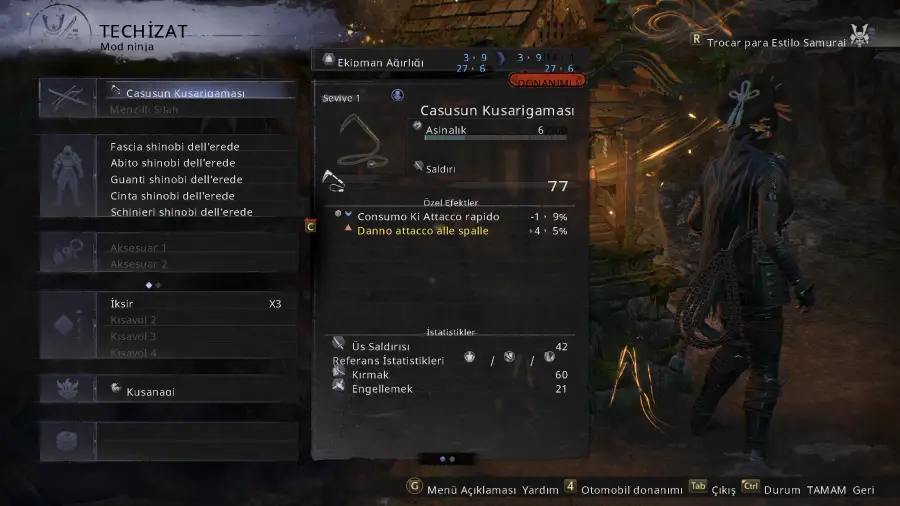
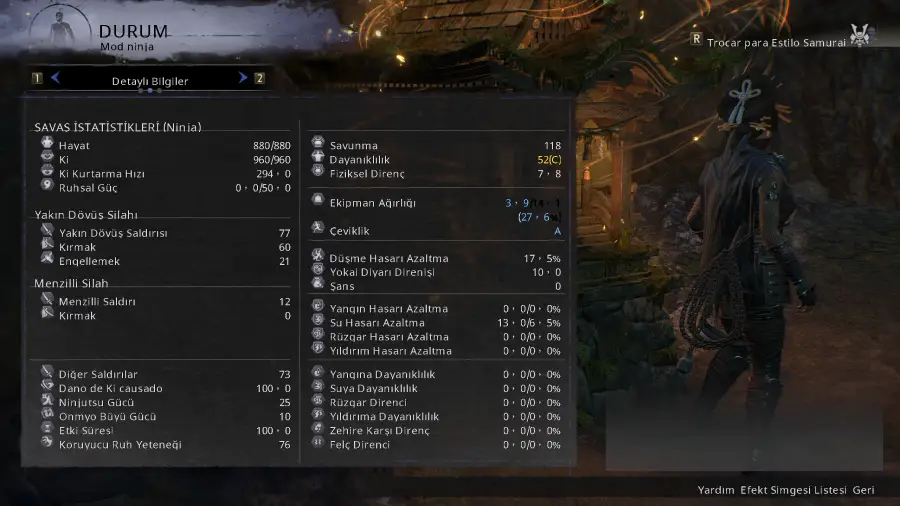
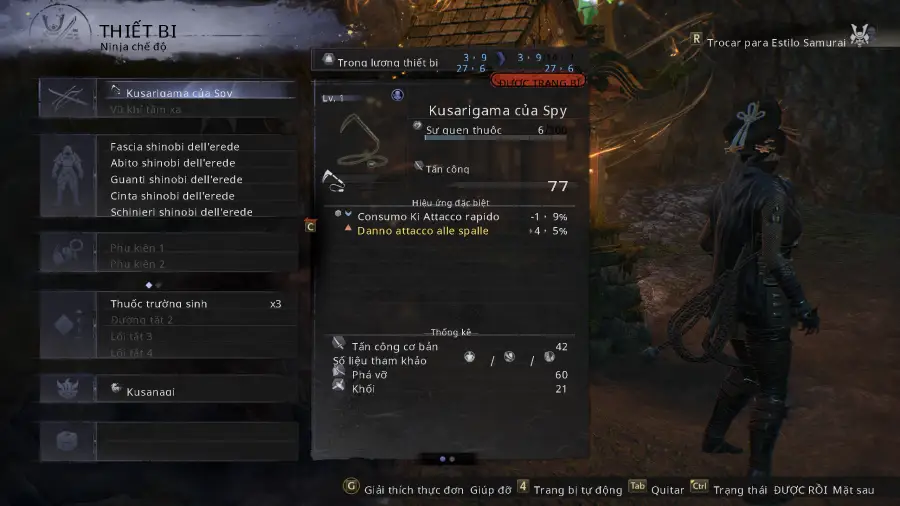
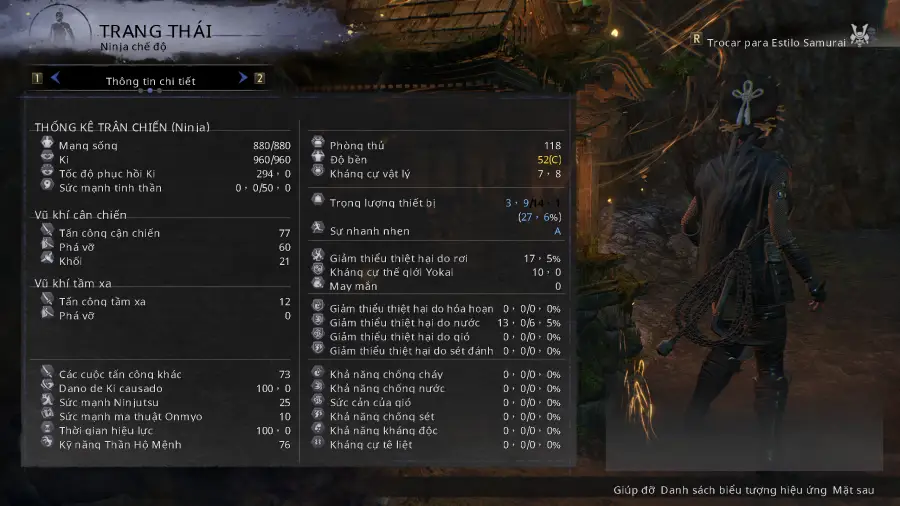
In Nioh 3, clearly understanding skills, items, and system mechanics directly affects how well you play—especially for players whose native language isn’t officially supported, such as Turkish players. LagoFast’s One-Click Translation Tool solves this by translating in-game text instantly, allowing players to read skills and UI smoothly without interrupting gameplay. The tool currently supports Turkish, Vietnamese, and Polish, with more languages being added over time.
Beyond translation, LagoFast also helps reduce ping, minimize packet loss, stabilize network connections, optimize routing, and improve FPS. Practical tools like Map Teleport further streamline exploration and farming, making the overall Nioh 3 experience faster, clearer, and more stable.
How to Use LagoFast for Nioh 3 Translation
Step 1: Click the Free Trial button to download and install LagoFast.
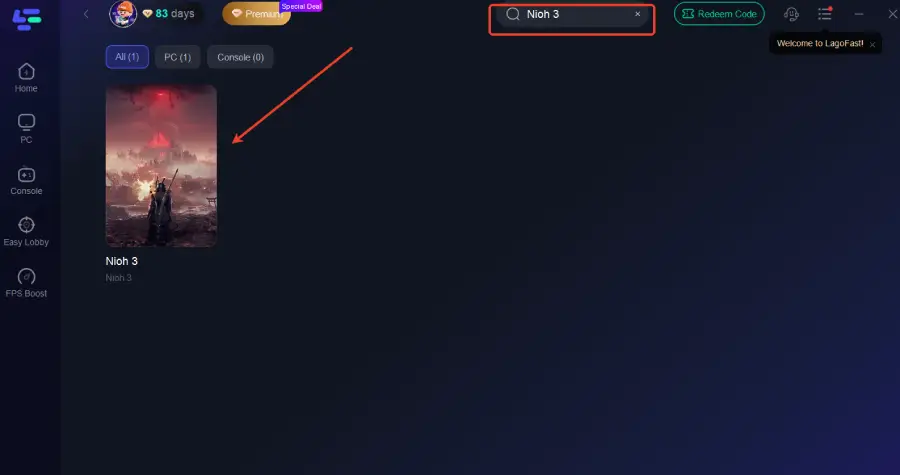
Step 2: After installation, search "Nioh 3" in the search bar and select the game.
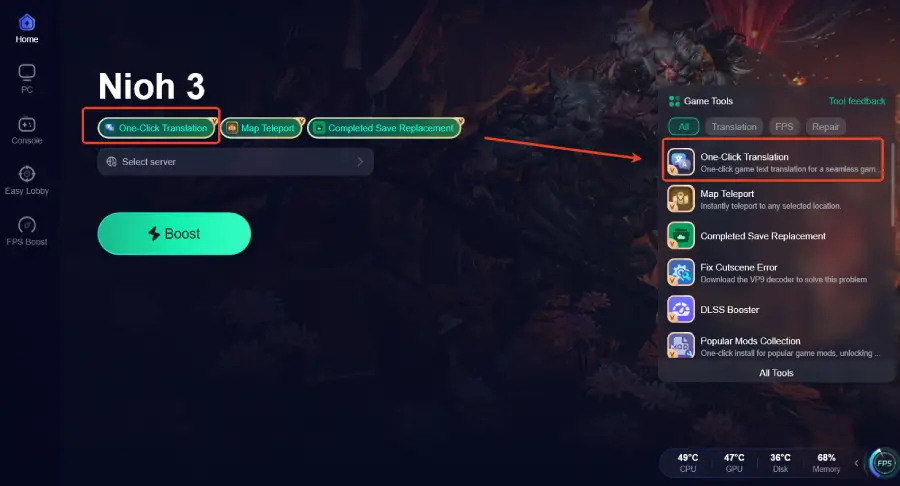
Step 3: Activate the Translation Tool—Click the One-Click Translation icon in LagoFast.
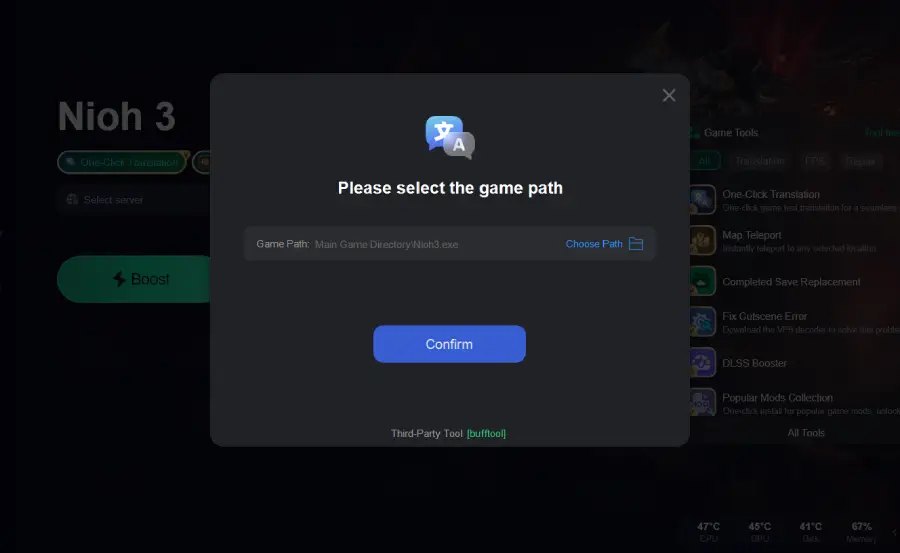
Step 4: Select the game file path and install the translated text file.
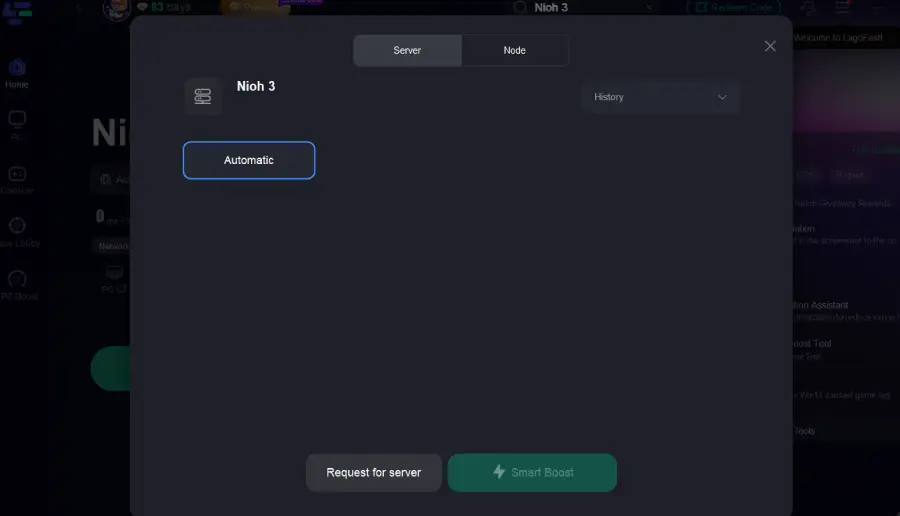
Step 5: Choose your preferred server node and click "Smart Boost" to start optimizing.
Step 6: Launch your game and enjoy smooth, optimized gameplay with lower ping and no stutter.
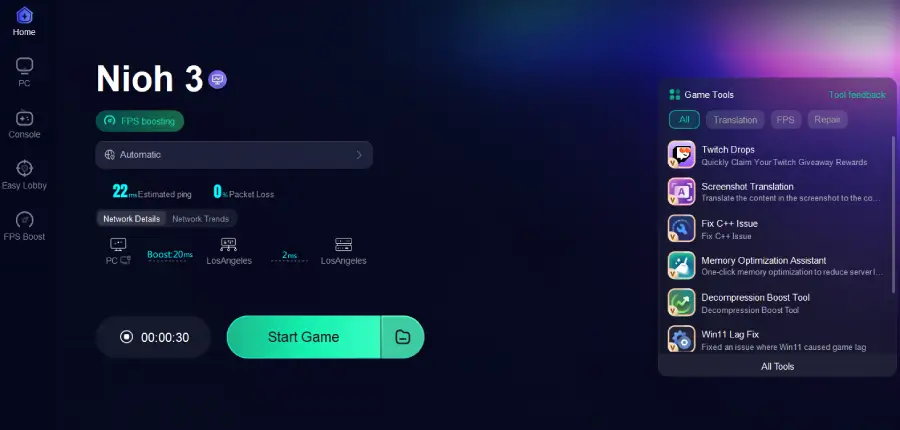
The translation effect is shown as follows:
Turkish
Vietnamese
Conclusion
Nioh 3 is designed to challenge players through its combat and systems. For players using languages the game doesn’t support, missing skill details or UI information can quickly become frustrating. A translation tool helps bridge that gap, making mechanics easier to understand and gameplay more consistent. With added performance and network optimization, tools like LagoFast let players focus on the fight itself and enjoy Nioh 3 the way it’s meant to be played.

Boost Your Game with LagoFast for Epic Speed
Play harder, faster. LagoFast game booster eliminates stutter and lags on PC, mobile, or Mac—win every match!
Quickly Reduce Game Lag and Ping!
Boost FPS for Smoother Gameplay!