
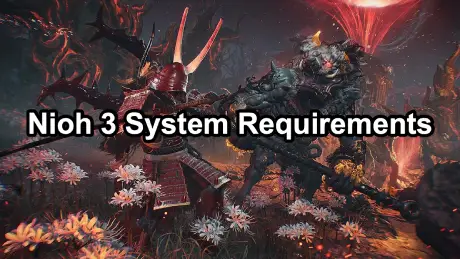
If you are searching for Nioh 3 system requirements, you are not alone. With Team Ninja’s reputation for demanding, fast-paced combat systems, players want to know whether their PC is ready before the next punishment session begins. Below is a practical, no-nonsense breakdown of expected PC requirements, performance expectations, and how to prepare your rig.
Important note: Nioh 3 has not officially released PC specifications yet. The requirements below are well-grounded estimates based on Nioh, Nioh 2, and Team Ninja’s recent PC ports.

- ✅ Reduce Lag and High Ping.
✅ Boost FPS at the Same Time.
✅ Support 2000+ Popular Online Games.
✅ Change Server without Latency.
✅ Boost Game Loading Speed.
Part 1: Expected Minimum System Requirements for Nioh 3 (PC)
Part 2: Recommended System Requirements for Nioh 3
Part 3: Ultra / 4K System Requirements (Estimated)
Part 4: Will Nioh 3 Be More Demanding Than Nioh 2?
Part 5: Performance Tips to Run Nioh 3 Smoothly on PC
Part 6: Can You Run Nioh 3 on a Mid-Range PC?
Part 7: Fix Lag and High Ping in Nioh 3 with LagoFast
Part 1: Expected Minimum System Requirements for Nioh 3 (PC)
These specs target 1080p resolution at low–medium settings, aiming for stable 60 FPS—no cinematic flexing, just survivability.
- OS: Windows 10 (64-bit)
- CPU: Intel Core i5-8400 or AMD Ryzen 5 2600
- RAM: 12 GB
- GPU: NVIDIA GTX 1060 (6 GB) or AMD RX 580
- DirectX: Version 12
- Storage: 85–100 GB available space (SSD strongly recommended)
If your machine barely clears this bar, expect to turn down shadows, effects, and maybe your pride.
Part 2: Recommended System Requirements for Nioh 3
For players who want high settings, smooth combat, and consistent frame pacing, this is the realistic sweet spot.
- OS: Windows 10 / Windows 11 (64-bit)
- CPU: Intel Core i7-10700 or AMD Ryzen 7 3700X
- RAM: 16 GB
- GPU: NVIDIA RTX 2070 / RTX 3060 or AMD RX 6700 XT
- DirectX: Version 12
- Storage: NVMe SSD with 100 GB free space
This setup should comfortably handle 1440p at high settings, with headroom for future patches and DLC.
Part 3: Ultra / 4K System Requirements (Estimated)
If you are chasing 4K resolution, ultra settings, or high-refresh monitors, Nioh 3 will not be merciful.
- CPU: Intel Core i9-10900K or AMD Ryzen 9 5900X
- RAM: 32 GB
- GPU: NVIDIA RTX 3080 / RTX 4080 or AMD RX 7900 XT
- Storage: High-speed NVMe SSD
At this tier, performance bottlenecks will likely come from optimization—not your hardware.
Part 4: Will Nioh 3 Be More Demanding Than Nioh 2?
Short answer: yes.
Long answer: expect
- More complex enemy AI and animation blending
- Denser particle effects during Yokai abilities
- Improved lighting and environmental detail
- Higher CPU load during large encounters
Team Ninja’s recent releases show a steady upward trend in hardware demands, especially on the GPU side.
Part 5: Performance Tips to Run Nioh 3 Smoothly on PC
Before you panic-upgrade your GPU, do this first:
- Install the game on an SSD, not an HDD
- Update GPU drivers before launch week
- Disable motion blur and excessive post-processing
- Lock FPS to maintain frame pacing consistency
- Use DLSS / FSR if supported (very likely)
Nioh combat punishes dropped frames more than most action RPGs—stability matters more than raw visuals.
Part 6: Can You Run Nioh 3 on a Mid-Range PC?
If your system can already run Nioh 2 comfortably at 60 FPS, you are probably fine at medium settings. The biggest red flags will be:
- GPUs older than GTX 1060 / RX 580
- CPUs with fewer than 6 modern cores
- Systems still running on HDDs
In other words: if your PC struggles with recent action RPG ports, Nioh 3 will not be forgiving.
Part 7: Fix Lag and High Ping in Nioh 3 with LagoFast
Network instability can turn Nioh-style precision combat into a mess—input delay, sudden lag spikes, and packet loss are run-killers. This is where LagoFast comes in: it optimizes your connection path to the game server so your performance is limited by skill, not latency.
Why LagoFast Helps in Nioh 3
- Reduces ping and stabilizes frame-critical combat timing
- Minimizes packet loss during boss fights and co-op sessions
- Automatically selects the fastest and most stable network route
- Real-time monitoring of ping, packet loss, and connection type
How to Use LagoFast (Quick Version)
1. Download LagoFast and start the free trial.
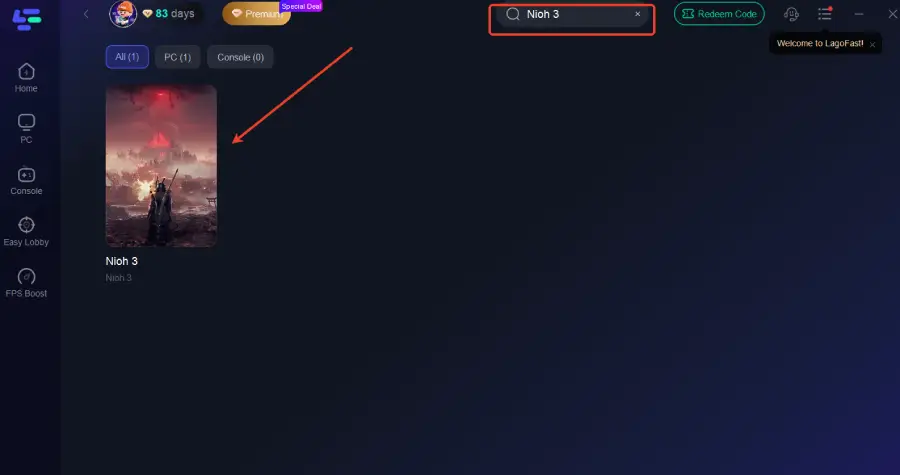
2. Open LagoFast and search for Nioh 3 before launching the game.
3. Select a stable server and let the system auto-match the best node.
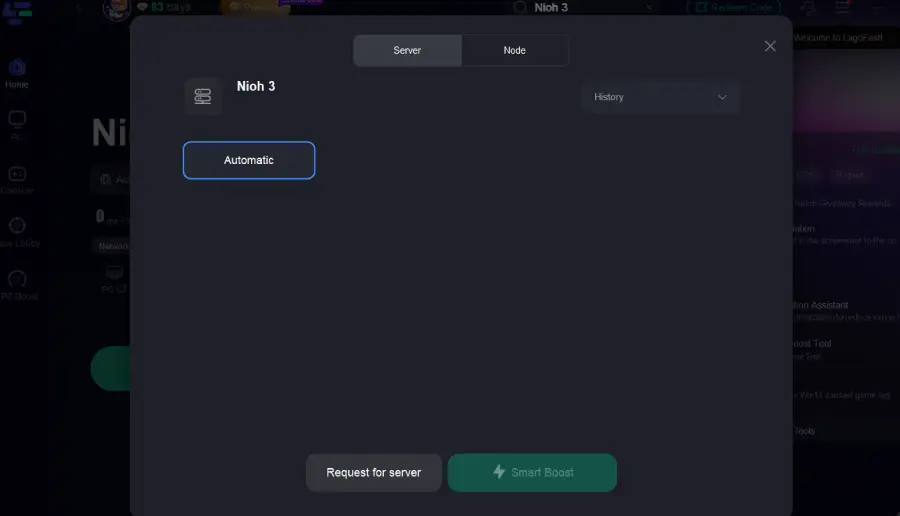
4. Enable Smart Boost and launch the game with optimized routing.
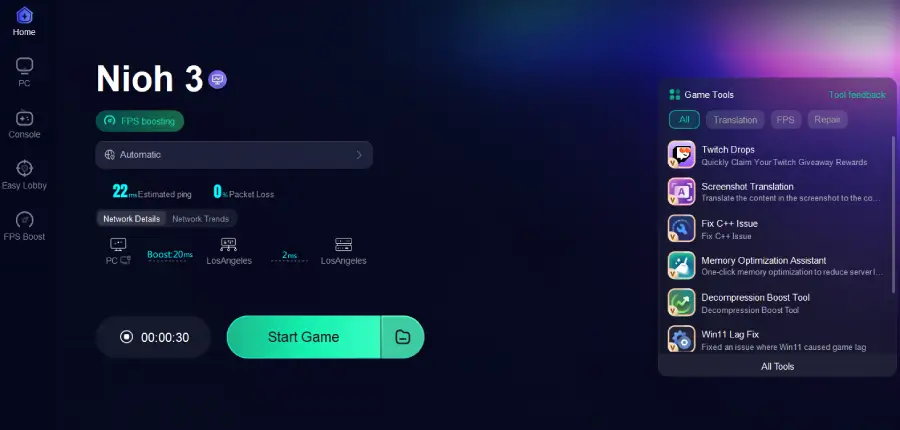
That’s it—no manual tweaking, no networking degree required.
If your PC meets the system requirements but gameplay still feels sluggish, the bottleneck is likely your network—not your hardware. LagoFast removes that variable, letting you experience Nioh 3 the way it’s meant to be played: fast, responsive, and brutally fair.
Conclusion
While official specs are still pending, Nioh 3 system requirements are expected to land firmly in modern AAA territory. The game is built around precision combat, not cinematic shortcuts, so performance consistency is critical. If you want the best experience, aim above the minimum, prioritize GPU headroom, and do not underestimate storage speed. Your future deaths should be skill-based—not frame-based.

Boost Your Game with LagoFast for Epic Speed
Play harder, faster. LagoFast game booster eliminates stutter and lags on PC, mobile, or Mac—win every match!
Quickly Reduce Game Lag and Ping!
Boost FPS for Smoother Gameplay!