
Neverness to Everness (NTE) is an upcoming open-world RPG full of supernatural mysteries and urban adventures. You take on the role of an unlicensed Anomaly Hunter, handling unusual commissions and teaming up with a cast of unique companions. As you explore the city, uncover hidden secrets, and face unexpected challenges, the story unfolds with plenty of surprises along the way.
With so much happening—complex quests, detailed skills, and rich dialogues—it can be tricky to catch every detail if you’re not reading in your preferred language. This guide will walk you through the game’s release details, the languages it supports, and the best translation tool to make sure you get the full experience.

- ✅ Reduce Lag and High Ping.
✅ Boost FPS at the Same Time.
✅ Support 2000+ Popular Online Games.
✅ Change Server without Latency.
✅ Boost Game Loading Speed.
Part 1: Neverness to Everness Release Date, Platforms, and Game Features
Part 2: What Languages Does Neverness to Everness Support?
Part 3: The Best Translation Tool to Play Neverness to Everness Smoothly
Part 1: Neverness to Everness Release Date, Platforms, and Game Features
The Co-Ex Test (Closed Beta) for Neverness to Everness runs from February 6th, 2026, 9:00 AM to February 20th, 2026, 11:59 PM (UTC+8).
Pre-registration for NTE is officially open on the iOS App Store, Google Play Store, and PlayStation Store. Signing up now gives you early access to the open beta and ensures you won’t miss any exclusive updates.
Platforms:
- PC
- PS5
- Mobile (iOS & Android)
Game Features:
- Supernatural Urban Open World: Explore Hethereau, a strange yet vibrant city where anomalies and everyday life collide.
- Unique Companions & Esper Abilities: Meet characters with extraordinary powers that assist both in combat and exploration.
- Action-Driven Combat: Use Esper powers and skill combinations to battle supernatural threats.
- Customizable Lifestyle Elements: Customize your vehicles, interact with shops, and build your place in the city.
- Rich Urban Activities: Drive through the city streets, engage with city systems, and live out varied urban experiences.
Part 2: What Languages Does Neverness to Everness Support?
Neverness to Everness currently supports the following languages.
Game Languages: English, Japanese, Korean, German, French, Spanish, Russian, Simplified Chinese, and Traditional Chinese.
Voice-Over Languages: English, Japanese, Korean, and Chinese.
While this covers a wide range of players, those using unsupported languages—such as Thai, Vietnamese, Indonesian, or Brazilian Portuguese—may find it harder to keep up with skill descriptions, quest objectives, or story dialogue, especially during fast-paced moments in the game.
Part 3: The Best Translation Tool to Play Neverness to Everness Smoothly
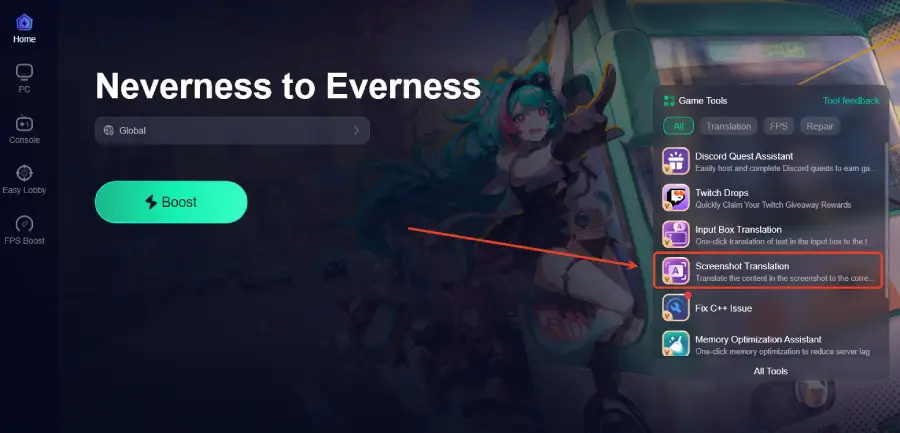
For players using unsupported languages, a translation tool can make a real difference. On PC, LagoFast includes a Screenshot Translation tool that translates the content in a screenshot into the corresponding language, making skill descriptions, quests, and dialogue easier to understand. On mobile, LagoFast also provides built-in translation support for in-game text, helping players follow key information more smoothly.
Beyond translation, LagoFast also helps improve gameplay stability by reducing ping, lowering packet loss, optimizing routing, and keeping FPS more stable during gameplay, along with other practical tools that support a smoother overall gaming experience.
How to Use LagoFast for Neverness to Everness Translation on PC
Step 1: Click the Free Trial button to download and install LagoFast.
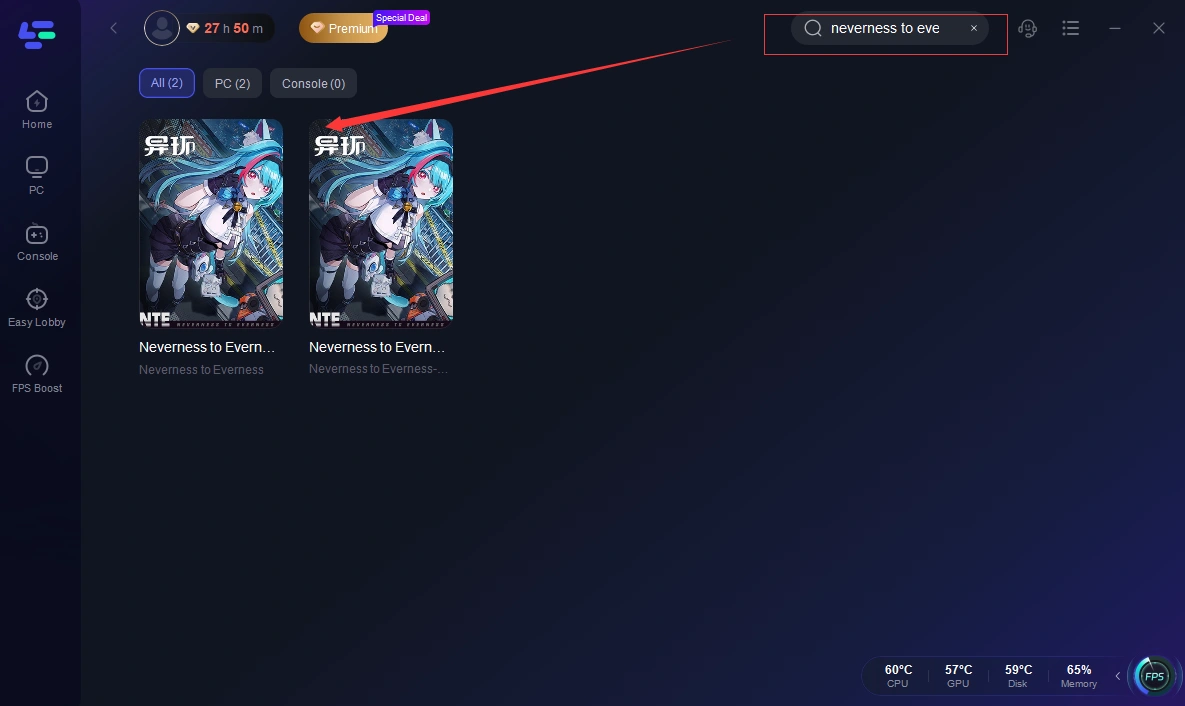
Step 2: After installation, search "Neverness to Everness" in the search bar and select the game.
Step 3: Click the Screenshot Translation icon in LagoFast.
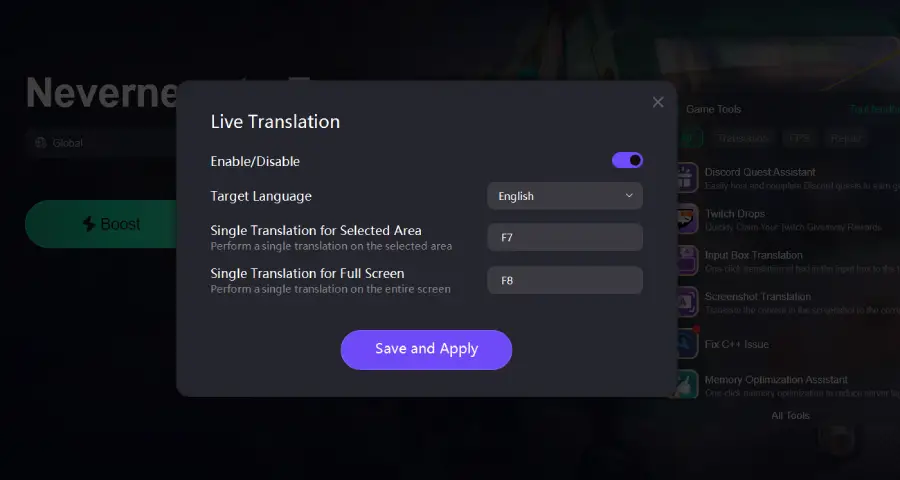
Step 4: Choose your target language and set up your hotkeys for instant translation.
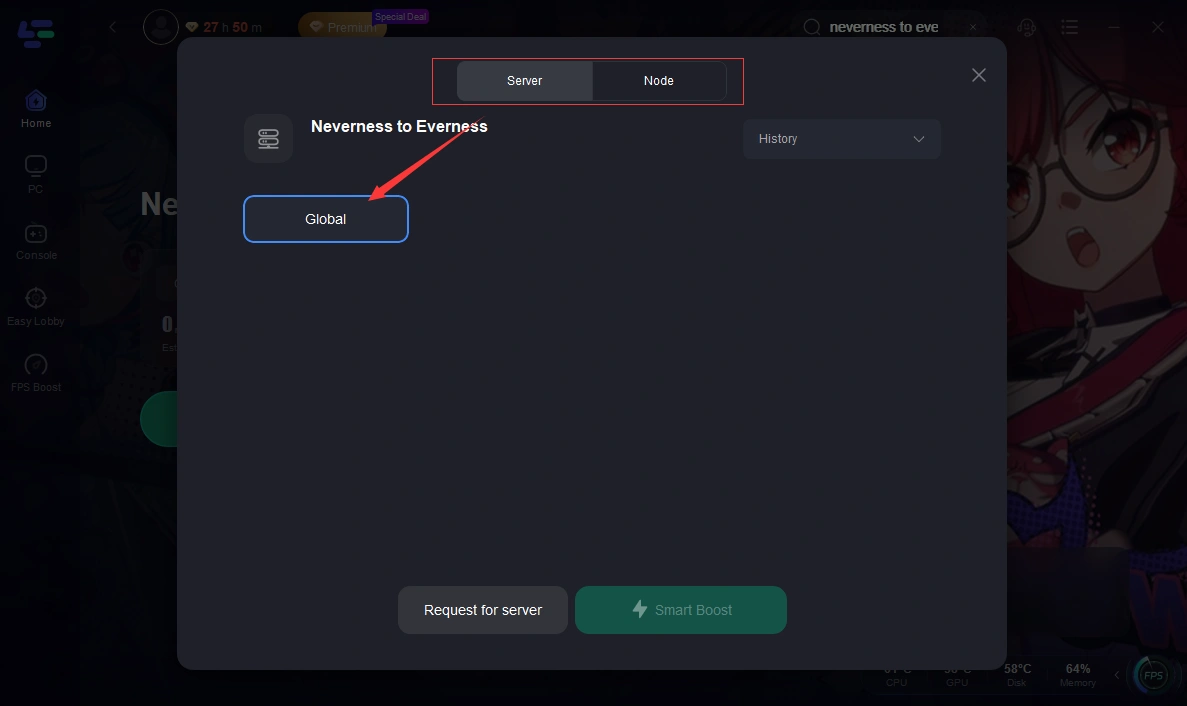
Step 5: Choose your preferred server node and click "Smart Boost" to start optimizing.
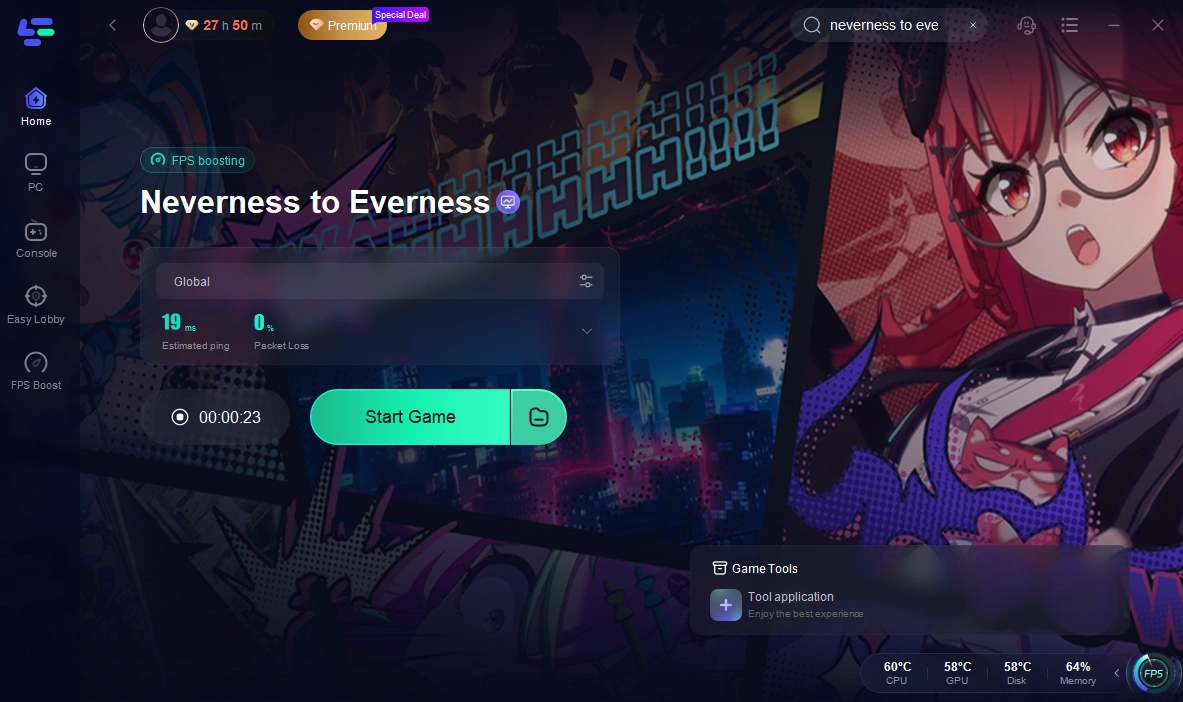
Step 6: Launch your game and enjoy smooth, optimized gameplay with lower ping and no stutter.
How to Use LagoFast for Neverness to Everness Translation on Mobile
Step 1: Search and download LagoFast Mobile Booster from the App Store or Google Play.
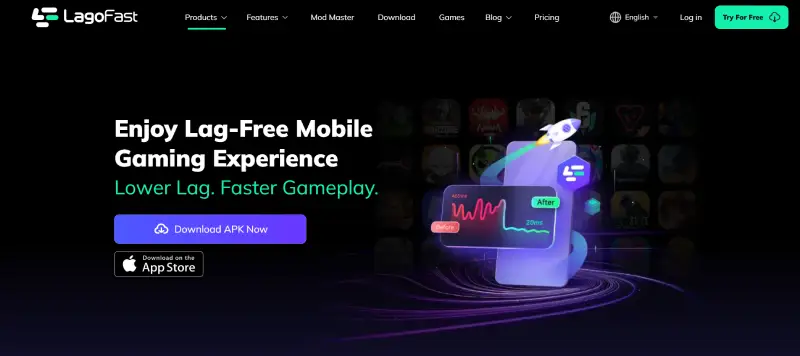
Step 2: Launch LagoFast Mobile Booster, then search Neverness to Everness in LagoFast Mobile Booster.
Step 3: Enable the Translation Tool below.
Step 4: Enable the following two permissions.
Step 5: Choose the Server and Routes you like, then click the Boost button.
Conclusion
Neverness to Everness offers a rich open-world experience, but language barriers and connection stability can affect how smoothly the game plays. While multiple languages are supported, players using unsupported languages may still struggle with skills, quests, or story details. With LagoFast’s built-in translation features and network optimization tools, these issues can be reduced. This allows you to stay focused on exploration, combat, and the overall experience without unnecessary interruptions.

Boost Your Game with LagoFast for Epic Speed
Play harder, faster. LagoFast game booster eliminates stutter and lags on PC, mobile, or Mac—win every match!
Quickly Reduce Game Lag and Ping!
Boost FPS for Smoother Gameplay!