
Monster Hunter Wilds is one of the most highly anticipated games in the Monster Hunter franchise, promising vast open-world environments, new monsters, and improved gameplay mechanics. However, like many newly released games, players have reported encountering a frustrating black screen issue, preventing them from fully enjoying their hunting adventures.
In this guide, we will explore the possible reasons behind the black screen problem and provide the best solutions to fix it, including using LagoFast, a top-tier game booster, to enhance your gaming experience.
Part 1: Release Time of Monster Hunter Wilds
Part 2: Why Monster Hunter Wilds Faces Black Screen Issue
Part 3: Best Way to Fix Black Screen Issue - LagoFast
Part 4: Other Solutions to Fix Monster Hunter Wilds Black Screen
Part 1: Release Time of Monster Hunter Wilds
Capcom has officially announced "Monster Hunter Wilds," the next entry in the Monster Hunter series, bringing enhanced graphics and immersive gameplay. The game is set to launch on major platforms, including PlayStation, Xbox, and PC. Players can go to the corresponding platform to get this exciting and adventurous game starting from February 28, 2025.
Monster Hunter Wilds Title Update 2 Overview
Update Time: UTC: Monday, June 30, at 4:30 AM UTC.
Regional Times:
- Sunday, June 29, 9:30 PM PT.
- Monday, June 30, 12:30 AM ET.
- Monday, June 30, 6:30 AM CST (Paris).
- Monday, June 30, 1:30 PM JST (Japan).
New Monsters:
1. Lagiacrus (Leviathan):
- Availability: For hunters with Hunter Rank 31 or higher.
- Prerequisites:
- Complete the main quest "A World Turned Upside Down."
- Complete the side quest "Forest Doshaguma."
2. Seregios:
- Availability: For hunters with Hunter Rank 31 or higher.
- Prerequisites:
- Complete the main quest "A World Turned Upside Down."
- No additional side quest needed.
Part 2: Why Monster Hunter Wilds Faces Black Screen Issue
The black screen issue in Monster Hunter Wilds can occur for several reasons, including hardware limitations, software conflicts, and network instability. Below are some common causes:
- Outdated Graphics Drivers – If your GPU drivers are not up to date, they may struggle to render the game properly, leading to a black screen.
- Insufficient System Requirements – Running the game on a PC that does not meet the minimum system requirements can cause display errors.
- Corrupt or Missing Game Files – Sometimes, files may get corrupted during installation or updates, resulting in black screen errors.
- Background Software Conflicts – Other programs running in the background, such as overlays from Discord, MSI Afterburner, or antivirus software, may interfere with the game.
- Network Issues – An unstable internet connection can also lead to loading issues, causing a black screen.
Part 3: Best Way to Fix Black Screen Issue - LagoFast
One of the most effective solutions for fixing the black screen issue in Monster Hunter Wilds is using LagoFast, a game booster and lag reducer designed to optimize your gaming experience. If you want to take your gameplay even further, try exploring various mods—LagoFast supports many mod-friendly games that you can easily enjoy and customize within the platform. LagoFast not only boosts your game, stabilizes your network connection, reduces high ping, and boosts FPS at the same time, but also provides global server routes, allowing you to switch servers freely and avoid long queue problems. With LagoFast, connection failures and crashing issues are solved!
Why Choose LagoFast?
LagoFast provides a comprehensive solution to improve game performance, offering features such as:
- Real-time Network Optimization – Reduces lag and improves connection stability.
- FPS Boosting – Enhances frame rates for smoother gameplay.
- Game File Optimization – Prevents crashes and black screen errors by optimizing game files.
Steps to Fix Black Screen Issue Using LagoFast
Step 1. Click Free Trial to download LagoFast.
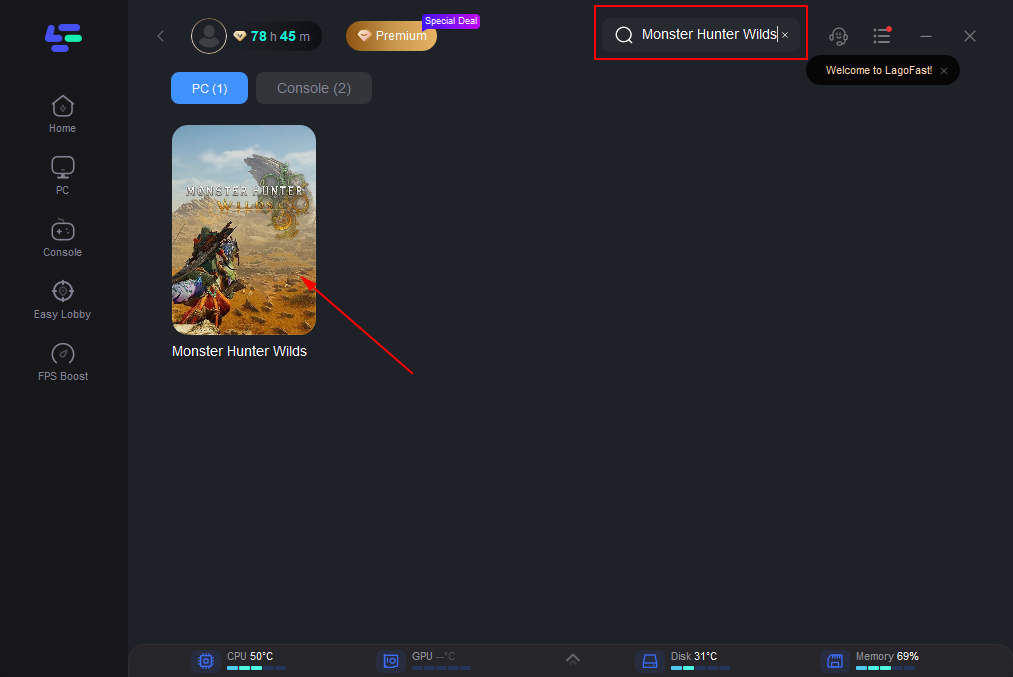
Step 2. Search “Monster Hunter Wilds” and click the result.
Step 3: Choose the server you need.
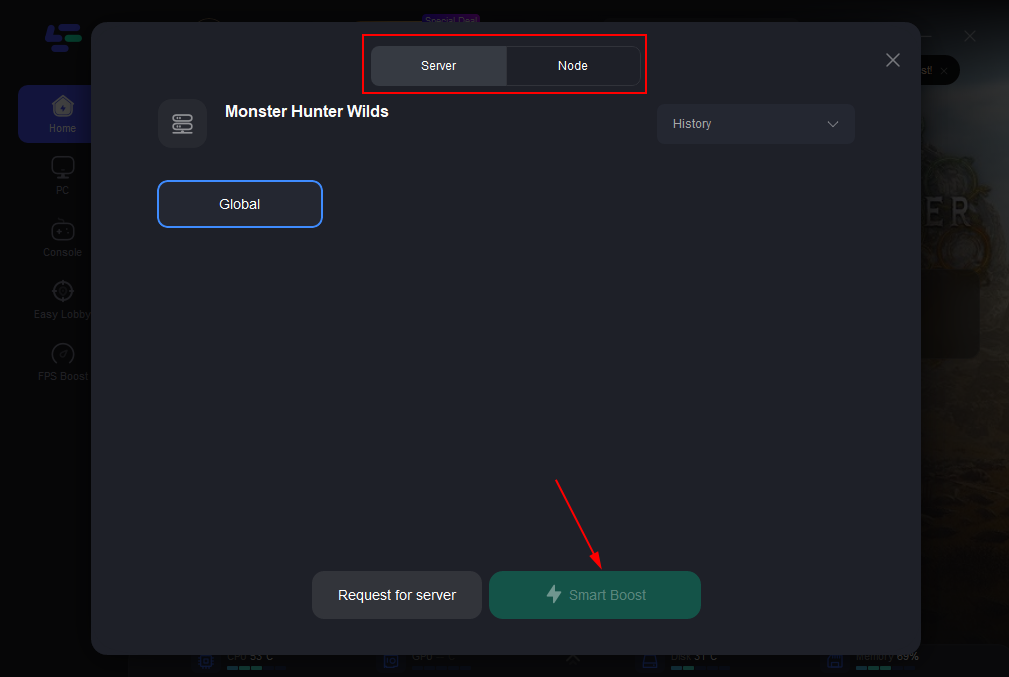
Step 4: Click boost, and it will show you real-time ping & packet loss rate.
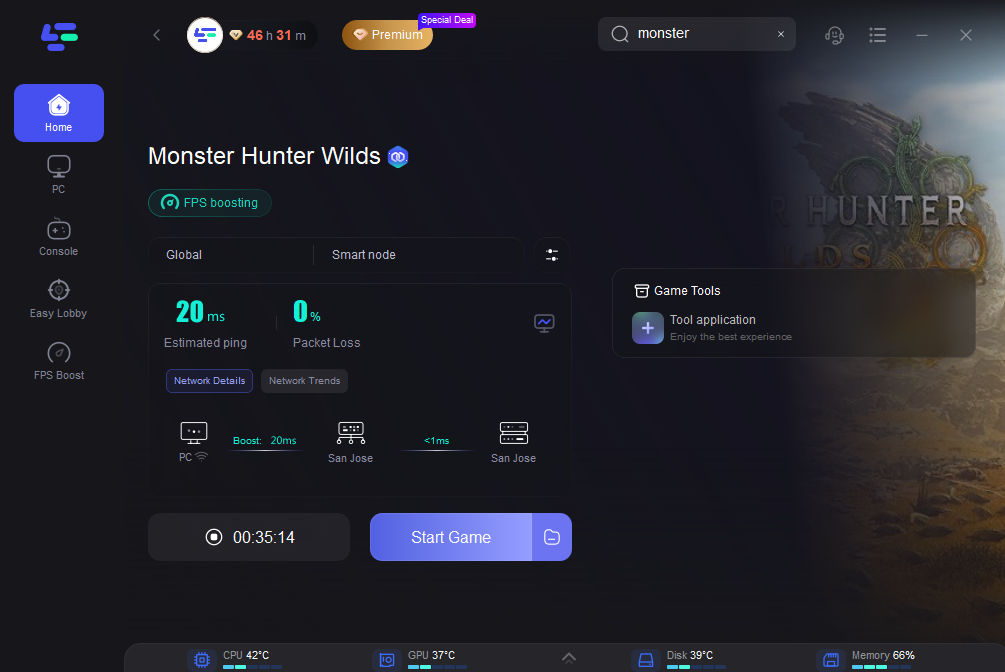
And for Console Players, LagoFast offers LagoFast Box as your best Choice.
Tutorial to Use LagoFast Box to Ensure Monster Hunter Wilds Gaming on PS4/5 & Xbox:
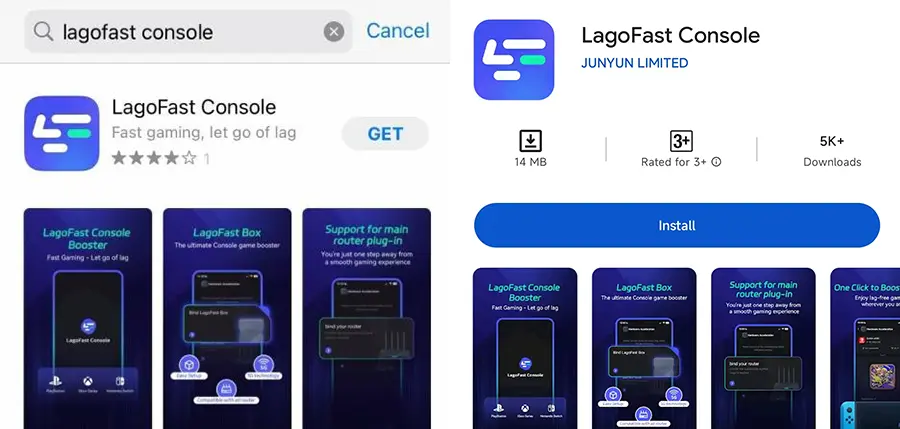
Step 1: Download the LagoFast Console App on your phone to control the LagoFast Box.
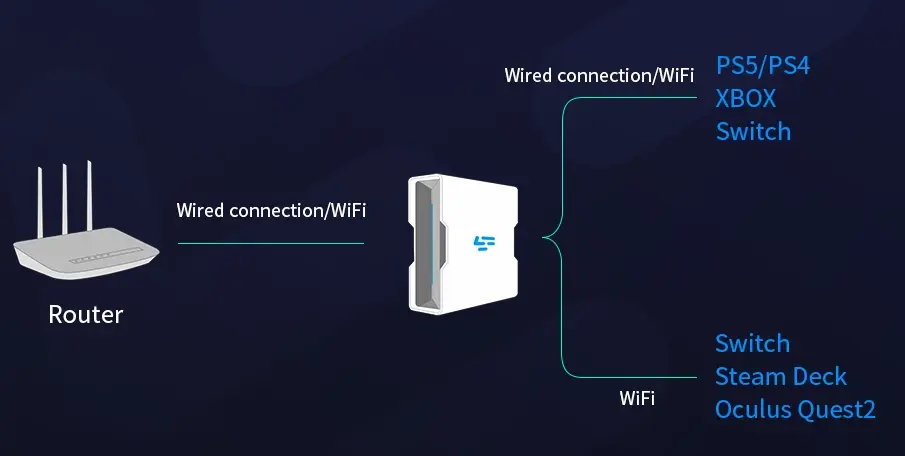
Step 2: Establish a connection between your LagoFast Box, router, and console, choosing between a wired or wireless connection.
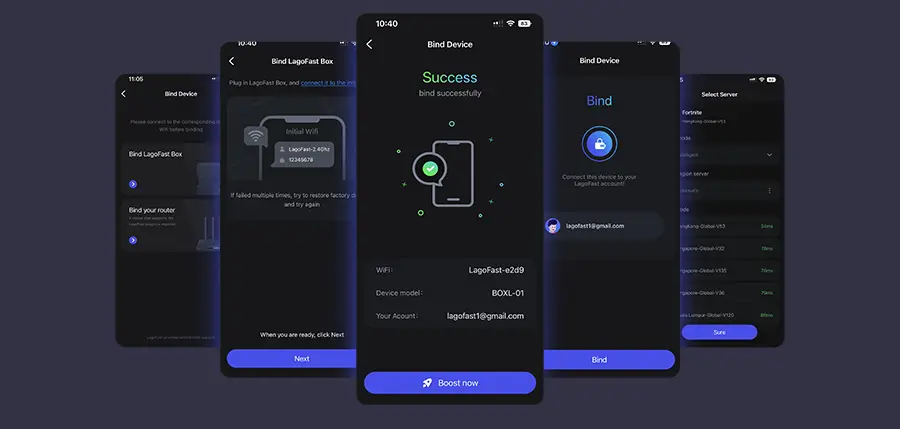
Step 3: Launch the LagoFast Console App and boost Valorant. Once you have completed the binding process with the LagoFast Box, proceed to boost this game within the LagoFast Console App.
Part 4: Other Solutions to Fix Monster Hunter Wilds Black Screen
If you prefer alternative solutions, here are other effective ways to fix the black screen issue:
1. Update Your Graphics Drivers
Ensure that your GPU drivers are up to date by visiting the official website of NVIDIA, AMD, or Intel and downloading the latest drivers.
2. Verify and Repair Game Files
- Open Steam or the game launcher.
- Go to the Library, right-click on "Monster Hunter Wilds," and select Properties.
- Navigate to the Local Files tab and click Verify Integrity of Game Files.
3. Adjust In-Game Graphics Settings
Lowering graphics settings can help prevent black screen issues caused by system overload. Try setting the game to Windowed Mode or disabling V-Sync.
4. Disable Background Programs
Close any unnecessary programs running in the background, especially those that use overlays or consume high CPU/GPU resources.
5. Check Your Internet Connection
Ensure you have a stable and fast internet connection to prevent loading issues. Consider using a wired connection instead of Wi-Fi for better stability.
Conclusion
The black screen issue in Monster Hunter Wilds can be frustrating, but there are several effective ways to resolve it. Using LagoFast is one of the best solutions, as it enhances network performance, optimizes FPS, and prevents game crashes. Additionally, updating drivers, verifying game files, adjusting graphics settings, and ensuring a stable internet connection can also help resolve the issue. With these fixes, you can enjoy an uninterrupted and immersive hunting experience in Monster Hunter Wilds. Happy hunting!

Boost Your Game with LagoFast for Epic Speed
Play harder, faster. LagoFast game booster eliminates stutter and lags on PC, mobile, or Mac—win every match!
Quickly Reduce Game Lag and Ping!
Boost FPS for Smoother Gameplay!