

Mongil: Star Dive is an action RPG focused on real-time combat and team-based progression, where most gameplay systems depend on reading in-game text like skills, quests, and item descriptions. However, since full global localization may be limited, many players can quickly find themselves confused during early progression. This guide shows you how to overcome those language barriers and keep playing smoothly using a game translation tool.

- ✅ Reduce Lag and High Ping.
✅ Boost FPS at the Same Time.
✅ Support 8000+ Popular Online Games.
✅ Change Server without Latency.
✅ Boost Game Loading Speed.
Part 1: Mongil: Star Dive Game Overview and Release Date
Part 2: What Languages Does Mongil: Star Dive Support
Part 3: How to Play Mongil: Star Dive in Any Language — Best Game Translator LagoFast
Part 1: Mongil: Star Dive Game Overview and Release Date
Mongil: Star Dive is an action RPG developed by Netmarble that officially launched worldwide on April 15, 2026. The game is available on iOS, Android, and PC via the Epic Games Store.
At its core, it focuses on real-time combat and companion-based team building, where players control a small squad instead of a single character and switch strategies during battles. Progression and gameplay systems are heavily tied to in-game text, including skills, quests, and item descriptions.
Because of this design, understanding the game properly depends on how well you can read and interpret its interface—especially when playing in a language that isn’t fully localized.
Part 2: What Languages Does Mongil: Star Dive Support
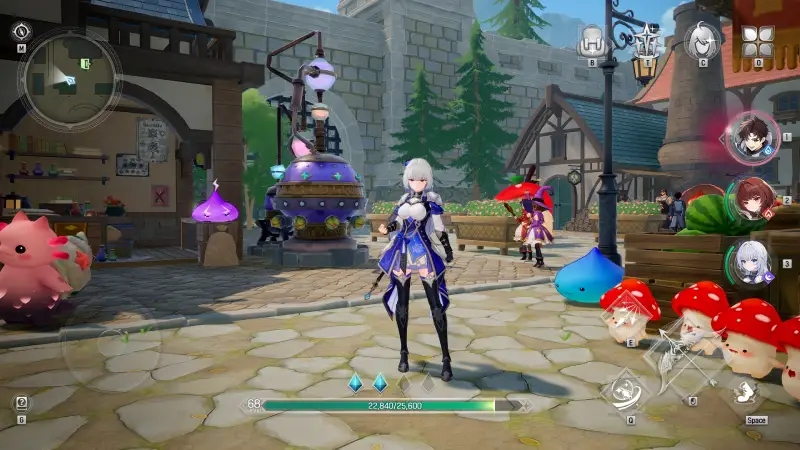
Mongil: Star Dive supports a fairly wide range of languages at launch, including Korean, English, Japanese, German, Spanish, French, Brazilian Portuguese, Traditional Chinese, Simplified Chinese, Russian, Thai, and Indonesian.
This makes the game accessible to many players worldwide, but it still doesn’t cover everyone. If you’re playing in a language that isn’t officially supported—such as Vietnamese or other regional languages—you may quickly run into confusion when dealing with menus, skills, and quest instructions.
Even for supported languages, some UI elements or skill descriptions may still feel unclear depending on localization quality. That means players can still struggle with key systems like:
- Skill descriptions
- Item stats
- Quest objectives
- Menu and system navigation
In a fast-paced ARPG like this, even small misunderstandings can slow down progression or lead to poor build decisions. That’s why language support alone doesn’t fully remove the barrier for many players, especially in fast-paced gameplay where every detail matters.
Part 3: How to Play Mongil: Star Dive in Any Language — Best Game Translator LagoFast
If you still want to fully understand Mongil: Star Dive in your preferred language—such as Vietnamese or other unsupported regional languages—using a real-time game translation tool is the most practical solution. LagoFast Game Translation Tool offers real-time in-game translation, allowing players to instantly understand game text and menus without any confusion.
Key translation features
Game Translation Pro
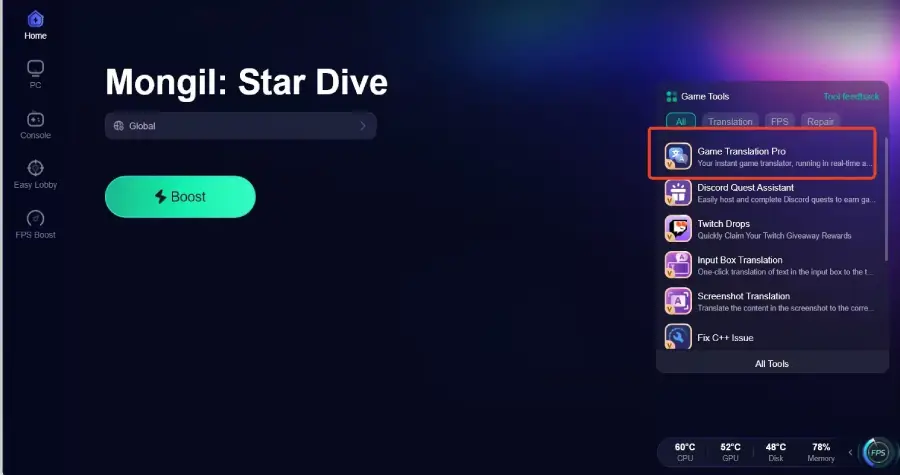
Game Translation Pro allows players to translate in-game text instantly with one click. It supports Vietnamese and Arabic, making it easier for players worldwide to enjoy Mongil: Star Dive in their preferred language.
Screenshot Translation Tool
Capture any in-game text and translate it instantly. Ideal for understanding skills, quests, or item descriptions without interrupting gameplay.
Mobile OCR Translation (LagoFast Mobile)
For mobile players, OCR technology reads text directly from the screen and translates it in real time, helping you stay in the game without constantly switching apps or breaking immersion.
Beyond translation, LagoFast also helps improve overall gameplay stability by reducing ping and lag, optimizing network routing, and improving connection stability. This results in a smoother and more consistent experience, which is especially important in fast-paced ARPG combat where even small delays can impact performance.
How to Use LagoFast for Mongil: Star Dive Translation on PC
Step 1: Click the Free Trial button to download and install LagoFast.
Step 2: After installation, search "Mongil: Star Dive" in the search bar and select the game.
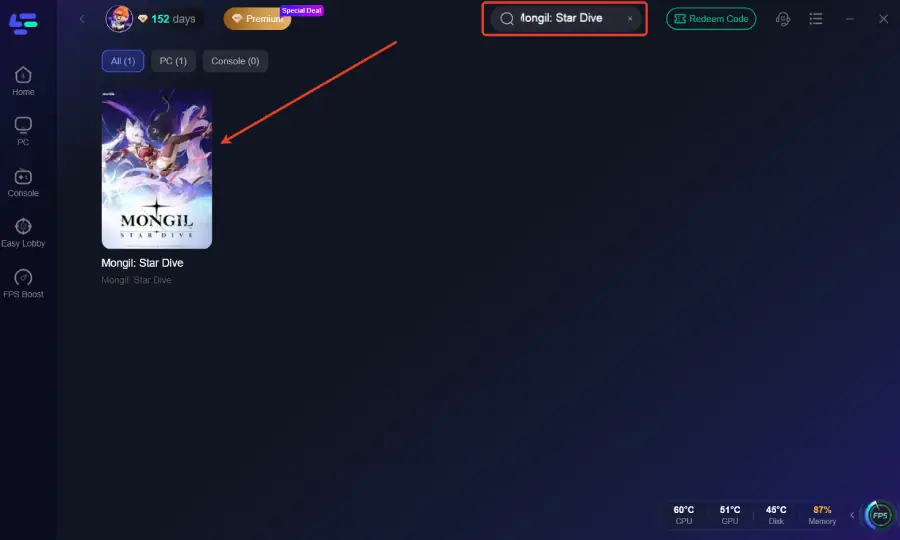
Step 3: Click the Game Translation Pro Tool on the right side of the screen.
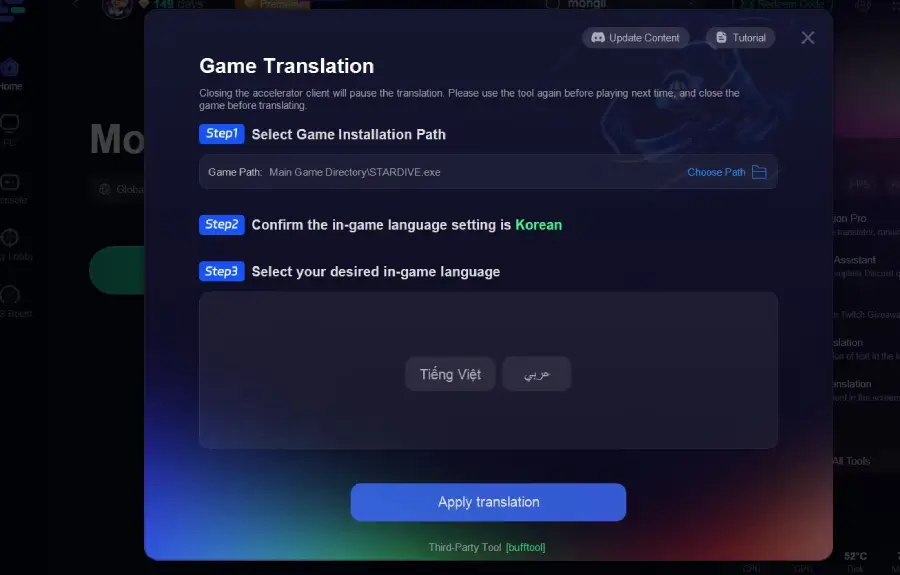
Step 4: Select the game file path and install the translated text file.
Step 5: Choose your preferred server node and click "Smart Boost" to start optimizing.
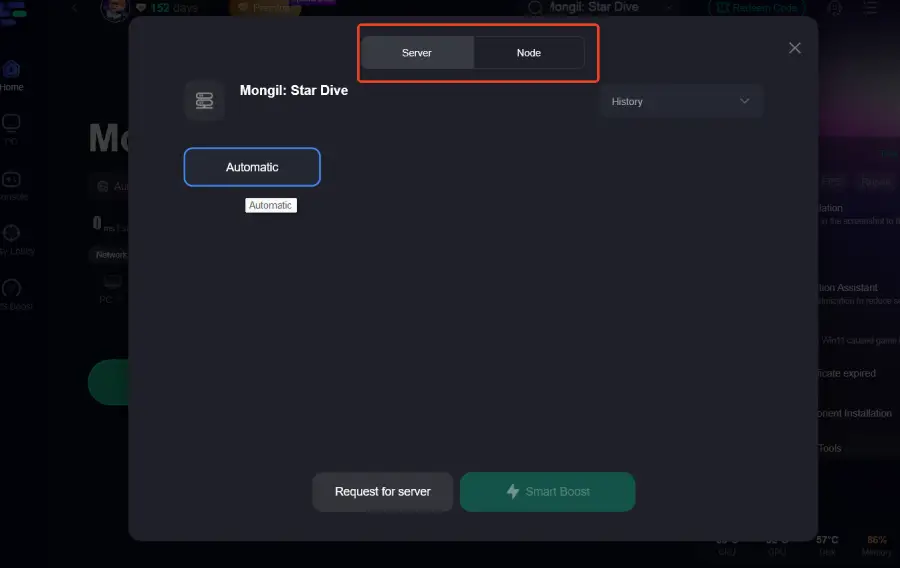
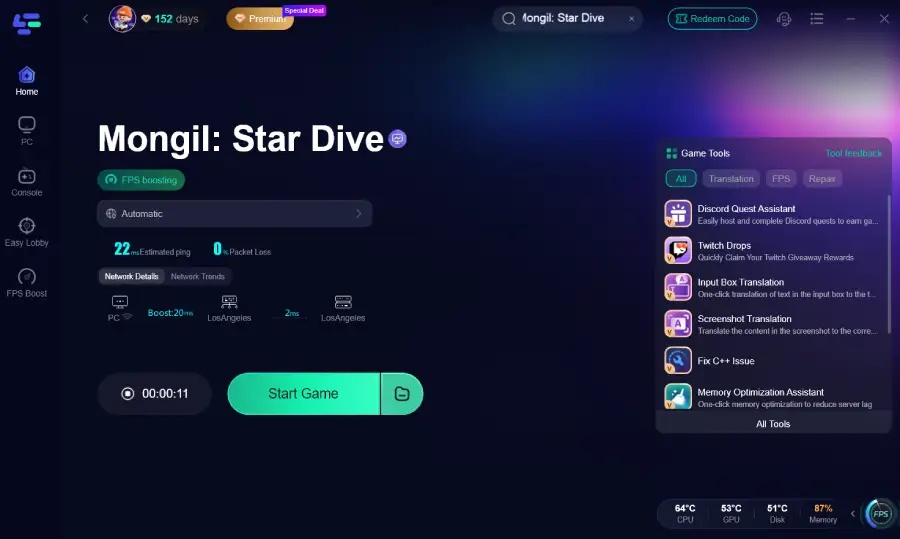
Step 6: Launch your game and enjoy smooth, optimized gameplay with lower ping and packet loss.
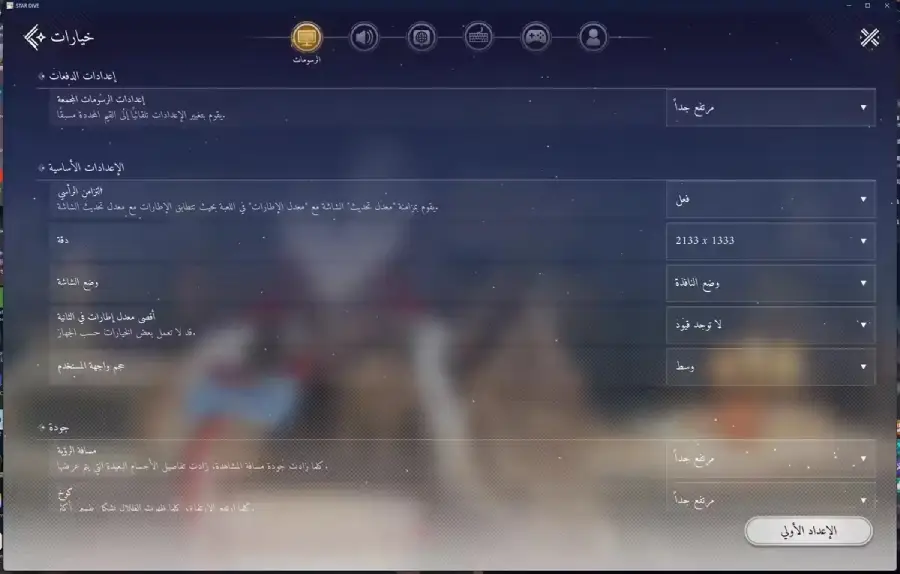
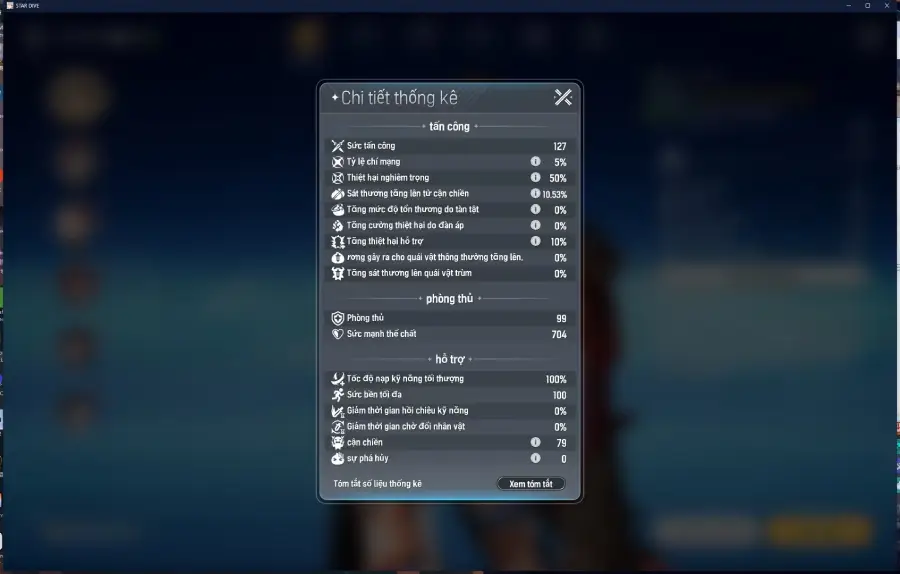
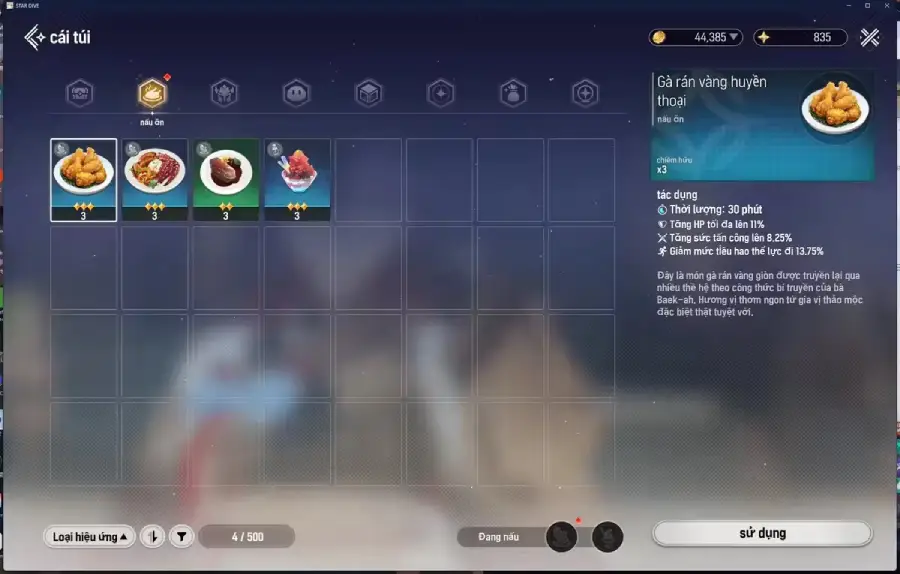
The translation results are as follows:
Arabic
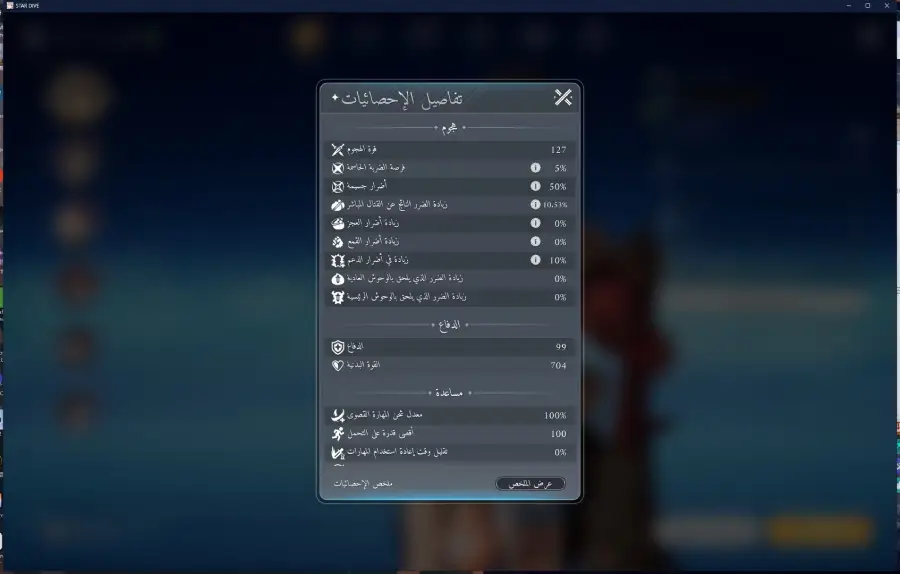
Vietnamese
How to Use LagoFast for Mongil: Star Dive Translation on Mobile
Step 1: Click download and install LagoFast Mobile.

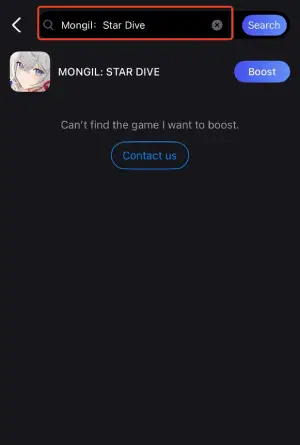
Step 2: Open LagoFast, then search for Mongil: Star Dive in LagoFast Mobile.
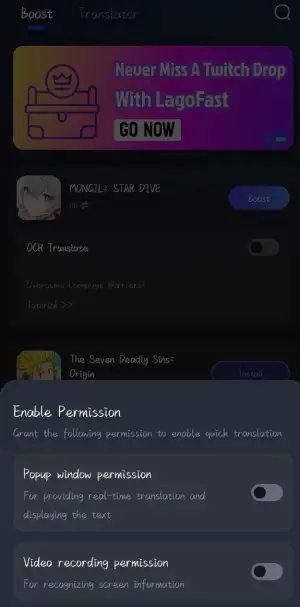
Step 3: Click the OCR translate tool below.
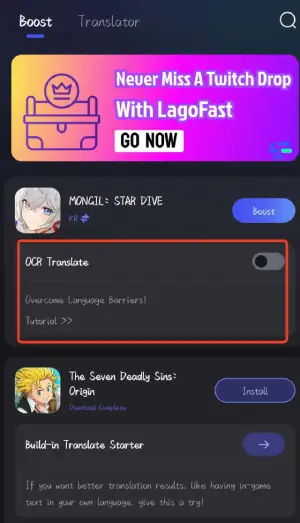
Step 4: Enable the following two permissions.
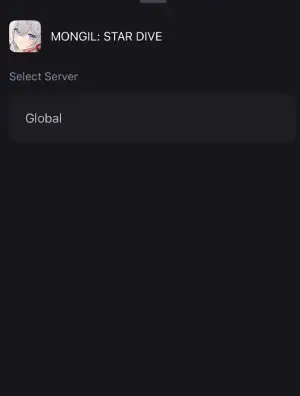
Step 5: Click boost and select your corresponding server region to connect.
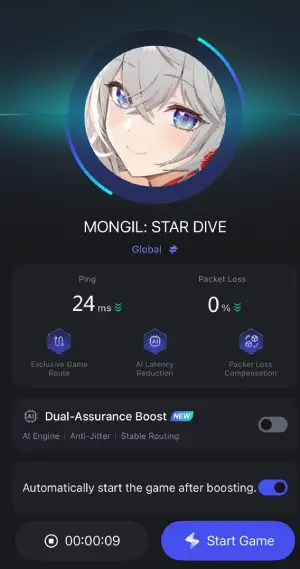
Step 6: Once optimized performance is confirmed, click "Start Game" to launch the game.
Conclusion
Mongil: Star Dive delivers a deep ARPG experience, but its heavy reliance on in-game text can make progression difficult without proper language support. For players dealing with unsupported or partially localized languages, this often leads to confusion in builds, quests, and combat decisions. A real-time translation tool like LagoFast helps remove that barrier by making in-game text easier to understand instantly. With smoother translation and improved connection stability, players can focus more on gameplay and less on guessing.

Boost Your Game with LagoFast for Epic Speed
Play harder, faster. LagoFast game booster eliminates stutter and lags on PC, mobile, or Mac—win every match!
Quickly Reduce Game Lag and Ping!
Boost FPS for Smoother Gameplay!