
As of April 15, 2026, there are six active Mongil: Star Dive codes. You can redeem them now for free launch rewards, including Diamonds or Starlight Crystals, Glimmering Stardust, Gold, build items, and some Monsterlings depending on the code.

- ✅ Lower ping and fewer disconnects.
- ✅ More FPS and better PC performance.
- ✅ Support for 3000+ games.
- ✅ Stable connections and region switching.
Active Mongil: Star Dive codes for April 2026
Here are the six active codes currently:
|
Code |
Reported reward type |
|---|---|
|
|
Free reward bundle |
|
|
Diamonds/Starlight Crystals, Glimmering Stardust, Gold |
|
|
Monsterlings or companion-style rewards, plus items |
|
|
Free reward bundle |
|
|
Free reward bundle |
|
|
Free reward bundle |
If you want to claim everything quickly, redeem all six before they expire.
Why these codes matter right now
These launch-window rewards are useful because they help with early progression instead of just giving small filler items.
- Diamonds or Starlight Crystals help with summoning
- Gold supports early upgrades and general economy pressure
- Glimmering Stardust adds extra upgrade value
- Build items help with early account setup
- Monsterlings or companions can help with codex progress and team growth
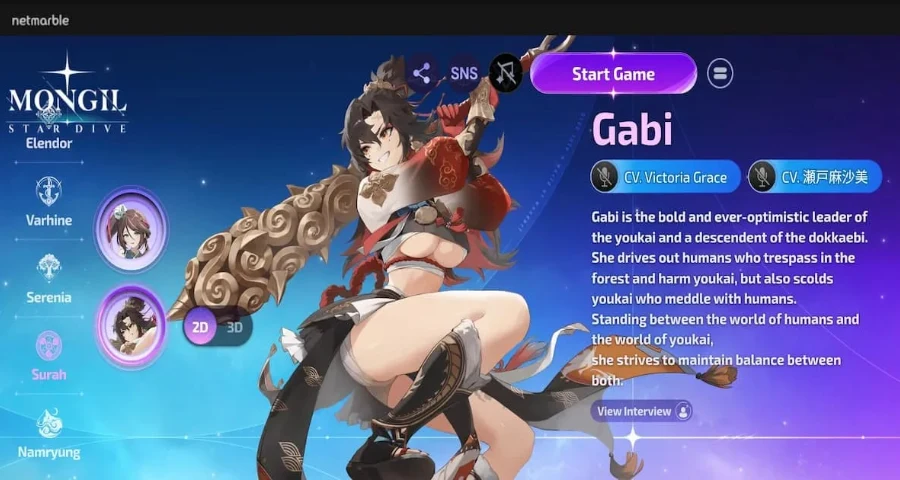
That matters more than usual during launch, when a few free pulls or upgrade materials can smooth out your first hours.
How to redeem codes in Mongil: Star Dive
The in-game redemption flow is straightforward, but you may need to clear the opening tutorial first.
- Launch Mongil: Star Dive.
- Finish the tutorial if the menu options are still locked.
- Open Settings.
- Go to Other.
- Scroll to Redemption Code.
- Enter one code exactly as shown.
- Confirm or tap Use.
- Open your Mail to collect the rewards.
Where redeemed rewards go
Rewards are sent to your in-game Mail, not always straight into your inventory.
There is one easy-to-miss requirement here: your mailbox unlocks after the opening quest Monster Tamers, described in guides as the first main quest. If you redeem a code before Mail is available, check that quest progress first.
Why your Mongil: Star Dive code is not working
If a code fails, these are the fastest things to check:
1. You have not finished the tutorial yet
Some players cannot access the redemption option until the tutorial is done. If you do not see Settings > Other > Redemption Code, keep progressing until the menus fully open.
2. Your mailbox is not unlocked
A successful redemption may still feel like it failed if the reward is waiting in Mail and your Mail is not available yet. Finish the opening Monster Tamers quest or your first main quest, then check again.
3. The code was entered with a typo
Enter each code exactly as listed. A small typo, missing character, or wrong capitalization can cause an invalid code error.
4. The code has expired
Promotional codes may stop working without much warning. If one of the six codes no longer redeems, it has likely expired.
5. You already used that code
Most game reward codes are one-time use per account. If a code worked before, you usually cannot claim it again.
6. The reward went to Mail instead of inventory
This is one of the most common misses. Even after a successful redemption, the items may only appear in Mail until you manually claim them.
Where to find new Mongil: Star Dive codes
The safest place to watch for new codes is the game's official channels, especially the official Discord and event or community announcements. You can also keep an eye on official game news pages and update posts when launch events are running.
How to Ensure a Smooth Gaming Experience in MONGIL: STAR DIVE
Even with a strong team, your experience can still feel inconsistent if your network isn’t stable—especially during real-time combat.
LagoFast is a network optimization tool specifically designed for gaming, helping improve network stability, reducing lag, and ensuring smoother gameplay connections
It helps by:
- Lowering ping and reducing sudden lag spikes
- Stabilizing your connection to game servers
- Optimizing routing to make online sessions more consistent
- Providing useful tools like a Win 11 Lag Fix tool to fix common issues and improve overall stability
This means fewer delays, smoother combat, and a more stable gameplay experience overall—without changing anything inside the game.
How to Use LagoFast Boost Mongil: Star Dive On PC:
Step 1: Click the Free Trial button to download and install LagoFast.
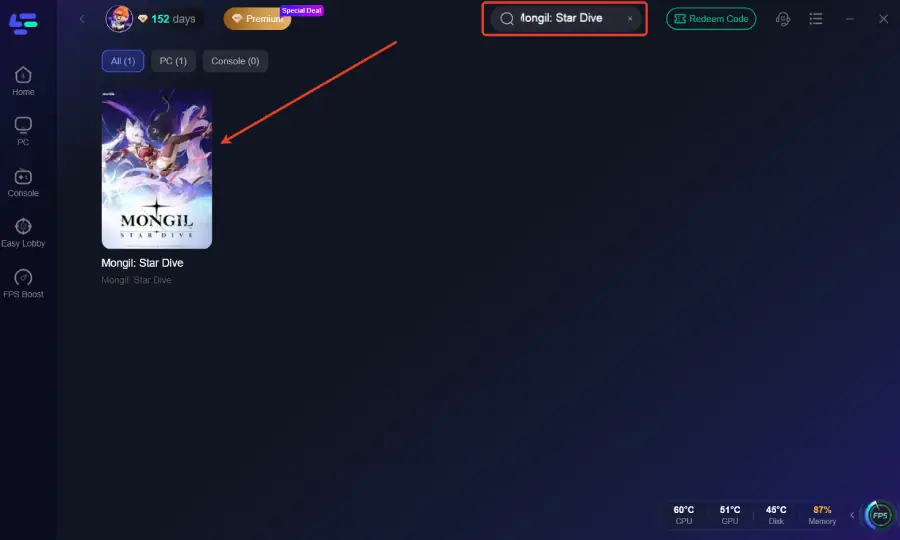
Step 2: After installation, search "Mongil: Star Dive" in the search bar and select the game.
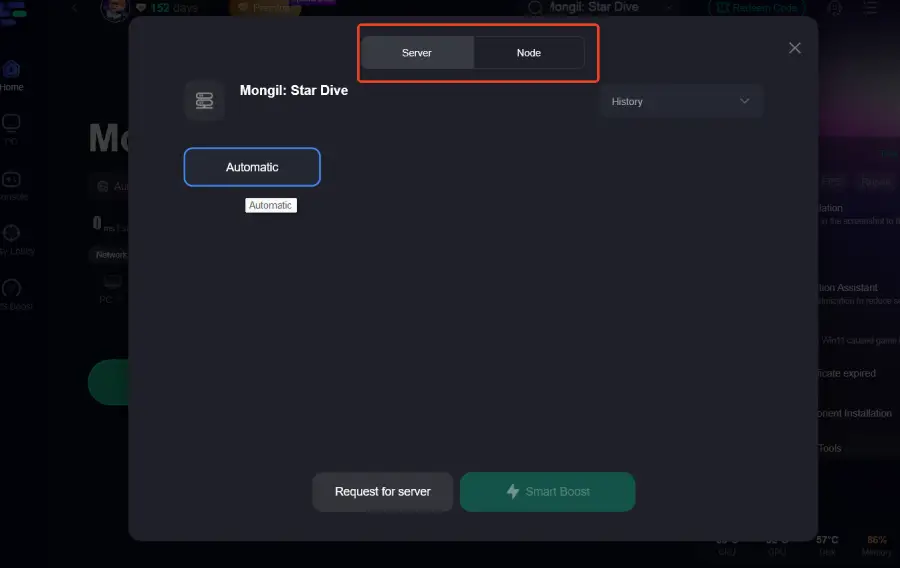
Step 3: Choose your preferred server node and click "Smart Boost" to start optimizing.
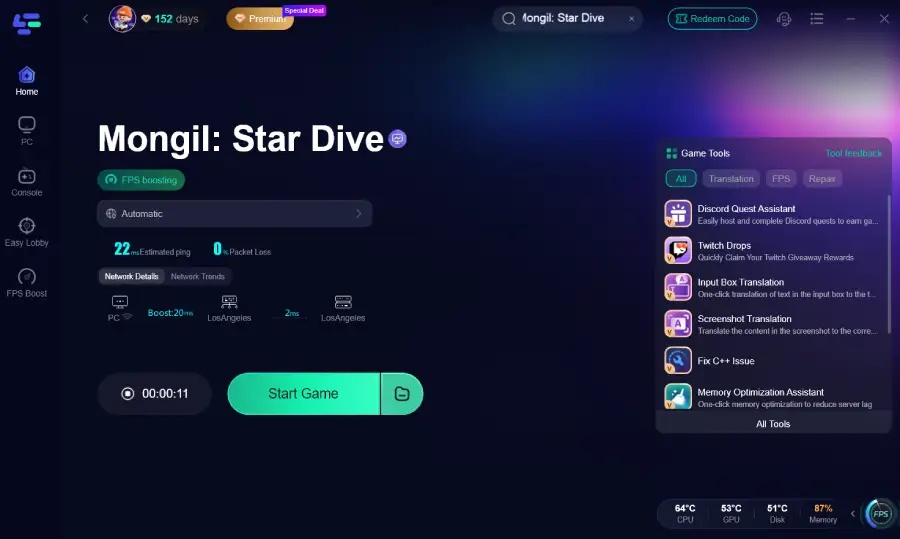
Step 4: Launch your game and enjoy smooth, optimized gameplay with lower ping and no stutter.
How to Use LagoFast Boost Mongil: Star Dive On Mobile:
Step 1: Visit the official LagoFast website and download the mobile APK file
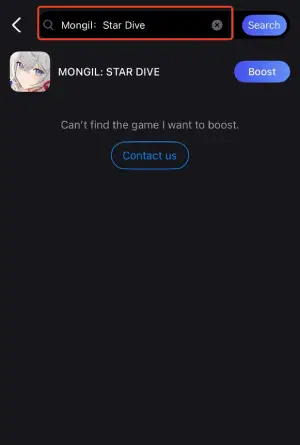
Step 2: Open LagoFast and Search Mongil: Star Dive
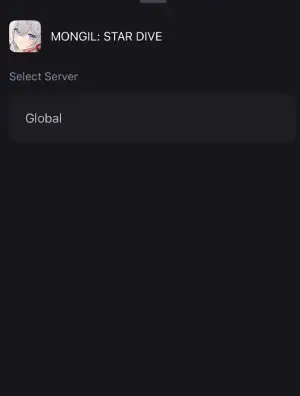
Step 3: Select a server or node with low latency to boost your connection.
Step 4: Tap Start Game within LagoFast to launch Mongil: Star Dive.

Boost Your Game with LagoFast for Epic Speed
Play harder, faster. LagoFast game booster eliminates stutter and lags on PC, mobile, or Mac—win every match!
Quickly Reduce Game Lag and Ping!
Boost FPS for Smoother Gameplay!