
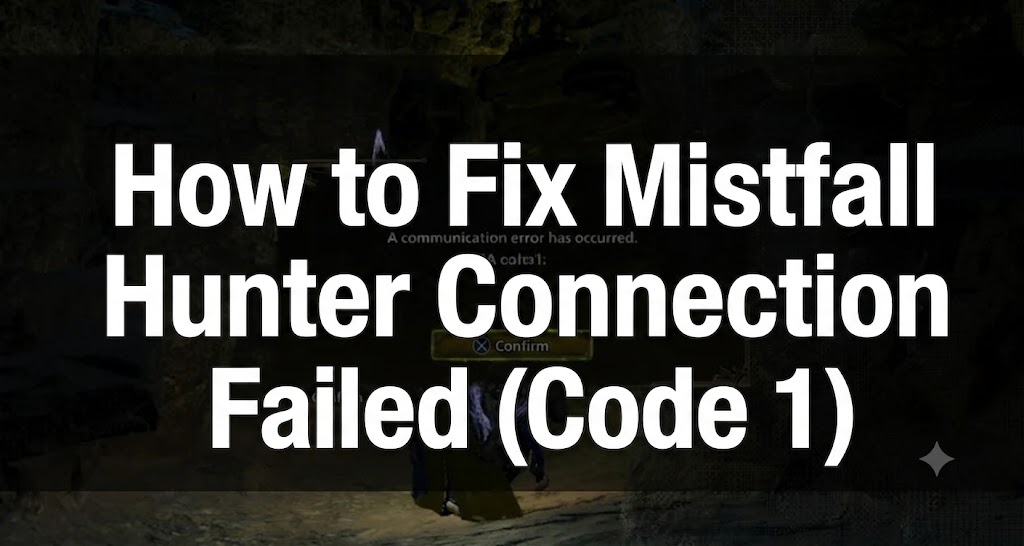
Mistfall Hunter releases on July 29, 2026. If you encounter the Mistfall Hunter Connection Failed (Code 1) error, it means the game failed to complete the login process or establish a connection to the selected server. This issue is usually unrelated to graphics, so you should not start by lowering graphics settings or updating your graphics card drivers.
This guide applies to Mistfall Hunter on Windows PC via Steam. Use this guide if:
- Mistfall Hunter Failed to Connect to Server after clicking Play;
- Mistfall Hunter Connection Failed appears before reaching the main menu;
- The server list fails to load;
- The game connects once, but fails on subsequent attempts;
- Other players can log in, but Mistfall Hunter Unable to Connect persists on your system.
Check If Release Version Servers Are Actually Open
July 29 is the release date, but servers may not necessarily go live at midnight across all time zones. Steam might allow pre-loading or unpacking before Bellring Games activates the live servers.
Before changing any Windows settings, check the Mistfall Hunter server status and verify:
- Whether Steam shows that the game is officially released.
- Whether the full download of the release version and the day-one patch have completed.
- Whether other players are currently able to log into the game.
- Whether scheduled maintenance or launch delays have been announced.
If many players encounter Mistfall Hunter Error code 1: host network error can't join session at the same time, the issue is likely on the login or game server side. Reinstalling the game client will not help.
Do not repeatedly click Connect every few seconds. During launch-day server overloads, continuous retry attempts may return the same failed session repeatedly or place additional load on an already overwhelmed service.
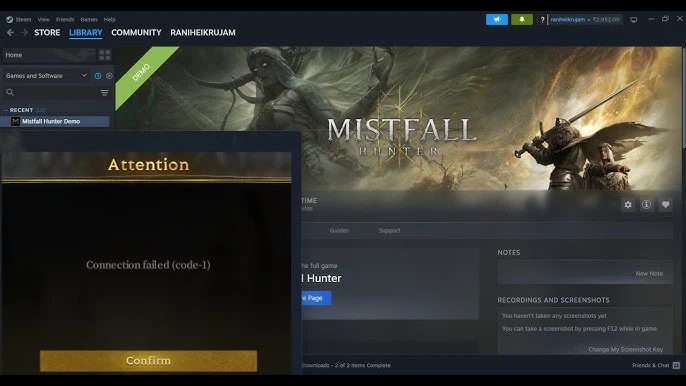
Completely Restart Your Steam Login Session
If the Mistfall Hunter servers not available issue occurs while servers are operating normally, completely end your current Steam session. Simply closing the game window may not be enough, as a failed authentication process might remain active in the background.
- Close Mistfall Hunter.
- Open Task Manager.
- End all remaining Mistfall Hunter processes.
- In Steam, select Steam > Exit.
- Ensure Steam is no longer running in the system tray.
- Restart your PC.
- Relaunch Steam and log into your account.
- Launch Mistfall Hunter directly from your Steam Library.
For your initial test, do not use an old desktop shortcut. Launching directly from the Library ensures Steam runs the latest release executable and passes a fresh login session to the game.
Complete the Release Update Before Connecting
Players who pre-loaded Mistfall Hunter may still need to download, decrypt, or unpack additional release files on July 29. The game may appear fully installed even if Steam has not finished preparing the latest version.
Go to Steam > Downloads and check for:
- Paused Mistfall Hunter updates;
- Scheduled downloads;
- Unpacking processes;
- Pending day-one patches;
- Insufficient disk space warnings.
Wait until Steam indicates that the game is fully updated. Keep extra free space available on your installation drive, as unpacking may temporarily require more space than the final installed game size.
Once the update completes, restart Steam before attempting to connect again.
Verify Mistfall Hunter Game Files Once
Verifying game files helps if Mistfall Hunter Connection Error messages began appearing after installation or an interrupted update during launch.
- Open Steam.
- Right-click Mistfall Hunter.
- Select Properties.
- Open Installed Files.
- Click Verify integrity of game files.
- Wait for any missing or corrupted files to be re-downloaded.
- Close and reopen Steam.
- Launch the game again.
File verification can repair incomplete release builds or client version mismatches. However, it will not fix server-wide outages affecting all players, so there is no need to run it repeatedly if Steam reports no issues.
Use LagoFast If Other Players Can Connect
If other players are playing normally while Mistfall Hunter Connection Error & Connection Failed code 1 occurs repeatedly on your network, the routing path between your ISP and the game server may be dropping before login completion.
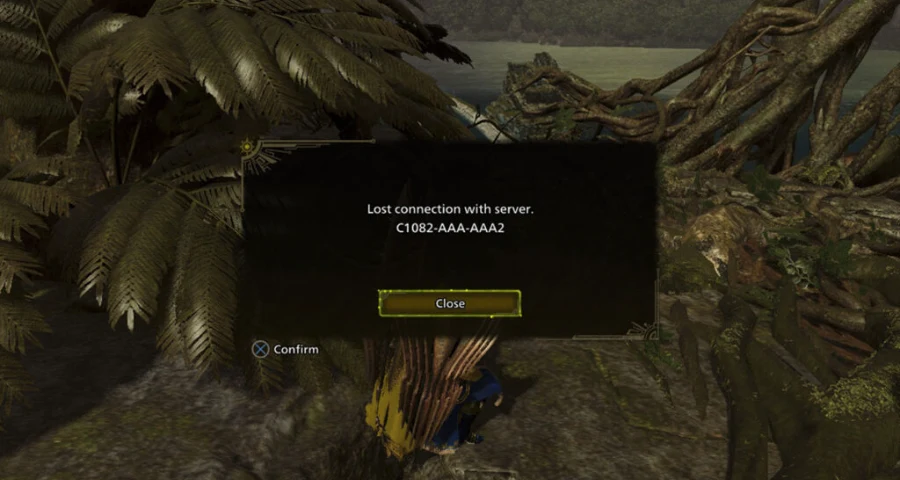
LagoFast can test alternative routing paths to your selected Mistfall Hunter region.
How to Connect via LagoFast:
- Close Mistfall Hunter and Steam.
- Open LagoFast.Free Trial
- Search for Mistfall Hunter.
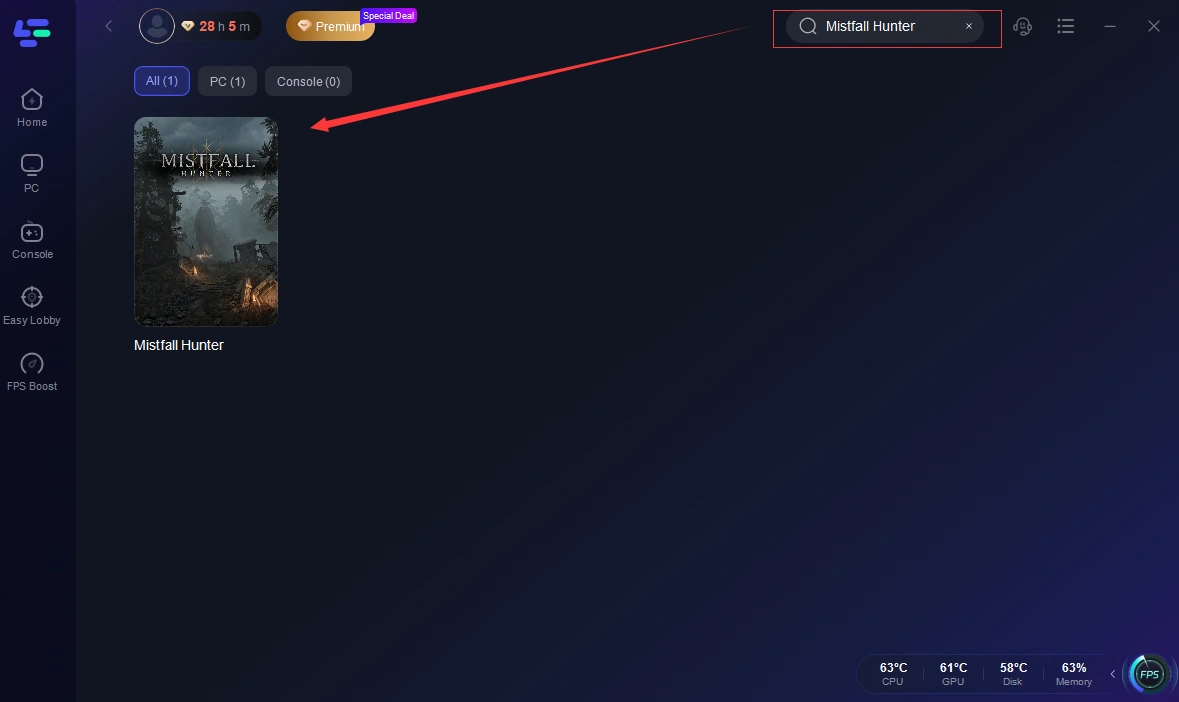
- Select the full release version.
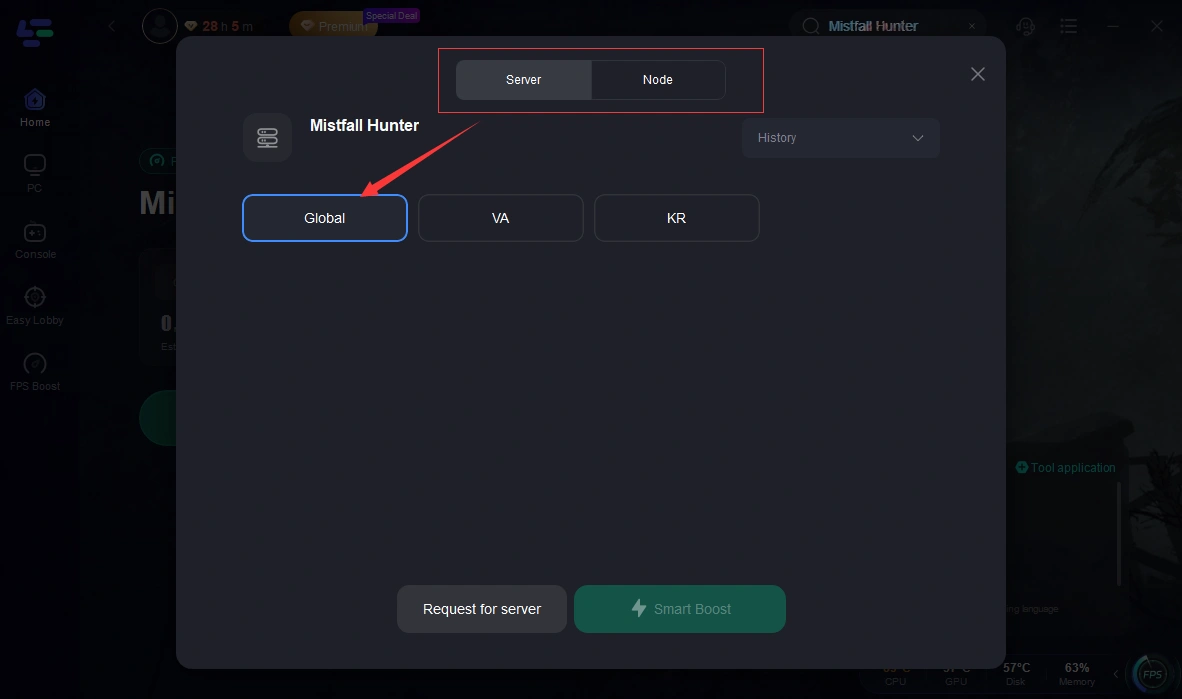
- Choose the server region used by your account or party.
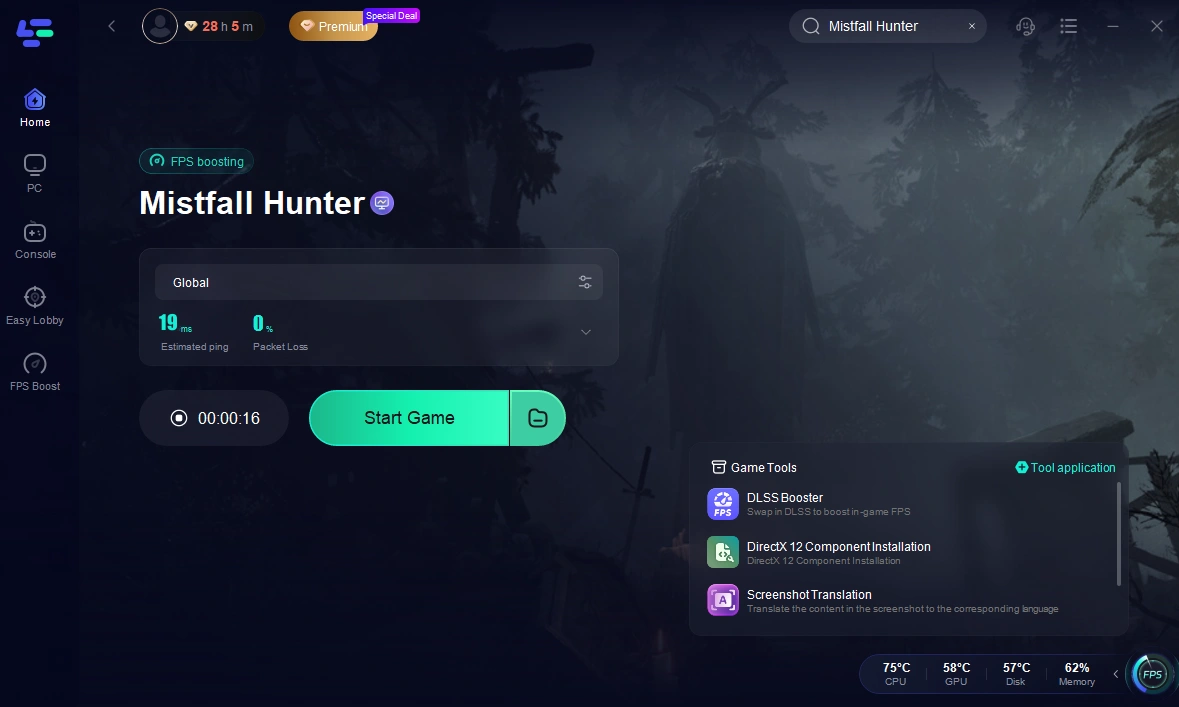
- Select a recommended node.
- Click Boost.
- Reopen Steam.
- Launch Mistfall Hunter and attempt to log in.
If Code 1 Persists on the First Node:
- Close the game.
- Stop the current acceleration process.
- Select another nearby recommended node.
- Re-enable acceleration.
- Test the login again.
Do not run LagoFast simultaneously with another VPN or routing tool. Running two active routing services at once can cause conflicts and make finding a stable connection more difficult.
LagoFast will not restore connectivity during server maintenance or full launch-day outages. Use it when servers are confirmed online but your standard connection path cannot reach them reliably.

- ✅ Reduce Lag and High Ping.
- ✅ Boost FPS at the Same Time.
- ✅ Support 8000+ Popular Online Games.
- ✅ Support Easy Lobby in all Cod Games without Lag
Synchronize Windows System Time
Incorrect system date or time settings can interfere with Steam authentication and encrypted server connections.
- Open Windows Settings.
- Go to Time & language > Date & time.
- Enable Set time automatically.
- Enable Set time zone automatically or manually select your correct time zone.
- Click Sync now.
- Restart Steam.
Checking this is especially important if you recently modified system time, changed time zones, reset your BIOS, or reinstalled Windows.
Allow Mistfall Hunter Through Windows Firewall
Check your firewall settings if the game launches properly but the connection fails the moment it tries to reach the server.
- Open the Start menu.
- Search for Allow an app through Windows Firewall.
- Open the corresponding result.
- Click Change settings.
- Locate Mistfall Hunter and Steam.
- Allow both applications for Private and Public networks.
- If Mistfall Hunter is not listed, click Allow another app.
- Browse to the official game executable inside your Steam installation folder.
- Add it and save your changes.
- Restart your PC.
Only add executables installed through Steam. Do not download replacement game files from third-party websites.
Do not permanently disable Windows Firewall or your antivirus software. A quick test can help identify potential conflicts, but leaving your system unprotected is not a long-term solution.
Reset Windows Network Stack
Use this step if Mistfall Hunter Failed to Connect to Server is the only game failing on your system, or if Mistfall Hunter Connection Failed (Code 1) persists after restarting Steam.
- Close Mistfall Hunter and Steam.
- Search for Command Prompt.
- Right-click it and select Run as administrator.
- Execute the following commands one by one:
ipconfig /flushdns
netsh winsock reset
netsh int ip reset
5. Restart your PC.
6. Reconnect to the internet.
Open Steam and test Mistfall Hunter again.
This process flushes the DNS cache and resets essential Windows networking components. It is useful if network software, routing tools, or recent Windows updates left behind improper configurations.
Try Using a Public DNS Server
Changing your DNS server can help if Mistfall Hunter cannot resolve or reach its login services. This is less effective for issues where the game connects successfully but disconnects mid-match.
You can use one of these standard providers:
Cloudflare DNS
Preferred DNS: 1.1.1.1
Alternate DNS: 1.0.0.1
Google DNS
Preferred DNS: 8.8.8.8
Alternate DNS: 8.8.4.4
How to Change DNS Settings in Windows:
- Open Settings > Network & internet.
- Select your active Wi-Fi or Ethernet connection.
- Locate DNS server assignment.
- Click Edit.
- Select Manual.
- Toggle IPv4 to On.
- Enter your chosen primary and secondary DNS addresses.
- Save the settings.
- Restart Steam.
Test one DNS provider at a time. If changing DNS settings yields no improvement, revert the setting back to Automatic.
Note that DNS configuration cannot resolve launch-day server congestion or scheduled maintenance.
Use a Mobile Hotspot to Isolate the Cause
Before attempting a full game reinstallation, test logging in using a different internet connection.
- Enable the mobile hotspot feature on your phone.
- Connect your PC to the hotspot.
- Open Steam.
- Launch Mistfall Hunter.
- Try reaching the main menu.
If the Game Works Over the Hotspot:
Your Steam account and game installation are likely intact. The primary issue is most likely caused by:
- Your home router configuration;
- ISP routing issues;
- DNS lookup failures;
- Conflicting local network software;
- Unstable Wi-Fi signal.
Switch back to your primary network, restart your router, switch to an Ethernet connection, and test a different LagoFast node.
If Code 1 Still Appears Over the Hotspot:
Focus your troubleshooting on:
- Mistfall Hunter server status and availability;
- Unfinished release updates;
- Steam authentication issues;
- Corrupted local game files;
- Regional server or launch-day infrastructure issues.
Do not replace your router or reinstall Windows based on this result alone.
What to Do If Connection Drops After Initializing
Mistfall Hunter Connection Failed (Code 1) typically occurs before a session is established. If you successfully reach the game but get disconnected shortly after, it points to a different issue.
If login succeeds but you are disconnected later, common causes include:
- Packet loss;
- Unstable Wi-Fi signals;
- Poor routing to your selected server region;
- Temporary server load spikes;
- Background network activity (downloads/uploads).
Recommended Actions:
- Switch from Wi-Fi to a wired Ethernet connection.
- Pause all background downloads in Steam.
- Stop cloud backups and large file uploads.
- Close other VPNs or network optimization software.
- Test a different recommended LagoFast node.
- Enter matches with low-value gear until connection stability is confirmed.
Because Mistfall Hunter is an extraction shooter, testing an unstable connection with high-value equipment carries unnecessary risk.
Only Reinstall If File Verification Cannot Fix the Client
Reinstalling the entire game should be a last resort rather than a first step.
Only reinstall Mistfall Hunter if:
- Steam repeatedly flags corrupted files;
- The release update consistently fails to finalize;
- File verification re-downloads the same files every launch;
- The game directory was manually moved across different drives;
- The game fails to reach the loading screen entirely.
Clean Reinstallation Process:
- Uninstall Mistfall Hunter via Steam.
- Open the previous installation directory.
- Delete any residual leftover files.
- Restart your PC.
- Reinstall the game through Steam.
- Complete all available updates.
- Launch the game without custom launch options or third-party overlays.
Do not delete your Steam account data or change your Steam store region when trying to fix Code 1.
What Will NOT Fix Connection Failed (Code 1)
The following troubleshooting steps are unrelated to login or server connection issues:
- Lowering texture quality;
- Decreasing screen resolution;
- Adjusting frame rate limits;
- Updating graphics card drivers;
- Reinstalling DirectX runtime libraries;
- Downloading arbitrary DLL files from the internet;
- Reinstalling the game repeatedly;
- Permanently disabling system security tools;
- Changing your Steam region.
Reserve graphics troubleshooting exclusively for issues where Mistfall Hunter crashes, freezes, or produces GPU-related error messages.
If Mistfall Hunter servers not available affects all players universally, wait for official server deployment. If Mistfall Hunter Connection Failed (Code 1) is isolated to your system, start by restarting your Steam session and completing the release update, then check your network routing before attempting a full reinstallation.
Boost Your Game with LagoFast for Epic Speed
Play harder, faster. LagoFast game booster eliminates stutter and lags on PC, mobile, or Mac—win every match!
Quickly Reduce Game Lag and Ping!
Boost FPS for Smoother Gameplay!