
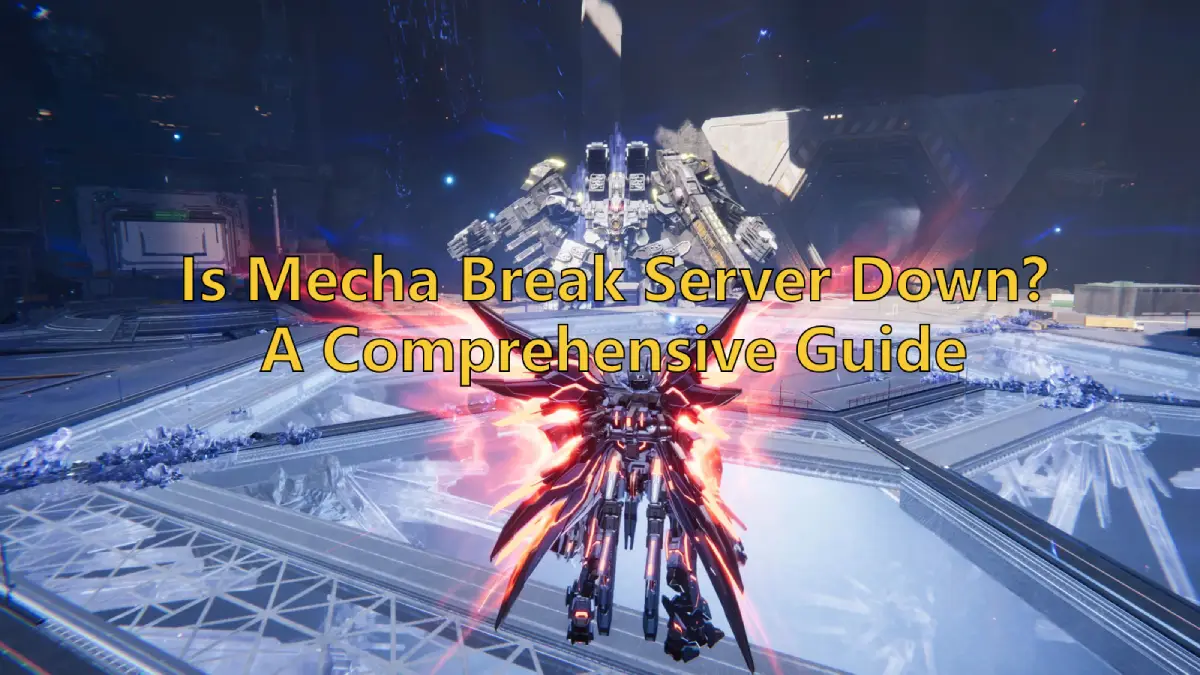
Developed by Amazing Seasun Games, Mecha Break launches its global open test on July 2, 2025, offering players a thrilling experience of piloting giant mechs through chaotic battlefields. As the player community grows, ensuring smooth server connections becomes increasingly important. This article includes the causes of Mecha Break server down, troubleshooting methods, ways to check server status, and the best approaches to maintain a stable server connection!

- ✅ Reduce Lag and High Ping.
- ✅ Boost FPS at the Same Time.
- ✅ Support 2000+ Popular Online Games.
- ✅ Stable Server Connections.
- ✅ Change Server without Latency.
Part 1: Mecha Break Release Details
Part 2: Why is the Mecha Break Server Down? Symptoms & Causes
Part 3: How to fix Mecha Break Server Down
Part 4: How to Stabilize Mecha Break Server Connection
Part 5: Bonus Tips - How to Check Mehca Break Server Status
Part 1: Mecha Break Release Details
Following its global "Storm Test" in March 2025, which attracted over 300,000 concurrent players, Mecha Break is set to launch its global open test on July 2, 2025, for Xbox Series X|S and PC (via Steam). The game supports cross-platform play, enabling seamless integration between PC and console platforms.
Part 2: Why is the Mecha Break Server Down? Symptoms & Causes
Even with optimal hardware setups, players may still encounter Mecha Break server downtime issues due to unstable server status or connectivity problems. Below are common issues related to the Mecha Break server down issue and their causes:
1. Connection Failed
- Symptoms: Stuck on the login screen with a "Failed to connect to server" error.
- Causes: Unstable internet connection; firewall/antivirus software blocking game ports; server overload during peak hours.
2. High Latency (Lag)
- Symptoms: Choppy movement, delayed controls, or sudden reversals of character actions.
- Causes: Poor routing between your ISP and the game servers; regional server congestion.
3. Stuck in Login Queue
- Symptoms: Trapped in a lengthy login queue with no progress.
- Causes: Server capacity limits during high-traffic periods; delays in account authentication.
4. In-Game Disconnections
- Symptoms: Sudden crashes, disconnections, black screens, or "Lost Connection to Host" errors.
- Causes: Intermittent internet drops; corrupted game files.
Part 3: How to fix Mecha Break Server Down
If you encounter server down while logging in or playing Mecha Break, you can use the following methods to fix it:
1. Basic Network Troubleshooting
- Restart Your Router: Unplug it for 30 seconds to reset the connection.
- Use Wired Ethernet: Wi-Fi is prone to interference; switch to a cable if possible.
- Flush DNS Cache:
- Windows: Open Command Prompt and type ipconfig /flushdns.
- macOS: Use Terminal command sudo dscacheutil -flushcache.
2. Optimize Game Settings
- Change Server Region: In the launcher, select a less crowded region (e.g., EU instead of NA).
- Lower Graphics Quality: Reduce in-game graphics settings to minimize data load.
3. Firewall/Antivirus Adjustments
- Whitelist Mecha Break: Add the game’s executable (MechaBreak.exe) to your firewall’s exception list.
- Disable VPN/Proxy: These can interfere with region-locked servers.
4. Game File Integrity Check
- Steam: Right-click Mecha Break > Properties > Local Files > Verify Integrity.
- Console: Reinstall the game if corrupted files persist.
Part 4: How to Stabilize Mecha Break Server Connection
Resolving Mecha Break server issues can often be straightforward, but using LagoFast prevents these problems from the start by ensuring the most stable connection. Here’s why it stands out:
- Global Server Access: Switch to the nearest server worldwide to minimize connection delays.
- Stable Connections: Bypass congested networks automatically with smart algorithms, reducing disconnection risks.
- Lag Reduction: Optimize gameplay in real time to eliminate lag and high ping.
- FPS Boost: Enhance visual clarity and resolution through stable data transmission.
- User-Friendly: Enjoy seamless optimization with a single click—no complex setup required.
- Real-Time Tuning: Optimize performance during gameplay without interruptions.
How to Use LagoFast for Mecha Break
1. Download & Install: Click below to get LagoFast for free and complete the setup.
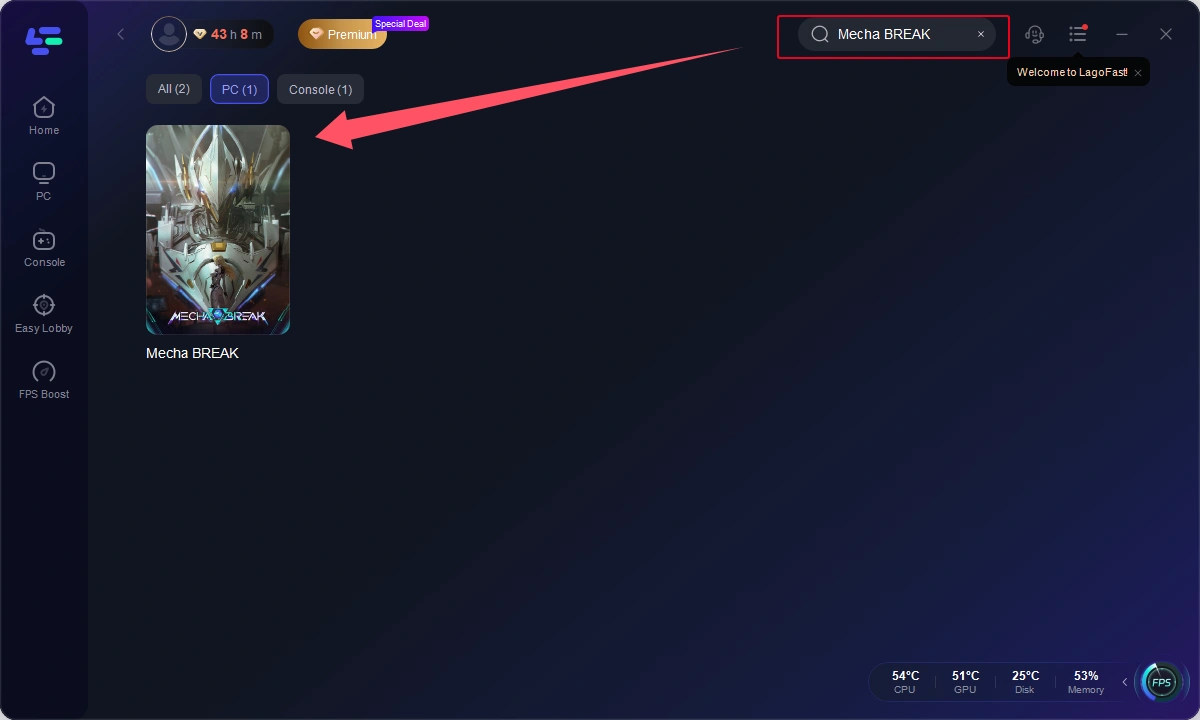
2. Launch & Search: Open LagoFast and search for Mecha Break in the search bar.
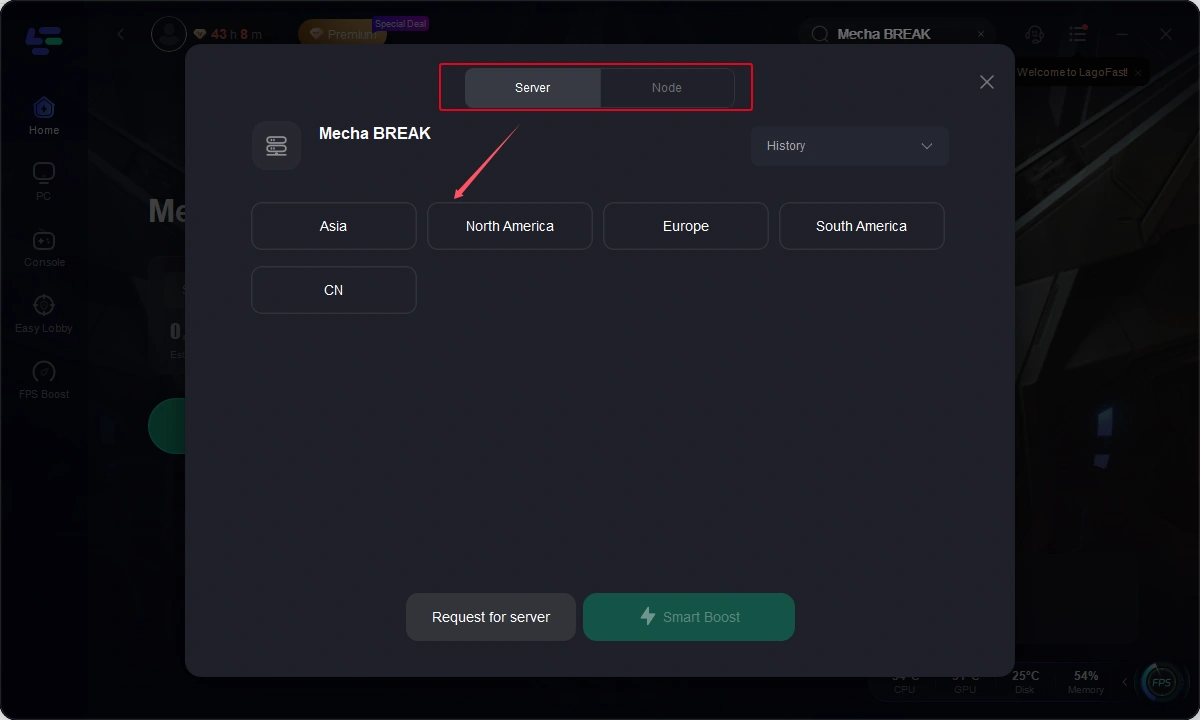
3. Select Server: Choose the best server based on your location and desired performance, then click "Smart Boost".
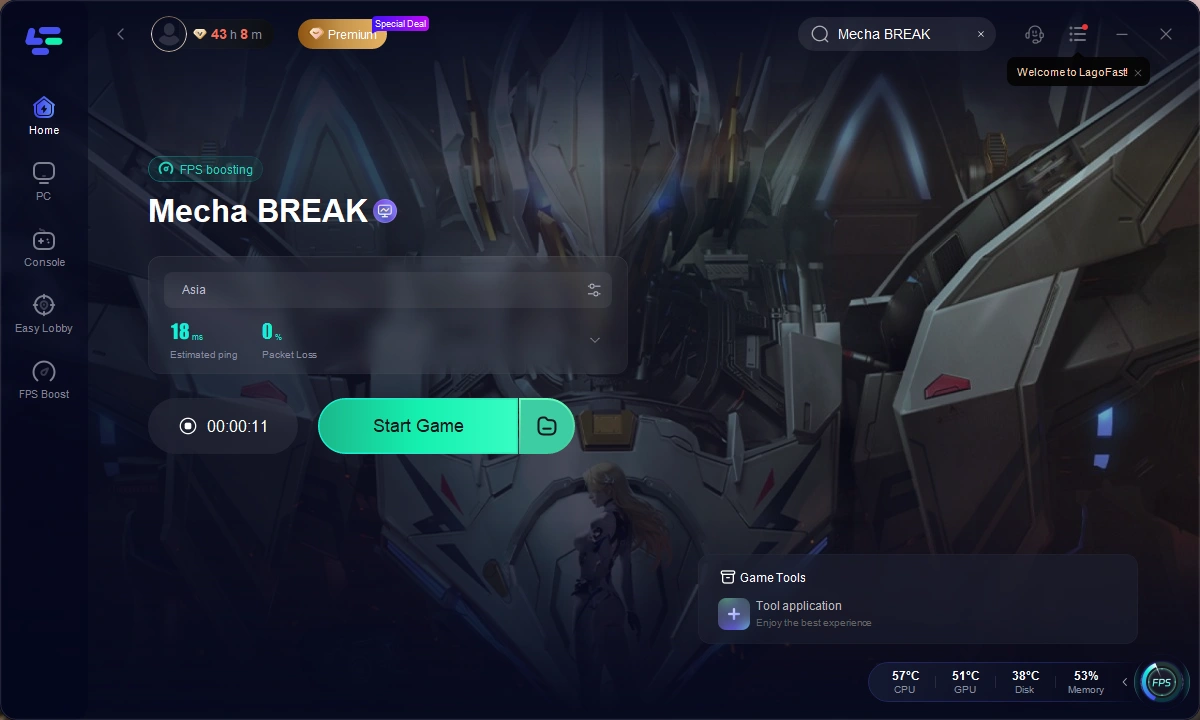
4. Start Playing: Once optimized, click "Start Game" to launch Mecha Break with a smoother connection.
 \
\
How to play Mecha Break using LagoFast Box:
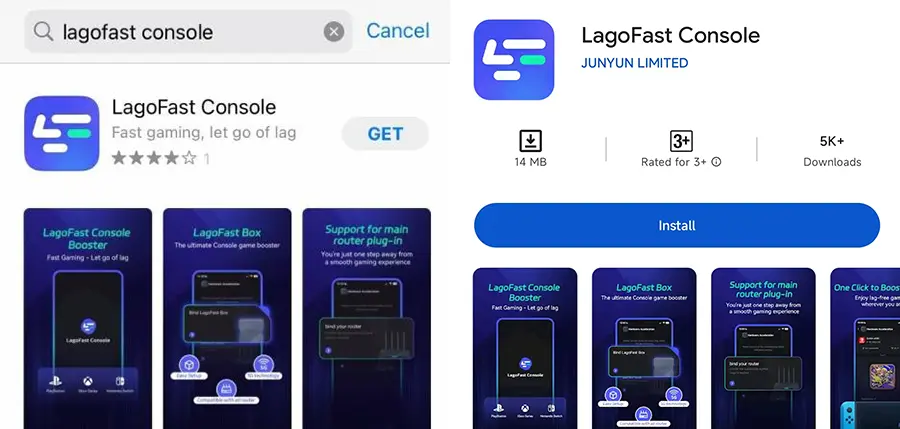
Step 1: Download the LagoFast Console App on your phone to control the LagoFast Box.
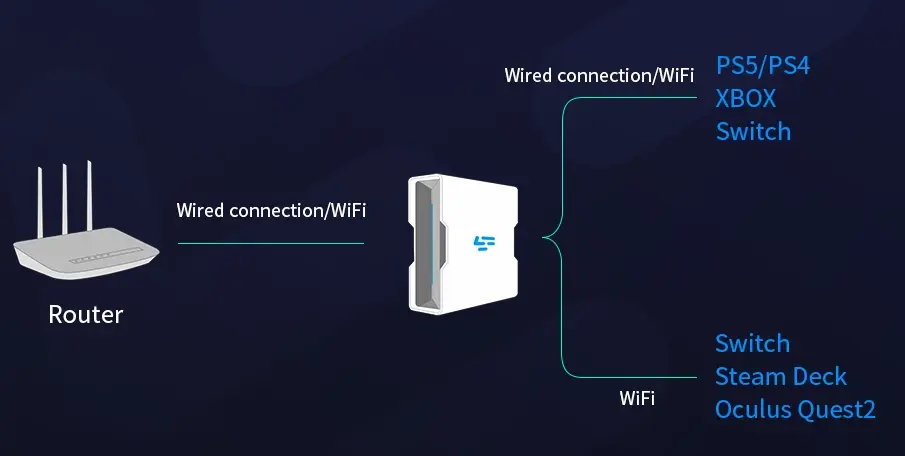
Step 2: Establish a connection between your LagoFast Box, router, and console, choosing between a wired or wireless connection.
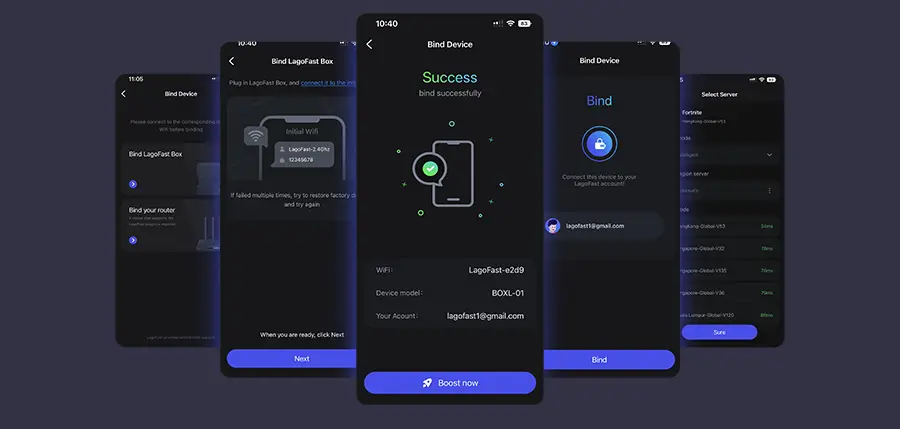
Step 3: Launch the LagoFast Console App and boost Mecha Break. Once you have completed the binding process with the LagoFast Box, proceed to boost this game within the LagoFast Console App.
Part 5: Bonus Tips - How to Check Mehca Break Server Status
The server is the heart of the game. Monitoring Mecha Break's server status helps players identify the root causes of downtime and respond effectively. Here are the ways to check Mecha Break's server status:
1. Official Channels:
- Mecha Break's Official Server Status Page: https://mechabreak.seasungames.com/
- Official X (Twitter) Account: @MechaBreak
- Mecha Break Official Discord Community: Mecha BREAK
These official sources provide updates on:
- Global server availability
- Announcements about scheduled maintenance
- Emergency downtime caused by unexpected incidents
2. Third-Party Platforms: Websites like DownDetector or SteamDB aggregate player reports to help monitor Mecha Break's server status.
3. Gaming Communities: Active forums like Reddit contain discussions about Mecha Break server status, helping players identify problems and find effective fixes.
Conclusion
With cross-platform play, deep mech customization, and fast-paced combat, Mecha Break is poised to dominate the mech shooter genre. Staying informed about Mecha Break server status, promptly addressing connectivity issues, and utilizing effective fixes—or using LagoFast to prevent server problems entirely—will help players minimize downtime and enjoy the ultimate Mecha Break experience.

Boost Your Game with LagoFast for Epic Speed
Play harder, faster. LagoFast game booster eliminates stutter and lags on PC, mobile, or Mac—win every match!
Quickly Reduce Game Lag and Ping!
Boost FPS for Smoother Gameplay!