

Quick Answer
Many Meccha Chameleon players are facing friend lobby issues where they can’t join friends, their friend’s server does not show up, Steam invites fail, or only a few public rooms appear in the server browser. In most cases, this is caused by server browser refresh problems, private room visibility issues, Steam invite errors, version mismatches, or temporary multiplayer instability.
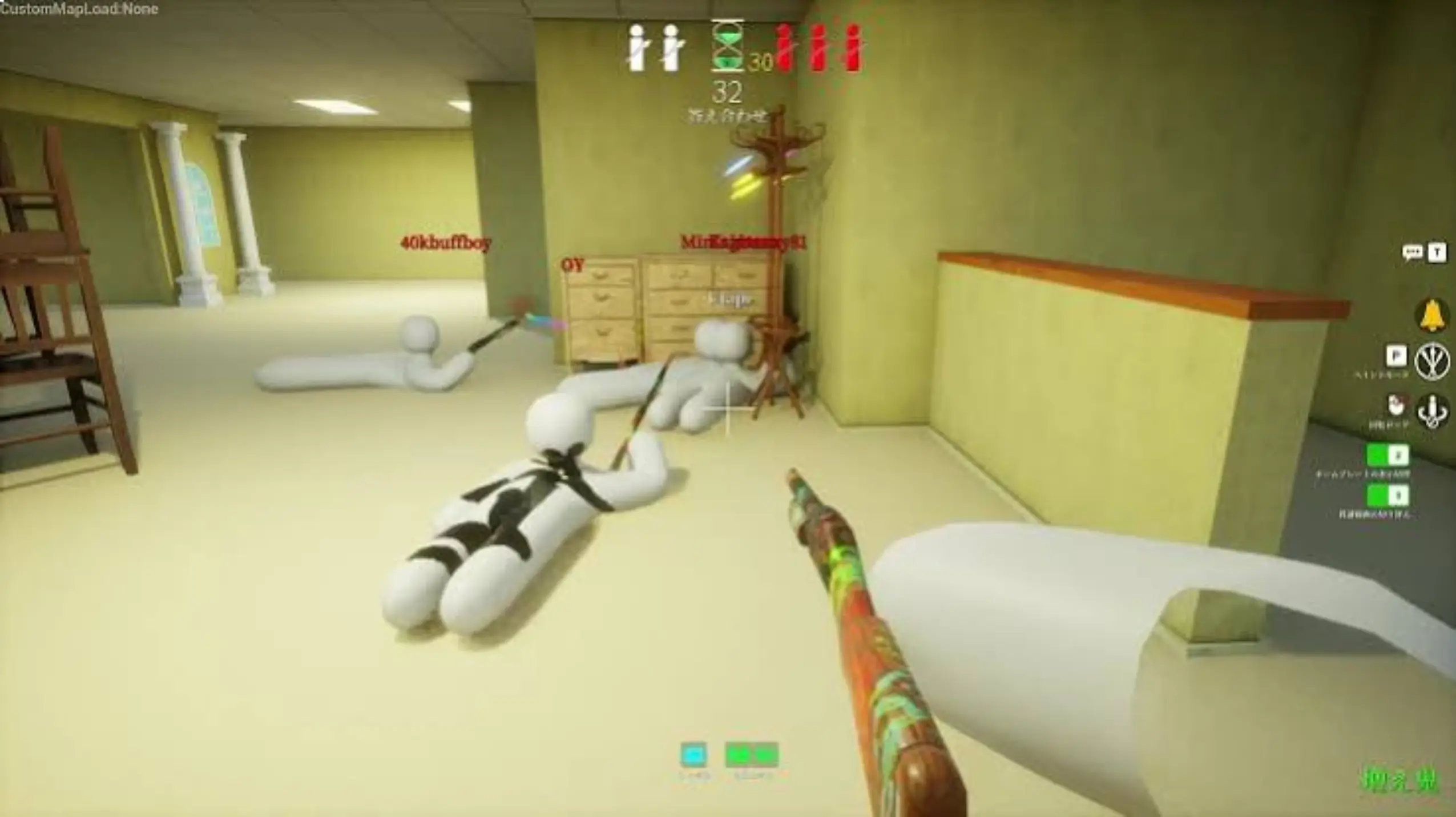
Trying to play MECCHA CHAMELEON with friends but running into issues? Whether your friend’s server is missing, Steam invites aren’t working, or you get kicked back to the main menu after joining, these problems are fairly common. Since the game relies heavily on the server browser and room visibility system, small sync or connection issues can easily break multiplayer. Below, we’ll go through the main causes and the fastest fixes to get you back into the game.

- ✅ Reduce Lag and High Ping.
✅ Boost FPS at the Same Time.
✅ Support 8000+ Popular Online Games.
✅ Change Server without Latency.
✅ Boost Game Loading Speed.
Part 1: Why You Can’t Join Friends in Meccha Chameleon
Part 2: Quick Fixes for Meccha Chameleon Can’t Join Friends
Part 3: Common MECCHA CHAMELEON Multiplayer Problems and How to Fix Them
Part 4: How to Know If It Is Your Problem or a Server-Side Issue
Part 5: Best Setup to Play Meccha Chameleon With Friends
Part 1: Why You Can’t Join Friends in Meccha Chameleon
The “can’t join friends” issue usually shows up in different ways depending on where the multiplayer connection breaks down:
- Friend servers may not appear in the server browser due to delayed refresh or lobby sync issues.
- Private rooms sometimes fail to show even when created correctly because of browser delay or visibility timing.
- Steam invites may fail when Steam overlay or session linking doesn’t sync properly.
- Players on different game versions may be unable to join after updates, causing silent mismatches.
- Only a limited number of public rooms appear when the server list is still loading or filtered incorrectly.
- Joining a lobby may fail and return players to the main menu due to session timeout or host instability.
- Multiplayer can become unstable after updates due to temporary matchmaking issues.
- VPNs or proxies can interfere with connection routing and block proper matchmaking.
Part 2: Quick Fixes for Meccha Chameleon Can’t Join Friends
Restart Meccha Chameleon and Steam
A simple restart can refresh both the game session and Steam connection, which often fixes temporary lobby or invite glitches.
Make Sure Everyone Is on the Same Game Version
If one player is slightly behind on updates, the game may silently block joining or cause failed connections.
Recreate the Room with a Unique Name
Deleting and recreating the lobby with a different name helps refresh server visibility and avoids stuck or cached rooms.
Try Joining a Public Room First
If private rooms aren’t showing, joining a public lobby first can help refresh the server browser list.
Use “Find Server” Instead of Steam Invites
Steam invites can be unreliable in this game, so using the in-game server browser is often more stable.
Switch the Host
If one player consistently can’t be joined, changing the host often resolves connection or NAT-related issues.
Verify Game Files on Steam
Corrupted or missing files can prevent proper matchmaking, and verifying files ensures everything is correctly installed.
Disable VPN or Proxy Temporarily
VPNs or network filters can interfere with matchmaking routes, so turning them off may restore normal connectivity.
Part 3: Common MECCHA CHAMELEON Multiplayer Problems and How to Fix Them
If basic fixes didn’t work, the issue is usually related to server visibility, session sync, or connection stability.
Meccha Chameleon Friends Can’t Find Server
Your friend’s lobby doesn’t appear in the server list, usually due to delayed server refresh or visibility sync issues.
Try this:
- Refresh the server browser a few times
- Ask the host to recreate the room
- Wait a minute and check again
Meccha Chameleon Invite Not Working & Steam Invites Fail
Steam invites may not trigger or fail to connect, especially when Steam overlay or session sync doesn’t properly update.
Try this:
- Join through the in-game “Find Server” option instead
- Restart Steam and resend the invite
- Avoid relying only on Steam invites
Meccha Chameleon Private Room Not Showing
Private rooms can fail to appear even when created correctly, often due to visibility delay or browser desync.
Try this:
- Recreate the room with a new name
- Switch the lobby to public and back to private
- Refresh the server list after a short delay
Meccha Chameleon Only a Few Public Rooms Show Up
If the server browser looks empty, it’s usually because the list hasn’t fully loaded or is temporarily filtered.
Try this:
- Restart the game to reload server data
- Refresh the browser multiple times
- Remove any active filters
- Meccha Chameleon Unable to Log In / Authentication Token Issue
Login issues usually happen when Steam authentication fails or the session doesn’t validate correctly.
Try this:
- Restart both Steam and the game
- Log out and back into Steam
- Verify your internet connection
Meccha Chameleon Can’t Join Private Games
Even if the room shows up, joining may fail due to version mismatch or unstable host connection.
Try this:
- Make sure all players are on the same version
- Restart the lobby and try again
- Switch to a different host
Joining Server Sends You Back to Lobby
The game loads but then returns you to the main menu, usually due to session timeout or unstable connection.
Try this:
- Rejoin the lobby after a restart
- Change the host
- Verify game files on Steam
Meccha Chameleon Can Create a Room but Can’t Join Others
You can host successfully, but joining other players fails, often due to NAT or firewall restrictions.
Try this:
- Disable VPN or proxy
- Allow the game through firewall
- Restart router if needed
Meccha Chameleon Multiplayer Not Working After an Update
After updates, multiplayer may break temporarily due to version mismatch or backend instability.
Try this:
- Ensure all players updated the game
- Restart Steam completely
- Wait for a hotfix if issues persist
Improve Connection Stability with LagoFast
If you’re still experiencing unstable connections, high ping, or packet loss while trying to join friends, using a network optimizer like LagoFast can help improve overall stability.
LagoFast works by:
- Optimizing routing paths to game servers
- Reducing ping and connection spikes
- Minimizing packet loss during multiplayer sessions
- Providing a more stable connection when joining friends or loading lobbies
How to Use LagoFast for Meccha Chameleon :
Step 1: Click the Free Trial button to download and install LagoFast.
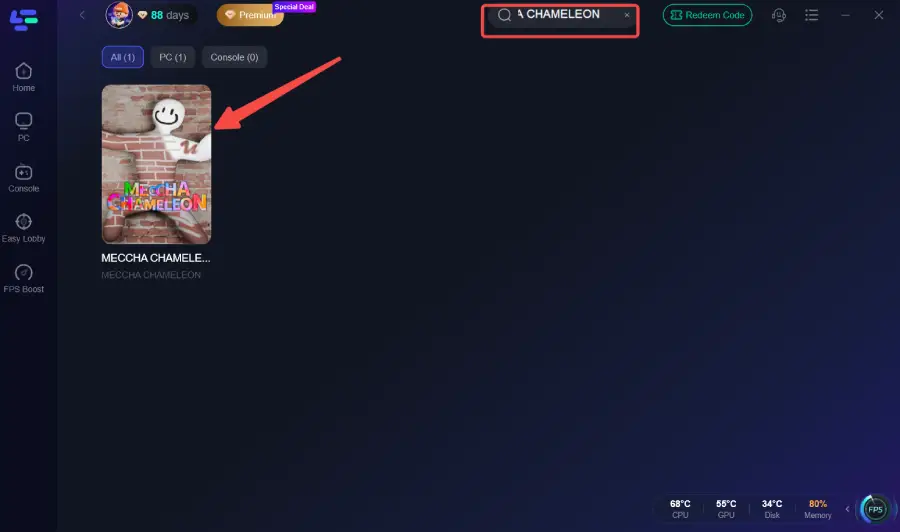
Step 2: After installation, search "Meccha Chameleon" in the search bar and select the game.
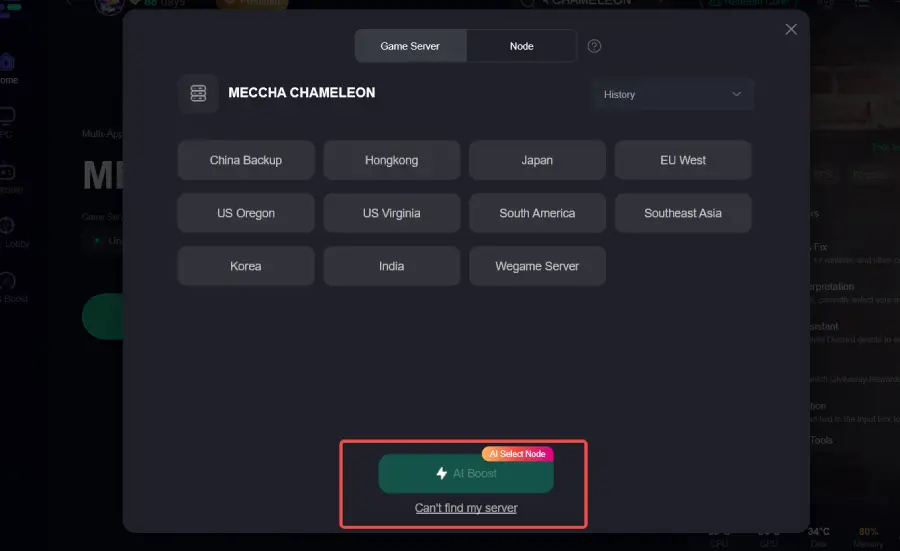
Step 3: Choose your preferred server node and click "Smart Boost" to start optimizing.
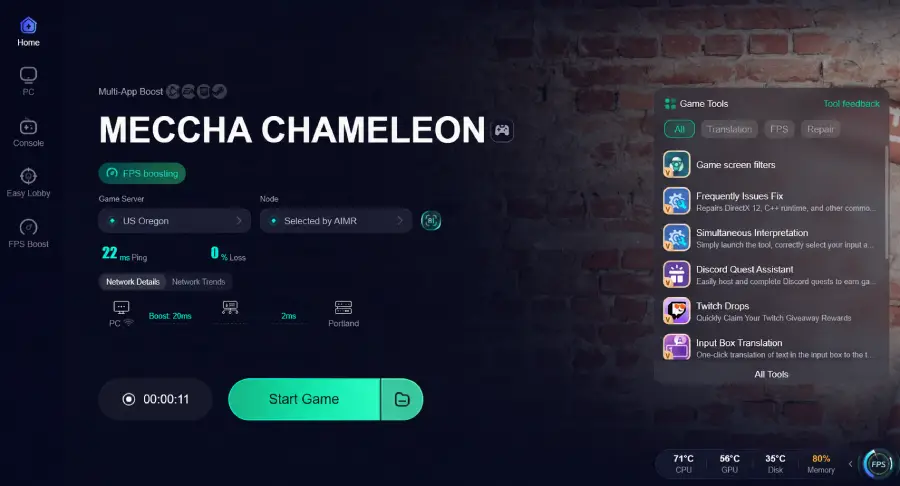
Step 4: Launch your game and enjoy smooth, optimized gameplay with lower ping and no stutter.
Bonus tips:
Part 4: How to Know If It Is Your Problem or a Server-Side Issue
When MECCHA CHAMELEON multiplayer stops working, it’s not always clear whether the issue is on your end or coming from the game itself. You can usually narrow it down by looking at how the problem behaves across different players.
|
Symptom |
What It Usually Means |
|
Only you can’t join friends |
This is often caused by your own network setup, firewall, or connection instability. |
|
Nobody can see the same room |
The issue is likely on the host side or related to lobby visibility sync. |
|
All multiplayer features stop working |
This usually points to a server-side outage or matchmaking failure. |
|
Problems start right after an update |
Likely a temporary patch-related bug or version mismatch. |
|
Steam invites don’t work, but server browser does |
The invite system is failing while core multiplayer still works. |
|
Everyone experiences the same issue at once |
This strongly indicates a global server or backend problem. |
If the same issue is happening to multiple players at the same time, it’s usually not something you can fix locally and is more likely related to the game’s servers or recent updates.
Part 5: Best Setup to Play Meccha Chameleon With Friends
If you want a smoother and more stable multiplayer experience in MECCHA CHAMELEON, it helps to set things up properly before you even start playing. Most join issues come from version mismatch, unstable connections, or unreliable invite routing.
For the best results, try the following setup:
- Make sure all players are on the same game version before launching the game, especially after updates.
- Use a wired connection if possible, as unstable Wi-Fi can cause lobby drops or failed joins.
- Restart Steam before long play sessions to refresh friend and invite syncing.
- Create lobbies with unique names so they’re easier to detect in the server browser.
- Prefer the in-game “Find Server” list instead of relying on Steam invites.
- Turn off VPNs or network filters unless they are absolutely needed for your region.
- Verify game files after updates to avoid hidden corruption causing connection issues.
Setting things up this way reduces most common multiplayer problems and makes it much easier to join friends without repeated failures.
Part 6: FAQ
Why can’t I join my friend’s server in MECCHA CHAMELEON?
Server visibility issues, version mismatch, Steam invite failures, or matchmaking instability can prevent joining.
Why is my friend’s server not showing up?
The server list may not have refreshed or the lobby is not fully synced.
Why are Steam invites not working in MECCHA CHAMELEON?
Steam invites may fail, so joining through “Find Server” is more reliable.
Why can’t I see private rooms?
Private rooms may not appear due to visibility delay or host sync issues.
Why do I get sent back to the main menu after joining a server?
This happens when the session fails, the host is unstable, or game versions do not match.
Final Thought
MECCHA CHAMELEON multiplayer issues usually look more complicated than they are, but most of them come down to a few consistent causes like server visibility, version mismatches, or unstable host connections. Once you match the symptom with the right fix, most problems can be resolved quickly without random troubleshooting. If issues still persist, it’s often either a temporary server-side problem or a network-related instability. In that case, improving your connection setup and retrying after a short wait usually makes a difference.
Boost Your Game with LagoFast for Epic Speed
Play harder, faster. LagoFast game booster eliminates stutter and lags on PC, mobile, or Mac—win every match!
Quickly Reduce Game Lag and Ping!
Boost FPS for Smoother Gameplay!