
Summary: This article covers release details, gameplay features, and LagoFast performance optimization for MARVEL Tōkon: Fighting Souls.
Quick Answer: When is the MARVEL Tōkon: Fighting Souls Release Date?
MARVEL Tōkon: Fighting Souls officially launches worldwide on August 6, 2026, with a regional release on August 7, 2026, for Japan.
Because of global time zone differences, the exact minute you can jump into the arena varies depending on your geographic location. Here is how the regional rollout breaks down for players across the globe:
|
Region |
Time Zone |
Release Date & Time |
|
North America (East Coast) |
EDT |
August 6, 2026 – 12:00 AM |
|
North America (West Coast) |
PDT |
August 5, 2026 – 9:00 PM |
|
United Kingdom |
BST |
August 6, 2026 – 5:00 AM |
|
Europe (Central) |
CEST |
August 6, 2026 – 6:00 AM |
|
Japan |
JST |
August 7, 2026 – 1:00 PM |
|
Australia (Sydney) |
AEST |
August 7, 2026 – 2:00 PM |
Tip: How to Fix MARVEL Tōkon: Fighting Souls Region Lock & PSN Issues
When the creators of Guilty Gear and Dragon Ball FighterZ team up with Marvel Games, fighting game enthusiasts take notice. MARVEL Tōkon: Fighting Souls combines iconic comic book heroes with deep 4v4 tag-team combat. Here is everything you need to know about the launch date, platforms, specs, and gameplay setup.
Part 1: MARVEL Tōkon: Fighting Souls Release Timeline
Part 2: MARVEL Tōkon: Fighting Souls Supported Platforms
Part 3: How to Download and Play MARVEL Tōkon: Fighting Souls?
Part 4: MARVEL Tōkon: Fighting Souls Gameplay Features
Part 5: MARVEL Tōkon: Fighting Souls System Requirements
Part 6: Beginner Tips: What You Should Do Before Release
Part 7: Maximize Your MARVEL Tōkon: Fighting Souls Experience With LagoFast
Part 8: MARVEL Tōkon: Fighting Souls FAQs
Part 1: MARVEL Tōkon: Fighting Souls Release Timeline
The path to the release of MARVEL Tōkon: Fighting Souls followed a structured testing and preview schedule. Ever since its initial reveal during Sony’s State of Play, Arc System Works has given players multiple opportunities to test its rollback netcode and unique combat mechanics.
|
Milestone Phase |
Scheduled Date |
Key Details & Highlights |
|
Official Announcement |
June 4, 2025 |
Revealed via PlayStation State of Play with developer commentary from SIE XDev and Arc System Works. |
|
Public Hands-On Debut |
July 31 – August 3, 2025 |
Playable demo featured at EVO 2025 alongside a Developer Combat Panel detailing core mechanics. |
|
PC & PS5 Open Beta |
July 24 – July 26, 2026 |
Free global network test giving players access to six fighters (Iron Man, Cap, Ms. Marvel, Star-Lord, Storm, Doom). |
|
Worldwide Launch (PC & PS5) |
August 6, 2026 |
Full commercial release across digital storefronts and physical retail editions. |
Part 2: MARVEL Tōkon: Fighting Souls Supported Platforms
At launch, MARVEL Tōkon: Fighting Souls is available exclusively on current-generation hardware and PC:
- PlayStation 5: Takes full advantage of the hardware with locked 60 FPS fighting gameplay, ultra-fast SSD loading times, and custom DualSense haptic feedback. PlayStation players can also utilize officialfight sticks and arcade controllers via USB.
- PC (Steam & Epic Games Store): Offers extensive graphic customizations, unlocked resolution support up to 4K, ultra-wide monitor options, and customizable keybindings for hitboxes, fight sticks, and standard gamepads.
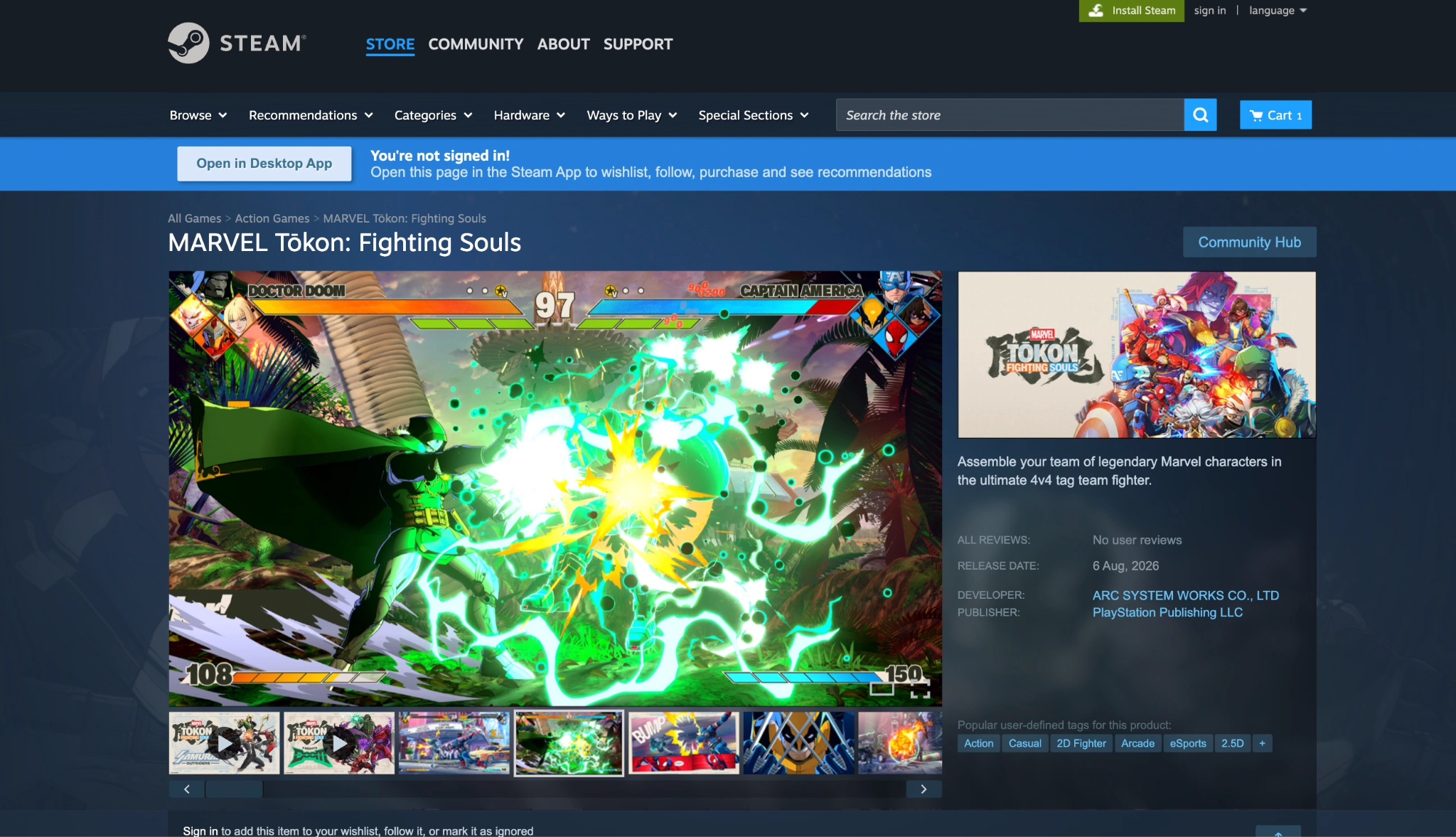
Note: PlayStation 4, Xbox Series X/S, and Nintendo Switch are not supported at launch. Focusing strictly on PS5 and PC allowed Arc System Works to leverage Unreal Engine 5 for dynamic stage environments and seamless Wall Breaks without performance bottlenecks.
Part 3: How to Download and Play MARVEL Tōkon: Fighting Souls?
Getting ready for day-one action requires setting up your digital storefront and pre-loading the game files to avoid release-day congestion.
Step 1. Choose Your Preferred Platform (PS5 or PC): Decide whether you will be playing on PlayStation 5 or PC (Steam / Epic Games Store). Ensure your primary account is active and has sufficient storage space (at least 60 GB available on SSD).
Step 2. Pre-Order or Purchase the Game: Navigate to the PlayStation Store on your console, or open Steam/Epic Games Store on PC. Search for MARVEL Tōkon: Fighting Souls and select your desired edition (Standard or Deluxe).
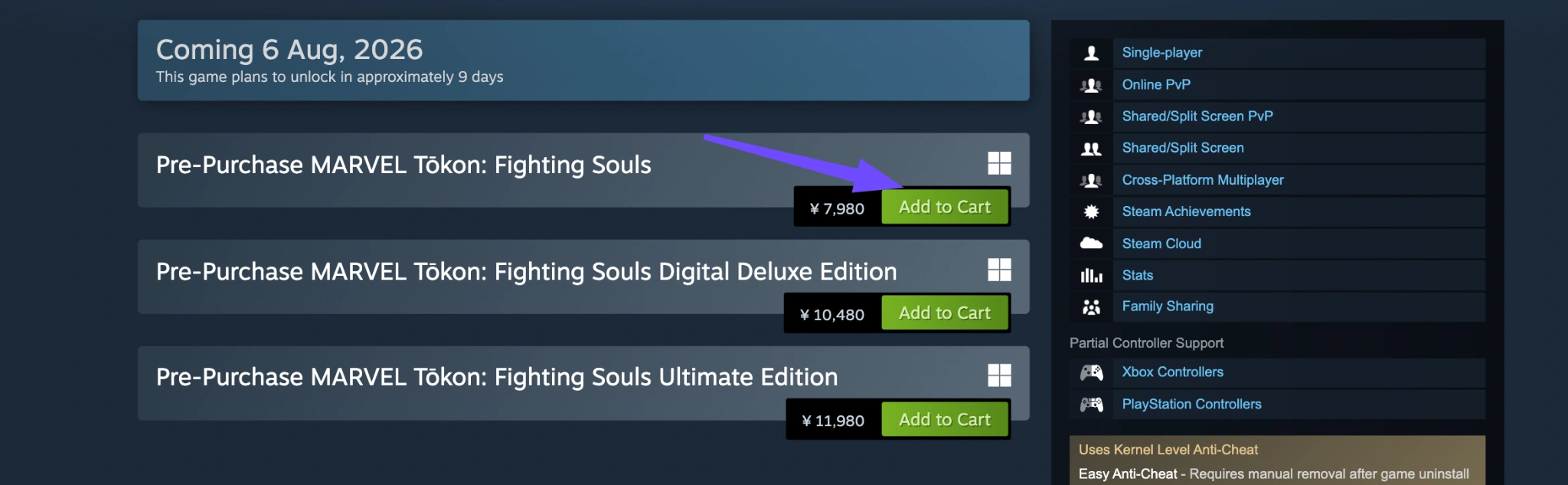
Step 3. Enable Automatic Pre-Downloads: If you pre-ordered digitally, enable automatic updates and pre-downloads in your system settings. Pre-loads typically open 48 hours prior to the official August 6 launch date.
Step 4. Configure Inputs and Network Settings: Connect your controller or fight stick before launching the game. Ensure your Ethernet cable is plugged in, or activate a game booster like LagoFast to lock in low ping prior to entering online matchmaking.
Part 4: MARVEL Tōkon: Fighting Souls Gameplay Features
Arc System Works built MARVEL Tōkon: Fighting Souls from the ground up to feel distinct from classic tag fighters while retaining fast-paced action.
Dynamic 4v4 Tag-Team Mechanics
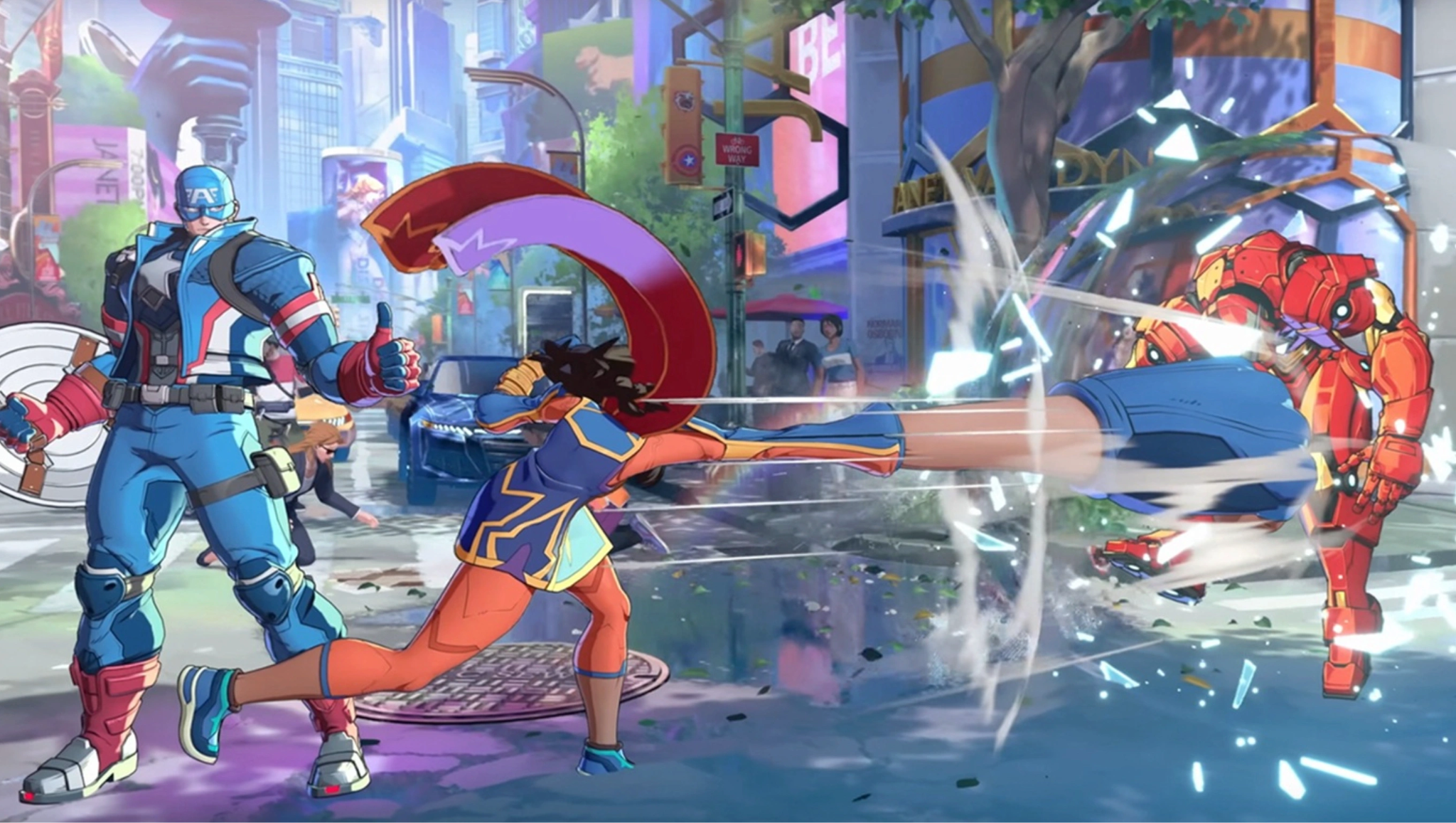
Rather than starting with all four characters active on the screen, matches begin with one main fighter and an assist character. As you deal damage, execute combos, and trigger environmental Wall Breaks, you unlock access to your third and fourth team members mid-match.
The "Tōkon Assemble" Comeback Engine
When your team is down to its last round or taking heavy damage, you can activate Tōkon Assemble. This cinematic, all-out attack calls in all available team members simultaneously for a massive multi-hit combo, turning the tide of battle in crucial moments.
Unreal Engine 5 Stage Destruction
Stages are multi-tiered arenas based on iconic Marvel lore, such as Avengers Tower, Wakanda, and the Baxter Building. Hitting an opponent with a heavy finisher near the edge of a stage triggers a seamless Wall Break, transitioning combat into a completely new sub-arena with distinct visual lighting.
Original Narrative: Episode Mode
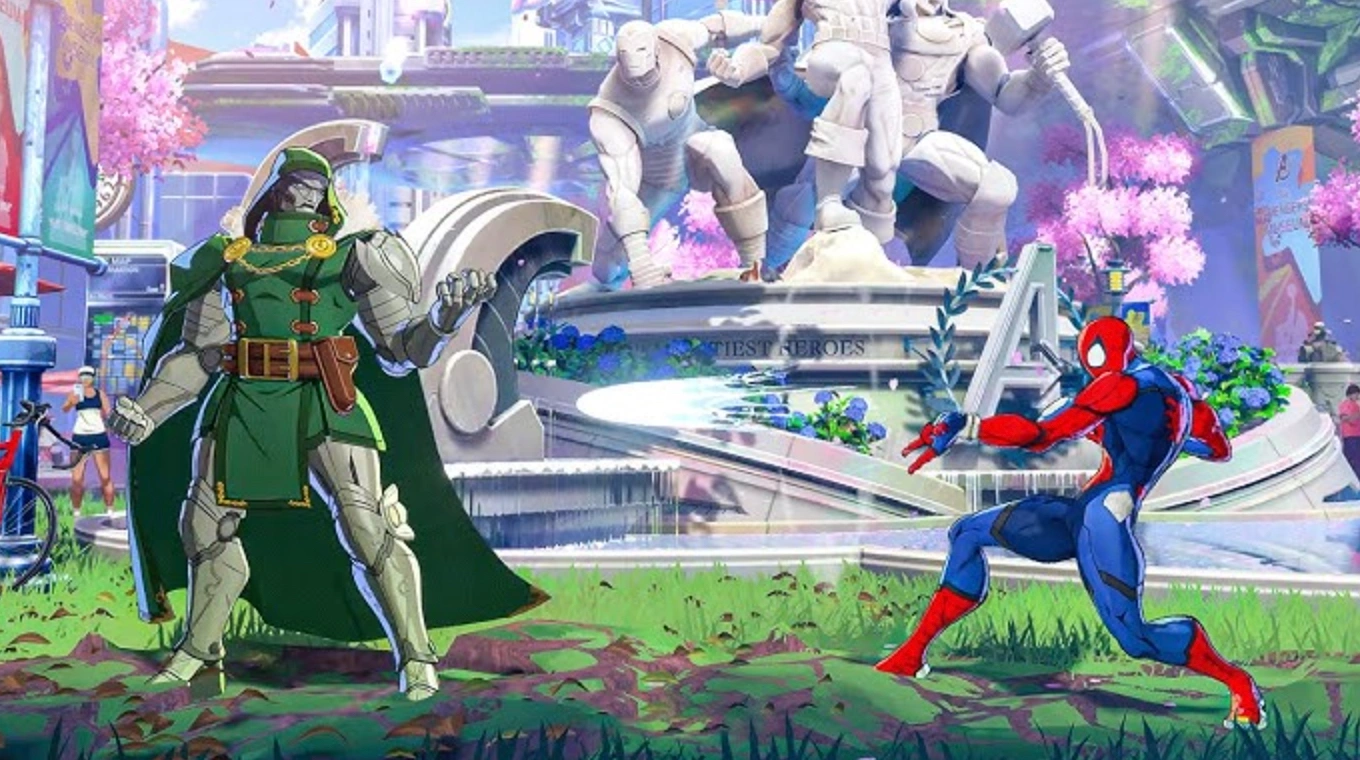
Written by celebrated comic writer Kieron Gillen, the single-player "Episode Mode" splits the 20-character base roster into five distinct team storylines. Players face off in tournament qualification rounds hosted by The Promoter before confronting The Champion—an Elder of the Universe intent on destroying Earth.
Part 5: MARVEL Tōkon: Fighting Souls System Requirements
Fighting games require a stable 60 FPS. Dropping frames causes input drops, breaks combos, and creates severe desynchronization during rollback netcode processing. Check the official system requirements below to make sure your PC rig is combat-ready.
|
Hardware Component |
Minimum System Requirements (1080p / 60 FPS Low) |
Recommended System Requirements (1080p / 60 FPS High) |
|
Operating System |
Windows 10 (64-bit) |
Windows 10 / 11 (64-bit) |
|
Processor (CPU) |
Intel Core i5-8400 or AMD Ryzen 5 2600 |
Intel Core i7-10700 or AMD Ryzen 7 3700X |
|
Memory (RAM) |
8 GB RAM |
16 GB RAM |
|
Graphics (GPU) |
NVIDIA GeForce GTX 1060 (6GB) or AMD Radeon RX 580 |
NVIDIA GeForce RTX 3060 or AMD Radeon RX 6700 XT |
|
DirectX Version |
Version 12 |
Version 12 |
|
Storage Space |
60 GB available space (HDD supported) |
60 GB available space (NVMe SSD Highly Recommended) |
|
Network |
Broadband Internet Connection (Ethernet) |
High-Speed Broadband Internet Connection (Wired Ethernet) |
Part 6: Beginner Tips: What You Should Do Before Release
Preparing early helps you jump into ranked lobbies with a distinct advantage over casual button-mashers:
- Master Arc System Works Fighting Concepts: If you have played Guilty Gear -Strive- or Dragon Ball FighterZ, many core principles carry over, such as gatling combo chains, blockstrings, and Roman Cancel-style timing windows.
- Set up wired connections: Never play online fighting games over Wi-Fi. Packet loss creates jitter that ruins the rollback netcode experience for both you and your opponent.
- Practice Input Consistency: Focus on clean motion inputs (quarter-circles, DP motions, dragon punches) rather than speed. Precise execution prevents accidental special moves during high-pressure defense.
- Optimize Your Routing: Establish low-latency routes to regional game servers before logging into competitive modes.
Part 7: Maximize Your MARVEL Tōkon: Fighting Souls Experience With LagoFast
In fighting games, a single frame of latency equals 16.6 milliseconds of delay. If your connection suffers from high ping, jitter, or packet loss, your inputs will be eaten, combos will drop, and punishing unsafe moves will become virtually impossible. This is where LagoFast becomes an essential tool in your fighting game setup.
Why Use LagoFast for MARVEL Tōkon: Fighting Souls?
- Smart Routing Protocol: Standard Internet Service Providers (ISPs) often send game data through circuitous paths. LagoFast dynamically routes your connection through dedicated global gaming nodes, selecting the absolute shortest path to the game servers.
- Ping Reduction & Zero Packet Loss: Eliminates unexpected ping spikes and packet loss during fast-paced 4v4 tag sequences, ensuring your rollback netcode operates smoothly.
- FPS Booster for PC: LagoFast includes an integrated system optimizer that automatically closes background processes, balances CPU thread allocation, and cleans up RAM usage to lock in 60 FPS performance.
Tutorial: Use LagoFast to Boost MARVEL Tōkon: Fighting Souls
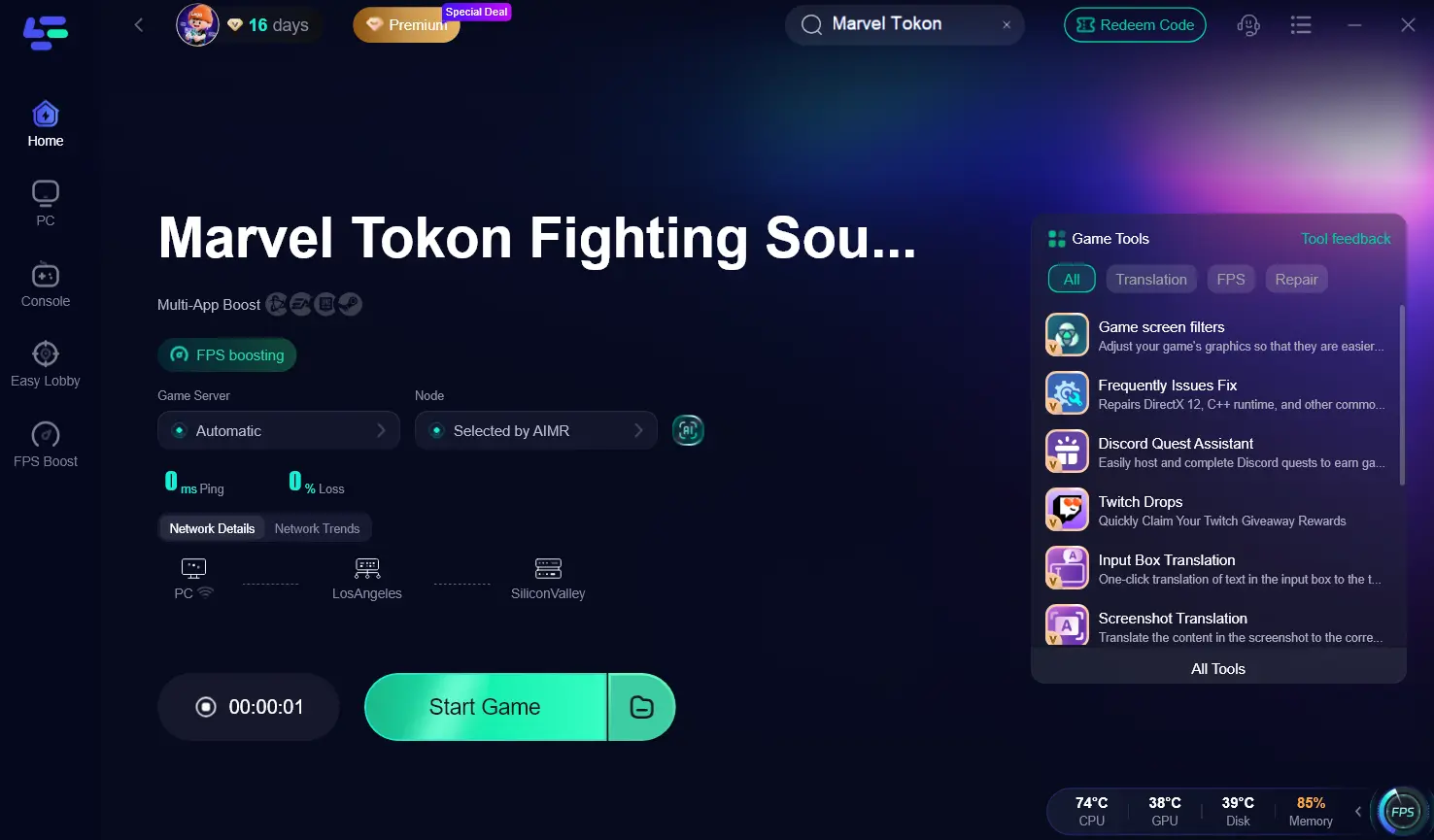
Step 1. Download and install the LagoFast game booster onto your PC.
Step 2. Launch the application and type "MARVEL Tokon" or "MARVEL Tokon: Fighting Souls" into the search bar located on the home dashboard.
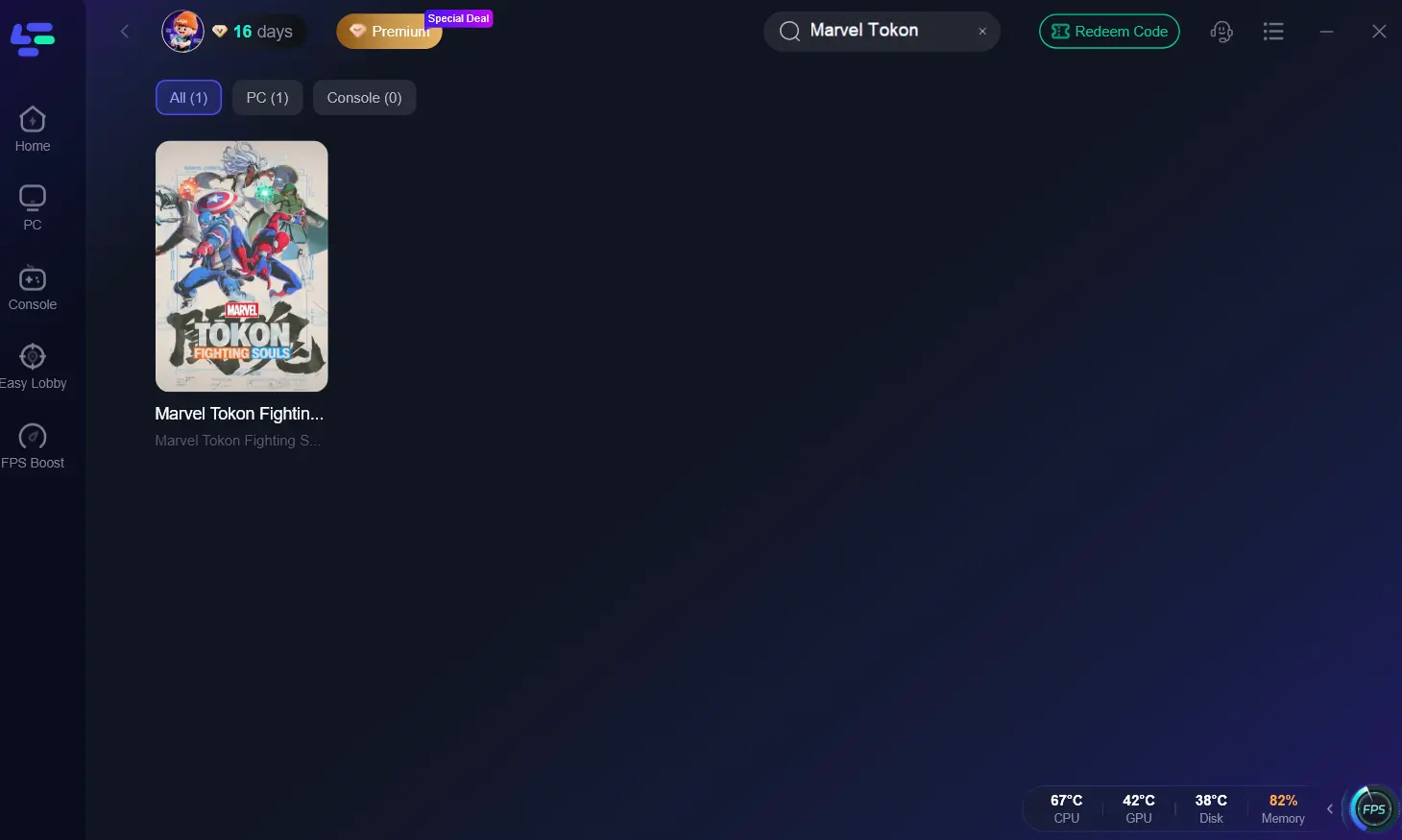
Step 3. Click on the game icon, then select your desired server region and optimal connection node using the smart boost recommendations.
Step 4. Click the "AI Boost" button to initiate specialized network routing and hardware optimization simultaneously.
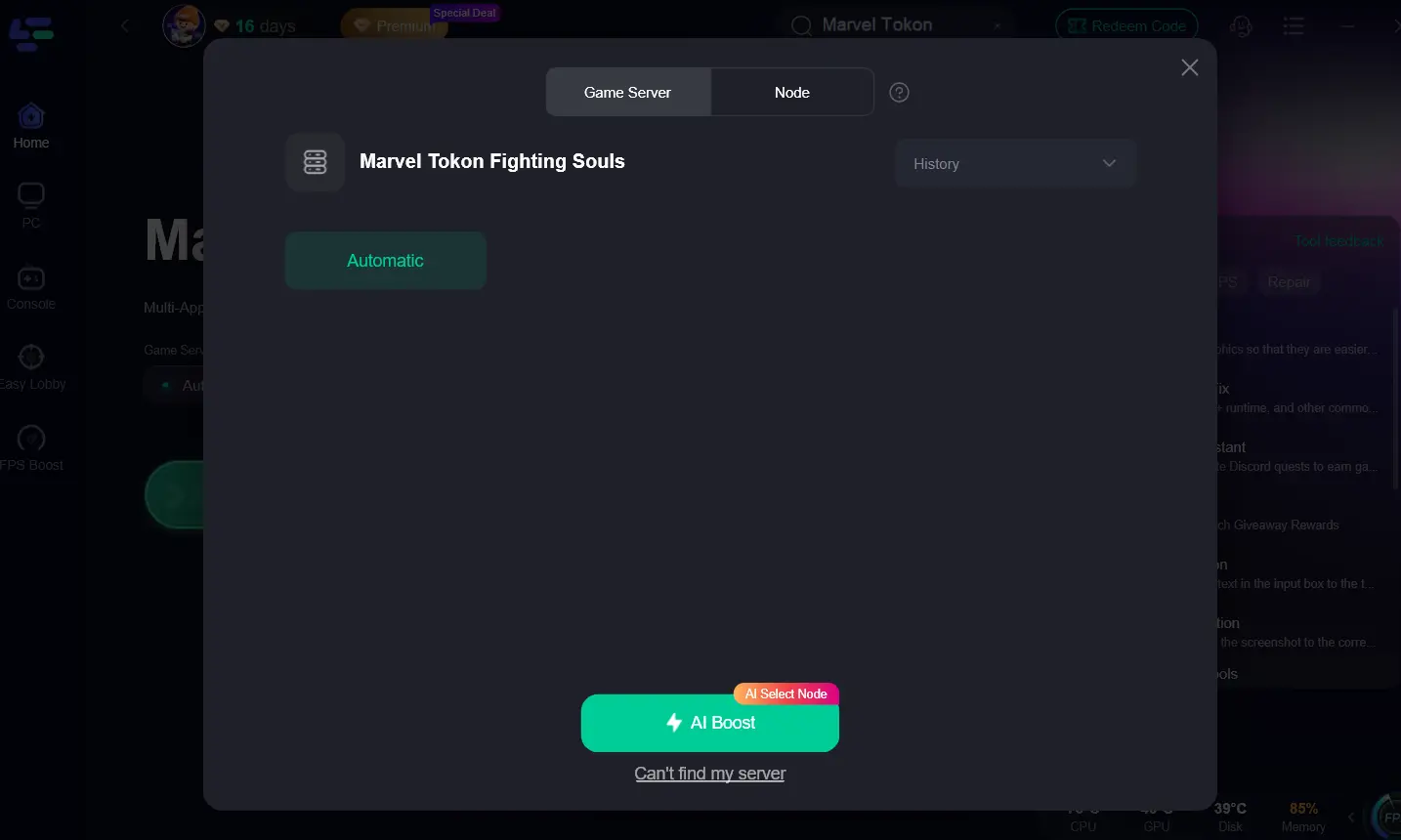
Step 5. Once boosted, launch the game directly through the LagoFast interface to maximize your MARVEL Tōkon gaming experience.
Part 8: MARVEL Tōkon: Fighting Souls FAQs
Is MARVEL Tōkon: Fighting Souls free to play?
No, MARVEL Tōkon: Fighting Souls is a full-priced premium title available in Standard and Deluxe editions on PS5 and PC.
Does MARVEL Tōkon: Fighting Souls support crossplay?
Yes, Arc System Works has integrated full cross-platform play between PlayStation 5 and PC players, supported by proprietary rollback netcode.
Is MARVEL Tōkon: Fighting Souls available on PS4 or Xbox?
No. The game is developed exclusively for PlayStation 5 and PC to take advantage of high-speed SSDs and current-gen visual rendering engines.
How many characters are available at launch?
The base roster features 20 playable characters divided into five distinct thematic teams of four. Additional fighters will join via post-launch DLC Season Passes.
Can I play MARVEL Tōkon: Fighting Souls offline?
Yes! The game features a complete single-player Episode Mode narrative, offline Versus mode, Arcade mode, and an extensive Training/Dojo mode to practice combos.
How do I fix lag and input delay in online matches?
Ensure you are using a wired Ethernet connection, lock your PC settings to maintain 60 FPS, and run LagoFast to optimize your network routing path and eliminate ping spikes.
Conclusion
With its August 6, 2026 release date fast approaching, MARVEL Tōkon: Fighting Souls is shaping up to be a standout tag-team fighter. To make sure frame drops and network lag don't hold you back in online ranked matches, equip LagoFast to lock in high FPS and low ping from your very first match!
Boost Your Game with LagoFast for Epic Speed
Play harder, faster. LagoFast game booster eliminates stutter and lags on PC, mobile, or Mac—win every match!
Quickly Reduce Game Lag and Ping!
Boost FPS for Smoother Gameplay!