
Little Nightmares 3 is one of the most anticipated horror puzzle-adventure games of 2025, drawing players into its eerie world of mystery, fear, and survival. However, many players have reported FPS drops and stutters that disrupt gameplay immersion. If you’re experiencing lag, poor frame rates, or sudden stuttering, you’re not alone. This guide will help you understand why these issues occur and how to fix them for smoother performance.

- ✅Reduce Lag and High Ping.
✅ Boost FPS at the Same Time.
✅ Ensure a Stable Server Connection.
✅ Change Server without Latency.
✅ Fix Crashing and Stuck Errors.
✅ 0% Packet Loss Rate
Part 1: Why Little Nightmares 3 Suffers from FPS Drops
Part 2: Basic Fixes for FPS Drops & Stutters
Part 3: Advanced Fixes for Persistent Stutters
Part 4: Gameplay Experience in Little Nightmares 3
Part 5: New Features and Improvements
Part 6: Fix Little Nightmares 3 FPS Drops with LagoFast
Part 1: Why Little Nightmares 3 Suffers from FPS Drops
Before jumping into fixes, it’s important to know the root causes. The main reasons behind Little Nightmares 3 FPS drops and stutters include:
- High Graphics Settings: Running the game at ultra settings without enough GPU power.
- Unoptimized Drivers: Outdated graphics drivers often cause lag.
- Background Processes: Programs running in the background can eat up CPU and RAM.
- Network Instability: Online play may experience stutters due to unstable internet connections.
- Game Bugs & Optimization Issues: Being a new release, patches are still rolling out.
Part 2: Basic Fixes for FPS Drops & Stutters
Here are some quick adjustments that may instantly improve your gameplay:
1. Update Graphics Drivers
- NVIDIA/AMD users should always keep their GPU drivers updated.
- Check your GPU control panel for optimization options.
2. Lower In-Game Settings
- Reduce texture quality, shadows, and anti-aliasing.
- Cap your FPS to stabilize frame rates.
3. Close Background Applications
- Disable unnecessary apps (Discord overlays, browsers, etc.).
- Free up CPU and memory resources.
4. Adjust Windows Settings
- Set Little Nightmares 3 to “High Performance” mode.
- Disable Xbox Game Bar and unnecessary background services.
Part 3: Advanced Fixes for Persistent Stutters
If the above methods don’t fully solve the issue, try these:
- Verify Game Files: On Steam or your game launcher, verify the integrity of game files.
- Change Display Settings: Switch between fullscreen, borderless, or windowed mode to test stability.
- Disable V-Sync: Sometimes V-Sync can cause input lag and stuttering.
- Update Windows OS: Make sure your system is on the latest version.
Part 4: Gameplay Experience in Little Nightmares 3
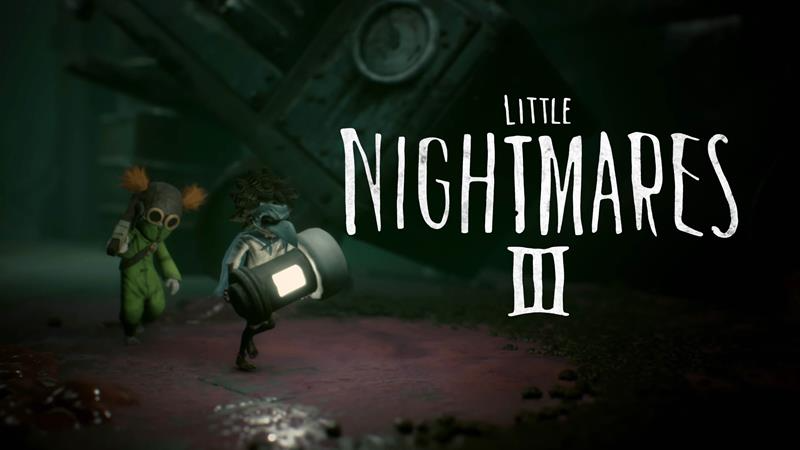
The game delivers a haunting and cinematic experience. Players step into a surreal world where shadows, eerie sound design, and chilling environments make every moment tense. The addition of co-op gameplay introduces new puzzle-solving mechanics, as players must work together to survive. However, when FPS issues occur, these finely crafted moments lose their impact. That’s why smooth performance is crucial for full immersion.
Part 5: New Features and Improvements
Compared to its predecessors, Little Nightmares 3 introduces several exciting features:
- Co-op Mode: Play with a friend for the first time in the series.
- Expanded Environments: Larger, more interactive worlds with hidden secrets.
- Enhanced Visuals: Improved textures, lighting, and atmosphere for a next-gen feel.
- Deeper Storytelling: Darker narrative elements that expand on the lore of the nightmare universe.
These upgrades make the game more engaging but also more demanding on system resources—explaining why many players experience FPS drops and stuttering.
Part 6. Fix Little Nightmares 3 FPS Drops with LagoFast
If you’re tired of stuttering and frame drops ruining your Little Nightmares 3 experience, LagoFast Game Booster is a quick solution. Instead of spending hours tweaking settings, LagoFast optimizes your network and system automatically, ensuring a smooth and immersive gameplay session.
How to Use LagoFast
Getting started is simple and only takes a few clicks:
1. Download and install LagoFast.
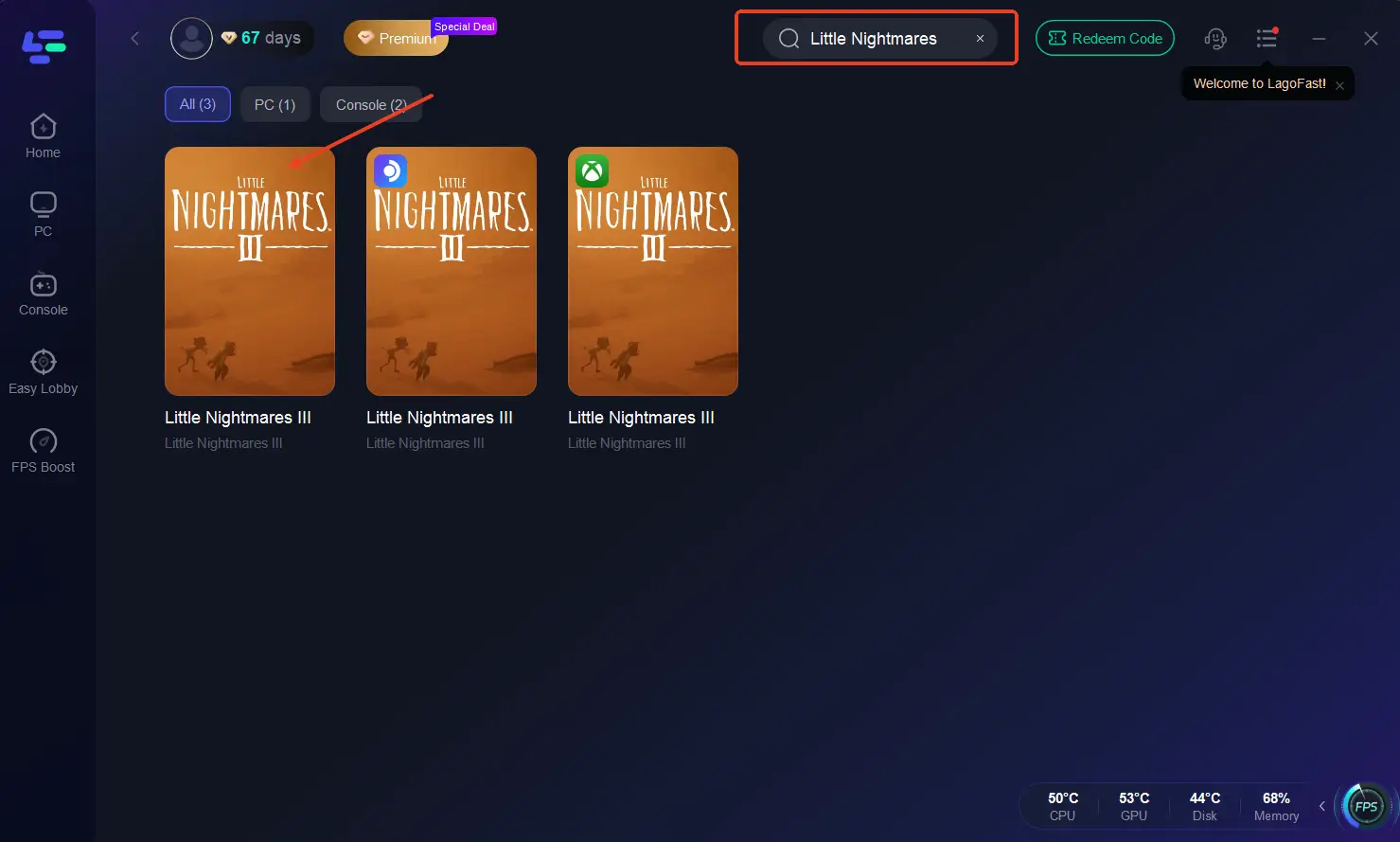
2. Open the app and find Little Nightmares 3.
3. Pick the most stable server and best-performing node.
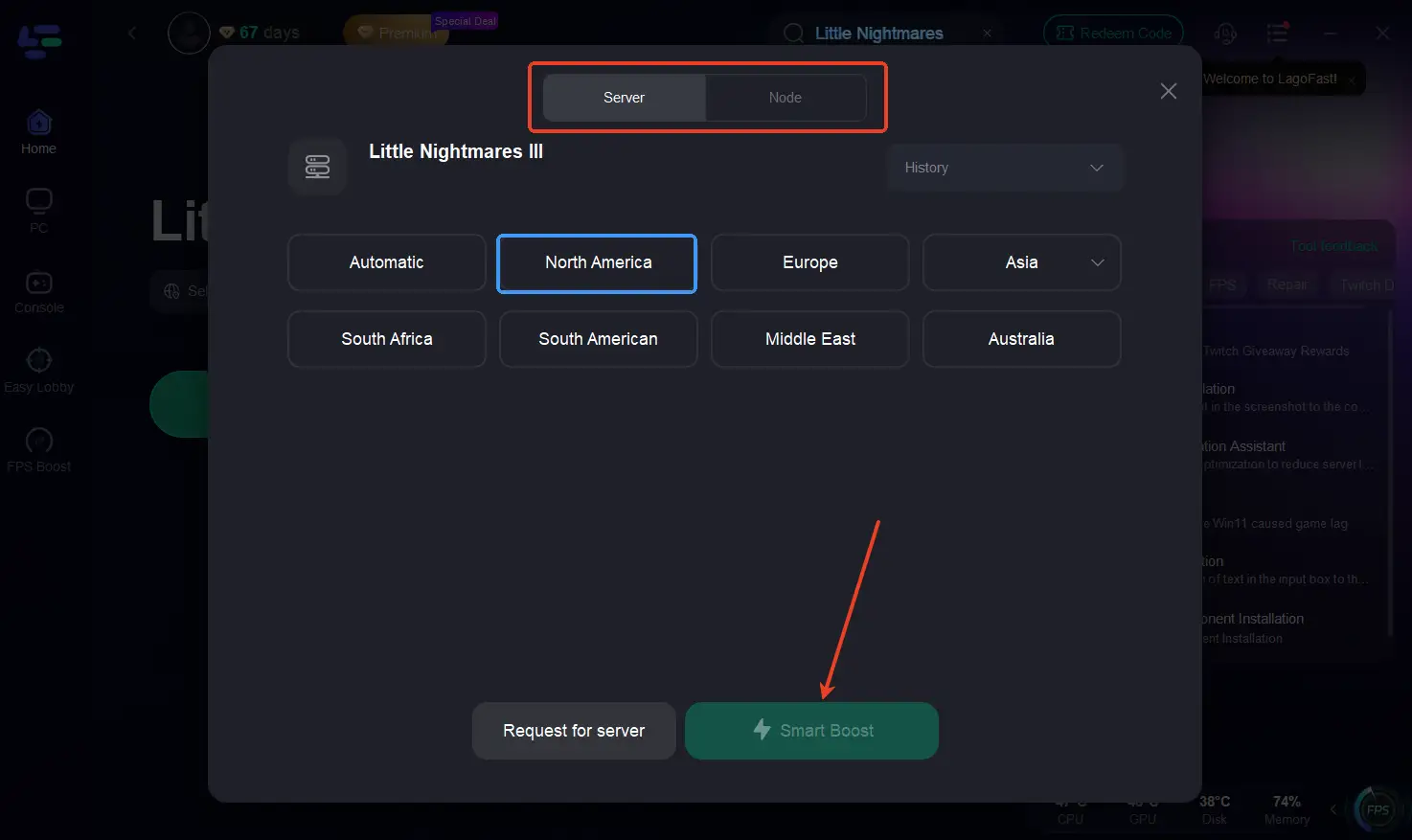
4. Hit Smart Boost to reduce lag and stabilize FPS.
Key Benefits of LagoFast
- Reduces stutters and FPS drops
- Lowers ping and packet loss
- Ensures stable connections during gameplay
- Optimizes system resources for better performance
With these simple steps, LagoFast makes sure Little Nightmares 3 runs at its best. By eliminating FPS drops and network instability, the game’s chilling atmosphere feels seamless—every shadow, sound, and movement loads smoothly, allowing you to stay fully immersed. Instead of being pulled out of the experience by sudden stutters or lag spikes, you can focus on what matters most: unraveling the mysteries, solving puzzles with precision, and escaping the terrifying threats that lurk in the dark.
In short, LagoFast doesn’t just boost performance—it restores the intended horror experience of Little Nightmares 3, where every frame and sound counts toward building tension and fear. With stable gameplay, you get the full emotional impact the developers designed, making the game scarier, more engaging, and far more enjoyable.
Conclusion
Little Nightmares 3 FPS drops and stutters can ruin the horror atmosphere and slow down gameplay. But with the right tweaks—updating drivers, lowering settings, and using LagoFast—you can eliminate lag and fully enjoy the game’s haunting world. Don’t let performance issues hold you back—optimize your setup and step into the nightmare with confidence.

Boost Your Game with LagoFast for Epic Speed
Play harder, faster. LagoFast game booster eliminates stutter and lags on PC, mobile, or Mac—win every match!
Quickly Reduce Game Lag and Ping!
Boost FPS for Smoother Gameplay!