
Last Epoch, the time-traveling ARPG from Eleventh Hour Games, has taken the genre by storm since its full release in February 2024. With Season 2: Tombs of the Erased launching on April 17, 2025, players worldwide are diving into its immersive world of skill customization, dungeon crawls, and epic loot. However, language barriers and technical issues like lag and FPS drops can hinder the experience. In this guide, we’ll explore how to overcome these challenges using LagoFast’s upcoming translation tool and its all-in-one game booster.

- ✅ Reduce Lag and High Ping.
- ✅ Boost FPS at the Same Time.
- ✅ Get Last Epoch Twitch Drops Easily
- ✅ Game Multi Language Translation
- ✅ Multiplatform: PC, Console, Mobile.
Part 2. What Languages Does Last Epoch Support?
Part 3. How to Get Last Epoch In-Game Translation - Best Translation Tool
Part 4. Optimize Your Gaming Experience with LagoFast
Part 1. Last Epoch Overview
Last Epoch blends Diablo-like gameplay with unique mechanics, such as time-traveling between eras to alter the future. Players choose from five classes (Guardian, Mage, Rogue, Berserker, and Acolyte), each branching into 15+ mastery paths, offering endless build possibilities. The game’s focus on player agency—like respecing skills mid-play through—and a player-driven economy has earned it a "Mostly Positive" rating on Steam with over 87,000 reviews.
Season 2 introduces major updates: new endgame bosses, dungeon reworks, and crafting systems, making it the biggest overhaul yet. However, as the player base grows, so do demands for better localization and performance optimization.
Part 2. What Languages Does Last Epoch Support?
As of 2025, Last Epoch officially supports 10 languages: English, French, German, Korean, Polish, Brazilian Portuguese, Russian, Simplified Chinese, Latin American Spanish, and Japanese.
While this covers most major regions, players in Thailand, Turkey, Arabic-speaking countries, Italy, the Philippines, and those preferring Traditional Chinese face hurdles. This gap highlights the need for third-party solutions. Don't worry, next we will bring you a very good translation tool.
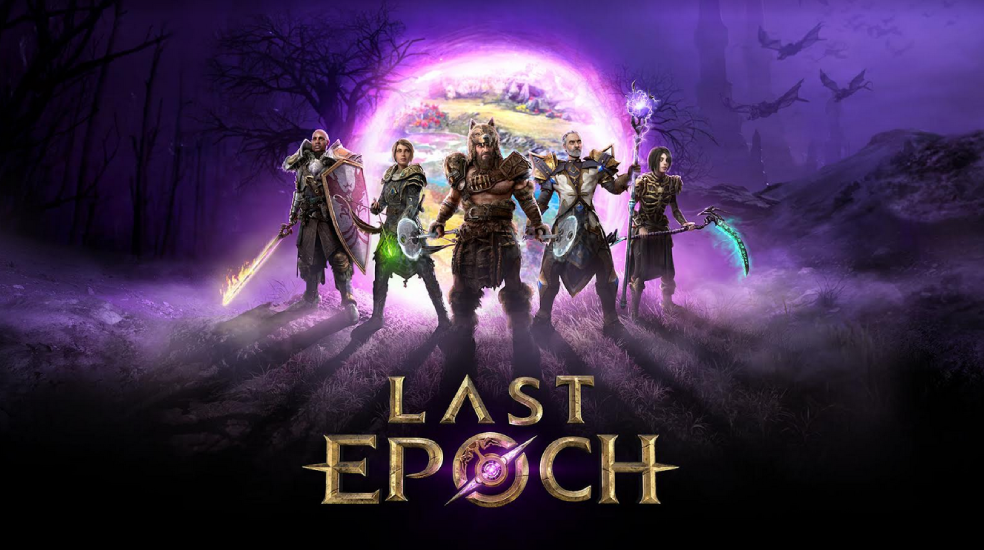
Part 3. How to Get Last Epoch In-Game Translation - Best Translation Tool
Enter LagoFast’s upcoming Last Epoch Translation Tool. It will support Thai, Turkish, Arabic, Italian, Traditional Chinese, and Filipino—six languages not fully covered by the game’s official localization.
Its advantages are as follows:
- Natural integration: LagoFast's translation tool is not an ordinary plug-in, it can embed the translated text into the game screen in a very natural way, allowing you to play the game smoothly and without any obstacles.
- No lag and no mess: The translation tool can embed the translated text into the game file instead of translating it in real time, so you don't have to wait for it to load, just import the translation into the game file and enjoy the game experience from start to finish without any language barriers.
- No Bans: Unlike some third-party tools, LagoFast's solution has been tested and is completely safe and will not affect your account or gaming experience.
- User-friendly: one-click activation and customizable language settings.
How to use LagoFast Translation Tool:
Step 1. Download LagoFast by clicking on "Free Trial" and opening the app.
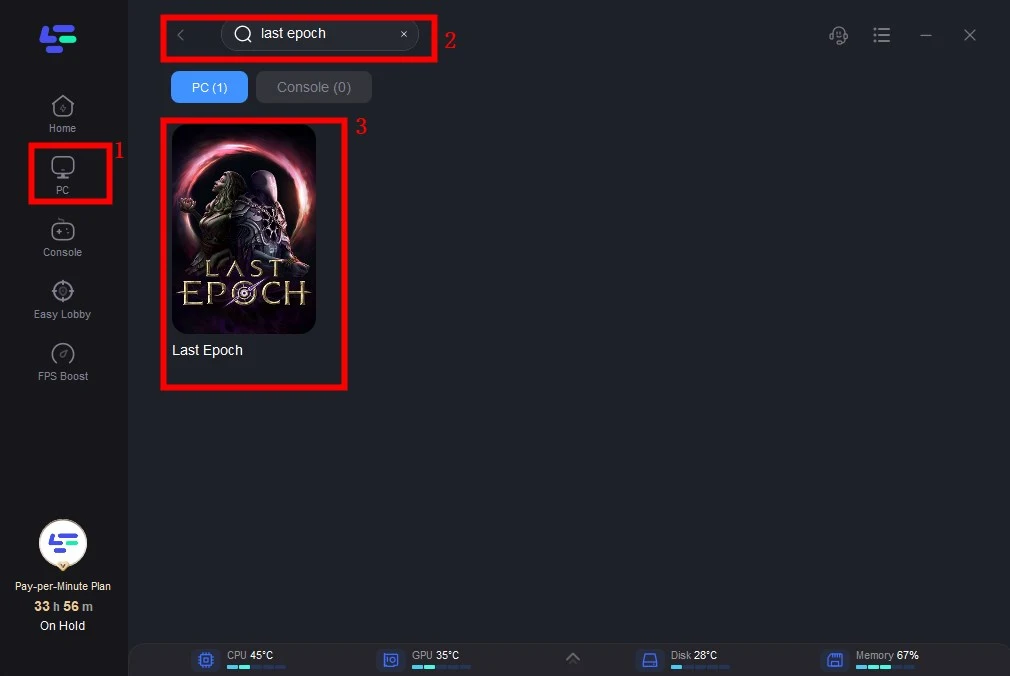
Step 2. In the search bar, type “Last Epoch” and select it from the results.
Step 3. Enable the translation tool and choose your target language.
Step 4. Enjoy real-time translations without disrupting your build or strategy.
Part 4. Optimize Your Gaming Experience with LagoFast
Beyond translation, LagoFast addresses common Last Epoch issues:
- Lag and Rubberbanding:
Last Epoch’s servers struggle with latency spikes, especially during boss fights. LagoFast’s multi-path routing and server optimization reduce ping by up to 90%, ensuring smooth combat.
- FPS Drops:
The game’s complex environments and particle effects can strain hardware. LagoFast’s FPS booster optimizes GPU/CPU usage, boosting frames by 20–30%.Settings like lowering shadows and enabling VSync are automatically applied for peak performance.
- Stability:
Season 2’s updates introduced new bugs, but LagoFast’s real-time monitoring detects and fixes connectivity issues before they crash your game.
Why Choose LagoFast?
- All-in-One Solution: Combines translation, lag reduction, and FPS optimization in a single app, solve all issues with one-click.
- Trusted by 30M+ Gamers: Used for titles like Path of Exile 2 and Valorant.
How to Use LagoFast to Boost Last Epoch:
Step 1: Open LagoFast then click the PC button on the left and search Kingdom Come Deliverance 2 in the search bar, click it after appearing.
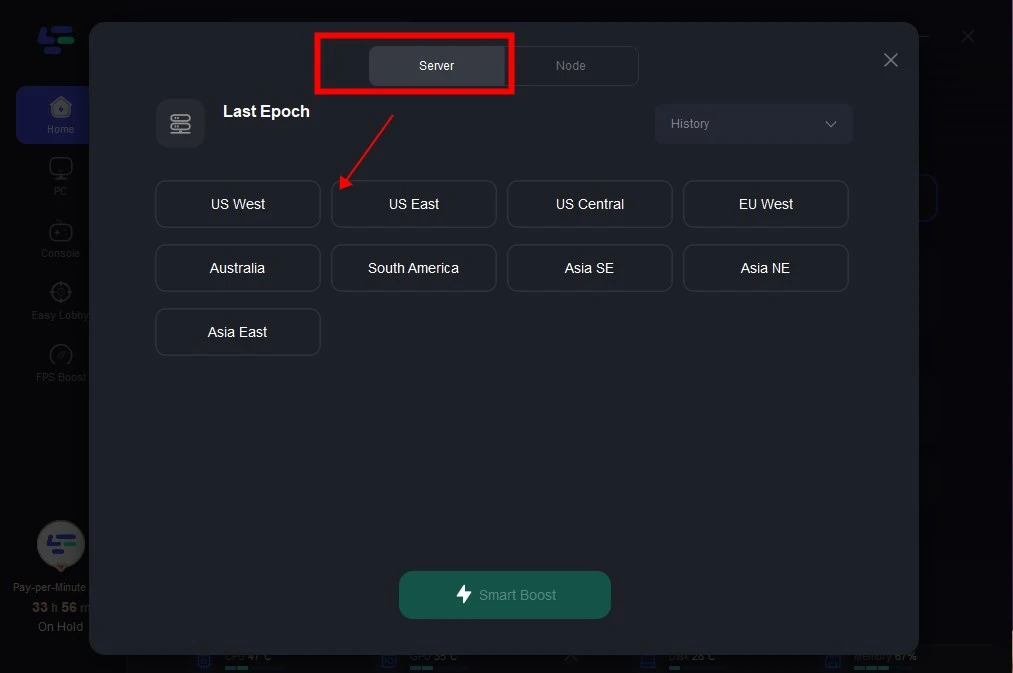
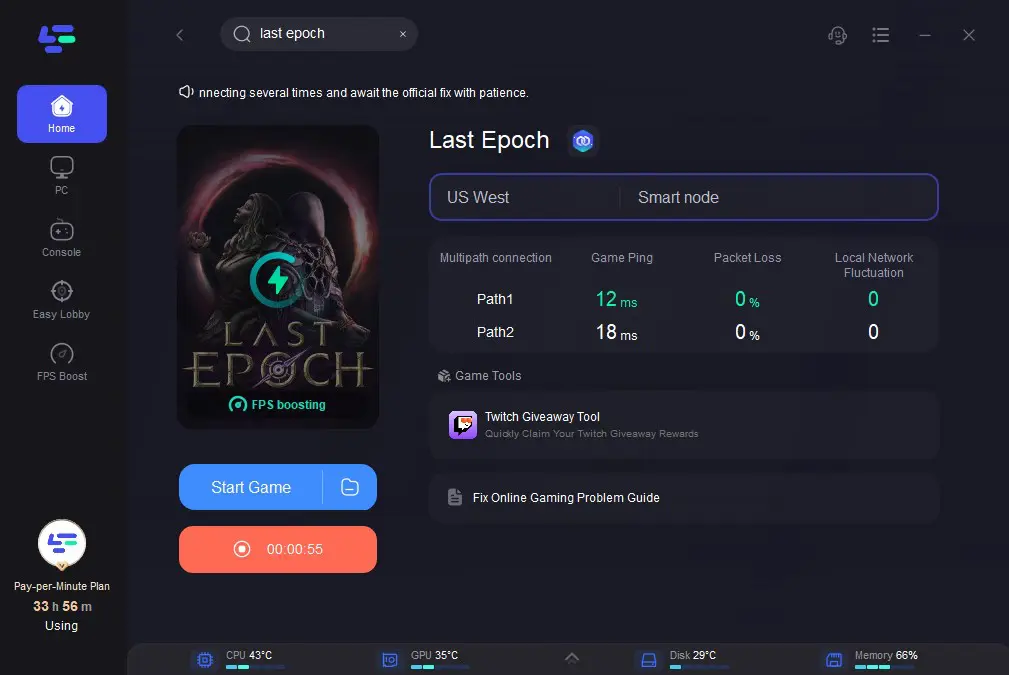
Step 2: Click on “Server” to change to a better server that ensures the gaming experience, then click on “Smart Boost”.
Step 3: Check the specific game ping, packet loss, and multiple path connection on the right side. Finally, click the “Start Game” to play the game.
Get LagoFast Game Booster Free Right Now!
Conclusion
Last Epoch’s Season 2 is a game-changer, but language barriers and technical issues can hold players back. LagoFast’s upcoming translation tool and game booster offer a seamless fix, ensuring you can focus on mastering your build, exploring Eterra, and dominating endgame content. Whether you’re a casual player or a hardcore grinder, these tools turn frustrating moments into GG-worthy victories.

Boost Your Game with LagoFast for Epic Speed
Play harder, faster. LagoFast game booster eliminates stutter and lags on PC, mobile, or Mac—win every match!
Quickly Reduce Game Lag and Ping!
Boost FPS for Smoother Gameplay!