

Killing Floor 3, the highly anticipated third installment of the popular cooperative first-person shooter, promises intense action and thrilling monster battles. However, many players may encounter a frustrating issue: lag. Lag in _Killing Floor 3_can negatively affect gameplay, causing delays in response time, jittery movements, and even disconnections. This article will guide you through understanding, troubleshooting, and fixing lag in Killing Floor 3 so that you can enjoy a smooth and immersive experience.

- What Causes Lag in Killing Floor 3?
- How to Fix Lag in Killing Floor 3
- Enhance Your Killing Floor 3 Experience with LagoFast
1. What Causes Lag in Killing Floor 3?
Understanding the root cause of lag is essential in solving the issue. Several factors can contribute to lag in Killing Floor 3:
- High Ping: When your connection to the game server is slow, it results in high ping, leading to delayed reactions and poor performance.
- Packet Loss: Lost packets cause missing or delayed data between your computer and the server, impacting game performance.
- Server Issues: Sometimes, the lag is due to issues with the game’s servers, particularly during peak playtimes or maintenance periods.
- Hardware Limitations: If your computer or console isn’t powerful enough to handle the game’s graphics and mechanics, lag can occur.
- Internet Speed: A slow or unstable internet connection can significantly contribute to lag during gameplay.
2. How to Fix Lag in Killing Floor 3
To enjoy a seamless Killing Floor 3 experience, follow these practical steps to reduce or eliminate lag:
1. Check Your Internet Connection
A stable and fast internet connection is essential for online gaming. Here’s how to ensure your connection is optimized:
- Test Your Speed: Use online tools like Speedtest to check your internet speed. Aim for at least 10 Mbps download and 1 Mbps upload speed for smooth gameplay.
- Use a Wired Connection: If you’re on Wi-Fi, switch to a wired Ethernet connection for a more stable connection with lower latency.
- Close Background Applications: Make sure no heavy applications are running in the background, consuming bandwidth and resources.
2. Optimize Game Settings
Sometimes, your game settings may be causing lag. Lowering certain settings can help improve performance:
- Reduce Graphics Settings: Lower the resolution, texture quality, and disable demanding graphical features like anti-aliasing and shadow effects.
- Set Frame Rate Limit: Limiting the frame rate to 60 FPS can improve stability.
- Disable V-Sync: V-Sync can sometimes cause input lag, so turn it off to reduce latency.
3. Select a Stable Server
Choosing the right server with the lowest ping can drastically improve your experience:
- Use Game Booster Tools: Tools like LagoFast can automatically select the best server and optimize your connection for low latency and stable performance.
- Check Server Locations: Make sure you’re connecting to a server near your region for better performance. Avoid servers that are far away geographically.
4. Update Drivers and Software
Ensure that your system’s drivers and game files are up to date:
- Update Graphics Drivers: Manufacturers like NVIDIA and AMD regularly release updates that improve game performance. Make sure your graphics drivers are current.
- Verify Game Files: Corrupted or outdated game files can cause performance issues. Verify the integrity of your game files through Steam or your game platform.
3. Enhance Your Killing Floor 3 Experience with LagoFast
If you’re dealing with lag while playing Killing Floor 3, using a game booster like LagoFast can help optimize your connection for smoother gameplay. By improving your ping and reducing packet loss, LagoFast ensures that you can enjoy a seamless gaming experience. With LagoFast’s easy setup, you can dive right into the action without the frustration of network delays or server issues, ensuring you’re always in control during intense moments.
Benefits of LagoFast:
- Reduces lag and lowers ping
- Optimizes your connection for a more stable experience
- Real-time stats showing game ping and packet loss
- Easy-to-use interface for quick server selection
How to Use LagoFast for Killing Floor 3:
Download LagoFast by clicking on the Free Trial button.
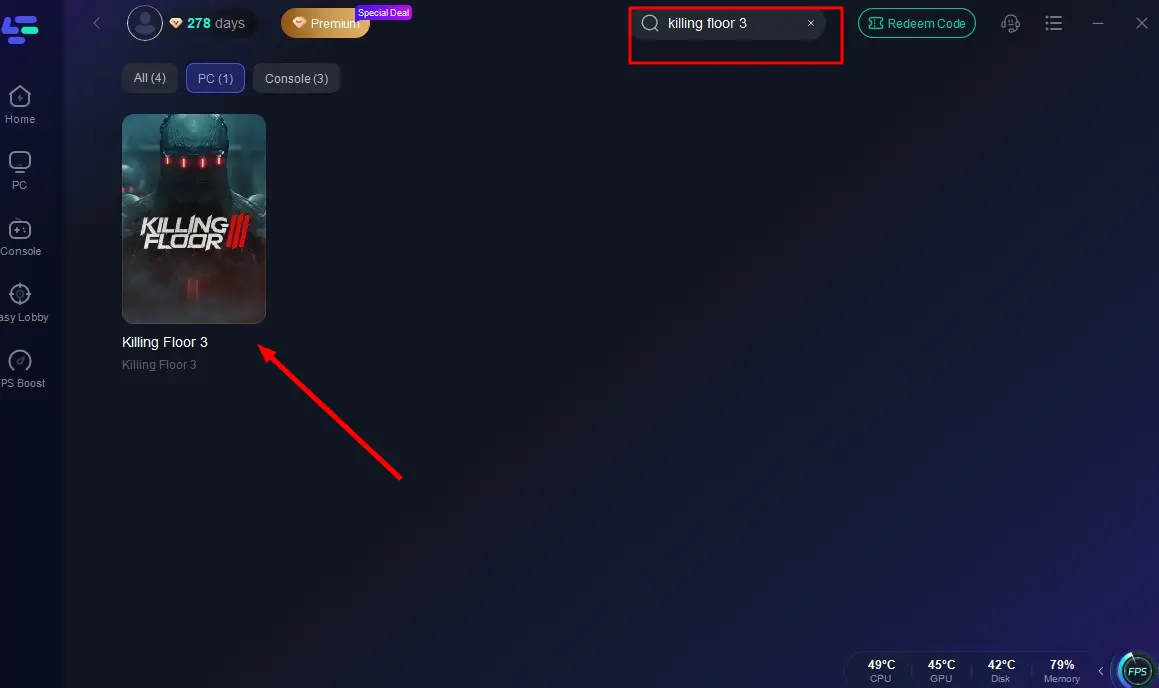
Search for Killing Floor 3 in the LagoFast app before launching the game.
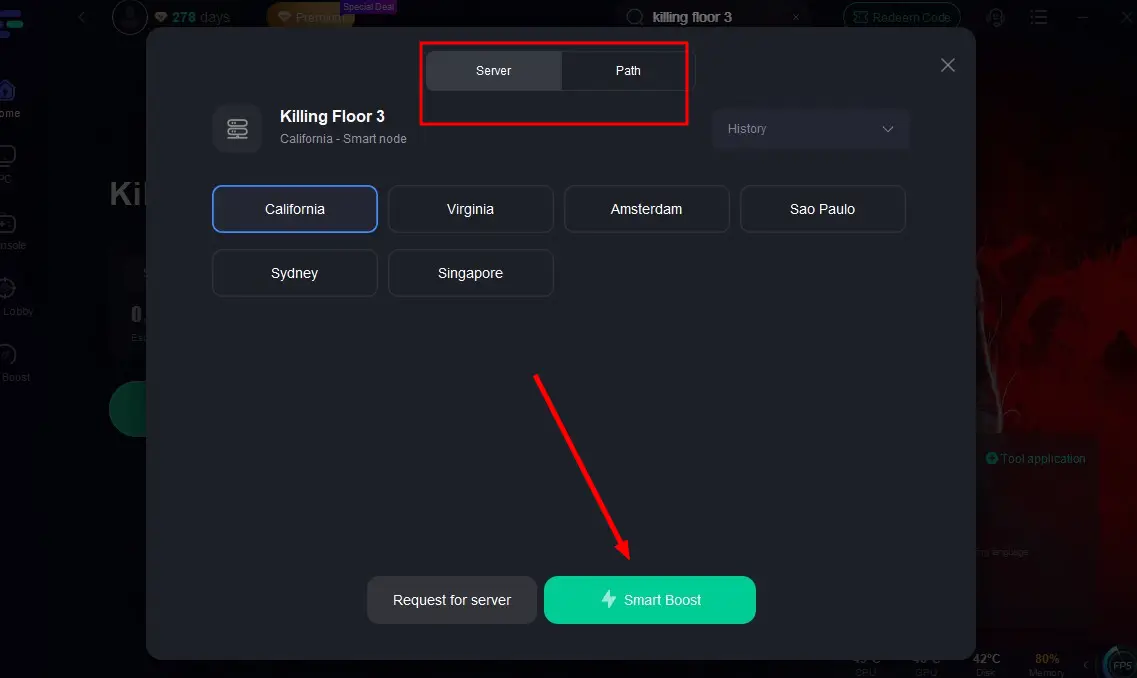
Choose a stable server and select the best node for the lowest ping.
Click the “Smart Boost” button to view your connection stats and activate optimization.
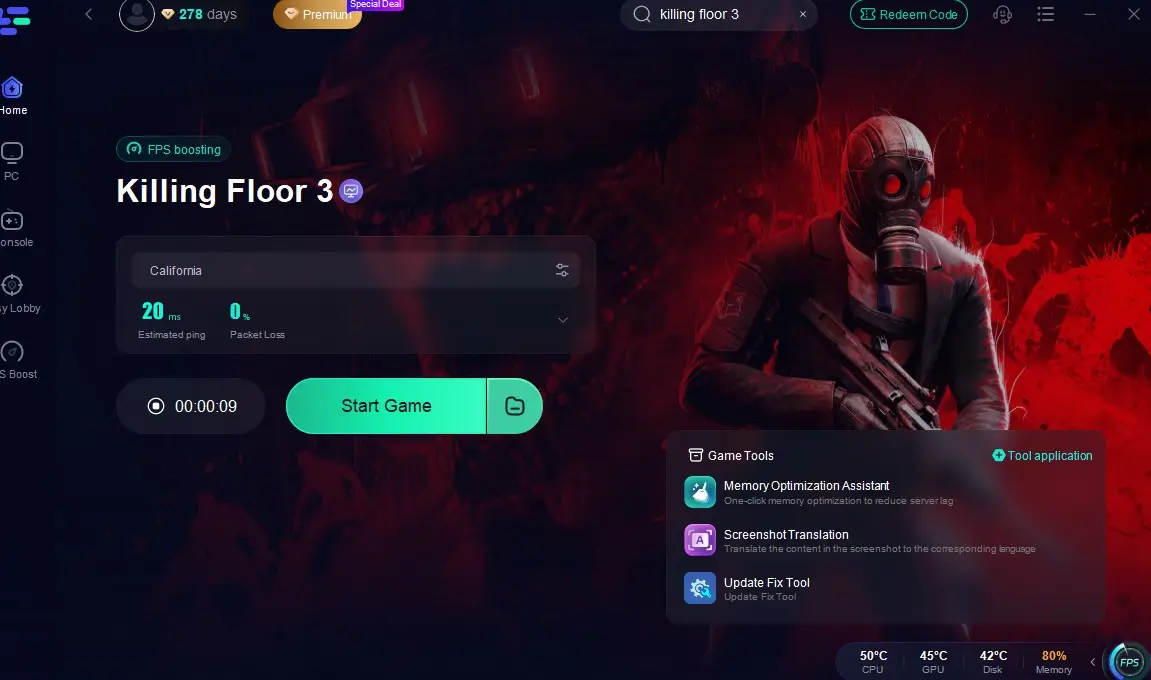
By following these simple steps, you can significantly reduce lag, resulting in a more enjoyable and uninterrupted Killing Floor 3 experience. LagoFast helps you find the most stable server, minimize packet loss, and lower ping, all of which lead to smoother gameplay. Whether you’re facing off against waves of enemies or strategizing with your team, having a steady connection is crucial.
Conclusion
Lag in Killing Floor 3 can be a frustrating experience, but with the right steps, you can resolve it and get back to enjoying the game. By checking your internet connection, optimizing game settings, selecting the best server, and using tools like LagoFast, you can reduce lag and ensure smoother gameplay. Remember, a stable connection and optimized system settings are key to enjoying Killing Floor 3 to its fullest. With these tips, you’ll be ready to dive into the action without the interruptions caused by lag. Happy gaming!

Boost Your Game with LagoFast for Epic Speed
Play harder, faster. LagoFast game booster eliminates stutter and lags on PC, mobile, or Mac—win every match!
Quickly Reduce Game Lag and Ping!
Boost FPS for Smoother Gameplay!