
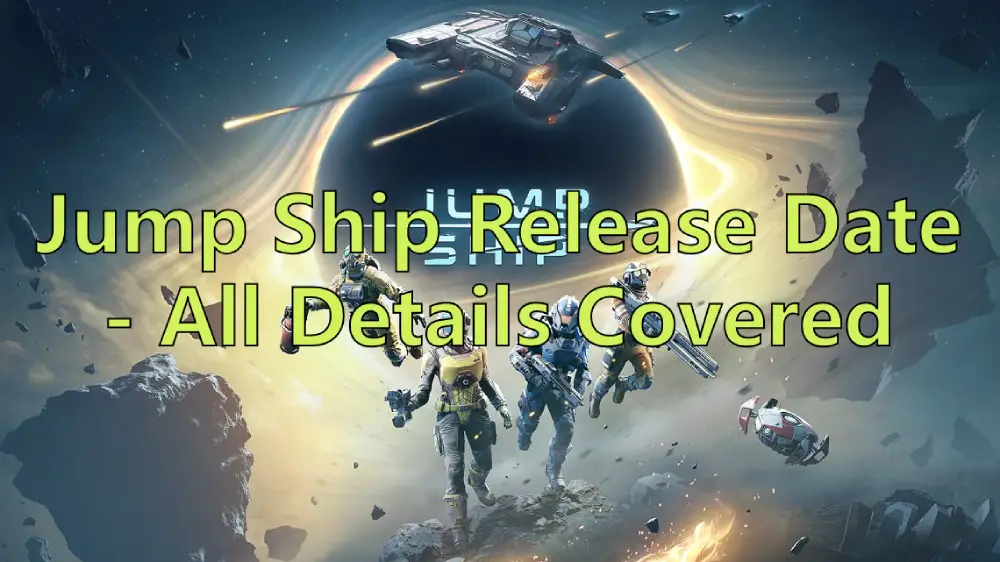
Are you ready to embark on a space adventure with your friends? Keepsake Games is here with its latest masterpiece, Jump Ship! This time, players will leave Earth behind and venture into space for a unique adventure. Although Keepsake Games hasn't announced the official Jump Ship release date yet, players can obtain its early access and get a glimpse of this captivating game through its demo version. This article not only focuses on the Jump Ship release date but also provides detailed information about the Jump Ship gameplay features, system requirements, and even the best ways to enhance your gaming experience!

- ✅ Reduce Lag and High Ping.
- ✅ Boost FPS at the Same Time.
- ✅ Support 2000+ Popular Online Games.
- ✅ Support Game Translation Tool.
- ✅ End Connection Issues and Stuck.
Part 1: Jump Ship Demo Release Date
Part 2: What about Jump Ship - Gameplay & Features
Part 3: How to Enhance Gaming Experience of Jump Ship
Part 1: Jump Ship Demo Release Date
The official release date for Jump Ship's full version is yet to be confirmed by Keepsake Games, but it's certain that it will meet players within 2025. Considering players' eagerness, as early as May 24th, Keepsake Games shared information about the Jump Ship Demo via its official X account, revealing that players could participate in an early access of the game on June 9th. That news alone was quite exciting. But now, there's even more thrilling news for players: the Jump Ship Demo release date has been moved up. Starting from June 2nd, players can head to the Steam platform to download the Jump Ship Demo, getting a free early taste and the chance to pilot their own spacecraft on a space adventure.
Before eagerly downloading the Jump Ship Demo, it's essential to understand its system requirements. Here are the system requirements for running the Jump Ship:
Minimum:
- Requires a 64-bit processor and operating system
- OS: Windows 10/11 64-bit or newer
- Processor: AMD Ryzen 5 2600X / Intel Core i5-8600K
- Memory: 16 GB RAM
- Graphics: 8 GB VRAM, NVIDIA GeForce GTX 1070 or better
- DirectX: Version 11
- Network: Broadband Internet connection
- Storage: 20 GB available space
- Additional Notes: 30 FPS in 1920x1080. SSD required
Recommended:
- Requires a 64-bit processor and operating system
- OS: Windows 10/11 64-bit
- Processor: AMD Ryzen 7 5800X / Intel Core i7-12700
- Memory: 16 GB RAM
- Graphics: 8 GB VRAM, NVIDIA GeForce GTX 3060ti or better
- DirectX: Version 11
- Network: Broadband Internet connection
- Storage: 20 GB available space
- Additional Notes: 60 FPS in 1920x1080. SSD Required
Part 2: What about Jump Ship Demo - Gameplay & Features
With the launch of the Jump Ship Demo, many players are filled with curiosity about this space-themed game. In Jump Ship, players will step into the shoes of spacecraft crew members, working together with other crew members to face various challenges and missions.
An Overview of Jump Ship Gameplay
1. Game Mode: A Co-op PvE game and need to collaborate to complete various system-set tasks.
2. Player Roles: Players will take on the role of spacecraft crew members, with the game supporting cooperative play for up to four players simultaneously.
3. Game Missions:
- Manage and operate the spacecraft to avoid driving accidents.
- Venture outside the spacecraft to explore and engage in combat on the ground.
- Enter space to explore and complete space missions.
4. Combat: Maintain the spacecraft's condition through ground and space battles, aiming to strengthen your forces as much as possible.
Jump Ship Key Features
- Explore the Cosmos: Choose from a variety of procedurally generated missions with random elements to keep your journey fresh.
- Seamless Transitions: Players can seamlessly switch between operating the spacecraft, exploring on the ground, and spacewalking.
- Cooperative Experience: Emphasizes teamwork to complete missions together, though solo exploration is also supported.
- Dynamic Combat: Features dynamic combat scenarios on both the ground and in space.
- Spacecraft Maintenance: Requires attention to the spacecraft's condition, searching for parts to perform necessary upgrades and maintenance.
Part 3: How to Enhance Gaming Experience of Jump Ship
For a seamless gaming experience during your space adventures and to ensure the safety of your spacecraft navigation, we recommend using LagoFast to eliminate hidden risks caused by unstable network connections, high latency, and ping issues, guaranteeing the best gameplay experience in Jump Ship. As a globally popular game acceleration tool, LagoFast has dedicated itself over the years to ensuring players' smooth gaming experiences, resulting in the following core advantages:
- Global Servers: LagoFast's servers are spread across over 60 countries and 150 regions worldwide, allowing players to freely switch server nodes anywhere according to their needs.
- Stable Connection: Utilizes intelligent algorithms to help players bypass congested connection routes, reducing the risk of disconnections and ensuring a stable connection.
- Latency Reduction: Selects unobstructed game routes for connection, avoiding ping spikes, enhancing game data transmission speed, and reducing latency.
- FPS Boost: By reducing latency and stabilizing connections, coupled with high-quality graphics settings and an FPS Booster tool, it increases the frame rate and clarity of game visuals, offering players a visual feast.
- Real-Time Optimization: Automatically and intelligently optimizes during gameplay without the need to pause for checks or switches, enhancing players' gaming experiences.
How to Use LagoFast to play Jump Ship:
Click the "Free Trial" button to download and install LagoFast.
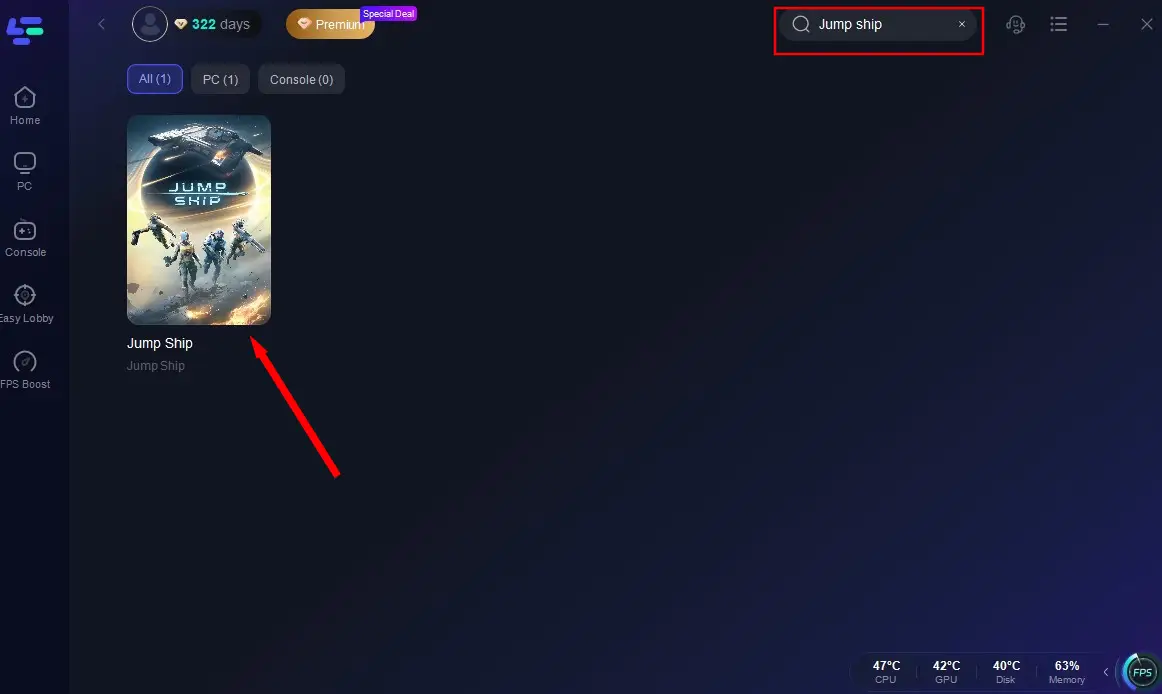
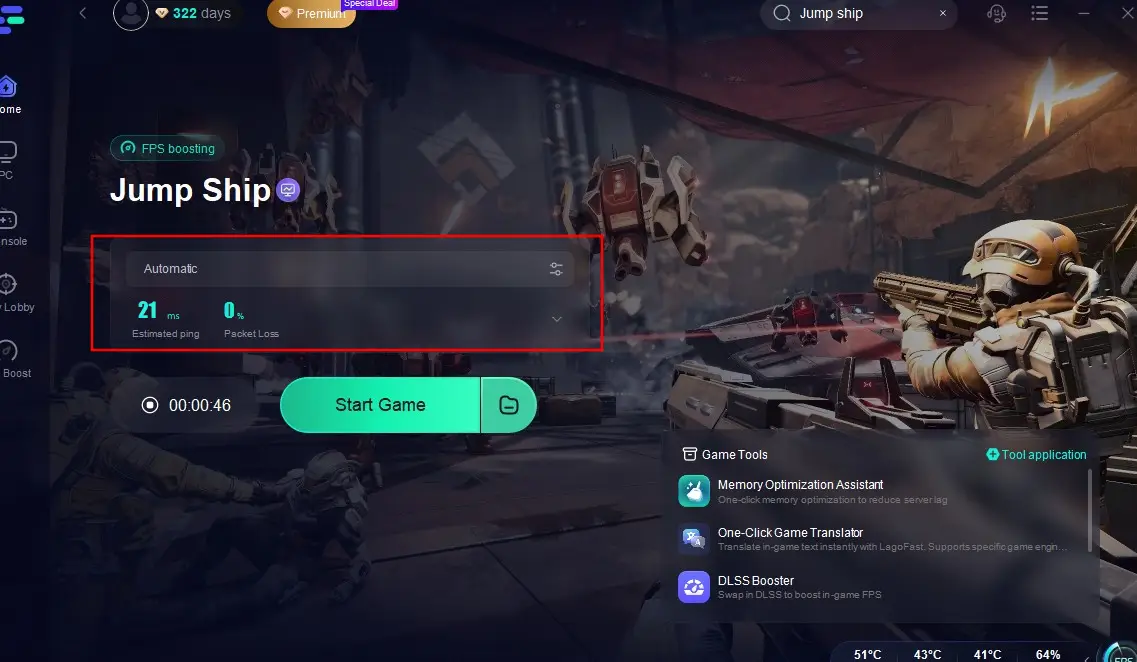
Open LagoFast's client, search for Jump Ship, and click on it.
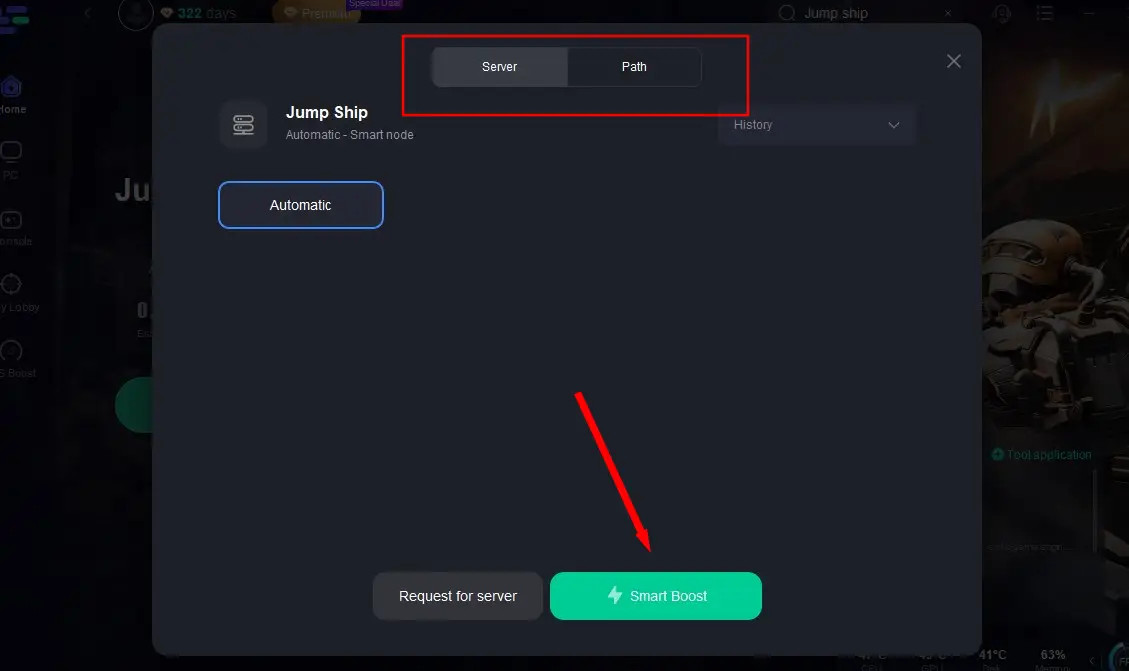
Select the most stable server and click "Smart Boost" to start real-time acceleration.
After confirming there's no latency in the game, directly click "Start Game" to embark on your space adventure!
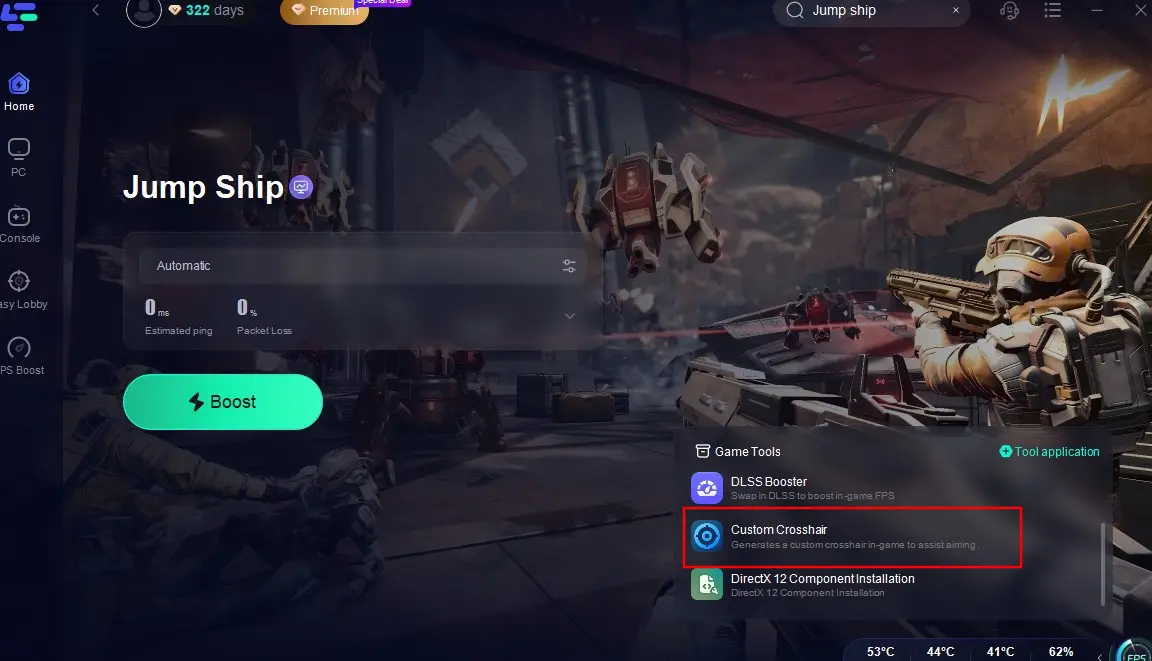
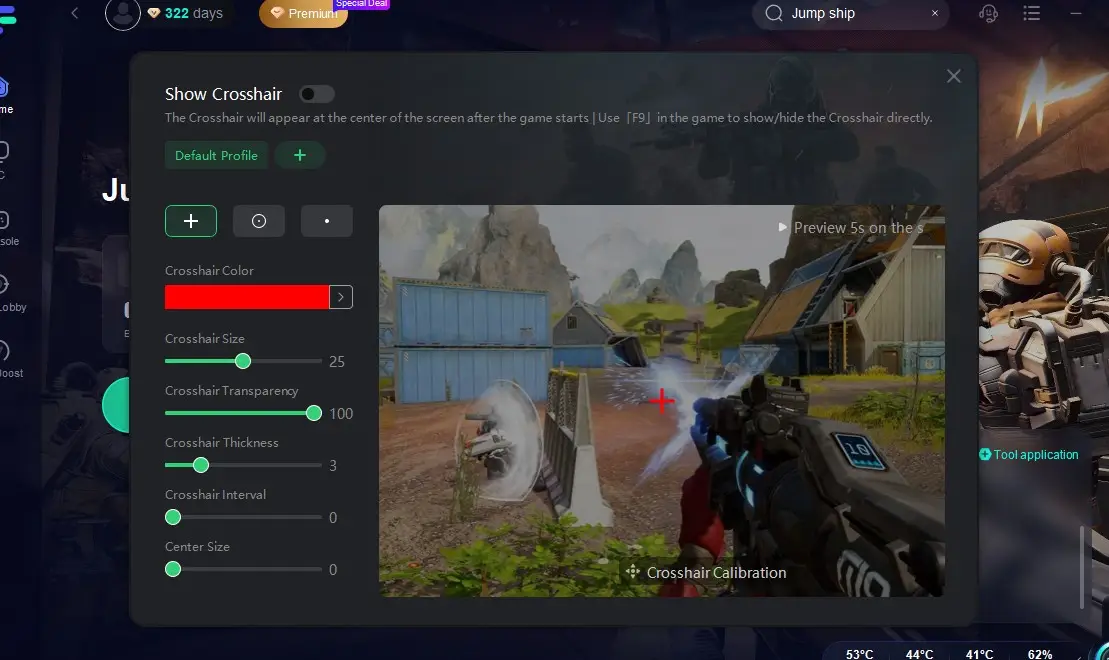
Additionally, if you want to improve your shooting accuracy during battles, you can use LagoFast's Custom Crosshair tool. This tool helps players quickly detect enemy positions and provides prompts during gameplay, ensuring you don't miss any optimal opportunities and gain an edge. Here's how to use this tool:
Click the "Custom Crosshair" tool at the bottom right.
Adjust the parameters according to your combat needs and return to the game to enjoy a smooth and efficient combat experience!
Part 4: Jump Ship FAQs
Q1: Where can I get Jump Ship Demo
A1: Players can visit the Steam page to download and play the Jump Ship Demo.
Q2: Does Jump Ship support cross-platform
A2: Currently, Jump Ship will be available on PC (via Steam) and Xbox platforms, but it does not support crossplay for the time being.
Q3: Is Jump Ship Demo free to play
A3: Yes, the Jump Ship Demo is free to download and play. Players can obtain it on Steam without any payment required.
Q4: Can I play Jump Ship with friends
A4: Absolutely, as a multiplayer cooperative PvE game, Jump Ship supports team play, allowing players to group up, maintain the spacecraft together, and defend their interests.
Conclusion
In the gaming world, it's rare to come across a game as uniquely set and offering such a novel experience as Jump Ship. What's even more remarkable is that before Jump Ship's official release, its team has rolled out an early test demo version for players to enjoy ahead of time. So, if you're someone with a strong sense of exploration, don't miss out on this chance to explore space with your friends. Head over to its download platform, grab the Jump Ship Demo, and get ready with LagoFast to embark on your space exploration journey!

Boost Your Game with LagoFast for Epic Speed
Play harder, faster. LagoFast game booster eliminates stutter and lags on PC, mobile, or Mac—win every match!
Quickly Reduce Game Lag and Ping!
Boost FPS for Smoother Gameplay!