
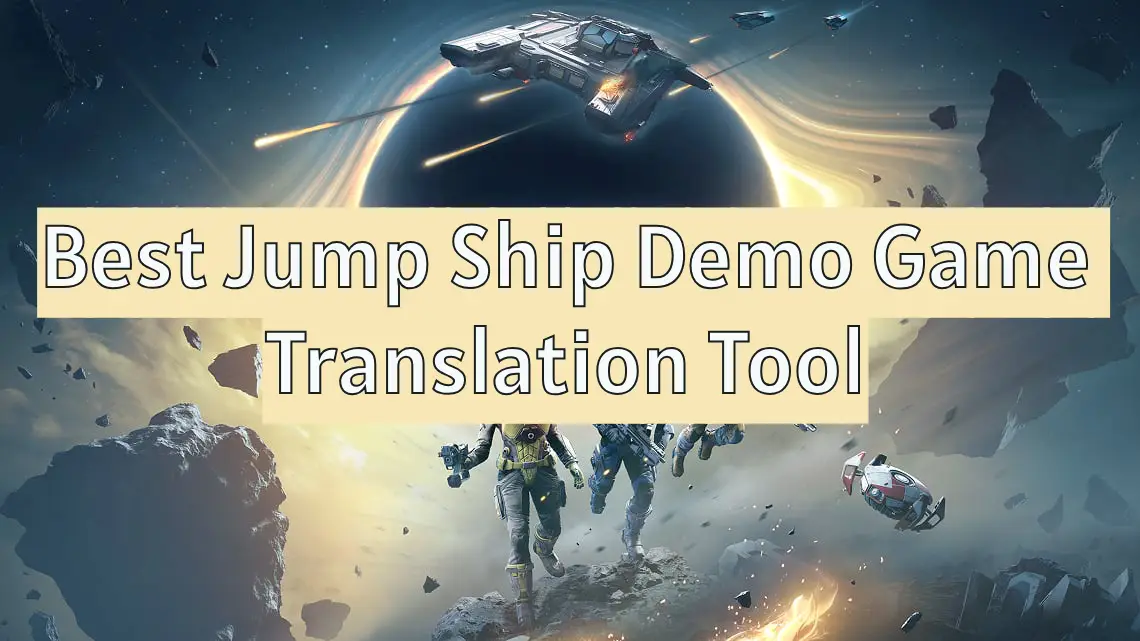
How many players are still unaware that the Jump Ship Demo release date has been moved up? Just a few hours ago, Keepsake Games announced on Jump Ship's official Twitter that the official launch of Jump Ship Demo will be advanced to June 2nd. Starting from that day, players can visit the Steam page to get Jump Ship Demo and embark on their space adventure ahead of schedule. So, how does the multilingual mechanism work in this test version? This article will guide you to find the answers and also recommend the most useful game translation tool for Jump Ship Demo.

- ✅ Reduce Lag and High Ping.
- ✅ Boost FPS at the Same Time.
- ✅ Support 2000+ Popular Online Games.
- ✅ Support Game Translation Tool
Part 1: What's the Jump Ship Demo
Part 2: How Many Laguages Does Jump Ship Demo Support
Part 3: Benefits of Using Jump Ship Demo Game Translation Tool
Part 4: Best Jump Ship Demo Game Translation Tool - LagoFast
Part 5: Enhance Gaming Experience of Jump Ship
Part 1: What's the Jump Ship Demo
The Jump Ship Demo is a playable test version of its official release, Jump Ship, developed and published by Keepsake Games. It officially launched on the Steam platform on June 2nd, 2025, and players can now download and play Jump Ship Demo on Steam. Its gameplay remains consistent with the official version, set against a space backdrop, allowing players to become the pilots of spaceships, upgrade and maintain their vessels, and engage in multiplayer battles with friends on the ground or in the vacuum of space, offering players endless possibilities.
Part 2: How Many Laguages Does Jump Ship Demo Support
The Jump Ship Demo hasn't been localized into all languages yet. Currently, it only supports 12 official languages: English, French, German, Spanish (Spain), Japanese, Korean, Polish, Portuguese (Brazil), Russian, Simplified Chinese, Swedish, and Ukrainian. If your preferred language is among the officially supported ones, you can go ahead and download the Jump Ship Demo right away, understanding the game interface and missions in your native tongue as you embark on a romantic adventure in space. However, if your language isn't one of these 12, you'll need to use a Jump Ship Demo game translation tool to overcome language barriers during gameplay.
Hot Related: Jump Ship Release Date - All Details Covered
Part 3: Benefits of Using Jump Ship Demo Game Translation Tool
Using the Jump Ship Demo game translation tool is essential for players who speak languages not officially supported to fully enjoy the space adventure.
Key Benefits of the Jump Ship Demo Game Translation Tool:
- Enhanced Accessibility: It allows players using languages not officially supported to fully understand the game's backstory, instructions, and enhances their accessibility and the game's diversity.
- Promotes In-Game Cultural Exchange: By using the game translation tool, players can delve into other languages and cultures, deepening communication and interaction with players speaking different languages in Jump Ship, which helps broaden the game's social circle.
- Facilitates Multiplayer Cooperation: The Jump Ship Demo also supports multiplayer cooperation. Using the game translation tool can bridge the language gap between players from different regions, making teamwork more coordinated.
Part 4: Best Jump Ship Demo Game Translation Tool - LagoFast
To address the issue of Jump Ship Demo's limited multilingual support, LagoFast offers a perfect solution with its one-click translation tool. This tool enables players to translate the game interface into various languages, especially those not officially supported, including Arabic, Italian, Thai, Vietnamese, and more. This ensures that players using these languages can enjoy the thrill of exploring space even without official language support. Here are the steps to use LagoFast's Jump Ship Demo game translation tool:
Click the "Free Trial" button to download and install LagoFast.
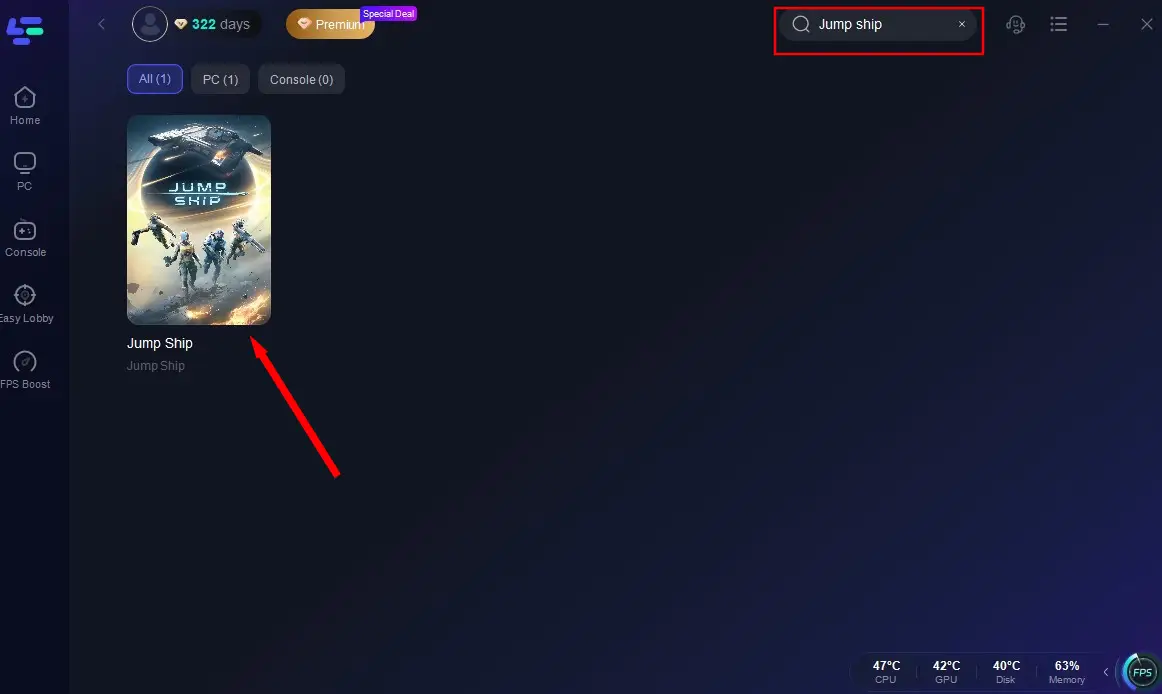
Launch LagoFast and search for Jump Ship, then click on the search result.
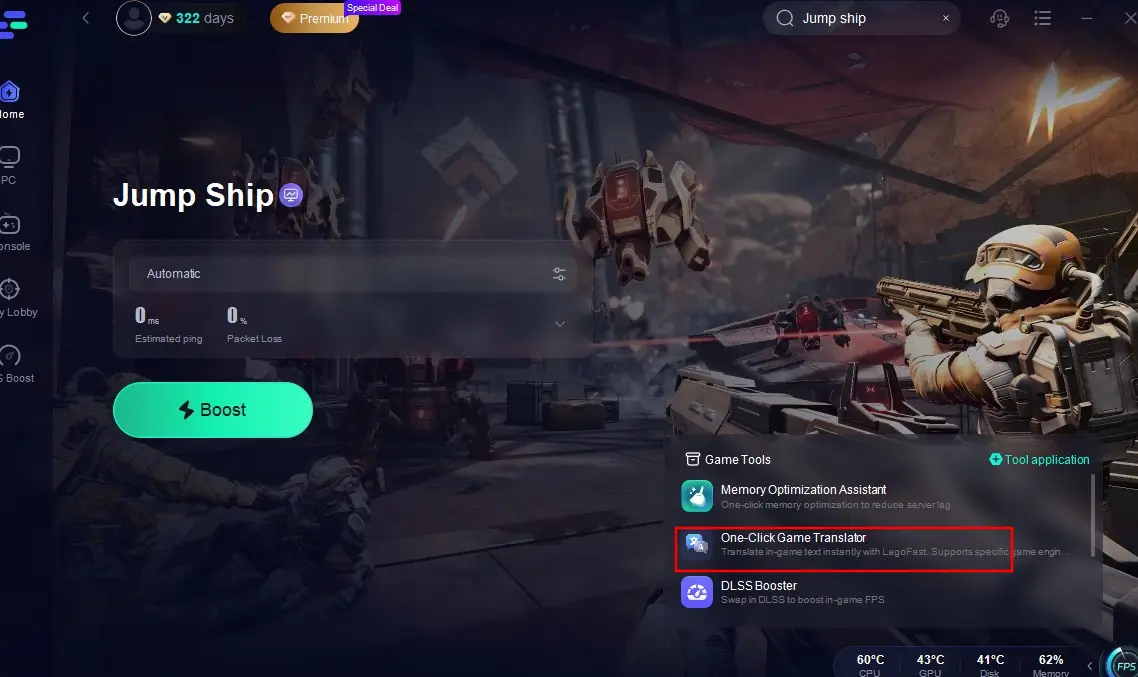
Select the One-Click Translator located at the bottom right of the screen.
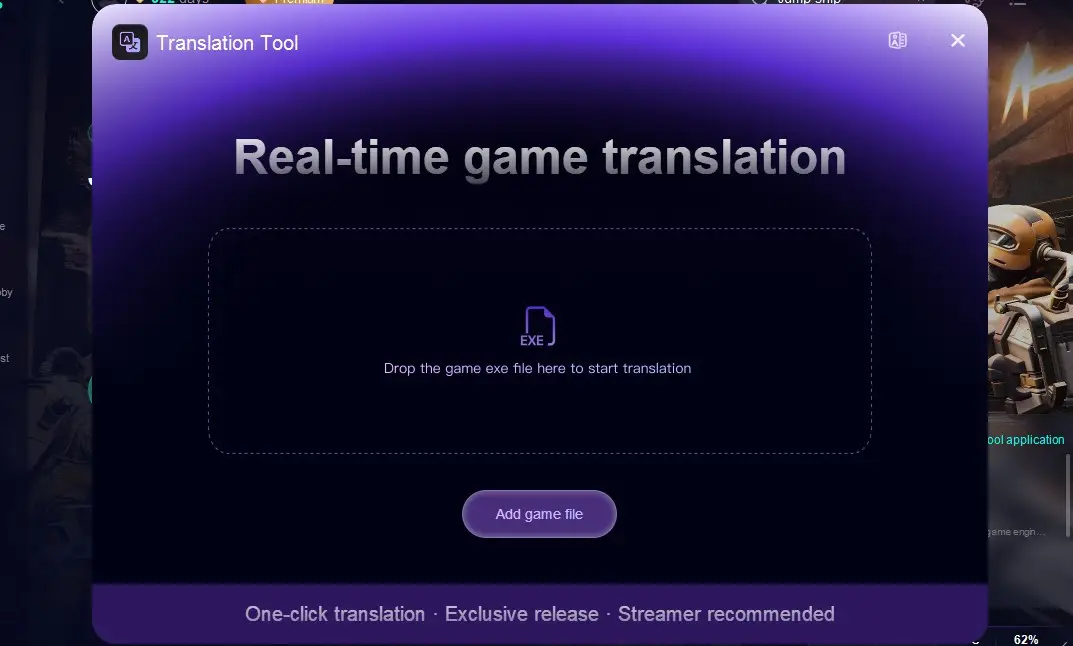
Import the game installation package and choose your target language.
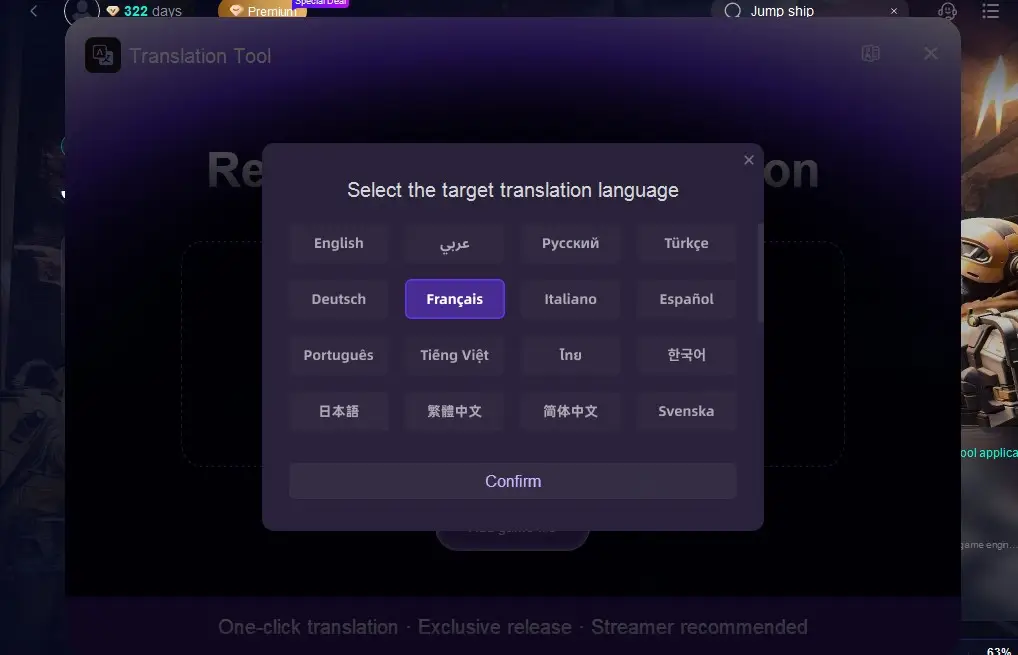
Click the Confirm button, and you'll see the game interface translated into your chosen language. If you want to switch languages, simply repeat these steps.
Hot Related: Etheria: Restart - Full Guide to Download and Play
Part 5: Enhance Gaming Experience of Jump Ship
Besides helping players overcome language barriers, LagoFast also excels in ensuring stable connections and enhancing the gaming experience, thanks to the following advantages:
- Reduced Ping: Minimizes latency for smoother gameplay.
- Stable Connection: Reduces packet loss and connection drops.
- Optimized Routing: Selects the best server routes for optimal performance.
How to Use LagoFast to Play Jump Ship
Click the "Free Trial" button to download and install LagoFast.
Open the LagoFast client, search for Jump Ship, and click on it.
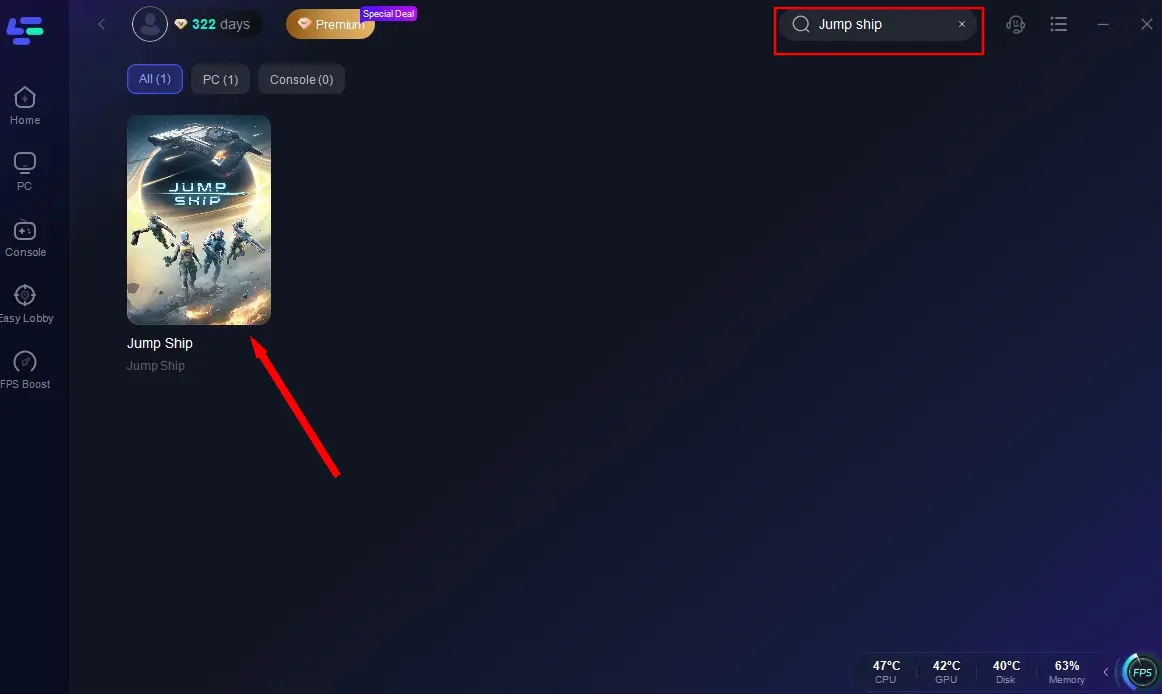
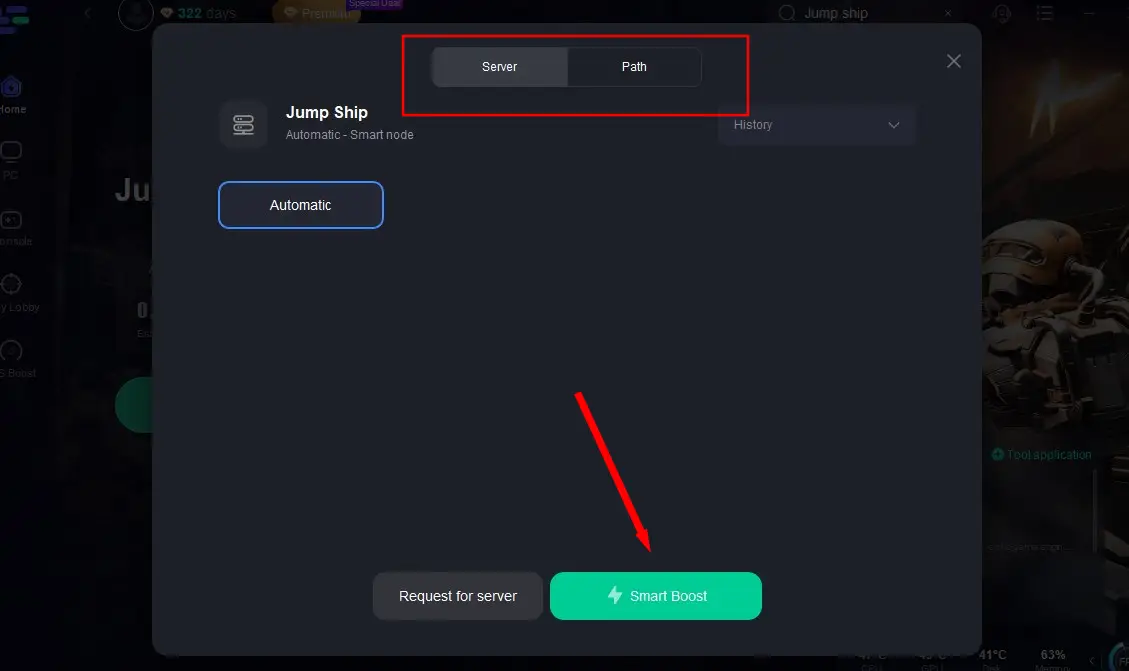
Select the most stable server and click "Smart Boost" to start real-time acceleration.
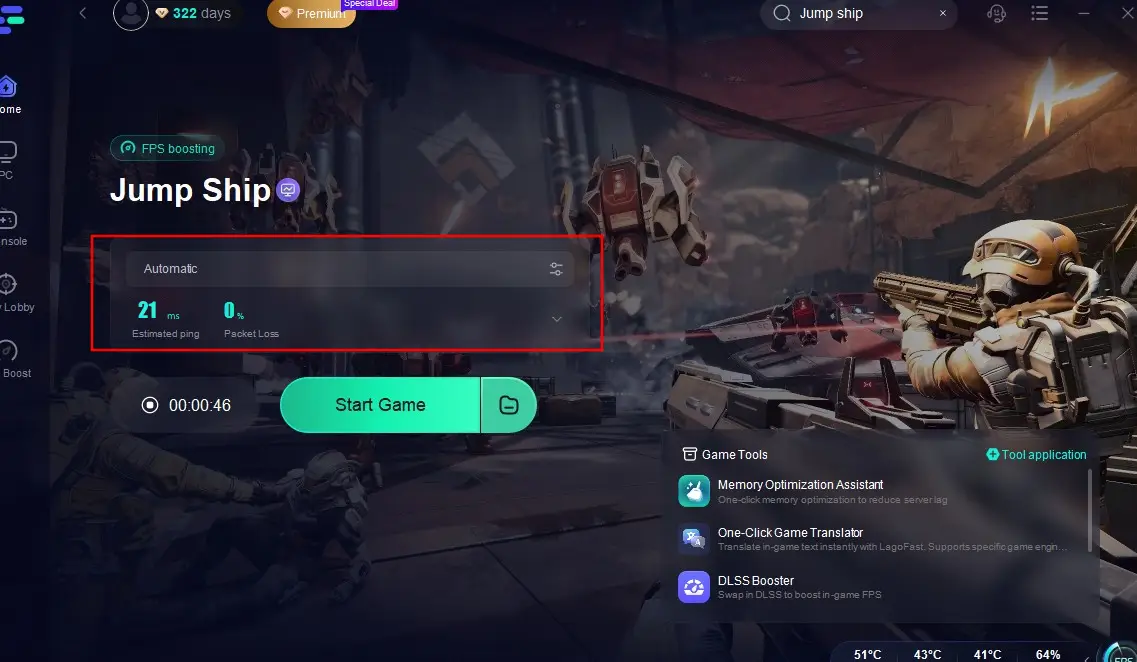
After confirming there's no lag in the game, simply click "Start Game" to embark on your space adventure!
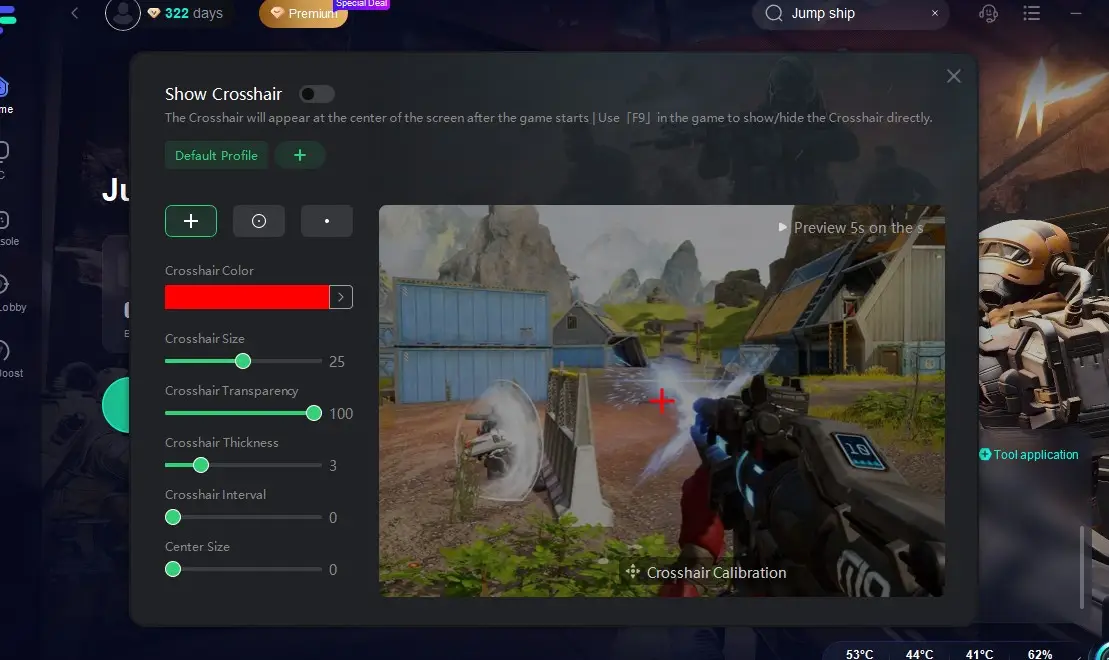
Additionally, if you want to improve your shooting accuracy during battles, you can use LagoFast's Custom Crosshair tool. This tool helps players quickly detect enemy positions and provides prompts during gameplay, ensuring you don't miss any golden opportunities and can gain an edge in the game. Here's a tutorial on how to use this tool:
Click the "Custom Crosshair" tool at the bottom right.
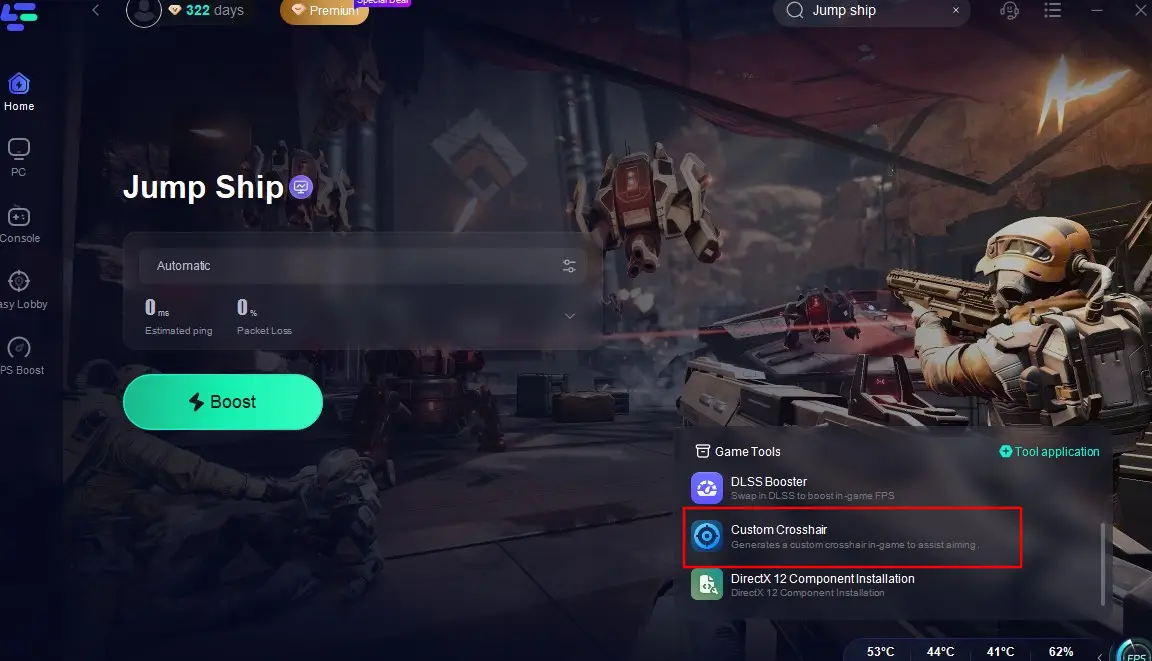
Adjust the parameters according to your combat needs and return to the game to enjoy a smooth and efficient gaming experience!
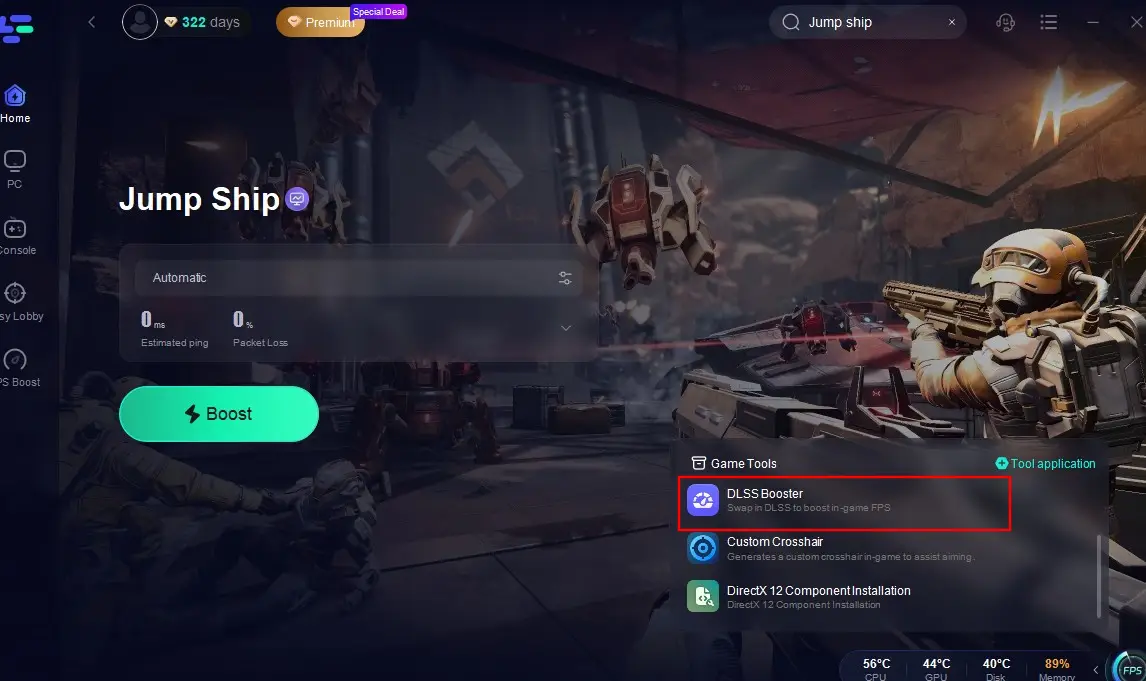
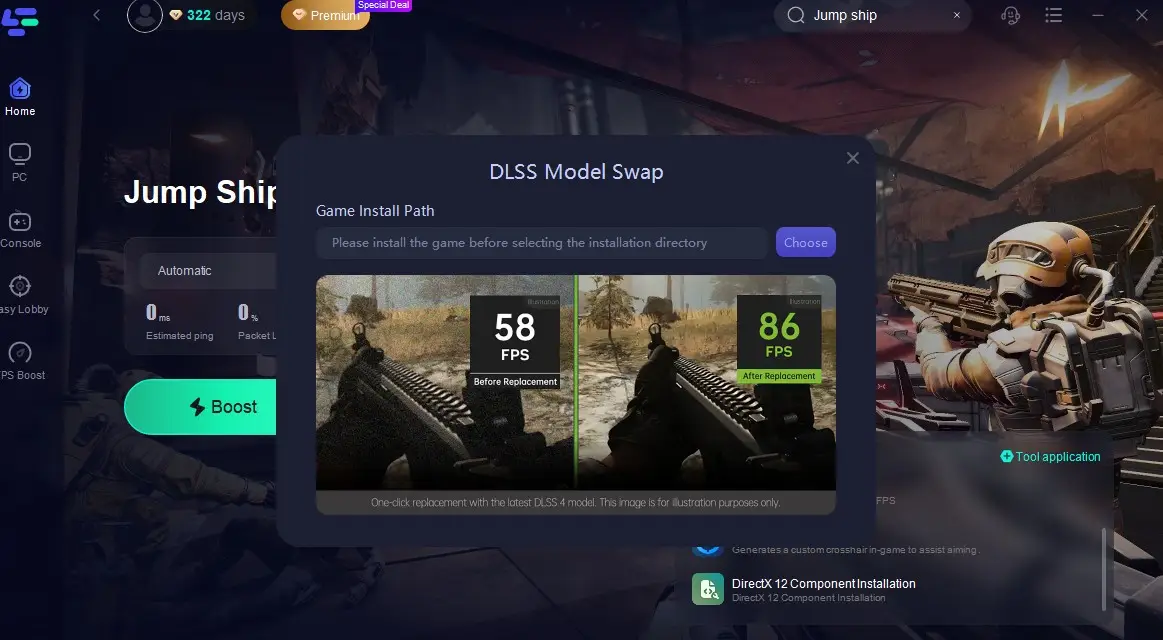
What's more, for those who want to improve the FPS of Jump Ship, there is a DLSS Booster in LagoFast:
Click the DLSS Booster on the interface.
Then import the game install file and complete the application, and return to the game with the highest FPS.
Conclusion
No matter where you're from in the world or which language you speak, LagoFast's Jump Ship game translation tool can create a seamless and unobstructed gaming experience for you. Don't hesitate—download LagoFast now and utilize its various game tools to ensure your victory in space battles!
Boost Your Game with LagoFast for Epic Speed
Play harder, faster. LagoFast game booster eliminates stutter and lags on PC, mobile, or Mac—win every match!
Quickly Reduce Game Lag and Ping!
Boost FPS for Smoother Gameplay!