
When EA Sports FC 26 launches, one of the first questions players always ask is: “Is FC 26 crossplay?” With football gaming communities spread across PC, mobile, PlayStation, Xbox, and Nintendo Switch, knowing whether you can team up with friends—or face them in online matches—matters a lot. In this article, we’ll break down everything you need to know about FC 26 crossplay, including which platforms support it, how it works across PC, mobile, and consoles, and what limitations you should be aware of.

- ✅ Reduce Lag and High Ping.
- ✅ Boost FPS at the Same Time.
- ✅ Support 2000+ Popular Online Games.
- ✅ Change Server without Latency.
- ✅ End Stuck & Crashing Issues.
- What Does Crossplay Mean in FC 26?
- Is FC 26 Crossplay?
- FC 26 Crossplay on PC vs Console
- Will FC 26 Have Crossplay Between Mobile and Console?
- Nintendo Switch and FC 26 Crossplay
- How to Enable Crossplay in FC 26
- How LagoFast Boosts FC 26 Gaming Across PC, Mobile, and Console
1. What Does Crossplay Mean in FC 26?
Crossplay (or cross-platform play) is the ability for players on different devices—like PC, mobile, and console—to compete or cooperate in the same game.
- Without crossplay: A PlayStation player can only face other PlayStation players.
- With crossplay enabled: A PlayStation user could play against Xbox, PC, or even mobile gamers, depending on how EA implements the feature.
2. Is FC 26 Crossplay?
Yes, EA Sports FC 26 is expected to support crossplay, continuing the trend from FC 24. EA has been gradually expanding cross-platform functionality, especially for popular online modes like Ultimate Team, Clubs, and Head-to-Head Seasons.
Likely Supported Platforms:
- PC (Windows/Steam/Epic) → Console (PlayStation 5, Xbox Series X/S)
- Console → Console (PlayStation ↔ Xbox)
- PC/Console → Mobile (via EA FC Mobile) — Limited modes only
- Nintendo Switch — Historically excluded, but EA has promised upgrades since FC 24
3. FC 26 Crossplay on PC vs Console
Players on PC, PlayStation, and Xbox will almost certainly be able to match up with each other in the majority of online modes.
- Ultimate Team: Transfer market may remain separate between PC and consoles, but gameplay matchmaking is crossplay.
- Clubs Mode: Expect mixed-platform teams, letting you and friends on different consoles form a squad.
- Kick-Off / Local Play: Stays locked to the same device.
4. Will FC 26 Have Crossplay Between Mobile and Console?
This is the most frequently asked question: Can mobile players face console or PC players?
- EA FC Mobile is technically a separate game with different controls and mechanics.
- True crossplay between mobile and console/PC is unlikely in competitive modes.
- However, EA may allow shared progress or linked accounts across devices for Ultimate Team features, such as squad building or objectives.
5. Nintendo Switch and FC 26 Crossplay
Historically, the Switch version of FIFA/FC has lagged behind in features and engine updates. While FC 24 finally introduced the Frostbite engine to Switch, crossplay wasn’t available.
For FC 26, there’s cautious optimism:
- Possible: Switch crossplay with PC/console in selected modes.
- Likely: Switch remains a standalone ecosystem with limited online features.
6. How to Enable Crossplay in FC 26
If FC 26 follows the same system as FC 24:
- Go to Settings → Online Settings.
- Toggle “Crossplay Enabled.”
- Add friends by EA ID to play across platforms.
- Matchmaking pools will now include players from other systems.
Benefits of Crossplay in FC 26
- Bigger player pool → Faster matchmaking.
- Play with friends anywhere → PC, Xbox, PlayStation users can finally unite.
- Balanced competition → Skill-based matchmaking reduces platform advantage.
- Game longevity → More active communities across all devices.
Potential Limitations
Even if FC 26 is crossplay-friendly, some restrictions may remain:
- Transfer Market: PC and console economies may stay separate.
- Input balancing: Keyboard/mouse vs controller vs touchscreen fairness.
- Mobile gameplay differences: No true parity with PC/console gameplay.
- Switch limitations: Reduced features compared to other platforms.
7.How LagoFast Boosts FC 26 Gaming Across PC, Mobile, and Console
Lag and unstable connections can ruin your matches in EA Sports FC 26, whether you’re playing Ultimate Team on PC, competing on console, or enjoying a quick session on mobile. LagoFast is designed to fix these issues with smart routing, ping optimization, and real-time network monitoring—ensuring you always get the smoothest gameplay possible.
Key Benefits of Using LagoFast for FC 26
- Lower Ping & Stable Connection – Play without lag spikes or sudden drops.
- Real-Time Monitoring – Track your ping and packet loss while you play.
- Smart Server Selection – Always connect to the best routes automatically.
- Multi-Platform Support – Works seamlessly on PC, mobile, and console.
- Simple Setup – No complicated configurations, just install and boost.
LagoFast on PC
Playing FC 26 on PC? LagoFast makes setup quick and simple:
Step 1. Download LagoFast by clicking the "Free Trial" button.
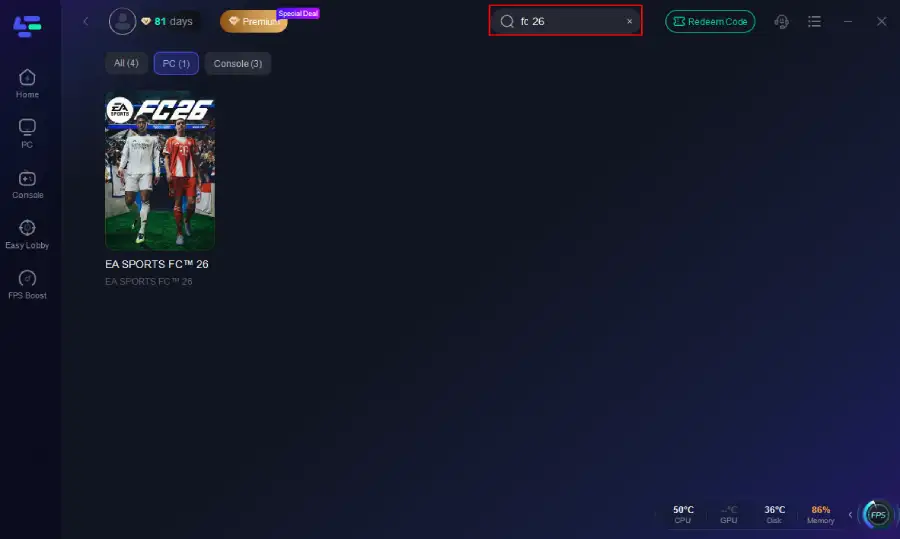
Step 2. Before you start your game, search for it within the LagoFast application to ensure it's supported.
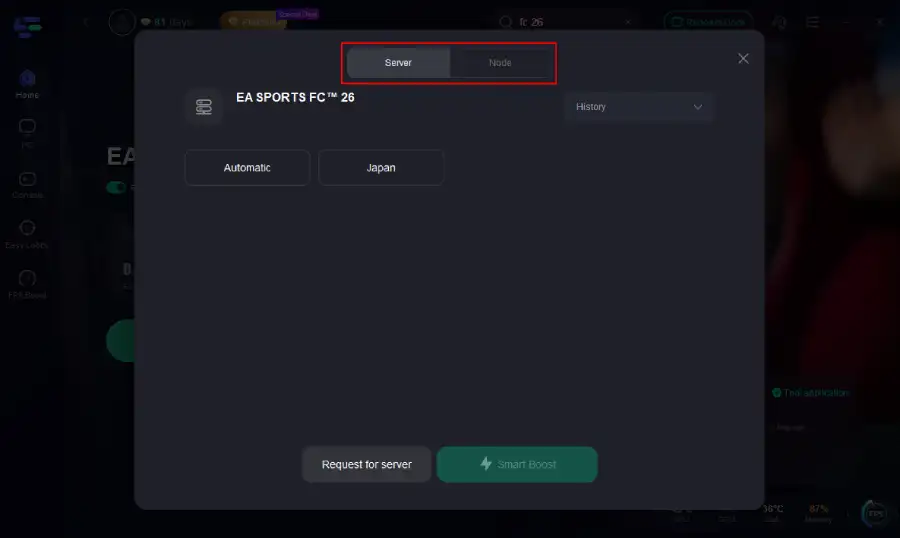
Step 3. Navigate to "Select Server" to choose the most stable server. Follow up by selecting the best Node available on the right to optimize your connection.
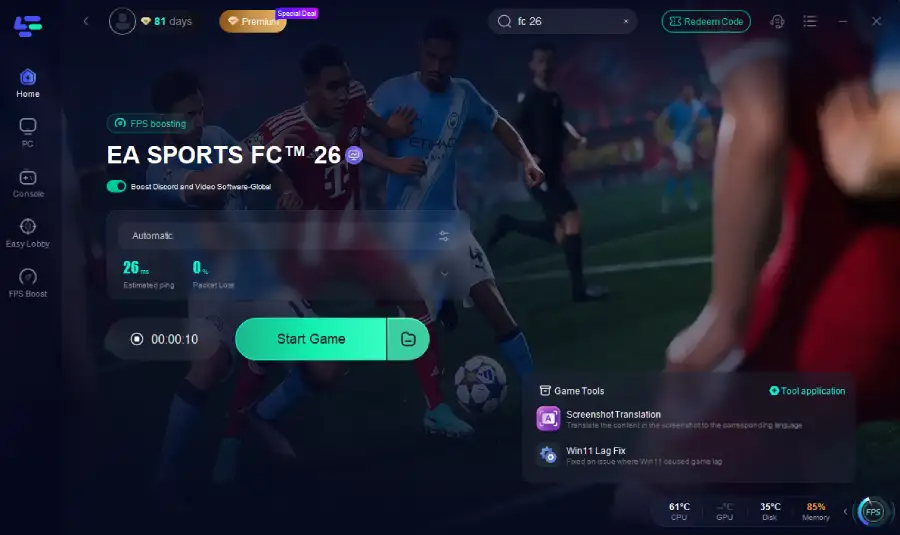
Step 4.Click the "Smart Boost" button to get real-time data on your game's ping, packet loss, and network type, which helps in monitoring and adjusting for optimal performance.
LagoFast on Console
Console gamers can take advantage of the LagoFast Box:
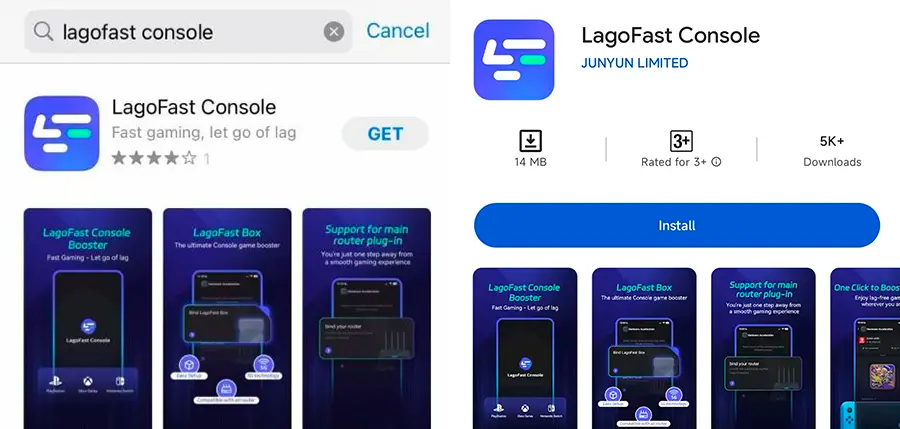
Step 1: Download the LagoFast Console App on your phone to control the LagoFast Box.
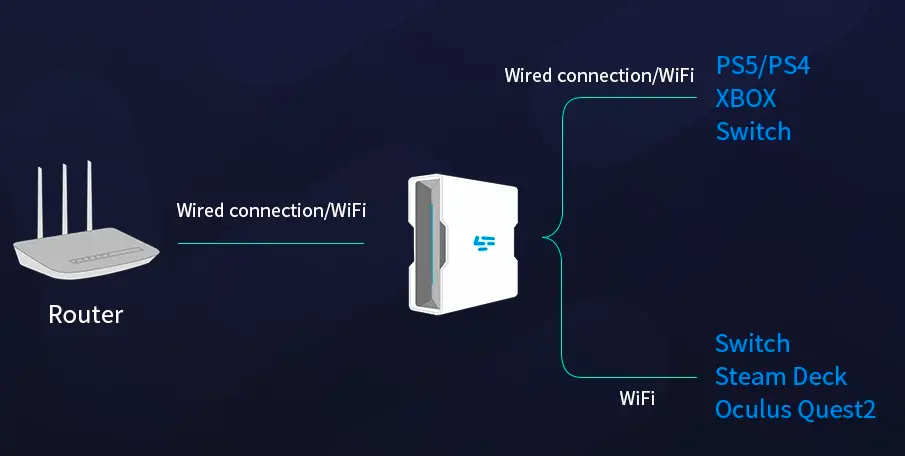
Step 2: Establish a connection between your LagoFast Box, router, and console, choosing between a wired or wireless connection.
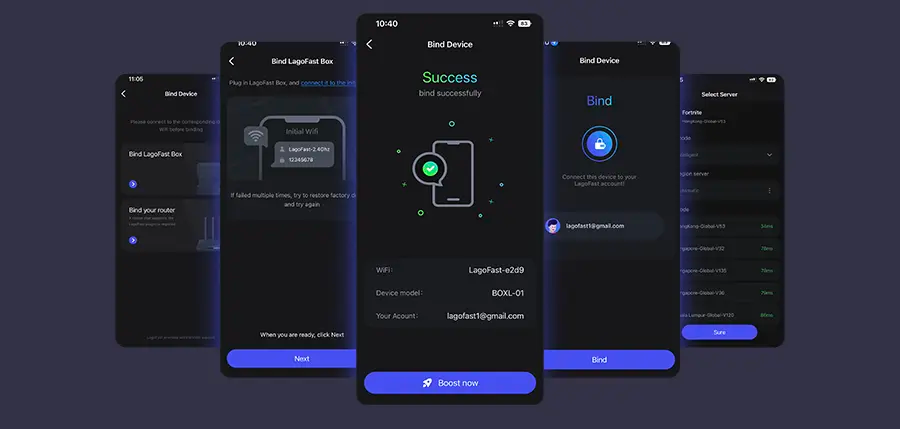
Step 3: Launch the LagoFast Console App and boost FC 26. Once you have completed the binding process with the LagoFast Box, proceed to boost this game within the LagoFast Console App.
LagoFast on Mobile
For FC 26 Mobile, just:
- Install the LagoFast Mobile Booster from the App Store or Google Play.
- Search for your game and select the right server.
- Tap Boost to get live ping and packet-loss stats while you play.
With LagoFast, you can eliminate lag, lower ping, and stabilize your connection across PC, mobile, and console—so your focus stays on scoring goals, not troubleshooting your network. Whether you’re chasing Weekend League wins or casual matches with friends, LagoFast ensures every game of FC 26 runs seamlessly.
Conclusion
Yes, FC 26 will support crossplay across PC, PlayStation, and Xbox, continuing EA’s push toward a unified football gaming experience. Mobile players will remain in a separate ecosystem, though linked progress may bridge the gap. Switch support is less certain but may see incremental improvements. If you’re on PC, console, or mobile, you’ll have more opportunities than ever to connect with friends—just don’t expect every mode to support true cross-platform play.
Boost Your Game with LagoFast for Epic Speed
Play harder, faster. LagoFast game booster eliminates stutter and lags on PC, mobile, or Mac—win every match!
Quickly Reduce Game Lag and Ping!
Boost FPS for Smoother Gameplay!