

The landscape of Fortnite is about to undergo its most significant transformation since the launch of Battle Royale. For years, the original PvE mode remained tucked behind a paywall, a hidden gem known only to dedicated "Founders" and those willing to purchase starter packs. However, the wait is finally over. Fortnite Save the World (STW) is officially going free-to-play on April 16, 2026. This move opens the gates to a massive world of strategic base-building, hero collection, and cooperative survival that defines the core of the Fortnite universe. Whether you are a veteran looking for a reason to return or a newcomer curious about the "Storm," this guide covers everything you need to prepare for the launch.

- ✅ Reduce Lag and High Ping
- ✅ Boost FPS in Real Time
- ✅ Get the Easiest Server in Fortnite
- ✅ End All Connection Login Issues.
- ✅ Support 2000+ Online Games.
- ✅ Multiplatform: PC, Mobile, Console
Part 1: Is Fortnite Save The World Free?
Part 2: How to Play Fortnite Save the World (STW) Free?
Part 3: Optimize Your Fortnite Save the World Experience With LagoFast
Part 4: Fortnite Save The World News: What’s New in 2026?
Part 1: Is Fortnite Save The World Free?
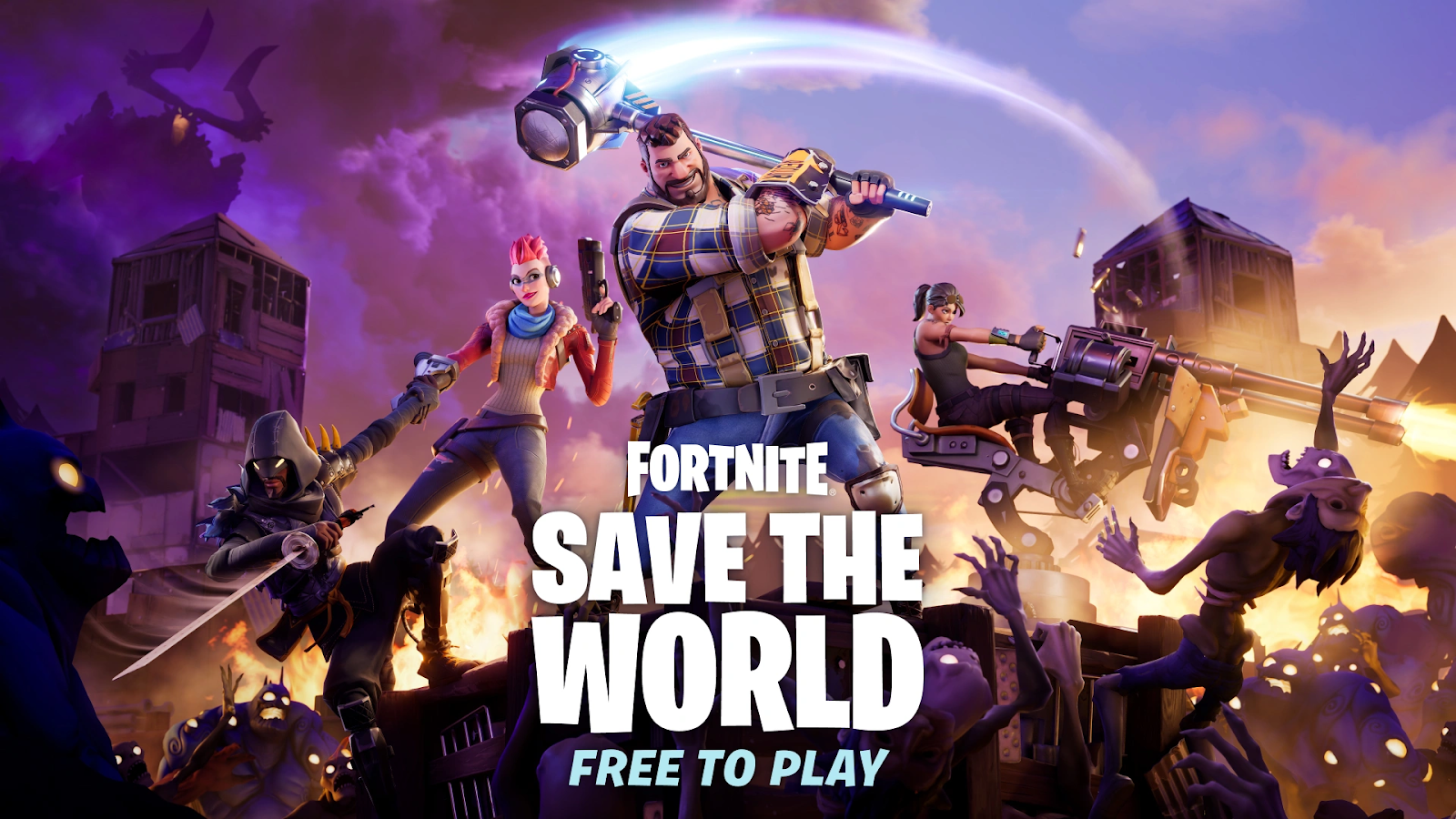
As of right now, if you are reading this before April 16, 2026, Save the World is technically in its final transition phase. Historically, the mode required a "Founder’s Pack" or a "Starter Pack" purchase to access. However, Epic Games has confirmed that starting mid-April, the purchase requirement will be completely removed. On the official launch date, Save the World will become a standard, free-to-play experience alongside Battle Royale, LEGO Fortnite, and Rocket Racing. It is important to note that while the game mode itself will be free, certain legacy perks, most notably the ability to earn unlimited V-Bucks, will remain exclusive to original "Founders" who purchased the game during its early years.
Related Article: Is Fortnite Save the World Free? Date & How to Play
Part 2: How to Play Fortnite Save the World (STW) Free?
Getting into Save the World for free involves two distinct paths: the immediate pre-registration phase and the official launch access. By participating in the pre-registration event, you don't just secure your access; you contribute to a community goal that unlocks exclusive items for every player. These rewards, including the highly anticipated Snowstrike Hero, provide a significant head start for new Commanders.
Detailed Steps to Access STW Free in 2026:
Step 1. Visit the Official Portal: Head over to the dedicated Save the World website.
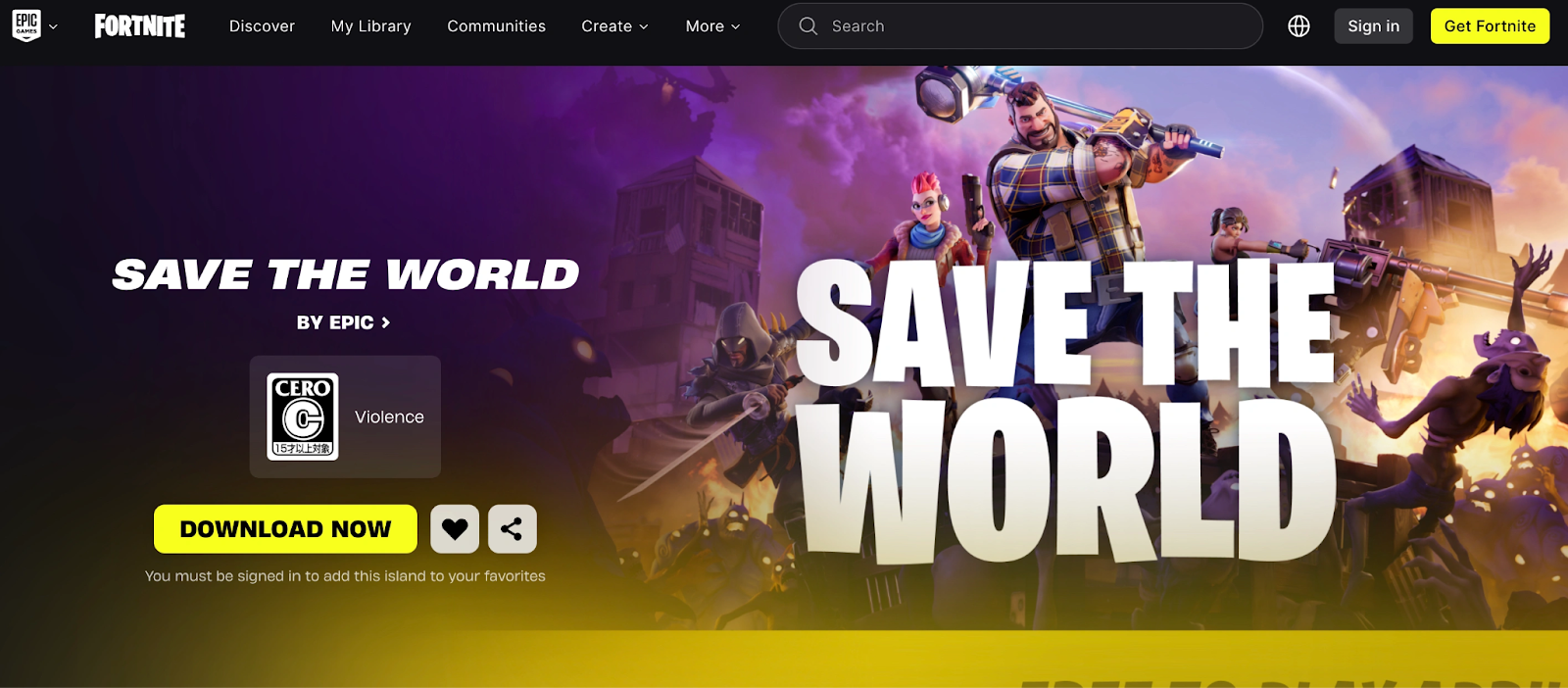
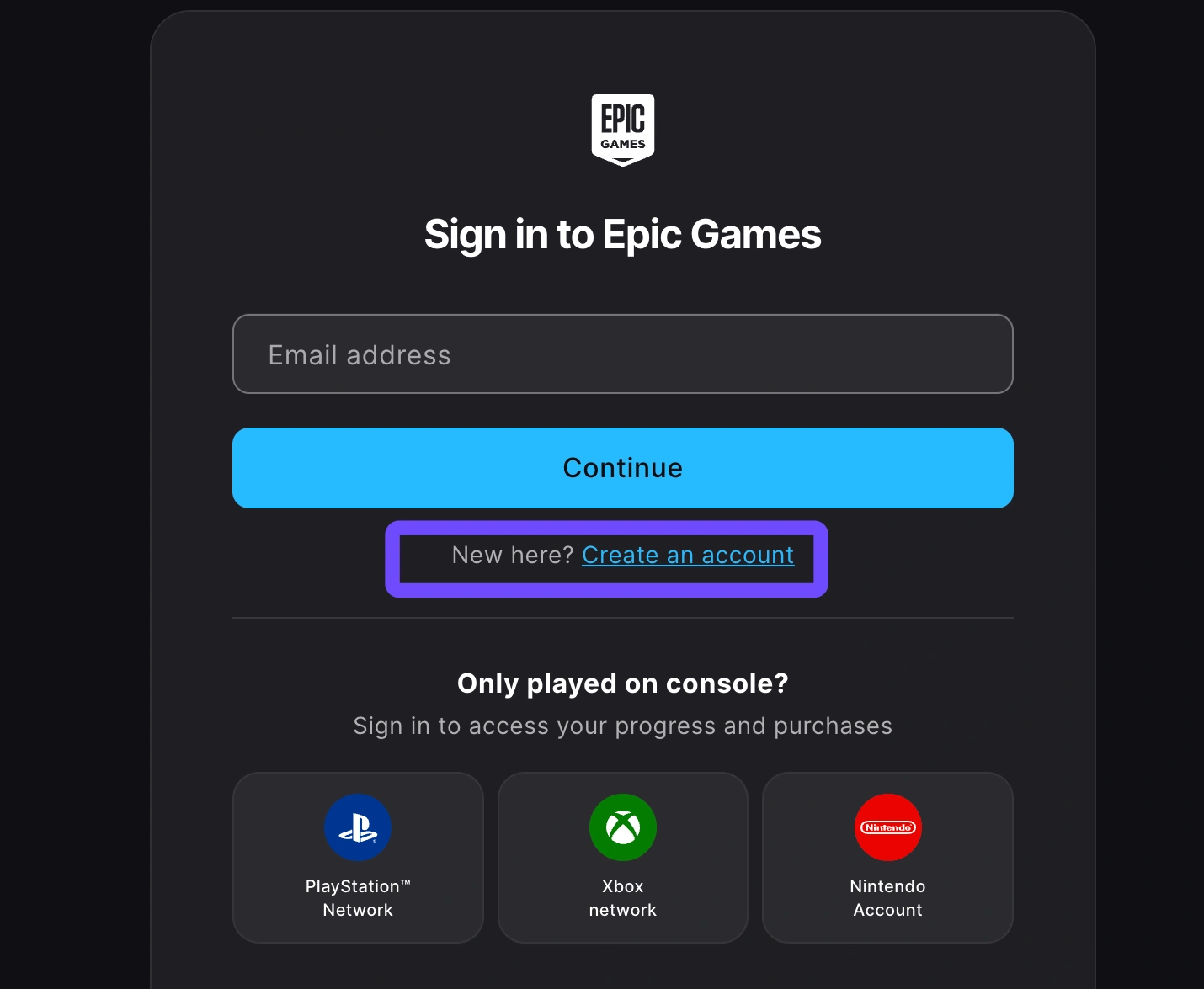
Step 2. Pre-Register Your Account: Log in with your Epic Games account and click the "Register" button. This links your account to the free-to-play launch event.
Step 3. Monitor Milestone Rewards: The community is currently working toward three major milestones.
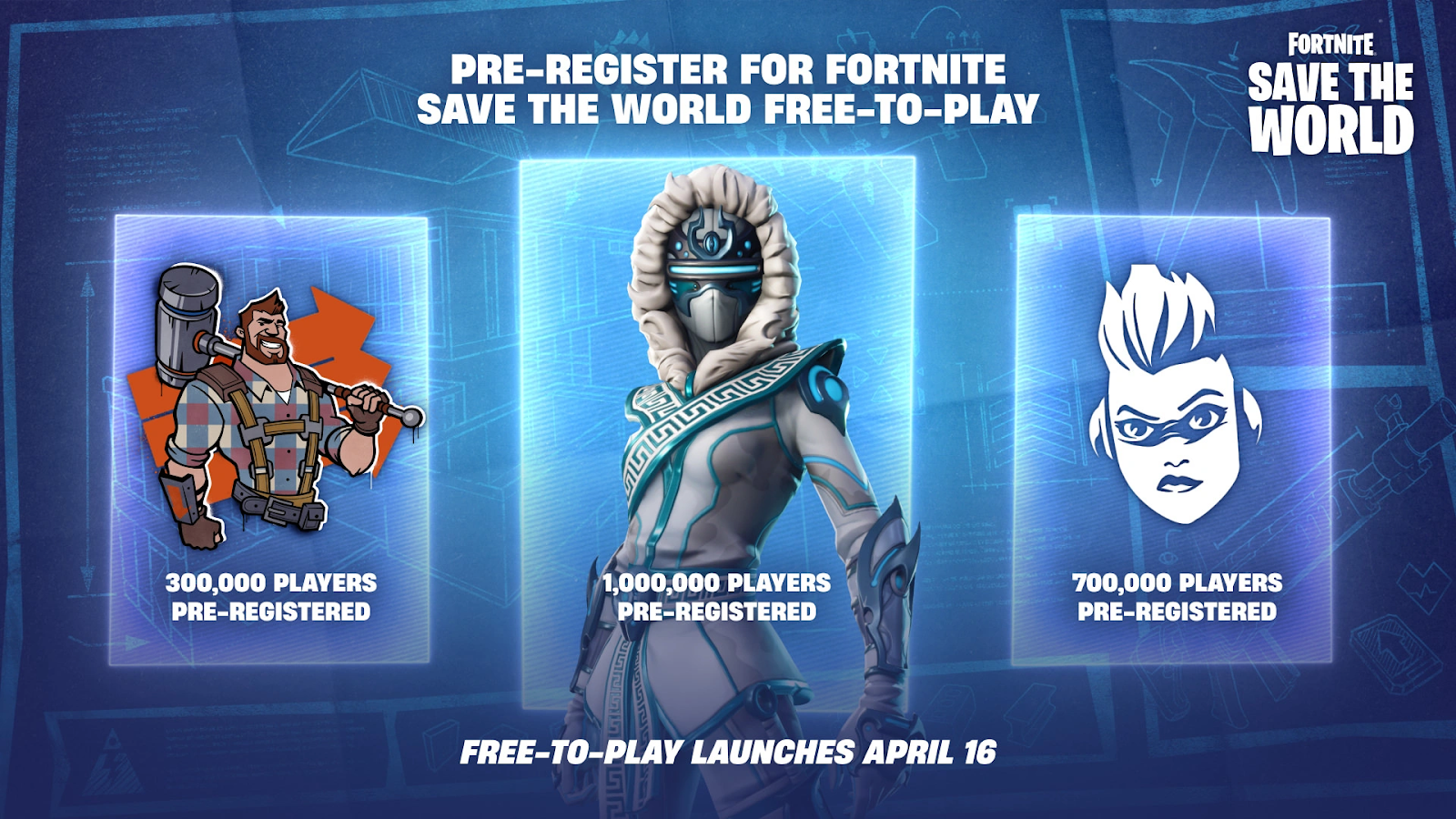
- 300,000 Sign-ups: Kyle’s Construction Spray.
- 700,000 Sign-ups: Jess Banner.
- 1,000,000 Sign-ups: Snowstrike Legendary Hero (Ninja).
Step 4. Download the Fortnite Launcher: Ensure you have the main Fortnite client installed on PC, PlayStation, or Xbox. Note that STW remains unavailable on mobile devices and the original Nintendo Switch due to technical requirements.
Step 5. Claim Your Rewards on April 16: On the launch day, simply log in and navigate to the "Save the World" tile in the "More from Epic" section. If you pre-registered, your rewards will be waiting in your Gift Box after you complete the initial tutorial.
Part 3: Optimize Your Fortnite Save the World Experience With LagoFast
While Save the World offers a thrilling PvE experience, it is notoriously resource-intensive. Dealing with hundreds of "Husks" during a high-level Storm Shield Defense can lead to stuttering, frame drops, and frustrating crashes. This is where LagoFast becomes an essential tool for every Commander. LagoFast is a specialized gaming booster designed to eliminate network instability and hardware bottlenecks, ensuring that your defense of Homebase isn't ruined by a sudden spike in ping or a mid-game disconnect.
Key Features for STW Players:
- Real-Time FPS Boost: Automatically optimizes your PC's CPU and GPU settings to ensure a stable frame rate, even when the screen is filled with traps and enemies.
- One-Click Crash Fix: STW is prone to memory-related crashes; LagoFast’s smart diagnostic tool cleans up background processes to prevent the game from closing unexpectedly.
- Global Node Network: Connect to the fastest server route to reduce latency, making weapon swaps and building edits feel instantaneous.
- Packet Loss Repair: Eliminates the "rubber-banding" effect that can occur during intense wave-based combat.
Tutorial to Use LagoFast to Optimize Your Fortnite Save the World Experience:
Step 1: Click the Free Trial button to download and install LagoFast.
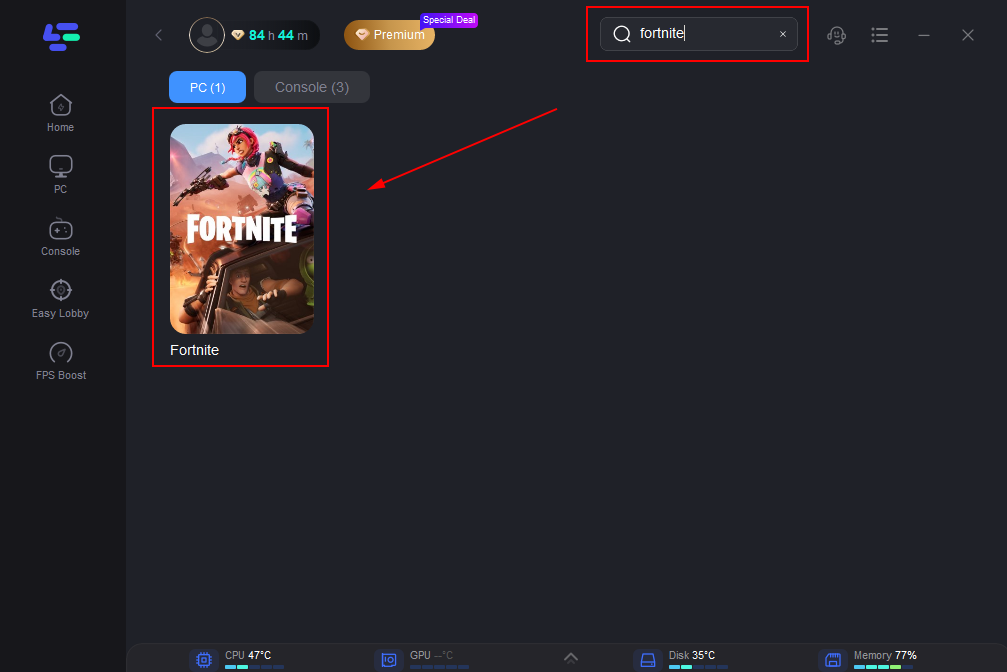
Step 2: Open LagoFast, then click the PC button on the left and search for Fortnite Save the World in the search bar, and click it after it appears.
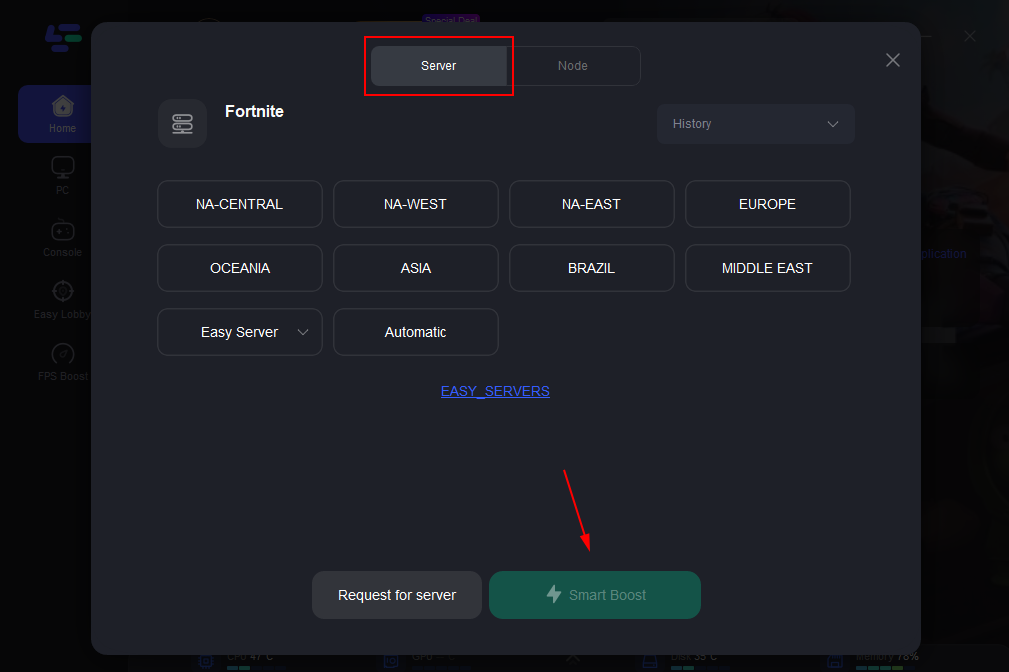
Step 3: Click “Server” to switch to a better server, such as EU or NA, which can improve the gaming experience. Then click “Smart Boost” to resolve the common issue.
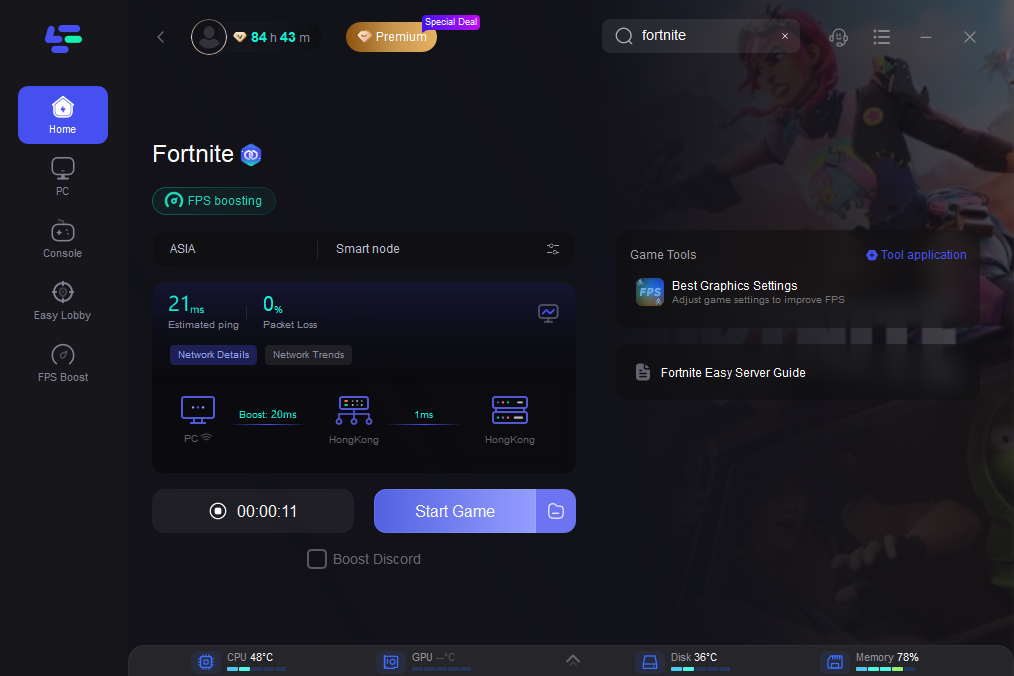
Step 4: Check the specific game ping, packet loss, and multiple path connections on the right side. Finally, click the “Start Game” to play the game.
Part 4: Fortnite Save The World News: What’s New in 2026?
The shift to free-to-play isn't just a pricing change; it’s a full-scale revival. Here are the most recent developments in the STW ecosystem:
- The v40.00 Progression Overhaul: Epic has completely reworked the early-game progression. The transition from Stonewood to Canny Valley is now smoother, with updated quest rewards that help new players understand the complex "Survivor Squad" system much faster.
- Introduction of the "Exchange": The old Event Store has been rebranded as The Exchange. This new interface allows players to trade in seasonal "Gold" for specific high-tier schematics and heroes with more transparency than ever before.
- "Project Spectral" Rumors: Leaks from the v39.30 files suggest that a new zone, potentially "Spectral Cliffs", is in development to finally conclude the unfinished storyline left behind in Twine Peaks.
- Cross-Mode Cosmetics: Nearly all STW-exclusive back blings, pickaxes, and even certain hero appearances are now being updated for full compatibility with Battle Royale and LEGO Fortnite, adding more value to your STW grind.
Part 5: FAQs
Can I still earn V-Bucks in Save the World for free?
No, V-Bucks rewards are now restricted to "Founders" (those who bought the game before June 2020). New free-to-play players will instead earn X-Ray Tickets, which can be used to purchase Llamas and items within the STW mode only.
Will my progress carry over between PC and Console?
Yes! Fortnite features full cross-progression. As long as you use the same Epic Games account, your schematics, heroes, and quest progress will be available on any supported platform.
Is Save the World coming to the Nintendo Switch?
While the original Switch cannot run the mode, rumors suggest that the Nintendo Switch 2 (expected launch in late 2026) will support Save the World with optimized settings.
Can I play Save the World solo?
Absolutely. While the game is designed for four-player co-op, you can set your privacy to "Private" and use Defender Posts to have AI-controlled survivors help you guard your objectives.
How long does it take to beat Save the World?
Completing the main campaign across the four primary zones (Stonewood, Plankerton, Canny Valley, and Twine Peaks) can take anywhere from 100 to 200 hours, depending on how much time you spend on side quests and event modes.
Conclusion
The transition of Fortnite Save the World to a free-to-play model on April 16, 2026, is a landmark moment for the gaming community. It marks the fulfillment of a promise made nearly a decade ago and breathes new life into the PvE genre. By pre-registering now and optimizing your setup with tools like LagoFast, you ensure that you are ready to face the Storm the moment the servers go live.
Boost Your Game with LagoFast for Epic Speed
Play harder, faster. LagoFast game booster eliminates stutter and lags on PC, mobile, or Mac—win every match!
Quickly Reduce Game Lag and Ping!
Boost FPS for Smoother Gameplay!