

Modding PEAK to support more players transforms its cozy 4-player climbs into epic, chaotic ascents filled with friends (or fans!). Whether you're aiming to stream bigger sessions or just share the thrill with a larger crew, this guide dives into everything you need: how the game supports small teams, how to install mods to expand your lobby, tips for managing group dynamics, and tools like LagoFast to keep your sessions smooth and lag-free.
Let’s pack your backpacks and get ready—there’s a whole mountain of new possibilities to explore!

Part 2: Understanding Peak Mods for More Players
Part 3: How to Mod PEAK for More Players
Part 1: Introduction of PEAK
PEAK is a cooperative climbing adventure developed by Aggro Crab and Landfall, officially released on June 16, 2025, for Windows via Steam. Combining physics-based platforming with group dynamics, it supports up to four players in randomly generated mountain runs—featuring surprising hazards like falling ropes, slippery surfaces, and sudden weather changes.
The challenge and charm of PEAK lies in teamwork, trust, and occasional chaos. While four-player lobbies are the norm, many players crave bigger, wilder climbs with more friends or stream audiences. Thankfully, modders have stepped in with creative solutions to boost lobby sizes beyond the default limit.
Part 2: Understanding Peak Mods for More Players
The modding site Thunderstore and Nexus Mods host popular modifications for PEAK. The standout is PEAK Unlimited by glarmer, which raises the lobby cap—up to around 20 players, configurable via a settings file. This mod requires:
- BepInEx (mod loader/framework)
- The PEAK Unlimited plugin DLL
It supports marshmallow spawn increases and smoother end-screen behavior. Other mods like "More Players PEAK" offer similar functionality—letting hosts define capacity up to a custom limit and automatically spawning marshmallows for each player.
Install is simple: only the host needs to set it up; guests join unmodded. This has opened large-scale gameplay experiences with up to 20 climbers in a single lobby.
Part 3: How to Mod PEAK for More Players
In order to unlock the PEAK team limit and play with more people, we can use mods. Here, we recommend LagoFast Game Booster Mods Collector Tool designed for PEAK. Here are the most popular PEAK mods of players in various game communities, including mod for more players. The method of use is also very simple, here are the steps:
Step 1: Download and install LagoFast via the free trial button
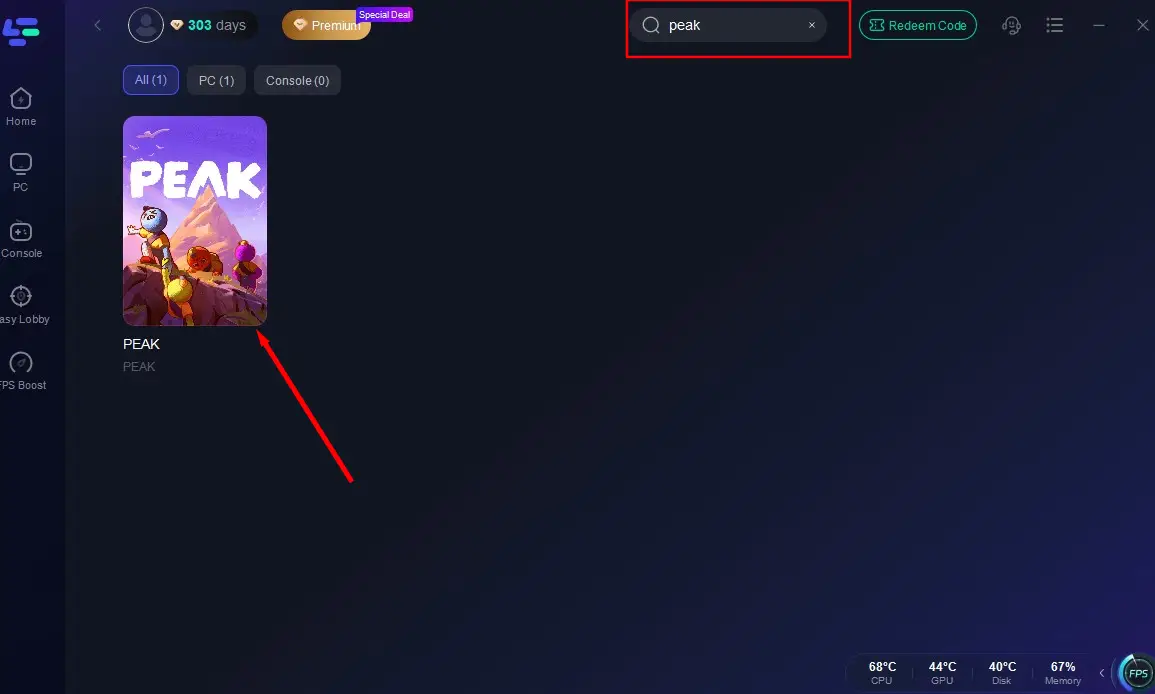
Step 2: After installation, search "PEAK" in the search bar and select the game
Step 3: Click the PEAK mod tool option in the lower-right corner
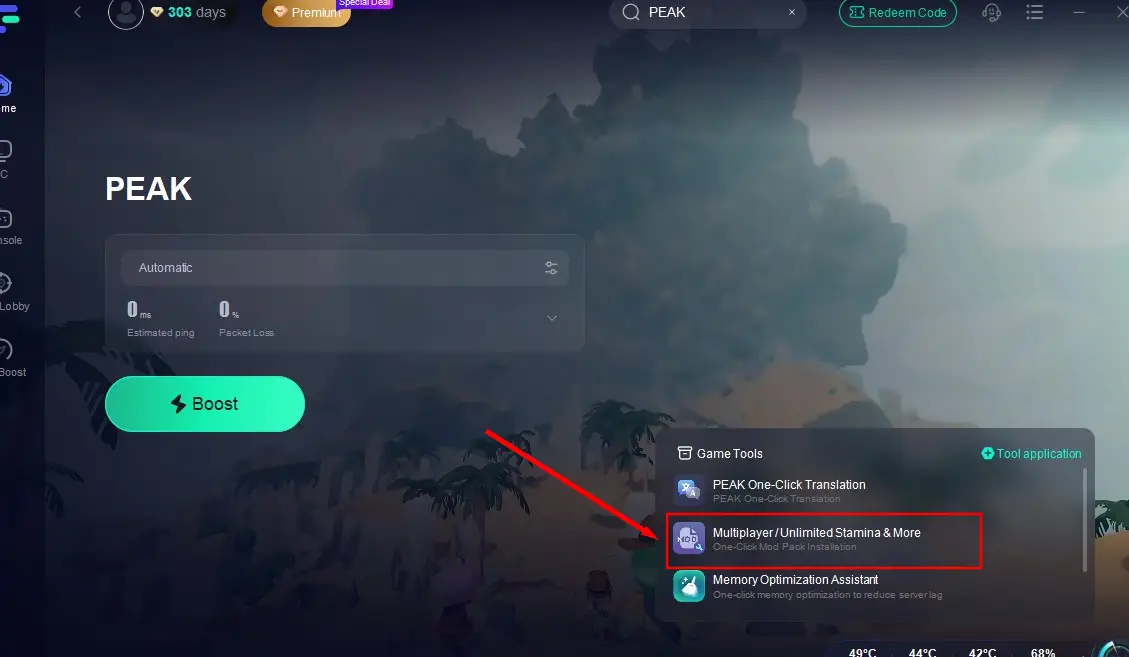
Step 4: Choose the Multiplayer Mod from the available options, click install, then launch the game to activate the features.

Optimize Multiplayer Performance with LagoFast
Even with powerful mods, poor connectivity can ruin a session in PEAK’s multiplayer mode. Lag spikes, high ping, and unstable connections can turn exciting climbs into frustrating failures. LagoFast not only boosts performance through mods but also provides real-time network optimization via a global network of intelligent servers—ensuring smoother, more stable gameplay.
Why Use LagoFast for PEAK?
- Global Server Access: Instantly switch between over 60 server locations for optimal ping.
- Smart Route Optimization: Automatically avoids crowded or slow network paths to maintain peak performance.
- Live Network Monitoring: Continuously monitors your data for a lag-free experience.
- One-Click Performance Boost: Easily reduce latency and improve frame rates with a single button.
- All-in-One Game Utility: Offers a complete toolkit to enhance performance across dozens of supported games.
- Risk-Free Trial: Explore all features completely free for 3 days.
Steps to Use LagoFast for PEAK Optimization on PC
Step 1: Open the app, search “PEAK”, and select the game.
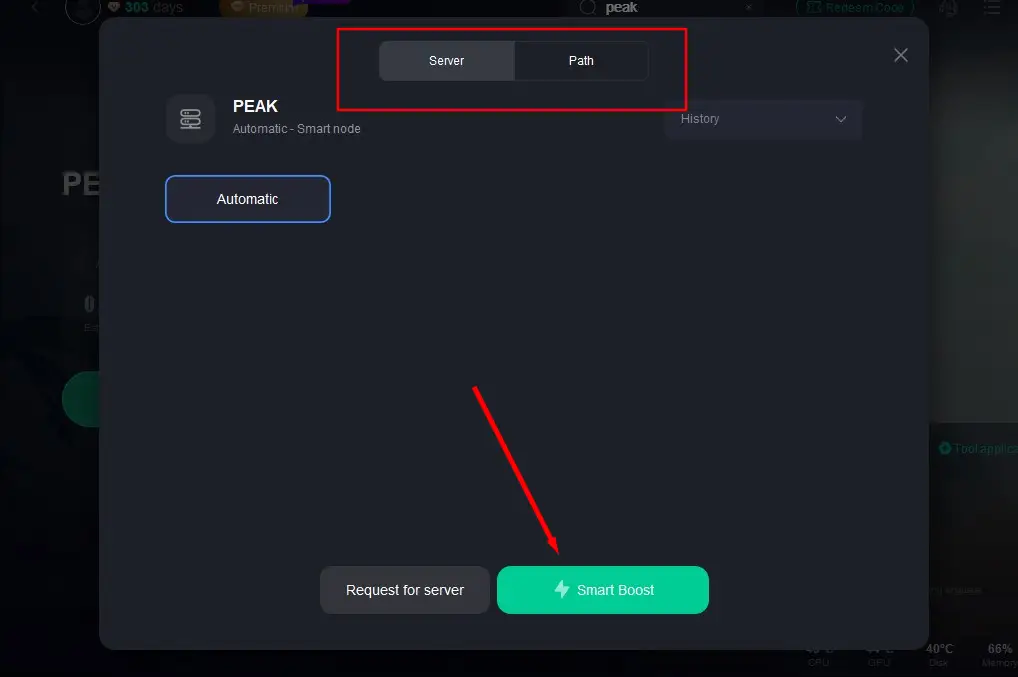
Step 2: Choose your preferred server region and hit Smart Boost to begin network optimization.
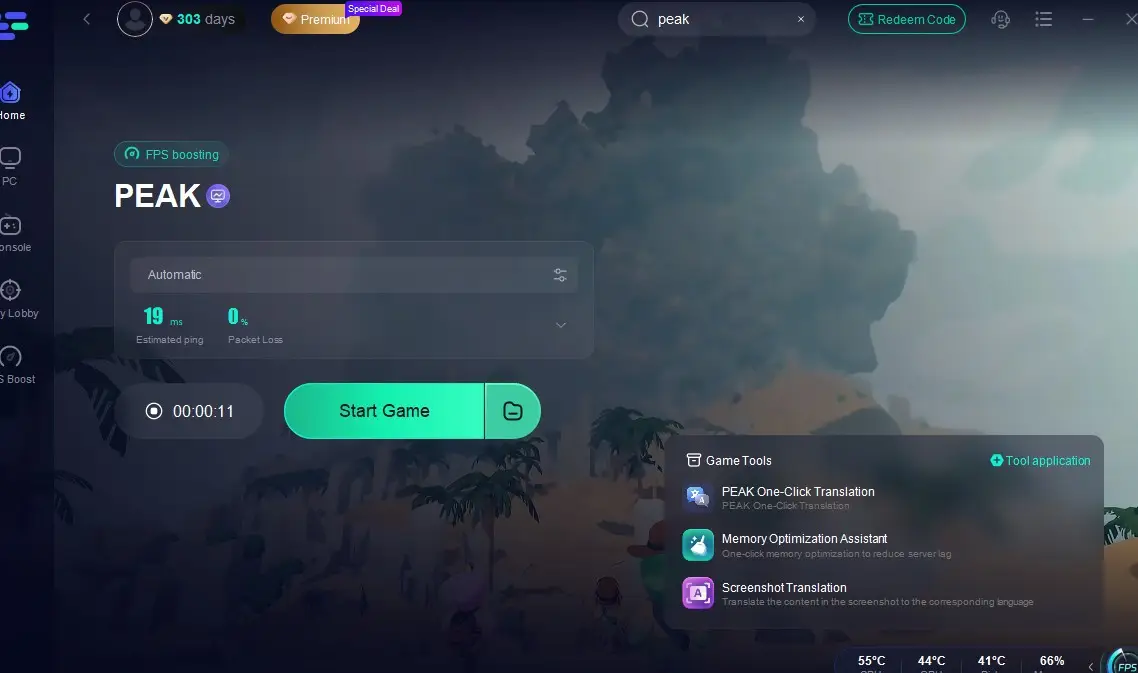
Step 3: Review live performance data while LagoFast optimizes your connection. Then launch PEAK for a noticeably smoother co-op experience.
Part 4: FAQs
Q1: Does everyone need the mod?
No—only the lobby host needs to install it. Friends can join without mods.
Q2: Will mods disable achievements?
Yes—any mods generally disable official achievements. For clean runs, uninstall mods and restart the game.
Q3: How many players can you have maximum?
Default config allows up to 20, though stability may degrade past 15–18.
Q4: Will more players affect fog and difficulty?
Fog tightens based on the furthest player—large groups may face faster fog progression. Choose routes strategically.
Conclusion
With PEAK Unlimited (or similar mods), you can seamlessly expand your climbing crew far beyond the vanilla four-player limit—without modding burdens for your friends. Pairing this with LagoFast Game Booster ensures that server lag, FPS drops, and connection issues don’t derail your adventures. By combining strategic inventory management, teamwork, and optional improvements, you'll enjoy chaotic and unforgettable climbs to the mountain's peak—no one left behind.

Boost Your Game with LagoFast for Epic Speed
Play harder, faster. LagoFast game booster eliminates stutter and lags on PC, mobile, or Mac—win every match!
Quickly Reduce Game Lag and Ping!
Boost FPS for Smoother Gameplay!