
Few things test your patience more than a slow download of EA Sports FC 26. With a massive file size of around 100 GB on PC and console, even players with decent internet connections can face hours of waiting before hitting the pitch. The good news? There are several simple tricks to make EA FC 26 download faster and cut down the wait time. Below, we’ll cover the best solutions for PC, console, and mobile players so you can start your Ultimate Team journey without the lag of long downloads.

- ✅ Reduce Lag and High Ping.
- ✅ Boost FPS at the Same Time.
- ✅ Support 2000+ Popular Online Games.
- ✅ Change Server without Latency.
- ✅ End Stuck & Crashing Issues.
- Why EA FC 26 Downloads Can Be Slow
- How to Make EA FC 26 Download Faster on PC
- How to Make EA FC 26 Download Faster on Console
- How to Make EA FC 26 Download Faster on Mobile
- How LagoFast Makes EA FC 26 Download Faster on PC, Mobile, and Console
1. Why EA FC 26 Downloads Can Be Slow
Large downloads depend on more than just your internet speed. Several factors can slow things down:
- High Server Demand: Launch day and updates put EA’s servers under heavy load.
- Wi-Fi Instability: Wireless connections fluctuate and reduce download consistency.
- Background Traffic: Other devices streaming or downloading eat up bandwidth.
- ISP Throttling: Some providers slow down large game downloads automatically.
- Storage Issues: Installing on a slow HDD instead of an SSD can bottleneck speed.
2. How to Make EA FC 26 Download Faster on PC
- Use a Wired Connection: Switch from Wi-Fi to Ethernet for a more stable download.
- Pause Other Apps: Close streaming services, downloads, and background apps.
- Change Download Region: On Steam or EA App, pick a less congested server region.
- Install on an SSD: Boosts both download and installation speed.
- Run as Administrator: Gives your launcher priority access to system resources.
3. How to Make EA FC 26 Download Faster on Console
- Use Ethernet Instead of Wi-Fi: Console downloads are much faster over LAN.
- Suspend Other Activities: Don’t stream or download games while FC 26 is installing.
- Change DNS Settings: Switch to Google DNS (8.8.8.8) or Cloudflare (1.1.1.1) for faster routing.
- Download in Rest Mode: Both PlayStation and Xbox often download quicker when not running games in the background.
- Clear Storage Space: Low available storage can slow down the installation process.
4. How to Make EA FC 26 Download Faster on Mobile
- Stay on Wi-Fi or 5G: Avoid public hotspots or weak mobile data signals.
- Close Background Apps: Free up RAM and bandwidth.
- Download During Off-Peak Hours: Fewer users means less server congestion.
- Enable Auto-Update: Pre-download patches automatically while idle.
- Keep Storage Ready: Ensure at least 5 GB free for installation and updates.
5. How LagoFast Makes EA FC 26 Download Faster on PC, Mobile, and Console
Few things are more frustrating than waiting hours for EA Sports FC 26 to finish downloading. With a file size that can exceed 100 GB on PC and console, slow speeds can feel endless—especially on launch day or during major updates. While EA’s servers play a role, much of the slowdown comes from unstable routing or bandwidth congestion. LagoFast helps speed up downloads by optimizing your network path, stabilizing connections, and ensuring you get the fastest possible transfer rates.
Key Benefits of Using LagoFast for Faster Downloads
- Accelerated Download Speeds – Get FC 26 installed sooner.
- Stable Connections – Avoid interruptions that stall progress.
- Smart Routing – Bypass congested networks for faster transfers.
- Real-Time Monitoring – Track speed, ping, and packet loss live.
- Cross-Platform Coverage – Works on PC, mobile, and console.
LagoFast on PC
If your PC download is crawling, LagoFast can accelerate the process in a few quick steps:
Step 1. Download LagoFast by clicking the "Free Trial" button.
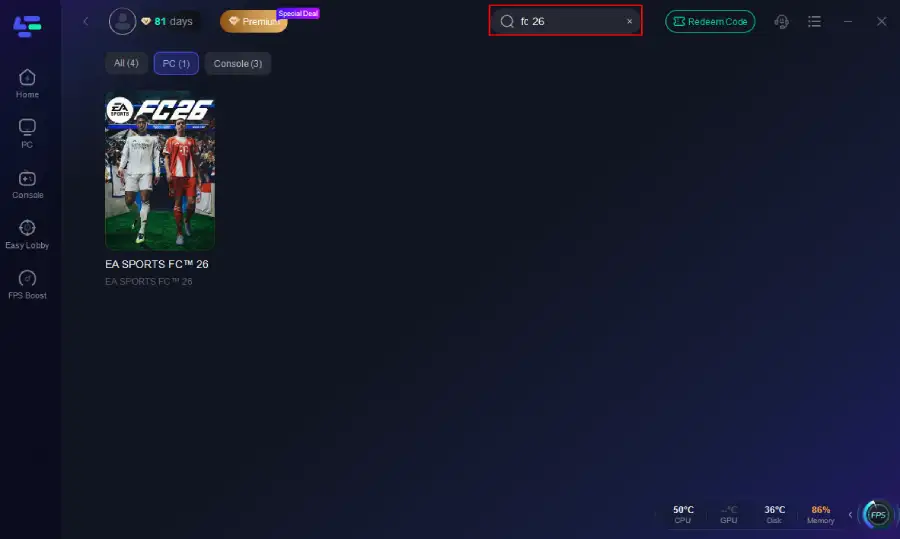
Step 2. Before you start your game, search for it within the LagoFast application to ensure it's supported.
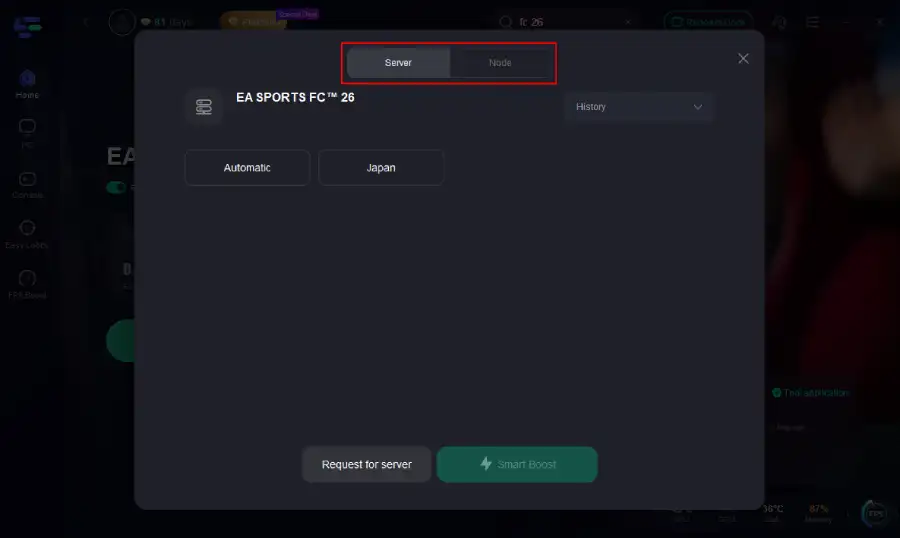
Step 3. Navigate to "Select Server" to choose the most stable server. Follow up by selecting the best Node available on the right to optimize your connection.
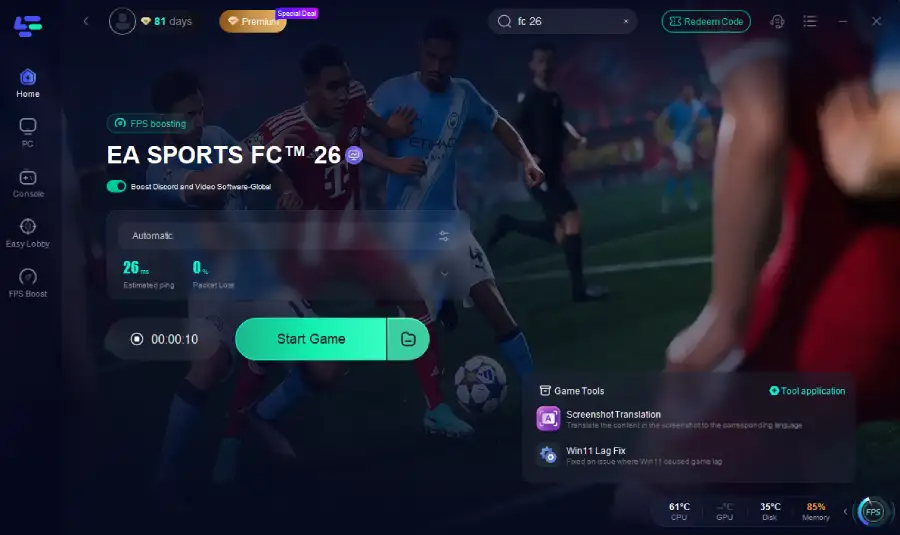
Step 4.Click the "Smart Boost" button to get real-time data on your game's ping, packet loss, and network type, which helps in monitoring and adjusting for optimal performance.
LagoFast on Console
Console players often experience slow downloads during launch windows or big updates. With the LagoFast Box, you can speed things up significantly:
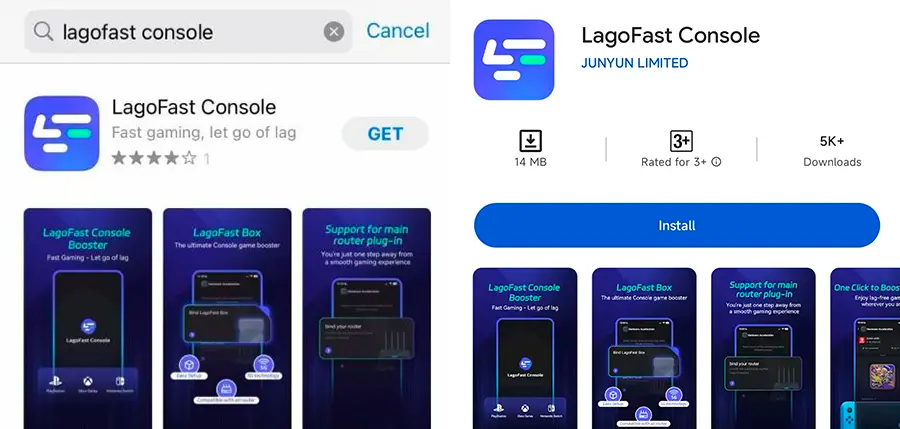
Step 1: Download the LagoFast Console App on your phone to control the LagoFast Box.
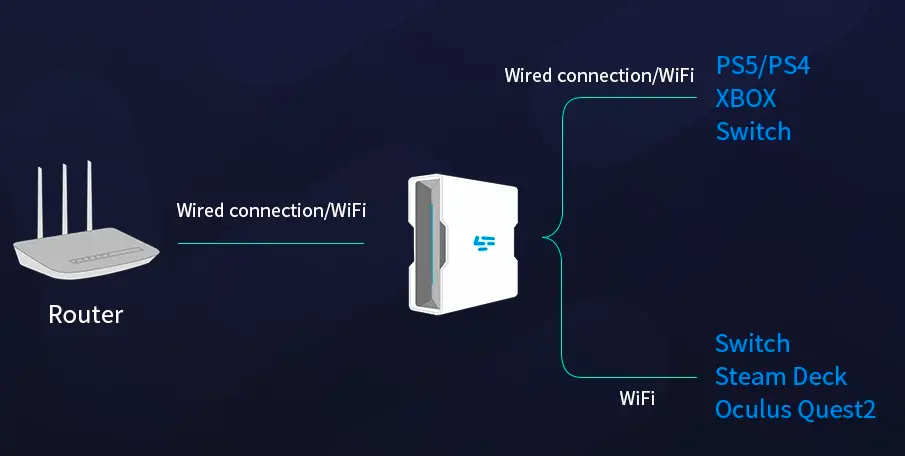
Step 2: Establish a connection between your LagoFast Box, router, and console, choosing between a wired or wireless connection.
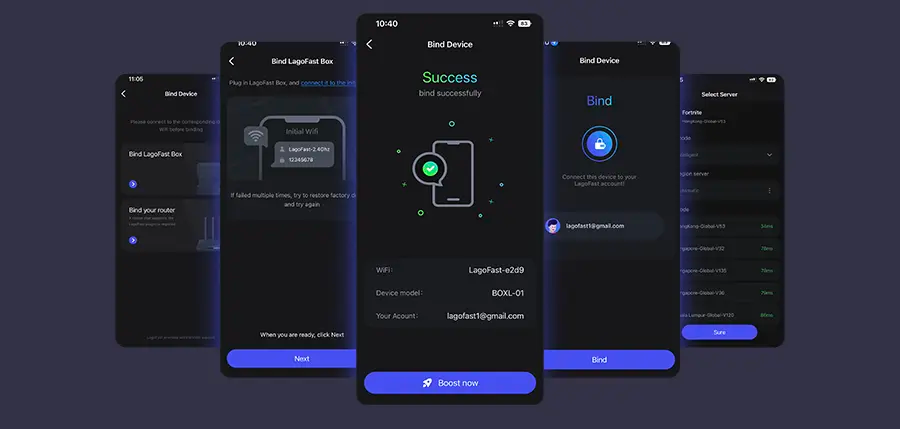
Step 3: Launch the LagoFast Console App and boost FC 26. Once you have completed the binding process with the LagoFast Box, proceed to boost this game within the LagoFast Console App.
LagoFast on Mobile
For FC 26 Mobile, downloads can feel painfully slow on unstable Wi-Fi or congested mobile networks. LagoFast helps by:
- Installing the LagoFast Mobile Booster from the App Store or Google Play.
- Searching for FC 26 and picking the most reliable server.
- Tapping Boost to stabilize your connection and maximize download speed while tracking real-time performance.
If you’re asking “How to make EA FC 26 download faster?”, the answer isn’t always just waiting on EA’s servers. Network stability plays a huge role—and that’s where LagoFast comes in. By optimizing routing, stabilizing bandwidth, and prioritizing your downloads, LagoFast ensures you spend less time waiting and more time playing, no matter if you’re on PC, console, or mobile.
Conclusion
If you’re asking how to make EA FC 26 download faster, the solution usually comes down to stable connections, reduced background usage, and optimized settings. PC players can change regions and prioritize Ethernet, console users benefit from rest mode and DNS tweaks, while mobile players should stick to strong Wi-Fi or 5G. By following these steps, you’ll shave hours off your download time and hit the pitch much sooner—because the only thing slower than a bad connection is waiting to play.

Boost Your Game with LagoFast for Epic Speed
Play harder, faster. LagoFast game booster eliminates stutter and lags on PC, mobile, or Mac—win every match!
Quickly Reduce Game Lag and Ping!
Boost FPS for Smoother Gameplay!